1
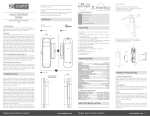
Local protection It’s possible to change the behaviour of the button by changing local protection. It’s only possible to use local protection if it’s supported by the gateway/controller. Possible settings: Unprotected toggle the state by pressing the button once. Protected by sequence toggle the state by pressing the button three times. No local operation possible not possible to control the device using the button. RF protection It’s possible to disable the possibility to control the device from the ZWave network by changing RF protection. It’s only possible to use RF protection if it’s supported by the gateway/controller. Possible settings: Unprotected Possible to control the device from the ZWave network No RF control All commands sent to the device is ignored No RF response at all The device will not even reply to status requests. Configurations By changing configurations, you are able to change various settings in the device. This can be done from the ZWave gateway/controller, if supported. These settings are available in this device: Parameter no 1 - Countdown timer Number of minutes before it autoshuts down. Default value: 0 (disabled) Size: 1 byte Possible values: 0254 Unit: minutes Parameter no 2 - Remember device status after power failure. Define how the plug will react after the power supply is back on. Default value: 1 (remember status) Size: 1 byte Possible values: 0: Always off, 1: Remember status, 2: Always on. Parameter no 3 - LED indicator Set the intensity of the LED indicator Default value: 100 Size: 1 byte Possible values: 0100