1
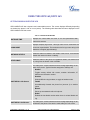
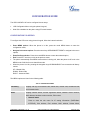
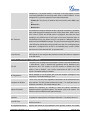
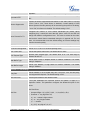
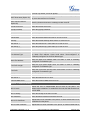
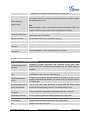
Erases custom XML idle screen previously loaded on the phone. After erasing
it, the phone will show default idle screen.
•
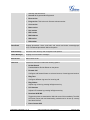
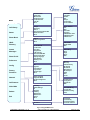
Display Language
Selects the language to be displayed on the phone's LCD. Users could select
Automatic for local language based on IP location if available.
•
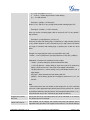
Time Settings
Configures date and time on the phone.
•
Star Key Lock
Turns on/off keypad lock feature and configures keypad lock password.
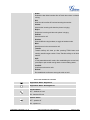
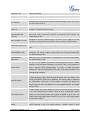
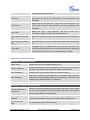
Config
Config sub menu includes the following options:
•
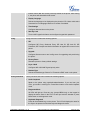
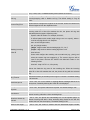
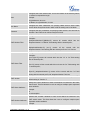
SIP
Configures SIP Proxy, Outbound Proxy, SIP User ID, SIP Auth ID, SIP
Password, SIP Transport and Audio information to register SIP account on the
phone.
•
Upgrade
Configures firmware server and config server for upgrading and provisioning
the phone.
•
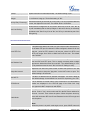
Factory Reset
Resets the phone to factory default settings.
•
Layer 2 QoS
Configures 802.1Q/VLAN Tag and priority value.
•
Headset Type
Selects the headset type "Normal" or "Plantronics EHS" used on the phone.
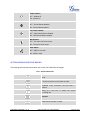
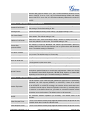
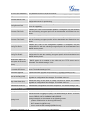
Factory Functions
Factory Functions sub menu includes the following options:
•
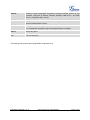
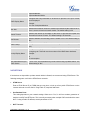
Audio Loopback
Speak to the phone using speaker/handset/headset. If you can hear your
voice, your audio is working fine. Press Menu button to exit audio loopback
mode.
•
Diagnostic Mode
All LEDs will light up. Press any key (except MENU key) on the keypad to
display the button name in the LCD. Lift and put back the handset or press
Menu button to exit diagnostic mode.
•
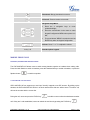
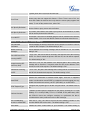
Keyboard Diagnostic
Press all the available keys on the phone. The LCD will display the name for
the keys to be pressed to finish the keyboard diagnostic mode.
FIRMWARE VERSION 1.0.5.15
GXP1160/GXP1165 USER MANUAL
Page 30 of 63