1
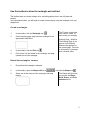
click the object and drag one of the corner handles to the desired size. You
can now center the text in the rectangle.
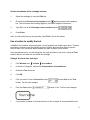
Center the rectangle
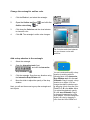
1.
Click the Pick tool, and select the rectangle.
2.
Click Arrange menu
3.
Click the Align tab.
4.
Enable the Center of page check box.
5.
Click OK.
Align and distribute.
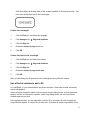
Center the text in the rectangle
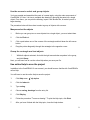
1.
Click the Pick tool, and select the text box.
2.
Click Arrange menu
3.
Click the Align tab.
4.
Enable the Center of page check box.
5.
Click OK.
Align and distribute.
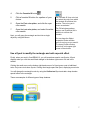
Next, you will change the fill properties of the rectangle by using a Docker window.
Use a Docker window to add a fill
In CorelDRAW 10, you will sometimes use Docker windows. These offer another convenient
way to edit graphics.
Docker windows contain the same kinds of controls found in dialog boxes, such as command
buttons, options, and list boxes. However, unlike most dialog boxes, you can keep Docker
windows open as you work.
In the procedure below, you can add either a uniform fill or a fountain fill to the rectangle by
using a Docker window. A uniform fill is a solid color. A fountain fill contains a gradation of two
5