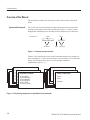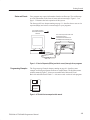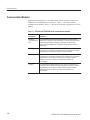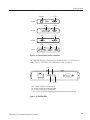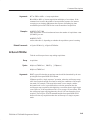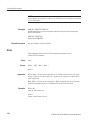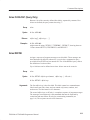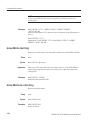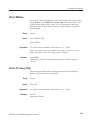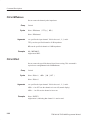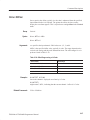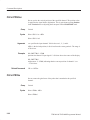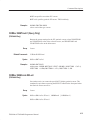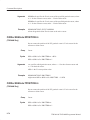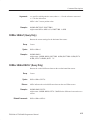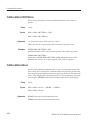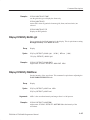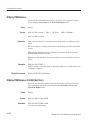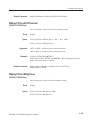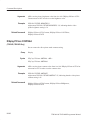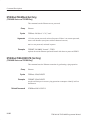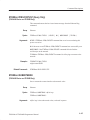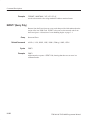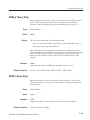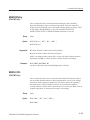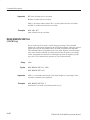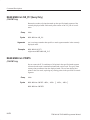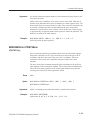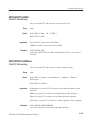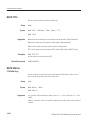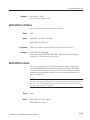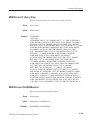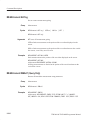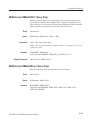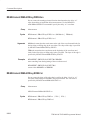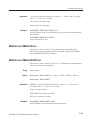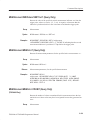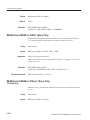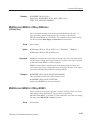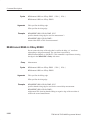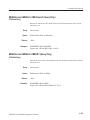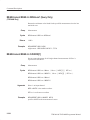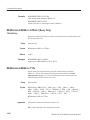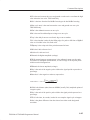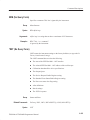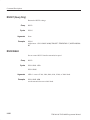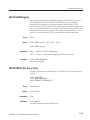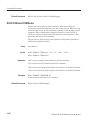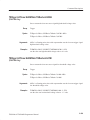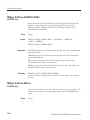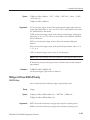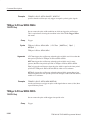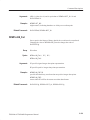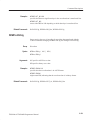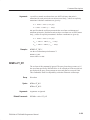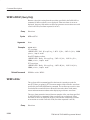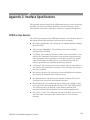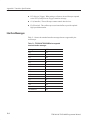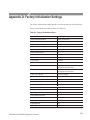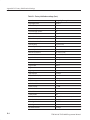
1
Programmer Manual TDS3000 & TDS3000B Series Digital Phosphor Oscilloscopes 071-0381-02 This document applies to firmware version 1.00 and above. www.tektronix.com Copyright © Tektronix, Inc. All rights reserved. Licensed software products are owned by Tektronix or its suppliers and are protected by United States copyright laws and international treaty provisions. Use, duplication, or disclosure by the Government is subject to restrictions as set forth in subparagraph (c)(1)(ii) of the Rights in Technical Data and Computer Software clause at DFARS 252.227-7013, or subparagraphs (c)(1) and (2) of the Commercial Computer Software – Restricted Rights clause at FAR 52.227-19, as applicable. Tektronix products are covered by U.S. and foreign patents, issued and pending. Information in this publication supercedes that in all previously published material. Specifications and price change privileges reserved. Tektronix, Inc., P.O. Box 500, Beaverton, OR 97077 TEKTRONIX and TEK are registered trademarks of Tektronix, Inc. DPX, WaveAlert, and e*Scope are trademarks of Tektronix, Inc. Table of Contents Preface Related Manuals . . . . . . . . . . . . . . . . . . . . . . . . . . . . . . . . . . . . . . . . . . . . . . . . . . Contacting Tektronix . . . . . . . . . . . . . . . . . . . . . . . . . . . . . . . . . . . . . . . . . . . . . . vii viii Overview of the Manual . . . . . . . . . . . . . . . . . . . . . . . . . . . . . . . . . . . . . . . . . . . . Communication Modules . . . . . . . . . . . . . . . . . . . . . . . . . . . . . . . . . . . . . . . . . . . Installing a Communication Module . . . . . . . . . . . . . . . . . . . . . . . . . . . . . . . . . . Connector Locations . . . . . . . . . . . . . . . . . . . . . . . . . . . . . . . . . . . . . . . . . . . . . . Setting Up Ethernet Remote Communications . . . . . . . . . . . . . . . . . . . . . . . . . . Setting Up GPIB Remote Communications . . . . . . . . . . . . . . . . . . . . . . . . . . . . . Setting Up RS-232 Remote Communications . . . . . . . . . . . . . . . . . . . . . . . . . . . Comparing GPIB and RS-232 . . . . . . . . . . . . . . . . . . . . . . . . . . . . . . . . . . . . . . . 1–2 1–4 1–6 1–7 1–8 1–22 1–25 1–30 Getting Started Command Syntax and Commands Command and Query Structure . . . . . . . . . . . . . . . . . . . . . . . . . . . . . . . . . . . . . . Clearing the Oscilloscope Output Queue . . . . . . . . . . . . . . . . . . . . . . . . . . . . . . . Command Entry . . . . . . . . . . . . . . . . . . . . . . . . . . . . . . . . . . . . . . . . . . . . . . . . . . Constructed Mnemonics . . . . . . . . . . . . . . . . . . . . . . . . . . . . . . . . . . . . . . . . . . . . Argument Types . . . . . . . . . . . . . . . . . . . . . . . . . . . . . . . . . . . . . . . . . . . . . . . . . . 2–1 2–4 2–4 2–7 2–8 Command Groups . . . . . . . . . . . . . . . . . . . . . . . . . . . . . . . . . . . . . . . . . . 2–11 Acquisition Commands . . . . . . . . . . . . . . . . . . . . . . . . . . . . . . . . . . . . . . . . . . . . Alias Commands . . . . . . . . . . . . . . . . . . . . . . . . . . . . . . . . . . . . . . . . . . . . . . . . . Calibration and Diagnostic Commands . . . . . . . . . . . . . . . . . . . . . . . . . . . . . . . . Cursor Commands . . . . . . . . . . . . . . . . . . . . . . . . . . . . . . . . . . . . . . . . . . . . . . . . Display Commands . . . . . . . . . . . . . . . . . . . . . . . . . . . . . . . . . . . . . . . . . . . . . . . Ethernet Commands . . . . . . . . . . . . . . . . . . . . . . . . . . . . . . . . . . . . . . . . . . . . . . . File System Commands . . . . . . . . . . . . . . . . . . . . . . . . . . . . . . . . . . . . . . . . . . . . Front Panel Commands . . . . . . . . . . . . . . . . . . . . . . . . . . . . . . . . . . . . . . . . . . . . Hard Copy Commands . . . . . . . . . . . . . . . . . . . . . . . . . . . . . . . . . . . . . . . . . . . . . Horizontal Commands . . . . . . . . . . . . . . . . . . . . . . . . . . . . . . . . . . . . . . . . . . . . . ITU601 Digital Video Commands (TDS3SDI Only) . . . . . . . . . . . . . . . . . . . . . Limit Test Commands (TDS3LIM Only) . . . . . . . . . . . . . . . . . . . . . . . . . . . . . . Mask Commands (TDS3TMT Only) . . . . . . . . . . . . . . . . . . . . . . . . . . . . . . . . . . Math Commands . . . . . . . . . . . . . . . . . . . . . . . . . . . . . . . . . . . . . . . . . . . . . . . . . Measurement Commands . . . . . . . . . . . . . . . . . . . . . . . . . . . . . . . . . . . . . . . . . . . Miscellaneous Commands . . . . . . . . . . . . . . . . . . . . . . . . . . . . . . . . . . . . . . . . . . RS-232 Commands . . . . . . . . . . . . . . . . . . . . . . . . . . . . . . . . . . . . . . . . . . . . . . . Save and Recall Commands . . . . . . . . . . . . . . . . . . . . . . . . . . . . . . . . . . . . . . . . . Status and Error Commands . . . . . . . . . . . . . . . . . . . . . . . . . . . . . . . . . . . . . . . . Trigger Commands . . . . . . . . . . . . . . . . . . . . . . . . . . . . . . . . . . . . . . . . . . . . . . . . Vertical Commands . . . . . . . . . . . . . . . . . . . . . . . . . . . . . . . . . . . . . . . . . . . . . . . Waveform Commands . . . . . . . . . . . . . . . . . . . . . . . . . . . . . . . . . . . . . . . . . . . . . 2–11 2–12 2–13 2–14 2–16 2–17 2–18 2–18 2–19 2–19 2–20 2–21 2–22 2–27 2–28 2–31 2–32 2–32 2–33 2–34 2–38 2–39 Command Descriptions . . . . . . . . . . . . . . . . . . . . . . . . . . . . . . . . . . . . . . 2–45 TDS3000 & TDS3000B Programmer Manual i Table of Contents Status and Events Registers . . . . . . . . . . . . . . . . . . . . . . . . . . . . . . . . . . . . . . . . . . . . . . . . . . . . . . . . Queues . . . . . . . . . . . . . . . . . . . . . . . . . . . . . . . . . . . . . . . . . . . . . . . . . . . . . . . . . Event Handling Sequence . . . . . . . . . . . . . . . . . . . . . . . . . . . . . . . . . . . . . . . . . . Synchronization Methods . . . . . . . . . . . . . . . . . . . . . . . . . . . . . . . . . . . . . . . . . . . Messages . . . . . . . . . . . . . . . . . . . . . . . . . . . . . . . . . . . . . . . . . . . . . . . . . . . . . . . 3–1 3–5 3–6 3–7 3–12 Programming Examples GPIB Examples . . . . . . . . . . . . . . . . . . . . . . . . . . . . . . . . . . . . . . . . . . . . . . . . . . RS-232 Examples . . . . . . . . . . . . . . . . . . . . . . . . . . . . . . . . . . . . . . . . . . . . . . . . . 4–2 4–5 Appendix A: Character Charts . . . . . . . . . . . . . . . . . . . . . . . . . . . . . . . Appendix B: Reserved Words . . . . . . . . . . . . . . . . . . . . . . . . . . . . . . . . Appendix C: Interface Specifications . . . . . . . . . . . . . . . . . . . . . . . . . . Appendix D: Factory Initialization Settings . . . . . . . . . . . . . . . . . . . . . A–1 B–1 C–1 D–1 Appendices Glossary and Index ii TDS3000 & TDS3000B Programmer Manual Table of Contents List of Figures Figure 1–1: Common message elements . . . . . . . . . . . . . . . . . . . . . . . . Figure 1–2: Functional groupings and an alphabetical list of commands . . . . . . . . . . . . . . . . . . . . . . . . . . . . . . . . . . . . . . . . Figure 1–3: Service Requests (SRQs) provide for event (interrupt) driven programs . . . . . . . . . . . . . . . . . . . . . . . . . . . . . . Figure 1–4: The disk that accompanies this manual . . . . . . . . . . . . . . Figure 1–5: Communication module connectors . . . . . . . . . . . . . . . . . Figure 1–6: TDS3EM LEDs . . . . . . . . . . . . . . . . . . . . . . . . . . . . . . . . . . Figure 1–7: Communication module mounting location . . . . . . . . . . . Figure 1–8: Communication module location . . . . . . . . . . . . . . . . . . . . Figure 1–9: The Ethernet Network Settings menu . . . . . . . . . . . . . . . . Figure 1–10: The Change Instrument Settings screen . . . . . . . . . . . . . Figure 1–11: The Ethernet Printer Settings window . . . . . . . . . . . . . . Figure 1–12: VISA configuration window . . . . . . . . . . . . . . . . . . . . . . Figure 1–13: TekVisa Add Remote Host dialog box . . . . . . . . . . . . . . Figure 1–14: TekVisa Delete Remote Resource dialog box . . . . . . . . . Figure 1–15: How to stack GPIB connectors . . . . . . . . . . . . . . . . . . . . Figure 1–16: Typical GPIB network configurations . . . . . . . . . . . . . . Figure 1–17: Selecting the System: I/O menu . . . . . . . . . . . . . . . . . . . . Figure 1–18: The RS-232 connector pin assignments . . . . . . . . . . . . . Figure 1–19: RS-232 parameter settings . . . . . . . . . . . . . . . . . . . . . . . . 1–3 1–3 1–5 1–5 1–6 1–7 1–9 1–10 1–16 1–19 1–20 1–21 1–23 1–23 1–24 1–25 1–26 Figure 2–1: Command Message Elements . . . . . . . . . . . . . . . . . . . . . . Figure 2–2: Block Argument Example . . . . . . . . . . . . . . . . . . . . . . . . . 2–2 2–10 Figure 3–1: The Standard Event Status Register (SESR) . . . . . . . . . . Figure 3–2: The Status Byte Register (SBR) . . . . . . . . . . . . . . . . . . . . . Figure 3–3: The Device Event Status Enable Register (DESER) . . . . Figure 3–4: The Event Status Enable Register (ESER) . . . . . . . . . . . . Figure 3–5: The Service Request Enable Register (SRER) . . . . . . . . . Figure 3–6: Status and Event Handling Process . . . . . . . . . . . . . . . . . Figure 3–7: Command Processing Without Using Synchronization . . . . . . . . . . . . . . . . . . . . . . . . . . . . . . . . . . . . . . . . . Figure 3–8: Processing Sequence With Synchronization . . . . . . . . . . . 3–1 3–2 3–3 3–4 3–4 3–6 3–8 3–8 Figure 4–1: Equipment needed to run the GPIB and RS-232 example programs . . . . . . . . . . . . . . . . . . . . . . . . . . . . 4–1 TDS3000 & TDS3000B Programmer Manual 1–2 1–2 iii Table of Contents List of Tables iv Table 1–1: TDS3000 and TDS3000B Series communication modules Table 1–2: Ethernet Network Settings side menu . . . . . . . . . . . . . . . . Table 1–3: Ethernet Printer Settings side menu . . . . . . . . . . . . . . . . . Table 1–4: RS-232 adapter cables . . . . . . . . . . . . . . . . . . . . . . . . . . . . . Table 1–5: RS-232 default settings . . . . . . . . . . . . . . . . . . . . . . . . . . . . Table 1–6: RS-232 troubleshooting . . . . . . . . . . . . . . . . . . . . . . . . . . . . Table 1–7: Comparison of GPIB and RS-232 interfaces . . . . . . . . . . 1–4 1–10 1–12 1–25 1–27 1–29 1–30 Table 2–1: BNF Symbols and Meanings . . . . . . . . . . . . . . . . . . . . . . . . Table 2–2: Command Message Elements . . . . . . . . . . . . . . . . . . . . . . . Table 2–3: Comparison of Header Off and On Responses . . . . . . . . . Table 2–4: Acquisition commands . . . . . . . . . . . . . . . . . . . . . . . . . . . . Table 2–5: Alias commands . . . . . . . . . . . . . . . . . . . . . . . . . . . . . . . . . . Table 2–6: Calibration and diagnostic commands . . . . . . . . . . . . . . . Table 2–7: Cursor commands . . . . . . . . . . . . . . . . . . . . . . . . . . . . . . . . Table 2–8: Display commands . . . . . . . . . . . . . . . . . . . . . . . . . . . . . . . . Table 2–9: Ethernet commands . . . . . . . . . . . . . . . . . . . . . . . . . . . . . . . Table 2–10: File system commands . . . . . . . . . . . . . . . . . . . . . . . . . . . . Table 2–11: Front panel commands . . . . . . . . . . . . . . . . . . . . . . . . . . . Table 2–12: Hard copy commands . . . . . . . . . . . . . . . . . . . . . . . . . . . . Table 2–13: Horizontal commands . . . . . . . . . . . . . . . . . . . . . . . . . . . . Table 2–14: ITU601 commands . . . . . . . . . . . . . . . . . . . . . . . . . . . . . . . Table 2–15: Limit Test commands . . . . . . . . . . . . . . . . . . . . . . . . . . . . Table 2–16: Mask commands . . . . . . . . . . . . . . . . . . . . . . . . . . . . . . . . Table 2–17: Available TDS3TMT ITU-T G.703 mask standards . . . Table 2–18: Available TDS3TMT ANSI T1.102 mask standards . . . Table 2–19: Math commands . . . . . . . . . . . . . . . . . . . . . . . . . . . . . . . . Table 2–20: Measurement commands . . . . . . . . . . . . . . . . . . . . . . . . . Table 2–21: Miscellaneous commands . . . . . . . . . . . . . . . . . . . . . . . . . Table 2–22: RS-232 commands . . . . . . . . . . . . . . . . . . . . . . . . . . . . . . . Table 2–23: Save and Recall commands . . . . . . . . . . . . . . . . . . . . . . . . Table 2–24: Status and Error commands . . . . . . . . . . . . . . . . . . . . . . . Table 2–25: Trigger commands . . . . . . . . . . . . . . . . . . . . . . . . . . . . . . . Table 2–26: Vertical commands . . . . . . . . . . . . . . . . . . . . . . . . . . . . . . Table 2–27: Binary data ranges . . . . . . . . . . . . . . . . . . . . . . . . . . . . . . . 2–1 2–2 2–3 2–11 2–12 2–13 2–14 2–16 2–17 2–18 2–18 2–19 2–19 2–20 2–21 2–22 2–26 2–26 2–27 2–28 2–31 2–32 2–32 2–33 2–34 2–38 2–40 TDS3000 & TDS3000B Programmer Manual Table of Contents Table 2–28: Waveform commands . . . . . . . . . . . . . . . . . . . . . . . . . . . . Table 2–29: Commands that affect BUSY? response . . . . . . . . . . . . . Table 2–30: Offset Ranges using a 1x Probe . . . . . . . . . . . . . . . . . . . . Table 2–31: CURVE query error conditions . . . . . . . . . . . . . . . . . . . . Table 2–32: CURVE command error conditions . . . . . . . . . . . . . . . . . Table 2–33: DATa and WFMPre parameter settings . . . . . . . . . . . . . Table 2–34: XY format pairs . . . . . . . . . . . . . . . . . . . . . . . . . . . . . . . . . Table 2–35: XY format pairs . . . . . . . . . . . . . . . . . . . . . . . . . . . . . . . . . Table 2–36: FPAnel:PRESS arguments . . . . . . . . . . . . . . . . . . . . . . . . Table 2–37: Advanced Math expression elements . . . . . . . . . . . . . . . . Table 2–38: MATH1: commands . . . . . . . . . . . . . . . . . . . . . . . . . . . . . Table 2–39: Commands that generate an operation complete message . . . . . . . . . . . . . . . . . . . . . . . . . . . Table 2–40: HDTV formats . . . . . . . . . . . . . . . . . . . . . . . . . . . . . . . . . . Table 2–41: Video trigger line range values . . . . . . . . . . . . . . . . . . . . . Table 2–42: TRIGger:DELay commands . . . . . . . . . . . . . . . . . . . . . . . Table 2–43: TRIGger:MAIn commands . . . . . . . . . . . . . . . . . . . . . . . Table 2–44: Additional WFMPre commands . . . . . . . . . . . . . . . . . . . . 2–243 2–296 2–298 2–307 2–309 2–330 Table 3–1: SESR bit functions . . . . . . . . . . . . . . . . . . . . . . . . . . . . . . . . Table 3–2: SBR bit functions . . . . . . . . . . . . . . . . . . . . . . . . . . . . . . . . . Table 3–3: No event messages . . . . . . . . . . . . . . . . . . . . . . . . . . . . . . . . Table 3–4: Command error messages – CME Bit 5 . . . . . . . . . . . . . . Table 3–5: Execution error messages – EXE Bit 4 . . . . . . . . . . . . . . . Table 3–6: Device error messages – DDE Bit 3 . . . . . . . . . . . . . . . . . . Table 3–7: System event messages . . . . . . . . . . . . . . . . . . . . . . . . . . . . Table 3–8: Execution warning messages – EXE Bit 4 . . . . . . . . . . . . . Table 3–9: Internal warning messages . . . . . . . . . . . . . . . . . . . . . . . . . 3–2 3–3 3–12 3–12 3–14 3–17 3–18 3–18 3–19 Table A–1: The TDS3000 and TDS3000B Character Set . . . . . . . . . . Table A–2: ASCII & GPIB code chart . . . . . . . . . . . . . . . . . . . . . . . . . . A–1 A–3 Table C–1: TDS3000 & TDS3000B Series supported standard interface messages . . . . . . . . . . . . . . . . . . . . . . . . . . . . . . . . . . . . . . C–2 Table D–1: Factory initialization settings . . . . . . . . . . . . . . . . . . . . . . . D–1 TDS3000 & TDS3000B Programmer Manual 2–42 2–56 2–67 2–90 2–90 2–94 2–105 2–114 2–138 2–202 2–208 v Table of Contents vi TDS3000 & TDS3000B Programmer Manual Preface This programmer manual covers the commands for remotely controlling the TDS3000 and TDS3000B Series Digital Phosphor Oscilloscopes. This manual provides information on remotely accessing your oscilloscope using the Ethernet port (built-in on all TDS3000B Series oscilloscopes, and available on TDS3000 Series oscilloscopes with the optional TDS3EM Ethernet Communication Module), General Purpose Interface Bus (GPIB), or RS-232 interfaces. Related Manuals The TDS3000B Series DPO Oscilloscope Manuals and Application Notes CD (063-3486-XX) contains the TDS3000B Series Digital Phosphor Oscilloscope User Manual, translated into all supported languages. The user manual contains complete information on how to operate your TDS3000B Series oscilloscope. The CD also contains online manuals of the TDS3000 & TDS3000B Series DPO Oscilloscope Programmer Manual, all TDS3000B Series application modules (translated into all supported languages), application notes, oscilloscope and probe fundamentals, and software to install the Adobe Acrobat Reader, which is required to view the PDF-format online documents. The TDS3000B Series DPO Oscilloscope Service Manual (part number 071-0972-XX) provides module-level component information, as well as specifications, disassembly/assembly instructions, and performance verification procedures. TDS3000 & TDS3000B Programmer Manual vii Preface Contacting Tektronix Phone 1-800-833-9200* Address Tektronix, Inc. Department or name (if known) 14200 SW Karl Braun Drive P.O. Box 500 Beaverton, OR 97077 USA Web site www.tektronix.com Sales support 1-800-833-9200, select option 1* Service support 1-800-833-9200, select option 2* Technical support Email: [email protected] 1-800-833-9200, select option 3* 1-503-627-2400 6:00 a.m. – 5:00 p.m. Pacific time * viii This phone number is toll free in North America. After office hours, please leave a voice mail message. Outside North America, contact a Tektronix sales office or distributor; see the Tektronix web site for a list of offices. TDS3000 & TDS3000B Programmer Manual Getting Started You can write computer programs that remotely set the oscilloscope front panel controls or that take measurements and read those measurements for further analysis or storage. To help you get started with programming the oscilloscope, this section includes the following sections: H Overview of the Manual summarizes the type of programming information contained in each major section of this manual (page 1–2). H Installing a Communication Module provides instructions to install one of the optional communication modules (page 1–6). H Connector Locations shows the RS-232 and GPIB connector locations on the back panel of the TDS3000B Series (page 1–7). H Setting Up Ethernet Remote Communications describes setting up for Ethernet 10baseT remote control, including connecting the oscilloscope and setting the appropriate front-panel controls (page 1–8). H Setting Up GPIB Remote Communications describes setting up for GPIB remote control, including connecting the oscilloscope and setting the appropriate front-panel controls (page 1–22). H Setting Up RS-232 Remote Communications describes setting up for RS-232 remote control, including connecting the oscilloscope and setting the appropriate front-panel controls (page 1–25). H Comparing GPIB and RS-232 compares the characteristics of the GPIB and RS-232 interfaces (page 1–30). TDS3000 & TDS3000B Programmer Manual 1–1 Getting Started Overview of the Manual The information contained in each major section of this manual is described below. Syntax and Commands The Syntax and Commands chapter describes the structure and content of the messages your program sends to the oscilloscope. Figure 1–1 shows a syntax diagram and command parts as described in the Command Syntax subsection. Command Parts Comma Header SAVe:WAVEform Mnemonics CH1,REF3 Space Arguments Figure 1–1: Common message elements Chapter 2 also describes the effect of each command and provides examples of how you might use it. The Command Groups section provides a list by functional area. The Command Descriptions section arranges commands alphabetically (Figure 1–2). ACQuire:NUMACq? (Query Only) Application Menu Commands Zoom A A A A A A A S ACQuire:MODe Acquisition Commands G S ACQuire? (Query Only) ACQuire:MODe ACQuire:NUMACq? ACQuire:NUMAVg ACQuire:NUMEnv ACQuire:STATE ACQuire:STOPAfter E G Syntax: . . . E Group: . . . Alias Commands A A A A A A A Zoom Commands Grouped in Functional Areas Examples: . . . Commands Listed Alphabetically and Figure 1–2: Functional groupings and an alphabetical list of commands 1–2 TDS3000 & TDS3000B Programmer Manual Getting Started Status and Events Your program may request information from the oscilloscope. The oscilloscope provides information in the form of status and error messages. Figure 1–3 on page 1–3 illustrates the basic operation of this system. The Status and Events chapter starting on page 3–1 describes how to use service requests (SRQs) and various event messages in your programs. Your program requests status and event reports. Controller The oscilloscope sends status and event reports using a communications module or the TDS3000B built-in Ethernet port. GPIB Cable Figure 1–3: Service Requests (SRQs) provide for event (interrupt) driven programs Programming Examples The Programming Examples chapter starting on page 4–1 describes some example oscilloscope programs and how to compile them. The disk that comes with this manual (Figure 1–4) has an executable and a Microsoft Visual Basic 6.0 and a Microsoft Visual C++ 6.0 source-code version of each program. TDS Example Programs Figure 1–4: The disk that accompanies this manual TDS3000 & TDS3000B Programmer Manual 1–3 Getting Started Communication Modules Communication modules let you communicate with or remotely control your TDS3000 or TDS3000B series oscilloscope. Table 1–1 lists the available communication modules. Figure 1–5 shows the connector configuration for each module. Table 1–1: TDS3000 and TDS3000B Series communication modules Communication module Description TDS3EM This communication module adds Ethernet 10baseT local area network (TDS3000 Series (LAN) and RS-232 ports to your oscilloscope. You can use the Ethernet port only) for remote programming or printing to a LAN printer. Communication modules are user-installable. All TDS3000B oscilloscopes have a built-in Ethernet port. 1–4 TDS3GM This communication module adds GPIB and RS-232 ports to your oscilloscope. You can attach a printer to these ports or use them for remote programmability. Communication modules are user-installable. TDS3VM This communication module adds VGA and RS-232 ports to your oscilloscope. You can attach a printer to the RS-232 port or use it for remote programmability. You can attach a monitor to the VGA port to enhance viewing the screen from a distance. Communication modules are user-installable. TDS3GV This communication module adds VGA, GPIB, and RS-232 ports to your oscilloscope. You can attach a printer to these ports or use them for remote programmability. You can attach a monitor to the VGA port to enhance viewing the screen from a distance. Communication modules are user-installable. TDS3000 & TDS3000B Programmer Manual Getting Started Ethernet RS-232 TDS3EM GPIB RS-232 TDS3GM VGA RS-232 TDS3VM GPIB VGA RS-232 TDS3GV Figure 1–5: Communication module connectors The TDS3EM Ethernet Communication Module also has a set of four status LEDs. Figure 1–6 identifies each LED and describes its purpose. LINK RX TX CLSN LINK: Indicates Ethernet connection when lit. TX: On when oscilloscope is transmitting data. RX: On when oscilloscope is receiving data. CLSN: On when oscilloscope is attempting to transmit and receive at the same time. Figure 1–6: TDS3EM LEDs TDS3000 & TDS3000B Programmer Manual 1–5 Getting Started Installing a Communication Module CAUTION. To avoid damage to the oscilloscope or communication module, observe all ESD precautions described in the User manual. NOTE. Do not install a TDS3EM module into a TDS3000B Series. Installing the TDS3EM module into a TDS3000B Series oscilloscope will cause both the built-in Ethernet port and the module’s Ethernet port to stop functioning. To install one of the optional communication modules, do these steps: 1. Turn the oscilloscope power off. 2. Push down on the latching tab to remove the blank cover. 3. Slide the communication module into the compartment until the internal connectors are seated and the latching tab locks. 4. Turn power on. The communication module is now ready for your use. To remove a communication module, do these steps: 1. Turn the oscilloscope power off. 2. Push down on the latching tab and then use a small screwdriver to alternately pry out the sides of the communication module. 3. Slide out the communication module and store it in an ESD-shielded bag Install the blank cover if no other communication module is to be installed. Latching tab Figure 1–7: Communication module mounting location 1–6 TDS3000 & TDS3000B Programmer Manual Getting Started Connector Locations Figure 1–8 shows the location of the installed communication module, as well as the rear-panel connectors. The built-in Ethernet port and External trigger are only available with the TDS3000B series models. Power input Parallel printer port Communication Module Ethernet port (TDS3000B Series) External trigger (TDS3000B Series) DC power output +14.2 V DC ≤400 mA Ground terminal CAL switch Figure 1–8: Communication module location TDS3000 & TDS3000B Programmer Manual 1–7 Getting Started Setting Up Ethernet Remote Communications The following sections describe how to set up the Ethernet communications for network hard copy printing and remote programmability. The Ethernet port requires a straight-through 10BaseT cable with RJ-45 connector. No transceiver is necessary. Contacting Your Network Administrator To connect the oscilloscope to the network, you need to obtain information from your network administrator. For your convenience, make two photocopies of the form shown below and send them to your network administrator to fill in. The administrator can then return one copy and keep the other copy for filing. TDS3000B Ethernet Setup Form for_______________________________________ TDS3000B Ethernet Hardware address : : : : : (User: copy this address from the UTILITY > System: I/O > Ethernet Network Settings > Change Instrument Settings screen before sending this form to the network administrator) Type of IP address requested: Dynamic (DHCP/BOOTP) Static (User: See page G–1 of the TDS3000B Series DPO Oscilloscope User Manual for information on dynamic and static IP addresses) 1 Settings (from network admin.): Instrument Name___________________ Instrument (IP) Address______.______.______.______ Domain Name: __________________________ DNS IP Address: ______.______.______.______ Gateway IP Address: ______.______.______.______ Subnet mask ______.______.______.______ HTTP Port:________ (User: Enter these values on the UTILITY > I/O > Ethernet Network Settings > Change Instrument Settings screen) 2 Network Administrator: Please provide network information about the following printer: Printer Location: ____________________________________________ Printer Make: _________________ Model: ______________________ (User: fill in above printer information before sending form) Printer Network Name: ______________ Printer Server Name: ________________ Print Server IP Address: _____._____._____._____ (User: Enter above information on the UTILITY > I/O > Ethernet Printer Settings > Add Printer screen. 1–8 TDS3000 & TDS3000B Programmer Manual Getting Started The Ethernet Menus Push the UTILITY button, then push the System bottom button to select I/O. The oscilloscope displays the I/O menu, as shown in Figure 1–9, which contains the Ethernet Network Settings and Ethernet Printer Settings bottom buttons. Figure 1–9: The Ethernet Network Settings menu Ethernet Network Settings Menu. Figure 1–10 shows the Ethernet Change Instrument Settings screen. Table 1–2 describes the Ethernet Network Settings fields. The procedures on page 1–13 (for networks that support DHCP/BOOTP) and 1–14 (for networks that do not support DHCP/BOOTP) describe how to set up the oscilloscope to communicate on your network using the appropriate instrument IP information from your network administrator. TDS3000 & TDS3000B Programmer Manual 1–9 Getting Started Figure 1–10: The Change Instrument Settings screen Table 1–2: Ethernet Network Settings side menu 1–10 Side Field/value Description Change Instrument Settings Ethernet Address: The factory-set Ethernet address for this module or instrument. This field cannot be edited. Instrument Name: An alphanumeric label assigned to the oscilloscope for easier network reference. Check with your network administrator to determine instrument name restrictions and that the instrument name you request does not already exist. User Password: A password that causes the oscilloscope e*Scope web server to prompt for user authentication before allowing ethernet access. Access is permitted for the duration of the network browser session. Leaving this blank allows any browser to access the oscilloscope. TDS3000 & TDS3000B Programmer Manual Getting Started Table 1–2: Ethernet Network Settings side menu (Cont.) Side Field/value Description Change Instrument Settings (cont.) Instrument IP Address: A unique Internet Protocol (IP) address that identifies the oscilloscope. You must enter an IP address in order for the oscilloscope to communicate with the network. Obtain an instrument IP address from your network administrator. If your network supports DCHP/BOOTP protocols, then you can also set DCHP/ BOOTP to ON and let the oscilloscope automatically obtain a dynamic IP address from the network. Dynamic IP addresses can change each time the oscilloscope is turned on. DHCP/BOOTP TDS3000 & TDS3000B Programmer Manual Domain Name: The name of the domain to which the oscilloscope is attached. Although not required to communicate with the network, the domain name is used to assist with printer communications. Obtain the domain name (if necessary) from your network administrator. DNS IP Address: The IP address of the domain name system (DNS). Although not required to communicate with the network, the DNS IP address is used to assist with printer communications. Obtain the DNS IP address (if necessary) from your network administrator. Gateway IP Address: Obtain the gateway IP address from your network administrator. Subnet Mask: Obtain the subnet mask value from your network administrator. HTTP Port: The HTTP Port field sets the network http socket value for the oscilloscope. This field lets you set up the oscilloscope as an e*Scope web server on a port other than the default port 80. This is useful for avoiding conflicts with existing web servers that use the same IP address through a router. On Enables or disables Dynamic Host Configuration Protocol (DHCP) and BOOTP support. DHCP is software that automatically assigns IP addresses to devices logging onto the network. Your network administrator can tell you whether DHCP/BOOTP should be on or off. Off 1–11 Getting Started Table 1–2: Ethernet Network Settings side menu (Cont.) Side Field/value Description Debug On Helps in debugging network communications problems by displaying the last 30 characters transmitted and received by the oscilloscope. Only displays information when receiving and responding to remote commands or software such as WaveStar for Oscilloscopes. Off Test Connection Pushing this button tests the oscilloscope connection to the Ethernet. The oscilloscope effectively “pings” the network to locate itself. While testing, the menu displays Testing... . If the oscilloscope can locate itself on the network, the menu displays OK. If the oscilloscope cannot locate itself, the menu displays No Response. Table 1–3 describes the Ethernet Printer Settings menu. The procedure on page 1–15 describes how to enter network printer settings. Note that you do not need to be connected to the network to add printer setup information. Table 1–3: Ethernet Printer Settings side menu Side Field/value Description Add Printer Printer Name The name of a printer queue on the designated print server. Obtain this information from your network administrator. Server Name The name of the server running the printer queue software. 1 Obtain this information from your network administrator. Server IP address The IP address of the server running the printer queue software. 1 Obtain this information from your network administrator. Rename Printer Selected printer in list Lets you edit the selected printer’s settings. Delete Printer Selected printer in list Deletes the selected printer information from the oscilloscope. Confirm Delete On Enables or disables the oscilloscope from displaying a confirmation window before deleting a printer configuration. 1 1–12 Off If you have set the domain name and DNS IP address in the Change Instrument Settings of the Ethernet Network Settings menu, then all you need to enter is either the server name or the server IP address. The DNS server will look up the missing information. TDS3000 & TDS3000B Programmer Manual Getting Started Setting the Oscilloscope Ethernet Parameters You need to set two types of Ethernet parameters for the oscilloscope; the oscilloscope IP address and one or more remote printer addresses. The oscilloscope IP address uniquely identifies the oscilloscope to other devices on the network, and is required for the oscilloscope to communicate over the network. The remote printer addresses enable you to send hard copy printouts to a specified network printer. You can store multiple network printer configurations. Ethernet Network Settings: DHCP/BOOTP supported. The purpose of a DHCP (Dynamic Host Configuration Protocol) or BOOTP (Boot Protocol) server is to issue an IP address to a network device that requests an address. The IP address enables that device to communicate with the network. This is similar to the personal computer Plug&Play concept. The following procedure presumes that you have installed the TDS3EM Communication Module and cable into a TDS3000 Series oscilloscope. TDS3000B Series simply requires a RJ-45 connector with 10BaseT cable attached to the oscilloscope Ethernet port. If your network supports DHCP/BOOTP, do these steps: 1. Power on the oscilloscope. 2. Push the UTILITY front panel button. 3. Push the System screen button to select I/O. 4. Push the Ethernet Network Settings screen button. 5. Push the Change Instrument Settings side button to display the Instrument Setup dialog box. 6. Push the DHCP/BOOTP side button to select On. The screen displays the clock icon while it is talking with the network to obtain an IP address for the oscilloscope. This step should only take a few moments, but the actual time will vary depending on your network. The clock icon disappears when the task is finished. To verify that the network assigned an IP address to the oscilloscope, push the Change Instrument Settings side button to display the oscilloscope Ethernet settings. The instrument IP address field should now be filled in. If the instrument IP address field is blank, then the oscilloscope was not able to obtain an IP address from the network. Contact your network administrator for help. TDS3000 & TDS3000B Programmer Manual 1–13 Getting Started NOTE. If the DHCP/BOOTP server assigns a dynamic IP address, then the value in the Instrument IP Address field may be different each time you power on the oscilloscope. This is not a problem if you are mostly sending hard copy to a network printer. However, if you intend to remotely control the oscilloscope, a static IP address is more convenient, as the oscilloscope IP address does not change, making it easier for remote devices to access the oscilloscope. Ethernet Network Settings: DHCP/BOOTP Not Supported. If your network does not support DHCP/BOOTP, you must enter the Ethernet settings manually. You can obtain these settings from your network administrator by using the form on page 1–8. The following procedure presumes that you have installed the TDS3EM Communication Module and cable into a TDS3000 Series oscilloscope. TDS3000B Series oscilloscopes simply require an RJ-45 connector with 10BaseT cable attached to the oscilloscope Ethernet port. Do these steps to enter the Ethernet parameters: 1. Use the Ethernet network setup form on page 1–8 to request the necessary network information from your network administrator. 2. Power on the oscilloscope. 3. Push the UTILITY front panel button. 4. Push the System screen button to select I/O. 5. Push the Ethernet Network Settings screen button. 6. Push the Change Instrument Settings side button to display the Instrument Setup dialog box. 7. Push the side menu ↑and ↓ buttons to select a field to edit. 8. Enter the required information from the Ethernet network setup form into each field: 1–14 H The general purpose knob selects a character in the character list. The list of available characters changes depending on which field is selected. H The Enter Character button enters the selected character from the character list at the cursor position in the current field. You can also use the SELECT button next to the general purpose knob to enter the selected character. H The ← and → buttons move the cursor left or right in the current field. TDS3000 & TDS3000B Programmer Manual Getting Started H The Back Space button deletes the character to the left of the cursor position in the field. H The Delete button deletes the character at the cursor position in the field. H The Clear button deletes all characters from the current field. 9. Push the OK Accept side button to apply the field settings. Push the MENU OFF button to exit from the menu without applying any changes. 10. Push the Test Connection side menu button to verify that the Ethernet settings are correct and that the oscilloscope can locate itself on the network. 11. If the oscilloscope does not establish a connection to the network, check that you correctly entered the Ethernet instrument settings, and that you have connected the oscilloscope to the Ethernet connector with an appropriate 10baseT cable. If the settings and cable are correct, contact your network administrator for help. Ethernet Printer Settings. This procedure presumes that you have successfully established communications with the network by using one of the previous procedures. Do these steps to add a network printer to the oscilloscope (you can store up to 21 printers in the Ethernet network printer list): 1. Obtain the printer name, server name, and server IP address of the network printer or printers to which you are sending hard copy data. 2. Power on the oscilloscope. 3. Push the UTILITY menu button. 4. Push the System screen button and select the I/O System. 5. Push the Ethernet Printer Settings screen button. The oscilloscope displays the Printer Configuration window, as shown in Figure 1–11. 6. Push the Add Printer screen button to display the Add Printer dialog box. 7. Push the side menu ↑and ↓ buttons to select a field to edit. 8. Enter the required information into each field: H The general purpose knob selects a character in the character list. The list of available characters changes depending on which field is selected. H The Enter Character button enters the selected character from the character list. You can also use the SELECT button next to the general purpose knob to enter the selected character. H The ← and → buttons move the cursor left or right in the current field. TDS3000 & TDS3000B Programmer Manual 1–15 Getting Started Figure 1–11: The Ethernet Printer Settings window H The Back Space button deletes the character to the left of the cursor position in the field. H The Delete button deletes the character at the cursor position in the field. H The Clear button deletes all characters from the current field. 9. Push the OK Accept side button to apply the field settings. Push the MENU OFF button to exit from the Add Printer menu without applying any changes. You do not need to power cycle the oscilloscope to apply printer settings; you can select and use newly-entered printers immediately. 10. Select a network printer in the Ethernet printer list. You select a printer by using the general purpose knob to highlight a printer name in the list. 11. Push the MENU OFF button to exit from the System I/O menus. 12. Push UTILITY > System: Hard Copy > Port to verify or set the printer port to Ethernet. 13. Verify or set the printer format. Verify that the current oscilloscope hard copy format can print on your network printer. 14. Set Inksaver to ON to print the oscilloscope screen as a black on white background image. 15. Push the MENU OFF button to exit from the System Hard Copy menu. 1–16 TDS3000 & TDS3000B Programmer Manual Getting Started 16. Test the network printer by pressing the hard copy button. The printer should print the current screen. If the printer does not print the screen, check the following: H Hard copy port is set to Ethernet. H Hard copy file format is compatible with the network printer. H The printer IP and server information you entered is correct. H The network printer is powered on and is online. 17. To print to a different network printer, push UTILITY > System: I/O > Ethernet Printer Settings, and use the general purpose knob to select a network printer. Make sure that you also set/verify the hard copy file format when you change network printers. Ethernet Error Messages The following error conditions can occur when you are having network problems. Read the text that follows to help rectify the problem. Print Server Not Responding. This notifier displays when the oscilloscope attempts to send data to the selected network printer but the network refuses the connection to the network printer. This usually means that the network printer server is offline or the print server IP address is incorrect. If DNS is available then you can verify the network print server data by entering the printer name and either (but not both) the print server name or the IP address. The DNS protocol will fill in the missing data if the user-supplied data is correct. If DNS is not available, then contact your network administrator for help. Printer Not Responding. This notifier displays when the oscilloscope attempts to send data to the selected network printer but the print server is unable to forward the data to the network printer. This usually means that the network printer is offline or the printer name is incorrect. Contact your network administrator to obtain the correct printer queue name. DNS Server Not responding. This notifier displays when either the Domain information (Domain name or IP address) is not correct, or the print server name or printer server IP address is not validated (via the Domain Name Server). DNS Protocol You enable DNS protocol by entering the DNS IP address and the domain name using the Ethernet Network Setup menu. DNS enables the oscilloscope to query the network for either the name of a device with a specified IP address, or the IP address of a named device. DNS fills in missing settings when you enter partial printer configuration information. TDS3000 & TDS3000B Programmer Manual 1–17 Getting Started Ethernet, VISA, and TekVisa The VISA standard, developed by the VXI plug&play Systems Alliance, provides a common Input/Output (I/O) library for software developers so that software from different vendors can run on the same platform. All applications that communicate with the Ethernet must use the Tektronix version of VISA, referred to in this document as TekVisa. TekVisa must be installed and configured on each PC that communicates with Ethernet. The TekVisa software is part of the Tektronix Software Solutions CD that came with this product. NOTE. If you are connecting the oscilloscope to a network just to print screen hard copy data, or if you are using e*Scope capabilities in a browser, you do not need to install or configure TekVisa software. The following sections describe how to install and configure the TekVisa software on a PC. Installing TekVisa for Ethernet. Do the following steps to install TekVisa software for Ethernet communications: NOTE. If you already installed TekVisa while installing the WaveStar software version 2.3, using the default settings for Standard or Custom Version installations, you do not need to install the Ethernet TekVisa software; it is the same software. However, if you selected Custom Version as part of your WaveStar installation, and deselected the VXI-11 option, you need to reinstall the TekVisa software. If you have installed TekVisa from an earlier version of WaveStar Software for Oscilloscopes, please reinstall TekVisa from the Tektronix Software Solutions CD that came with this product. 1. Insert the WaveStar CD-ROM into the CD-ROM drive. The main WaveStar installation screen appears, with four tabs along the top. If the WaveStar installation screen does not display automatically, run X:\install.exe, where X is the CD drive letter. 2. Select the TDS3EM tab. The installer opens the Ethernet information screen with a menu bar the top of the installer screen. 3. Select Install in the menu bar to install TekVisa software. The installation wizard appears next and walks you through the rest of the installation process. Follow the instructions in the installation wizard. 1–18 TDS3000 & TDS3000B Programmer Manual Getting Started The Visa Configuration Utility Included with the TekVisa installation is the Visa configuration utility, which lets you add or remove network hosts (instruments). Once the instrument is added to the TekVisa configuration, you can communicate with the instrument by using WaveStar’s Instrument Manager program or a proprietary software program. To run the VISA configuration utility, select Start > Programs > TekVisa > Visa Configuration. Windows opens the Visa Configuration window, shown in Figure 1–12. The configuration program then searches the network for installed resources; this may take a few moments depending on the number of resources loaded and the network load. Figure 1–12: VISA configuration window The VISA Configuration window has the following features: H VISA Resources List. Lists all resources that VISA can currently find. H Find Button. Rescans the VISA resources and is useful for verifying the presence of new instruments. H Remote Hosts List. Lists the currently configured name or IP address of the remote host. Interface is the name of the interface on the remote host (Tektronix Visa uses GPIB0 for all Ethernet interfaces). Visa Name is the resource name used when this interface is accessed through VISA. H Add Button. Activates the Add Remote Host Dialog for adding a remote interface. TDS3000 & TDS3000B Programmer Manual 1–19 Getting Started H Remove Button. Removes the host selected in the Remote Hosts list and displays the dialog box for before removing the host. NOTE. Always remove host information for any equipment no longer connected to the network in order to reduce the VISA instrument search time. Searching for unconnected instruments drastically increases the time it takes to locate and connect to an instrument. Adding a TDS3000 & TDS3000B Series Remote Host H Status Displays. The status box displays helpful information about the last operation performed. The Busy / Ready indicator shows when the utility is busy. When the utility is busy, changes cannot be made. H Quit Button. Quits the application. To add a TDS3EM-equipped TDS3000 Series oscilloscope or TDS3000B Series oscilloscope with built-in Ethernet as a remote host, click Add. The Add Remote Host dialog appears (Figure 1–13). Figure 1–13: TekVisa Add Remote Host dialog box The Add Remote Host dialog has the following features: 1–20 H Host Name. The name or IP address of the TDS3EM-equipped TDS3000 Series or TDS3000B Series with built-in Ethernet. This field is initially blank. Enter the correct host name or IP address. H Remote Interface. The name of the interface on the remote host. The default is GPIB0: do not change this setting. H VISA Name. The name used to access the interface through VISA. A default name is provided that does not conflict with currently used names. You may change this setting only if you are reordering these names and do not want the default name provided by the configuration utility. TDS3000 & TDS3000B Programmer Manual Getting Started H OK Button. Adds the host (as configured) to VISA. If the Add fails, a message displays and the dialog remains open. If the Add succeeds, the dialog closes and a Find operation updates the main window. H Cancel Button. Closes the dialog with no changes. To add a remote host, do these steps: 1. In the Add Remote Host dialog, enter the host name or IP address of the new interface. The setting for Remote Interfaces must remain at the default (GPIB0). The VISA name can remain at the default as well. The indicated value (for example, GPIB12) is the name that refers to this GPIB interface through VISA. 2. Click OK. The new interface appears in the Remote Hosts box. If the TDS3EM-equipped TDS3000 Series or TDS3000B Series with built-in Ethernet is running and configured, the instrument name appears in the Resources Box. Deleting a Remote Host The Delete Remote Resource dialog (Figure 1–14) confirms the removal of a Remote Host. The dialog describes the resource to be removed and provides an opportunity to cancel the operation. Figure 1–14: TekVisa Delete Remote Resource dialog box H OK Button. Causes the selected host to be removed from VISA. The dialog is closes and a Find operation updates the main window. H Cancel Button. Aborts the Remove operation. The dialog closes with no changes. To delete a remote host, do these steps: 1. Select the host name to remove in the Remote Hosts box. 2. Click Delete. 3. Click OK in the confirmation dialog. TDS3000 & TDS3000B Programmer Manual 1–21 Getting Started Setting Up GPIB Remote Communications The TDS3GM and TDS3GV communication modules have D-type shell GPIB connectors that conform to IEEE Std. 488.1-1987 standards. Attach an IEEE Std 488.1-1987 GPIB cable (available from Tektronix as part number 012-0991-00) to this connector. If needed, you can stack GPIB connectors as shown in Figure 1–15. GPIB Requirements Follow these rules when you connect your oscilloscope to a GPIB network: H Assign a unique device address to each device on the bus. No two devices can share the same device address. H Do not connect more than 15 devices to any one bus. H Connect one device for every 2 meters (6 feet) of cable used. H Do not use more than 20 meters (65 feet) of cable to connect devices. H Turn on at least two-thirds of the devices on the network while using the network. H Connect the devices on the network in a star or linear configuration as shown in Figure 1–16 on page 1–23. Do not use loop or parallel configurations. H Avoid using GPIB address 0. This is typically reserved for controllers. Appendix C: Interface Specifications gives more information on the GPIB configuration of the oscilloscope. If needed, you can stack GPIB connectors as shown in Figure 1–15. 1–22 TDS3000 & TDS3000B Programmer Manual Getting Started GPIB connectors Figure 1–15: How to stack GPIB connectors GPIB Device GPIB Device GPIB Device GPIB Device GPIB Device GPIB Device GPIB Device Figure 1–16: Typical GPIB network configurations Appendix C: Interface Specifications gives more information on the GPIB configuration of the oscilloscope. TDS3000 & TDS3000B Programmer Manual 1–23 Getting Started Setting the GPIB Parameters You need to set the GPIB parameters of the oscilloscope to match the configuration of the bus. Once you have set these parameters, you can control the oscilloscope through the GPIB interface. 1. Push the UTILITY menu button. 2. Push the System screen button and select the I/O System. See Figure 1–17. Figure 1–17: Selecting the System: I/O menu 3. Push the GPIB screen button. 4. Push the Talk/Listen Address screen button and use the general purpose knob to set the Address. The oscilloscope is set up for bidirectional communication with your controller. If you want to isolate the oscilloscope from the bus: H Push the Off Bus screen button. This disables all communication with the controller. If you want to enter a special mode of operation to communicate directly with non-488.2 hard copy devices: H Select the Hard Copy (Talk Only) screen button, then push the hard copy button 1–24 to have the oscilloscope send hard copy information to a printer. TDS3000 & TDS3000B Programmer Manual Getting Started Setting Up RS-232 Remote Communications All TDS3000 and TDS3000B Series communication modules have a 9-pin D-type shell RS-232 connector, as shown in Figure 1–5 on page 1–5. The RS-232 interface provides a point-to-point connection between the oscilloscope and equipment such as a computer or terminal. This section tells how to connect and set up the oscilloscope for communication over the RS-232 interface. Connecting to an RS-232 Device The RS-232 standard defines two device types: Data Terminal Equipment (DTE) and Data Communications Equipment (DCE). The TDS3000B Series is a DTE device. In standard usage, DTE devices have a male connector, and DCE devices have a female connector. You should use a straight-through female-to-male cable of less than 50 feet for a local DTE-to-DCE connection. Figure 1–18 shows the 9-pin connector with its pin number assignments. 1 2 3 4 6 7 8 1 2 3 4 5 6 7 8 9 5 9 No connection Receive data (RxD) Transmit data (TxD) Data terminal ready (DTR) Signal ground (GND) Data set ready (DSR) Request to send (RTS) Clear to send (CTS) No connection (input) (output) (output) (input) (output) (input) Figure 1–18: The RS-232 connector pin assignments In terms of the connector and the way the oscilloscope uses the signal lines, the oscilloscope behaves just like a PC/AT COM port. Table 1–4 lists cables you can use to connect the oscilloscope to other devices. Table 1–4: RS-232 adapter cables Tektronix part number Cable type Use 012-1379-00 9-pin female to 9-pin female, null modem PC/AT or laptop 012-1380-00 9-pin female to 25-pin female, null modem Old style PC with 25-pin connector 012-1241-00 9-pin female to 25-pin male, modem Telephone modem TDS3000 & TDS3000B Programmer Manual 1–25 Getting Started Follow these guidelines when connecting the oscilloscope to another RS-232 device: Setting the RS-232 Parameters H Do not connect the output line of one DTE device to the output line of another DTE device. H Connect the signal ground of the oscilloscope to the signal ground of the external device. H Connect the chassis ground of the oscilloscope to the chassis ground of the external device. To set the RS-232 parameters, do the following steps from the oscilloscope front panel. After these parameters are set, the RS-232 interface is ready to operate. 1. Push the UTILITY menu button. 2. Push the System screen button to select the I/O System. 3. Push the RS-232 screen button to display the RS-232 parameters (see Figure 1–19). Figure 1–19: RS-232 parameter settings 1–26 TDS3000 & TDS3000B Programmer Manual Getting Started You can set the following parameters: H Baud Rate — sets the data transmission rate. You can set rates of 1200, 2400, 4800, 9600, 19200, or 38400 baud. H Hard Flagging — sets hard flagging (RTS/CTS) on or off. Flagging controls the flow of data between devices. H Set RS-232 Parameters to Default Values — sets default values for RS-232 parameters (for a list of default settings see Table 1–5 on page 1–27). H EOL — sets the end of line terminator sent by the oscilloscope. You can set CR, LF, CRLF, or LFCR (for more information on line terminators see page 2–6). NOTE. You can not set Parity or stop bits or number of bits. Parity = none, Stop bits = 1, number of bits = 8. 4. Push, in turn, each screen button until the desired parameter setting is displayed in the side menu, or push the Set RS-232 Parameters to Default Values screen button if the default settings are appropriate. Table 1–5 on page 1–27 lists the default RS-232 settings. Table 1–5: RS-232 default settings RS-232 Conventions RS-232 parameter Default setting Baud Rate 9600 Hard Flagging On EOL LF There are processing conventions that are specific to the RS-232 interface. The next sections discuss the following conventions: H Transferring binary data H Processing break signals H Reporting RS-232 I/O errors H Checking command status TDS3000 & TDS3000B Programmer Manual 1–27 Getting Started Transferring Binary Data. When using the RS-232 port to transfer binary data to the oscilloscope, note the following points: H Using RTS/CTS (hard) flagging guarantees no data loss. H All eight bits of binary data contain meaningful information. To make sure that all eight bits are received or transmitted, configure the RS-232 device that is connected to the oscilloscope to receive and transmit eight-bit characters (set the RS-232 word length to eight bits). Processing Break Signals. When the oscilloscope senses a break signal on the RS-232 port, it returns DCL followed by the end of line terminator. Internally, the oscilloscope acts as if it received a GPIB <DCL> command, causing the oscilloscope to flush input and output buffers and then wait for a new command. Break signals do not change oscilloscope settings or stored data and do not interrupt front-panel operation or nonprogrammable functions. If a break signal is sent in the middle of a character stream, several characters immediately preceding or following the break may be lost. The controller should wait until it receives the DCL and the end of line terminator string before sending more characters. Reporting RS-232 I/O Errors. Errors are reported when there is a problem with framing, or input buffer overruns. To report errors, the oscilloscope posts an event code (refer to Section 3, Status and Events on page 3–1). When an error occurs, the oscilloscope discards all input and output and waits for a new command. A count of these errors since last power on is included in RS-232 I/O Debug status. Push UTILITY screen button, select I/O, select RS-232, then Debug menu to enable the debug window to see the RS-232 status, errors data transmitted, and data received. Use the following statements to help you interpret the status reported in the error log: H If hard flagging is on and CTS is Low, the oscilloscope will not transmit any data. H If hard flagging is off, you should ignore the value of CTS since the oscilloscope ignores it. The RS232 Errors line of the error log lists the number of framing and overrun errors since the last power on. Checking Command Status. If you want to check the status of each command sent, you can append a *STB? query after every command and read the response string. 1–28 TDS3000 & TDS3000B Programmer Manual Getting Started RS-232 Troubleshooting If the oscilloscope and the personal computer or printer have trouble communicating, use the following steps to correct the problem: 1. Verify that you are using the correct RS-232 cable. Determine whether your configuration requires a null-modem connection (where transmit/receive and control lines are switched) or a straight-through RS-232 connection. Refer to Table 1–4 on page 1–25 for information about RS-232 cables. 2. Verify that the RS-232 cable is firmly connected to both the oscilloscope and the correct port on your personal computer or printer. Verify that your printer or the program on the personal computer is using the correct port. Try your program or printer again. 3. Verify that the oscilloscope settings match the settings used by your printer or the program on your personal computer. Start by choosing Set RS-232 Parameters to Defaults (located in the I/O System, RS-232 Configuration menu). Then, change only those menu items that you know need to be changed, such as the baud rate. Try your printer or computer program again. 4. If you are trying to control the oscilloscope using a personal computer or other computer, look at the RS232 Debug menu and examine the RS232 Line status and the Errors. The contents of the Debug menu will not change while you are viewing them. Turn Debug menu off and back on to see any changes in the menu. Use Table 1–6 to troubleshoot your setup. Table 1–6: RS-232 troubleshooting Symptom Possible causes Your personal computer program tried to send characters to the oscilloscope, but the RS-232 Debug menu last 30 characters received line is empty. Your RS-232 cable may be wired as a modem instead of a null modem. If you are attempting to use a telephone modem, the cable may be wired as a null modem instead of a modem. The oscilloscope RS-232 Debug menu displays Framing errors. There is a baud rate mismatch between the oscilloscope and the personal computer. There is a data bits mismatch between the oscilloscope and the personal computer (The oscilloscope expects 8-bit data). There is a parity mismatch between the oscilloscope and the personal computer. The scope is set to expect no parity. Transmissions are incomplete, or the oscilloscope does not process all commands from the personal computer. Flagging is not being used correctly by the oscilloscope or the personal computer or they are using different types of flagging. There is an EOL terminator mismatch between the oscilloscope and the personal computer. TDS3000 & TDS3000B Programmer Manual 1–29 Getting Started Table 1–6: RS-232 troubleshooting (Cont.) Symptom Possible causes The oscilloscope RS-232 debug menu displays CTS: Low, and the oscilloscope is using hard flagging. Verify that the RS-232 cable is the recommended cable. Some cables may be wired without the CTS or RTS lines which are used by hard flagging. Verify that the personal computer program is using CTS/RTS hard flagging. After the personal computer program sends a BREAK, the first message fails. Verify that the personal computer program is waiting for and reading the DCL and end of line terminator response sent by the oscilloscope. Comparing GPIB and RS-232 Your system hardware may support both GPIB and RS-232 interfaces. You should select the interface that best meets your requirements. The GPIB interface is an eight-bit parallel bus that provides high-speed data transfer and multipleinstrument control. In contrast, the RS-232 interface is a slower serial data bus for single instrument control, but is easy to connect to low-cost controllers. Table 1–7 provides a more in-depth comparison of the GPIB and RS-232 interfaces. Table 1–7: Comparison of GPIB and RS-232 interfaces 1–30 Operating attribute GPIB RS-232 Cable IEEE-488 Std. 9-wire Data flow control Hardware, 3-wire handshake Flagging: hard (RTS/CTS) Data format 8-bit parallel 8-bit serial Interface control Operator low-level control message None Interface messages Most IEEE-488 Std. Device clear using a break signal Interrupts reported Service requests, status and event code None, must be polled for status Message termination (Receive) Hardware EOL, software LF, or both Software CR, LF, CRLF, LFCR Message termination (Transmit) Hardware EOL, software LF Software CR, LF, CRLF, LFCR TDS3000 & TDS3000B Programmer Manual Getting Started Table 1–7: Comparison of GPIB and RS-232 interfaces (Cont.) Operating attribute GPIB RS-232 Timing Asynchronous Asynchronous Transmission path length (max) ≤ 2 meters between devices; ≤ 20 meters total cabling for GPIB system ≤ 15 meters Speed 200kBytes/sec 3.8k Bytes/sec System environment Multiple devices (≤ 15) Single terminal (point-to-point connection) TDS3000 & TDS3000B Programmer Manual 1–31 Getting Started 1–32 TDS3000 & TDS3000B Programmer Manual Command Syntax You can control the oscilloscope through the GPIB interface using commands and queries. This section describes the syntax these commands and queries use. It also describes the conventions the oscilloscope uses to process them. The next section, entitled Command Groups, lists the commands and queries themselves. You transmit commands to the oscilloscope using the enhanced American Standard Code for Information Interchange (ASCII) character encoding. Appendix A: Character Charts on page A–3 contains a chart of the ASCII character set. This manual describes commands and queries using Backus-Naur Form (BNF) notation and syntax diagrams. This manual uses the BNF symbols shown in Table 2–1 below: Table 2–1: BNF Symbols and Meanings Symbol Meaning <ą> Defined element ::= Is defined as | Exclusive OR {ą} Group; one element is required [ą] Optional; can be omitted .ă.Ă. Previous element(s) may be repeated (ą) Comment Command and Query Structure Commands consist of set commands and query commands (usually simply called commands and queries). Commands modify instrument settings or tell the oscilloscope to perform a specific action. Queries cause the oscilloscope to return data and information about its status. Most commands have both a set form and a query form. The query form of the command differs from the set form by its question mark on the end. For example, the set command ACQuire:MODe has a query form ACQuire:MODe?. Not all commands have both a set and a query form. Some commands have set only and some have query only. TDS3000 & TDS3000B Programmer Manual 2–1 Command Syntax A command message is a command or query name followed by any information the oscilloscope needs to execute the command or query. Command messages may contain five element types, defined in Table 2–2 and shown in the example in Figure 2–1. Table 2–2: Command Message Elements Symbol Meaning <Header> The basic command name. If the header ends with a question mark, the command is a query. The header may begin with a colon (:) character. If the command is concatenated with other commands, the beginning colon is required. Never use the beginning colon with command headers beginning with a star (*). <Mnemonic> A header subfunction. Some command headers have only one mnemonic. If a command header has multiple mnemonics, a colon (:) character always separates them from each other. <Argument> A quantity, quality, restriction, or limit associated with the header. Some commands have no argument while others have multiple arguments. A <Space> separates arguments from the header. A <Comma> separates arguments from each other. <Comma> A single comma between arguments of multiple-argument commands. It may optionally have white space characters before and after the comma. <Space> A white space character between command header and argument. It may optionally consist of multiple white space characters. Command Parts Comma Header SAVe:WAVEform Mnemonics CH1,REF3 Space Arguments Figure 2–1: Command Message Elements 2–2 TDS3000 & TDS3000B Programmer Manual Command Syntax Commands Commands have the structure: [:]<Header>[<Space><Argument>[<Comma><Argument>]...] A command header consists of one or more mnemonics arranged in a hierarchical or tree structure. The first mnemonic is the base or root of the tree and each subsequent mnemonic is a level or branch off the previous one. Commands at a higher level in the tree may affect those at a lower level. The leading colon (:) always returns you to the base of the command tree. Queries Queries have the structure: H [:]<Header>? H [:]<Header>?[<Space><Argument>[<Comma><Argument>]...] You can specify a query command at any level within the command tree unless otherwise noted. These branch queries return information about all the mnemonics below the specified branch or level. For example, TRIGger:A:EDGe:SLOpe returns the rising or falling slope for the A edge trigger. TRIGger:A:EDGe? returns the trigger coupling, source, and slope for A edge trigger. TRIGger:A sets the trigger level and returns the current A trigger parameters. Headers in Query Responses You can control whether the oscilloscope returns headers as part of the query response. Use the HEADer command to control this feature. If header is on, the query response returns command headers and formats itself as a valid set command. When header is off, the response includes only the values. This may make it easier to parse and extract the information from the response. Table 2–3 shows the difference in responses. Table 2–3: Comparison of Header Off and On Responses Query Header off response Header on response ACQuire:NUMAVg? 100 :ACQUIRE:NUMAVG 100 CH1:COUPling? AC :CH1:COUPLING AC NOTE. Responses are always in Upper Case. TDS3000 & TDS3000B Programmer Manual 2–3 Command Syntax Clearing the Oscilloscope Output Queue You can clear the Output Queue and reset the oscilloscope to accept a new command or query by using the Device Clear (DCL) GPIB interface command. Command Entry The following rules apply: Abbreviating Commands H You can enter commands in upper or lower case. H You can precede any command with white space characters. White space characters include any combination of the ASCII control characters 00 through 09 and 0B through 20 hexadecimal (0 through 9 and 11 through 32 decimal). H The oscilloscope ignores commands consisting of any combination of white space characters and line feeds. You can abbreviate many oscilloscope commands. Each command listing in the Commands section shows the minimum acceptable abbreviations in capitals. For example, you can enter the command ACQuire:NUMAVg simply as ACQ:NUMAV or acq:numav. NOTE. Keep in mind that abbreviation rules change over time as new TDS models are introduced. Thus, for the most robust code, use the full spelling. Avoid using the command abbreviations. If you use the HEADer command to have command headers included as part of query responses, you can further control whether the returned headers are abbreviated or are full-length. The VERBose command lets you control this. Concatenating Commands You can concatenate any combination of set commands and queries using a semicolon (;). The oscilloscope executes concatenated commands in the order received. When concatenating commands and queries, you must follow these rules: 1. Separate completely different headers by a semicolon and by the beginning colon on all commands but the first. For example, the commands TRIGĆ ger:MODe NORMal and ACQuire:NUMAVg 10 would be concatenated into a single command: TRIGger:MODe NORMal;:ACQuire:NUMAVg 10 2–4 TDS3000 & TDS3000B Programmer Manual Command Syntax 2. If concatenated commands have headers that differ by only the last mnemonic, you can abbreviate the second command and eliminate the beginning colon. For example, you can concatenate the commands ACQuire:MODe ENVelope and ACQuire:NUMAVg 8 into a single command: ACQuire:MODe ENVelope; NUMAVg 8 The longer version works equally well: ACQuire:MODe ENVelope;:ACQuire:NUMAVg 8 3. Never precede a star (*) command with a colon: ACQuire:MODe ENVelope;*TRG Any commands that follow will be processed as if the star command was not there so ACQuire:MODe ENVelope;*TRG;NUMAVg 8 will set the acquisition mode to envelope and set the number of acquisitions for averaging to 10. 4. When you concatenate queries, the responses to all the queries are concatenated into a single response message. For example, if the display graticule is set to Full and the display style is set to dotsonly, the concatenated query DISplay:GRAticule?;STYle:DOTsonly? will return either :DISPLAY:GRATICULE FULL;:DISPLAY:STYLE: DOTSONLY 1 if header is on, or FULL;1 if header is off. 5. Set commands and queries may be concatenated in the same message. For example, ACQuire:MODe NORMal;NUMAVg?;STATE? is a valid message that sets the acquisition mode to normal. The message then queries the number of acquisitions for averaging and the acquisition state. Concatenated commands and queries are executed in the order received. TDS3000 & TDS3000B Programmer Manual 2–5 Command Syntax Here are some invalid concatenations: Message Terminators H DISPlay:GRAticule FULL;ACQuire:NUMAVg 8 (no colon before ACQuire) H DISPlay:GRAticule FULL;:DOTSONLY OFF (extra colon before DOTsonly — could use DISPlay:DOTsonly OFF instead) H DISPlay:GRAticule FULL;:*TRG (colon before a star (*) command) H MATH:HORizontal:SCAle 1.0eĆ1;HORizontal:POSition 5.0e1 (levels of mnemonics are different—either remove the second use of HORizontal: or place :MATH in from of HORizontal:POSition) This manual uses <EOM> (End of message) to represent a message terminator. Symbol Meaning <EOM> Message terminator GPIB End of Message Terminators. GPIB EOM terminators can be the END message (EOI asserted concurrently with the last data byte), the ASCII code for line feed (LF) sent as the last data byte, or both. The oscilloscope always terminates messages with LF and EOI. White space is allowed before the terminator; for example, CR LF is acceptable. RS-232 End of Message Terminators. RS-232 EOM terminators can be a CR (carriage return), LF (line feed), CRLF (carriage return followed by a line feed), or LFCR (line feed followed by a carriage return). When receiving, the oscilloscope accepts all four combinations as valid input message terminators regardless of the currently selected terminator. When a combination of multiple characters is selected (CRLF or LFCR), the oscilloscope interprets the first character as the terminator; the oscilloscope interprets the second character as a null command. 2–6 TDS3000 & TDS3000B Programmer Manual Command Syntax Constructed Mnemonics Some header mnemonics specify one of a range of mnemonics. For example, a channel mnemonic can be either CH1, CH2, CH3, or CH4. You use these mnemonics in the command just as you do any other mnemonic. For example, there is a CH1:VOLts command, and there is also a CH2:VOLts command. In the command descriptions, this list of choices is abbreviated as CH<x>. Cursor Position Mnemonics Measurement Specifier Mnemonics Channel Mnemonics Reference Waveform Mnemonics When cursors are displayed, commands may specify which cursor of the pair to use. Symbol Meaning POSITION<x> A cursor selector; <x> is either 1 or 2. Commands can specify which measurement to set or query as a mnemonic in the header. Up to four automated measurements may be displayed with each displayed waveform. The displayed measurements are specified in this way: Symbol Meaning MEAS<x> A measurement specifier; <x> is either 1 [top], 2, 3, or 4[bottom]. Commands specify the channel to use as a mnemonic in the header. Symbol Meaning CH<x> A channel specifier; <x> is either 1, 2, 3, or 4. Commands can specify the reference waveform to use as a mnemonic in the header. Symbol Meaning REF<x> A reference waveform specifier; <x> is either 1, 2, 3, or 4. TDS3000 & TDS3000B Programmer Manual 2–7 Command Syntax Waveform Mnemonics In some commands, you can specify a waveform regardless of whether it is a channel waveform, a math waveform, or a reference waveform. Specify such a waveform as follows: Symbol Meaning <wfm> Can be CH<x>, MATH or REF<x> Argument Types The argument of a command may be in one of several forms. The individual descriptions of each command tell which argument types to use with that command. Numeric Arguments Many oscilloscope commands require numeric arguments. The syntax shows the format that the oscilloscope returns in response to a query. This is also the preferred format when sending the command to the oscilloscope though any of the formats will be accepted. This manual represents these arguments as follows: Symbol Meaning <NR1> Signed integer value <NR2> Floating point value without an exponent <NR3> Floating point value with an exponent Most numeric arguments will be automatically forced to a valid setting, either by rounding or truncating, when an invalid number is input unless otherwise noted in the command description. 2–8 TDS3000 & TDS3000B Programmer Manual Command Syntax Quoted String Arguments Some commands accept or return data in the form of a quoted string, which is simply a group of ASCII characters enclosed by a single quote (') or double quote ("). For example: "this is a quoted string" Symbol Meaning <QString> Quoted string of ASCII text Follow these rules when you use quoted strings: 1. A quoted string can include any character defined in the 7-bit ASCII character set. (See Appendix A: Character Charts on page A–3). 2. Use the same type of quote character to open and close the string: "this is a valid string" 3. You can mix quotation marks within a string as long as you follow the previous rule: "this is an 'acceptable' string" 4. You can include a quote character within a string simply by repeating the quote. For example, "here is a "" mark" 5. Strings can have upper or lower case characters. 6. If you use a GPIB network, you cannot terminate a quoted string with the END message before the closing delimiter. 7. A carriage return or line feed imbedded in a quoted string does not terminate the string, but is treated as just another character in the string. 8. The maximum length of a quoted string returned from a query is 1000 characters. Here are some invalid strings: H "Invalid string argument' (quotes are not of the same type) H "test<EOI>" (termination character is embedded in the string) TDS3000 & TDS3000B Programmer Manual 2–9 Command Syntax Block Arguments Several oscilloscope commands use a block argument form: Symbol Meaning <NZDig> A nonzero digit character, in the range 1–9 <Dig> A digit character, in the range 0–9 <DChar> A character with the hex equivalent of 00 through FF hexadecimal (0 through 255 decimal) <Block> A block of data bytes, defined as: <Block> ::= { #<NZDig><Dig>[<Dig>...][<DChar>...] | #0[<DChar>...]<terminator> } <NZDig> specifies the number of <Dig> elements that follow. Taken together, the <Dig> elements form a decimal integer that specifies how many <DChar> elements follow. Figure 2–2 provides a diagram of block argument use. Block Argument ALIas:DEFINE SETUp1",#231AUTOSet EXECute;:SELect:REF1 ON Specifies Data Length Block Header Specifies Number of Length Digits that Follow Figure 2–2: Block Argument Example 2–10 TDS3000 & TDS3000B Programmer Manual Command Groups This section lists TDS3000B Series commands in two ways. It first presents them by functional groups. It then lists them alphabetically. The functional group list starts below. The alphabetical list provides more detail on each command and starts on page 2–45. The TDS3000B Series GPIB and RS-232 interfaces conform to Tektronix standard codes and formats except where noted. The GPIB interface also conforms to IEEE Std 488.2-1987 except where noted. Acquisition Commands Acquisition commands affect waveform acquisition. These commands control autoset mode, averaging, enveloping, and waveform acquisition. (Persistence controls are in the Display Commands section on page 2–16.) Table 2–4 lists these commands. Table 2–4: Acquisition commands Header Description ACQuire? Return acquisition parameters ACQuire:MODe Acquisition mode ACQuire:NUMACq? Return # of acquisitions obtained ACQuire:NUMAVg Number of acquisitions for average ACQuire:NUMEnv Number of acquisitions for envelope ACQuire:STATE Start or stop acquisition system ACQuire:STOPAfter Acquisition control AUTOSet Automatic instrument waveform acquisition setup WAVEAlert:BEEP (TDS3000B Series only) Sets or returns the WaveAlert Beep on Anomaly function WAVEAlert:hard copy (TDS3000B Series only) Sets or returns the WaveAlert print Hard Copy on Anomaly function WAVEAlert:SAVEWFM (TDS3000B Series only) Sets or returns the WaveAlert Save Waveform to Disk on Anomaly function WAVEAlert:SENSitivity (TDS3000B Series only) Sets or returns the WaveAlert Anomaly sensitivity function TDS3000 & TDS3000B Programmer Manual 2–11 Command Groups Table 2–4: Acquisition commands (cont.) Header Description WAVEAlert:STATE (TDS3000B Series only) Sets or returns the WaveAlert testing mode WAVEAlert:STOPOnviolation (TDS3000B Series only) Sets or returns the Stop on Violation mode WAVEAlert:TYPe (TDS3000B Series only) Sets or returns the WaveAlert Highlight Anomaly mode Alias Commands Alias commands let you define your own commands as a sequence of standard commands. This is useful when you use the same commands each time you perform a certain task, such as setting up measurements. Table 2–5 lists these commands. Table 2–5: Alias commands 2–12 Header Description ALIas Turn the alias state on and off ALIas:CATALOG? Return a list of aliases ALIas:DEFINE Create a new alias ALIas:DELEte Remove an alias ALIas:DELEte:ALL Remove all aliases ALIas:DELEte:NAME Remove a named alias ALIas:STATE Turn the alias state on and off TDS3000 & TDS3000B Programmer Manual Command Groups Calibration and Diagnostic Commands Calibration and Diagnostic commands let you start the self-calibration and diagnostic routines that are built into the oscilloscope. The diagnostic test operation includes selecting the test sequence, executing the sequence, and viewing the results. Table 2–6 lists these commands. Table 2–6: Calibration and diagnostic commands Header Description CAL? Returns status of CALibrate:INTERNal and CALibrate:FACtory *CAL? Returns status and invokes CALibrate:INTERNal? CALibrate:FACtory:ABOrt Aborts the calibration factory process CALibrate:FACtory:CONTInue Instructs the instrument to execute the current factory calibration step CALibrate:FACtory:NOTIfy:DUE? Queries if calibration is due CALibrate:FACtory:NOTIfy:HOURs Sets and returns hours until calibration is due CALibrate:FACtory:NOTIfy:YEARs Sets and returns number of year until calibration is due CALibrate:FACtory:PREVious Instructs the instrument to back up one step to allow the next CALibrate:FACtory:CONTInue command to repeat that step CALibrate:FACtory:STARt Begins the factory calibration sequence CALibrate:FACtory:STATUS? Returns the factory calibration status value CALibrate:FACtory:STEPstatus? Returns the status of the last factory cal step executed. After cal sequence is complete, returns the same status as CALibrate:FACtory:STATUS? CALibrate:INTERNal Executes or queries the state of signal path compensation (SPC) CALibrate:INTERNal:STARt Performs signal path compensation (SPC) CALibrate:INTERNal:STATUS? Return the SPC calibration status value saved in non-volatile memory DIAg:LOOP:OPTion Sets the diagnostic loop option DIAg:LOOP:STOP Stops diagnostic at the end of the current loop TDS3000 & TDS3000B Programmer Manual 2–13 Command Groups Table 2–6: Calibration and diagnostic commands (cont.) Header Description DIAg:RESUlt:FLAg? Returns the PASS or FAIL status from the last FAIL diagnostic test sequence results DIAg:RESUlt:LOG? Return diagnostic test sequence results DIAg:SELect:ALL Diagnostics will be run on all subsystems DIAg:STATE EXECute Executes all the diagnostics tests that have been selected Cursor Commands Cursor commands provide control over cursor (caliper) display and readout. Table 2–7 lists these commands. Table 2–7: Cursor commands 2–14 Header Description CURSor? Query returns all current cursor settings CURSor:FUNCtion Sets or returns the cursor type CURSor:GRATicule? Returns XY cursor settings CURSor:GRATicule:SELect Selects (makes active) the specified graticule XY cursor CURSor:GRATicule:XPOSITION<x> Sets or returns the X position of the specified graticule cursor CURSor:GRATicule:YPOSITION<x> Sets or returns the Y position of the specified graticule cursor CURSor:HBArs? Returns horizontal bar settings CURSor:HBArs:DELTa? Returns vertical distance between horizontal bars CURSor:HBArs:POSITION<x> Position a horizontal cursor, relative to ground, typically in volts CURSor:HBArs:SELect Sets which horizontal cursor is active (selected) CURSor:HBArs:UNIts Sets or returns measurement units for the horizontal cursors CURSor:HBArs:USE Sets measurement scale for the horizontal cursors CURSor:MODe Sets cursor tracking mode TDS3000 & TDS3000B Programmer Manual Command Groups Table 2–7: Cursor commands (cont.) Header Description CURSor:VBArs:HDELTa? Returns the horizontal difference between the two vertical bar cursors CURSor:VBArs:HPOS<x>? Returns the value of vertical bar ticks CURSor:VBArs:POSITION<x> Sets the horizontal position for both vertical bars CURSor:VBArs:SELect Sets which vertical cursor is active (selected) CURSor:VBArs:UNIts Sets or returns measurement units for the vertical cursors CURSor:VBArs:USE Sets measurement scale for the vertical cursors CURSor:VBArs:VDELTa? Returns the value difference between the vertical bar ticks CURSor:WAVEform:SELect Selects (makes active) the specified waveform XY cursor CURSor:XY:PRODDelta? Returns the value of the XY cursor product delta readout CURSor:XY:PRODUCT<x>? Returns the value of the product readout for the specified XY cursor CURSor:XY:RADIUS<x>? Returns the XY cursor radius value from the 0,0 origin to the specified XY cursor CURSor:XY:RATDELta? Returns the XY cursor ratio delta value CURSor:XY:RATIO<x>? Returns the cursor ratio value for the specified XY cursor CURSor:XY:RDELta? Returns the XY cursor radius delta value for the polar readout. CURSor:XY:READOUT Sets or returns the XY cursor readout format CURSor:XY:RECTX<x>? Returns the XY cursor X-axis rectangular coordinate value for the specified cursor CURSor:XY:RECTY<x>? Returns the XY cursor Y-axis rectangular coordinate value for the specified cursor CURSor:XY:THDELta? Returns the XY cursor polar readout delta theta value CURSor:XY:THETA<x>? Returns the polar readout theta value for the specified XY cursor CURSor:XY:XDELta? Returns the difference (delta) between the X-axis values of the two XY cursors CURSor:XY:YDELta? Returns the value of the difference (delta) between the Y-axis values of the two XY cursors TDS3000 & TDS3000B Programmer Manual 2–15 Command Groups Display Commands Display commands let you change the graticule style, change the displayed intensities, display messages, and clear the menu. Table 2–8 lists these commands. Table 2–8: Display commands 2–16 Header Description CLEARMenu Clear menus from display DISplay? Returns display settings DISplay:CLOCk Control the display of the date/time DISplay:COLor:PALEtte:REGular Sets current palette to a preset palette DISplay:FORMat Sets display format to XY, YT, or Gated XYZ DISplay:GRAticule Sets type of graticule that is displayed DISplay:INTENSITy:BACKLight Sets backlight intensity settings DISplay:INTENSITy:WAVEform Sets waveform brightness DISplay:PERSistence Sets variable persistence decay time DISplay:PERSistence:CLEAR Resets the persistence time clears the screen of all acquired points DISplay:STYle:DOTsonly Sets dots to on or off DISplay:XY? Returns all the XY parameters DISplay:XY:MODe Sets the display to YT, triggered XY, or Gated XYZ DISplay:XY:YCHannel Specifies the Y channel to be displayed with channel 1 DISplay:XY:YREF Specifies the Y channel to be displayed with reference 1 DISplay:XY:ZCHannel Specifies the Z channel to use in gated XYZ mode DISplay:XY:ZLEVel Specifies the Z channel threshold level to enable XY gating in gated XYZ mode MESSage:BOX Sets size and location of message window MESSage:CLEAR Removes text from the message window MESSage:SHOW Displays message text in the message window MESSage:STATE Control display of message window TDS3000 & TDS3000B Programmer Manual Command Groups Ethernet Commands Ethernet commands let you remotely set oscilloscope ethernet settings. Table 2–9 lists these commands. Ethernet commands are available only in the TDS3000B Series oscilloscopes, or in TDS3000 Series oscilloscopes equipped with an optional TDS3EM Ethernet communications module. Table 2–9: Ethernet commands Header Description ETHERnet:DCHPBOOTP Sets or returns DCHP/BOOTP function status ETHERnet:DNS:IPADDress Sets or returns the Domain Name Server (DNS) address stored in the oscilloscope ETHERnet:DOMainname Sets or returns the Domain Name Server (DNS) name stored in the oscilloscope ETHERnet:ENETADDress? Returns the factory-set ethernet address of the TDS3EM module or oscilloscope ETHERnet:GATEWay Sets or returns the Gateway IP address value ETHERnet:HTTPPORT Sets or returns the HTTP port value stored in the oscilloscope ETHERnet:IPADDress Sets or returns the IP address of the oscilloscope ETHERnet:NAME Sets or returns the oscilloscope instrument name ETHERnet:NETPRInter:ADD Adds the specified printer to the oscilloscope ethernet printer list ETHERnet:NETPRInter:DELEte Deletes the specified printer from the oscilloscope ethernet printer list ETHERnet:NETPRInter:DELWarn Enables or disables displaying a warning message when deleting a printer ETHERnet:NETPRInter:REName Renames the specified ethernet printer ETHERnet:NETPRInter:SELect: ALLInfo? Returns the selected (active) printer configuration information ETHERnet:NETPRInter:SELect:NAME Sets or returns the identity of the selected (active) ethernet printer ETHERnet:PASSword Sets the ethernet password ETHERnet:PING:EXECUTE Tests the Ethernet connection ETHERnet:PING:STATUS? Returns results of Ethernet connection testing ETHERnet:SUBNETMASK Sets or returns the Ethernet subnet mask value TDS3000 & TDS3000B Programmer Manual 2–17 Command Groups File System Commands File system commands help you use a built-in disk drive. Table 2–10 lists these commands. Table 2–10: File system commands Header Description FILESystem? Returns results of queries FILESystem:COPy Copies file to new file FILESystem:CWD Sets or returns the current directory FILESystem:DELEte Deletes named file or directory FILESystem:DELWarn Turns front panel delete confirmation feature on or off FILESystem:DIR? Returns a list of files in current directory FILESystem:FORMat Formats named drive FILESystem:FREESpace? Returns free space on current drive FILESystem:MKDir Creates a new directory FILESystem:OVERWrite Sets overwrite lock feature on or off FILESystem:PRInt Prints file to port FILESystem:REName Assigns new name to file FILESystem:RMDir Deletes directory and all files in the directory Front Panel Commands Front panel commands that let you activate front panel buttons and control knobs. Table 2–11 lists these commands. Table 2–11: Front panel commands 2–18 Header Description FPAnel:PRESS Sets which front panel button to activate FPAnel:TURN Sets which front panel control knob to activate TDS3000 & TDS3000B Programmer Manual Command Groups Hard Copy Commands Hard copy commands let you control the format of hard copy output and the initiation and termination of hard copies. Table 2–12 lists these commands. Table 2–12: Hard copy commands Header Description HARDCopy Start or terminate hard copy HARDCopy:COMPRESSion Enables/disables hard copy data compression HARDCopy:FILEName Selects file to which to write hard copy HARDCopy:FORMat Hard copy output format HARDCopy:INKSaver Sets oscilloscope to print reduced ink usage hard copy HARDCopy:LAYout Hard copy orientation HARDCopy:PALEtte Select palette to use when making hard copy HARDCopy:PORT Selects hard copy port HARDCopy:PREVIEW Displays how the colors will appear Horizontal Commands Horizontal commands control the time base of the oscilloscope. You can set the parameters that let you define the time or horizontal axis attributes of a waveform record. Table 2–13 lists these commands. You may substitute SECdiv for SCAle in the horizontal commands. This provides program compatibility with earlier models of Tektronix oscilloscopes. Table 2–13: Horizontal commands Header Description HORizontal? Return horizontal settings HORizontal:DELay:STATe Delay the acquisition relative to the trigger event HORizontal:DELay:TIMe Sets the delay time in seconds HORizontal:MAIn:SCAle Main time base time per division HORizontal:MAIn:SECdiv Same as HORizontal:MAIn:SCAle HORizontal:RECOrdlength Values are 500 or 10000 HORizontal:RESOlution Sets acquisition resolution to normal or fast trigger TDS3000 & TDS3000B Programmer Manual 2–19 Command Groups Table 2–13: Horizontal commands (cont.) Header Description HORizontal:SCAle Same as HORizontal:MAIn:SCAle HORizontal:SECdiv Same as HORizontal:MAIn:SCAle HORizontal:TRIGger:POSition Time base trigger position ZOOm:HORizontal:POSition Values are 0 to 100, in percent of record ZOOm:HORizontal:SCAle Sets or returns the horizontal scale when in zoom ZOOm:STATE Activates the zoom function ITU601 Digital Video Commands (TDS3SDI Only) The ITU601 commands let you view and analyze 601 digital video signals. Table 2–14 lists the ITU601 commands, which are only available when a TDS3SDI 601 Digital Video application module is installed in a TDS3000B Series oscilloscope. You must install the TDS3SDI in a TDS3000B Series oscilloscope in order to use the built-in Ethernet for remote programming and control. You cannot remotely control a TDS3SDI installed in a TDS3000 Series oscilloscope. Table 2–14: ITU601 commands 2–20 Header Description ITU601:AUTOSet Sets the instrument to automatically acquire and display a 601 digital video signal ITU601:EDH RESEt Sets the EDH error count to zero ITU601:EDH:COUNt Sets or returns the state of the EDH error counter ITU601:EDH:DETect? Returns the state of the EDH detection ITU601:EDH:NUMERRors? Returns the number of 601 digital video EDH errors ITU601:INPUT:FORMat Sets or returns the digital video signal input format (525 or 625) ITU601:INPUT:SIGnalstrength? Returns the digital video signal strength ITU601:INPUT:STATE? Returns the input signal state ITU601:OUTput:FORMat Sets or returns the format for displaying the digital video signal components. TDS3000 & TDS3000B Programmer Manual Command Groups Limit Test Commands (TDS3LIM Only) The Limit Test commands let you automatically compare each incoming waveform against a template waveform. You set an envelope of limits around a waveform and let the oscilloscope find the waveforms that fall outside those limits. When it finds such a waveform, it can generate a hard copy, emit a beep, save the waveform to a disk file, stop and wait for your input, or any combination of these actions. Table 2–15 lists the limit test commands, which are only available when a TDS3LIM Limit Test application module is installed in the oscilloscope. Table 2–15: Limit Test commands Header Description LIMit? Returns all limit testing parameters LIMit:BEEP Beeps when limit exceeded LIMit:BELl Same as LIMit:BEEP LIMit:COMpare:CH<x> Template to compare waveform to LIMit:HARDCopy Prints a hard copy when limit exceeded LIMit:SAVEWFM Save waveform to disk LIMit:STATE Turn limit testing on or off LIMit:STOPOnviolation Sets or returns the stop on violation mode LIMit:TEMPLate Template to compare waveform to LIMit:TEMPLate:DESTination Reference storage for template waveform LIMit:TEMPLate:SOUrce Template waveform source LIMit:TEMPLate:TOLerance: HORizontal Template horizontal tolerance LIMit:TEMPLate:TOLerance:VERTical Template vertical tolerance TDS3000 & TDS3000B Programmer Manual 2–21 Command Groups Mask Commands (TDS3TMT Only) The Mask Test commands let you automatically compare each incoming waveform against a template telecommunications mask. When the oscilloscope find the waveforms that fall outside the mask limits, it can generate a hard copy, emit a beep, stop and wait for your input, or any combination of these actions. Table 2–16 lists these commands, which are only available when a TDS3TMT Telecom Mask Test application module is installed in the oscilloscope. Table 2–16: Mask commands 2–22 Header Description MASK:AUTOFit Sets or returns the autofit radius setting MASK:COPy:SOUrce Sets or returns the mask standard to copy to the User mask when the MASK:COPy:USER command is executed MASK:COPy:USER Copies the mask defined by MASK:COPy:SOUrce to the user mask MASK:COUNt:CH<x>:HITS? Returns the total hits on all mask segments for the specified channel MASK:COUNt:FAILURES? Returns the number of pass/fail tests that have failed MASK:COUNt:HITS? Returns the total number of mask hits for all channels on all mask segments MASK:COUNt:MASK<m>:CH<x>: HITS? Returns the number of hits for channel <x> in mask segment <m> MASK:COUNt:MASK<m>:HITS? Returns the number of hits for all channels in mask segment <m> MASK:COUNt:STATE Sets or returns the mask hits count state MASK:COUNt:TESTS? Returns the number of pass/fail tests that have occurred when MASK:TESt:REPeat is turned on MASK:COUNt:TOTal? Returns the sum of all hits in all mask segments MASK:COUNt:VIOLATIONS? Returns the number of test violations which have occurred in the current pass/fail test MASK:COUNt:WAVEFORMS? Returns the number of waveforms which have been acquired and processed during pass/fail testing MASK:DISplay Sets or returns the mask violation detection and display status TDS3000 & TDS3000B Programmer Manual Command Groups Table 2–16: Mask commands (cont.) Header Description MASK:LOCk Sets or returns the mask lock to waveform mode MASK:MARGIN:HORizontal Sets or returns the User mask’s horizontal margin percentage MASK:MARGIN:VERTical Sets or returns the User mask’s vertical margin percentage MASK:MASK<m> DELEte Deletes the specified mask segment from the User mask, whether or not the User mask is the current mask MASK:MASK<m>:COUNt? Returns the number of hits on the specified mask segment in the current mask MASK:MASK<m>:NR_Pt? Returns the number of points that make up the specified mask segment of the currently-displayed mask MASK:MASK<m>:POINTS Sets or returns the X-Y user coordinates of all points in the specified mask segment MASK:MASK<m>:POINTSNorm Sets or returns the normalized coordinate points of the specified mask segment MASK:MASK<m>:POINTSPcnt Sets or returns the points in the specified mask segment, in percentage coordinates MASK:MASKPRE:AMPlitude Sets or returns the current mask’s nominal pulse amplitude in volts MASK:MASKPRE:HSCAle Sets or returns the nominal timing resolution used to draw the mask, in time/division MASK:MASKPRE:HTRIGPOS Sets or returns the nominal trigger position (pulse leading edge) used to draw the mask as a fraction of the display width MASK:MASKPRE:PATTERNBITS Sets or returns the number of bits used for serial trigger for the current standard MASK:MASKPRE:PRESAMPBITS Sets or returns the number of bits before the (isolated one) pulse leading edge in serial trigger MASK:MASKPRE:RECOrdlength Sets or returns the nominal record length for pulse mask testing MASK:MASKPRE:SERIALTRIG Sets or returns enabling of serial trigger for the current mask standard MASK:MASKPRE:TRIGTOSAMP Sets or returns the time, in seconds, from the (leading edge) trigger position to the pulse bit sampling position TDS3000 & TDS3000B Programmer Manual 2–23 Command Groups Table 2–16: Mask commands (cont.) 2–24 Header Description MASK:MASKPRE:VOFFSet Sets or returns the nominal vertical offset, in volts, used to vertically offset the input channels MASK:MASKPRE:VPOS Sets or returns the nominal vertical position, in divisions, used to vertically position the input channels MASK:MASKPRE:VSCAle Sets or returns the nominal vertical scale, in volts per division, used to vertically scale the input channels MASK:MASKPRE:WIDth Sets or returns the nominal bit width in seconds MASK:POLarity Sets or returns the input waveform polarity pass/fail testing mode MASK:STANdard Sets or returns the currently-displayed mask MASK:STOPOnviolation Sets or returns the stop on violation mode MASK:TESt:BEEP:COMPLetion Sets or returns the beep on pass/fail test completion mode MASK:TESt:BEEP:FAILUre Sets or returns the beep on pass/fail test failure mode MASK:TESt:DELay Sets or returns the amount of time to wait after starting pass/fail testing to evaluate waveforms MASK:TESt:HARDCopy Sets or returns the hard copy on pass/fail test failure mode MASK:TESt:REPeat Sets or returns the repeat pass/fail test on completion mode MASK:TESt:SAVEWFM Sets or returns the save waveform to file on failure mode MASK:TESt:STATE Sets or returns the state of mask pass/fail testing MASK:TESt:STATUS? Returns the mask test pass/fail status MASK:TESt:THReshold Sets or returns the maximum number of tested waveforms that are allowed to fail during each pass/fail test MASK:TESt:WAVEform Sets or returns the number of waveforms to test during pass/fail testing MASK:USER:MASK<m> DELEte Deletes the specified mask segment from the User mask MASK:USER:MASK<m>:NR_Pt? Returns the number of points that make up the specified mask segment in the User mask TDS3000 & TDS3000B Programmer Manual Command Groups Table 2–16: Mask commands (cont.) Header Description MASK:USER:MASK<m>:POINTS Sets or returns the X-Y user coordinates of all points in the specified User mask segment MASK:USER:MASK<m>:POINTSNorm Sets or returns the normalized coordinate points of the specified User mask segment MASK:USER:MASK<m>:POINTSPcnt Sets or returns the points in the specified User mask segment, in percentage coordinates MASK:USER:MASKPRE:AMPlitude Sets or returns the User mask’s nominal pulse amplitude in volts MASK:USER:MASKPRE:HSCAle Sets or returns the nominal timing resolution used to draw the User mask, in time/division MASK:USER:MASKPRE:HTRIGPOS Sets or returns the nominal trigger position (pulse leading edge), as a fraction of the display width, used to draw the User mask MASK:USER:MASKPRE:PATTERNBITS Sets or returns the number of bits used for serial trigger for the User mask standard MASK:USER:MASKPRE:PRESAMPBITS Sets or returns the number of bits before the (isolated one) pulse leading edge in User mask MASK:USER:MASKPRE:RECOrdlength Sets or returns the nominal record length for User mask MASK:USER:MASKPRE:SERIALTRIG Sets or returns enabling of serial trigger for the User mask standard MASK:USER:MASKPRE:TRIGTOSAMP Sets or returns the time, in seconds, from the (leading edge) trigger position to the pulse bit sampling position, for the User Mask MASK:USER:MASKPRE:VOFFSet Sets or returns the nominal vertical offset, in volts, used to vertically offset the input channels MASK:USER:MASKPRE:VPOS Sets or returns the nominal vertical position, in divisions, used to vertically position the input channels MASK:USER:MASKPRE:VSCAle Sets or returns the nominal vertical scale, in volts per division, used to vertically scale the input channels MASK:USER:MASKPRE:WIDTH Sets or returns the User mask standard’s nominal bit width in seconds TRIGger:A:COMMunication:STANdard Sets or returns the current standard A trigger communication trigger settings TRIGger:MAIn:COMMunication:STANĆ dard Sets or returns the current standard main trigger communication trigger settings TDS3000 & TDS3000B Programmer Manual 2–25 Command Groups Table 2–17: Available TDS3TMT ITU-T G.703 mask standards Standard Description CLOCKCoax Clock interface coaxial pair 2.048 Mb/s CLOCKSymmetrical Clock interface symmetric pair 2.048 Mb/s DS0Contra DS-0 data contra-directional 64 kb/s DS0Double DS-0 double 64 kb/s DS0Single DS-0 single 64 kb/s DS0Timing DS-0 timing 64 kb/s DS1Rate Old DS1 rate 1.544 Mb/s G703DS1 G.703 DS1 1.544 Mb/s DS2RATECoax DS2 rate coaxial pair 6.312 Mb/s DS2RATESymmetrical DS2 rate symmetric pair 6.312 Mb/s DS3Rate Old DS3 rate 44.736 Mb/s G703DS3 G.703 DS3 44.736 Mb/s E1Coax E1 coaxial pair 2.048 Mb/s E1Symmetrical E1 symmetrical pair 2.048 Mb/s E2 E2 8.448 Mb/s E3 E3 34.368 Mb/s NONe Turns off mask testing and erases current mask from the screen RATE32Mbit 32.068 Mb/s Table 2–18: Available TDS3TMT ANSI T1.102 mask standards 2–26 Standard Description DS1 DS1 rate 1.544 Mb/s DS1A DS1A 2.048 Mb/s DS1C DS1C 3.152 Mb/s DS2 DS2 6.312 Mb/s DS3 DS3 44.736 Mb/s TDS3000 & TDS3000B Programmer Manual Command Groups Table 2–18: Available TDS3TMT ANSI T1.102 mask standards (cont.) Standard Description STS1Pulse STS-1 pulse 51.84 Mb/s NONe Turns off mask testing and erases current mask from the screen Math Commands Math commands provide access to math function definition. This table includes the TDS3FFT FFT and TDS3AAM Advanced Analysis application module remote command syntax. Table 2–19: Math commands Header Description MATH? Returns definition for the math waveform MATH:DEFINE Sets or returns the math waveform definition for the active math operation (as set by MATH:TYPe) MATH:HORizontal:POSition<NR3> (TDS3FFT, TDS3AAM) Sets the math horizontal display position for FFT and dual waveform math with reference sources only MATH:HORizontal:SCAle<NR3> (TDS3FFT, TDS3AAM) Sets the math horizontal display scale for FFT and dual waveform math with reference sources only MATH:HORizontal:UNIts (TDS3AAM) Sets or returns the math horizontal measurement units label MATH:SPECTral:MAG (TDS3FFT, TDS3AAM) Sets or returns the FFT waveform vertical scale type (linear or dB) MATH:SPECTral:WINdow (TDS3FFT, TDS3AAM) Sets or returns the FFT window value MATH:TYPe Sets or returns the math function (Dual, FFT, DPO, or Advanced) MATH:VAR<x> (TDS3AAM) Sets or returns the value of the user-defined variable VAR1 or VAR2 MATH:VERTical:POSition<NR3> Sets the math waveform display position MATH:VERTical:SCAle<NR3> Sets the vertical display scale TDS3000 & TDS3000B Programmer Manual 2–27 Command Groups Table 2–19: Math commands (cont.) Header Description MATH:VERTical:UNIts (TDS3AAM) Sets or returns the math vertical measurement units label MATH1:DEFINE MATH1:HORizontal:POSition<NR3> MATH1:HORizontal:SCAle MATH1:HORizontal:UNIts MATH1:SPECTral:MAG MATH1:SPECTral:WINdow MATH1:TYPe MATH1:VAR<x> MATH1:VERTical:POSition<NR3> MATH1:VERTical:SCAle<NR3> MATH1:VERTical:UNIts Same as the equivalent MATH commands Measurement Commands Measurement commands control the automated measurement system. Table 2–20 on page 2–28 lists these commands. Up to four automated measurements can be displayed on the screen. In the commands, these four measurement readouts are named MEAS<x>, where <x> can be 1, 2, 3, or 4. In addition to the four displayed measurements, the measurement commands let you specify a fifth measurement, IMMed. The immediate measurement has no front-panel equivalent. Immediate measurements are never displayed, but return the immediate value of the specified measurement. Because they are computed only when needed, immediate measurements slow the waveform update rate less than displayed measurements. Whether you use displayed or immediate measurements, you use the VALue? query to obtain measurement results. Measurement commands can set and query measurement parameters. You can assign some parameters, such as waveform sources, differently for each measurement readout. Other parameters, such as reference levels, have only one value, which applies to all measurements. Table 2–20: Measurement commands 2–28 Header Description MEASUrement? Returns all measurement parameters MEASUrement:CLEARSNapshot Clears the measurement snapshot screen TDS3000 & TDS3000B Programmer Manual Command Groups Table 2–20: Measurement commands (cont.) Header Description MEASUrement:GATing Sets or returns measurement gating MEASUrement:IMMed? Returns immediate measurement parameters MEASUrement:IMMed:DATa? Returns measurement result and qualifier MEASUrement:IMMed:DELay? Returns information about the immediate delay measurement MEASUrement:IMMed:DELay:DIREction Sets the starting point and directions of immediate delay measurement MEASUrement:IMMed:DELay:EDGE1 Sets or returns the slope of the first edge used for the delay waveform measurement MEASUrement:IMMed:DELay:EDGE2 Sets or returns the slope of the second edge used for the delay waveform measurement MEASUrement:IMMed:SOUrce Channel to take measurement from MEASUrement:IMMed:SOURCE<x> Sets the source (1 or 2) to be measured MEASUrement:IMMed:TYPe The measurement to be taken MEASUrement:IMMed:UNIts? Returns measurement units MEASUrement:IMMed:VALue? Returns measurement result MEASUrement:INDICators? Returns all measurement indicator parameters MEASUrement:INDICators:HORZ<x>? Returns the position of the specified horizontal measurement indicator MEASUrement:INDICators:STATE Sets and returns state of visible measurement indicators MEASUrement:INDICators:NUMHORZ? Returns the horizontal measurement indicators MEASUrement:INDICators:NUMVERT? Returns the vertical measurement indicators MEASUrement:INDICators:VERT<x>? Returns the position of the specified vertical measurement indicator MEASUrement:MEAS<x>? Returns parameters on measurement MEASUrement:MEAS<x>COUNt? (TDS3AAM) Returns parameters on measurement accumulated MEASUrement:MEAS<x>:DATa? Returns measurement result and qualifier MEASUrement:MEAS<x>:DELay? Returns delay measurement result and qualifier MEASUrement:MEAS<x>:DELay: DIREction Sets the starting point and direction to determine the delay measurement MEASUrement:MEAS<x>:DELay: EDGE<x> Sets the slope of the edge used for delay measurement MEASUrement:MEAS<x>:MAXimum? (TDS3AAM) Returns the maximum value for the specified measurement since last statistical reset TDS3000 & TDS3000B Programmer Manual 2–29 Command Groups Table 2–20: Measurement commands (cont.) 2–30 Header Description MEASUrement:MEAS<x>:MEAN? (TDS3AAM) Returns the mean value accumulated for the specified measurement since last statistical reset MEASUrement:MEAS<x>:MINImum? (TDS3AAM) Returns the minimum value accumulated for the specified measurement since the last statistical reset MEASUrement:MEAS<x>:SOURCE Returns or sets measurement source MEASUrement:MEAS<x>:SOURCE<x> Returns or sets the source for the specified measurement MEASUrement:MEAS<x>:STDev? (TDS3AAM) Returns or sets standard deviation values accumulated for the specified measurement since the last statistical reset MEASUrement:MEAS<x>:STATE Turns measurement display on or off MEASUrement:MEAS<x>:TYPe The measurement to be taken MEASUrement:MEAS<x>:UNIts? Returns units to use for measurement MEASUrement:MEAS<x>:VALue? Returns measurement result MEASUrement:METHod Method for calculating reference levels MEASUrement:REFLevel? Returns reference levels MEASUrement:REFLevel:ABSolute:HIGH Sets or returns the high reference level MEASUrement:REFLevel:ABSolute:LOW Sets or returns the low reference level MEASUrement:REFLevel:ABSolute:MID Sets or returns the mid reference level MEASUrement:REFLevel:ABSolute:MID2 Sets or returns the mid2 reference level MEASUrement:REFLevel:METHod Specifies reference level used for calculation MEASUrement:REFLevel:PERCent:HIGH Sets or returns the percent of the high reference level MEASUrement:REFLevel:PERCent:LOW Sets or returns the percent of the low reference level MEASUrement:REFLevel:PERCent:MID Sets or returns percent of the mid reference level MEASUrement:REFLevel:PERcent:MID2 Sets or returns percent of the mid2 reference level MEASUrement:SNAPShot Displays measurement snapshot MEASUrement:STATIstics:MODE (TDS3AAM) Sets operation and display measurement MEASUrement:STATIstics:WEIghting (TDS3AAM) Sets responsiveness of the mean and standard waveform changes TDS3000 & TDS3000B Programmer Manual Command Groups Miscellaneous Commands Miscellaneous commands do not fit into other categories. Table 2–21 lists these commands. Several commands and queries are common to all 488.2–1987 devices on the GPIB bus. The 488.2–1987 standard defines them. They begin with a star (*) character. Table 2–21: Miscellaneous commands Header Description BELl Audio alert DATE Sets date *DDT Define group execute trigger (GET) FACtory Similar to *RST HDR Same as HEADer HEADer Returns command header with query LANGuage Selects language LOCk Locks front panel (local lockout) *LRN? Returns instrument settings NEWpass Changes password for User Protected Data PASSWord Access to change User Protected Data POWER:AC:PRESENt? Returns a 1 the instrument is powered by AC POWER:BACKLight Sets or returns idle time that must lapse before the backlight turns off POWER:BATTery:PRESENt? Returns a 1 if a battery is installed POWER:BATTery:GASgauge? Returns remaining charge that is left in the battery. 0 = empty to 15 = full POWER:SHUTdown Sets or returns idle time that must lapse before the instrument is powered off REM No action; remark only *RST Returns most settings to factory default SET? Same as *LRN? TEKSecure Initialize waveforms and setups TIMe Sets Time *TRG Perform Group Execute Trigger (GET) *TST? Self-test TDS3000 & TDS3000B Programmer Manual 2–31 Command Groups Table 2–21: Miscellaneous commands (cont.) Header Description UNLock Unlock front panel (local lockout) VERBose Returns full command name or minimum spellings with query RS-232 Commands RS-232 commands allow you to utilize the serial communications port (available with the RS-232/Centronics Hard copy Interface). Table 2–22 lists these commands. Table 2–22: RS-232 commands Header Description RS232? Returns RS-232 parameters RS232:BAUd Sets baud rate RS232:HARDFlagging Sets hard flagging RS232:PRESET Sets RS232 parameters to default values RS232:TRANsmit:TERMinator Sets end-of-line terminator Save and Recall Commands Save and Recall commands allow you to store and retrieve internal waveforms and settings. When you “save a setup,” you save the settings of the oscilloscope. When you then “recall a setup,” the oscilloscope restores itself to the state it was in when you originally saved that setting. Table 2–23 lists these commands. Table 2–23: Save and Recall commands 2–32 Header Description RECALL:MASK (TDS3TMT) Loads the specified mask file from the floppy drive to the User mask RECAll:SETUp Recalls saved instrument settings RECAll:WAVEform Recalls saved waveform *RCL Recalls settings *SAV Saves settings TDS3000 & TDS3000B Programmer Manual Command Groups Table 2–23: Save and Recall commands (Cont.) Header Description SAVE:MASK (TDS3TMT) Saves the User mask to a specified file on the floppy drive SAVe:SETUp Saves instrument settings SAVe:WAVEform Saves waveform SAVe:WAVEform:FILEFormat Sets or returns file format for saved waveforms Status and Error Commands Table 2–24 lists the status and error commands the oscilloscope supports. These commands let you determine the status of the oscilloscope and control events. Several commands and queries used with the oscilloscope are common to all devices on the GPIB bus. IEEE Std 488.2–1987 defines these commands and queries. They begin with an asterisk (*). Table 2–24: Status and Error commands Header Description ALLEv? Returns all events BUSY? Returns scope status *CLS Clears status DESE Device event status enable *ESE Event status enable *ESR? Returns standard event status register EVENT? Returns event code EVMsg? Returns event code and message EVQty? Returns number of events in queue ID? Identification *IDN? Returns IEEE-488 instrument identification *OPC Operation complete *PSC Power-on status clear *PUD Queries or sets User Protected Data *SRE Service request enable *STB? Reads status byte *WAI Wait to continue TDS3000 & TDS3000B Programmer Manual 2–33 Command Groups Trigger Commands Trigger commands control all aspects of oscilloscope triggering. Table 2–25 lists these commands. There are two triggers, A and B. Where appropriate, the command set has parallel constructions for each trigger. You can set the A or B triggers to edge mode. Edge triggering lets you display a waveform at or near the point where the signal passes through a voltage level of your choosing. This table also includes the TDS3TRG Advanced Trigger application module remote command syntax. The advanced trigger commands are divided into two groups (logic and pulse) in the following tables, but are combined and listed in alphabetical order in the command syntax pages. This table also includes the TDS3VID Extended Video application module remote command syntax. Table 2–25: Trigger commands 2–34 Header Description TRIGger? Returns parameters TRIGger:A Returns the A trigger parameters TRIGger:A:COMMunication:SOUrce (TDS3TMT) Sets or returns the signal source on which to trigger TRIGger:A:COMMunication:STANdard (TDS3TMT) Sets or returns the communication standard on which to trigger TRIGger:A:EDGe? Returns edge trigger parameters TRIGger:A:EDGe:COUPling Trigger coupling TRIGger:A:EDGe:SLOpe Trigger slope TRIGger:A:EDGe:SOUrce Trigger source TRIGger:A:HOLdoff? Returns trigger holdoff TRIGger:A:HOLdoff:TIMe Trigger holdoff TRIGger:A:HOLdoff:VALue Trigger holdoff TRIGger:A:LEVel Trigger level TRIGger:A:LOGIc? (TDS3TRG) Returns the logic trigger settings TRIGger:A:LOGIc:CLAss(TDS3TRG) Sets or returns the logic trigger class value (pattern or state) TRIGger:A:LOGIc:INPUT<x>: LOGICLevel (TDS3TRG) Sets or returns the signal logic level setting of the specified input TDS3000 & TDS3000B Programmer Manual Command Groups Table 2–25: Trigger commands (cont.) Header Description TRIGger:A:LOGIc:INPUT<x>: SLOpe (TDS3TRG) Sets or returns the signal slope setting of the specified input TRIGger:A:LOGIc:INPUT<x>: SOUrce (TDS3TRG) Sets or returns the signal source for the specified logic trigger input TRIGger:A:LOGIc:INPUT<x>: THReshold (TDS3TRG) Sets or returns the logic trigger threshold setting of the specified input TRIGger:A:LOGIc:PATtern: DELTATime (TDS3TRG) Sets or returns the pattern trigger time period value TRIGger:A:LOGIc:PATtern: FUNCtion (TDS3TRG) Sets or returns the logic function to apply to the pattern trigger inputs TRIGger:A:LOGIc:PATtern: WHEn (TDS3TRG) Sets or returns the pattern logic condition on which to trigger the oscilloscope TRIGger:A:LOGIc:STATE:WHEn (TDS3TRG) Sets or returns the state condition on which to trigger the oscilloscope TRIGger:A:MODe Trigger mode TRIGger:A:PULse?(TDS3TRG) Returns the pulse trigger (width, runt, and slew rate) settings TRIGger:A:PULse:CLAss(TDS3TRG) Sets or returns the pulse trigger class value (width, runt, or slew rate) TRIGger:A:PULse:RUNT?(TDS3TRG) Returns the runt pulse trigger parameters TRIGger:A:PULse:RUNT: POLarity (TDS3TRG) Sets or returns the runt pulse polarity value on which to trigger the oscilloscope TRIGger:A:PULse:RUNT:THReshold? (TDS3TRG) Returns the runt pulse trigger upper and lower threshold voltage values TRIGger:A:PULse:RUNT: THReshold:BOTh (TDS3TRG) Sets both runt pulse trigger threshold voltage values TRIGger:A:PULse:RUNT: THReshold:HIGH (TDS3TRG) Sets or returns the runt pulse trigger high threshold voltage value TRIGger:A:PULse:RUNT: THReshold:LOW (TDS3TRG) Sets or returns the runt pulse trigger low threshold voltage value TRIGger:A:PULse:RUNT:WHEn (TDS3TRG) Sets or returns the runt pulse width condition on which to trigger the oscilloscope TRIGger:A:PULse:RUNT: WIDth (TDS3TRG) Sets or returns the runt pulse width time period value TRIGger:A:PULse:SLEWRate? (TDS3TRG) Returns the slew rate trigger settings TRIGger:A:PULse:SLEWRate: DELTATime (TDS3TRG) Sets or returns the time component of the slew rate value TDS3000 & TDS3000B Programmer Manual 2–35 Command Groups Table 2–25: Trigger commands (cont.) 2–36 Header Description TRIGger:A:PULse:SLEWRate: POLarity (TDS3TRG) Sets or returns the slew rate slope polarity on which to trigger the oscilloscope TRIGger:A:PULse:SLEWRate: SLEWrate (TDS3TRG) Sets or returns the slew rate on which to trigger the oscilloscope TRIGger:A:PULse:SLEWRate: THReshold:BOTH (TDS3TRG) Sets both slew rate threshold voltage values TRIGger:A:PULse:SLEWRate: THReshold:HIGH (TDS3TRG) Sets or returns the slew rate high threshold voltage value TRIGger:A:PULse:SLEWRate: THReshold:LOW (TDS3TRG) Sets or returns the slew rate low threshold voltage value TRIGger:A:PULse:SLEWRate: WHEn (TDS3TRG) Sets or returns the slew rate condition on which to trigger the oscilloscope TRIGger:A:PULse:SOUrce (TDS3TRG) Sets or returns the signal source for width, runt, and slew rate triggers TRIGger:A:PULse:WIDth:POLarity (TDS3TRG) Sets or returns the pulse width polarity value on which to trigger the oscilloscope TRIGger:A:PULse:WIDth:WHEn (TDS3TRG) Sets or returns the pulse width condition on which to trigger the oscilloscope TRIGger:A:PULse:WIDth:WIDth (TDS3TRG) Sets or returns the pulse width trigger time period value TRIGger:A:SETLevel Sets the trigger level to 50% TRIGger:A:TYPe Sets A trigger to edge, logic, pulse, or, video type TRIGger:A:VIDeo? Returns video trigger parameters TRIGger:A:VIDeo:CUSTom:FORMat (TDS3SDI, TDS3VID) Sets or queries the custom video signal source format TRIGger:A:VIDeo:CUSTom:SCAN (TDS3SDI, TDS3VID) Sets or queries the custom video signal source scan rate on which to trigger TRIGger:A:VIDeo:FIELD Sets or queries the field the video trigger detects TRIGger:A:VIDeo:HDTV:FORMat (TDS3SDI, TDS3VID) Sets or queries the HDTV signal format on which to trigger TRIGger:A:VIDeo:HOLdoff:FIELD (TDS3SDI, TDS3VID) Sets or queries the number of video fields to hold off before triggering TRIGger:A:VIDeo:LINE (TDS3SDI, TDS3VID) Sets or queries the video line number on which to trigger TRIGger:A:VIDeo:SCAN (TDS3SDI, TDS3VID) Sets or queries the video signal source scan rate on which to trigger TRIGger:A:VIDeo:SOUrce Selects video trigger source TDS3000 & TDS3000B Programmer Manual Command Groups Table 2–25: Trigger commands (cont.) Header Description TRIGger:A:VIDeo:STANdard Selects video trigger standard TRIGger:A:VIDeo:SYStem Same as TRIGger:A:VIDeo:SOUrce TRIGger:B? Returns the B trigger level TRIGger:B:BY Sets the B trigger to delay by time or events TRIGger:B:EDGe? Returns the trigger coupling, source, and the slope of the B trigger TRIGger:B:EDGe:COUPling Sets the B trigger coupling TRIGger:B:EDGe:SLOpe B trigger slope TRIGger:B:EDGe:SOUrce B trigger source TRIGger:B:EVENTS? Returns the current delayed trigger event parameters TRIGger:B:EVENTS:COUNt Delay by events count for the B trigger TRIGger:B:LEVel B trigger level TRIGger:B:SETLevel Sets the trigger level to 50% TRIGger:B:STATE Enables/disables the B trigger TRIGger:B:TIMe Minimum time between A and B trigger TRIGger:B:TYPe Sets B trigger to edge, logic, pulse, or, video type TRIGger:DELay:EDGe:COUPling TRIGger:DELay:EDGe:SLOpe TRIGger:DELay:EDGe:SOUrce TRIGger:DELay:EVENTS:COUNt TRIGger:DELay:LEVel TRIGger:DELay:SETLevel TRIGger:DELay:STATE TRIGger:DELay:TIMe TRIGger:DELay:TYPe Same as the equivalent B trigger commands; for compatibility with earlier oscilloscopes TRIGger:EXTERnal:PRObe (4-channel TDS3000B Series instruments only) Sets or returns the external input probe factor TRIGger:EXTERnal:YUNit (4-channel TDS3000B Series instruments only) Sets or returns the external input vertical units TRIGger:FORCe Forces a trigger event TRIGger:STATE? Returns trigger system status TDS3000 & TDS3000B Programmer Manual 2–37 Command Groups Vertical Commands Vertical commands control the display of channels and of main and reference waveforms. Table 2–26 lists these commands. The SELect:<wfm> command also selects the waveform many commands in other command groups use. You may replace VOLts for SCAle in the vertical commands. This provides program compatibility with earlier models of Tektronix oscilloscopes. Table 2–26: Vertical commands 2–38 Header Description CH<x>? Returns vertical parameters for channel <x> CH<x>:BANdwidth Sets or returns the bandwidth for channel <x> CH<x>:COUPling Sets or returns the channel coupling for channel <x> CH<x>:DESKew Sets or returns the channel deskew time for channel <x> CH<x>:ID? Return probe identification for channel <x> CH<x>:IMPedance Sets or returns the channel probe impedance for channel <x> CH<x>:INVert Sets or returns the channel invert for channel <x> CH<x>:OFFSet Sets or returns the channel offset for channel <x> CH<x>:POSition Sets or returns the channel position for channel <x> CH<x>:PROBe Sets or returns the channel probe attenuation for channel <x> CH<x>:SCAle Sets or returns the channel volts or amps per div for channel <x> CH<x>:VOLts Same as CH<x>:SCAle for channel <x> CH<x>:YUNIT Sets or returns the channel vertical units for channel <x> SELect? Return selected waveform and state of channels (on/off) SELect:CONTROl Set selected waveform SELect:<wfm> Turns channels on or off TDS3000 & TDS3000B Programmer Manual Command Groups Waveform Commands Waveform commands let you transfer waveform data points to and from the oscilloscope. Waveform data points are a collection of values that define a waveform. One data value usually represents one data point in the waveform record. When working with peak detect or envelope waveforms, each data value is either the min or max of a min/max pair. Before you transfer waveform data, you must specify the data format, record length, and waveform source. Table 2–28 on page 2–42 lists these commands. Waveform Data Formats Acquired waveform data uses 9 or more bits to represent each data point. The number of bits used depends on the acquisition mode specified when you acquired the data. Data acquired in SAMple, ENVelope, or PEAKdetect mode uses 9 bits per waveform data point. Data acquired in AVErage mode uses up to 14 bits per point. For more information on the acquisition modes see the ACQuire: MODe command on page 2–45. The DATa:WIDth command lets you specify the number of bytes per data point when transferring data to and from the oscilloscope. If you specify two bytes for data, the acquired waveform data is left-shifted to be left-justified in the 16-bit (2 byte) data quantity. If you specify one byte for data, the least significant bit(s) are ignored. The oscilloscope can transfer waveform data in either ASCII or binary format. You specify the format with the DATa:ENCdg command. ASCII data — is represented by signed integer values. The range of the values depends on the byte width specified. One byte wide data ranges from –128 to 127. Two byte wide data ranges from –32768 to 32767. Each data value requires two to seven characters. This includes one to five characters to represent the value, another character, if the value is negative, to represent a minus sign, and a comma to separate the data points. An example ASCII waveform data string may look like this: CURVE<space>-110,-109,-110,-110,-109,-107,-109,-107, -106,-105,-103,-100,-97,-90,-84,-80 Use ASCII to obtain more human readable and easier to format output than binary. However, it may require more bytes to send the same values with ASCII than it does with binary. This may reduce transmission speeds. TDS3000 & TDS3000B Programmer Manual 2–39 Command Groups Binary data — can be represented by signed integer or positive integer values. The range of the values depends on the byte width specified. When the byte width is one, signed integer data ranges from –128 to 127, and positive integer values range from 0 to 255. When the byte width is two, the signed integer data ranges from –32768 to 32767, and positive integer values range from 0 to 65,535. Table 2–27: Binary data ranges Byte width Signed integer range Positive integer range 1 –128 to 127 0 to 255 2 –32,768 to 32,767 0 to 65,535 The defined binary formats also specify the order in which the bytes are transferred. The four binary formats are RIBinary, RPBinary, SRIbinary, and SRPbinary. RIBinary is signed integer where the most significant byte is transferred first, and RPBinary is positive integer where the most significant byte is transferred first. SRIbinary and SRPbinary correspond to RIBinary and RPBinary respectively but use a swapped byte order where the least significant byte is transferred first. The byte order is ignored when DATa:WIDth is set to 1. Waveform Data/Record Lengths You can transfer multiple points for each waveform record. You can transfer a portion of the waveform or you can transfer the entire record. The DATa:STARt and DATa:STOP commands let you specify the first and last data points of the waveform record. The oscilloscope supports 2 waveform record lengths: 500 points and 10,000 points. When transferring data into the oscilloscope, you must first specify the record length of the destination waveform record. This is done with the WFMPre:NR_Pt or WFMPre:REF<x>:NR_Pt commands. Next, specify the first data point within the waveform record. For example, when you set DATa:STARt to 1, data points will be stored starting with the first point in the record, and when you set DATa:STARt to 500, data will be stored starting at the 500th point in the record. The oscilloscope will ignore DATa:STOP when reading in data as it will stop reading data when it has no more data to read or when it has reached the specified record length. When transferring data from the oscilloscope, you must specify the first and last data points in the waveform record. Setting DATa:STARt to 1 and DATa:STOP to the record length will always return the entire waveform. 2–40 TDS3000 & TDS3000B Programmer Manual Command Groups Waveform Data Locations and Memory Allocation The DATa:SOUrce command specifies the waveform source when transferring a waveform from the oscilloscope. You can only transfer one waveform at at time. You can transfer in to the oscilloscope one waveform at a time. Waveforms sent to the oscilloscope are always stored in one of the four reference memory locations. You can specify the reference memory location with the DATa:DESTination command. Waveform Preamble Each waveform that you transfer has an associated waveform preamble that contains information such as the horizontal scale, the vertical scale, and other settings in place when the waveform was created. Refer to the WFMPre commands starting on page 2–318 for more information about the waveform preamble. Scaling Waveform Data Once you transfer the waveform data to the controller, you can convert the data points into voltage values for analysis using information from the waveform preamble. The GETWFM (get waveform) program on the diskettes that come with this manual shows how you can scale data. Transferring Waveform Data from the oscilloscope You can transfer waveforms from the oscilloscope to an external controller using the following sequence: 1. Select the waveform source using the DATa:SOUrce command. 2. Specify the waveform data format using DATa:ENCdg. 3. Specify the number of bytes per data point using DATa:WIDth. 4. Specify the portion of the waveform that you want to transfer using DATa:STARt and DATa:STOP. 5. Transfer waveform preamble information using the WFMPRe? query. 6. Transfer waveform data from the oscilloscope using the CURVe? query. Transferring Waveform Data to the oscilloscope You can transfer waveform data to one of the four reference waveforms in the oscilloscope using the following sequence: TDS3000 & TDS3000B Programmer Manual 2–41 Command Groups 1. Specify the reference waveform using DATa:DESTination. 2. Specify the record length of the reference waveform using WFMPre:NR_Pt. 3. Specify the waveform data format using DATa:ENCdg. 4. Specify the number of bytes per data point using DATa:WIDth. 5. Specify first data point in the waveform record using DATa:STARt. 6. Transfer waveform preamble information using WFMPRe. 7. Transfer waveform data to the oscilloscope using CURVe. Table 2–28: Waveform commands 2–42 Header Description CURVe Transfers waveform data to or from the oscilloscope DATa Sets or returns the format and location of the waveform data that is transferred with the CURVe command DATa:DESTination Sets or returns the destination for waveforms sent to oscilloscope DATa:ENCdg Sets or returns the waveform data encoding method DATa:SOUrce Sets or returns the source of CURVe? data DATa:STARt Sets or returns the starting point in waveform transfer DATa:STOP Sets or returns the ending point in waveform transfer DATa:TARget Same as DATa:DESTination DATa:WIDth Sets or returns the byte width of waveform points REF<x>:DATE? Query waveform save date REF<x>:HORizontal:POSition<NR3> Sets or returns the horizontal waveform zoom position REF<x>:HORizontal:SCAle<NR3> Sets or returns the horizontal waveform zoom scale REF<x>:LABel (TDS3AAM) Sets or returns the user-defined reference waveform label REF<x>:TIMe? Query waveform save time REF<x>:VERTical:POSition<NR3> Sets or returns the vertical waveform position REF<x>:VERTical:SCAle<NR3> Sets or returns the vertical waveform scale TDS3000 & TDS3000B Programmer Manual Command Groups Table 2–28: Waveform commands (cont.) Header Description WAVFrm? Query waveform preamble and data WFMPre? Query waveform preamble WFMPre:BIT_Nr Sets or returns the preamble bit width of waveform points WFMPre:BN_Fmt Sets or returns the preamble binary encoding type WFMPre:BYT_Nr Sets or returns the preamble byte width of waveform points WFMPre:BYT_Or Sets or returns the preamble byte order of waveform points WFMPre:ENCdg Sets or returns the preamble encoding method WFMPre:NR_Pt Sets or returns the the number of points in the curve transfer to/from the oscilloscope WFMPre:PT_Fmt Sets or returns the format of curve points WFMPre:PT_Off? Query trigger offset WFMPre:WFId? Query curve identifier WFMPre:XINcr Sets or returns the horizontal sampling interval WFMPre:XUNit Sets or returns the horizontal units WFMPre:XZEro Sets or returns the time of first point in waveform WFMPre:YMUlt Sets or returns the vertical scale factor WFMPre:YOFf Sets or returns the vertical position WFMPre:YUNit Sets or returns the vertical units WFMPre:YZEro Sets or returns the offset voltage WFMPre:<wfm>? Query waveform preamble WFMPre:<wfm>:NR_Pt Set the record length of the destination reference waveform. Query the number of points in the curve transfer from the oscilloscope. WFMPre:<wfm>:PT_Fmt Sets or returns the format of curve points WFMPre:<wfm>:PT_Off? Query trigger offset WFMPre:<wfm>:WFId? Query curve identifier WFMPre:<wfm>:XINcr Sets or returns the horizontal sampling interval WFMPre:<wfm>:XUNit Sets or returns the horizontal units WFMPre:<wfm>:XZEro Sets or returns the time of first points in a waveform TDS3000 & TDS3000B Programmer Manual 2–43 Command Groups Table 2–28: Waveform commands (cont.) 2–44 Header Description WFMPre:<wfm>:YMUlt Sets or returns the vertical scale factor WFMPre:<wfm>:YOFf Sets or returns the vertical position WFMPre:<wfm>:YUNit Sets or returns the vertical units WFMPre:<wfm>:YZEro Sets or returns the offset voltage TDS3000 & TDS3000B Programmer Manual Command Descriptions You can use commands to either set instrument features or query instrument values. You can use some commands to do both, some to only set, and some to only query. Commands that are set only are labeled with the words “(Set Only)” next to the command. Commands that are query only are labeled with the words “(Query Only)” next to the command. This manual shows the minimal command headers, mnemonics, and arguments in upper case. For example, to use the minimal form of the ACQuire:MODe command just type ACQ:MOD (or acq:mod). ACQuire? (Query Only) Returns all the current acquisition parameters. Group Acquisition Syntax ACQuire? Examples ACQUIRE? might return the string :ACQUIRE:STOPAFTER RUNSTOP;STATE 1;MODE SAMPLE;NUMENV 8;NUMAVG 16 for the current acquisition parameters. ACQuire:MODe Sets or queries the acquisition mode of the oscilloscope. This affects all live waveforms. This command is equivalent to setting Mode in the ACQUIRE menu. Waveforms are the displayed data point values taken from acquisition intervals. Each acquisition interval represents a time duration set by the horizontal scale (time per division). The oscilloscope sampling system always samples at the maximum rate, and so an acquisition interval may include more than one sample. The acquisition mode, which you set using this ACQuire:MODe command, determines how the final value of the acquisition interval is generated from the many data samples. Group Acquisition TDS3000 & TDS3000B Programmer Manual 2–45 Command Descriptions Syntax Arguments ACQuire:MODe { SAMple | PEAKdetect | AVErage | ENVelope } SAMple specifies that the displayed data point value is simply the first sampled value that was taken during the acquisition interval. In sample mode, all waveform data has 9 bits of precision. You can request 16 bit data with a CURVe? query, but the lower-order 7 bits of data will be zero. SAMple is the default mode. PEAKdetect specifies the display of the high-low range of the samples taken from a single waveform acquisition. The high-low range is displayed as a vertical column that extends from the highest to the lowest value sampled during the acquisition interval. PEAKdetect mode can reveal the presence of aliasing or narrow spikes. AVErage specifies averaging mode, where the resulting waveform shows an average of SAMple data points from several separate waveform acquisitions. The number of waveform acquisitions that go into making up the average waveform is set or queried using the ACQuire:NUMAVg command. ENVelope specifies envelope mode, where the resulting waveform shows the PEAKdetect range of data points from several separate waveform acquisitions. The number of waveform acquisitions that go into making up the envelope waveform is set or queried using the ACQuire:NUMENv command. Examples ACQUIRE:MODE ENVELOPE sets the acquisition mode to display a waveform that is an envelope of many individual waveform acquisitions. ACQUIRE:MODE? might return ENVELOPE. Related Commands ACQuire:NUMAVg, ACQuire:NUMENv, CURVe?, DATa:WIDth ACQuire:NUMACq? (Query Only) Indicates the number of acquisitions that have taken place since starting acquisition. This value is reset to zero when any Acquisition, Horizontal, or Vertical arguments that affect the waveform are modified. The maximum number of acquisitions that can be counted is 230–1. Counting stops when this number is reached. This is the same value that is displayed in the ACQUIRE menu. 2–46 Group Acquisition Syntax ACQuire:NUMACq? TDS3000 & TDS3000B Programmer Manual Command Descriptions Examples Related Commands ACQUIRE:NUMACQ? might return 350, indicating that 350 acquisitions took place since an ACQUIRE:STATE RUN command was executed. ACQuire:STATE ACQuire:NUMAVg Sets the number of waveform acquisitions that make up an averaged waveform. This is equivalent to setting the Average count in the Acquisition Mode menu. Group Acquisition Syntax ACQuire:NUMAVg <NR1> ACQuire:NUMAVg? Arguments Examples <NR1> is the number of waveform acquisitions to average, from 2 to 512 (must be a power of two). ACQUIRE:NUMAVG 16 specifies that an averaged waveform will show the result of combining 16 separately acquired waveforms. ACQUIRE:NUMAVG? might return 64, indicating that there are 64 acquisitions specified for averaging. Related Commands ACQuire:MODe ACQuire:NUMEnv Sets the number of waveform acquisitions that make up an envelope waveform. This is equivalent to setting the Envelope count in the Acquisition Mode side menu. Group Acquisition TDS3000 & TDS3000B Programmer Manual 2–47 Command Descriptions Syntax ACQuire:NUMEnv { <NR1> | INFInite } ACQuire:NUMEnv? Arguments <NR1> 0 is the number of waveform acquisitions, from 2 to 512 (must be a power of two). The envelope will restart after the specified number of envelopes have been acquired or when the ACQuire:STATE RUN command is sent. INFInite or <NR1> = 0 or 999999999 specifies continuous enveloping. NOTE. If you set the acquisition system to single sequence, envelope mode, and set the number of envelopes to infinity, the oscilloscope will envelope a maximum of 513 acquisitions. Returns Examples 999999999 is returned for INFInite. ACQUIRE:NUMENV 16 specifies that an enveloped waveform will show the result of combining 16 separately acquired waveforms. ACQUIRE:NUMENV? might return 999999999, indicating that acquisitions are acquired infinitely for enveloped waveforms. Related Commands ACQuire:MODe ACQuire:STATE Sets or returns the acquisition state. This is the equivalent of pressing the front-panel RUN/STOP button. If ACQuire:STOPAfter is set to SEQuence, other signal events may also stop a waveform acquisition. Group Acquisition Syntax ACQuire:STATE { OFF | ON | RUN | STOP | <NR1> } ACQuire:STATE? 2–48 TDS3000 & TDS3000B Programmer Manual Command Descriptions Arguments OFF or STOP or <NR1> = 0 stops acquisitions. ON or RUN or <NR1> 0 starts acquisition and display of waveforms. If the command was issued in the middle of an acquisition sequence (for instance averaging or enveloping), RUN restarts the sequence, discarding any data accumulated prior to the STOP. It also resets the number of acquisitions. Examples ACQUIRE:STATE RUN starts acquisition of waveform data and resets the number of acquisitions count (NUMACQ) to zero. ACQUIRE:STATE? returns either 0 or 1, depending on whether the acquisition system is running. Related Commands ACQuire:NUMACq?, ACQuire:STOPAfter ACQuire:STOPAfter Tells the oscilloscope when to stop taking acquisitions. Group Acquisition Syntax ACQuire:STOPAfter { RUNSTop | SEQuence } ACQuire:STOPAfter? Arguments RUNSTop specifies that the run and stop state should be determined by the user pressing the front-panel RUN/STOP button. SEQuence specifies “single sequence” operation, where the oscilloscope stops after it has acquired enough waveforms to satisfy the conditions of the acquisition mode. For example, if the acquisition mode is set to sample, and the horizontal scale is set to a speed that allows real-time operation, then the oscilloscope stops acquisition after digitizing a waveform from a single trigger event. However, if the acquisition mode is set to average 128 waveforms, then the oscilloscope stops acquiring data only after all 128 waveforms have been acquired. The ACQuire: STATE command and the front-panel RUN/STOP button will also stop acquisition when the oscilloscope is in single sequence mode. TDS3000 & TDS3000B Programmer Manual 2–49 Command Descriptions NOTE. If you set the acquisition system to single sequence, envelope mode, and set the number of envelopes to infinity, the oscilloscope will envelope a maximum of 513 acquisitions. Examples ACQUIRE:STOPAFTER RUNSTop sets the oscilloscope to stop acquisition when the user presses the front-panel RUN/STOP button. ACQUIRE:STOPAFTER? might return SEQUENCE. Related Commands ACQuire:MODe, ACQuire:STATE ALIas Turns command aliases on or off. This command is identical to the ALIas:STATE command. Group Alias Syntax ALIas { OFF | ON | <NR1> } ALIas? Arguments OFF or <NR1> = 0 turns alias expansion off. If a defined alias label is sent when ALIas is OFF, an execution error (102, “Syntax error: illegal use of alias-alias”) will be generated. ON or <NR1> 0 turns alias expansion on. When a defined alias is received, the specified command sequence is substituted for the alias and executed. Examples ALIAS ON turns the alias feature on. ALIAS? returns 1 when aliases are on. 2–50 TDS3000 & TDS3000B Programmer Manual Command Descriptions ALIas:CATALOG? (Query Only) Returns a list of the currently defined alias labels, separated by commas. If no aliases are defined, the query returns the string "". Group Alias Syntax ALIas:CATALOG? Returns Examples <QString>[,<QString>...] ALIAS:CATALOG? might return the string "SETUP1","TESTMENU1","DEFAULT", showing there are 3 aliases named SETUP1, TESTMENU1, and DEFAULT. ALIas:DEFINE Assigns a sequence of program messages to an alias label. These messages are then substituted for the alias whenever it is received as a command or query, provided ALIas:STATE has been turned ON. The ALIas:DEFIne? query returns the definition of a selected alias. Up to 10 aliases can be defined at one time. Aliases can not be recursive. Group Alias Syntax ALIas:DEFINE <QString><Comma>{ <QString> | <Block> } ALIas:DEFINE? <QString> Arguments The first <QString> is the alias label. This label cannot be a command name. Labels must start with a letter, and can contain only letters, numbers, and underscores. The label must be ≤12 characters. The second <QString> or <Block> is a complete sequence of program messages. The messages can contain only valid commands that must be separated by semicolons and must follow all rules for concatenating commands (see page 2–4). The sequence must be ≤256 characters. TDS3000 & TDS3000B Programmer Manual 2–51 Command Descriptions NOTE. Attempting to give two aliases the same name causes an execution error. To give a new alias the name of an existing alias, you must first delete the existing alias. Examples ALIAS:DEFINE "ST1",":RECALL:SETUP 5;:AUTOSET EXECUTE; :SELECT:CH1 ON" defines an alias named “ST1” that sets up the oscilloscope.using information in setup 5. ALIAS:DEFINE? "ST1" might return :ALIAS:DEFINE "ST1",#239:RECALL:SETUP 5;:AUTOSET EXECUTE;:SELECT:CH1 ON ALIas:DELEte (Set Only) Removes a specified alias. This command is identical to ALIas:DELEte:NAMe. Group Alias Syntax ALIas:DELEte <QString> Arguments Examples <QString> is the name of the alias you want to remove. Using ALIas:DELEte without specifying an alias causes an execution error. <QString> must be an existing alias. ALIAS:DELETE "SETUP1" deletes the alias named SETUP1. ALIas:DELEte:ALL (Set Only) Deletes all existing aliases. 2–52 Group Alias Syntax ALIas:DELEte:ALL Examples ALIAS:DELETE:ALL deletes all aliases. TDS3000 & TDS3000B Programmer Manual Command Descriptions ALIas:DELEte:NAMe (Set Only) Removes a specified alias. This command is identical to ALIas:DELEte. Group Alias Syntax ALIas:DELEte:NAMe <QString> Arguments Examples <QString> is the name of the alias to remove. Using ALIas:DELEte:NAMe without specifying an alias causes an execution error. <QString> must be an existing alias. ALIAS:DELETE:NAME "STARTUP" deletes the alias named STARTUP. ALIas:STATE Turns aliases on or off. This command is identical to the ALIas command. Group Alias Syntax ALIas:STATE { OFF | ON | <NR1> } ALIas:STATE? Arguments OFF or <NR1> = 0 turns alias expansion off. If a defined alias is sent when ALIas:STATE is OFF, a command error (102) is generated. ON or <NR1> 0 turns alias expansion on. When a defined alias is received, the specified command sequence is substituted for the alias and executed. Examples ALIAS:STATE OFF turns the command alias feature off. ALIAS:STATE? returns 0 when the alias feature is off. TDS3000 & TDS3000B Programmer Manual 2–53 Command Descriptions ALLEv? (Query Only) Causes the oscilloscope to return all events and their messages, and removes the returned events from the Event Queue. The messages are separated by commas. Use the *ESR? query to enable the events to be returned. For a complete discussion of the use of these registers, see page 3–1. This command is similar to repeatedly sending *EVMsg? queries to the instrument. Group Status and error Syntax ALLEv? Returns The event code and message in the following format: <Event Code><Comma><QString>[<Comma><Event Code><Comma> <QString>...] <QString>::= <Message>;[<Command>] <Command> is the command that caused the error and may be returned when a command error is detected by the oscilloscope. As much of the command will be returned as possible without exceeding the 60 character limit of the <Message> and <Command> strings combined. The command string is right-justified. Examples Related Commands ALLEV? might return the string :ALLEV 2225,"Measurement error, No waveform to measure; ",420,"Query UNTERMINATED; ". *CLS, DESE, *ESE, *ESR?, EVENT?, EVMsg?, EVQty, *SRE, *STB? AUTOSet (Set Only) Sets the oscilloscope to automatically adjust its vertical, horizontal, and trigger controls to provide a stable display of the selected waveform. This is equivalent to pressing the front-panel AUTOSET button. For a detailed description of the autoset function, see Autoset in the Reference section of the TDS3000B Series User Manual. 2–54 Group Acquire Syntax AUTOSet { EXECute | UNDO | VIDeo | VFields | VLines } TDS3000 & TDS3000B Programmer Manual Command Descriptions Arguments EXECute sets the oscilloscope to automatically provide a stable display of the active edge–triggered waveform. UNDO restores the oscilloscope settings to those present prior to the autoset execution. VIDeo Sets the oscilloscope to display a broadcast-standard video waveform triggered on all lines. The video waveform must be NTSC, PAL, or SECAMcompliant, with a horizontal scan rate from 15 kHz to 20 kHz. VFields sets the oscilloscope to automatically provide a stable display of the active video waveform, triggered on all fields. TDS3VID, TDS3SDI only. VLines sets the oscilloscope to automatically provide a stable display of the active video waveform, triggered on all lines. TDS3VID, TDS3SDI only. Examples AUTOSET EXECUTE Autosets the oscilloscope to automatically acquire and display an edge-triggered signal. BELl (Set Only) Emits an audible tone from the oscilloscope. Group Miscellaneous Syntax BELl Examples BELL emits an audible tone from the oscilloscope. BUSY? (Query Only) Returns the status of the oscilloscope. This command allows you to synchronize the operation of the oscilloscope with your application program. Synchronization methods are described on page 3–7. Group Status and error Syntax BUSY? TDS3000 & TDS3000B Programmer Manual 2–55 Command Descriptions Returns <NR1> = 0 means that the oscilloscope is not busy processing an execution-timeintensive command. Execution-time-intensive commands are listed in Table 2–29. <NR1> = 1 means that the oscilloscope is busy processing one of the commands listed in Table 2–29. Table 2–29: Commands that affect BUSY? response Examples Related Commands Operation Command Single sequence acquisition ACQuire:STATE ON or ACQuire:STATE RUN (when ACQuire:STOPAfter is set to SEQuence) Automatic scope adjustment AUTOSet EXECute Internal self–calibration *CAL Hardcopy output HARDCopy STARt BUSY? might return 1, indicating that the instrument is busy. *OPC, *WAI CAL? (Query Only) Returns the internal and factory calibration status and the calibration due status. Group Calibration and Diagnostic Syntax CAL? Returns Examples 2–56 Internal and factory calibration status and the calibration due status. CAL? might return :CALIBRATE:INTERNAL:STATUS PASS;:CALIBRATE:FACTORY: STATUS PASS;NOTIFY:HOURS 2000;YEARS 1.0E0;DUE 0 to indicate the internal and factory calibration status and the calibration due status. TDS3000 & TDS3000B Programmer Manual Command Descriptions *CAL? (Query Only) Runs an internal self-calibration and returns the oscilloscope calibration status. NOTE. Disconnect or otherwise removeall input signals prior to starting self-calibration. The self-calibration can take several minutes to complete. No other commands are executed until calibration is complete. Group Calibration and Diagnostic Syntax *CAL? Returns <NR1> = 0 indicates that the calibration did not complete successfully. <NR1> 0 indicates that the calibration completed without errors. Examples *CAL? performs an internal self-calibration and might return 1 to indicate that the calibration was successful. CALibrate:FACtory This command is the same as CALibrate:FACtory:STARt. CALibrate:FACtory:ABOrt (Set Only) Causes the oscilloscope to abort the factory calibration process, reset to the calibration initialization step, and exit without saving calibration data or status information. Group Calibration and Diagnostic Syntax CALibrate:FACtory:ABOrt Examples CALIBRATE:FACTORY:ABORT aborts the current factory calibration process. TDS3000 & TDS3000B Programmer Manual 2–57 Command Descriptions CALibrate:FACtory:CONTInue (Set Only) Instructs the instrument to execute the current factory calibration step. The calibration step number is incremented on completion of this step, independent of the step pass/fail status. Follow this command with CALibrate: FACtory:STEPstatus? to determine execution status. Use CALibrate:| FACtory:PREVious (followed by a CALibrate:FACtory:CONTinue) to repeat a factory calibration step that failed. If the current step is the last step and the calibration succeeds, new calibration data (and pass status) is saved to non-volatile memory and the oscilloscope returns to normal operation in the same state it was in before beginning factory calibration. If the current step is the last step and any factory calibration step has failed (without a successful pass for repeated steps), a fail status will be saved to non-volatile memory. Factory calibration data will not be saved to non-volatile memory if the factory status is FAIL. Group Calibration and Diagnostic Syntax CALibrate:FACtory:CONTInue CALibrate:FACtory:NOTIfy:DUE? (Query Only) Queries if calibration is due. Group Calibration and Diagnostic Syntax CALibrate:FACtory:NOTIfy:DUE? Returns <NR1> = 1 indicates the oscilloscope is due for calibration. <NR1> = 0 indicates the oscilloscope is not due for calibration. Examples 2–58 CALIBRATE:FACTORY:NOTIFY:DUE? might return :CALIBRATE:FACTORY:NOTIFY:DUE 0 indicating that factory calibration is not due. TDS3000 & TDS3000B Programmer Manual Command Descriptions CALibrate:FACtory:NOTIfy:HOURs Sets or returns hours when calibration is due. Group Calibration and Diagnostic Syntax CALibrate:FACtory:NOTIfy:HOURs { INFInite | <NR1> } CALibrate:FACtory:NOTIfy:HOURs? Arguments <NR1> = is the number of hours, 500 to 10000, before the instrument displays a notifier saying that calibration is due. Numbers entered are rounded to the nearest valid number. INFInite = disables the calibration due notifier display feature. Examples CALIBRATE:FACTORY:NOTIFY:HOURS 1500 sets the calibration notification time to 1500 hours. CALIBRATE:FACTORY:NOTIFY:HOURS? might return :CALIBRATE:FACTORY:NOTIFY:HOURS 2000 indicating that the calibration due notifier will be displayed 2000 hours after the last calibration. CALibrate:FACtory:NOTIfy:YEARs Sets or returns the number of years when calibration is due. Group Calibration and Diagnostic Syntax CALibrate:FACtory:NOTIfy:YEARs { INFInite | <NR3> } CALibrate:FACtory:NOTIfy:YEARs? Arguments <NR3> = is the number of years, 0.5 to 5, before the instrument displays a notifier saying that calibration is due. Numbers entered are rounded to the nearest valid number. INFInite = disables this feature. TDS3000 & TDS3000B Programmer Manual 2–59 Command Descriptions Examples CALIBRATE:FACTORY:NOTIFY:YEARS 1.5e0 sets the calibration due time to 1.5 years. CALIBRATE:FACTORY:NOTIFY:YEARS? might return :CALIBRATE:FACTORY:NOTIFY:YEARS 1.5E0 indicating that the calibration due notifier will be displayed 1.5 years after the last calibration. CALibrate:FACtory:PREVious (Set Only) This command backs up the calibration steps one step so that the next CALibrate:FACtory:CONTInue command will repeat the factory calibration step that just finished. Repeated CALibrate:FACtory:PREVious commands can back up as many calibration steps as desired (until step one is reached). The appropriate notifier (with signal source information) is displayed after the factory calibration step is adjusted. Group Calibration and Diagnostic Syntax CALibrate:FACtory:PREVious Examples CALIBRATE:FACTORY:PREVIOUS backs up the calibration steps one step. CALibrate:FACtory:STARt (Set Only) The factory calibration process consists of a series of steps. This command initializes the factory calibration sequence, but performs no actual signal path characterization. The calibration process automatically sets up the oscilloscope for each step. Do not send any other commands that change the state of the oscilloscope until the calibration process is complete. Send the CALibrate:FACtory:CONTInue command to begin the selected calibration step (after the appropriate signal source is connected). Send CALibrate:ABOrt or *RST to abort the calibration process. 2–60 Group Calibration and Diagnostic Syntax CALibrate:FACtory:STARt TDS3000 & TDS3000B Programmer Manual Command Descriptions Examples CALIBRATE:FACTORY:START initializes the factory calibration sequence. CALibrate:FACtory:STATUS? (Query Only) Returns the factory calibration status value saved in non-volatile memory. Group Calibration and Diagnostic Syntax CALibrate:FACtory:STATUS? Examples CALIBRATE:FACTORY:STATUS? might return :CALIBRATE:FACTORY:STATUS PASS indicating that factory calibration passed. CALibrate:FACtory:STEPstatus? (Query Only) Returns pass during oscilloscope power on without regard to actual calibration status. Returns pass or fail for the factory calibration step that most recently executed when factory calibration is in progress. Use this query to synchronize programmed factory calibration steps. Group Calibration and Diagnostic Syntax CALibrate:FACtory:STEPstatus? Examples CALIBRATE:FACTORY:STEPSTATUS? might return :CALIBRATE:FACTORY:STEPSTATUS FAIL if the last oscilloscope calibration step did not pass. CALibrate:INTERNal (Set Only) Executes the signal path compensation (SPC) calibration process. The calibration algorithm takes a few minutes to complete. No other command is executed until calibration is complete. The oscilloscope state is saved before SPC execution and restored afterwards. Pass/fail status is saved in nonvolatile memory. Group Calibration and Diagnostic TDS3000 & TDS3000B Programmer Manual 2–61 Command Descriptions Syntax Examples Related Commands CALibrate:INTERNal CALIBRATE:INTERNAL performs an internal self-calibration (SPC). CALibrate:INTERNal:STARt CALibrate:INTERNal:STARt (Set Only) Performs a signal path compensation (SPC). The calibration algorithm takes a few minutes to complete. No other command is executed until calibration is complete. The oscilloscope state is saved before SPC execution and restored afterwards. Pass/fail status is saved in nonvolatile memory. Group Calibration and Diagnostic Syntax CALibrate:INTERNal:STARt Examples Related Commands CALIBRATE:INTERNAL:START Starts a signal path compensation (SPC). CALibrate:INTERNal:STATUS? CALibrate:INTERNal:STATUS? (Query Only) Returns the SPC calibration status value saved in non-volatile memory. Group Calibration and Diagnostic Syntax CALibrate:INTERNal:STATUS? Returns PASS indicates that the last calibration completed without any errors detected. FAIL indicates that the last calibration did not complete successfully. UNCAL indicates that the non-volatile memory has failed. 2–62 TDS3000 & TDS3000B Programmer Manual Command Descriptions Examples Related Commands CALIBRATE:INTERNAL:STATUS? might return :CALIBRATE:INTERNAL:STATUS UNCAL+ if non-volatile memory has failed. CALibrate:INTERNal:STARt CH<x>? (Query Only) Returns the vertical parameters of the specified channel. Because CH<x>:SCAle and CH<x>:VOLts are identical, only CH<x>:SCAle is returned. Group Vertical Syntax CH<x>? Examples CH1? might return the string :CH1:SCALE 10.0E-3;POSITION 0.0E0; OFFSET 0.0E0;COUPLING DC;BANDWIDTH FULL;DESKEW 0.0E0; IMPEDANCE MEG;PROBE 1.0E0;YUNIT "V";INVERT 0 for channel 1. CH<x>:BANdwidth Sets or queries the bandwidth setting of the specified channel. This is equivalent to setting Bandwidth in the Vertical menu. Group Vertical Syntax CH<x>:BANdwidth { TWEnty | ONEFifty | FULl } CH<x>:BANdwidth? Arguments <x> specifies the input channel. Valid values are 1, 2, 3, and 4. TWEnty sets the channel bandwidth to 20 MHz. ONEFifty sets the channel bandwidth to 150 MHz. This argument is not available on some models. FULl sets the channel bandwidth to the full bandwidth of the oscilloscope. TDS3000 & TDS3000B Programmer Manual 2–63 Command Descriptions Examples CH2:BANDWIDTH TWENTY sets the bandwidth of channel 2 to 20 MHz. CH1:BANDWIDTH? might return FULL, which indicates that there is no bandwidth limiting on channel 1. CH<x>:COUPling Sets or queries the input attenuator coupling setting of the specified channel. This is equivalent to setting Coupling in the Vertical menu. Group Vertical Syntax CH<x>:COUPling { AC | DC | GND } CH<x>:COUPling? Arguments <x> specifies the input channel. Valid values are 1, 2, 3, and 4. AC sets the specified channel to AC coupling. Attempting to set a channel to AC coupling when the channel has an active Level II probe attached, generates a hardware configuration error. DC sets the specified channel to DC coupling. GND sets the specified channel to ground. Only a flat ground-level waveform will be displayed. Examples CH1:COUPLING AC establishes AC coupling on channel 1. CH3:COUPLING? might return DC, indicating that channel 3 is set to DC coupling. Related Commands 2–64 CH<x>:IMPedance TDS3000 & TDS3000B Programmer Manual Command Descriptions CH<x>:DESKew Sets or queries the horizontal deskew time for this channel. This is equivalent to setting Deskew in the VERTICAL > Probe Setup menu and entering a value with the general purpose knob. Deskew lets you compensate for time delay differences between input channels caused by signals coming in on cables of different length. Group Vertical Syntax CH<x>:DESKew <NR3> CH<x>:DESKew? Arguments <x> specifies the input channel. Valid values are 1, 2, 3, and 4. <NR3> is the deskew time for this channel. The range is –10.0 ns to +10.0 ns with a resolution of 20 ps. Out of range values are clipped. Examples CH1:DESKEW? might return "-4.0E-11", indicating that the channel 1 deskew setting is –40.0 ps. CH<x>:ID? (Query Only) Returns the probe identification including model name for level II probes. Returns a null string for non level II probes. Group Vertical Syntax CH<x>:ID? Arguments Examples <x> specifies the input channel. Valid values are 1, 2, 3, and 4. CH1:ID? might return "P6243" TDS3000 & TDS3000B Programmer Manual 2–65 Command Descriptions CH<x>:IMPedance Sets or returns the channel probe impedance. Group Vertical Syntax CH<x>:IMPedance { FIFty | MEG } CH<x>:IMPedance? Arguments <x> specifies the input channel. Valid values are 1, 2, 3, and 4. FIFty sets the specified channel to 50 W impedance. MEG sets the specified channel to 1 MW impedance. Examples CH1:IMPEDANCE? might return MEG. CH<x>:INVert Sets or returns the specified channel signal invert setting. This command is equivalent to setting Invert in the Vertical menu. Group Vertical Syntax CH<x>:INVert { <NR1> | ON | OFF } CH<x>:INVert? Arguments <x> specifies the input channel. Valid values are 1, 2, 3, and 4. <NR1> = 0 or OFF sets the channel to invert off (normal display). <NR1> = 1 or ON sets the channel to invert on. Examples 2–66 CH<x>:INVERT? might return 0, indicating that channel 1 is not inverted. TDS3000 & TDS3000B Programmer Manual Command Descriptions CH<x>:OFFSet Sets or queries the offset, typically in volts, that is subtracted from the specified input channel before it is acquired. The greater the offset, the lower on the display the waveform appears. This is equivalent to setting Offset in the Vertical menu. Group Vertical Syntax CH<x>:OFFSet <NR3> CH<x>:OFFSet? Arguments <x> specifies the input channel. Valid values are 1, 2, 3, and 4. <NR3> is the specified offset value, typically in volts. The range depends on the vertical scale setting and the probe attenuation factor. The offset ranges for a 1x probe are listed in Table 2–30. Table 2–30: Offset Ranges using a 1x Probe Examples CH<x>:SCAle OFFSet range 1 mV/div – 9.95 mV/div ±100 mV 10 mV/div – 99.5 mV/div ±1 V 100 mV/div – 995 mV/div ±10 V 1 V/div – 10 V/div ±100 V CH1:OFFSET 0.5E+00 lowers the channel 1 displayed waveform by 0.5 volts. CH1:OFFSET? might return 5.0E-1, indicating that the current channel 1 offset is 0.5 volts. Related Commands CH<x>:POSition TDS3000 & TDS3000B Programmer Manual 2–67 Command Descriptions CH<x>:POSition Sets or queries the vertical position of the specified channel. The position value is applied to the signal before digitization. This is equivalent to setting Position in the Vertical menu or adjusting the front-panel Vertical POSITION knob. Group Vertical Syntax CH<x>:POSition <NR3> CH<x>:POSition? Arguments <x> specifies the input channel. Valid values are 1, 2, 3, and 4. <NR3> is the desired position, in divisions from the center graticule. The range is ±5 divisions. Examples CH2:POSITION 1.3E+00 positions the channel 2 input signal 1.3 divisions above the center of the display. CH1:POSITION? might return -1.3E+00, indicating that the current position of channel 1 is at –1.3 divisions. Related Commands CH<x>:OFFSet CH<x>:PRObe Sets or returns the gain factor of the probe that is attached to the specified channel. Group Vertical Syntax CH<x>:PRObe <NR3> CH<x>:PRObe? 2–68 TDS3000 & TDS3000B Programmer Manual Command Descriptions Arguments <x> specifies the input channel. Valid values are 1, 2, 3, and 4. <NR3> is the gain factor (output/input) of the probe. If the attached probe has only one legal gain value gain, attempting to set the gain to another value results in a Hardware Configuration error. Examples CH4:PROBE? might return 1.0E-1 for a 10x probe. CH<x>:SCAle Sets or queries the vertical gain of the specified channel. This is equivalent to setting Fine Scale in the Vertical menu or adjusting the front-panel Vertical SCALE knob. Group Vertical Syntax CH<x>:SCAle <NR3> CH<x>:SCAle? Arguments <x> specifies the input channel. Valid values are 1, 2, 3, and 4. <NR3> is the gain, in user units per division. The range is 10 V per division to 1 mV per division when using a 1x, 1 megohm, voltage probe. Examples CH4:SCALE 1.0E-1 sets the channel 4 gain to 10 units per division. CH2:SCALE? might return 1.0E+0, indicating that the current units per division setting of channel 2 is 1 unit per division. Related Commands CH<x>:VOLts TDS3000 & TDS3000B Programmer Manual 2–69 Command Descriptions CH<x>:VOLts Sets or queries the vertical gain of the specified channel. This command is identical to the CH<x>:SCAle command and is included for compatibility purposes. Only CH<x>:SCAle is returned in response to a CH<x>? query. Group Vertical Syntax CH<x>:VOLts <NR3> CH<x>:VOLts? Arguments <x> specifies the input channel. Valid values are 1, 2, 3, and 4. <NR3> is the gain, in user units per division. The range is 10 V per division to 1 mV per division when using a 1x, 1 megohm, voltage probe. Examples CH4:VOLTS 2.00E0 sets the channel 4 gain to 2.00 units per division. CH2:VOLTS? might return 1.0E+0, indicating that the current units per division setting of channel 2 is 1 unit per division. Related Commands CH<x>:SCAle CH<x>:YUNit Sets or returns the units of the specified channel. Group Vertical Syntax CH<x>:YUNit <QString> CH<x>:YUNit? 2–70 TDS3000 & TDS3000B Programmer Manual Command Descriptions Arguments <x> specifies the input channel. Valid values are 1, 2, 3, and 4. <Qstring> is either “V” for volts or “A” for amps as the units. Examples CH<x>:YUNIT? might return:CH4:YUNIT V". CLEARMenu (Set Only) Clears the current menu from the display. This command is equivalent to pressing the MENU OFF button on the front panel. Group Display Syntax CLEARMenu Examples CLEARMENU clears the menu from the display. *CLS (Set Only) Clears the oscilloscope status data structures. Group Related Commands Syntax Status and Error DESE, *ESE, *ESR?, EVENT?, EVMsg?, *SRE, *STB? *CLS The *CLS command clears the following: H the Event Queue H the Standard Event Status Register (SESR) H the Status Byte Register (except the MAV bit; see below) If the *CLS command immediately follows an <EOI>, the Output Queue and MAV bit (Status Byte Register bit 4) are also cleared. MAV indicates information is in the output queue. The device clear (DCL) GPIB control message will clear the output queue and thus MAV. *CLS does not clear the output queue or TDS3000 & TDS3000B Programmer Manual 2–71 Command Descriptions MAV. (A complete discussion of these registers and bits, and of event handling in general, begins on page 3–1.) *CLS can suppress a Service Request that is to be generated by an *OPC. This will happen if a hardcopy output or single sequence acquisition operation is still being processed when the *CLS command is executed. CURSor? (Query Only) Returns all current cursor settings for the active cursor. Group Cursor Syntax CURSor? Examples CURSOR? might return :CURSOR:FUNCTION OFF;MODE TRACK;VBARS:UNITS "s";POSITION1 1.20000000E-4;POSITION2 1.600000000E-3;VDELTA 4.56E0;HDELTA 1.48E-3;SELECT CURSOR1;HPOS1 4.84E0;HPOS2 2.8E-1;:CURSOR:HBARS:POSITION1 5.52E0;POSITION2 2.48E0;DELTA 3.04E0;SELECT CURSOR1;UNITS "V" as the current cursor settings. CURSor:FUNCtion Selects or returns the cursor type. Cursors are attached to the selected waveform. WAVEform and GRATicule cursors are only valid in XY or XYZ displays. This command is equivalent to setting Function in the CURSOR menu. Group Cursor Syntax CURSor:FUNCtion { HBArs | OFF | WAVEform | VBArs | GRATicule } CURSor:FUNCtion? Arguments HBArs specifies horizontal bar cursors that measure vertical parameters (typically volts). OFF removes the cursors from the display. VBArs specifies vertical bar cursors that measure horizontal parameters (typically time). 2–72 TDS3000 & TDS3000B Programmer Manual Command Descriptions WAVEform specifies waveform XY cursors. GRATicule specifies graticule XYcursors. TDS3AAM only. Examples CURSOR:FUNCTION VBARS selects vertical bar type cursors. CURSor:GRATicule? (Query Only) (TDS3AAM Only) Returns the current settings for the XY graticule cursors, where XPOSITION1 and YPOSITION1 refers to the reference cursor, and XPOSITION2 and YPOSITION2 refers to the delta cursor. Group Related Commands Syntax Examples Cursor CURSor:WAVEform? CURSor:GRATicule? CURSOR:GRATICULE? might return :CURSOR:GRATICULE:SELECT CURSOR1Y;XPOSITION1 -5.8E-3; YPOSITION1 -2.0E0;XPOSITION2 2.2E-3;YPOSITION2 3.2E0. CURSor:GRAticule:SELect (TDS3AAM Only) Sets (makes active) or returns the specified XY display graticule cursor. This command is equivalent to pressing the SELECT button on the front panel when the Graticule cursors are active. Group Cursor Syntax CURSor:GRAticule:SELect { CURSOR<n>X | CURSOR<n>Y } CURSor:GRAticule:SELect? TDS3000 & TDS3000B Programmer Manual 2–73 Command Descriptions Arguments CURSOR<n>X specifies the X-axis cursor of the specified graticule cursor, where n = 1 for the reference cursor, and n = 2 for the delta cursor. CURSOR<n>Y specifies the Y-axis cursor of the specified graticule cursor, where n = 1 for the reference cursor, and n = 2 for the delta cursor. Examples CURSOR:GRATICULE:SELECT CURSOR2X selects the graticule delta X-axis cursor as the active cursor. CURSor:GRAticule:XPOSITION<x> (TDS3AAM Only) Sets or returns the position of the XY graticule cursor’s X-axis cursor for the reference or delta cursor. Group Cursor Syntax CURSor:GRAticule:XPOSITION<x> <NR3> CURSor:GRAticule:XPOSITION<x>? Arguments <x> specifies which graticule cursor, where x = 1 for the reference cursor and x = 2 for the delta cursor. <NR3> is the X cursor position value. Examples CURSOR:GRATICULE:XPOSITION1? might return CURSor:GRAticule:XPOSITION1 -1.44E0 CURSor:GRAticule:YPOSITION<x> (TDS3AAM Only) Sets or returns the position of the XY graticule cursor’s Y-axis cursor for the reference or delta cursor. Group Cursor Syntax CURSor:GRAticule:YPOSITION<x> CURSor:GRAticule:YPOSITION<x>? 2–74 TDS3000 & TDS3000B Programmer Manual Command Descriptions Arguments <x> specifies which graticule cursor, where x = 1 for the reference cursor and x = 2 for the delta cursor <NR3> is the Y cursor position value. Examples CURSOR:GRATICULE:YPOSITION1? might return CURSor:GRAticule:YPOSITION1 2.04E0 CURSor:HBArs? (Query Only) Returns the current settings for the horizontal bar cursors. Group Cursor Syntax CURSor:HBArs? Examples CURSOR:HBARS? might return :CURSOR:HBARS:POSITION1 0.0E0;POSITION2 0.0E0;DELTA 0.0E0;SELECT CURSOR1;UNITS "V". CURSor:HBArs:DELTa? (Query Only) Returns the vertical difference between the two horizontal bar cursors. Group Cursor Syntax CURSor:HBArs:DELTa? Returns Examples Related Commands <NR3> indicates the vertical difference between the two H Bar cursors. CURSOR:HBARS:DELTA? might return :CURSOR:HBARS:DELTA 5.08E0 for the difference between the two cursors. CURSor:HBArs:UNIts? TDS3000 & TDS3000B Programmer Manual 2–75 Command Descriptions CURSor:HBArs:POSITION<x> Sets or queries the position of the specified horizontal bar cursor relative to ground. Group Cursor Syntax CURSor:HBArs:POSITION<x> <NR3> CURSor:HBArs:POSITION<x>? Arguments <x> specifies the cursor. Valid values are 1 and 2. <NR3> specifies the cursor position relative to ground, typically in volts. Examples CURSOR:HBARS:POSITION1 2.0E+1 positions horizontal cursor 2 at 20.0 units, typically volts, relative to ground. CURSOR:HBARS:POSITION2? might return :CURSOR:HBARS:POSITION2 0.0E0, indicating that one of the horizontal bar cursors is at 0.0 units, typically volts, relative to ground. CURSor:HBArs:SELect Sets or returns which horizontal bar cursor is active for front-panel control. The active cursor will be displayed as a solid horizontal line and can be moved using the front-panel general purpose knob when cursors are displayed. The unselected cursor will be displayed as a dashed horizontal line. This command is equivalent to pressing the SELECT button on the front panel when cursors are displayed. Group Cursor Syntax CURSor:HBArs:SELect { CURSOR1 | CURSOR2 } CURSor:HBArs:SELect? Arguments CURSOR1 selects the first horizontal bar cursor. CURSOR2 selects the second horizontal bar cursor. 2–76 TDS3000 & TDS3000B Programmer Manual Command Descriptions Examples CURSOR:HBARS:SELECT CURSOR1 selects the first horizontal bar cursor as the active cursor. CURSOR:HBARS:SELECT? returns :CURSOR:HBARS:SELECT CURSOR1 when the first cursor is the active cursor. CURSor:HBArs:UNIts Sets or queries the measurement units for the horizontal bar cursors. Group Cursor Syntax CURSor:HBArs:UNIts <QString> CURSor:HBArs:UNIts? Arguments <QString> is V for volts, A for amps, AA for amps2, A/V for amps/volts, V/A for volts/amps, VV for volts2, W for watts, % for percentage, or IRE when the IRE graticule is selected. Examples CURSOR:HBARS:UNITS? returns :CURSOR:HBARS:UNITS "IRE" when the horizontal bar cursor units are IRE. CURSor:HBArs:USE (Set Only) Sets the horizontal bar cursor measurement scale. This command is only applicable when ratio cursors are on. Group Cursor Syntax CURSor:HBArs:USE { CURrent | FIVEdivs } Arguments <CURrent> sets the H Bar measurement scale so that 0% is the current position of the lowest H Bar cursor and 100% is the current position of the highest H Bar cursor. Moving the cursors after executing this command does not change the 0% or 100% scale points. TDS3000 & TDS3000B Programmer Manual 2–77 Command Descriptions <FIVEdivs> sets H Bar measurement scale so that 5 screen major divisions is 100%, where 0% is –2.5 divisions and 100% is +2.5 divisions from the center horizontal graticule. Examples Related Commands CURSOR:HBARS:USE FIVEdivs sets the H Bar measurement scale so that 5 screen major divisions equals 100%. CURSor:HBArs:UNIts CURSor:MODe Sets or returns the cursor tracking mode, Group Cursor Syntax CURSor:MODe {INDependent | TRACk } CURSor:MODe? Arguments <INDependent> Sets the cursors to move independently. <TRACk> sets the cursors to move together when cursor 1 is selected. Enabling tracking mode automatically selects cursor 1 as the active cursor. If cursor 2 is selected while in tracking mode, only cursor 2 will move. Examples CURSOR:MODE TRACK sets the oscilloscope so that both cursors move at the same time. CURSor:VBArs:HDELTa? (Query Only) Returns the horizontal difference between the two vertical bar cursors. Group Cursor Syntax CURSor:VBArs:HDELTa? Returns 2–78 <NR3> indicates the horizontal difference between the 2 vertical bar cursors. The units are specified by the CURSor:HBArs:UNIts? query. TDS3000 & TDS3000B Programmer Manual Command Descriptions Examples Related Commands CURSOR:VBARS:HDELTA? might return :CURSOR:VBARS:HDELTA 1.088000000E-3, indicating the time between the vertical bar cursors is 1.088 milliseconds. CURSor:VBArs:UNIts CURSor:VBArs:HPOS<x>? (Query Only) Returns the horizontal value of the specified vertical bar ticks. Group Cursor Syntax CURSor:VBArs:HPOS<x>? Arguments <x> specifies the cursor. Valid values are 1 and 2. Returns <NR3> indicates the value of one of the tics. The units are specified by the CURSor:VBArs:UNIts command. Examples CURSOR:VBARS:HPOS2? might return :CURSOR:VBARS:HPOS2 1.00E-6, indicating the value of one vertical bar tick. Related Commands CURSor:VBArs:UNIts CURSor:VBArs:POSITION<x> Sets or returns a horizontal position of the specified vertical bar cursor. The CURSor:VBArs:UNIts command specifies units. The position can appear in units of time (s), or frequency (Hz). Group Cursor Syntax CURSor:VBArs:POSITION<x> <NR3> CURSor:VBArs:POSITION<x>? TDS3000 & TDS3000B Programmer Manual 2–79 Command Descriptions Arguments <x> specifies the cursor. Valid values are 1 and 2. <NR3> specifies the cursor position in the units specified by the CURSor:VBArs:UNIts command. The position is relative to the trigger position. Examples CURSOR:VBARS:POSITION2 9.00E-6 positions vertical bar cursor 2 at 9 ms from the trigger. CURSOR:VBARS:POSITION1? might return :CURSOR:VBARS:POSITION1 1.00E-6, indicating that vertical bar cursor 1 is at 1 ms. Related Commands CURSor:VBArs:UNIts, CURSor:VBArs:HPOS? CURSor:VBArs:SELect Selects which vertical bar cursor is active. The active cursor will be displayed as a solid vertical line and can be moved using the front-panel general purpose knob when the CURSOR menu is active. The unselected cursor will be displayed as a dashed vertical line. This command is equivalent to pressing the SELECT button on the front panel when the CURSOR menu is displayed. Group Cursor Syntax CURSor:VBArs:SELect { CURSOR1 | CURSOR2 } CURSor:VBArs:SELect? Arguments CURSOR1 specifies the first vertical bar cursor. CURSOR2 specifies the second vertical bar cursor. Examples CURSOR:VBARS:SELECT CURSOR2 selects the second vertical bar cursor as the active cursor. CURSOR:VBARS:SELECT? returns :CURSOR:VBARS:SELECT CURSOR1 when the first vertical bar cursor is the active cursor. 2–80 TDS3000 & TDS3000B Programmer Manual Command Descriptions CURSor:VBArs:UNIts Sets or returns the units for the vertical bar cursors. This command is equivalent to setting Time Units in the CURSOR menu. Group Cursor Syntax CURSor:VBArs:UNIts <QString> CURSor:VBArs:UNIts? Arguments Examples <QString> is either "s" for seconds, "Hz" for Hertz, "%" for percent, or "degrees" as the unit of measure. CURSOR:VBARS:UNITS "s" sets the units for the vertical bar cursors to seconds. CURSOR:VBARS:UNITS? returns :CURSOR:VBARS:UNITS "Hz" when the vertical bar cursor units are hertz. Related Commands CURSor:VBArs:POSITION<x> CURSor:VBArs:USE (Set Only) Sets the vertical bar cursor measurement scale. This command only applicable when ratio cursors are on. Group Cursor Syntax CURSor:VBArs:USE { CURrent | FIVEdivs } Arguments <CURrent> sets the V Bar measurement scale so that 0% is the current position of the left-most V Bar cursor and 100% is the current position of the right-most V Bar cursor. Moving the cursors after executing this command does not change the 0% or 100% scale points. <FIVEdivs> sets V Bar measurement scale so that 5 screen major divisions is 100%, where 0% is –2.5 divisions and 100% is +2.5 divisions from the center vertical graticule. TDS3000 & TDS3000B Programmer Manual 2–81 Command Descriptions Examples Related Commands CURSOR:VBARS:USE CURRENT sets the V Bar measurement scale to use the current cursor positions as 0% and 100% of scale if units are set to %. CURSor:VBArs:UNIts CURSor:VBArs:VDELTa? (Query Only) Returns the vertical difference between the two vertical bar cursor ticks. The units are specified by the CURSor:HBArs:UNIts query. Group Cursor Syntax CURSor:VBArs:VDELTa? Returns Examples Related Commands <NR3>indicates the horizontal difference between the two vertical bar cursors. CURSOR:VBARS:VDELTA? might return :CURSOR:VBARS:VDELTA 1.064E+0, indicating that the vertical difference between the vertical bar cursors ticks is 1.064 units. CURSor:HBArs:UNIts CURSor:WAVEform? (Query Only) Returns the active (selected) waveform XY cursor. Group Cursor Syntax CURSor:WAVEform? Examples Related Commands 2–82 CURSOR:WAVEform? might return :CURSOR:WAVEFORM:SELECT CURSOR2. CURSor:GRATicule? TDS3000 & TDS3000B Programmer Manual Command Descriptions CURSor:WAVEform:SELect Selects (makes active) or returns the specified XY display waveform cursor. This command is equivalent to pressing the SELECT button on the front panel when the XY Waveform cursors are active. Use the CURSor:VBArs commands to position the XY waveform cursors. Group Cursor Syntax CURSor:WAVEform:SELect { CURSOR1 | CURSOR2 } CURSor:WAVEform:SELect? Arguments CURSOR1 sets the XY waveform reference cursor as the active cursor. CURSOR2 sets the XY waveform delta cursor as the active cursor. Examples CURSOR:WAVEFORM:SELECT CURSOR2 selects the XY waveform delta cursor as the active cursor. CURSor:XY:PRODDelta? (Query Only) (TDS3AAM Only) Returns the value of the XY cursor product delta readout. XY display mode, XY cursors, and Product readout must be enabled prior to executing this command. Group Cursor Syntax CURSor:XY:PRODDelta? Examples Related Commands CURSor:XY:PRODDelta? might return CURSor:XY:PRODDelta 2.164E1 CURSor:XY:PRODUCT<x>, CURSor:XY:READOUT, DISplay:XY:MODe TDS3000 & TDS3000B Programmer Manual 2–83 Command Descriptions CURSor:XY:PRODUCT<x>? (Query Only) (TDS3AAM Only) Returns the value of the product readout for the specified XY cursor. XY display mode, XY cursors, and Product readout must be enabled prior to executing this command. Group Cursor Syntax CURSor:XY:PRODUCT<x>? Arguments Examples Related Commands <x> specifies the XY cursor, where x = 1 for the reference cursor and x = 2 for the delta cursor. CURSOR:XY:PRODUCT1? might return CURSOR:XY:PRODUCT1 2.23E2. CURSor:XY:PRODUCT<x>, CURSor:XY:READOUT, DISplay:XY:MODe CURSor:XY:RADIUS<x>? (Query Only) (TDS3AAM Only) Returns the XY cursor radius value from the 0,0 origin to the specified XY cursor. XY display mode, XY cursors, and Polar readout must be enabled prior to executing this command. Group Cursor Syntax CURSor:XY:RADIUS<x>? Arguments Examples Related Commands 2–84 <x> , where x = 1 for the reference cursor and x = 2 for the delta cursor. CURSOR:XY:RADIUS? might return CURSOR:XY:RADIUS1 1.92E0. CURSor:XY:READOUT, DISplay:XY:MODe TDS3000 & TDS3000B Programmer Manual Command Descriptions CURSor:XY:RATDELta? (Query Only) (TDS3AAM Only) Returns the XY cursor ratio delta value. XY display mode, XY cursors, and Ratio readout must be enabled prior to executing this command. Group Cursor Syntax CURSor:XY:RATDELta? Examples Related Commands CURSOR:XY:RATDELTA? might return CURSOR:XY:RATDELta -6.13E-1. CURSor:XY:READOUT, DISplay:XY:MODe CURSor:XY:RATIO<x>? (Query Only) (TDS3AAM Only) Returns the cursor ratio value for the specified XY cursor. XY display mode, XY cursors, and Ratio readout must be enabled prior to executing this command. Group Cursor Syntax CURSor:XY:RATIO<x>? Arguments Examples Related Commands <x> , where x = 1 for the reference cursor and x = 2 for the delta cursor. CURSOR:XY:RATIO2? might return CURSOR:XY:RATIO2 5.11E-1. CURSor:XY:READOUT, DISplay:XY:MODe TDS3000 & TDS3000B Programmer Manual 2–85 Command Descriptions CURSor:XY:RDELta? (Query Only) (TDS3AAM Only) Returns the XY cursor radius delta value for the polar readout. XY display mode, XY cursors, and Polar readout must be enabled prior to executing this command. Group Cursor Syntax CURSor:XY:RDELta? Examples Related Commands CURSOR:XY:RDELTA? might return CURSOR:XY:RDELTA 6.915E0. CURSor:XY:READOUT, DISplay:XY:MODe CURSor:XY:READOUT (TDS3AAM Only) Sets or returns the XY cursor readout type. Group Cursor Syntax CURSor:XY:READOUT { POLARCoord | PRODuct | RATio | RECTangular } CURSor:XY:READOUT? Arguments POLARCoord sets the xy cursor readout mode to display position values in polar coordinates. PRODuct sets the xy cursor readout mode to display position values as the product of the XY cursor positions. RATio sets the xy cursor readout mode to display position values as the ratio of the X and Y postions. RECTangular sets the xy cursor readout mode to display postition values in rectangular coordinates (distinct X and Y cursor positions). Examples 2–86 CURSOR:XY:READOUT? might return CURSor:XY:READOUT PRODUCT. TDS3000 & TDS3000B Programmer Manual Command Descriptions CURSor:XY:RECTX<x>? (Query Only) (TDS3AAM Only) Returns the XY cursor X-axis rectangular coordinate value for the specified cursor. XY display mode, XY cursors, and Rectangular readout must be enabled prior to executing this command. Group Cursor Syntax CURSor:XY:RECTX<x>? Arguments Examples Related Commands <x>, where x = 1 for the reference cursor and x = 2 for the delta cursor.. CURSOR:XY:RECTX2? might return CURSOR:XY:RECTX2 1.72E0 CURSor:XY:READOUT, DISplay:XY:MODe CURSor:XY:RECTY<x>? (Query Only) (TDS3AAM Only) Returns the XY cursor Y-axis rectangular coordinate value for the specified cursor. XY display mode, XY cursors, and Rectangular readout must be enabled prior to executing this command. Group Cursor Syntax CURSor:XY:RECTY<x>? Arguments Examples Related Commands <x>, where x = 1 for the reference cursor and x = 2 for the delta cursor.. CURSor:XY:RECTY1? might return CURSOR:XY:RECTY2 -2.76E0 CURSor:XY:READOUT, DISplay:XY:MODe TDS3000 & TDS3000B Programmer Manual 2–87 Command Descriptions CURSor:XY:THDELta? (Query Only) (TDS3AAM Only) Returns the XY cursor polar readout delta theta value. XY display mode, XY cursors, and Polar readout must be enabled prior to executing this command. Group Cursor Syntax CURSor:XY:THDELta? Examples Related Commands CURSOR:XY:THDELTA? might return CURSOR:XY:THDELTA -3.176E1 CURSor:XY:READOUT, DISplay:XY:MODe CURSor:XY:THETA<x>? (Query Only) (TDS3AAM Only) Returns the polar readout theta value for the specified XY cursor. XY display mode, XY cursors, and Polar readout must be enabled prior to executing this command. Group Cursor Syntax CURSor:XY:THETA<x>? Arguments Examples Related Commands 2–88 <x>, where x = 1 for the reference cursor and x = 2 for the delta cursor.. CURSOR:XY:THETA2? might return CURSOR:XY:THETA2 2.71E1 CURSor:XY:READOUT, DISplay:XY:MODe TDS3000 & TDS3000B Programmer Manual Command Descriptions CURSor:XY:XDELta? (Query Only) (TDS3AAM Only) Returns the difference (delta) between the X-axis values of the two XY cursors. XY display mode, XY cursors, and Rectangular readout must be enabled prior to executing this command. Group Cursor Syntax CURSor:XY:XDEta? Examples Related Commands CURSOR:XY:XDELTA? might return CURSOR:XY:XDELTA 5.88E0 CURSor:XY:READOUT, DISplay:XY:MODe CURSor:XY:YDELta? (Query Only) (TDS3AAM Only) Returns the value of the difference (delta) between the Y-axis values of the two XY cursors. XY display mode, XY cursors, and Rectangular readout must be enabled prior to executing this command. Group Cursor Syntax CURSor:XY:XDEta? Examples CURSOR:XY:YDELTA? might return CURSOR:XY:YDELTA -3.64E0 TDS3000 & TDS3000B Programmer Manual 2–89 Command Descriptions CURVe Transfers waveform data to and from the oscilloscope in binary or ASCII format. Formatted and interpreted according to the most recently received or transmitted preamble. Error conditions are shown in Table 2–32. Table 2–31: CURVE query error conditions DATA:SOURCE CURVE? error A channel which has been turned on but not acquired No error is generated; the returned data is entirely NULLs A channel, math, or reference which has not been turned on Waveform not turned on Table 2–32: CURVE command error conditions Condition CURVE warning/error More than 10,000 points received Too many points Destination waveform is not a reference Invalid waveform Each waveform transferred has an associated waveform preamble that contains information such as data format and scale. Refer to the WFMPre? command starting on page 2–318 for information about the waveform preamble. The data format is specified by the DATa:ENCdg and DATa:WIDTH commands. The CURVe? query sends data from the oscilloscope to an external device. The data source is specified by the DATa:SOUrce command. The first and last data points that are transferred are specified by the DATa:STARt and DATa:STOP commands. The CURVe command sends waveform data from an external device to the oscilloscope. The data is stored in the stored waveform location specified by DATa:DESTination, starting with the data point specified by DATa:STARt. Only one waveform can be transferred at a time. The waveform will only be displayed if the reference waveform is displayed. A description of the waveform transfer process starts on page 2–39. The system returns data from the last acquisition if the source is a channel waveform that is being previewed. The data does not reflect the acquisition preview parameters. The user should always follow acquisition parameter changes with a single sequence OPC command prior to CURVe? to ensure the return data reflects the new acquisition parameters. 2–90 TDS3000 & TDS3000B Programmer Manual Command Descriptions Group Related Commands Syntax Waveform DATa, WFMPre? CURVe { <Block> | <asc curve> } CURVe? Arguments <Block> is the waveform data in binary format. The waveform is formatted as: #<x><yyy><data> where <x> is the number of y bytes. For example, if <yyy> = 500, then <x> = 3. <yyy> is the number of bytes to transfer. If width is 1 then all bytes on the bus are single data points. If width is 2 then all bytes on the bus are 2-byte pairs. Use the DATa:WIDth command to set the width. <data> is the curve data. See the GETWFM.C or GETWFM.BAS examples in the accompanying disk for more specifics. <asc curve> is the waveform data in ASCII format. The format for ASCII data is <NR1>[,<NR1>...] where each <NR1> represents a data point. Examples CURVE? might return, for ASCII data: CURVE 0,0,0,0,-1,1,0,-1,0,0,-1,0,0,-1,0,-1, -1,1,0,0,0,-1,0,0,-1,0,1,1,0,-1,0,0,-1,0,0,-1,0,0 TDS3000 & TDS3000B Programmer Manual 2–91 Command Descriptions DATa Sets or returns the format and location of the waveform data that is transferred with the CURVe command. Since DATa:DESTination and DATa:TARget are equivalent, only DATa:DESTination is returned by the DATa? query. Group Waveform Syntax DATa { INIT } DATa? Arguments Examples Related Commands INIT initializes the waveform data parameters to their factory defaults. DATA? might return the string :DATA:ENCDG RPBINARY;DESTINATION REF4; SOURCE REF4;START 1;STOP 500;WIDTH 2 CURVE, WAVFrm? DATa:DESTination Sets or returns the reference memory location for storing waveform data that is transferred into the oscilloscope by the CURVe command. This command is identical to the DATa:TARget command. Group Waveform Syntax DATa:DESTination REF<x> DATa:DESTination? Arguments REF<x> (REF1, REF2, REF3 or REF4) is the reference memory location where the waveform will be stored. This means that you cannot have a channel or math waveform as a destination. 2–92 TDS3000 & TDS3000B Programmer Manual Command Descriptions Examples DATA:DESTINATION REF3 stores incoming waveform data in reference memory 3. DATA:DESTINATION? might return REF2 as the reference memory location that is currently selected. DATa:ENCdg Sets or returns the format of the waveform data. This command is equivalent to setting WFMPre:ENCdg, WFMPre:BN_Fmt, and WFMPre:BYT_Or as shown in Table 2–33. Setting the DATa:ENCdg value causes the corresponding WFMPre values to be updated and vice versa. Group Waveform Syntax DATa:ENCdg { ASCIi | RIBinary | RPBinary | SRIbinary | SRPbinary } DATa:ENCdg? Arguments ASCIi specifies the ASCII representation of signed integer (RIBinary) data. If this is the value at power-on, the WFMPre values for BN_Fmt, BYT_Or, and ENCdg are set as RP, MSB, and ASC respectively. RIBinary specifies signed integer data-point representation with the most significant byte transferred first. This format results in the fastest data transfer rate when DATa:WIDth is set to 2. The range is –128 to 127 when DATa:WIDth is 1. Zero is center screen. The range is –32768 to 32767 when DATa:WIDth is 2. The upper limit is one division above the top of the screen and the lower limit is one division below the bottom of the screen. RPBinary specifies positive integer data-point representation with the most significant byte transferred first. The range is 0 to 255 when DATa:WIDth is 1. Center screen is 127. The range is 0 to 65,535 when DATa:WIDth is 2. The upper limit is one division above the top of the screen and the lower limit is one division below the bottom of the screen. SRIbinary is the same as RIBinary except that the byte order is swapped, meaning that the least significant byte is transferred first. This format is useful when transferring data to IBM compatible PCs. TDS3000 & TDS3000B Programmer Manual 2–93 Command Descriptions SRPbinary is the same as RPBinary except that the byte order is swapped, meaning that the least significant byte is transferred first. This format is useful when transferring data to IBM compatible PCs. Table 2–33: DATa and WFMPre parameter settings WFMPre settings Examples DATa:ENCdg Setting :ENCdg :BN_Fmt :BYT_Or ASCIi ASC N/A N/A RIBinary BIN RI MSB RPBinary BIN RP MSB SRIbinary BIN RI LSB SRIbinary BIN RP LSB DATA:ENCDG RPBINARY sets the data encoding format to be positive integer where the most significant byte is transferred first. DATA:ENCDG? might return SRPBINARY for the format of the waveform data. Related Commands WFMPre:BN_Fmt, WFMPre:BYT_Or, WFMPre:ENCdg DATa:SOUrce Sets or returns the location of the waveform data that is transferred from the instrument by the CURVe? query. You can transfer one waveform at a time. Group Waveform Syntax DATa:SOUrce <wfm> DATa:SOUrce? Arguments 2–94 <wfm> is the location of the waveform data that will be transferred from the oscilloscope to the controller. Valid values are CH1, CH2, CH3, CH4, MATH, MATH1 (same as MATH), REF1, REF2, REF3, and REF4. TDS3000 & TDS3000B Programmer Manual Command Descriptions Examples DATA:SOURCE REF2 specifies that reference waveform two will be transferred in the next CURVE? query. DATA:SOURCE? might return CH1, indicating that channel 1 is the source for the waveform data that is transferred using a CURVE? query. DATa:STARt Sets or returns the starting data point for waveform transfer. This command allows for the transfer of partial waveforms to and from the oscilloscope. Group Waveform Syntax DATa:STARt <NR1> DATa:STARt? Arguments <NR1> ranges from 1 to the record length, and is the first data point that will be transferred. Data will be transferred from <NR1> to DATa:STOP or the record length, whichever is less. If <NR1> is greater than the record length then no data will be transferred. When DATa:STOP is less than DATa:STARt, the values are swapped internally for CURVe? Examples DATA:START 10 specifies that the waveform transfer will begin with data point 10. DATA:START? might return 214 as the first waveform data point that will be transferred. Related Commands CURVe?, DATa:STOP TDS3000 & TDS3000B Programmer Manual 2–95 Command Descriptions DATa:STOP Sets or returns the last data point that will be transferred when using the CURVe? query. This allows the transfer of partial waveforms to the controller. When using the CURVe command, the oscilloscope will stop reading data when there is no more data to read or when the specified record length has been reached so this command will be ignored. Group Waveform Syntax DATa:STOP <NR1> DATa:STOP? Arguments <NR1> ranges from 1 to the record length, and is the last data point that will be transferred. If <NR1> is greater than the record length then data will be transferred up to the record length. If both DATa:STARt and DATa:STOP are greater than the record length, an execution error will be reported. If you always want to transfer complete waveforms, just set DATa:STARt to 1 and DATa:STOP to the maximum record length. When DATa:STOP is less than DATa:STARt, the values are swapped internally for CURVe? Examples DATA:STOP 9000 specifies that the waveform transfer will stop at data point 9000. DATA:STOP? might return 1500 as the last data point that will be transferred. Related Commands 2–96 CURVe?, DATa:STARt TDS3000 & TDS3000B Programmer Manual Command Descriptions DATa:TARget Sets or returns the location for storing waveform data transferred to the instrument using the CURVe command. This command is equivalent to the DATa:DESTINATION command and is included for compatibility with older Tektronix instruments. Group Waveform Syntax DATa:TARget REF<x> DATa:TARget? Arguments Examples Related Commands <x> specifies reference memory location 1 (REF1) through 4 (REF4). DATA:TARGET? might return DATA:TARGET REF2. CURVe DATa:WIDth Sets or returns the number of bytes per data point in the waveform transferred using the CURVe command. Group Waveform Syntax DATa:WIDth <NR1> DATa:WIDth? Arguments <NR1> = 1 specifies that there is 1 byte (8 bits) per point. <NR1> = 2 specifies that there are 2 bytes (16 bits) per point. This format is useful for AVErage waveforms. Examples Related Commands DATA:WIDth 1 sets the data width to 1 byte per data point for CURVe data. CURVe, WFMPre:BIT_Nr, WFMPre:BYT_Nr TDS3000 & TDS3000B Programmer Manual 2–97 Command Descriptions DATE Sets or returns the date that the oscilloscope can display. Group Miscellaneous Syntax DATE <QString> DATE? Arguments Examples Related Commands <QString> is a date in the form yyyy-mm-dd". where mm refers to a two-digit month number from 01 to 12, dd refers to a two-digit day number in the month., and yyyy refers to a four-digit year number. There must a dash (–) after the yyyy and after the mm. DATE "2000-01-20" specifies that the date is set to January 20th, 2000. DISplay: CLOCk, TIMe *DDT Allows the user to specify a command or a list of commands that are executed when the instrument receives a *TRG command or the GET GPIB interface message. *DDT is just a special alias that *TRG uses. Group Miscellaneous Syntax *DDT { <Block> | <QString> } *DDT? Arguments 2–98 <Block> or <QString> is a complete sequence of program messages. The messages can contain only valid commands that must be separated by semicolons and must follow all rules for concatenating commands (see page 2–4). The sequence must be ≤255 characters. <Block> format is always returned as a query response. TDS3000 & TDS3000B Programmer Manual Command Descriptions Examples Related Commands *DDT #231AUTOSET EXECUTE;:SELECT:REF1 ON performs autoset and selects REF1. ALlas:DEFINE, *TRG DESE Sets or returns the bits in the Device Event Status Enable Register (DESER). The DESER is the mask that determines whether events are reported to the Standard Event Status Register (SESR), and entered into the Event Queue. For a more detailed discussion of the use of these registers, see page 3–1. Group Status and Error Syntax DESE <NR1> DESE? Arguments <NR1> is a value in the range from 0 to 255. The binary bits of the DESER are set according to this value. For example, DESE 209 sets the DESER to the binary value 11010001 (that is, the most significant bit in the register is set to 1, the next most significant bit to 1, the next bit to 0, etc.). The power-on default for DESER is all bits set if *PSC is 1. If *PSC is 0, the DESER maintains its value through a power cycle. NOTE. Setting the DESER and the ESER to the same value allows only those codes to be entered into the Event Queue and summarized on the ESB bit (bit 5) of the Status Byte Register. Use the *ESE command to set the ESER. A discussion of event handling begins on page 3–1. Examples DESE 209 sets the DESER to binary 11010001, which enables the PON, URQ, EXE, and OPC bits. DESE? might return the string :DESE 186, showing that the DESER contains the binary value 10111010. Related Commands *CLS, *ESE, *ESR?, EVENT?, EVMsg?, *SRE, *STB? TDS3000 & TDS3000B Programmer Manual 2–99 Command Descriptions DIAg:LOOP:OPTion Sets the diagnostic loop option. Group Calibration and Diagnostic Syntax DIAg:LOOP:OPTion {ALWAYS|FAIL|ONFAIL|ONCE} DIAg:LOOP:OPTion? Arguments ALWAYS continues looping until diagnostics are stopped via the front panel or by an instrument command. FAIL causes looping until the first diagnostic failure or until diagnostics are stopped. ONFAIL causes looping on a specific test group as long as a FAIL status is returned from the test. ONCE executes diagnostics test sequence once. Examples DIAG:LOOP:OPTION FAIL stops the diagnostic loop after the first failure. DIAg:LOOP:STOP (Set Only) Stops diagnostic at the end of the current loop. Group Calibration and Diagnostic Syntax DIAg:LOOP:STOP Examples 2–100 DIAG:LOOP:STOP stops diagnostic at the end of the current loop. TDS3000 & TDS3000B Programmer Manual Command Descriptions DIAg:RESUlt:FLAg? (Query Only) Returns the pass/fail status from the last diagnostic test sequence execution. The DIAg:RESUlt:LOG? query can be used to determine which test(s) has failed. Group Calibration and Diagnostic Syntax DIAg:RESUlt:FLAg? Returns PASS indicating that all of the selected diagnostic tests have passed. FAIl indicating that at least one of the selected diagnostic tests has failed. Examples Related Commands DIAG:RESULT:FLAG? returns either :DIAG:RESULT:FLAG PASS or FAIl. DIAg:RESUlt:LOG? DIAg:RESUlt:LOG? (Query Only) Returns the internal results log from the last diagnostic test sequence execution. The list contains all modules and module interfaces that were tested along with the pass/fail status of each. Group Calibration and Diagnostic Syntax DIAg:RESUlt:LOG? Returns <QString> in the following format: <Status>--<Module name>[,<Status>--<Module name>...] Examples Related Commands DIAG:RESULT:LOG? might return :DIAG:RESULT:LOG "pass--CPU,pass--Display,pass--Front Panel,pass--IO,pass--Acquisition,pass--FDD,pass--Application Key, pass--ROM". DIAg:RESUlt:FLAg? TDS3000 & TDS3000B Programmer Manual 2–101 Command Descriptions DIAg:SELect:ALL (Set Only) Specifies that all system test sequences will be run when the DIAg:STATE EXECUte command is sent. Group Calibration and Diagnostic Syntax DIAg:SELect:ALL ALL Arguments ALL selects functional, memory, and register tests for the acquisition, processor and display systems. DIAg:SELect:<function> (Set Only) Sets the oscilloscope to run diagnotics on the specified system function. Group Calibration and Diagnostic Syntax DIAg:SELect:<function> Arguments function specifies a single oscilloscope function on which to run diagnostics. Valid values are: APPKey APPKey tests the application keys. CPU CPU tests the CPU. DISplay DISplay tests the display. DFLOPPYdisk FLOPPYdisk tests the disk drive unit. FPAnel FPAnel tests the front panel controls. IO IO tests the IO ports. ROM ROM tests the system read only memory. Examples 2–102 DIAG:SELECT:CPU CPU sets the oscilloscope to run just CPU tests. TDS3000 & TDS3000B Programmer Manual Command Descriptions DIAg:STATE EXECute (Set Only) Executes the diagnostic tests that have been specified with the DIAg:SELect command. When the test sequence has completed, any of the modules or module interfaces that failed diagnostics are displayed on the screen and stored in an internal log file. The pass/fail status will be returned by the DIAg:RESUlt:FLAg? query, and the internal log will be returned by the DIAg:RESUlt:LOG? query. This command is equivalent to running Extended Diagnostics by selecting OK Confirm Run Test when Execute is selected in the UTILITY menu and System is set to Diags. NOTE. The DIAg:STATE EXECute command can take 30 seconds or more to respond. This command does not return control to the instrument controller until diagnostics are complete. Group Calibration and Diagnostic Syntax DIAg:STATE EXECute Arguments Examples EXECute runs the diagnostic test sequences specified by the DIAg:SELect command. When complete, the oscilloscope will return to the state it was in just prior to the test. Pass/fail status of the tests can be returned by executing the DIAg:RESUlt:FLAg? query. DIAG:STATE EXECUTE executes all the diagnostic tests that have been selected. DISplay? (Query Only) Returns the current display settings. Group Display Syntax DISplay? TDS3000 & TDS3000B Programmer Manual 2–103 Command Descriptions Examples DISPLAY? returns to the current display settings. might return :DISPLAY:FORMAT YT;STYLE VECTORS;FILTER SINX;PERSISTĆ ENCE 500.0E-3;GRATICULE FULL;TRIGT 1;INTENSITY:OVERALL 85; WAVEFORM 70;TEXT 60;CONTRAST 150 DISplay:CLOCk Controls the display of the date and time. This is equivalent to setting Display Date/Time in the UTILITY menu. Group Display Syntax DISplay:CLOCk { OFF | ON | <NR1> } DISplay:CLOCk? Arguments <OFF> or <NR1> = 0 removes the clock from the display. <ON> or <NR1> 0 displays the clock on the display. Examples DISPLAY:CLOCK ON sets the display to show the time and date. DISplay:COLor:PALEtte:REGular Sets or returns the color palette of displayed waveforms. This command is equivalent to setting Color Palette in the DISPLAY menu. Group Display Syntax DISplay:COLor:PALEtte:REGular { NORMal | MONOchrome } DISplay:COLor:PALEtte:REGular? Arguments <NORMal> selects the factory default color palette. <MONo> selects the monochrome color palette. 2–104 TDS3000 & TDS3000B Programmer Manual Command Descriptions Examples Related Commands DISPLAY:COLOR:PALETTE:REGULAR? might return :DISPLAY:COLOR:PALETTE:REGULAR NORMAL indicating that Normal is selected. HARDCopy:PALEtte DISplay:FORMat Sets or returns the display format. This command is equivalent to setting XY Display in the DISPLAY menu. Group Display Syntax DISplay:FORMat { GATEDxyz | XY | YT | VECtorscope } DISplay:FORMat? Arguments GATEDxyz displays XY signals only when the Z (gating) channel is true. Gated XYZ is similar to analog oscilloscope modulated XYZ mode except that the displayed XY signal is either on or off; there is no intensity modulation. Gated XYZ is useful for showing constellation diagrams. XY displays the voltage of one waveform against the voltage of another. The sources that make up an XY waveform are predefined and are listed in Table 2–34. Displaying one source causes its corresponding source to be displayed. Table 2–34: XY format pairs X-Axis source Y-Axis source Ch1 Ch2, Ch3, or Ch4 Ref1 Ref2, Ref3, or Ref4 YT sets the display to a voltage versus time format and is the default display format. VECtorscope sets the display to a vectorscope format. TDS3VID, TDS3SDI only. TDS3000 & TDS3000B Programmer Manual 2–105 Command Descriptions Examples DISPLAY:FORMAT YT selects a voltage versus time format for the display. DISPLAY:FORMAT? might return XY for the display format. Related Commands DISplay:XY:MODe DISplay:GRAticule Selects the type of graticule that is displayed. The TDS3VID and TDS3SDI application modules add IRE, mV, and PAL graticules to the standard graticule command, as well as a vectorscope display mode. Group Display Syntax DISplay:GRAticule { CROSSHair | FRAme | FULl | GRId | IRE | MV | VECtorscope | PAL } DISplay:GRAticule? Arguments CROSSHair specifies a frame and cross hairs only. FRAme specifies just a frame. FULl specifies a frame, a grid, and cross hairs. GRId specifies a frame and grid only. IRE sets the vertical and horizontal scales, and displays a graticule for measuring NTSC-standard video signals. TDS3VID, TDS3SDI only. MV or PAL sets the vertical and horizontal scales, and displays an appropriate graticule for measuring PAL-standard video signals. TDS3VID, TDS3SDI only. VECtorscope displays a vectorscope format screen for measuring NTSC-standard or analog HDTV color difference video signals. TDS3VID, TDS3SDI only. 2–106 TDS3000 & TDS3000B Programmer Manual Command Descriptions Examples DISPLAY:GRATICULE FRAME sets the graticule type to display the frame only. DISPLAY:GRATICULE? returns FULL when all graticule elements (grid, frame, and cross hairs) are selected. DISPLAY:GRATICULE IRE Displays an IRE graticule. DISplay:INTENSITy:BACKLight Sets or returns the backlight intensity for the display. This is equivalent to setting Backlight Intensity in the DISPLAY menu. Group Display Syntax DISplay:INTENSITy:BACKLight { HIGH | MEDium | LOW } DISplay:INTENSITy:BACKLight? Examples DISPLAY:INTENSITY:BACKLIGHT? might return :DISPLAY:INTENSITY:BACKLIGHT HIGH DISplay:INTENSITy:WAVEform Sets the intensity of the waveforms. This command is equivalent to adjusting the WAVEFORM INTENSITY knob. Group Display Syntax DISplay:INTENSITy:WAVEform <NR1> DISplay:INTENSITy:WAVEform? Arguments Examples <NR1> is the waveform intensity and ranges from 1 to 100 percent. DISPLAY:INTENSITY:WAVEFORM? might return :DISPLAY:INTENSITY:WAVEFORM 60 as the intensity of the waveforms. TDS3000 & TDS3000B Programmer Manual 2–107 Command Descriptions DISplay:PERSistence Sets the length of time that data points are displayed. This command is equivalent to changing Persist Time in the Waveform Display menu. Group Display Syntax DISplay:PERSistence { <NR3> | INFInite | AUTO | MINImum } DISplay:PERSistence? Arguments <NR3> specifies the time, in seconds, that waveform points are displayed on the screen. INFInite displays waveform points until a control change resets the acquisition system. AUTO specifies that the waveform persistence is controlled by the front panel WAVEFORM INTENSITY knob. MINImum specifies that the waveform persistence is set to the minimum value of 0.0E0. Examples Related Commands DISPLAY:PERSISTENCE 3 specifies that the waveform points are displayed fading for 3 seconds before they completely disappear. DISplay:INTENSITy:WAVEform DISplay:PERSistence:CLEAR (Set Only) Resets the persist time countdown and clears the display of all acquired points. This command is equivalent to pressing the Clear Persistence button in the Waveform Display menu. 2–108 Group Display Syntax DISplay:PERSistence:CLEAR Examples DISPLAY:PERSISTENCE:CLEAR clears the waveform display. TDS3000 & TDS3000B Programmer Manual Command Descriptions Related Commands DISplay:PERSistence, DISplay:INTENSITy:WAVEform DISplay:PICture:AUTOContrast (TDS3VID, TDS3SDI Only) Sets or returns the video picture mode autocontrast setting. Group Display Syntax DISplay:PICture:AUTOContrast { OFF | ON | <NR1> } DISplay:PICture:AUTOContrast? Arguments <OFF> or <NR1> = 0 disables picture autocontrast mode. <ON> or <NR1> 0 enables picture autocontrast mode. Examples Related Commands DISPLAY:PICTURE:AUTOCONTRAST? might return DISPLAY:PICTURE:AUTOCONTRAST ON, indicating that the video picture autocontrast mode is enabled. DISplay:PICture:BRIghtness, DISplay:PICture:CONTRAst, DISplay:PICture:STATE DISplay:PICture:BRIghtness (TDS3VID, TDS3SDI Only) Sets or returns the video picture mode brightness setting. Group Display Syntax DISplay:PICture:BRIghtness <NR1> DISplay:PICture:BRIghtness? TDS3000 & TDS3000B Programmer Manual 2–109 Command Descriptions Arguments Examples Related Commands <NR1> sets the picture brightness value from 0 to 100. DISplay:PICture:AUTOContrast must be OFF in order to set the brightness value. DISPLAY:PICTURE:BRIGHTNESS? might return DISPLAY:PICTURE:BRIGHTNESS 34, indicating that the video picture brightness setting is 34. DISplay:PICture:AUTOContrast, DISplay:PICture:CONTRAst, DISplay:PICture:STATE DISplay:PICture:CONTRAst (TDS3VID, TDS3SDI Only) Sets or returns the video picture mode contrast setting. Group Display Syntax DISplay:PICture:CONTRAst <NR1> DISplay:PICture:CONTRAst? Arguments Examples Related Commands 2–110 <NR1> sets the picture contrast value from 0 to 100. DISplay:PICture:AUTOContrast must be OFF in order to set the contrast value. DISPLAY:PICTURE:CONTRAST? might return DISPLAY:PICTURE:CONTRAST 45, indicating that the video picture contrast setting is 45. DISplay:PICture:AUTOContrast, DISplay:PICture:BRIghtness, DISplay:PICture:STATE TDS3000 & TDS3000B Programmer Manual Command Descriptions DISplay:PICture:STATE (TDS3VID, TDS3SDI Only) Sets or returns the video picture mode setting. Group Display Syntax DISplay:PICture:STATE { OFF | ON | <NR1> } DISplay:PICture:STATE? Arguments <OFF> or <NR1> = 0 disables video picture mode. <ON> or <NR1> 0 enables video picture mode. Examples Related Commands DISPLAY:PICTURE:STATE? might return DISPLAY:PICTURE:STATE ON, indicating that the video picture mode is enabled. DISplay:PICture:BRIghtness, DISplay:PICture:CONTRAst, DISplay:PICture:AUTOContrast DISplay:STYle:DOTsonly Selects waveform display style to dots only for XY & YT modes. This command is equivalent to setting Dots Only in the Waveform Display menu. Group Display Syntax DISplay:STYle:DOTsonly { ON | OFF | <NR1> } DISplay:STYle:DOTsonly? Arguments ON or NR1 w 1 sets the waveform display style to Dots Only. OFF or NR1 v 0 sets Dots Only to Off. TDS3000 & TDS3000B Programmer Manual 2–111 Command Descriptions Examples DISPLAY:STYLE:DOTSONLY ON sets the display to Dots Only. DISPLAY:STYLE:DOTSONLY? might return :DISPLAY:STYLE:DOTSONLY 1 indicating that the waveform display is set to Dots Only. DISplay:VECtorscope:STATE (TDS3VID, TDS3SDI Only) Sets or returns the video vectorscope state setting. This is equivalent to turning Vectorscope mode on or off from the front panel. Group Display Syntax DISplay:VECtorscope:STATE { ON | OFF | <NR1> } DISplay:VECtorscope:STATE? Arguments ON or NR1 w 1 enables the vectorscope display mode. OFF or NR1 v 0 disables the vectorscope display mode. Examples DISPLAY:VECTORSCOPE:STATE? might return :DISPLAY:VECTORSCOPE:STATE 0 indicating that the vectorscope display mode is disabled (off). DISplay:VECtorscope:TY_SETTING (TDS3VID, TDS3SDI Only) Sets or returns the video vectorscope display type setting state. Note that this does not actually turn on the vectorscope display type, but just sets the type value. Group Display Syntax DISplay:VECtorscope:TY_SETTING { ONEHundred | SEVENTYFive | <NR1> } DISplay:VECtorscope:TY_SETTING? 2–112 TDS3000 & TDS3000B Programmer Manual Command Descriptions Arguments ONEHundred or NR1 w 1 sets the vectorscope display mode to 100%. SEVENTYFive or NR1 v 0 sets the vectorscope display mode to 75%. Examples DISPLAY:VECTORSCOPE:TY_SETTING? might return :DISPLAY:VECTORSCOPE:TY_SETTING 1 indicating that the vectorscope display mode is set to 100%. DISplay:VECtorscope:TYPE (TDS3VID, TDS3SDI Only) Sets or returns the video vectorscope display type setting. Group Display Syntax DISplay:VECtorscope:TYPE { ONEHundred | SEVENTYFive | <NR1> } DISplay:VECtorscope:TYPE? Arguments ONEHundred or NR1 w 1 sets the vectorscope display mode to 100% colorbars. SEVENTYFive or NR1 v 0 sets the vectorscope display mode to 75% colorbars. Examples DISPLAY:VECTORSCOPE:TYPE? might return :DISPLAY:VECTORSCOPE:TYPE 1 indicating that the vectorscope display mode is set to 100%. Display:XY? (Query Only) Returns all XY and Gated XYZ parameters. Group Display Syntax DISplay:XY? Examples DISPLAY:XY? might return :DISPLAY:XY:MODE OFF;YCHANNEL OFF;YREF REF2;ZCHANNEL OFF;ZLEVEL 0.0 indicating the XY display is off. TDS3000 & TDS3000B Programmer Manual 2–113 Command Descriptions Related Commands DISplay:XY:MODe, DISplay:XY:YCHannel DISplay:XY:MODe Sets or returns the display mode. This command is equivalent to setting XY Display in the DISPLAY menu. Group Display Syntax DISplay:XY:MODe { OFF | TRIGger | GATEdxyz | VECtorscope } DISplay:XY:MODe? Arguments OFF sets the display to a voltage versus time format and is the normal mode. TRIGger displays the voltage of one waveform against the voltage of another. The sources that make up an XY waveform are predefined and are listed in Table 2–35. Displaying one source causes its corresponding source to be displayed. Table 2–35: XY format pairs X-Axis source Y-Axis source Ch1 Ch2, Ch3, or Ch4 Ref1 Ref2, Ref3, or Ref4 GATEdxyz displays XY signals only when the Z (gating) channel is true. Gated XYZ is similar to analog oscilloscope modulated XYZ mode except that the displayed XY signal is either on or off; there is no intensity modulation. Gated XYZ is useful for showing constellation diagrams. Use the DISplay:XY:ZCHannel and DISplay:XY:ZLEVel commands to specify the Z channel and Z channel threshold level. VECtorscope sets the display to a video vectorscope display mode. TDS3VID, TDS3SDI only. Examples DISPLAY:XY:MODe OFF Selects a voltage versus time format for the display. DISPLAY:XY:MODe? might return :DISPLAY:XY:MODE TRIGGER indicating a triggered XY display format. 2–114 TDS3000 & TDS3000B Programmer Manual Command Descriptions Related Commands DISplay:XY:YCHannel, DISplay:XY:YREF, DISplay:XY:ZCHannel, DISplay:XY:ZLEVel, DISplay:FORMat DISplay:XY:YCHannel Specifies the Y channel to be displayed with channel 1 in Triggered XY display mode. Group Display Syntax DISplay:XY:YCHannel { CH2 | CH3 | CH4 | OFF } DISplay:XY:YCHannel? Arguments CH2 , CH3, and CH4 specify the channel displayed with channel 1 in Triggered XY Display mode. OFF sets the Y Channel to off or none which turns off or prevents the CH1 versus CH <x> waveform from being displayed in Triggered XY or prevents it from coming on if Triggered XY is turned on later. Examples DISPLAY:XY:YCHANNEL CH2 sets channel 2 to be displayed with channel 1 in Triggered XY mode. DISPLAY:XY:YCHANNEL? might return :DISPLAY:XY:YCHANNEL CH2 indicating that channel 2 will be the Y channel in Triggered XY mode. Related Commands DISplay:XY:MODe, DISplay:XY:YREF, DISplay:XY? DISplay:XY:YREF Specifies the Y channel to be displayed with reference 1 in Triggered XY display mode. Group Display Syntax DISplay:XY:YREF { REF2 | REF3 | REF4 | OFF } DISplay:XY:YREF? TDS3000 & TDS3000B Programmer Manual 2–115 Command Descriptions Arguments REF2 , REF3, and REF4 specify the reference displayed with REF1 in Triggered XY Display mode. OFF set the Y reference to off which turns off or prevents the REF1 versus REF<x> waveform from being displayed in Triggered XY or prevents it from coming on if Triggered XY is turned on later. Examples Related Commands DISPLAY:XY:YREF REF2 sets REF2 to be displayed with REF1 in Triggered XY mode. DISplay:XY:MODe, DISplay:XY:YCHannel DISplay:XY:ZCHannel Specifies the Z channel to use in gated XYZ mode. Gated XYZ is similar to analog oscilloscope modulated XYZ mode except that the displayed XY signal is either on or off; there is no intensity modulation. Gated XYZ is useful for showing constellation diagrams. Group Display Syntax DISplay:XY:ZCHannel { ? | CH2 | CH3 | CH4 } DISplay:XY:ZCHannel? Arguments Examples <CH2 - CH4> specifies which channel to use as the Z channel source. DISPLAY:XY:ZCHANNEL CH2 sets oscilloscope channel 2 as the Z channel source in gated XYZ mode. DISplay:XY:ZLEVel Specifies the Z channel threshold level to enable XY gating in gated XYZ mode. Group Display Syntax DISplay:XY:ZLEVel <NR3> DISplay:XY:ZLEVel? 2–116 TDS3000 & TDS3000B Programmer Manual Command Descriptions Arguments Examples <NR3> sets the Z channel threshold level. Z-channel signals above the threshold are true and open the XY signal gate; Z-channel signals below the threshold are false and close the XY signal gate. The gating channel is always a high-true logic; to emulate a low-true logic, invert the Z-channel signal. DISPLAY:XY:ZLEVEL 1.2E0 sets the Z channel threshold level to 1.2 volts. *ESE Sets or returns the bits in the Event Status Enable Register (ESER). The ESER prevents events from being reported to the Status Byte Register (STB). For a more detailed discussion of the use of these registers, see page 3–1. Group Status and Error Syntax *ESE <NR1> *ESE? Arguments <NR1> is a value in the range from 0 through 255. The binary bits of the ESER are set according to this value. The power-on default for ESER is 0 if *PSC is 1. If *PSC is 0, the ESER maintains its value through a power cycle. NOTE. Setting the DESER and the ESER to the same value allows only those codes to be entered into the Event Queue and summarized on the ESB bit (bit 5) of the Status Byte Register. Use the DESE command to set the DESER. A discussion of event handling begins on page 3–1. Examples *ESE 209 sets the ESER to binary 11010001, which enables the PON, URQ, EXE, and OPC bits. *ESE? might return the value 186, showing that the ESER contains the binary value 10111010. Related Commands *CLS, DESE, *ESR?, EVENT?, EVMsg? *SRE, *STB? TDS3000 & TDS3000B Programmer Manual 2–117 Command Descriptions *ESR? (Query Only) Returns the contents of the Standard Event Status Register (SESR). *ESR? also clears the SESR (since reading the SESR clears it). For a more detailed discussion of the use of these registers, see page 3–1. Group Status and Error Syntax *ESR? Example Related Commands *ESR? might return the value 213, showing that the SESR contains binary 11010101. ALLEv?, *CLS, DESE, *ESE, EVENT?, EVMsg?, *SRE, *STB? ETHERnet:DCHPBOOTP (TDS3000B Series and TDS3EM Only) Sets or returns the network initialization search for a DCHP/BOOTP server. Group Ethernet Syntax ETHERnet:DCHPBOOTP { OFF | ON | <nr1> } ETHERnet:DCHPBOOTP? Arguments ON or nr1 w 1 enables the oscilloscope to search the network for a DCHP or BOOTP server in order to automatically assign a dynamic IP address to the oscilloscope. NOTE. Do not use DCHP/BOOTP searching if your oscilloscope has been assigned a static address on a network. If you set this command to ON, the DCHP/BOOTP search will delete or change your static IP address information. OFF or nr1 v 0 disables the oscilloscope to search the network for a DCHP or BOOTP server. 2–118 TDS3000 & TDS3000B Programmer Manual Command Descriptions Example ETHERNET:DCHPBOOTP ON sets the oscilloscope to search for a DCHP or BOOTP server and assign a dynamic IP address to the oscilloscope. ETHERnet:DNS:IPADDress (TDS3000B Series and TDS3EM Only) Sets or returns the network Domain Name Server (DNS) IP address. Group Ethernet Syntax ETHERnet:DNS:IPADDress <QString> ETHERnet:DNS:IPADDress? Arguments Example <QString> is a standard IP address value, enclosed in quotes. ETHERNET:DNS:IPADDRESS "128.196.12.122" sets the DNS IP address that the oscilloscope uses to communicate with the network. ETHERnet:DOMainname (TDS3000B Series and TDS3EM Only) Sets or returns the network domain name. Group Ethernet Syntax ETHERnet:DOMainname <QString> ETHERnet:DOMainname? Arguments Example <QString> is the network domain name, enclosed in quotes. ETHERNET:DOMAINNAME "Alpha1.Mycorp.com" sets the domain name that the oscilloscope uses to communicate with the network. TDS3000 & TDS3000B Programmer Manual 2–119 Command Descriptions ETHERnet:ENETADDress? (Query Only) (TDS3000B Series and TDS3EM Only) Returns the ethernet address value assigned to the TDS3EM Ethernet communication module or the TDS3000B Series oscilloscope. This is assigned at the factory and can not be changed. Group Ethernet Syntax ETHERnet:ENETADDress? Example ETHERNET:ENETADDRESS? returns an ethernet address such as "02:00:e3:01:32:03" ETHERnet:GATEWay (TDS3000B Series and TDS3EM Only) Sets or returns the remote interface gateway IP address. Group Ethernet Syntax ETHERnet:GATEWay <QString> ETHERnet:GATEWay? Arguments Example 2–120 <QString> is a standard IP address value, enclosed in quotes. ETHERNET:GATEWAY "128.143.16.1" sets the gateway IP address. TDS3000 & TDS3000B Programmer Manual Command Descriptions ETHERnet:HTTPPORT (TDS3000B Series and TDS3EM Only) Sets or returns the remote interface HTTP port value. Group Ethernet Syntax ETHERnet:HTTPPORT <QString> ETHERnet:HTTPPORT? Arguments Example <QString> is an integer port number, enclosed in quotes. ETHERNET:HTTPPORT "45" sets the HTTP port value to 45. ETHERnet:IPADDress (TDS3000B Series and TDS3EM Only) Sets or returns the IP address assigned to the oscilloscope. Group Ethernet Syntax ETHERnet:IPADDress <QString> ETHERnet:IPADDress? Arguments Examples <QString> is a standard IP address value, enclosed in quotes. ETHERNET:IPADDRESS "123.103.78.90" sets the oscilloscope’s IP address. TDS3000 & TDS3000B Programmer Manual 2–121 Command Descriptions ETHERnet:NAME (TDS3000B Series and TDS3EM Only) Sets or returns the network name assigned to the oscilloscope. Group Ethernet Syntax ETHERnet:NAME <QString> ETHERnet:NAME? Arguments Examples <QString> is the network name assigned to the oscilloscope, enclosed in quotes. ETHERNET:NAME "labscope1" sets the oscilloscope’s network name. ETHERnet:NETPRInter:ADD (Set Only) (TDS3000B Series and TDS3EM Only) Adds the specified printer name and parameters to the oscilloscope ethernet printer list. Group Ethernet Syntax ETHERnet:NETPRInter:ADD <QString> Arguments <QString> is a quoted composite string that contains, in the following order, the network printer name, printer server name, and print server IP address. Each field is delimited by a semicolon (;). The printer name is always required, and either the server name or server IP address is required. If you do not use all three fields, the missing field delimiter must still be used. NOTE. If DNS services are not available, all these fields must be filled in. Adding a printer that already exists in the list is equivalent to doing a rename printer operation; the new settings replace the existing printer settings. 2–122 TDS3000 & TDS3000B Programmer Manual Command Descriptions Examples ETHERNET:NETPRINTER:ADD "QMSprt;prtserva1;128.121.33.21" adds a printer to the oscilloscope printer list. ETHERNET:NETPRINTER:ADD "HP600dpi;HPserver;" adds a printer to the oscilloscope printer list. Note that only the network printer name and print server name are entered, and that the required IP address delimiter is at the end of the string. This example assumes that DNS services are available to supply the printer server IP address. ETHERnet:NETPRInter:DELEte (Set Only) (TDS3000B Series and TDS3EM Only) Deletes the specified printer from the oscilloscope network printer list. Group Ethernet Syntax ETHERnet:NETPRInter:DELEte <QString> Arguments Examples <QString> is a quoted composite string that contains, in the following order, the network printer name, printer server name, and print server IP address. Each field is delimited by a semicolon (;). The printer name is required, and either the server name or server IP address is required. If you do not use all three fields, you must still use the missing field delimiters. ETHERNET:NETPRINTER:DELETE "QMSprt;prtserva1;128.121.33.21" deletes the specified printer from the oscilloscope network printer list ETHERnet:NETPRInter:DELWarn (TDS3000B Series and TDS3EM Only) Sets or returns the oscilloscope on-screen printer delete warning message. No deletion warning message is sent over the network. Group Ethernet Syntax ETHERnet:NETPRInter:DELWarn { OFF | ON | <nr1> } ETHERnet:NETPRInter:DELWarn? TDS3000 & TDS3000B Programmer Manual 2–123 Command Descriptions Arguments OFF turns off delete warning ON turns on delete warning nr1 is an integer number where nr1 = 0 turns off delete warning, and nr1 ≠ 0 turns on delete warning. Examples ETHERNET:NETPRINTER:DELWARN 1 sets the oscilloscope to display a warning message on the oscilloscope screen whenever a front-panel delete printer action occurs. ETHERnet:NETPRInter:REName (Set Only) (TDS3000B Series and TDS3EM Only) Renames the specified printer name and/or parameters in the oscilloscope ethernet printer list. Group Ethernet Syntax ETHERnet:NETPRInter:REName <QString>,<QString> Arguments Examples 2–124 <QString> is a quoted composite string that contains, in the following order, the network printer name, printer server name, and print server IP address. Each field is delimited by a semicolon (;). The printer name is always required, and either the server name or server IP address is required. If you do not use all three fields, the missing field delimiter must still be used. The first Qstring is the original printer information, and the second Qstring is the new printer information. ETHERNET:NETPRINTER:RENAME "QMSprt;prtserva1;128.121.33.21", "QMScolor;prtserva1;128.121.33.21" renames the network printer name from QMSprt to QMScolor. TDS3000 & TDS3000B Programmer Manual Command Descriptions ETHERnet:NETPRInter:SELect:ALLInfo? (Query Only) (TDS3000B Series and TDS3EM Only) Returns a composite string that contains the active (selected) network printer name, printer server name, and print server IP address. Group Ethernet Syntax ETHERnet:NETPRInter:SELect:ALLInfo? Examples ETHERNET:NETPRINTER:SELECT:ALLINFO? might return "Phaser350;Tekserver;119.23.56.12". ETHERnet:NETPRInter:SELect:NAME (TDS3000B Series and TDS3EM Only) Sets or returns the network printer to use for hard copy output. Group Ethernet Syntax ETHERnet:NETPRInter:SELect:NAME <QString> ETHERnet:NETPRInter:SELect:NAME? Arguments Examples <QString> is the network printer name, enclosed in quotes. ETHERNET:NETPRINTER:SELECT:NAME "TekP360" sets the oscilloscope to use the network printer named TekP360. TDS3000 & TDS3000B Programmer Manual 2–125 Command Descriptions ETHERnet:PASSWord (Set Only) (TDS3000B Series and TDS3EM Only) This command sets the Ethernet access password. Group Ethernet Syntax ETHERnet:PASSWord "old","new" Arguments old is the current password, enclosed in quotes. If there is no current password, enter a null character (two quotes with no character between). new is a new password, enclosed in quotes. Examples ETHERNET:PASSWORD "karma2","ZEN53 replaces the current Ethernet password karma2 with the new password ZEN53. ETHERnet:PING:EXECUTE (Set Only) (TDS3000B Series and TDS3EM Only) This command tests the Ethernet connection by performing a ping operation. Group Ethernet Syntax ETHERnet:PING:EXECUTE Examples Related Commands 2–126 ETHERNET:PING:EXECUTE sets the oscilloscope to execute a ping operation to attempt to identify itself on the Ethernet. ETHERnet:PING:STATUS TDS3000 & TDS3000B Programmer Manual Command Descriptions ETHERnet:PING:STATUS? (Query Only) (TDS3000B Series and TDS3EM Only) This command returns the last-issued status message from the Ethernet Ping command. Group Ethernet Syntax ETHERnet:PING:STATUS? { NEVER | OK | NORESPONSE | TRYING } Arguments NEVER if ETHERnet:PING:EXECUTE command has never been sent during this power-on session. OK if the most recent ETHERnet:PING:EXECUTE command was successfully sent. NORESPONSE if the ETHERnet:PING:EXECUTE command failed to find the oscilloscope on the network. TRYING the ETHERnet:PING:EXECUTE command is still trying to connect to the network. Examples Related Commands ETHERNET:PING:STATUS? might return NEVER ETHERnet:PING:EXECUTE ETHERnet:SUBNETMASK (TDS3000B Series and TDS3EM Only) Sets or returns the remote interface subnet mask value. Group Ethernet Syntax ETHERnet:SUBNETMASK <QString> ETHERnet:SUBNETMASK? Arguments <QString> is the subnet mask value, enclosed in quotes. TDS3000 & TDS3000B Programmer Manual 2–127 Command Descriptions Examples ETHERNET:SUBNETMASK "255.255.255.0" sets the subnet mask value using standard IP address notation format. EVENT? (Query Only) Returns from the Event Queue an event code that provides information about the results of the last *ESR? read. EVENT? also removes the returned value from the Event Queue. A discussion of event handling begins on page 3–1. Group Related Commands Syntax Examples 2–128 Status and Error ALLEv?, *CLS, DESE, *ESE, *ESR?, EVMsg?, *SRE, *STB? EVENT? EVENT? might return the response :EVENT 110, showing that there was an error in a command header. TDS3000 & TDS3000B Programmer Manual Command Descriptions EVMsg? (Query Only) Returns from the Event Queue a single event code associated with the results of the last *ESR? read, and returns the event code along with an explanatory message. A more detailed discussion of event handling begins on page 3–1. Group Status and Error Syntax EVMsg? Returns The event code and message in the following format: <Event Code><Comma><QString>[<Event Code><Comma><QString>...] <QString>:=<Message>;[<Command>] where <Command> is the command that caused the error and may be returned when a command error is detected by the oscilloscope. As much of the command will be returned as possible without exceeding the 60 character limit of the <Message> and <Command> strings combined. The command string is rightjustified. Examples Related Commands EVMSG? might return the message :EVMSG 110,"Command header error". ALLEv?, *CLS, DESE, *ESE, *ESR?, EVENT?, *SRE, *STB? EVQty? (Query Only) Returns the number of event codes that are in the Event Queue. This is useful when using the ALLEv? query since it lets you know exactly how many events will be returned. Group Status and Error Syntax EVQty? Examples Related Commands EVQTY? might return :EVQTY 3 as the number of event codes in the Event Queue. ALLEv?, EVENT?, EVMsg? TDS3000 & TDS3000B Programmer Manual 2–129 Command Descriptions FACtory (Set Only) Resets the oscilloscope to its factory default settings (see Appendix D). The FACtory command performs an *RST command, resets waveform transmission parameters (DATA:START, DATA:STOP, DATA:WIDTH, and so on), resets events status (PSC, DESE, ESE, SRE), deletes aliases, and resets to HEADER:ON. Group Miscellaneous Syntax FACtory Related Commands *PSC, *RCL, RECAll:SETUp, *RST, *SAV, SAVe:SETUp, TEKSecure FILESystem? (Query Only) Returns a composite results to the following queries: FILESsystem:CWD?, FILESystem:DELWArn?, FILESystem:OVERWrite? Group File system Syntax FILESystem? Examples Related Commands 2–130 FILESYTEM? might return :FILESYSTEM:CWD fd0:/";DELWARN 1;OVERWRITE 1, (Confirm Delete on, Overwrite Lock on). FILESsystem:CWD?, FILESystem:DELWarn, FILESystem:OVERWrite TDS3000 & TDS3000B Programmer Manual Command Descriptions FILESystem:COPy (Set Only) Copies a named file or files to a new file. The new file may be in a totally separate directory than the old file. Also, you can use wild card characters (*.*) to copy multiple files with one command. Group File system Syntax FILESystem:COPy { <source file path>,<destination file path> | <source directory path>,<destination file path> | <source directory path>,<destination directory path> } Arguments <file path> is a quoted string that defines the file name and path. Input the file path using the form <drive>/<dir>/<filename>. <drive> and one or more <dir>s are optional. If you do not specify them, the oscilloscope will copy the file in the current directory. <filename> stands for a filename of up to 8 characters and can be followed by a period (“.”) and a 3-character extension. You can also use the inclusive filename *.* in the source file path to copy all files. <directory path> is a quoted string that defines the directory. Input the directory using the form <drive>/<dir>/<directory name>. <drive> and one or more <dir>s are optional. If you do not specify them, the oscilloscope will copy the directory in the current directory. <directory name> stands for a directory name of up to 8 characters and can be followed by a period (“.”) and a 3-character extension. The current directory refers to the name of a directory as returned by the FILESystem:CWD? query. Examples FILESYSTEM:COPY TEK00001.SET",fd0:/TEK00001.SET" copies the file named TEK00001.SET on the current drive to a file named TEK00001.SET on the drive fd0: in the root directory. FILESYSTEM:COPY fd0:/YOURDIR/TEK00001.SET",fd0:/MYDIR" copies the file named TEK00001.SET on the fd0: drive and the YOURDIR directory to the MYDIR directory on the same drive. FILESYSTEM:COPY YOURDIR",fd0:/MYDIR" copies the files in the YOURDIR directory in the current directory to the MYDIR directory on the fd0: drive. TDS3000 & TDS3000B Programmer Manual 2–131 Command Descriptions FILESystem:CWD Sets or returns the current working directory (CWD) path. This remote interface working directory is not the same as the working directory used by the oscilloscope menus. Group File system Syntax FILESystem:CWD <directory path> FILESystem:CWD? Arguments Examples <directory path> is a quoted string that defines the directory name and path. FILESYSTEM:CWD fd0:/MYDIR" will define fd0:/MYDIR as the current directory. FILESYSTEM:CWD? might return :FILESYSTEM:CWD "fd0:/MYDIR" if that is the current directory. FILESystem:DELEte (Set Only) Deletes a named file. Group File system Syntax FILESystem:DELEte <file path> Arguments <file path> is a quoted string that defines the file name and path. Input the file path using the form <drive>/<dir>/<filename>. <drive> and one or more <dir>s are optional. If you do not specify them, the TDS will delete the file in the current directory. <filename> stands for a filename of up to 8 characters and can be followed by a period (“.”) and a 3-character extension. You can also use the inclusive filename *.* to delete all files. If <file path> defines a directory, the directory as well as all of the files and subdirectories it contains are deleted. The current directory refers to the name of a directory as returned by the FILESystem:CWD query. 2–132 TDS3000 & TDS3000B Programmer Manual Command Descriptions Examples FILESYSTEM:DELETE NOT_MINE.SET" deletes the file named NOT_MINE.SET in the current directory. FILESYSTEM:DELETE *.*" deletes all the files in the current directory. FILESystem:DELWarn Turns on or off the file-delete warning message. No deletion warning message is returned via the remote interface. Group File system Syntax FILESystem:DELWarn { ON | OFF | <NR1> } FILESystem:DELWarn? Arguments ON or <NR1> 0 turns on the front-panel delete warning. OFF or <NR1> = 0 turns off the front-panel delete warning. Examples FILESYSTEM:DELWARN OFF disables the front-panel delete warning. FILESYSTEM:DELWARN? might return :FILESYSTEM:DELWARN 0 indicating the front-panel warning is disabled. FILESystem:DIR (Query Only) Returns a list of quoted strings. Each string contains the name of a file or directory in the current directory. The current directory refers to the name of a directory as returned by the FILESystem:CWD query. Group File system Syntax FILESystem:DIR? Examples FILESYSTEM:DIR? returns a list of files and directories in the current directory. TDS3000 & TDS3000B Programmer Manual 2–133 Command Descriptions FILESystem:FORMat (Set Only) Formats a named drive. Group File system Syntax FILESystem:FORMat <drive name> Arguments Examples <drive name> is a quoted string that defines the disk drive to format. fd0: refers to the floppy-disk drive built into the oscilloscope. FILESYSTEM:FORMAT fd0:" formats the media on drive fd0:. FILESystem:FREESpace (Query Only) Returns the amount of freespace (in bytes) on the current drive. Group File system Syntax FILESystem:FREESpace? Returns Examples <NR1> is the amount of freespace (in bytes) available on the current drive. The oscilloscope returns zero for read-only disks and when no disk is present. FILESYSTEM:FREESpace? might return 0 as the amount of freespace available if the disk was full. FILESystem:MKDir (Set Only) Make a new directory. 2–134 Group File system Syntax FILESystem:MKDir <directory path> TDS3000 & TDS3000B Programmer Manual Command Descriptions Arguments <directory path> is a quoted string that defines the directory. Input the directory using the form <drive>/<dir>/<directory name>. <drive> and one or more <dir>s are optional. If you do not specify them, the oscilloscope will create the directory in the current directory. <directory name> stands for a directory name of up to 8 characters and can be followed by a period (“.”) and a 3-character extension. The current directory refers to the name of a directory as returned by the FILESystem:CWD query. Examples FILESYSTEM:MKDIR NEATPICS" creates the directory named NEATPICS in the current directory. FILESystem:OVERWrite Turns on or off the front panel file-overwrite protection. Turning on file-overwrite protection prevents writing over existing files. Overwrite Lock has no effect on commands received via the remote interface. Group File system Syntax FILESystem:OVERWrite { ON | OFF | <NR1> } FILESystem:OVERWrite? Arguments ON or <NR1> 0 turns on the file-overwrite protection. OFF or <NR1> = 0 turns off the file-overwrite protection. Examples FILESYSTEM:OVERWRITE OFF lets you overwrite existing files. FILESYSTEM:OVERWRITE? might return 1 indicating you cannot overwrite existing files. TDS3000 & TDS3000B Programmer Manual 2–135 Command Descriptions FILESystem:PRInt (Set Only) Prints a named file to the named port. Group File system Syntax FILESystem:PRInt <filepath>,{ GPIb | RS232 | CENtronics | ETHERnet} Arguments <file path> is a quoted string that defines the file name and path. Input the file path using the form <drive>/<dir>/<filename>. <drive> and one or more <dir>s are optional. If you do not specify them, the oscilloscope will print the file in the current directory. <filename> stands for a filename of up to 8 characters and can be followed by a period (“.”) and a 3-character extension. The current directory refers to the name of a directory as returned by the FILESystem:CWD command. GPIb specifies that the hard copy is sent out the GPIB port. CENtronics specifies that the hard copy is sent out the Centronics port. RS232 specifies that the hard copy is sent out the RS232 port. ETHERnet specifies that the hard copy is sent out the Ethernet port. Examples FILESYSTEM:PRINT TEK00000.IBM",CENTRONICS sends the file named TEK00000.IBM out the Centronics port. FILESystem:REName (Set Only) Assigns a new name to a file. You can also move a file by specifying the new name in a different directory. Group File system Syntax FILESystem:REName <old file path>,<new file path> Arguments 2–136 <old file path> is a quoted string that defines the file to rename. Input the file path using the form <drive>/<dir>/<filename>. <drive> and one or more <dir>s are optional. If you do not specify them, the oscilloscope will look for the filename in the current directory. TDS3000 & TDS3000B Programmer Manual Command Descriptions <new file path> is a quoted string that defines the new name of the file. Input the file path using the form <drive>/<dir>/<filename>. <drive> and one or more <dir>s are optional. If you do not specify them, the oscilloscope will place the newly named file in the current directory. The current directory refers to the name of a directory as returned by the FILESystem:CWD query. Examples FILESYSTEM:RENAME TEK00000.SET",MYSET.SET" gives the file named TEK00000.SET the new name of MYSET.SET. The file remains in the current directory. FILESystem:RMDir (Set Only) Deletes a named directory. Group File System Syntax FILESystem:RMDir <directory path> Arguments Examples <directory path> is a quoted string that defines the directory. Input the directory using the form <drive>/<dir>/<directory name>. <drive> and one or more <dir>s are optional. If you do not specify them, the oscilloscope will delete the directory in the current directory. <directory name> stands for a directory name of up to 8 characters and can be followed by a period (.) and a 3-character extension. FILESYSTEM:RMDIR NEATPICS" deletes the directory named NEATPICS in the current directory. TDS3000 & TDS3000B Programmer Manual 2–137 Command Descriptions FPAnel:PRESS (Set only) Duplicates the action of pressing a specified front-panel button. Group Miscellaneous Syntax FPAnel:PRESS { ACQuire | AUTOSet | BMENU<x> | BTRIG | CH<x> | CLEARMenu | COARSE | CURSor | DELay | DISplay | FORCETRIG | HARDCopy | MATH | MEASUrement | OFF | QUICKmenu | REF | RMENU<x> | RUNSTop | SAVERecall | SELect | SETTo50 | SINGLESEQ | TRIGger | UTILITY | VERTical | ZOOm } Arguments Most of the argument names associate directly with their front panel button. For example, AUTOSet is for the AUTOSET button. The few commands that do not have obvious associations are listed in Table 2–36. Table 2–36: FPAnel:PRESS arguments Examples 2–138 Argument Description ACQuire Acquire MENU button BMENU<x> Screen bottom menu buttons, where <x>=1 for the left-most bottom menu button and <x>=7 for the right-most bottom menu button CH<x> Channel select button, where <x>=1 for channel 1, <x>=2 for channel 2, and so on CLEARMenu MENU OFF button MEASUrement MEASURE button OFF Vertical menu waveform channel OFF button RMENU<x> Screen side menu buttons, where <x>=1 for the top-most side menu button and <x>=5 for the bottom-most side menu button TRIGger Trigger MENU button VERTical Vertical MENU button FPANEL:PRESS AUTOSET executes the oscilloscope Autoset function. TDS3000 & TDS3000B Programmer Manual Command Descriptions FPAnel:TURN (Set only) Duplicates the action of turning a specified front-panel control knob. Group Miscellaneous Syntax FPAnel:TURN { [ GPKNOB | HORZPOS | HORZSCALE | INTENSITY | TRIGLEVEL | VERTPOS | VERTSCALE ] , <n> } Arguments Most of the argument names associate directly with their front panel knob. For example, GPKNOB is for the general purpose knob, HORZSCALE is for the horizontal scale knob, and so on. , (comma) separates the control knob argument from the numeric rotation value argument. You do not need a white space between the arguments and the comma. <n> represents the rotation direction and magnitude of rotation. Negative values represent a counterclockwise knob rotation, and positive values represent a clockwise rotation. The magnitude of <n> specifies the amount of the turn, where <n> = 1 represents turning the knob one unit, <n> = 2 represents turning the knob two units, <n> = 5 represents turning the knob five units, and so on. The range of units depends on which front panel knob is specified. Examples FPANEL:TURN TRIGLEVEL,10 duplicates turning the front panel Trigger LEVEL knob clockwise by 10 units. HARDCopy Sends a copy of the screen display to the port specified by HARDCopy:PORT. The format and layout of the output is specified with the HARDCopy:FORMat and HARDCopy:LAYout commands. This command is equivalent to pressing the front panel Hard Copy button ( ). The HARDCopy? query returns format, palette, layout, file name, preview, ink saver, compression mode, and port information. NOTE. This command is NOT IEEE Std 488.2-1987 compatible. Group Hard copy TDS3000 & TDS3000B Programmer Manual 2–139 Command Descriptions Syntax HARDCopy { ABOrt | CLEARSpool | STARt } HARDCopy? Arguments ABOrt terminates the hard copy output in process. CLEARSpool is equivalent to ABOrt. STARt initiates a screen copy that can be stored in a file or redirected to a printing device. NOTE. Use the *WAI command between HARDCopy STARt commands to ensure that the first hard copy is complete before starting another. Examples HARDCOPY ABORT stops any hard copy output that is in process. HARDCopy:COMPRESSion Sets or returns the hard copy compression feature. Setting this command to On causes the oscilloscope to compress hard copy output into gnuzip-format files (*.gz) prior to sending the file out of the specified hard copy port. .gz files are compatible with GZIP (shareware) or WinZip utilities. Group Hard copy Syntax HARDCopy:COMPRESSion [ ON | OFF | <nr1> ] HARDCopy:COMPRESSion? Arguments ON causes the oscilloscope to compress hard copy output files into gnuzip-format files (*.gz). NOTE. Hard copy compression is disabled when the output port is set to Centronics. OFF disables hard copy file compression. nr1 is an integer number where nr1 = 0 turns off compression, and nr1 ≠ 0 turns on compression. 2–140 TDS3000 & TDS3000B Programmer Manual Command Descriptions Examples HARDCOPY:COMPRESSION ON enables hard copy file compression. HARDCopy:FILEName Specifies the file that hard copy data is written to on the next HARDCOPY START command. To do multiple hard copies using the HARDCOPY START command you must change the HARDCopy:FILEName before each HARDCOPY START or the same file will be overwritten each time. HARDCopy:FILEName file names are not checked for syntactical correctness until HARDCOPY START is received. (This is a feature that allows you to specify directories that may not exist yet, as long as they are eventually created.) Group Related Commands Syntax Hard copy HARDCopy HARDCopy:FILEName <file path> HARDCopy:FILEName? <file path> specifies that the hard copy is sent to the named file. <file path> is a quoted string that defines the file name and path. Input the file path using the form <drive> <dir>/<filename>. <drive> and one or more <dir>s are optional. If you do not specify them, the oscilloscope will write the file to the current directory. <filename> stands for a filename of up to 8 characters followed by a period (.) and any 3-character suffix. If a suffix is supplied, it is ignored. The only way to specify the hard copy format is using the HARDCOPY:FORMAT command (or set it in the menu). That is, if the hard copy format is TIFF, then the command HARDCOPY:FILENAME “NEXTFILE.DJ” does not change the hard copy format to DeskJet. The file which actually gets written to disk is called “NEXTFILE.TIF” and the contents of the file are in TIFF format. The current directory refers to the name of a directory as returned by the FILESystem:CWD query. Examples HARDCOPY:FILENAME TEK.IBM" selects TEK.IBM as the selected file name to write the hard copy to during the next hard copy. HARDCOPY:FILENAME? might return :HARDCOPY:FILENAME "TEK.IBM" as the selected file name. TDS3000 & TDS3000B Programmer Manual 2–141 Command Descriptions HARDCopy:FORMat Selects the output data format for hardcopies. This is equivalent to setting Format in the UTILITY/Hard Copy menu. Group Hard copy Syntax HARDCopy:FORMat { TDS3PRT | BMP | BMPColor | DESKJET | DESKJETC | EPSColor | EPSMono | EPSOn | INTERLeaf | LASERJet | PCX | PCXcolor | RLE | THInkjet | TIFf | DPU3445 | BJC80 | PNG} HARDCopy:FORMat? Arguments TDS3PRT sets the hard copy file format to the TDS3PRT plug-in thermal printer format. BMP sets the hard copy file format to Windows monochrome image format. BMPColor sets the hard copy file format to Windows color image format. DESKJET sets the hard copy file format to HP monochrome ink-jet printer format. DESKJETC sets the hard copy file format to HP color inkjet printer format. EPSColor sets the hard copy file format to Encapsulated PostScript color image format. EPSMono sets the hard copy file format to Encapsulated PostScript monochrome image format. EPSOn sets the hard copy file format to Epson 9-pin and 24-pin dot matrix printer format. INTERLeaf sets the hard copy file format to Interleaf image object format. LASERJet sets the hard copy file format to HP monochrome laser printer format. PCX sets the hard copy file format to PC Paintbrush monochrome image file format. PCXcolor sets the hard copy file format to PC Paintbrush color image file format. RLE sets the hard copy file format to Windows color image file format. THInkjet sets the hard copy file format to HP monochrome ink-jet printer format. TIFf sets the hard copy file format to tag image file format. 2–142 TDS3000 & TDS3000B Programmer Manual Command Descriptions DPU3445 sets the hard copy file format to Seiko DPU-3445 thermal printer format. BJC80 sets the hard copy file format to Canon BJC-50, BJC-80 color printer format. PNG sets the hard copy file format to Portable Network Graphics format. Examples HARDCOPY:FORMAT BMPColor sets the hard copy output format to color bitmap. HARDCOPY:FORMAT? might return :HARDCOPY:FORMAT INTERLEAF as the hard copy output format. HARDCopy:INKSaver Changes hard copy output to print color traces and graticule on a white background while retaining waveform color information (except for channel 1, which prints a dark blue because yellow does not show up well is difficult to see on a white background). This option can significantly reduce print time and quantities of ink required compared with WYSIWYG dark background images. Returns 1 when inksaver is on and 0 when inksaver is turned off. Group Hard copy: Syntax HARDCopy:INKSaver { <NR1> | ON | OFF } HARDCopy:INKSaver? Arguments ON or <NR1> 0 sets the ink saver mode on. OFF or <NR1> = 0 sets the ink saver mode off. Examples HARDCOPY:INKSAVER ON will cause subsequent hard copy output and preview commands to display grayscale menus on a white background. TDS3000 & TDS3000B Programmer Manual 2–143 Command Descriptions HARDCopy:LAYout Selects the printing orientation. This is equivalent to setting Layout in the UTILITY > System:Hard Copy > Options menu. Group Hard copy Syntax HARDCopy:LAYout { LANdscape | PORTRait } HARDCopy:LAYout? Arguments LANDscape specifies that the bottom of the hard copy is along the long side of the page. PORTRait specifies that the bottom of the hard copy is along the short side of the page. This is the standard format. Examples HARDCOPY:LAYOUT? might return :HARDCOPY:LAYOUT PORTRAIT as the hard copy page-layout format. HARDCopy:PALEtte Equivalent to DISplay:COLor:PALEtte:REGular. Group Related Commands Syntax Hard copy HARDCopy, DISplay:COLor:PALEtte:REGular HARDCopy:PALEtte { NORMal | MONOchrome } HARDCopy:PALEtte? Examples 2–144 HARDCOPY:PALETTE MONOchrome would change the display to monochrome waveforms, but retain color readouts and menu items. TDS3000 & TDS3000B Programmer Manual Command Descriptions HARDCopy:PORT Sets or returns where to send the hard copy data on the next hard copy command (i.e. HARDCOPY START command). This is equivalent to setting Port in the UTILITY > Hard Copy menu. Group Related Commands Syntax Hard copy HARDCopy HARDCopy:PORT { CENtronics | FILE | GPIb | RS232 | ETHERnet } HARDCopy:PORT? Arguments CENtronics specifies that the hard copy is sent out the Centronics port. FILE specifies that the hard copy is stored in the file named in the HARDCOPY:FILENAME command. GPIb specifies that the hard copy is sent out the GPIB port (available with optional TDS3GM and TDS3GV communication modules). RS232 specifies that the hard copy is sent out the RS232 port (available on optional TDS3VM, TDS3GM, TDS3EM and TDS3GV communication modules). ETHERnet specifies that the hard copy is sent out the 10baseT Ethernet port (available with optional TDS3EM Ethernet Communication Module or TDS3000B). Examples HARDCOPY:PORT? might return :HARDCOPY:PORT GPIB as the selected hard copy output port. HARDCopy:PREVIEW Changes the display screen to simulate hard copy output. The result depends on the current Format, Layout, Palette, and Inksaver selections. It may be monochrome (black and white), grayscale, limited color, or full color. Group Hard copy: TDS3000 & TDS3000B Programmer Manual 2–145 Command Descriptions Syntax HARDCopy:PREVIEW { <NR1> | ON | OFF } HARDCopy:PREVIEW? Arguments ON or <NR1> 0 sets the display screen to simulate hard copy output. OFF or <NR1> = 0 turns off the simulation of hard copy output. Examples HARDCOPY:PREVIEW ON will change the display to simulate hard copy output with the current format, layout, palette, and inksaver options. HDR This command is identical to the HEADer query and is included for compatibility with older Tektronix instruments. Group Miscellaneous Syntax HDR { <NR1> | OFF | ON } HDR? HEADer Sets or returns the Response Header Enable State that sets the oscilloscope to either include or omit headers on query responses. This command does not affect IEEE Std. 488.2-1987 Common Commands (those starting with an asterisk); they never return headers. Group Miscellaneous Syntax HEADer { <NR1> | OFF | ON } HEADer? 2–146 TDS3000 & TDS3000B Programmer Manual Command Descriptions Arguments ON or <NR1> 0 sets the Response Header Enable State to true. This causes the oscilloscope to include headers on applicable query responses. You can then use the query response as a command. OFF or <NR1> = 0 sets the Response Header Enable State to false. This causes the oscilloscope to omit headers on query responses so that only the argument is returned. Examples HEADER OFF causes the oscilloscope to omit headers from query responses. HEADER? might return :HEADER 1, showing that the Response Header Enable State is true. Related Commands VERBose HORizontal? (Query Only) Returns all oscilloscope horizontal settings. The commands HORizontal:MAIn:SCAle, HORizontal:MAIn:SECdiv, HORizontal:SCAle, and HORizontal:SECdiv are equivalent so HORizontal:MAIn:SCAle is the only value that is returned. Group Horizontal Syntax HORizontal? Examples HORIZONTAL? might return the string :HORIZONTAL:RESOLUTION LOW;TRIGGER:POSITION 7.6E0;:HORIZONTAL:MAIN:SCALE 1.0E-3;:HORIZONTAL:DELAY:STATE 0;TIME -1.000000000E-3 HORizontal:DELay:STATE Sets or returns the horizontal delay on or off. Delay off means that the acquisition is positioned relative to the trigger position (HORizontal:TRIGger:POSition). Delay on means that the acquisition is positioned relative to the delay time (HORizontal:DELay:TIMe). Group Horizontal TDS3000 & TDS3000B Programmer Manual 2–147 Command Descriptions Syntax HORizontal:DELay:STATE { ON | OFF } HORizontal:DELay:STATE? Arguments ON or <NR1> 0 sets the delay on so that the acquisition is positioned relative to the delay time. OFF or <NR1> = 0 sets the delay off so that the acquisition is positioned relative to the trigger position. Examples HORIZONTAL:DELAY:STATE ON sets the delay state to on. HORizontal:DELay:TIMe Sets or returns the delay time between the trigger and the center of the screen. The delay time begins at the trigger location; the acquisition is centered at the end of the delay time. Group Horizontal Syntax HORizontal:DELay:TIMe <NR3> HORizontal:DELay:TIMe? Arguments Examples Related Commands 2–148 <NR3> is the time, in seconds, between the trigger and the center of the screen. It can vary from 100% pretrigger (which means the trigger point is off screen to the right), measured in seconds, to about 50 s (depending on time base setting) post trigger (which means the trigger point is off screen to the left). Delay time is positive when the trigger is located to the left of the center screen. HORIZONTAL:DELAY:TIME 2.0E-3 sets the delay time between the trigger and the center of the screen to 2 ms. HORizontal:DELay:STATE TDS3000 & TDS3000B Programmer Manual Command Descriptions HORizontal:MAIn:SCAle Sets the time per division for the main time base. The specified scale value is rounded to a valid scale setting. Group Horizontal Syntax HORizontal:MAIn:SCAle <NR3> HORizontal:MAIn:SCAle? Arguments Examples Related Commands <NR3> is the time per division. The range is 10 s to 1, 2, or 4 ns (depending on model), in a 1–2–4 sequence. HORIZONTAL:MAIN:SCALE 2E-6 sets the main scale to 2 ms per division. HORizontal:DELay:TIMe, HORizontal:MAIn:SECdiv HORizontal:MAIn:SECdiv Sets the time per division for the main time base. This command is identical to the HORizontal:MAIn:SCAle command. It is provided to maintain program compatibility with some older models of Tektronix oscilloscopes. Group Horizontal Syntax HORizontal:MAIn:SECdiv <NR3> HORizontal:MAIn:SECdiv? Related Commands HORizontal:MAIn:SCAle TDS3000 & TDS3000B Programmer Manual 2–149 Command Descriptions HORizontal:RECORDLength Sets the number of data points that are acquired for each record. Group Horizontal Syntax HORizontal:RECORDLength <NR1> HORizontal:RECORDLength? Arguments Examples <NR1> is the record length in points. Valid values are 500 and 10000. HORIZONTAL:RECORDLENGTH 500 specifies that 500 data points will be acquired for each record. HORIZONTAL:RECORDLENGTH? might return 10000 as the number of data points per record. Related Commands HORizontal:RESOlution HORizontal:RESOlution Sets the acquisition resolution (record length) to Low or High. This command performs the same function as HORizontal:RECORDLength. Group Horizontal Syntax HORizontal:RESOLution { LOW | HIGH } HORizontal:RESOLution? Arguments <LOW> sets the horizontal resolution to 500 points. <HIGH> sets the horizontal resolution to 10,000 points. Examples Related Commands 2–150 HORIZONTAL:RECORDLENGTH? might return :HORIZONTAL:RESOLUTION HIGH. HORizontal:RECORDLength TDS3000 & TDS3000B Programmer Manual Command Descriptions HORizontal:SCAle Sets the time per division for the main time base and is identical to the HORizontal:MAIn:SCAle command. It is provided to maintain program compatibility with some older models of Tektronix oscilloscopes. Group Horizontal Syntax HORizontal:SCAle <NR3> HORizontal:SCAle? HORizontal:SECdiv Sets the time per division for the main time base and is identical to the HORizontal:MAIn:SCAle command. It is included here for compatibility purposes. Group Horizontal Syntax HORizontal:SECdiv <NR3> HORizontal:SECdiv? HORizontal:TRIGger:POSition Sets or returns the position of the trigger. This is only applied when delay mode is off. Group Horizontal Syntax HORizontal:TRIGger:POSition <NR1> HORizontal:TRIGger:POSition? Arguments Examples <NR1> is from 0 to 100 % and is the amount of pretrigger information in the waveform. HORIZONTAL:TRIGGER:POSITION? might return :HORIZONTAL:TRIGGER:POSITION 50. TDS3000 & TDS3000B Programmer Manual 2–151 Command Descriptions ID? (Query Only) Returns information about the oscilloscope, including the model number, options, application modules, and firmware version. Group Status and Error Syntax ID? Returns The instrument id in the following format: TEK/<model number>,CF:91.1CT,FV:<firmware version number> <option/module>:<version number> Examples ID? might return ID TEK/TDS 3054,CF:91.1CT,FV:v1.00 TDS3GM:v1.00 TDS3FFT:v1.00 TDS3TRG:v1.00 TDS3VID:v1.00 *IDN? (Query Only) Returns the same oscilloscope information as the ID? command except the data is formatted according to Tektronix Codes & Formats. Group Status and Error Syntax *IDN? Returns The instrument id in the following format: TEKTRONIX,<model number>,0,CF:91.1CT FV:<firmware version number> <option/module>:<version number> Examples Related Commands 2–152 *IDN? might return the response TEKTRONIX,TDS 3054,0,CF:91.1CT FV:v1.00 TDS3GM:v1.00 TDS3FFT:v1.00 TDS3TRG:v1.00 TDS3VID:v1.00 ID? TDS3000 & TDS3000B Programmer Manual Command Descriptions ITU601:AUTOSet (Set Only) (TDS3000B Series with TDS3SDI Only) Executes the TDS3SDI autoset function to automatically acquire and display the 601 digital video signal in the specified format. Group TDS3SDI Syntax ITU601:AUTOSet { ALLFields | ALLLines | RGB | YC | YPBPR } Arguments ALLFields sets the oscilloscope to display the 601 digital video signal as a composite signal on channel 1, triggered on all fields. ALLLines sets the oscilloscope to display the 601 digital video signal as a composite signal on channel 1, triggered on all lines. RGB sets the oscilloscope to display the 601 digital video signal RGB video information on channels 2, 3, and 4. YC sets the oscilloscope to display the 601 digital video signal YC video information on channels 3 and 4. YPBPR sets the oscilloscope to display the 601 digital video signal YPbPr video information on channels 2, 3, and 4. Examples ITU601:AUTOSET RGB sets the oscilloscope to display the TDS3SDI 601 digital video signal R, G, and B components. ITU601:EDH (Set Only) (TDS3000B Series with TDS3SDI Only) Sets the TDS3SDI EDH error counter to zero. Group TDS3SDI Syntax ITU601:EDH RESEt Examples ITU601:EDH RESET resets the TDS3SDI EDH error counter to zero. TDS3000 & TDS3000B Programmer Manual 2–153 Command Descriptions ITU601:EDH:COUNt (TDS3000B Series with TDS3SDI Only) Sets or returns the state of the TDS3SDI EDH error counter. Group TDS3SDI Syntax ITU601:EDH:COUNt { OFF | ON | <NR1> } ITU601:EDH:COUNt? Arguments OFF or <NR1> = 0 disables the EDH error count function. ON or <NR1> = 1 enables the EDH error count function. Examples ITU601:EDH:COUNT ON Enables the EDH error count function. ITU601:EDH:DETect? (Query Only) (TDS3000B Series with TDS3SDI Only) Returns the state of the TDS3SDI EDH detect CRC mode. Used to indicate if the 601 digital video signal contains CRC data. Group TDS3SDI Syntax ITU601:EDH:DETect? Examples 2–154 ITU601:EDH:DETECT? might return the response ITU601:EDH:DETECT ON, indicating that EDH CRC error detection is enabled. TDS3000 & TDS3000B Programmer Manual Command Descriptions ITU601:EDH:NUMERRors? (Query Only) (TDS3000B Series with TDS3SDI Only) Returns the number of errors stored in the TDS3SDI EDH error counter. Group TDS3SDI Syntax ITU601:EDH:NUMERRors? Examples ITU601:EDH:NUMERRORS? might return the response ITU601:EDH:NUMERRORS 0, indication that the EDH error counter value is zero (no errors). ITU601:INPUT:FORMat (TDS3000B Series with TDS3SDI Only) Sets or returns the TDS3SDI 601 digital video input signal format. Group TDS3SDI Syntax ITU601:INPUT:FORMat { AUTO | F525 | F625 | <NR1> } ITU601:INPUT:FORMat? Arguments AUTO or <NR1> w 3 sets the oscilloscope to automatically detect and set the input signal format. F525 or <NR1> v 1 sets the oscilloscope to trigger on 525-line 601 digital video signals. F625 or <NR1> = 2 sets the oscilloscope to trigger on 625-line 601 digital video signals. Examples ITU601:INPUT:FORMAT AUTO sets the oscilloscope to automatically detect and set the 601 digital video signal input format. TDS3000 & TDS3000B Programmer Manual 2–155 Command Descriptions ITU601:INPUT:SIGnalstrength? (Query Only) (TDS3000B Series with TDS3SDI Only) Returns the value of the TDS3SDI input signal strength parameter. The signal strenght value is an integer in the range of 0 to 5, where 0 = no signal present and 5 = maximum signal strength. Group TDS3SDI Syntax ITU601:INPUT:SIGnalstrength? Examples ITU601:INPUT:SIGNALSTRENGTH? might return the response ITU601:INPUT:SIGNALSTRENGTH 1. ITU601:INPUT:STATE? (Query Only) (TDS3000B Series with TDS3SDI Only) Returns the TDS3SDI input signal state value. Valid return values are MISSING (no 601 digital signal is present), S525 (an S525 601 digital signal is present), and S625 (an S625 601 digital signal is present). Group TDS3SDI Syntax ITU601:INPUT:STATE? Examples 2–156 ITU601:INPUT:STATE? might/sets return the response ITU601:INPUT:STATE? MISSING, indicating that there is no 601 digital video signal connected to the TDS3SDI module. TDS3000 & TDS3000B Programmer Manual Command Descriptions ITU601:OUTput:FORMat (TDS3000B Series with TDS3SDI Only) Sets or returns the TDS3SDI video signal output display format. Group TDS3SDI Syntax ITU601:OUTput:FORMat { OFF | GBR | RGB | YC | YPBPR } ITU601:OUTput:FORMat? Arguments OFF sets the TDS3SDI module to turn off its signal output. GBR sets the TDS3SDI module to output GBR color signal information. RGB sets the TDS3SDI module to output RGB color signal information. YC sets the TDS3SDI module to output YC color signal information. YPBPR sets the TDS3SDI module to output YPbPr color signal information. Examples ITU601:OUTPUT:FORMAT RGB sets the TDS3SDI module to output the 601 digital video signal information in RGB format. LANGuage Sets or returns the user interface display language. This command only affects the oscilloscope displayed language; remote commands and their responses are always in English. Group Miscellaneous Syntax LANGuage { ENGLish | FRENch | GERMan | ITALian | PORTUguese | SPANish | RUSSian |JAPAnese | KOREan |TRADitionalchinese | SIMPlifiedchinese } LANGuage? Examples LANGUAGE? might return : LANGUAGE ENGLISH TDS3000 & TDS3000B Programmer Manual 2–157 Command Descriptions LIMit? (Query Only) (TDS3LIM Only) Returns all limit testing parameters. Group Limit Test Syntax LIMit? Examples LIMIT? might return: :LIMIT:BEEP OFF; COMPARE:CH1 REF1;CH2 NONE;CH3 NONE;CH4 NONE; :LIMIT:HARDCOPY OFF;SAVEWFM OFF;STATE OFF;STOPONVIOLATION OFF;TEMPLATE:DESTINATION REF1;SOURCE CH1;TOLERANCE:HORIZONTAL 4.0EĆ2;VERTICAL 4.0EĆ2. LIMit:BEEP (TDS3LIM Only) Sets or returns the TDS3LIM beep on error setting. The beep sounds when the waveform data exceeds the limits set in the limit test, if the limit state is on. Group Limit Test Syntax LIMit:BEEP { OFF | ON | <NR1> } LIMit:BEEP? Arguments OFF or <NR1> = 0 turns off the beep when any waveform data exceeds the limits set by the limit test. ON or <NR1> 0 turns on the beep. Examples LIMIT:BEEP ON specifies that the beep is to sound when any waveform data exceeds the limits specified in the limit test. LIMIT:BEEP? returns either 0 or 1, indicating whether the beep is to sound when any waveform data exceeds the limits specified in the limit test. 2–158 TDS3000 & TDS3000B Programmer Manual Command Descriptions LIMit:COMPARE:CH<x> (TDS3LIM Only) Sets or returns the template against which to compare the waveform acquired through the specified channel. The template can be a waveform saved in any of the reference locations REF1 through REF4, or none. Group Limit Test Syntax LIMit:COMPARE:CH<x> { NONe | REF<x> } LIMit:COMPARE:CH<x>? Arguments Ch<x> is a channel, where <x> is 1, 2, 3, or 4. NONe turns off limit testing for the specified channel. REF<x> is a reference waveform, where <x> is 1, 2, 3, or 4. Examples LIMIT:COMPARE:CH1 REF1 specifies REF1 as the template waveform against which to compare waveforms acquired on CH1. LIMIT:COMPARE:CH2? might return LIMIT:COMPARE:CH2 REF4, indicating that waveforms acquired on CH2 will be compared to the limit test template waveform stored in REF4. Related Commands CURve, LIMit:TEMPLate, LIMit:TEMPLate:DESTination, LIMit:TEMPLate:SOUrce, WFMPre LIMit:HARDCopy (TDS3LIM Only) Sets or returns the TDS3LIM hard copy on error setting. When ON, this command executes a screen hard copy operation when any waveform data exceeds the limits set in the limit test, if the limit state is on. The hard copy operation uses the port, format, and layout settings specified using the HARDCopy commands. Group Limit Test TDS3000 & TDS3000B Programmer Manual 2–159 Command Descriptions Syntax LIMit:HARDCopy { OFF | ON | <NR1> } LIMit:HARDCopy? Arguments ON or <NR1> 0 turns on the hard copy operation when any waveform data exceeds the limits set by the limit test. OFF or <NR1> = 0 turns off the hard copy operation. Examples LIMit:HARDCopy ON specifies that the hard copy operation occurs when any waveform data exceeds the limits specified in the limit test. LIMit:HARDCopy? returns either 0 or 1, indicating whether the hard copy operation occurs when any waveform data exceeds the limits specified in the limit test. Related Commands LIMit:COMPARE:CH<x>, LIMit:STATE, HARDCopy LIMit:SAVEWFM (TDS3LIM Only) Sets or returns the TDS3LIM save waveform to file on limit test failure setting. When enabled, this command copies waveform data from all active waveforms that have limit tests failures to a file on the oscilloscope disk drive. The file format is specified by the SAVe:WAVEform:FILEFormat command. Set the file save format to Internal File Format to minimize file size. Group Limit Test Syntax LIMit:SAVEWFM { OFF | ON | <NR1> } LIMit:SAVEWFM? Arguments OFF or <NR1> = 0 turns off save waveform to disk for limit testing. ON or <NR1> 0 turns on save waveform to disk for limit testing. Examples LIMIT:SAVEWFM ON specifies that save waveform to disk is in effect. LIMIT:STATE? returns either 0 or 1, indicating whether save waveform to disk is in effect. 2–160 TDS3000 & TDS3000B Programmer Manual Command Descriptions Related Commands SAVEWFM, SAVe:WAVEform:FILEFormat LIMit:STATE (TDS3LIM Only) Turns limit testing on or off, or returns whether limit testing is in effect. Group Limit Test Syntax LIMit:STATE { OFF | ON | <NR1> } LIMit:STATE? Arguments OFF or <NR1> = 0 turns off limit testing. ON or <NR1> 0 turns on limit testing. Examples LIMIT:STATE ON specifies that limit testing of waveforms is in effect. LIMIT:STATE? returns either 0 or 1, indicating whether limit testing of waveforms is in effect. Related Commands CURve, LIMit:BEEP, LIMit:COMPARE:CH<x>, LIMit:HARDCopy, LIMit:TEMPLate, WFMPre LIMit:STOPOnviolation (TDS3LIM Only) Sets or returns the TDS3LIM stop on violation setting. When enabled, this command stops waveform acquisitions on the first occurance of a limit test violation. LIMit:STATE must be ON for the oscilloscope to detect violations. Group Limit Test Syntax LIMit:STOPOnviolation { OFF | ON } LIMit:STOPOnviolation? TDS3000 & TDS3000B Programmer Manual 2–161 Command Descriptions Arguments OFF = 0 turns off the stop on violation. ON 0 turns on the stop on violation. Examples Related Commands LIMIT:STOPOnviolation? might return OFF that indicates the stop on violation is turned off. MASK:STOPOnviolation LIMit:TEMPLate (Set Only) (TDS3LIM Only) Uses the values specified by LIMit:TEMPLate:SOUrce, LIMit:TEMPLate: TOLerance:HORizontal, and LIMit:TEMPLate:TOLerance:VERTical to create a limit test template and store the template in the reference waveform memory location specified in LIMit:TEMPLate:DESTination. You can compare the waveform acquired through the specified channel against this template. The template can be a waveform saved in any of the reference locations REF1 through REF4. Group Limit Test Syntax LIMit:TEMPLate STORe Arguments STORe creates a template with the specified source waveform and tolerances, and stores it in the destination reference waveform to be used in limit testing comparisons. Examples LIMIT:TEMPLATE STORE creates a template with the specified source waveform and tolerances, and stores it in the destination reference waveform to be used in limit testing comparisons. Related Commands 2–162 LIMit:TEMPLate:DESTination, LIMit:TEMPLate:SOUrce TDS3000 & TDS3000B Programmer Manual Command Descriptions LIMit:TEMPLate:DESTination (TDS3LIM Only) Sets or returns the destination reference waveform that the LIMit:TEMPLate STORe command will use. Group Limit Test Syntax LIMit:TEMPLate:DESTination REF<x> LIMit:TEMPLate:DESTination? Arguments REF<x> specifies the reference waveform destination in which the template waveform is to be stored. Examples LIMIT:TEMPLATE:DESTINATION REF2 specifies that the template waveform referred to with the LIMit:TEMPLate STORe command is stored as the REF2 waveform. Related Commands LIMit:COMPARE:CH<x>, LIMit:TEMPLate, LIMit:TEMPLate:SOUrce LIMit:TEMPLate:SOUrce (TDS3LIM Only) Sets or returns the source channel, or reference waveform that LIMit:TEMPLate STORe will use in deriving the limit test template waveform. Group Limit Test Syntax LIMit:TEMPLate:SOUrce { CH<x> | REF<x> } LIMit:TEMPLate:SOUrce? Arguments CH<x> specifies that the template waveform source is the waveform currently being acquired using the specified channel. REF<x> specifies that the template waveform source is the waveform currently stored as the specified reference waveform. TDS3000 & TDS3000B Programmer Manual 2–163 Command Descriptions Examples LIMIT:TEMPLATE:SOURCE CH2 specifies that the template waveform for limit tests is the waveform currently acquired using channel 2. LIMIT:TEMPLATE:SOURCE? might return CH2, specifying that the template waveform source for limit tests is the waveform currently stored as the channel 2 waveform. Related Commands LIMit:COMPARE:CH<x>, LIMit:TEMPLate, LIMit:TEMPLate:DESTination LIMit:TEMPLate:TOLerance:HORizontal (TDS3LIM Only) Sets or returns the amount, in units of horizontal divisions, by which the source waveform is varied horizontally when creating the destination template waveform. Group Limit Test Syntax LIMit:TEMPLate:TOLerance:HORizontal <NR3> LIMit:TEMPLate:TOLerance:HORizontal? Arguments <NR3> is the amount, in horizontal divisions, by which the source waveform is horizontally modified to generate the template that is stored in the destination reference. The range is 0 to 5 divisions. Examples LIMIT:TEMPLATE:TOLERANCE:HORIZONTAL 1.0 specifies that the source waveform is modified horizontally by ±1.0 horizontal division when generating the template waveform. LIMIT:TEMPLATE:TOLERANCE:HORIZONTAL? might return 1.0, specifying that the source waveform is modified horizontally by ±1.0 horizontal division when generating the template waveform. Related Commands 2–164 LIMit:COMPARE:CH<x> TDS3000 & TDS3000B Programmer Manual Command Descriptions LIMit:TEMPLate:TOLerance:VERTical (TDS3LIM Only) Sets or returns the amount, in units of vertical divisions, by which the source waveform is varied vertically when creating the destination waveform. Group Limit Test Syntax LIMit:TEMPLate:TOLerance:VERTical <NR3> LIMit:TEMPLate:TOLerance:VERTical? Arguments <NR3> is the amount, in vertical divisions, by which the source waveform is varied vertically when creating the test waveform. The range is 0 to 5 divisions. Examples LIMIT:TEMPLATE:TOLERANCE:VERTICAL 1.0 specifies that the source waveform is vertically varied by ±1.0 vertical division when creating this test waveform. LIMIT:TEMPLATE:TOLERANCE:VERTICAL? might return 1.0, specifying that the source waveform is vertically varied by ±1.0 vertical division when creating this test waveform. Related Commands LIMit:COMPARE:CH<x> TDS3000 & TDS3000B Programmer Manual 2–165 Command Descriptions LOCk Sets or returns the front panel lock state. This command lets you disable all front-panel buttons and knobs to prevent manual instrument setting changes while remotely controlling the oscilloscope. There is no front-panel equivalent. Group Miscellaneous Syntax LOCk { ALL | NONe } LOCk? Arguments ALL disables all front-panel controls. NONe enables all front-panel controls. This is equivalent to the UNLock ALL command. NOTE. If the oscilloscope is in the Remote With Lockout State (RWLS), the LOCk NONe command has no effect. For more information, see the ANSI-IEEE Std. 488.1-1987 Standard Digital Interface for Programmable Instrumentation, section 2.8.3 on RL State Descriptions. Examples LOCK? returns NONe when the front-panel controls are enabled by this command. LOCk ALL locks the front-panel controls. Related Commands 2–166 UNLock TDS3000 & TDS3000B Programmer Manual Command Descriptions *LRN? (Query Only) Returns a string listing the oscilloscope settings. You can use this string to return the oscilloscope to the state it was in when you made the *LRN? query. Group Related Commands Syntax Miscellaneous HEADer, SET?, VERBose *LRN? NOTE. The *LRN? query always returns a string including command headers, regardless of the setting of the HEADer command. This is because the returned string is intended to be sent back to the oscilloscope as a command string. The VERBose command can still be used normally to specify whether the returned headers should be abbreviated. Examples *LRN? a partial response might look like this: :HEADER 1;:VERBOSE 1;:ALIAS:STATE 1;:ACQUIRE:MODE SAMPLE;NUMAVG 16;NUMENV 16;STATE 1;STOPAFTER RUNSTOP;:DISPLAY:COLOR:PALETTE:REGULAR NORMAL;:DISPLAY:STYLE:DOTĆ SONLY 0;:DISPLAY:PERSISTENCE 0.0E0;CLOCK 0;GRATICULE FULL;INTENSITY:WAVEFORM 65;BACKLIGHT HIGH;:DISPLAY:XY:MODE OFF;YCHANNEL CH2;YREF OFF;:SELECT:CH1 0;CH2 1;CH3 0;CH4 0;MATH 0;REF1 0;REF2 0;REF3 0;REF4 0;CONTROL CH2;:HARDCOPY:FORMAT PCXCOLOR;PORT FILE;LAYOUT LANDSCAPE;:HORIZONTAL:RESOLUTION LOW;TRIGGER:POSITION 1.02E1;:HORIZONTAL:MAIN:SCALE 2.0E-4;:HORIZONTAL:DELAY:STATE 0; TDS3000 & TDS3000B Programmer Manual 2–167 Command Descriptions MASK:AUTOFit (TDS3TMT Only) Sets or returns the autofit radius setting used for waveform positioning. Autofit does a incremental waveform position redraw to attempt to fit the waveform to a mask. MASK:DISplay must be On to enable Autofit functionality. Group Mask Syntax MASK:AUTOFit { <NR1> | OFF } MASK:AUTOFit? Arguments <NR1> is an integer number from 0 to 10, where 0 turns the autofit function off, and 1-10 turns the autofit function on and defines the autofit radius. Autofit repositions the waveform in 1-pixel increments to attempt to fit the waveform to a mask. The Autofit radius defines the size of a square search grid radius of (2 radius + 1) (2 radius + 1) pixels, centered on the waveform position. Autofit moves the waveform using a spiral pattern, testing for mask violations at each position. For example, the following table represents a spiral pattern for a radius value of two, where the number in the table represents the order of the wavefrom moves, and the position of the number represents the position the waveform is offset relative to the starting point (●). A radius of two attempts to fit the waeform in 25 tries (start position plus 24). 9 24 23 22 21 10 11 12 1 2 3 8 ● 4 7 6 5 20 19 18 13 14 15 16 17 OFF sets the autofit function off. Examples 2–168 MASK:AUTOFIT OFF turns autofit off. TDS3000 & TDS3000B Programmer Manual Command Descriptions MASK:COPy:SOUrce (TDS3TMT Only) Sets or returns the mask standard to copy to the User mask when the MASK:COPy:USER command is executed. Group Mask Syntax MASK:COPy:SOUrce { CLOCKCoax | CLOCKSymmetrical | DS0Contra |DS0Double | DS0Single | DS0Timing | DS1C | DS1Rate | DS2 | DS2RATECoax | DS2RATESymmetrical | DS3Rate | E1Coax | E1Symmetrical | E2 | E3 | G703DS1 | G703DS3 | NONe | RATE32Mbit | STS1Pulse } MASK:COPy:SOUrce? Arguments Examples Related Commands CLOCKCoax through STS1Pulse are the telecom mask test standards available in TDS3TMT that you can copy to the user mask location. MASK:COPY:SOURCE E1COAX sets ITU-T E1 coaxial (2.048 Mb/s) as the mask standard to copy to the user mask location when MASK:COPy:USER is executed. MASK:COPy:USER MASK:COPy:USER (TDS3TMT Only) Copies the mask defined by MASK:COPy:SOUrce to the user mask. Group Mask Syntax MASK:COPy:USER Examples Related Commands MASK:COPY:USER copies the mask defined by MASK:COPy:SOUrce to the user mask. MASK:COPy:SOUrce TDS3000 & TDS3000B Programmer Manual 2–169 Command Descriptions MASK:COUNt:CH<x>:HITS? (Query Only) (TDS3TMT Only) Returns the total hits on all mask segments for the specified channel. Hit counting must be turned on (MASK:COUNt:STATE and MASK:DISplay to ON). Group Mask Syntax MASK:COUNt:CH<x>:HITS? Arguments Examples <x> is an integer in the range of 1 to 4 that sets which scope channel to query for mask hits. MASK:COUNT:CH2:HITS? might return 138. MASK:COUNt:FAILURES? (Query Only) (TDS3TMT Only) Returns the number of pass/fail tests that have failed. When MASK:TESt:REPeat is 1, this query returns the number of failed tests, and MASK:COUNt:TESTS? returns the total number of tests. Group Mask Syntax MASK:COUNt:FAILURES? Examples MASK:COUNT:FAILURES? might return 54. Related Commands 2–170 MASK:TESt:REPeat, MASK:COUNt:TESTS? TDS3000 & TDS3000B Programmer Manual Command Descriptions MASK:COUNt:HITS? (Query Only) (TDS3TMT Only) Returns the total number of mask hits for all channels on all mask segments. Group Mask Syntax MASK:COUNt:HITS? Examples MASK:COUNT:HITS? might return 564. Related Commands MASK:COUNt:FAILURES?, MASK:COUNt:CH<c>:HITS? MASK:COUNt:MASK<m>:CH<x>:HITS? (Query Only) (TDS3TMT Only) Returns the number of hits for channel <x> in mask segment <m>. A mask segment is one of the polygons that make up a mask. Group Mask Syntax MASK:COUNt:MASK<m>:CH<x>:HITS? Arguments <m> is the mask segment number, with a valid range of 1-8. <x> is the oscilloscope channel, with a valid range of 1-4. Examples Related Commands MASK:COUNT:MASK2:CH4:HITS? might return 14. MASK:COUNt:CH<x>:HITS?, MASK:COUNt:FAILURES?, MASK:COUNt:HITS?, MASK:COUNt:MASK<m>:HITS? TDS3000 & TDS3000B Programmer Manual 2–171 Command Descriptions MASK:COUNt:MASK<m>:HITS? (Query Only) (TDS3TMT Only) Returns the number of hits for all channels in the specified mask segment. Group Mask Syntax MASK:COUNt:MASK<m>:HITS? Arguments Examples Related Commands <m> is the mask segment number, with a valid range of 1-8. MASK:COUNT:MASK1:HITS? might return 124. MASK:COUNt:CH<x>:HITS?, MASK:COUNt:FAILURES?, MASK:COUNt:HITS? MASK:COUNt:MASK<m>:CH<x>:HITS? MASK:COUNt:STATE (TDS3TMT Only) Sets or returns the mask hits count state. MASK:DISplay must be ON to enable MASK:COUNt:STATE to count mask violations. Group Mask Syntax MASK:COUNt:STATE { OFF | ON | <NR1> } MASK:COUNt:STATE? Arguments ON turns on mask hit counting. OFF turns off mask hit counting. <NR1> is an integer number where NR1 = 0 turns off mask hit counting, and NR1 ≠ 0 turns on mask hit counting. Examples 2–172 MASK:COUNT:STATE ON turns on mask hit counting. TDS3000 & TDS3000B Programmer Manual Command Descriptions MASK:COUNt:TESTS? (Query Only) (TDS3TMT Only) Returns the number of pass/fail tests that have occurred when MASK:TESt:REĆ Peat is turned on. Group Mask Syntax MASK:COUNt:TESTS? Examples MASK:COUNT:TESTS? might return 50. Related Commands MASK:COUNt:FAILURES? MASK:COUNt:TOTal? (Query Only) (TDS3TMT Only) Returns the sum of all hits in all mask segments.This command is the same as MASK:COUNt:HITS? and is kept for compatibility with other Tektronix oscilloscopes. Group Mask Syntax MASK:COUNt:TOTal? Examples MASK:COUNT:TOTAL? might return 560. Related Commands MASK:COUNt:HITS? TDS3000 & TDS3000B Programmer Manual 2–173 Command Descriptions MASK:COUNt:VIOLATIONS? (Query Only) (TDS3TMT Only) Returns the number of test violations which have occurred in the current pass/fail test. A test violation occurs when any part of a channel waveform falls within any mask segment. Group Mask Syntax MASK:COUNt:VIOLATIONS? Examples MASK:COUNT:VIOLATIONS? might return 560. Related Commands MASK:COUNt:TESTS?, MASK:COUNt:TOTal?, MASK:COUNt:WAVEFORMS? MASK:COUNt:WAVEFORMS? (Query Only) (TDS3TMT Only) Returns the number of waveforms which have been acquired and processed during the current pass/fail test. Group Mask Syntax MASK:COUNt:WAVEFORMS? Examples MASK:COUNT:WAVEFORMS? might return 1000. Related Commands 2–174 MASK:COUNt:TESTS?, MASK:COUNt:TOTal?, MASK:COUNt:VIOLATIONS? TDS3000 & TDS3000B Programmer Manual Command Descriptions MASK:DISplay (TDS3TMT Only) Sets or returns the mask violation detection and display status. Enabling detection and display causes waveform points which violate the mask to be displayed in an intensified color so that mask violation points are clearly visible on the display. MASK:DISplay is set to ON if MASK:TESt:STATE, MASK:COUNt:STATE, or MASK:STOPOnviolation are set to ON. Group Mask Syntax MASK:DISplay { OFF | ON | <NR1> } MASK:DISplay? Arguments OFF turns off mask violation detection and display. ON turns on mask violation detection and display. <NR1> is an integer number where NR1 = 0 turns off mask violation detection and display, and NR1 ≠ 0 turns on mask violation detection and display. Examples MASK:COUNT:WAVEFORMS ON sets the oscilloscope to detect and highlight mask violations. MASK:LOCk (TDS3TMT Only) Sets or returns the mask lock to waveform mode. Mask lock locks the mask to the waveform such that changes to the horizontal and/or vertical scale settings redraws the mask segments in proportion. This feature allows for expanding horizontal and/or vertical settings to zoom in on waveforms and masks to visually examine violation areas in more detail. You can only use Mask Lock on stopped acquisitions or when pass/fail testing is not running. Group Mask Syntax MASK:LOCk { OFF | ON | <NR1> } MASK:LOCk? TDS3000 & TDS3000B Programmer Manual 2–175 Command Descriptions Arguments OFF turns off mask lock to waveform. ON turns on mask lock to waveform. <NR1> is an integer number where NR1 = 0 turns off mask lock to waveform, and NR1 ≠ 0 turns on mask lock to waveform. Examples MASK:LOCk OFF turns off mask lock to waveform. MASK:MARGIN:VERTical (TDS3TMT Only) Sets or returns the User mask’s vertical margin percentage. This command redraws the vertical mask margins by the specified percentage, where the vertical margin percent is the percentage of the User mask’s nominal pulse amplitude. This command affects all segments in the User mask. Segment vertical margins move away from the nominal waveform pulse position for positive percentage values, and towards the nominal waveform pulse position for negative percentage values. This command only operates on User (custom) masks. Group Mask Syntax MASK:MARGIN:VERTical <NR3> MASK:MARGIN:VERTical? Arguments Examples 2–176 <NR3> is a real number that sets the User mask margins as a percentage of the user mask’s nominal pulse amplitude. MASK:MARGIN:VERTICAL 5 Increases the User mask vertical dimensions by 5%. TDS3000 & TDS3000B Programmer Manual Command Descriptions MASK:MASK<m> DELEte (TDS3TMT Only) Deletes the specified mask segment from the User mask, whether or not the User mask is the current mask. Group Mask Syntax MASK:MASK<m> DELEte Arguments Examples <m> is an integer number that specifies the User mask segment number to delete from the User mask MASK:MASK2 DELETE deletes mask segment 2 from the User mask MASK:MASK<m>:COUNt? (Query Only) (TDS3TMT Only) Returns the number of hits on the specified mask segment in the current mask. To enable hits counting, set MASK:COUNt:STATE to ON. Group Mask Syntax MASK:MASK<m>:COUNt? Arguments Examples <m> is an integer number that specifies a mask segment number in the current mask. MASK:MASK1:COUNT might return MASK:MASK1:COUNt 856. TDS3000 & TDS3000B Programmer Manual 2–177 Command Descriptions MASK:MASK<m>:NR_Pt? (Query Only) (TDS3TMT Only) Returns the number of points that make up the specified mask segment of the currently-displayed mask. Each mask point consists of an X-Y pair of coordinates. Group Mask Syntax MASK:MASK<m>:NR_Pt? Arguments Examples <m> is an integer number that specifies a mask segment number in the currentlydisplayed mask. MASK:MASK2:NR_PT? might return MASK:MASK:NR_Pt 5 MASK:MASK<m>:POINTS (TDS3TMT Only) Sets or returns the X-Y coordinates of all points in the specified mask segment referenced to the mask’s nominal horizontal and vertical scale. The query form returns point coordinates from the displayed mask. The set form defines new points in the User mask, replacing any existing points in the specified User mask segment. Group Mask Syntax MASK:MASK<m>:POINTS <NR3>, <NR3> [, <NR3>, <NR3> ] MASK:MASK<m>:POINTS? 2–178 TDS3000 & TDS3000B Programmer Manual Command Descriptions Arguments <m> specifies the mask segment number in the current mask (query form), or the User mask (set form). <NR3> refers to the coordinates of one of the vertices in the mask. Each pair of numbers is the horizontal and vertical coordinates of a mask segment vertex. The pairs must be listed in a counterclockwise order. If the vertical or horizontal scale or position is changed after this command and then the query form of this command is issued, then the value returned will not be the same. If just one pair is input then they are ignored and the mask segment is marked as undefined. The default is no points in the mask segment. Examples MASK:MASK2:POINTS -200e-9, 1.2, 200e-9, 1.2, 0.0, 2.4 defines the points in mask segment 2. MASK:MASK<m>:POINTSNorm (TDS3TMT Only) Sets or returns the normalized coordinate points of the specified mask segment. Each point is defined as an X-Y pair, where the first value in the pair is the X coordinate, and the second value in the pair is the Y coordinate. Values are normalized values based on the amplitude and pulse width of the current standard. The query form of this command returns the point coordinates of the specified mask segment of the current mask standard. The set form of this command only affects the User mask, regardless of the current mask standard. Any currently existing points in the User mask segment are deleted. Group Mask Syntax MASK:MASK<m>:POINTSNorm <NR3>, <NR3> [, <NR3>, <NR3> ] MASK:MASK<m>:POINTSNorm? Arguments Examples <NR3> is a floating point number that defines a normalized mask point. MASK:MASK3:POINTSNORM? might return -0.66, 0.4, 0.1598, 0.4, -0.25, 0.8 TDS3000 & TDS3000B Programmer Manual 2–179 Command Descriptions MASK:MASK<m>:POINTSPcnt (TDS3TMT Only) Sets or returns the points in the specified mask segment, in graticule percentage coordinates. Each point is defined as an X-Y pair, where the first value in the pair is the X coordinate, and the second value in the pair is the Y coordinate. Values are screen-based percentages where 0.0, 0.0 is the upper-left corner of the graticule, and 100.0, 100.0 is the lower-right corner of the graticule. The query form of this command returns the point coordinates of the specified mask segment of the current mask standard. The set form of this command only affects the User mask, regardless of the current mask standard. Any currently existing points in the User mask segment are deleted. Group Mask Syntax MASK:MASK<m>:POINTSPcnt <NR3>, <NR3> [, <NR3>, <NR3> ] MASK:MASK<m>:POINTSPcnt? Arguments <m> is the mask segment number. <NR3> refers to the coordinates of one of the vertexes in the mask. Each pair of NR3 values is the horizontal and vertical coordinates of a mask vertex. The pairs must be listed in counterclockwise order. Resolution of NR3 is to the nearest pixel. A mask segment cannot horizontally fold back on itself. To define a User mask segment as an upper segment, the upper mask segment must have a single horizontal line segment on its top edge. Similarly, to define a User mask segment as a lower segment, the lower mask segment must have a single horizontal line segment on its bottom edge. Examples 2–180 MASK:MASK3:POINTSPCNT 17.8, 56.5, 57.8, 56.5, 37.8, 31.5 defines the points in mask segment 3. TDS3000 & TDS3000B Programmer Manual Command Descriptions MASK:MASKPRE:AMPlitude (TDS3TMT Only) Sets or returns the current mask’s nominal pulse amplitude in volts. The query form of this command returns the nominal pulse amplitude of the displayed mask. The set form of this command only affects the User mask, regardless of the current (displayed) mask. Group Mask Syntax MASK:MASKPRE:AMPlitude <NR3> MASK:MASKPRE:AMPlitude? Arguments Examples Related Commands <NR3> is a floating-point number that sets the nominal pulse amplitude in volts. MASK:MASKPRE:AMPLITUDE 2.4 sets the User mask nominal pulse amplitude to 2.4 volts. MASK:MASKPRE:VSCAle MASK:MASKPRE:HSCAle (TDS3TMT Only) Sets or returns the nominal timing resolution used to draw the mask, in time/division. The query form of this command returns the nominal timing resolution of the displayed mask. The set form of this command only affects the User mask, regardless of the current (displayed) mask. Group Mask Syntax MASK:MASKPRE:HSCAle <NR3> MASK:MASKPRE:HSCAle? TDS3000 & TDS3000B Programmer Manual 2–181 Command Descriptions Arguments Examples Related Commands <NR3> is a floating point number that sets the mask drawing timing resolution. MASK:MASKPRE:HSCALE 40e-9 sets the nominal timing resolution used to draw the current standard’s pulse shape to 40 nanoseconds per division. MASK:MASKPRE:HTRIGPOS MASK:MASKPRE:HTRIGPOS (TDS3TMT Only) Sets or returns the nominal trigger position (pulse leading edge) used to draw the mask as a fraction of the display width. The query form of this command returns the nominal trigger position of the displayed mask. The set form of this command only affects the User mask, regardless of the current (displayed) mask. Group Mask Syntax MASK:MASKPRE:HTRIGPOS <NR3> MASK:MASKPRE:HTRIGPOS? Arguments Examples Related Commands 2–182 <NR3> is a floating point number in the range of 0 to 1 that sets the trigger point as a fraction of the display width, referenced from the left edge of the graticule. MASK:MASKPRE:HTRIGPOS 0.6 sets the User mask nominal pulse leading edge position to the 6th horizontal graticule division. MASK:MASKPRE:HSCAle? TDS3000 & TDS3000B Programmer Manual Command Descriptions MASK:MASKPRE:PATTERNBITS (TDS3TMT Only) Sets or returns the number of bits used for serial trigger for the current standard. For example, DS1 requires six bits; four leading zeros, a one, and a trailing zero. The query form of this command returns the serial bit value of the displayed mask. The set form of this command only affects the User mask, regardless of the current (displayed) mask. Group Mask Syntax MASK:MASKPRE:PATTERNBITS <NR1> MASK:MASKPRE:PATTERNBITS? Arguments Examples Related Commands <NR1> is an integer that sets the number of bits. MASK:MASKPRE:PATTERNBITS 6 sets the User mask number of serial pattern bits to 6. MASK:MASKPRE:PRESAMPBITS MASK:MASKPRE:SERIALTRIG MASK:MASKPRE:PRESAMPBITS (TDS3TMT Only) Sets or returns the number of bits before the (isolated one) pulse leading edge in serial trigger pass/fail testing. For example, DS1 has four leading zeros. The query form of this command returns the presample bit value of the displayed mask. The set form of this command only affects the User mask, regardless of the current (displayed) mask. Group Mask Syntax MASK:MASKPRE:PRESAMPBITS <NR1> MASK:MASKPRE:PRESAMPBITS? Arguments <NR1> is an integer number that sets the number of bits before the trigger pulse. TDS3000 & TDS3000B Programmer Manual 2–183 Command Descriptions Examples Related Commands MASK:MASKPRE:PRESAMPBITS 4 sets the User mask number of bits before the trigger pulse to 4. MASK:MASKPRE:PATTERNBITS MASK:MASKPRE:SERIALTRIG MASK:MASKPRE:RECOrdlength (TDS3TMT Only) Sets or returns the nominal record length for pulse mask testing. Fixed at 500 or 10,000 points for the TDS3000 Series oscilloscopes. The query form of this command returns the record length value of the displayed mask. The set form of this command only affects the User mask, regardless of the current (displayed) mask. Group Mask Syntax MASK:MASKPRE:RECOrdlength <NR1> MASK:MASKPRE:RECOrdlength? Arguments Examples <NR1> is an integer number that sets the record length. All values other than 500 are ignored. MASK:MASKPRE:RECORDLENGTH 500 sets the User mask record length to 500 points. MASK:MASKPRE:SERIALTRIG (TDS3TMT Only) Sets or returns enabling of serial trigger pass/fail testing for the current mask standard. The query form of this command returns the serial trigger setting of the displayed mask. The set form of this command only affects the User mask, regardless of the current (displayed) mask. Group Mask Syntax MASK:MASKPRE:SERIALTRIG { OFF | ON | <NR1>} MASK:MASKPRE:SERIALTRIG? 2–184 TDS3000 & TDS3000B Programmer Manual Command Descriptions Arguments OFF disables serial triggering. ON enables serial triggering. <NR1> is an integer number where NR1 = 0 turns off serial triggering, and NR1 ≠ 0 turns on serial triggering. Examples Related Commands MASK:MASKPRE:SERIALTRIG 1 turns on serial triggering for the User mask. MASK:MASKPRE:PATTERNBITS?, MASK:MASKPRE:PRESAMPBITS MASK:MASKPRE:TRIGTOSAMP (TDS3TMT Only) Sets or returns the time, in seconds, from the (leading edge) trigger position to the pulse bit sampling position. The query form of this command returns the time value of the displayed mask. The set form of this command only affects the User mask, regardless of the current (displayed) mask. Group Mask Syntax MASK:MASKPRE:TRIGTOSAMP <NR3> MASK:MASKPRE:TRIGTOSAMP? Arguments Examples Related Commands <NR3> is a floating point number that sets the time to the pulse bit sampling position. MASK:MASKPRE:TRIGTOSAMP 162e-9 sets the User mask time from the (leading edge) trigger position to the pulse bit sampling position to 162 nanoseconds. MASK:MASKPRE:WIDth TDS3000 & TDS3000B Programmer Manual 2–185 Command Descriptions MASK:MASKPRE:VOFFSet (TDS3TMT Only) Sets or returns the nominal vertical offset, in volts, used to vertiaclly offset the input channels. The query form of this command returns the offset value of the displayed mask. The set form of this command only affects the User mask, regardless of the current (displayed) mask. Group Mask Syntax MASK:MASKPRE:VOFFSet <NR3> MASK:MASKPRE:VOFFSet? Arguments Examples Related Commands <NR3> is a floating point number that sets the nominal vertical offset in volts. MASK:MASKPRE:VOFFSET 0.0 sets the User mask nominal vertical offset to 0.0 volts. MASK:MASKPRE:VPOS, MASK:MASKPRE:VSCAle MASK:MASKPRE:VPOS (TDS3TMT Only) Sets or returns the nominal vertical position, in divisions, used to vertically position the input channels. The query form of this command returns the vertical position value of the displayed mask. The set form of this command only affects the User mask, regardless of the current (displayed) mask. Group Mask Syntax MASK:MASKPRE:VPOS <NR3> MASK:MASKPRE:VPOS? Arguments Examples 2–186 <NR3> is a floating point number that sets the nominal vertical position in divisions. MASK:MASKPRE:VPOS -0.8 sets the User mask nominal vertical position to –0.8 divisions. TDS3000 & TDS3000B Programmer Manual Command Descriptions Related Commands MASK:MASKPRE:VOFFSet, MASK:MASKPRE:VPOS, MASK:MASKPRE:VSCAle MASK:MASKPRE:VSCAle (TDS3TMT Only) Sets or returns the nominal vertical scale, in volts per division, used to vertically scale the input channels. The query form of this command returns the vertical scale value of the displayed mask. The set form of this command only affects the User mask, regardless of the current (displayed) mask. Group Mask Syntax MASK:MASKPRE:VSCAle <NR3> MASK:MASKPRE:VSCAle? Arguments Examples Related Commands <NR3> is a floating point number that sets the nominal vertical scale in volts per division. MASK:MASKPRE:VSCALE 200e-3 sets the User mask nominal vertical scale to 200 millivolts per division. MASK:MASKPRE:VOFFSet, MASK:MASKPRE:VPOS MASK:MASKPRE:WIDth (TDS3TMT Only) Sets or returns the nominal bit width in seconds. The query form of this command returns the bit width value of the displayed mask. The set form of this command only affects the User mask, regardless of the current (displayed) mask. Group Mask Syntax MASK:MASKPRE:WIDth <NR3> MASK:MASKPRE:WIDth? Arguments <NR3> is a floating point number that sets the nominal bit width in seconds. TDS3000 & TDS3000B Programmer Manual 2–187 Command Descriptions Examples Related Commands MASK:MASKPRE:WIDTH 648e-9 sets the User mask nominal bit width to 648 nanoseconds (1.544 Mbits/second). MASK:MASKPRE:TRIGTOSAMP MASK:POLarity (TDS3TMT Only) Sets or returns the input waveform polarity for the pass/fail test. This command only applies when MASK:TESt:STATE is on. Group Mask Syntax MASK:POLarity {BOTh | NEGAtive | POSITIVe } MASK:POLarity? Arguments BOTh sets the pass/fail test to test both positive and negative waveforms. The oscilloscope tests all positive pulses until 1/2 of the waveforms have been tested. Then the oscilloscope inverts all active channels and performs the remaining tests on negative pulses. NEGAtive inverts all active channels and performs the pass/fail test on negative pulses. POSITIVe performs the pass/fail test on positive pulses. Examples Related Commands 2–188 MASK:POLARITY BOTH sets pass/fail to test both positive (normal) and negative (inverted) waveforms. MASK:TESt:STATE TDS3000 & TDS3000B Programmer Manual Command Descriptions MASK:STANdard (TDS3TMT Only) Set or returns the currently-displayed mask. To turn mask display off, set the standard to NONe. Group Mask Syntax MASK:STANdard { CLOCKCoax | CLOCKSymmetrical | DS0Contra | DS0Double | DS0Single | DS0Timing | DS1C | DS1Rate | DS2 | DS2RATECoax | DS2RATESymmetrical | DS3Rate | E1Coax | E1Symmetrical | E2 | E3 | G703DS1 | G703DS3 | NONe | RATE32Mbit | STS1Pulse| USERMask } MASK:STANdard? Arguments Examples CLOCKCoax through USERMask are the available TDS3TMT masks. MASK:STANDARD STS1PULSE sets the current mask to STS1Pulse. MASK:STOPOnviolation (TDS3TMT Only) Sets or returns the stop on violation setting. When enabled, this command stops waveform acquisitions on the first occurance of a waveform violation. MASK:DISplay must be ON for the oscilloscope to detect violations. Group Mask Syntax MASK:STOPOnviolation { OFF | ON | <NR1> } MASK:STOPOnviolation? Arguments OFF turns off mask test stop on violation. ON stops waveform acquisition on the first occurance of a mask violation. <NR1> is an integer number where NR1 = 0 turns off stop on violation, and NR1 ≠ 0 turns on stop on violation. TDS3000 & TDS3000B Programmer Manual 2–189 Command Descriptions Examples MASK:STOPONVIOLATION ON sets the oscilloscope to stop waveform acquisition on the first occurance of a waveform violation. MASK:TESt:BEEP:COMPLetion (TDS3TMT Only) Sets or returns the beep on pass/fail test completion mode. When enabled, this command causes the oscilloscope to emit a tone when the mask pass/fail test status changes to either ‘Passed’ or ‘Failed.’ Group Mask Syntax MASK:TESt:BEEP:COMPLetion { OFF | ON | <NR1> } MASK:TESt:BEEP:COMPLetion? Arguments OFF turns off pass/fail beep on completion. ON turns on pass/fail beep on completion. <NR1> is an integer number where NR1 = 0 turns off pass/fail beep on completion, and NR1 ≠ 0 turns on pass/fail beep on completion. Examples MASK:TEST:BEEP:COMPLETION ON turns on pass/fail beep on completion. MASK:TESt:BEEP:FAILUre (TDS3TMT Only) Sets or returns the beep on pass/fail test failure mode. When enabled, this command causes the oscilloscope to emit a tone when the pass/fail status changes to ‘Failing.’ Group Mask Syntax MASK:TESt:BEEP:FAILUre { OFF | ON | <NR1> } MASK:TESt:BEEP:FAILUre? 2–190 TDS3000 & TDS3000B Programmer Manual Command Descriptions Arguments OFF turns off pass/fail beep on failure. ON turns on pass/fail beep on failure. <NR1> is an integer number where NR1 = 0 turns off pass/fail beep on failure, and NR1 ≠ 0 turns on pass/fail beep on failure. Examples MASK:TEST:BEEP:FAILURE OFF turns off pass/fail beep on failure. MASK:TESt:DELay (TDS3TMT Only) Sets or returns the amount of time, in seconds, to wait after starting pass/fail testing to evaluate waveforms. This is useful if the test system requires ‘settling’ time prior to evaluating waveforms. Group Mask Syntax MASK:TESt:DELay <NR3> MASK:TESt:DELay? Arguments Examples <NR3> is a floating point number that specifies the amount of time, in seconds, to delay the start of the pass/fail test. MASK:TEST:DELAY 1 delays waveform evaluation by 1 second after the start of pass/fail testing. MASK:TESt:HARDCopy (TDS3TMT Only) Sets or returns the hard copy on pass/fail test failure mode. When enabled, this command causes the oscilloscope to generate a hard copy, using the current oscilloscope hard copy settings, as soon as the pass/fail testing status changes to ‘Failing.’ TDS3000 & TDS3000B Programmer Manual 2–191 Command Descriptions NOTE. The oscilloscope generates a hard copy only on the first violation that causes the pass/fail test to fail. To generate a hard copy file for every violation occurrence, set MASK:TESt:REPeat to ON and set MASK:TESt:WAVEform to 1. Use this technique only when the expected number of violations is small and the violation occurs intermittently. Group Mask Syntax MASK:TESt:HARDCopy { OFF | ON | <NR1> } MASK:TESt:HARDCopy? Arguments OFF turns off generate hard copy on failure. ON turns on generate hard copy on failure. <NR1> is an integer number where NR1 = 0 turns off generate hard copy on failure, and NR1 ≠ 0 turns on generate hard copy on failure. Examples MASK:TEST:HARDCOPY ON turns on generate hard copy on failure. MASK:TESt:REPeat (TDS3TMT Only) Sets or returns the repeat pass/fail test on completion mode. When enabled, this command repeats the pass/fail test cycle at the completion of the previous test cycle. Group Mask Syntax MASK:TESt:REPeat { OFF | ON | <NR1> } MASK:TESt:REPeat? Arguments OFF turns off repeat on completion. ON turns on repeat on completion. <NR1> is an integer number where NR1 = 0 turns off repeat on completion, and NR1 ≠ 0 turns on repeat on completion. 2–192 TDS3000 & TDS3000B Programmer Manual Command Descriptions Examples MASK:TEST:REPEAT ON causes the oscilloscope to continuously repeat the pass/fail test. MASK:TESt:SAVEWFM (TDS3TMT Only) Sets or returns the save waveform to file on failure setting. When enabled, this command copies waveform data from all active channels to files when the pass/fail test status changes to ‘Failing.’ Set the file save format to Internal File Format to minimize file size. NOTE. The oscilloscope saves files only on the first violation that causes the pass/fail test to fail. To generate a waveform file for every violation occurrence, set MASK:TESt:REPeat to ON and set MASK:TESt:WAVEform to 1. Use this technique only when the expected number of violations is small and the violation occurs intermittently. Group Mask Syntax MASK:TESt:SAVEWFM { OFF | ON | <NR1> } MASK:TESt:SAVEWFM? Arguments OFF turns off copying all active channel waveforms to fils. ON turns on copying all active channel waveforms to files. <NR1> is an integer number where NR1 = 0 turns off copying all active channel waveforms to files, and NR1 ≠ 0 turns on copying all active channel waveforms to files. Examples MASK:TEST:SAVEWFM ON sets the oscilloscope to save the failing waveform data to files. TDS3000 & TDS3000B Programmer Manual 2–193 Command Descriptions MASK:TESt:STATE (TDS3TMT Only) Sets or returns the state of mask pass/fail testing. When enabled, this command resets the pass/fail status information and starts pass/fail mask testing. This command also generates an ”Operation Complete” message when pass/fail testing completes. Refer to the BUSY? and *OPC commands in the TDS3000 Series Programmer Manual for information on synchronizing a controller with pass/fail testing. Group Mask Syntax MASK:TESt:STATE { OFF | ON | <NR1> } MASK:TESt:STATE? Arguments OFF turns off mask pass/fail testing. ON turns on mask pass/fail testing. <NR1> is an integer number where NR1 = 0 turns off mask pass/fail testing, and NR1 ≠ 0 turns on mask pass/fail testing. Examples MASK:TEST:STATE ON turns on mask pass/fail testing. MASK:TESt:STATUS? (Query Only) (TDS3TMT Only) Returns the pass/fail test status. This command returns one of: OFF, DELAY, PASSING, PASSED, FAILING, FAILED, and VIOLATION. OFF occurs before starting a pass/fail test. VIOLATION occurs when acquisitions are stopped due to a mask violation while stop on violations is enabled. DELAY occurs when the oscilloscope is waiting for the specified pre-test delay time to elapse. Group Mask Syntax MASK:TESt:STATUS? Examples 2–194 MASK:TEST:STATUS? might return MASK:TESt:STATUS PASSING. TDS3000 & TDS3000B Programmer Manual Command Descriptions MASK:TESt:THReshold (TDS3TMT Only) Sets or returns the maximum number of tested waveforms that are allowed to fail during each pass/fail test before the pass/fail test status changes from PASSING to FAILING. Group Mask Syntax MASK:TESt:THReshold <NR1> MASK:TESt:THReshold? Arguments Examples <NR1> is an integer number that sets the maximum number of tested waveforms that can fail during each pass/fail test before the test fails. MASK:TEST:THRESHOLD? might return MASK:TESt:THReshold 32 MASK:TESt:WAVEform (TDS3TMT Only) Sets or returns the number of waveforms to test during pass/fail testing. If Averaging is on, this is the number of averaged waveforms to test during pass/fail testing. Group Mask Syntax MASK:TESt:WAVEform <NR1> MASK:TESt:WAVEform? Arguments Examples <NR1> is an integer number that sets the number of tested (sampled or averaged) waveforms to test for each pass/fail test. MASK:TEST:WAVEFORM? might return 500. TDS3000 & TDS3000B Programmer Manual 2–195 Command Descriptions MASK:USER:MASK<m> DELEte (TDS3TMT Only) Deletes the specified mask segment from the User mask, whether or not the User mask is the current mask. Group Mask Syntax MASK:USER:MASK<m> DELEte Arguments Examples <m> is an integer number that specifies the User mask segment number to delete from the User mask. MASK:USER:MASK3 DELETE deletes mask segment three from the User mask. MASK:USER:MASK<m>:NR_Pt? (Query Only) (TDS3TMT Only) Returns the number of points that make up the specified User mask segment. Each mask point consists of an X-Y pair of coordinates. Group Mask Syntax MASK:USER:MASK<m>:NR_Pt? Arguments Examples 2–196 <m> is an integer number that specifies a User mask segment number. MASK:USER:MASK2:NR_PT? might return MASK:USER:MASK2:NR_Pt 5 TDS3000 & TDS3000B Programmer Manual Command Descriptions MASK:USER:MASK<m>:POINTS (TDS3TMT Only) Sets or returns the X-Y user coordinates of all points in the specified User mask segment. The set form defines new points in the User mask, replacing any existing points in the specified User mask segment. Group Mask Syntax MASK:USER:MASK<m>:POINTS <NR3>, <NR3> [, <NR3>, <NR3> ] MASK:USER:MASK<m>:POINTS? Arguments <m> is an integer that specifies the User mask segment number. NR3 refers to the coordinates of one of the vertices in the User mask. Each pair of numbers is the horizontal and vertical coordinates of a mask segment vertex. The pairs must be listed in a counterclockwise order. If the vertical or horizontal scale or position is changed after this command and then the query form of this command is issued, then the value returned from the oscilloscope will not be the same. If just one pair is input then they are ignored and the User mask segment is marked as undefined. The default is no points in the User mask segment. Examples MASK:USER:MASK2:POINTS -2.3e-9, 44e-3, -2.5e-9, 47e-3, 1.2e-9, 40e-3 defines the points in User mask segment 2. MASK:USER:MASK<m>:POINTSNorm (TDS3TMT Only) The set form of this command only affects the User mask, regardless of the current mask standard. Any currently existing points in the specified User mask segment are deleted. Group Mask Syntax MASK:USER:MASK<m>:POINTSNorm <NR3>, <NR3> [, <NR3>, <NR3> ] MASK:USER:MASK<m>:POINTSNorm? TDS3000 & TDS3000B Programmer Manual 2–197 Command Descriptions Arguments <m> is an integer number that specifies the User mask segment number. <NR3> is a floating point number that defines a normalized User mask point. Examples MASK:USER:MASK<m>:POINTSNORM? might return -0.77, 1.05, -0.5, -0.9, 0.5, 1.0, 1.16, 0.5 MASK:USER:MASK<m>:POINTSPcnt (TDS3TMT Only) Sets or returns the points in the specified User mask segment, in percentage coordinates. Each point is defined as an X-Y pair, where the first value in the pair is the X coordinate, and the second value in the pair is the Y coordinate. Values are screen-based percentages where 0.0, 0.0 is the upper-left corner of the graticule, and 100.0, 100.0 is the lower-right corner of the graticule. The set form of this command only affects the User mask, regardless of the current mask standard. Any currently existing points in the specified User mask segment are deleted. Group Mask Syntax MASK:USER:MASK<m>:POINTSPcnt <NR3>, <NR3> [, <NR3>, <NR3> ] MASK:USER:MASK<m>:POINTSPcnt? Arguments <m> is the mask segment number. <NR3> refers to the coordinates of one of the vertexes in the mask. Each pair of values is the horizontal and vertical coordinates of a User mask vertex. The pairs must be listed in counterclockwise order. Resolution is to the nearest pixel. If just one pair is input then they are ignored and the User mask segment is marked as undefined. The default is no points in the User mask segment. Examples 2–198 MASK:USER:MASK3:POINTSPCNT 20.4, 10.5, 97, 10.5, 50, 80 defines the points in User mask segment 3. TDS3000 & TDS3000B Programmer Manual Command Descriptions MASK:USER:MASKPRE Commands (TDS3TMT Only) The following commands have the same arguments and functionality as the MASK:MASKPRE commands, except that the MASK:USER:MASKPRE commands only set or return values for the User mask, regardless of the currently-displayed mask standard. Refer to the corresponding MASK:MASKPRE command for command descriptions, syntax and argument information, and examples. MASK:USER:MASKPRE:AMPlitude <NR3> MASK:USER:MASKPRE:HSCAle <NR3> MASK:USER:MASKPRE:HTRIGPOS <NR3> MASK:USER:MASKPRE:PATTERNBITS <NR1> MASK:USER:MASKPRE:PRESAMPBITS <NR1> MASK:USER:MASKPRE:RECOrdlength <NR1> MASK:USER:MASKPRE:SERIALTRIG { OFF | ON | <NR1>} MASK:USER:MASKPRE:TRIGTOSAMP <NR3> MASK:USER:MASKPRE:VOFFSet <NR3> MASK:USER:MASKPRE:VPOS <NR3> MASK:USER:MASKPRE:VSCAle <NR3> MASK:USER:MASKPRE:WIDth <NR3> TDS3000 & TDS3000B Programmer Manual 2–199 Command Descriptions MATH? (Query Only) Returns the definition of the math waveform. The returned data depends on the setting of the MATH:TYPE command Group Math Syntax MATH? Examples When the math type is Dual, MATH? might return MATH:TYPE DUAL;DEFINE "CH1+CH2";VERTICAL:SCALE 2.0E-1; POSITION 0.0E0;UNITS "?";:MATH:HORIZONTAL:SCALE 4.0E-4; POSITION 5.0E1;UNITS "?";:MATH:VAR1 0.0E0;VAR2 0.0E0;SPECTRAL: MAG DB;WINDOW HANNING. When the math type is FFT, MATH? might return MATH:TYPE FFT;DEFINE "FFT(CH1, HANNING, LOGRMS)";VERTICAL: SCALE 2.0E1;POSITION 2.0E0;UNITS "?";:MATH:HORIZONTAL: SCALE 1.25E5;POSITION 5.0E1;UNITS "?";:MATH:VAR1 0.0E0; VAR2 0.0E0;SPECTRAL:MAG DB;WINDOW HANNING. When the math type is DPO, MATH? might return MATH:TYPE DPO;DEFINE "CH1+CH2";VERTICAL:SCALE 2.0E-1; POSITION 0.0E0;UNITS "?";:MATH:HORIZONTAL:SCALE 4.0E-4; POSITION 5.0E1;UNITS "?";:MATH:VAR1 0.0E0;VAR2 0.0E0;SPECTRAL: MAG DB;WINDOW HANNING. When the math type is Advanced, MATH? might return MATH:TYPE ADVANCED;DEFINE "CH1+CH2*INTG(REF3)";VERTICAL: SCALE 1.0E-1;POSITION 0.0E0;UNITS "?";:MATH:HORIZONTAL: SCALE 4.0E-4;POSITION 5.0E1;UNITS "?";:MATH:VAR1 0.0E0; VAR2 0.0E0;SPECTRAL:MAG DB;WINDOW HANNING. 2–200 TDS3000 & TDS3000B Programmer Manual Command Descriptions MATH:DEFINE Sets or returns the current math function as a text string. For TDS3FFT and TDS3AAM, this command also sets or returns the math FFT parameters. For the TDS3AAM, this command also sets or returns the advanced math parameters. This is equivalent to setting the math parameters in the Math menu. The syntax of this command depends on the value of the MATH:TYPe command, as well as which application module is installed in the instrument. Group Math Syntax MATH:DEFINE <QString> Where the syntax for <QString> is: Dual Wfm Math and DPO Math: "<source><operator><source>" FFT Math: "FFT (<source>[,<window>,<scaling>])" Advanced Math: "<expression>" Dual and DPO Arguments For the Dual Wfm Math and DPO Math, <QString> contains the expression "<source><operator><source>". source sets the signal or reference source. Valid choices are: CH1, CH2, CH3, CH4, REF1, REF2, REF3, or REF4. CH3 and CH4 are only available on four-channel instruments. operator sets the operation to apply to the two waveforms. For Dual Wfm Math, valid operators are + (addition), - (subtraction), * (multiplication), and / (division). For DPO Math, valid operators are + (addition), - (subtraction), and * (multiplication). There is no division in DPO math. FFT Arguments For FFT math, <QString> contains the expression "FFT (<source>[,<window>,<scaling>])". source sets the signal or reference source from which to generate an FFT waveform. Valid choices are: CH1, CH2, CH3, CH4, REF1, REF2, REF3, or REF4. CH3 and CH4 are only available on four-channel instruments. TDS3000 & TDS3000B Programmer Manual 2–201 Command Descriptions window is an optional argument that sets the FFT window algorithm to apply to the source signal. Valid choices are RECTangular, HAMming, HANning, and BLAckmanharris. Each window is a trade-off between frequency resolution and magnitude accuracy. What you want to measure, and your source signal characteristics, help determine which window to use. scaling is an optional argument that sets the FFT waveform vertical scale type. Valid choices are: LOGrms and LINearrms. Refer to the TDS3FFT FFT Application Module User Manual or the TDS3AAM Advanced Analysis Application Module User Manual for more information on FFT windows and scaling. Advanced Math Arguments For Advanced Math, <QString> contains the expression "<expression>". expression is a syntactically-correct sequence of valid waveform sources, measurements, mathematical operators, and numeric constants. Table 2–37: Advanced Math expression elements 2–202 Expression Description CH1-CH4, REF1-REF4 Specifies a waveform data source. FFT( , INTG( , DIFF( Executes a Fast Fourier Transform, integration, or differentiation operation on the expression that follows. The FFT operator must be the first (left-most) operator in an expression. All these operations must end with a right parenthesis. AMPlitude( , AREa( , BURst( , CARea( CMEan( , CRMs( , DELay( , FALL( , FREQuency( , HIGH( , LOW( , MAXimum( , MEAN( , MINImum( , NDUty( , NOVershoot( , NWIdth( , PDUTy( , PERIod( , PHAse( PK2pk( , POVershoot( , PWIdth( , RISe( , RMS( Executes the selected measurement operation on the waveform (active or reference) that follows. All these operations must end with a right parenthesis. VAR1, VAR2 Adds the user-defined variable to the expression. Refer to the MATH:VAR<x> command. +,–,*,/ Executes an addition, subtraction, multiplication, or division operation on the following expression. + and – are also unary; use – to negate the expression that follows. TDS3000 & TDS3000B Programmer Manual Command Descriptions Table 2–37: Advanced Math expression elements (Cont.) Examples Expression Description ( ) , Parentheses provide a way to control evaluation order in an expression. The comma is used to separate the “from” and “to” waveforms in Delay and Phase measurement operations. 1-0 , . , E Specifies a numeric value in (optional) scientific notation. MATH:TYPE DUAL;:MATH:DEFINE "CH2*REF4" sets the math type to Dual and displays a Dual math waveform that is the product of the channel 1 waveform and the REF4 waveform. MATH:TYPE FFT;:MATH:DEFINE "FFT( CH1 )" sets the math type to FFT and displays an FFT waveform of the channel 1 waveform, using the current FFT scale and window settings. MATH:TYPE FFT;:MATH:DEFINE "FFT( CH3, HAMM, LINEARRMS )" sets the math type to FFT and displays an FFT waveform of the channel 3 waveform, using the Hamming window, with linear rms scaling. MATH:DEFINE? might return MATH:DEFINE "FFT(CH1*CH4)" MATH:TYPE ADVANCED;:MATH:DEFINE "INTG(REF1*CH3)+DELAY(CH1,CH2)" sets the math type to FFT and displays an advanced math waveform that is the integration of the product of REF1 and CH3 plus the result of the delay measurement between channel 1 and 2. Related Commands MATH:TYPE MATH:HORizontal:POSition Sets or returns the math horizontal display position for FFT or math waveforms that only have reference waveform source waveforms. Group Math Syntax MATH:HORizontal:POSition <NR3> MATH:HORizontal:POSition? Arguments <NR3> is the % of the math waveform (divided by 100) that precedes center screen. It can very from 0.0e0 to 1.0e0. TDS3000 & TDS3000B Programmer Manual 2–203 Command Descriptions Examples MATH:HORIZONTAL:POSITION 1.0eĆ1 sets the horizontal position to 10% pretrigger MATH:HORizontal:SCAle Sets or returns the math horizontal display scale for FFT or for dual math waveforms that have source waveforms that are reference waveforms. The horizontal scale of a dual math waveform with a channel source waveform is set through the HORizontal:SCAle command. Group Math Syntax MATH:HORizontal:SCAle <NR3> MATH:HORizontal:SCAle? Arguments Examples <NR3> is the math horizontal scale in seconds. MATH:HORIZONTAL:SCALE? might return :MATH:HORIZONTAL:SCALE 2.0E-4 indicating that the math horizontal scale is 200 ms. MATH:HORizontal:UNITs (TDS3AAM Only) Sets or returns the math waveform horizontal measurement unit value. Group Math Syntax MATH:HORizontal:UNITs <Qstring> MATH:HORizontal:UNITs? 2–204 Arguments <Qstring> is a text label to apply to horizontal units when the horizontal unit is “?” (unknown unit value). Examples MATH:HORIZONTAL:UNITS? might return :MATH:HORIZONTAL:UNITs "?" indicating that the math horizontal unit label for unknown values is the default question mark unit. TDS3000 & TDS3000B Programmer Manual Command Descriptions MATH:SPECTral:MAG (TDS3FFT, TDS3AAM Only) Sets or returns the FFT math waveform vertical display scale. Group Math Syntax MATH:SPECTral:MAG { DB | LINEAR } MATH:SPECTral:MAG? Arguments DB sets the FFT vertical scale to dBV RMS. LINEAR sets the FFT vertical scale to linear RMS. Examples MATH:SPECTRAL:MAG? might return :MATH:SPECTral:MAG dB indicating the the FFT vertical scale is set to dB. MATH:SPECTral:WINdow (TDS3FFT, TDS3AAM Only) Sets or returns the FFT math waveform window algorithm setting. Group Math Syntax MATH:SPECTral:WINdow { BLAckmanharris | HAMming | HANning | RECTangular } MATH:SPECTral:WINdow? Arguments BLAckmanharris sets the FFT waveform to use the Blackman-Harris window algorithm. HAMming sets the FFT waveform to use the Hamming window algorithm. HANning sets the FFT waveform to use the Hanning window algorithm. RECTangular sets the FFT waveform to use the Rectangular window algorithm. Examples MATH:SPECTRAL:WINDOW HANNING sets the FFT math waveform window algorithm to Hanning. TDS3000 & TDS3000B Programmer Manual 2–205 Command Descriptions MATH:TYPe Sets or returns the math waveform mode type. Group Math Syntax MATH:TYPe { ADVanced | DPO | DUAL | FFT } MATH:TYPe? Arguments ADVanced sets the math waveform mode to advanced math. TDS3AAM only. DPO sets the math waveform mode to DPO math. TDS3AAM only. DUAL sets the math waveform mode to dual waveform math. FFT sets the math waveform mode to FFT math. TDS3AAM, TDS3FFT only. Examples Related Commands MATH:TYPE FFT sets the math waveform mode to FFT. MATH:DEFINE MATH:VAR<x> (TDS3AAM Only) Sets or returns the value of the user-defined math variable that can be used as part of an advanced math waveform expression. Group Math Syntax MATH:VAR<x> <NR3> MATH:VAR<x>? Arguments <x> specifies which variable to define, where <x> = 1 for VAR1 and <x> = 2 for VAR2. <NR3> is a numeric value in scientific notation that sets the value of the specified variable. 2–206 TDS3000 & TDS3000B Programmer Manual Command Descriptions Examples MATH:VAR1 1.251E3 sets the value of VAR1 to 1251. MATH:VERTical:POSition Sets or returns the math waveform display position. Group Math Syntax MATH:VERTical:POSition <NR3> MATH:VERTical:POSition? Arguments Examples <NR3> is the math vertical position in divisions from center screen. MATH:VERTICAL:POSITION? might return :MATH:VERTICAL:POSITION -3.0E0 indicating the the math waveform is 3 division below center screen. MATH:VERTical:SCAle Sets the vertical display scale. This command is equivalent to changing the Vertical SCALE knob that controls the waveform zoom factors. The math waveform scale is not affected by this control. The math calculation software automatically determines the optimum vertical scale through examination of input waveform data. NOTE. The vertical display scale is reset to the waveform preamble scale, when a vertical scale change to a math source waveform results in a new math autoscale operation. The vertical display scale should be changed only after math source waveform adjustments are complete. Group Math Syntax MATH:VERTical:SCAle <NR3> MATH:VERTical:SCAle? TDS3000 & TDS3000B Programmer Manual 2–207 Command Descriptions Arguments <NR3> is the math vertical scale in math waveform vertical units. Examples MATH:VERTICAL:SCALE 5.0e0 sets the math vertical scale to 5 math waveform units per division. MATH:VERTical:UNITs (TDS3AAM Only) Sets or returns the math waveform vertical measurement unit value. Group Math Syntax MATH:HORizontal:UNITs <Qstring> MATH:HORizontal:UNITs? Arguments Examples <Qstring> is a text label to apply to vertical units when the vertical unit is “?” (unknown unit value). MATH:VERTICAL:UNITS? might return :MATH:VERTICAL:UNITS "joules" indicating that the math vertical unit label for unknown values is joules. MATH1 Commands The MATH1 commands listed in Table 2–38 are the same as their associated MATH commands, and are for compatibility with other Tektronix instruments. Refer to the equivalent MATH command for syntax and function information. Group Math Table 2–38: MATH1: commands 2–208 MATH1:DEFINE MATH1:HORizontal:POSition MATH1:HORizontal:SCAle MATH1:HORizontal:UNITs MATH1:SPECTral:MAG MATH1:SPECTral:WINdow MATH1:TYPe MATH1:VAR1 MATH1:VAR2 MATH1:VERTical:POSition MATH1:VERTical:SCAle MATH1:VERTical:UNITs TDS3000 & TDS3000B Programmer Manual Command Descriptions MEASUrement? (Query Only) Returns all measurement values for the last-acquired waveform. Group Measurement Syntax MEASUrement? Example MEASUREMENT? might return :MEASUREMENT:MEAS1:TYPE FREQUENCY;UNITS "s" COUNT 0;MINIMUM 0. 0.0E0;MAXIMUM 0.0E0;MEAN 0.0E0;STDDEV 0.0E0;SOURCE1 CH1;SOURCE2 CH2;DELAY:DIRECTION FORWARDS;EDGE1 RISE1;EDGE2 RISE;:MEASUREĆ MENT:MEAS1:STATE 0;:MEASUREMENT:MEAS2:TYPE PERIOD;UNITS "s";COUNT 0;MINIMUM 0.0E0;MAXIMUM 0.0EO;MEAN 0.0E0;STDDEV 0.0E0;SOURCE1 CH1;SOURCE2 CH2;DELAY:DIRECTION FORWARDS;EDGE1 RISE;EDGE2 RISE;:MEASUREMENT:MEAS2:STATE 0;:MEASUREMENT:MEAS3:TYPE PEĆ RIOD;UNITS "S";COUNT 0;MINIMUM 0.0E0;MAXIMUM 0.0E0;MEAN 0.0E0;MEAN 0.0E0;STDDEV 0.0E0;SOURCE1 CH1;SOURCE2 CH2;DELAY:DIRECTION FORWARDS;EDGE1 RISE;EDGE2 RISE;:MEASUREĆ MENT:MEAS:STATE 0;:MEASUREMENT:MEAS4:TYPE PERIOD;UNITS "s";COUNT0;MINIMUM 0.0E0;MAXIMUM 0.0E0;MEAN 0.0E0;STDDEV 0.0E0;SOURCE1 CH1;SOURCE2 CH2; DELAY:DIRECTION FORWARDS;EDGE1 RISE;EDGE2 RISE;:MEASUREMENT:MEAS4:STATE 0;:MEASUREĆ MENT:IMMED:TYPE PERIOD;UNITS "s";SOURCE1 CH1;SOURCE2 CH2;DELAY:DIRECTION FORWARDS;EDGE1 RISE;EDGE2 RISE;:MEASUREĆ MENT:GATING OFF;INDICATORS:STATE OFF;NUMHORZ 0;NUMVERT 0;HORZ1 0.0E0;HORZ2 0.0E0;HORZ3 0.0E0;HORZ4 0.0E0;VERT1 0.0E0;VERT2 0.0E0;VERT3 0.0E0;VERT4 0.0E0;:MEASUREMENT:METHOD AUTO;REFLEĆ VEL:METHOD PERCENT;ABSOLUTE:HIGH 0.0E0;LOW 0.0E0;MID 0.0E0;MID2 0.0E0;:MEASUREMENT:REFLEVEL:PERCENT:HIGH 9:0E1;LOW 1.0E1;MID 5.0E1;MID2 5.0E1;:MEASUREMENT:STATISTICS:MODE OFF;WEIGHTING 32 MEASUrement:CLEARSNapshot Removes the measurement snapshot display. Group Measurement Syntax MEASUrement:CLEARSNapshot Examples MEASUREMENT:CLEARSNAPSHOT TDS3000 & TDS3000B Programmer Manual 2–209 Command Descriptions MEASUrement:GATing Sets or returns measurement gating. Group Measurement Syntax MEASUrement:GATing { SCREen | CURSor | OFF } MEASUrement:GATing? Arguments OFF turns off measurement gating. SCREen limits measurements to the portion of the waveform displayed on the screen. CURSor limits measurements to the portion of the waveform between the vertical bar cursors, even if they are off screen. Examples MEASUREMENT:GATING SCREEN limits measurements to the portion of the waveform displayed on the screen. MEASUREMENT:GATING? might return MEASUREMENT:GATING CURSOR showing measurements are limited to the portion of the waveform between the vertical bar cursors. MEASUrement:IMMed? (Query Only) Returns all immediate measurement setup parameters. Group Measurement Syntax MEASUrement:IMMed? Examples 2–210 MEASUREMENT:IMMED? might return :MEASUREMENT:IMMED:TYPE PERIOD;UNITS "s";SOURCE1 CH1;SOURCE2 CH2;DELAY:DIRECTION FORWARDS;EDGE1 RISE;EDGE2 RISE TDS3000 & TDS3000B Programmer Manual Command Descriptions MEASUrement:IMMed:DATa? (Query Only) Returns the measurement result and qualifier for the immediate measurement specified by the MEASUrement:IMMed:TYPe command. The measurement is taken on the source specified by a MEASUrement:IMMed:SOURCE command. Returns both the measurement result and the status of the result. Group Measurement Syntax MEASUrement:IMMed:DATa? <NR3>, <NR1> Arguments <NR3> is the measurement result. <NR1> is one of the execution errors shown in Table 3–5 on page 3–14, or it is 0 if there is no error. Examples Related Commands MEASUREMENT:IMMED:DATA? might return :MEASUREMENT:IMMED:DATA 9.91963315E-4, 0 MEASUrement:IMMed:VALue? MEASUrement:IMMed:DELay? (Query Only) Returns information about the immediate delay measurement. Group Measurement Syntax MEASUrement:IMMed:DELay? Examples MEASUREMENT:IMMED:DELAY? might return :MEASUREMENT:IMMED:DELAY:EDGE1 RISE;EDGE2 RISE; DIRECTION FORWARDS TDS3000 & TDS3000B Programmer Manual 2–211 Command Descriptions MEASUrement:IMMed:DELay:DIREction Sets or returns the starting point and direction that determines the delay “to” edge when taking an immediate delay measurement. Use the MEASUrement:IMMed:SOURCE2 command to specify the delay “to” waveform. Group Measurement Syntax MEASUrement:IMMed:DELay:DIREction {BACKWards | FORWards} MEASUrement:IMMed:DELay:DIREction? Arguments BACKWards means that the search starts at the end of the waveform and looks for the last rising or falling edge in the waveform. The slope of the edge is specified by MEASUrement:IMMed:DELay:EDGE2. FORWards means that the search starts at the beginning of the waveform and looks for the first rising or falling edge in the waveform. The slope of the edge is specified by MEASUrement:IMMed:DELay:EDGE2. Examples MEASUREMENT:IMMED:DELAY:DIRECTION FORWARDS starts searching from the beginning of the waveform record. MEASUREMENT:IMMED:DELAY:DIRECTION? returns either BACKWARDS or FORWARDS. MEASUrement:IMMed:DELay:EDGE<x> Sets or returns the slope of the edge that is used for the delay “from” or “to” waveform when taking an immediate delay measurement. The waveform is specified by MEASUrement:IMMed:SOURCE<x>. Group Measurement MEASUrement:IMMed:SOURCE<x> Syntax MEASUrement:IMMed:DELay:EDGE<x> { FALL | RISe } MEASUrement:IMMed:DELay:EDGE<x>? 2–212 TDS3000 & TDS3000B Programmer Manual Command Descriptions Arguments <x> specifies which waveform to use, where <x> = 1 is the “from” waveform, and <x> = 2 is the “to” waveform. FALL specifies the falling edge. RISe specifies the rising edge. Examples MEASUREMENT:IMMED:DELAY:EDGE1 RISE specifies that the “from” waveform rising edge be used for the immediate delay measurement. MEASUREMENT:IMMED:DELAY:EDGE1? returns either RISE or FALL. MEASUrement:IMMed:SOUrce Specifies the source to measure “from” when taking an immediate delay measurement or phase measurement. This command is the same as the MEASUrement:IMMed:SOURCE1 command. MEASUrement:IMMed:SOURCE<x> Specifies the source to measure “from” or “to” when taking an immediate delay measurement or phase measurement. Group Measurement Syntax MEASUrement:IMMed:SOURCE<x> { CH<x> | MATH | MATH1 | REF<x> } MEASUrement:IMMed:SOURCE? Arguments SOURCE<x> specifies which waveform to use, where <x> = 1 is the “from” waveform, and <x> = 2 is the “to” waveform. CH<x> is an input channel. MATH or MATH1 is the math waveform. REF<x> is a reference waveform. Examples MEASUREMENT:IMMED:SOURCE1 MATH1 specifies MATH1 as the immediate measurement source. TDS3000 & TDS3000B Programmer Manual 2–213 Command Descriptions MEASUrement:IMMed:TYPe Specifies the immediate measurement. Group Measurement Syntax MEASUrement:IMMed:TYPe { AMPlitude | AREa | BURst | CARea | CMEan | CRMs | DELAY | FALL | FREQuency | HIGH | LOW | MAXimum | MEAN | MINImum | NDUty | NOVershoot | NWIdth | PDUty | PERIod | PHASE | PK2pk | POVershoot | PWIdth | RISe | RMS } MEASUrement:IMMed:TYPe? Arguments Information on how measurements are derived:. AMPlitude is the high value minus the low value. AREa is the area between the curve and ground over the active waveform the high value minus the low value. TDS3AAM only. BURst is the time from the first MidRef crossing to the last MidRef crossing. CARea (cycle area) is the area between the curve and ground over one cycle. TDS3AAM only. CMEan is the arithmetic mean over one cycle. CRMs is the true Root Mean Square voltage over one cycle. DELay is the delay from one waveform’s edge event to another. TDS3AAM only. FALL is the time that it takes for the falling edge of a pulse to fall from a HighRef value to a LowRef value of its final value. FREQuency is the reciprocal of the period measured in hertz. HIGH is the 100% reference level. LOW is the 0% reference level. MAXimum is the highest amplitude (voltage). MEAN for general purpose measurements, is the arithmetic mean over the entire waveform. For histogram measurements, it is the average of all acquired points within or on the histogram box. MINImum is the lowest amplitude (voltage). NDUty is the ratio of the negative pulse width to the signal period expressed as a percentage. 2–214 TDS3000 & TDS3000B Programmer Manual Command Descriptions NOVershoot is the negative overshoot, expressed as: NOVershoot + 100 * Minimum) ǒ(LowAmplitude Ǔ NWIdth is the distance (time) between MidRef (usually 50%) amplitude points of a negative pulse. PDUty is the ratio of the positive pulse width to the signal period expressed as a percentage. PERIod is the time, in seconds, it takes for one complete signal cycle to happen. PHAse is the phase difference from the selected waveform to the designated waveform. PK2pk is the absolute difference between the maximum and minimum amplitude. It can be used with both general purpose and histogram measurements. POVershoot is the positive overshoot, expressed as: POVershoot + 100 * High) ǒ(Maximum Ǔ Amplitude PWIdth is the distance (time) between MidRef (usually 50%) amplitude points of a positive pulse. RISe is the time that it takes for the leading edge of a pulse to rise from a low reference value to a high reference value of its final value. RMS is the true Root Mean Square voltage. Examples MEASUREMENT:IMMED:TYPE FREQUENCY defines the immediate measurement to be a frequency measurement. TDS3000 & TDS3000B Programmer Manual 2–215 Command Descriptions MEASUrement:IMMed:UNIts? (Query Only) Returns the units for the immediate measurement. Group Measurement Syntax MEASUrement:IMMed:UNIts? Returns Examples Related Commands <QString> returns "V" for volts, "s" for seconds, "Hz" for hertz, "%" for percent, "A" for amps, "W" for watts, for ohms, "dB" for decibels, "?" for unknown, and " " for non-dimensional units. Measurements on math waveforms can return the following units: "V/V", "A/W", "WV", "W/V", "dBV", "dB/V", "V/A", "A/A", "WA", "W/A", "dBA", "dB/A", "VW", "V/W", "AW", "A/W", "WW", "W/W", "dBW", "dB/W", "VdB", "V/dB", "AdB", "A/dB", "WdB", "W/dB", "dBdB", and "dB/dB". MEASUREMENT:IMMED:UNITS? might return "s", indicating that the units for the immediate measurement are seconds. MEASUrement:IMMed:TYPe MEASUrement:IMMed:VALue? (Query Only) Immediately executes the immediate measurement specified by the MEASUrement:IMMed:TYPe command. The measurement is taken on the source specified by a MEASUrement:IMMed:SOURCE command. Group Measurement Syntax MEASUrement:IMMed:VALue? Returns Related Commands 2–216 <NR3> MEASUrement:IMMed:DATa? TDS3000 & TDS3000B Programmer Manual Command Descriptions MEASUrement:INDICators? (Query Only) Returns all measurement indicator parameters. Group Measurement Syntax MEASUrement:INDICators? Examples MEASUREMENT:INDICATORS? might return :MEASUREMENT:INDICATORS:STATE MEAS1;NUMHORZ 0;NUMVERT 4;HORZ1 7.5E0;HORZ2 -3.400000095367E0;HORZ3 0.0E0;HORZ4 0.0E0;VERT1 -6.351123E-6;VERT2 -3.179753E-6;VERT3 -6.40943E-6;VERT4 -6.403E-6 MEASUrement:INDICators:HORZ<x>? (Query Only) Returns the position of the specified horizontal measurement indicator <x>, where <x> can be 1, 2, 3, or 4. Group Measurement Syntax MEASUrement:INDICators:HORZ<x>? Examples MEASUREMENT:INDICATORS:HORZ1? might return :MEASUREMENT:INDICATORS:HORZ1 Ć2.0EĆ3 indicating that horizontal indicator1 has a value of -2mV. MEASUrement:INDICators:NUMHORZ? (Query Only) Returns the number of horizontal measurement indicators currently being displayed. Group Measurement Syntax MEASUrement:INDICators:NUMHORZ? Examples MEASUREMENT:INDICATORS:NUMHORZ? might return :MEASUREMENT:INDICATORS:NUMHORZ 2 indicating that there are currently 2 horizontal lines drawn on the graticule showing where the measurement specified by MEASUrement:INDICators:STATE is being performed. TDS3000 & TDS3000B Programmer Manual 2–217 Command Descriptions MEASUrement:INDICators:NUMVERT? (Query Only) Returns the number of vertical measurement indicators currently being displayed. Group Measurement Syntax MEASUrement:INDICators:NUMVERT? Examples MEASUREMENT:INDICATORS:NUMVERT? might return :MEASUREMENT:INDICATORS:NUMVERT 2 indicating that there are currently 2 vertical lines drawn on the graticule showing where the measurement specified by MEASUrement:INDICators:STATE is being performed. MEASUrement:INDICators:STATE Set or returns the state of visible measurement indicators. Performs the same operations as the front panel Measurement Indicators menu. Group Measurement Syntax MEASUrement:INDICators:STATE { OFF | MEAS<x>} MEASUrement:INDICators:STATE? Arguments OFF turns off visible measurement indicators. MEAS<x> turns on the display of visible measurement indicators for measurement <x>, where <x> can be 1, 2, 3, or 4. There must be an active measurement before you can activate an indicator for a specified measurement. Examples MEASUREMENT:INDICATORS:STATE MEAS2 turns on the display of visible measurement indicators for measurement 2. MEASUREMENT:INDICATORS:STATE? might return MEASUREMENT:INDICATORS:STATE OFF indicating that no measurement indicators are active. 2–218 TDS3000 & TDS3000B Programmer Manual Command Descriptions MEASUrement:INDICators:VERT<x>? (Query Only) Returns the value of the specified vertical measurement indicator <x> from the trigger point, where <x> can be 1, 2, 3, or 4. A negative value means that the indicator is positioned earlier in the waveform record than the trigger point. Group Measurement Syntax MEASUrement:INDICators:VERT<x>? Examples MEASUREMENT:INDICATORS:VERT2? might return :MEASUREMENT:INDICATORS:VERT2 Ć3.724507E-6 indicating that the second measurement indicator is positioned 3.72 ms before the trigger point. MEASUrement:MEAS<x>? (Query Only) Returns all measurement parameters for the specified active measurement <x>. Group Measurement Syntax MEASUrement:MEAS<x>? Returns Examples Measurement parameters, for the specified measurement. MEASUREMENT:MEAS3? might return: :MEASUREMENT:MEAS3:TYPE PERIOD;UNITS "s";COUNT 0;MINIMUM 0.0E0;MAXIMUM 0.0E0;MEAN 0.0E0;STDDEV 0.0E0;SOURCE1 CH1;SOURCE2 CH2;DELAY:DIRECTION FORWARDS;EDGE1 RISE;:MEASUREĆ MENT:MEAS3:STATE 0 MEASUrement:MEAS<x>:COUNt? (Query Only) (TDS3AAM Only) Returns the number of values accumulated for this measurement since the last statistical reset. Some values may have been ignored because they generated an error. Group Measurement TDS3000 & TDS3000B Programmer Manual 2–219 Command Descriptions Syntax Returns Examples MEASUrement:MEAS<x>:COUNt? <NR3> MEASUREMENT:MEAS1:COUNT? might return: :MEASU:MEAS1:COUN 3.247000000E+3 MEASUrement:MEAS<x>:DATa? (Query Only) Returns the measurement result and qualifier for the measurement specified by <x>. Returns both the measurement result and the status of the result. Group Measurement Syntax MEASUrement:MEAS<x>:DATa? <NR3>, <NR1> Arguments <NR3> is the measurement result. <NR1> is one of the execution errors shown in Table 3–5 on page 3–14, or it is 0 if there is no error. Examples Related Commands MEASUREMENT:MEAS1:DATA? might return :MEASUREMENT:MEAS1:DATA 9.91963315E-4, 0 MEASUrement:MEAS<x>:VALue? MEASUrement:MEAS<x>:DELay? (Query Only) (TDS3AAM Only) Returns the delay measurement parameters for the delay measurement specified by <x>. 2–220 Group Measurement Syntax MEASUrement:MEAS<x>:DELay? TDS3000 & TDS3000B Programmer Manual Command Descriptions Examples MEASUREMENT:MEAS3:DELAY? might return :MEASUREMENT:MEAS3:DELAY:EDGE1 RISE; EDGE2 RISE;DIRECTION FORWARDS. MEASUrement:MEAS<x>:DELay:DIREction (TDS3AAM Only) Sets or returns the starting point and direction that determines the delay “to” edge when taking a delay measurement. The waveform is specified by MEASUrement:MEAS<X>:SOURCE2. This command is equivalent to setting the direction in the Delay Edges and Direction side menu items. Group Measurement Syntax MEASUrement:MEAS<x>:DELay:DIREction { BACKWards | FORWards } MEASUrement:MEAS<x>:DELay:DIREction? Arguments BACKWards means that the search starts at the end of the waveform and looks for the last rising or falling edge in the waveform. The slope of the edge is specified by MEASUrement:MEAS<x>:DELay:EDGE2. FORWards means that the search starts at the beginning of the waveform and looks for the first rising or falling edge in the waveform. The slope of the edge is specified by MEASUrement:MEAS<x>:DELay:EDGE2. Examples MEASUREMENT:MEAS1:DELAY:DIRECTION BACKWARDS starts searching from the end of the waveform record. MEASUREMENT:MEAS3:DELAY:DIRECTION? might return FORWARDS for the search direction. MEASUrement:MEAS<x>:DELay:EDGE1 Sets or returns the slope of the edge that is used for the delay “from” waveform when taking a delay measurement. The waveform is specified by MEASUrement:MEAS<x>:SOURCE1. This command is equivalent to selecting the edges in the MEASURE > Delay side menu. Group Measurement TDS3000 & TDS3000B Programmer Manual 2–221 Command Descriptions Syntax MEASUrement:MEAS<x>:DELay:EDGE1 { FALL | RISe } MEASUrement:MEAS<x>:DELay:EDGE1? Arguments FALL specifies the falling edge. RISe specifies the rising edge. Examples MEASUREMENT:MEAS3:DELAY:EDGE1 RISE specifies that the rising edge be used for measurement 3. MEASUREMENT:MEAS1:DELAY:EDGE1? returns either RISE or FALL for measurement 1. MEASUrement:MEAS<x>:DELay:EDGE2 Sets or returns the slope of the edge that is used for the delay “to” waveform when taking a delay measurement. The waveform is specified by MEASUrement:MEAS<x>:SOURCE2. This command is equivalent to selecting the edges in the MEASURE > Delay side menu. Group Measurement Syntax MEASUrement:MEAS<x>:DELay:EDGE2 { FALL | RISe } MEASUrement:MEAS<x>:DELay:EDGE2? Arguments FALL specifies the falling edge. RISe specifies the rising edge. Examples MEASUREMENT:MEAS2:DELAY:EDGE2 RISE specifies that the rising edge be used for the second delay measurement. MEASUREMENT:MEAS2:DELAY:EDGE2? might return FALL showing that the falling or negative edge of the waveform is used for the second measurement. 2–222 TDS3000 & TDS3000B Programmer Manual Command Descriptions MEASUrement:MEAS<x>:MAXimum? (Query Only) (TDS3AAM Only) Returns the maximum value found for the specified measurement since the last statistical reset. Group Measurement Syntax MEASUrement:MEAS<x>:MAXimum? Returns Examples <NR3> MEASUREMENT:MEAS1:MAXIMUM? might return: :MEASU:MEAS3:MAX 4.18E-9 MEASUrement:MEAS<x>:MEAN? (Query Only) (TDS3AAM Only) Returns the mean value accumulated for the specified measurement since the last statistical reset. Group Measurement Syntax MEASUrement:MEAS<x>:MEAN? Returns Examples <NR3> MEASUREMENT:MEAS1:MEAN? might return: :MEASU:MEAS1:MEAN 514.71E-9 TDS3000 & TDS3000B Programmer Manual 2–223 Command Descriptions MEASUrement:MEAS<x>:MINImum? (Query Only) (TDS3AAM Only) Returns the minimum value found for the specified measurement since the last statistical reset. Group Measurement Syntax MEASUrement:MEAS<x>:MINImum? Returns Examples <NR3> MEASUREMENT:MEAS1:MIN? might return: :MEASU:MEAS1:MINI 1.75E-9 MEASUrement:MEAS<x>:SOURCE[1] Sets or returns the source for all single channel measurements. SOUrce is equivalent to SOURCE1. Group Measurement Syntax MEASUrement:MEAS<x>:SOUrce { CH<x> | MATH[1] | REF<x> } MEASUrement:MEAS<x>:SOURCE1 { CH<x> | MATH[1] | REF<x> } MEASUrement:MEAS<x>:SOUrce? MEASUrement:MEAS<x>:SOURCE1? Arguments CH<x> is an input channel. MATH or MATH1 is the math waveform. REF<x> is a reference waveform. Examples 2–224 MEASUREMENT:MEAS2:SOURCE1 MATH1 specifies MATH as the measurement 2 source. TDS3000 & TDS3000B Programmer Manual Command Descriptions MEASUrement:MEAS<x>:SOURCE2 Sets or returns the source to measure “to” when taking a delay measurement or phase measurement. This is equivalent to setting the source in the Delay from Selected Wfm side menu or the Phase from Selected Wfm side menu. Group Measurement Syntax MEASUrement:MEAS<x>:SOURCE2 { CH<x> | MATH | REF<x> } MEASUrement:MEAS<x>:SOURCE2? Arguments CH<x> is an input channel. MATH is the math waveform. REF<x> is a reference waveform. Examples MEASUREMENT:MEAS4:SOURCE2 CH1 sets channel 1 as the delay “to” source when making delay measurements. MEASUREMENT:MEAS2:SOURCE2? might return MATH. MEASUrement:MEAS<x>:STATE Turns the measurement specified by <x> on or off. The source specified by MEASUrement:MEAS<x>:SOURCE1 must be active for the measurement to be displayed. The source can be activated using the SELect:CH<x> command. Group Measurement Syntax MEASUrement:MEAS<x>:STATE { OFF | ON | <NR1> } MEASUrement:MEAS<x>:STATE? Arguments OFF or <NR1> = 0 turns the specified measurement off. You can also turn the state off by turning the source off. ON or <NR1> 0 turns the specified measurement on. TDS3000 & TDS3000B Programmer Manual 2–225 Command Descriptions Examples MEASUREMENT:MEAS1:STATE ON turns measurement defined as MEAS1 on. MEASUREMENT:MEAS4:STATE? returns either 0 or 1, indicating the state of MEAS4. MEASUrement:MEAS<x>:STDdev? (Query Only) TDS3AAM Only Returns the standard deviation of values accumulated for this measurement since the last statistical reset. Group Measurement Syntax MEASUrement:MEAS<x>:STDdev? Returns Examples <NR3> MEASUREMENT:MEAS1:STDDEV? might return: :MEASU:MEAS1:STD 21.0E-12 MEASUrement:MEAS<x>:TYPe Sets or returns the measurement type for the measurement specified by MEAS<x>. This is equivalent to selecting the measurement in the Select Measurement side menu. To see the measurement value on the display the MEASUrement STATE must be set to ON. Group Measurement Syntax MEASUrement:IMMed:TYPe { AMPlitude | AREa | BURst | CARea | CMEan | CRMs | DELAY | FALL | FREQuency | HIGH | LOW | MAXimum | MEAN | MINImum | NDUty | NOVershoot | NWIdth | PDUty | PERIod | PHASE | PK2pk | POVershoot | PWIdth | RISe | RMS MEASUrement:MEAS<x>:TYPe? Arguments Information on how measurements are derived:. AMPlitude is the high value minus the low value. 2–226 TDS3000 & TDS3000B Programmer Manual Command Descriptions AREa is the area between the curve and ground over the active waveform the high value minus the low value. TDS3AAM only. BURst is the time from the first MidRef crossing to the last MidRef crossing. CARea (cycle area) is the area between the curve and ground over one cycle. TDS3AAM only. CMEan is the arithmetic mean over one cycle. CRMs is the true Root Mean Square voltage over one cycle. DELay is the delay from one waveform’s edge event to another. FALL is the time that it takes for the falling edge of a pulse to fall from a HighRef value to a LowRef value of its final value. FREQuency is the reciprocal of the period measured in hertz. HIGH is the 100% reference level. LOW is the 0% reference level. MAXimum is the highest amplitude (voltage). MEAN for general purpose measurements, is the arithmetic mean over the entire waveform. For histogram measurements, it is the average of all acquired points within or on the histogram box. MINImum is the lowest amplitude (voltage). NDUty is the ratio of the negative pulse width to the signal period expressed as a percentage. NOVershoot is the negative overshoot, expressed as: NOVershoot + 100 * Minimum) ǒ(LowAmplitude Ǔ NWIdth is the distance (time) between MidRef (usually 50%) amplitude points of a negative pulse. PDUty is the ratio of the positive pulse width to the signal period expressed as a percentage. PERIod is the time, in seconds, it takes for one complete signal cycle to happen. PHAse is the phase difference from the selected waveform to the designated waveform. TDS3000 & TDS3000B Programmer Manual 2–227 Command Descriptions PK2pk is the absolute difference between the maximum and minimum amplitude. It can be used with both general purpose and histogram measurements. POVershoot is the positive overshoot, expressed as: POVershoot + 100 * High) ǒ(Maximum Ǔ Amplitude PWIdth is the distance (time) between MidRef (usually 50%) amplitude points of a positive pulse. RISe is the time that it takes for the leading edge of a pulse to rise from a low reference value to a high reference value of its final value. RMS is the true Root Mean Square voltage. Examples MEASUREMENT:MEAS3:TYPE RMS specifies MEAS3 to calculate the Root Mean Square voltage. MEASUrement:MEAS<x>:UNIts? (Query Only) Returns the units for the measurement specified by MEASUrement:MEAS<x>:TYPe. Group Measurement Syntax MEASUrement:MEAS<x>:UNIts? Returns Examples 2–228 <QString> returns "V" for volts, "s" for seconds, "HZ" for hertz, or "%" for percent. "A" for amps, "W" for watts, "?" for unknown, and " " for non-dimensional units. Measurements on math waveforms can return the following units: "V/V", "A/W", "WV", "W/V", "dBV", "dB/V", "V/A", "A/A", "WA", "W/A", "dBA", "dB/A", "VW", "V/W", "AW", "A/W", "WW", "W/W", "dBW", "dB/W", "VdB", "V/dB", "AdB", "A/dB", "WdB", "W/dB", "dBdB", and "dB/dB". MEASUREMENT:MEAS3:UNITS? might return "%", indicating the units for Measurement 3 are percent. TDS3000 & TDS3000B Programmer Manual Command Descriptions MEASUrement:MEAS<x>:VALue? (Query Only) Returns the value that has been calculated for the measurement specified by <x>. NOTE. This value is a display value and is updated on the oscilloscope screen approximately every 1/3 second. Group Measurement Syntax MEASUrement:MEAS<x>:VALue? Examples Related Commands MEASUREMENT:MEAS1:VALUE? might return MEASUREMENT:MEAS1:VALUE 3.742E-6, indicating the measurement value displayed at the time the command was executed. MEASUrement:MEAS<x>:DATa? MEASUrement:METHod Sets or returns the method used to calculate the 0% and 100% reference level. This is equivalent to setting the High-Low Setup in the MEASURE menu. Group Measurement Syntax MEASUrement:METHod { Auto | HIStogram | MINMax } MEASUrement:METHod? Arguments HIStogram sets the high and low waveform levels statistically using a histogram algorithm. MINMax sets the high and low waveform levels to MAX and MIN, respectively. Auto chooses the best method (HIStogram or MINMax) for each dataset. TDS3000 & TDS3000B Programmer Manual 2–229 Command Descriptions Examples MEASUREMENT:METHOD HISTOGRAM specifies that the high and low reference levels are set statistically. MEASUREMENT:METHOD? returns :MEASUREMENT:METHOD MINMAX when the reference levels are set to MIN and MAX. MEASUrement:REFLevel? (Query Only) Returns the reference level method and the reference levels in absolute and percent terms. Group Measurement Syntax MEASUrement:REFLevel? Examples MEASUREMENT:REFLEVEL? might return :MEASUREMENT:REFLEVEL:METHOD PERCENT;ABSOLUTE:HIGH 5.0E0;LOW 0.0E0;MID 2.5EO;MID2 0.0E0;MEASUREMENT:REFLEVEL:PERĆ CENT:HIGH 9.0E1;LOW 1.0E1;MID 5.0E1;MID2 5.0E1. MEASUrement:REFLevel:ABSolute:HIGH Sets or returns the high reference level, and is the 100% reference level when MEASUrement:REFLevel:METHod is set to ABSolute. This command is equivalent to setting the Reference Levels in the MEASURE menu. Group Measurement Syntax MEASUrement:REFLevel:ABSolute:HIGH <NR3> MEASUrement:REFLevel:ABSolute:HIGH? Arguments Examples 2–230 <NR3> is the high reference level, in volts. The default is 0.0 V. MEASUREMENT:REFLEVEL:ABSOLUTE:HIGH 1.71 sets the high reference level to 1.71 Volts. TDS3000 & TDS3000B Programmer Manual Command Descriptions MEASUrement:REFLevel:ABSolute:LOW Sets or returns the low reference level, and is the 0% reference level when MEASUrement:REFLevel:METHod is set to ABSolute. This command is equivalent to setting the Reference Levels in the MEASURE menu. Group Measurement Syntax MEASUrement:REFLevel:ABSolute:LOW <NR3> MEASUrement:REFLevel:ABSolute:LOW? Arguments Examples <NR3> is the low reference level, in volts. The default is 0.0 V. MEASUREMENT:REFLEVEL:ABSOLUTE:LOW? might return :MEASUREMENT:REFLEVEL:ABSOLUTE:LOW 0.0E+0 as the low reference level. MEASUrement:REFLevel:ABSolute:MID Sets or returns the mid reference level, and is the 50% reference level when MEASUrement:REFLevel:METHod is set to ABSolute. This command is equivalent to setting the Reference Levels in the MEASURE menu. Group Measurement Syntax MEASUrement:REFLevel:ABSolute:MID <NR3> MEASUrement:REFLevel:ABSolute:MID? Arguments Examples <NR3> is the mid reference level, in volts. The default is 0.0 V. MEASUREMENT:REFLEVEL:ABSOLUTE:MID 2.71 sets the mid reference level to 2.71 Volts. TDS3000 & TDS3000B Programmer Manual 2–231 Command Descriptions MEASUrement:REFLevel:ABSolute:MID2 Sets or returns the mid2 reference level for the “to” waveform when taking a delay measurement, and is the 50% reference level when MEASUrement:REFLevel:METHod is set to ABSolute. This command is equivalent to setting the Reference Levels in the MEASURE menu. Group Measurement Syntax MEASUrement:REFLevel:ABSolute:MID2 <NR3> MEASUrement:REFLevel:ABSolute:MID2? Arguments <NR3> is the mid reference level, in volts. The default is 0.0 V. Examples MEASUREMENT:REFLEVEL:ABSOLUTE:MID2 0.5 sets the mid reference level for the delay waveform to 0.5 volts. MEASUrement:REFLevel:METHod Specifies which reference levels are used for measurement calculations. This command is equivalent to setting the Set Levels in the MEASURE > Reference Levels menu. Group Measurement Syntax MEASUrement:REFLevel:METHod { ABSolute | PERCent } MEASUrement:REFLevel:METHod? Arguments ABSolute specifies that the reference levels are set explicitly using the MEASUrement:REFLevel:ABSolute commands. This method is useful when precise values are required. For instance, when designing to published interface specifications such as RS-232-C. PERCent specifies that the reference levels are calculated as a percent relative to HIGH and LOW. The percentages are defined using the MEASUrement:REFLevel:PERCent commands. 2–232 TDS3000 & TDS3000B Programmer Manual Command Descriptions Examples MEASUREMENT:REFLEVEL:METHOD ABSOLUTE specifies that explicit user-defined values are used for the reference levels. MEASUREMENT:REFLEVEL:METHOD? returns either ABSolute or PERCENT, indicating the reference levels used. MEASUrement:REFLevel:PERCent:HIGH Sets or returns the percent, where 100% is equal to HIGH, that is used to calculate the high reference level when MEASUrement:REFLevel:METHod is set to PERCent. This command is equivalent to setting the relevant Reference Levels in the MEASURE menu. Group Measurement Syntax MEASUrement:REFLevel:PERCent:HIGH <NR3> MEASUrement:REFLevel:PERCent:HIGH? Arguments Examples <NR3> ranges from 0 to 100 percent, and is the high reference level. The default is 90%. MEASUREMENT:REFLEVEL:PERCENT:HIGH 95 specifies that the high reference level is set to 95% of HIGH. MEASUrement:REFLevel:PERCent:LOW Sets or returns the percent, where 100% is equal to HIGH, that is used to calculate the low reference level when MEASUrement:REFLevel:METHod is set to PERCent. This command is equivalent to setting the relevant Reference Levels in the MEASURE menu. Group Measurement Syntax MEASUrement:REFLevel:PERCent:LOW <NR3> MEASUrement:REFLevel:PERCent:LOW? Arguments <NR3> ranges from 0 to 100 percent, and is the low reference level. The default is 10%. TDS3000 & TDS3000B Programmer Manual 2–233 Command Descriptions Examples MEASUREMENT:REFLEVEL:PERCENT:LOW? might return :MEASUREMENT:REFLEVEL:PERCENT:LOW 1.5E1, meaning that the low reference level is 15% of HIGH. MEASUrement:REFLevel:PERCent:MID Sets or returns the percent, where 100% is equal to HIGH, that is used to calculate the mid reference level when MEASUrement:REFLevel:METHod is set to PERCent. This command is equivalent to setting the relevant Reference Levels in the MEASURE menu. Group Measurement Syntax MEASUrement:REFLevel:PERCent:MID <NR3> MEASUrement:REFLevel:PERCent:MID? Arguments Examples <NR3> ranges from 0 to 100 percent, and is the mid reference level. The default is 50%. MEASUREMENT:REFLEVEL:PERCENT:MID 60 specifies that the mid reference level is set to 60% of HIGH. MEASUrement:REFLevel:PERCent:MID2 Sets or returns the percent, where 100% is equal to HIGH, that is used to calculate the mid2 reference level for the second waveform specified when taking a delay measurement. This command is equivalent to setting the relevant Reference Levels in the MEASURE menu. Group Measurement Syntax MEASUrement:REFLevel:PERCent:MID2 <NR3> MEASUrement:REFLevel:PERCent:MID2? Arguments 2–234 <NR3> ranges from 0 to 100 percent, and is the mid reference level. The default is 50%. TDS3000 & TDS3000B Programmer Manual Command Descriptions Examples MEASUREMENT:REFLEVEL:PERCENT:MID2 40 specifies that the mid reference level is set to 40% of HIGH. MEASUrement:SNAPShot (Set Only) Displays the measurement snapshot list on the oscilloscope screen, which is a list of the immediate values of all available measurements for the active signal. Group Measurement Syntax MEASUrement:SNAPShot Examples MEASUREMENT:SNAPSHOT MEASUrement:STATIstics:MODE (TDS3AAM Only) Controls the operation and display of measurement statistics. Group Measurement Syntax MEASUrement:STATIstics:MODE { OFF | MINMax | MEANSTDdev } MEASUrement:STATIstics:MODE? Arguments OFF turns measurements off. This is the default value. MINMax turns on statistics and displays the min and max statistics. MEANSTDdev turns on statistics and displays the mean and standard deviation statistics. Examples MEASUREMENT:STATISTICS:MODE MINMAX turns on statistics and displays the min and max statistics. TDS3000 & TDS3000B Programmer Manual 2–235 Command Descriptions MEASUrement:STATIstics:WEIghting (TDS3AAM Only) Controls the responsiveness of mean and standard deviation to waveform changes. Group Measurement Syntax MEASUrement:STATIstics:WEIghting <NR1> MEASUrement:STATIstics:WEIghting? Arguments Examples <NR1> is the time constant for the mean and standard deviation statistical accumulations. MEASUREMENT:STATISTICS:WEIGHTING 4 sets the weighting to 4. MESSage:BOX Defines the size and position of the message window. This command does not display the window unless MESSage:STATE is ON. Group Display Syntax MESSage:BOX <X1>,<Y1>,<X2>,<Y2> MESSage:BOX? Arguments <X1> and <X2> = 0 to 639, and are pixel positions along the horizontal axis. <X1> defines the left and <X2> defines the right side of the window. <Y1> and <Y2> = 0 to 479, and are pixel positions along the vertical axis. <Y1> defines the top and <Y2> defines the bottom of the window. The reserved height of all characters is 16 pixels so the window must be at least that high to fully display characters. 2–236 TDS3000 & TDS3000B Programmer Manual Command Descriptions MESSage:CLEAR Removes the message text from the message window. Group Display Syntax MESSage:CLEAR Examples MESSAGE:CLEAR removes the message from the message box. MESSage:SHOW Clears the contents of the message window and displays the new message in the window. Group Display Syntax MESSage:SHOW <QString> MESSage:SHOW? Arguments <QString> is the message and can include any of the characters shown in the TDS Character Chart in Appendix A as well as characters from the Cyrillic, Korean, Japanese, and Chinese character sets. The maximum length of the message is 1000 characters; longer strings are ignored. The message area is the height and width you have set using the MESSage:BOX command. The length of the message that fits in the message area depends on the contents of the message because the width of characters varies. If the message exceeds the limits of the message box, either horizontally or vertically, the portion of the message that exceeds the limits will not be displayed. The message string itself is not altered. The entire message can be returned as a query response regardless of what is displayed in the message box. The message is left-justified, and is displayed on a single line starting with the top most line in the window. A new line character can be embedded in the string to position the message on multiple lines. You can also use white space and tab characters to position the message within a line. Text which does not fit within the message box is truncated. Defining a message box text string erases any previously displayed text within the message box. TDS3000 & TDS3000B Programmer Manual 2–237 Command Descriptions You can send a tab by transmitting a tab character (\t or \x09) followed by two characters representing the most significant eight bits followed by the least significant eight bits of a 16-bit number. The number specifies the pixel column relative to the left margin of the message area. For example, to tab to pixel 13, send TAB (\t or \x09), NUL (decimal 0), and CR (decimal 13). For example, using hexadecimal escape sequences, MESSAGE:SHOW ’\x09\x01\x17Hello’ when sent as a command would cause the ’Hello’ to be displayed starting at pixel position 279 relative to the left margin set by the MESSAGE:BOX command. If you want to display characters starting at position 279, then 279 = 0x0117; split the hexadecimal number into two characters 0x01 and 0x17 and send \x09\x01\x17. Special characters which control decoration are two character sequences where the first character is an escape (0x1b) and the second character is as follows: H Bit 7 0 H Bit 6 If set, inverse video is toggled from current state and the following text is displayed in the new inverse state until the state is toggled again. Remaining bits are ignored. H Bit 5 If set, the color index in the four LSB’s (bits 0 through 3) is applied to the foreground or background color depending on the fg/bg bit (bit 4). H bit 4 If set, color change is applied to the background, otherwise applies to the foreground. H 2–238 bit 0–3 Specifies the color index (0 through 15) to change color to as follows: H Index 0 Black (background) H Index 1 Yellow (Ch1) H Index 2 Cyan (Ch2) H Index 3 Magenta (Ch3) H Index 4 Green (Ch4) H Index 5 Red (math) H Index 6 White (reference) H Index 7 Orange H Index 8 Gray (graticule) H Index 9 White (text) TDS3000 & TDS3000B Programmer Manual Command Descriptions H Index 10 Tek Blue H Index 11 Bright Blue H Index 12 undefined H Index 13 Blue H Index 14 undefined H Index 15 Dark Blue H Bit 4 If set, the foreground color is set to the default foreground color. H Bit 3 If set, the background color is set to the default background color. H Bit 2 undefined H Bit 1 undefined H Bit 0 undefined The ESC (escape) character followed by the @ character turns inverse video on or off and can be embedded in the message string. Example: “abcESC@defESC@ghi” specifies the string “abcdefghi” where the “def” portion is displayed in inverse video. Example: “abcESC#defESC)ESC@ghi” specifies the string “abcdefghi” where the “def” portion appears in the channel 3 color (magenta) and the “ghi” portion appears in the normal text color except it’s in inverse video. An alternate way to enter characters is octal escape sequences. This consists of a backslash followed by numerals in the standard C language printf fashion. Another way to enter characters is \xnn where the nn is the hexadecimal value of the character to display. An advantage of these methods is that any controller program can be used. Another advantage is it’s easy to access characters with the high bit set, that is, those characters with a decimal value greater than 127. TDS3000 & TDS3000B Programmer Manual 2–239 Command Descriptions An alternate way to enter certain characters is with a backslash followed by a single character (following “standard” Unix) as follows: H n newline (carriage return and linefeed) H \ backslash (\\ is required to get a backslash character) H j Japanese character encoding, the next two characters make one hexadecimal JIS value as explained later H t horizontal tab; the next 2 characters specify the pixel column to tab to as explained earlier H u Unicode encoding, the next two characters make one hexadecimal Unicode value as explained later If a backslash is followed by an undefined special character, the backslash is ignored and the character following it is accepted as is. NOTE. The use of any escape codes other than those described above may produce unpredictable results. To specify Russian, Chinese, and Korean, use the 16 bit Unicode value characters as shown in the example disk files. For additional information see The Unicode Standard, Version 2.0. Only characters used in the oscilloscope are available. Unicode values are represented in a quoted string as “\uxxyy” where xx and yy are both hexadecimal values and xx and yy are concatenated to form a single hexadecimal number. For example, “\u0413” is the Cyrillic capital letter GHE and 0413 is the Unicode value for that character. English and European characters can also be specified using the \u Unicode sequence. In that case xx is simply 00 and yy is the hexadecimal equivalent of the 8 bit character value. To specify Japanese characters, use the 16 bit Japanese Interchange Standard (JIS X 0208-1983) value. JIS values are represented in a quoted string as “\jxxyy” where xx and yy are both hexadecimal values and xx and yy are concatenated to form a single hexadecimal number. Supported Unicode and JIS characters are shown in the CHARSETS directory of the disk which accompanies this manual. 2–240 TDS3000 & TDS3000B Programmer Manual Command Descriptions Examples MESSAGE:SHOW "Hello world" displays “Hello world” in the upper left corner of the box (you can define the box size with the MESSAGE BOX command). MESSAGE:SHOW "Hello a@worlda@ ... hello" displays “Hello world ... hello” in the upper left corner of the box and the word “world” is displayed in inverse video. In this example, a stands for the escape character. The escape character may appear differently for you depending on your controller program. MESSAGE:SHOW '\x09\x00\xa0\033@Hello World\033@\n\nYou can display messages on your \033*\204\033) oscilloscope\nusing any character or \033$color\033) used by the\noscilloscope. \033!A \033"few \033%examples \033#follow\033):\n\n\021\027\214\232 \340\341\342\343\344 \u042a\u042e\u042f\u3080\u3084 \u8017\n\n\033*\205\n\033%\206' displays the message as shown below. “Color” and “A few examples follow” are displayed in green, yellow, cyan, red, and magenta respectively; Tek and Tektronix are also in Tektronix’ colors. TDS3000 & TDS3000B Programmer Manual 2–241 Command Descriptions MESSage:STATE Controls the display of the message window. Group Display Syntax MESSage:STATE { OFF | ON | <NR1> } MESSage:STATE? Arguments <OFF> or <NR1> = 0 removes the message window from the display. <ON> or <NR1> 0 displays the message window and its contents on the display. Related Commands MESSage:BOX, MESSage:SHOW NEWpass (No Query Form) Changes the password that enables access to password protected data. The PASSWord command must be successfully executed before using this command or an execution error will be generated. Group Miscellaneous Syntax NEWpass <QString> Arguments Examples Related Commands 2–242 <QString> is the new password. The password can include up to 10 characters. NEWPASS "mypassword" creates a new password for accessing the user protected data. PASSWord, *PUD TDS3000 & TDS3000B Programmer Manual Command Descriptions *OPC Generates the operation complete message in the Standard Event Status Register (SESR) when all pending operations finish. The *OPC? query places the ASCII character “1” into the output queue when all pending operations are finished. The *OPC? response is not available to read until all pending operations finish. For a complete discussion of the use of these registers and the output queue, see page 3–1. Group Status and Error Syntax *OPC *OPC? The *OPC command allows you to synchronize the operation of the oscilloscope with your application program. Synchronization methods are described starting on page 3–7. Table 2–39 shows commands that generate an Operation Complete message. Table 2–39: Commands that Generate an Operation Complete Message Related Commands Operation Command Automatic scope adjustment AUTOSet EXECute Internal self-calibration *CAL Single sequence acquisition ACQuire:STATE ON or ACQuire:STATE RUN (when ACQuire:STOPAfter is set to SEQuence) Hardcopy output HARDCopy STARt BUSY?, *WAI TDS3000 & TDS3000B Programmer Manual 2–243 Command Descriptions PASSWord (No Query Form) Enables the *PUD and NEWpass set commands. Sending PASSWord without any arguments disables these same commands. Once the password is successfully entered, the *PUD and NEWpass commands are enabled until the oscilloscope is powered off, or until the FACtory command, the PASSWord command with no arguments, or the *RST command is issued. To change the password, you must first enter the valid password with the PASSWord command and then change to your new password with the NEWpass command. Remember that the password is case sensitive. Group Miscellaneous Syntax PASSWord PASSWord <QString> Arguments Examples <QString> is the password and can include up to 10 characters. The factory default password is “XYZZY”and is always valid. PASSWORD "XYZZY" Enables the *PUB and NEWpass set commands. PASSWORD Disables the *PUD and NEWpass set commands. You can still use the query version of *PUD. Related Commands 2–244 NEWpass, *PUD TDS3000 & TDS3000B Programmer Manual Command Descriptions *PSC Sets and queries the power-on status flag that controls the automatic power-on handling of the DESER, SRER, and ESER registers. When *PSC is true, the DESER register is set to 255 and the SRER and ESER registers are set to 0 at power-on. When *PSC is false, the current values in the DESER, SRER, and ESER registers are preserved in nonvolatile memory when power is shut off and are restored at power-on. For a complete discussion of the use of these registers, see page 3–1. Group Status and Error Syntax *PSC <NR1> *PSC? Arguments <NR1> = 0 sets the power-on status clear flag to false, disables the power-on clear and allows the oscilloscope to possibly assert SRQ after power-on. <NR1> 0 sets the power-on status clear flag true. Sending *PSC 1 therefore enables the power-on status clear and prevents any SRQ assertion after poweron. Using an out-of-range value causes an execution warning. Examples *PSC 0 sets the power-on status clear flag to false. *PSC? might return the value 1, showing that the power-on status clear flag is set to true. Related Commands DESE, *ESE, FACtory, *RST, *SRE POWer:AC:PRESENt? (Query Only) Indicates if the instrument is being powered by AC or Battery Group Miscellaneous Syntax POWer:AC:PRESENt? TDS3000 & TDS3000B Programmer Manual 2–245 Command Descriptions Arguments <NR1> = 0 indicates the oscilloscope is being powered by battery. <NR1> = 1 indicates the oscilloscope is being powered by AC. Examples Related Commands POWER:AC:PRESENT? might return :POWER:AC:PRESENT 1. POWer:BATTery:PRESENt? POWer:BACKLight Sets or returns the idle time that must elapse before the backlight is turned off. When the oscilloscope is running on AC power, idle time is ignored. Group Miscellaneous Syntax POWer:BACKLight { <NR1> | INFInite } POWer:BACKLight? Arguments <NR1> = minutes of idle time before the backlight is turned off. 999999999 is used for infinity, but any value greater than 15 (max timeout) will be rounded to infinity. INFinite disables the timer meaning the backlight will not turn off automatically. Examples Related Commands POWER:BACKLIGHT 5 sets the backlight to turn off after the oscilloscope has been idle for 5 minutes. POWer:SHUTdown POWer:BATTery:GASgauge? (Query Only) Indicates the remaining charge left in the battery. 2–246 Group Miscellaneous Syntax POWer:BATTery:GASgauge? TDS3000 & TDS3000B Programmer Manual Command Descriptions Arguments Examples Related Commands <NR1> is a value with a range from 0 to 15 that indicates the remaining charge in the battery; 0 means the battery is fully discharged and 15 means the battery is fully charged POWER:BATTERY:GASGAUGE? might return :POWER:BATTERY:GASGAUGE 15. POWer:BATTERY:PRESENT? POWer:BATTery:PRESENt? (Query Only) Indicates if there is a battery in the instrument. Group Miscellaneous Syntax POWer:BATTery:PRESENt? Arguments <NR1> = 0 indicates there is no battery in the instrument. <NR1> = 1 indicates there is a battery in the instrument. Examples Related Commands POWER:BATTERY:PRESENT? might return :POWER:BATTERY:PRESENT 0. POWer:AC:PRESENt? POWer:SHUTdown Sets or returns the idle time that must elapse before the oscilloscope is turned off. When the oscilloscope is running on AC power, idle time is ignored. Group Miscellaneous Syntax POWer:SHUTdown { <NR1> | INFInite } POWER:SHUTdown? TDS3000 & TDS3000B Programmer Manual 2–247 Command Descriptions Arguments <NR1> = the number of minutes of idle time before the oscilloscope is powered off. 999999999 is used for infinity, but any value greater than 15 (max timeout) will be rounded to infinity. INFinite disables the timer meaning the oscilloscope will not power off automatically. Examples POWER:SHUTDOWN 5 Instrument will power off after the oscilloscope has been idle for 5 minutes. *PUD Sets or returns a string of Protected User Data. This data is protected by the PASSWord command. You can modify it only by first entering the correct password. The password is not necessary to query the data. This data is displayed in the UTILITY System Config menu. This command accepts European, Russian, and Asian characters; see the MESSAGE:SHOW command for details. Query always returns <Block> type response. Group Miscellaneous Syntax *PUD <Block> or <Qstring> *PUD? Arguments Examples <Block> is a string containing up to 300 characters. *PUD #229This instrument belongs to me stores the string “This instrument belongs to me” in the user protected data area. *PUD? might return #221Property of Company X. Related Commands 2–248 PASSWord TDS3000 & TDS3000B Programmer Manual Command Descriptions REBOOT (No Query Form) Reboots (restarts) the oscilloscope firmware. This is the equivalent of power cycling the oscilloscope. Group Miscellaneous Syntax REBOOT *RCL (No Query Form) Restores the state of the oscilloscope from a copy of its settings stored in memory. (The settings are stored using the *SAV command.) This command is equivalent to RECAll:SETUp and performs the same function as the Recall Saved Setup item in the SAVE/RECALL menu. Group Save and Recall Syntax *RCL <NR1> Arguments Examples Related Commands <NR1> is a value in the range from 1 to 10. A value of 1 to 10, specifies a saved setup storage location. *RCL 3 restores the oscilloscope setup from a copy of the settings stored in setup location 3. FACtory, *LRN?, RECAll:SETUp, *RST, *SAV, SAVe:SETUp RECAll:MASK (TDS3TMT Only) Loads the specified mask file from the floppy drive into the User mask. Group Save and Recall Syntax RECAll:MASK <QString> TDS3000 & TDS3000B Programmer Manual 2–249 Command Descriptions Arguments Examples Related Commands <QString> is the path and file name, enclosed in quotes, of the mask file to load from the floppy drive into the User mask. RECAll:MASK "fd0:\custome2.msk" loads the file custome2.msk from the floppy drive into the User mask. SAVe:MASK <QString> RECAll:SETUp (No Query Form) Restores a stored or factory front-panel setup of the oscilloscope. This command is equivalent to selecting Recall Saved Setup or Recall Factory Setup in the SAVE/RECALL menu. Group Save and Recall Syntax RECAll:SETUp { FACtory | <NR1> | <file path> } Arguments FACtory selects the factory setup. Initializes instrument settings to factory defaults, excluding: GPIB, hard copy, RS232 parameters, file instrument setting parameters, calibration notification time, battery off time, backlight time-outs, and user’s language. <NR1> is a value in the range from 1 to 10 and specifies a setup storage location. <file path> is the name of the file where the setup will be recalled from. <file path> is a quoted string that defines the file name and path. Input the file path using the form <drive>/<dir>/<filename>. <drive> and one or more <dir>s are optional. If you do not specify them, the oscilloscope will read the file from the current directory. <filename> stands for a filename of up to 8 characters followed by a period (“.”) and any 3-character extension. Do not use wild card characters. The current directory refers to the name of a directory as returned by the FILESystem:CWD command. 2–250 TDS3000 & TDS3000B Programmer Manual Command Descriptions Examples RECALL:SETUP FACTORY recalls (and makes current) the front panel setup to the factory defaults. RECALL:SETUP 1 recalls the front panel setup from setup1. RECALL:SETUP TEK00000.SET" recalls the front panel setup from the file TEK00000.SET in the current directory. Related Commands DELEte:SETUp, FACtory, *RCL, *RST, *SAV, SAVe:SETUp RECAll:WAVEform (No Query Form) Recalls a stored waveform into a reference location. This command is similar to selecting From File in the Recall Waveform item in the SAVE/RECALL menu. Only files saved in the internal file format can be recalled; see the SAVE:WAVEFORM:FILEFORMAT command. Group Save and Recall Syntax RECAll:WAVEform <file path>,REF<x> Arguments REF<x> is the location in internal reference memory where the waveform is recalled to. <file path> is a quoted string that defines the file name and path. Input the file path using the form <drive>/<dir>/<filename>. <drive> and one or more <dir>s are optional. If you do not specify them, the oscilloscope will recall the waveform from the current directory. <filename> stands for a filename of up to 8 characters followed by a period (“.”) and any 3-character extension. Do not use wild card characters. The current directory refers to the name of a directory as returned by the FILESystem:CWD command. Examples RECALL:WAVEFORM TEK00000.ISF",REF1 recalls the waveform stored in the file named TEK00000.ISF to reference location 1. TDS3000 & TDS3000B Programmer Manual 2–251 Command Descriptions REF<x>:DATE? (Query Only) Returns reference waveform save date. Saving a waveform to a reference waveform will create a new save date. Group Waveform Syntax REF<x>:DATE? Examples REF4:DATE? might return “09-10-99” in the form mm-dd-yy. REF<x>:HORizontal:POSition Sets reference waveform horizontal display position from 0.0 to 100.0. The horizontal display position for a reference waveform is the same for zoom on and off. Group Waveform Syntax REF<x>:HORizontal:POSition <NR3> REF<x>:HORizontal:POSition? Arguments Examples <NR3> is from 0 to 100 and is percent of the waveform that is displayed left of the center graticule REF<x>:HORIZONTAL:POSITION? might return REF1:HORIZONTAL:POSITION 5.0E1 REF<x>:HORizontal:SCAle Sets reference waveform horizontal display scale in horizontal units/div. The horizontal display scale for a reference waveform is the same for zoom on and off. Group 2–252 Waveform TDS3000 & TDS3000B Programmer Manual Command Descriptions Syntax REF<x>:HORizontal:SCAle <NR3> REF<x>:HORizontal:SCAle? Arguments Examples <NR3> is the time per division. The range is from acquired time/div to (acquired time/div/200) for 10,000 point reference waveforms, and to (acquired time/ div/10) for 500 point reference waveforms. REF1:HORIZONTAL:SCALE? might return REF1:HORIZONTAL:SCALE 4.0E-4 REF<x>:LABEL Sets or returns the specified reference waveform label. See MESSage:SHOW command for information on how to enter non-English characters. Group Waveform Syntax REF<x>:LABEL <Qstring> REF<x>:LABEL? Arguments Examples <QString> is a string, enclosed in quotes, that contains the label text. REF4:LABEL? might return REF4:LABEL "Clk Wfm 2". REF<x>:TIMe? (Query Only) Returns reference waveform save time. Saving a waveform to a reference waveform will create a new save time. Group Waveform Syntax REF<x>:TIMe? Examples REF<x>:TIME? might return “16:54:05” TDS3000 & TDS3000B Programmer Manual 2–253 Command Descriptions REF<x>:VERTical:POSition Sets the reference waveform vertical display position in vertical divisions; equivalent to adjusting the Vertical POSITION knob when REF<x> is the selected waveform. Group Waveform Syntax REF<x>:VERTical:POSition <NR3> REF<x>:VERTical:POSition? Arguments Examples <NR3> is the reference waveform’s display vertical position. REF2:VERTICAL:POSITION 1.0 sets the vertical position for the Ref2 waveform to +1 division. REF<x>:VERTical:SCAle Sets reference waveform vertical display scale in vertical units/div; equivalent to adjusting the Vertical SCALE knob when REF<x> is the selected waveform. Group Waveform Syntax REF<x>:VERTical:SCAle <NR3> REF<x>:VERTical:SCAle? Arguments Examples 2–254 <NR3> is the reference waveform’s display vertical scale. REF1:VERTICAL:SCALE 1.0 will display REF1 at 1 V/div TDS3000 & TDS3000B Programmer Manual Command Descriptions REM (No Query Form) Specifies a comment. This line is ignored by the instrument. Group Miscellaneous Syntax REM <QString> Arguments Examples <QString> is a string that can have a maximum of 255 characters. REM "This is a comment" is ignored by the instrument. *RST (No Query Form) *RST returns the instrument settings to the factory defaults (see Appendix D: Factory Initialization Settings). The *RST command does not alter the following: Group Related Commands Syntax H The state of the IEEE Std 488.1–1987 interface. H The selected IEEE Std 488.1–1987 address of the oscilloscope. H Calibration data that affect device specifications. H The Output Queue. H The Service Request Enable Register setting. H The Standard Event Status Enable Register setting. H The Power-on status clear flag setting. H Alias definitions. H Stored settings. H The *PUD? response. Status and Error FACtory, *PSC, *RCL, RECAll:SETUp, *SAV, SAVe:SETUp *RST TDS3000 & TDS3000B Programmer Manual 2–255 Command Descriptions RS232? (Query Only) Returns the RS232 settings. Group RS232 Syntax RS232? Arguments Examples None RS232? might return: :RS232:BAUD 38400;TRANSMIT:TERMINATOR LF;HARDFLAGGING: ON. RS232:BAUd Sets or returns RS-232 interface transmission speed. Group RS232 Syntax RS232:BAUd <NR1> RS232:BAUd? Arguments Examples 2–256 <NR1> is a rate of 1200, 2400, 4800, 9600, 19200, or 38400 baud. RS232:BAUD 9600 sets the transmission rate to 9600 baud. TDS3000 & TDS3000B Programmer Manual Command Descriptions RS232:HARDFlagging Sets or returns the input and output hard flagging over the RS-232 port. It uses the RTS (Request To Send) and CTS (Clear To Send) lines to control data transmission. On output, the oscilloscope transmits data only when CTS is asserted. When CTS is not asserted, the oscilloscope stops transmitting data. On input, it asserts RTS until the receive queue is full. Then it unasserts RTS to stop transmission from an external printer. CTS remains unasserted until the receive queue is not full. At that time, CTS is asserted again to restart transmission. Group RS232 Syntax RS232:HARDFlagging { ON | OFF | <NR1> } RS232:HARDFlagging? Arguments <ON> or <NR1> 0 turn on hardflagging. <OFF> or <NR1> = 0 turn off hardflagging (RTS always asserted). Examples RS232:HARDFLAGGING ON turns on hard flagging. RS232:PRESet (No Query Form) Sets RS-232 parameters to default values. The RS232? query will show the new settings RS232:BAUD 9600 RS232:HARDFLAGGING ON RS232:TRANSMIT:TERMINATOR LF Group Miscellaneous Syntax RS232:PRESet Arguments Examples None. RS232:PRESET sets RS232 parameters to the default values. TDS3000 & TDS3000B Programmer Manual 2–257 Command Descriptions Related Commands RS232?, RS232: BAUd, RS232: HARDFlagging RS232:TRANsmit:TERMinator Sets or returns the end-of-line (EOL) terminator. When transmitting, the oscilloscope appends the terminator to the end of each message. When receiving, the oscilloscope accepts all four terminators, regardless of the currently selected terminator. When a combination of multiple characters is selected (CRLF or LFCR), the oscilloscope interprets the first character as the terminator; it treats the second character as a null command. CR represents an ASCII carriage return character (0x0D) and LF represents an ASCII linefeed character (0x0A). Group Miscellaneous Syntax RS232:TRANsmit:TERMinator { CR | LF | CRLf | LFCr } RS232:TRANsmit:TERMinator? Arguments <CR> selects the carriage return character as the EOL terminator. <LF> selects the line feed character as the EOL terminator. <CRLf> selects the carriage return and line feed characters as the EOL terminator. <LFCr> selects the line feed and carriage return characters as the EOL terminator. Examples Related Commands 2–258 RS232:TRANSMIT:TERMINATOR CR sets the carriage return as the EOL terminator. RS232?, RS232: HARDFlagging TDS3000 & TDS3000B Programmer Manual Command Descriptions *SAV (Set Only) (Save) stores the state of the oscilloscope into a specified internal setup location. You can later use the *RCL command to restore the oscilloscope to this saved state. This is equivalent to selecting the Save Current Setup menu item in the SAVE/RECALL menu. Group Save and Recall Syntax *SAV <NR1> Arguments Examples Related Commands <NR1> is a value in the range from 1 to 10 and specifies a location. Any settings that have been stored previously at this location will be overwritten. *SAV 2 saves the current settings in internal setup location 2. FACtory, *RCL, RECAll:SETUp, SAVe:SETUp SAVe:MASK TDS3TMT Only Saves the User mask to the specified mask file on the floppy drive. Group Save and Recall Syntax SAVe:MASK <QString> Arguments <QString> is the path and file name, enclosed in quotes, to which to save the User mask data on the floppy drive. Examples SAVE:SETUP COAX2.MSK saves the user mask information to the file COAX2.MSK in the current directory. TDS3000 & TDS3000B Programmer Manual 2–259 Command Descriptions SAVe:SETUp (Set Only) Saves the current front-panel setup into the specified internal setup location or file. This is equivalent to selecting the Save Current Setup menu item in the SAVE/RECALL menu. Group Save and Recall Syntax SAVe:SETUp { <NR1> | <file path> } Arguments <NR1> is a value in the range from 1 to 10 and specifies a location. Any settings that have been stored previously at this location will be overwritten. <file path> is a quoted string that defines the file name and path. Input the file path using the form <drive>/<dir>/<filename>. <drive> and one or more <dir>s are optional. If you do not specify them, the oscilloscope will write the file to the current directory. <filename> stands for a filename of up to 8 characters followed by a period (“.”) and a 3-char extension. We recommend you use “.SET” for the extension to identify files that store setup data. The current directory refers to the name of a directory as returned by the FILESystem:CWD query. Examples SAVE:SETUP 5 saves the current front-panel setup in internal setup location 5. SAVE:SETUP TEK00000.SET saves the current front-panel setup to the file TEK00000.SET in the current directory. Related Commands RECAll:SETUp, *RCL, *SAV SAVe:WAVEform (Set Only) Stores a waveform in one of four reference memory locations or a file. This command is equivalent to selecting the Save Waveform menu item in the SAVE/RECALL menu. 2–260 Group Save and Recall Syntax SAVe:WAVEform <wfm>,{ REF<x> | <file path> } TDS3000 & TDS3000B Programmer Manual Command Descriptions Arguments <wfm> is CH<x>, MATH<x>, or REF<x>, and is the waveform that will be saved. REF<x> is the location where the waveform will be stored. <file path> is a quoted string that defines the file name and path. Input the file path using the form <drive>/<dir>/<filename>. <drive> and one or more <dir>s are optional. If you do not specify them, the oscilloscope will write the file to the current directory. <filename> stands for a filename of up to 8 characters followed by a period (“.”) and the proper 3-character extension. Internal format waveforms use the “.ISF” extension, spreadsheet files use the “.CSV” extension, and Mathcad files use the “.DAT” extension. However, the oscilloscope stores the waveform in the format specified by the SAVE:WAVEFORM:FILEFORMAT command, not the format specified in the suffix. The current directory refers to the name of a directory as returned by the FILESystem:CWD query. Examples SAVE:WAVEFORM MATH,REF1 saves the math waveform in reference memory location 2. SAVE:WAVEFORM MATH1,TEK00000.ISF saves the math1 waveform (which is the same as the MATH waveform) to the file TEK00000.ISF in the current directory. Related Commands SAVe:WAVEform:FILEFormat SAVe:WAVEform:FILEFormat Sets or queries the file format for saved waveforms. Only internal format files can be recalled into the oscilloscope. Group Save and Recall Syntax SAVe:WAVEform:FILEFormat { INTERNal | SPREADSheet | MATHCad } SAVe:WAVEform:FILEFormat? Arguments INTERNal specifies the internal format. Internal format files should have a .ISF extension. The format will be the same as that output from the commands “WFMPRE:ENCDG BINARY;WAVFRM?” (with ASCII waveform preamble information). TDS3000 & TDS3000B Programmer Manual 2–261 Command Descriptions SPREADSheet specifies the spreadsheet format. Spreadsheet format files should have a .CSV extension. Each waveform data point consists of two floating point values, an X (typically time) value and a Y (typically amplitude) value. Each XY pair is separated by carriage return (0x0D) and line feed (0x0A) characters. Each value except the last one in the file is followed by a comma (0x2C). MATHCad specifies the MathCad format. MathCad format files should have a .DAT extension. If you are writing a MathCad program, you should be aware that the TDS-MathCad file has the following features: Examples Related Commands H ASCII format H first four values contain header information H first header value holds the oscilloscope waveform record length H second header value holds time, in seconds, between samples H third header value holds the trigger position (expressed as an index in the data position) H fourth header value refers to the fractional trigger position H delimiters are carriage returns and line feeds (CRLF) SAVE:WAVEFORM:FILEFORMAT SPREADSHEET specifies the waveform, when saved, will be stored in a spreadsheet-compatible format. SAVe:WAVEform, RECALL:WAVEform SELect? (Query Only) Returns the display status of all waveforms and the selected (control) waveform. Group Vertical Syntax SELect? Examples 2–262 SELECT? might return :SELECT:CH1 1;CH2 1;CH3 0;CH4 0;MATH 0; REF1 0;REF2 0;REF3 0;REF4 0;CONTROL CH1, indicating that channel 1 and 2 are displayed on the screen and channel 1 is the selected (control) waveform. TDS3000 & TDS3000B Programmer Manual Command Descriptions SELect:CONTROl Sets or queries the waveform that is currently affected by the cursor and vertical commands. Group Vertical Syntax SELect:CONTROl <wfm> SELect:CONTROl? Arguments Returns <wfm> is CH<x>, MATH<x>, or REF<x>, and will be the selected waveform. NONE if all waveforms are off. NONE is ignored on input. CH<x>, MATH<x>, or REF<x> if it is the waveform affected by the cursor and vertical commands. Examples SELECT:CONTROL? might return :SELECT:CONTROL MATH1 indicating MATH1 is the selected waveform. SELect:<wfm> Turns the specified waveform ON or OFF. Turning a waveform ON makes it the selected waveform. Group Vertical Syntax SELect:<wfm> { OFF | ON } SELect:<wfm>? Arguments <wfm> specifies the waveform to display. Valid values are CH1, CH2, CH3, CH4, MATH, MATH1 (same as MATH), REF1, REF2, REF3, and REF4. OFF or 0 turns off the display of the specified waveform. ON or 1 turns on the display of the specified waveform. The waveform also becomes the selected waveform. TDS3000 & TDS3000B Programmer Manual 2–263 Command Descriptions Examples SELECT:CH2 ON turns the channel 2 display on and selects channel 2. SELECT:REF1? might return REF1 1 indicating that the REF1 waveform is being displayed. SET? (Query Only) Returns a string listing the oscilloscope settings, except for configuration information for the calibration values. You can use this string to return the oscilloscope to the state it was in when you made the SET? query. This command is identical to the *LRN? command. Group Miscellaneous Syntax SET? NOTE. The SET? query always returns a string with command headers, regardless of the setting of the HEADer command. This is because the returned string is intended to be able to be sent back to the oscilloscope as a command string. The VERBose command can still be used to specify whether the returned headers should be abbreviated or full length. Examples Related Commands 2–264 SET? a partial return string may look like this: :HEADER 1;:VERBOSE 1;:ALIAS:STATE 1;:ACQUIRE:MODE SAMPLE;NUMAVG 16;NUMENV 16;STATE 1;STOPAFTER RUNSTOP;:DISPLAY:COLOR:PALETTE:REGULAR NORMAL;:DISPLAY:STYLE:DOTĆ SONLY 0;:DISPLAY:PERSISTENCE 0.0E0;CLOCK 0;GRATICULE FULL;INTENSITY:WAVEFORM 65;BACKLIGHT HIGH;:DISPLAY:XY:MODE OFF;YCHANNEL CH2;YREF OFF;:SELECT:CH1 0;CH2 1;CH3 0;CH4 0;MATH 0;REF1 0;REF2 0;REF3 0;REF4 0;CONTROL CH2;:HARDCOPY:FORMAT PCXCOLOR;PORT FILE;LAYOUT LANDSCAPE;:HORIZONTAL:RESOLUTION LOW;TRIGGER:POSITION 1.02E1;:HORIZONTAL:MAIN:SCALE 2.0E-4;:HORIZONTAL:DELAY:STATE 0; HEADer, *LRN?, VERBose TDS3000 & TDS3000B Programmer Manual Command Descriptions SETUp<x>:DATE? (Query Only) Sets or returns the date when the specified instrument setup was saved. Group Waveform Syntax SETUp<x>:DATE? Examples SETUP4:DATE? might return SETUP4:DATE "04Ć18Ć01". SETUp<x>:LABEL Sets or returns the specified instrument setup label. See the MESSage:SHOW command for information on how to enter non-English characters. Group Waveform Syntax SETUp<x>:LABEL <Qstring> SETUp<x>:LABEL? Arguments Examples <QString> is a string, enclosed in quotes, that contains the label text. SETUP4:LABEL? might return REF4:LABEL "Test 2". SETUp<x>:TIME? (Query Only) Sets or returns the time that the specified instrument setup was saved. Group Waveform Syntax SETUp<x>:TIME? Examples SETUP2:TIME? might return SETUP2:TIME "15:24:07". TDS3000 & TDS3000B Programmer Manual 2–265 Command Descriptions *SRE (Service Request Enable) sets and queries the bits in the Service Request Enable Register (SRER). For a complete discussion of the use of these registers, see page 3–1. Group Status and Error Syntax *SRE <NR1> *SRE? Arguments Examples <NR1> is a value in the range from 0 to 255. The binary bits of the SRER are set according to this value. Using an out-of-range value causes an execution error. The power-on default for SRER is 0 if *PSC is 1. If *PSC is 0, the SRER Attains its value through a power cycle. *SRE 48 sets the bits in the SRER to 00110000 binary. *SRE? might return a value of 32, showing that the bits in the SRER have the binary value 00100000. Related Commands *CLS, DESE, *ESE, *ESR?, EVENT?, EVMsg?, FACtory, *PSC, *STB? *STB? (Query Only) (Read Status Byte) query returns the contents of the Status Byte Register (SBR) using the Master Summary Status (MSS) bit. For a complete discussion of the use of these registers, see page 3–1. 2–266 Group Status and Error Syntax *STB? Returns <NR1> TDS3000 & TDS3000B Programmer Manual Command Descriptions Examples Related Commands *STB? might return the value 96, showing that the SBR contains the binary value 01100000. *CLS, DESE, *ESE, *ESR?, EVENT?, EVMsg?, FACtory, *SRE SYStem Sets or returns the UTILITY menu’s System menu setting. This command does not display the System menu when executed. Group Miscellaneous Syntax SYStem { APPS | CALibrate | CONFIG | DIAg | HARDCopy | IO } SYStem? Arguments Examples The arguments correspond to the UTILITY menu System menu items. SYStem? might return SYSTEM CONFIG. TEKSecure Initializes both waveform and setup memories. This overwrites any previously stored data. TEKSecure writes zeros in all waveform reference memory, regardless of selected record length, and puts all setups in the factory init state. TEKSecure then verifies that the waveform and setup memories are in the desired state. It asserts a pass or a fail event on completion. Group Miscellaneous Syntax TEKSecure TDS3000 & TDS3000B Programmer Manual 2–267 Command Descriptions TIMe Sets or queries the current time Group Miscellaneous Syntax TIMe <QString> TIMe? Arguments Examples Related Commands <QString> is a time in the form hh:mm:ss". hh refers to the hour number from 01 to 24. mm refers to the minute number from 00 to 59. ss refers to the seconds number from 00 to 59. There must be a colon after the hh and after the mm. Use two digits for each of the hh, mm, and ss. TIME "01:24:00" sets the time to 01:24 AM. DATE, DISplay: CLOCk TRIGger Forces a trigger event to occur, and the TRIGger query returns the current trigger parameters. Group Trigger Syntax TRIGger FORCe TRIGger? Arguments 2–268 FORCe creates a trigger event. If TRIGger:STATE is REAdy, the acquisition will complete, otherwise this command will be ignored. This is equivalent to pressing the front-panel FORCE TRIG button. TDS3000 & TDS3000B Programmer Manual Command Descriptions Examples TRIGGER FORCe forces a trigger event to occur. TRIGGER? might return :TRIGGER:A:MODE AUTO;TYPE EDGE;HOLDOFF:VALUE 2.508E-7;:TRIGGER:A:EDGE:SOURCE CH1;COUPLING DC;SLOPE RISE;:TRIGGER:A:VIDEO:STANDARD NTSC;SOURCE CH1;FIELD ALLLINES;:TRIGGER:A:LEVEL 2.6E-1;:TRIGGER:B:STATE 0;BY TIME;EVENTS:COUNT 1;:TRIGGER:B:TIME 1.32E-8;TYPE EDGE;LEVEL 0.0E0;EDGE:SOURCE CH1;COUPLING DC;SLOPE RISE TRIGger:A? (Query Only) Returns the current A trigger parameters. Group Trigger Syntax TRIGger:A? Examples TRIGGER:A? might return:TRIGGER:A:MODE AUTO;TYPE EDGE;HOLDOFF:TIME 2.508E-7;:TRIGGER:A:EDGE:SOURCE CH1; COUPLING DC;SLOPE RISE;:TRIGGER:A:VIDEO:STANDARD NTSC;SOURCE CH1;FIELD ALLLINES; :TRIGGER:A:LEVEL 5.5E1 TRIGger:A:COMMunication:SOUrce (TDS3TMT Only) Sets or returns the current mask standard’s trigger source. The set mode of this command only applies to the User mask A trigger settings. The query mode of this command returns the current mask A trigger settings. Group Trigger Syntax TRIGger:A:COMMunication:SOUrce { ALTernating | CH<x> | EXT | EXT10 | LINE | VERTical } TRIGger:A:COMMunication:Source? TDS3000 & TDS3000B Programmer Manual 2–269 Command Descriptions Arguments ALTernating sets the trigger source to alternate between each displayed input channel. CH<x> sets the trigger source to the specified input channel, where <x> is 1, 2, 3, or 4. EXT sets the trigger source to the regular external trigger input connector with a signal input range of –0.8 V to +0.8 V. EXT is not available in 4-channel TDS3000 Series instruments. EXT10 sets the trigger source to the reduced external trigger with a signal input range of –8 V to +8 V. EXT10 is not available in 4-channel TDS3000 Series instruments. LINE sets the trigger source to the AC line frequency. NOTE. LINE is not available when the instrument is operating on battery power. VERTical sets the trigger source to the lowest numbered displayed channel. Examples TRIGger:A:COMMunication:SOUrce CH2 sets the communications A trigger source to oscilloscope channel 2. TRIGger:A:COMMunication:STANdard (TDS3TMT Only) Sets or returns the current mask standard’s trigger settings. The set mode of this command only applies to the User mask A trigger settings. The query mode of this command returns the current mask A trigger settings. Group Trigger Syntax TRIGger:A:COMMunication:STANdard { CLOCKCoax | CLOCKSymmetrical | DS0Contra | DS0Double | DS0Single | DS0Timing | DS1C | DS1Rate | DS2 | DS2RATECoax | DS2RATESymmetrical | DS3Rate | E1Coax | E1Symmetrical | E2 | E3 | G703DS1 | G703DS3 | RATE32Mbit | STS1Pulse } TRIGger:A:COMMunication:STANdard? Arguments 2–270 CLOCKCoax through RATE32Mbit specifies the communication standard trigger settings to apply to the A trigger. TDS3000 & TDS3000B Programmer Manual Command Descriptions Examples Related Commands TRIGger:A:COMMunication:STANdard E2 sets the A trigger parameters to those required to test E2 waveforms. TRIGger:MAIn:COMMunication:STANdard TRIGger:A:EDGe? (Query Only) Returns the trigger coupling, source, and slope for the A edge trigger. Group Trigger Syntax TRIGger:A:EDGe? Examples TRIGGER:A:EDGE? might return :TRIGGER:A:EDGE:SOURCE CH1;COUPLING DC;SLOPE RISE TRIGger:A:EDGe:COUPling Sets or queries the type of coupling for the A edge trigger. This is equivalent to setting Coupling in the Trigger menu. Group Trigger Syntax TRIGger:A:EDGe:COUPling { AC | DC | HFRej | LFRej | NOISErej } TRIGger:A:EDGe:COUPling? Arguments AC selects LFRej trigger coupling. AC coupling is for backward compatibility and will not be returned by a query. DC selects DC trigger coupling. HFRej coupling removes the high frequency components of the DC signal. LFRej coupling removes the low frequency components of the AC signal. NOISErej selects DC low sensitivity. It requires added signal amplitude for more stable, less false triggering. Examples TRIGGER:A:EDGE:COUPLING DC sets the A edge trigger coupling to DC. TDS3000 & TDS3000B Programmer Manual 2–271 Command Descriptions TRIGger:A:EDGe:SLOpe Selects a rising or falling slope for the A edge trigger. This is equivalent to setting Slope in the Trigger menu. Group Trigger Syntax TRIGger:A:EDGe:SLOpe { FALL | RISe } TRIGger:A:EDGe:SLOpe? Arguments FALL specifies to trigger on the falling or negative edge of a signal. RISE specifies to trigger on the rising or positive edge of a signal. Examples TRIGGER:A:EDGE:SLOPE RISE sets the A edge trigger to occur on the rising slope. TRIGger:A:EDGe:SOUrce Sets or queries the source for the A edge trigger. This is equivalent to setting Source in the Trigger menu. Group Trigger Syntax TRIGger:A:EDGe:SOUrce { EXT | EXT10 | VERTical | CH<x> | LINE | ALTernating } TRIGger:A:EDGe:SOUrce? Arguments EXT sets the trigger source to the regular external trigger input connector with a signal input range of –0.8 V to +0.8 V. EXT is not available in 4 channel TDS3000 Series instruments. EXT10 sets the trigger source to the reduced external trigger with a signal input range of –8 V to +8 V. EXT10 is not available in 4 channel TDS3000 Series instruments. VERTical sets the trigger source to the lowest numbered displayed channel. CH<x> sets the trigger source to the specified input channel, where <x> is 1, 2, 3, or 4. 2–272 TDS3000 & TDS3000B Programmer Manual Command Descriptions LINE sets the trigger source to the AC line frequency. NOTE. LINE is not available when the instrument is operating on battery power. ALTernating sets the trigger source to alternate between each displayed input channel. Examples TRIGGER:A:EDGE:SOURCE LINE specifies the AC line voltage as the A edge trigger source. TRIGGER:A:EDGE:SOURCE? might return :TRIGGER:A:EDGE:SOURCE CH2 for the A edge trigger source. TRIGger:A:HOLdoff? (Query Only) Returns the A trigger holdoff time. Group Trigger Syntax TRIGger:A:HOLdoff? Examples TRIGGER:A:HOLDOFF? might return :TRIGGER:A:HOLDOFF:TIME 2.508E-7. TRIGger:A:HOLdoff:TIMe Sets or queries the A trigger holdoff time. This is equivalent to setting Holdoff (Time) in the Mode & Holdoff side menu. Group Trigger Syntax TRIGger:A:HOLdoff:TIMe <NR3> TRIGger:A:HOLdoff:TIMe? Examples TRIGGER:A:HOLDOFF:TIME 2.5e-7 to set the holdoff value to 250.8 ns. TDS3000 & TDS3000B Programmer Manual 2–273 Command Descriptions TRIGger:A:HOLdoff:VALue Sets or queries the A trigger holdoff time as a percent of record. This is equivalent to setting Holdoff (% of record) in the Mode & Holdoff side menu. Group Trigger Syntax TRIGger:A:HOLdoff:VALue <NR3> TRIGger:A:HOLdoff:VALue? Arguments Examples <NR3> from 0 to 100 and is a percent of the holdoff range. TRIGGER:A:HOLDOFF:VALUE 50 to set the holdoff value to 50% of record. TRIGger:A:LEVel Sets the A trigger level. This command is equivalent to adjusting the front-panel Trigger LEVEL knob. Group Trigger Syntax TRIGger:A:LEVel { ECL | TTL | <NR3> } TRIGger:A:LEVel? Arguments ECL specifies a preset ECL level of –1.3 V. TTL specifies a preset TTL level of 1.4 V. <NR3> is the A trigger level, in volts. Examples TRIGGER:A:LEVEL? might return :TRIGGER:A:LEVEL 1.4E0, indicating that the A edge trigger level is set to 1.4 V. TRIGGER:A:LEVEL 0.5 sets the A trigger level to 0.5 V. 2–274 TDS3000 & TDS3000B Programmer Manual Command Descriptions TRIGger:A:LOGIc? (Query Only) (TDS3TRG Only) Returns the current logic trigger parameters. Group Trigger Syntax TRIGger:A:LOGIc? Examples TRIGGER:A:LOGIC? might return :TRIGGER:A:LOGIC:INPUT1:SOURCE CH1;LOGICLEVEL LOW;SLOPE RISE;THRESHOLD 1.4000000000;:TRIGGER:A:LOGIC:CLASS PATTERN;PATTERN:FUNCTION AND;DELTATIME 0.0000003168;WHEN TRUE;:TRIGGER:A:LOGIC:STATE:WHEN TRUE TRIGger:A:LOGIc:CLAss (TDS3TRG Only) Sets or returns the logic trigger class value. This command is equivalent to selecting Class in the Trigger menu when the Type is set to Logic. Group Trigger Syntax TRIGger:A:LOGIc:CLAss { PATtern | STATE } TRIGger:A:LOGIc:CLAss? Arguments PATtern enables pattern triggering, which triggers the oscilloscope when the logic condition (pattern) on two inputs is met. STATE enables state triggering, which triggers the oscilloscope when the specified condition on one channel (state) is met after a second channel (clock) condition is met. Examples TRIGGER:A:LOGIC:CLASS? might return TRIGGER:A:LOGIC:CLASS STATE TDS3000 & TDS3000B Programmer Manual 2–275 Command Descriptions TRIGger:A:LOGIc:INPUT<x>:LOGICLevel (TDS3TRG Only) Sets or returns the signal logic of the specified logic trigger input. Group Trigger Syntax TRIGger:A:LOGIc:INPUT<x>:LOGICLevel { HIGH | LOW } TRIGger:A:LOGIc:INPUT<x>:LOGICLevel? Arguments <x> sets the logic trigger input source. Valid values are 1 and 2 HIGH sets the input logic level to high. Defining a signal as high-true means that signal levels above (more positive than) the threshold level are true, and signal levels below (more negative than) the threshold level are false. LOW sets the input logic level to low. Defining a signal as low-true means that signal levels below (more negative than) the threshold level are true, and signal levels above (more positive than) the threshold level are false. Examples TRIGGER:A:LOGIC:INPUT2:LOGICLEVEL HIGH sets the logic trigger input 2 to high-true logic. TRIGger:A:LOGIc:INPUT2:SLOpe (TDS3TRG Only) Sets or returns the state logic trigger slope setting for the logic trigger input 2. Group Trigger Syntax TRIGger:A:LOGIc:INPUT2:SLOpe { RISe | FALL } TRIGger:A:LOGIc:INPUT2:SLOpe? Arguments RISe sets the specified input slope to a rising signal edge. FALL sets the specified input slope to a falling signal edge. Examples 2–276 TRIGGER:A:LOGIC:INPUT2:SLOPE RISE sets input 2 signal slope to rising. TDS3000 & TDS3000B Programmer Manual Command Descriptions TRIGger:A:LOGIc:INPUT<x>:SOUrce (TDS3TRG Only) Sets or returns the input signal source for the pattern trigger, which requires two input signal sources. Group Trigger Syntax (TDS3000 4-channel) TRIGger:A:LOGIc:INPUT<x>:SOUrce { CH<x> } Syntax (TDS3000 2-channel) TRIGger:A:LOGIc:INPUT<x>:SOUrce { CH<x> | EXT | EXT10 } Syntax (TDS3000B all models) TRIGger:A:LOGIc:INPUT<x>:SOUrce { CH<x> | EXT | EXT10 } Query Syntax (all) Arguments TRIGger:A:LOGIc:INPUT<x>:SOUrce? x the logic input. Valid values are 1 and 2. CH<x> sets the oscilloscope logic trigger input signal source to the specified channel, where <x> is 1, 2, 3, or 4. EXT, EXT10 sets the external trigger channel to the specified input. EXT and EXT10 are not available in TDS3000 Series 4-channel instruments. Examples TRIGGER:A:LOGIC:INPUT1:SOURCE EXT sets the logic input 1 source to the external trigger input. TRIGger:A:LOGIc:INPUT<x>:THReshold (TDS3TRG Only) Sets or returns the pattern and state logic trigger single threshold voltage value for the specified input. Group Trigger Syntax TRIGger:A:LOGIc:INPUT<x>:THReshold { <NR3> | ECL | TTL } TRIGger:A:LOGIc:INPUT<x>:THReshold? TDS3000 & TDS3000B Programmer Manual 2–277 Command Descriptions Arguments x is the specified logic trigger input. Valid values are 1 and 2. <NR3> is a floating point value with exponent that sets the threshold voltage value for the specified logic trigger input. ECL sets the threshold voltage value of the specified input to –1.3 V. TTL sets the threshold voltage value of the specified input to 1.4 V. Examples TRIGGER:A:LOGIC:INPUT2:THRESHOLD -1.5E0 sets the threshold voltage of input 2 to –1.5 V. TRIGger:A:LOGIc:PATtern:DELTATime (TDS3TRG Only) Sets or returns the pattern trigger time value. The time value is used as part of the pattern trigger condition to determine if the duration of a logic pattern meets the specified time constraints. Group Trigger Syntax TRIGger:A:LOGIc:PATtern:DELTATime <NR3> TRIGger:A:LOGIc:PATtern:DELTATime? Arguments Examples <NR3> is a floating point value with exponent that sets the pattern trigger time value. This argument has a range of 39.6E–9 (39.6 ns) to 10.0E0 (10 s), in increments of 13.2 ns. Values that are not an increment of 13.2 ns are rounded to the nearest correct value. TRIGGER:A:LOGIC:PATTERN:DELTATime 71.28E-8 sets the pattern trigger delta time value to 712.8 ns. TRIGger:A:LOGIc:PATtern:FUNCtion (TDS3TRG Only) Sets or returns the logic function to apply to the pattern trigger inputs. Group 2–278 Trigger TDS3000 & TDS3000B Programmer Manual Command Descriptions Syntax TRIGger:A:LOGIc:PATtern:FUNCtion { AND | NANd | NOR | OR } TRIGger:A:LOGIc:PATtern:FUNCtion? Arguments Examples AND, NANd, NOR, OR set the Boolean logic operation to apply to the logic pattern trigger inputs. TRIGGER:A:LOGIC:PATTERN:FUNCTION NAND sets the pattern trigger logic function to NAND. TRIGger:A:LOGIc:PATtern:WHEn (TDS3TRG Only) Sets or returns the pattern logic condition on which to trigger the oscilloscope. Group Trigger Syntax TRIGger:A:LOGIc:PATtern:WHEn { TRUe | FALSe | LESSThan | MOREThan | EQual | NOTEQual } TRIGger:A: LOGIc: PATtern: WHEn? Arguments TRUe triggers the oscilloscope when the pattern becomes true. FALSe triggers the oscilloscope when the pattern becomes false. LESSThan triggers the oscilloscope when the input pattern is true for a time period less than the time period specified in TRIGger:A:LOGIc:PATtern: DELTATime. MOREThan triggers the oscilloscope when the input pattern is true for a time period more (greater) than the time period specified in TRIGger:A:LOGIc:PATĆ tern:DELTATime. EQual triggers the oscilloscope when the input pattern is true for a time period equal to the time period specified in TRIGger:A:LOGIc:PATtern:DELTATime, within a ±5% tolerance. NOTEQual triggers the oscilloscope when the input pattern is true for a time period greater than or less than (not equal to) the time period specified in TRIGger:A:LOGIc:PATtern:DELTATime, within a ±5% tolerance. TDS3000 & TDS3000B Programmer Manual 2–279 Command Descriptions Examples TRIGGER:A:LOGIC:PATTERN:WHEN LESSTHAN sets the oscilloscope to trigger when the pattern is true for a time period less than the pattern trigger delta time setting. TRIGger:A:LOGIc:STATE:WHEn (TDS3TRG Only) Sets or returns the state condition on which to trigger the oscilloscope. Group Trigger Syntax TRIGger:A:LOGIc:STATE:WHEn { TRUe | FALSe } TRIGger:A:LOGIc:STATE:WHEn? Arguments TRUe triggers the oscilloscope if the state signal is true when the clock signal slope is true. FALSe triggers the oscilloscope if the state signal is false when the clock signal slope is true. Examples TRIGGER:A:LOGIC:STATE:WHEN? might return TRIGGER:A:LOGIC:STATE:WHEN TRUE. TRIGger:A:MODe Sets or queries the A trigger mode. This command is equivalent to selecting Mode & Holdoff in the Trigger menu. Group Trigger Syntax TRIGger:A:MODe { AUTO | NORMal } TRIGger:A:MODe? Arguments AUTO generates a trigger if a trigger is not detected within a specific time period. NORMal waits for a valid trigger event. 2–280 TDS3000 & TDS3000B Programmer Manual Command Descriptions Examples TRIGGER:A:MODE AUTO specifies that a trigger event is automatically generated. TRIGger:A:PULse? (Query Only) (TDS3TRG Only) Returns the pulse trigger parameters. Group Trigger Syntax TRIGger:A:PULse? Examples TRIGGER:A:PULSE? might return TRIGGER:A:PULSE:CLASS WIDTH;SOURCE CH3;POLARITY EITHER;WIDTH:WHEN MORETHAN;WIDTH 0.0000011880;:TRIGĆ GER:A:PULSE:RUNT:THRESHOLD:HIGH 0.8000000000;LOW 2.0000000000;:TRIGGER:A:PULSE:RUNT:WHEN LESSTHAN;WIDTH 0.0000011880;:TRIGGER:A:PULSE:SLEWRATE:DELTATIME 0.0000011880;THRESHOLD:HIGH 0.8000000000;LOW 2.0000000000; :TRIGGER:A:PULSE:SLEWRATE:WHEN FASTERTHAN. TRIGger:A:PULse:CLAss (TDS3TRG Only) Sets or returns the pulse trigger class value. This command is equivalent to selecting Class in the Trigger menu when the trigger Type is set to Pulse. Group Trigger Syntax TRIGger:A:PULse:CLAss { WIDth | RUNT | SLEWRate } TRIGger:A:PULse:CLAss? Arguments WIDth sets the oscilloscope pulse trigger class to width. The width mode triggers the oscilloscope when the source signal meets specified pulse width constraints. RUNT sets the oscilloscope pulse trigger class to runt. The runt mode triggers the oscilloscope when the source signal meets specified pulse threshold and optional width constraints. TDS3000 & TDS3000B Programmer Manual 2–281 Command Descriptions SLEWRate sets the oscilloscope pulse trigger class to slew rate. The slew rate mode triggers the oscilloscope when the source signal meets specified slew rate constraints. Examples TRIGGER:A:PULSE:CLASS WIDTH sets the oscilloscope pulse trigger class to width trigger. TRIGger:A:PULse:RUNT? (Query Only) (TDS3TRG Only) Returns the runt pulse trigger settings. Group Trigger Syntax TRIGger:A:PULse:RUNT? Examples TRIGGER:A:PULSE:RUNT? might return :TRIGGER:A:PULSE:RUNT:THRESHOLD:HIGH 2.8000000000;LOW 0.7000000000;:TRIGGER:A:PULSE:RUNT:WHEN LESSTHAN;WIDTH 0.0000011880. TRIGger:A:PULse:RUNT:POLarity (TDS3TRG Only) Sets or returns the runt-pulse logic trigger signal polarity value. Group Trigger Syntax TRIGger:A:RUNT:PULse:POLarity { EITher | POSITIVe | NEGAtive } TRIGger:A:RUNT:PULse:POLarity? Arguments EITher sets the oscilloscope to trigger on either POSITIVe or NEGAtive polarity runt signals. POSITIVe sets the oscilloscope to trigger only on positive-polarity runt pulses. NEGAtive sets the oscilloscope to trigger only on negative-polarity runt pulses. 2–282 TDS3000 & TDS3000B Programmer Manual Command Descriptions Examples TRIGGER:A:PULSE:POLARITY NEGATIVE specifies that the oscilloscope only trigger on negative-polarity runt pulses. TRIGger:A:PULse:RUNT:THReshold? (Query Only) (TDS3TRG Only) Returns the runt pulse trigger upper and lower threshold voltage values. Group Trigger Syntax TRIGger:A:PULse:RUNT:THReshold? Examples TRIGGER:A:PULSE:RUNT:THRESHOLD? might return :TRIGGER:A:PULSE:RUNT:THRESHOLD:HIGH 2.00E+0;LOW 800.0E-3. TRIGger:A:PULse:RUNT:THReshold:BOTh (TDS3TRG Only) Sets the value of both runt pulse signal thresholds. This command is equivalent to setting Set to TTL or Set to ECL in the Runt Trigger menu’s Thresholds side menu item. Group Trigger Syntax TRIGger:A:PULse:RUNT:THReshold:BOTh { TTL | ECL } Arguments TTL sets the upper (high) threshold value to 2.0 V and the lower threshold value to 0.8 V. ECL sets the upper (high) threshold value to –1.1 V and the lower threshold value to –1.5 V. Examples TRIGGER:A:PULSE:RUNT:THRESHOLD:BOTH TTL sets the upper and lower runt pulse trigger threshold voltages to TTL voltage levels. TDS3000 & TDS3000B Programmer Manual 2–283 Command Descriptions TRIGger:A:PULse:RUNT:THReshold:HIGH (TDS3TRG Only) Sets or returns the runt pulse signal high threshold voltage value. This command is equivalent to setting the threshold in the runt pulse Thresholds side menu. Group Trigger Syntax TRIGger:A:PULse:RUNT:THReshold:HIGH <NR3> TRIGger:A:PULse:RUNT:THReshold:HIGH? Arguments Examples <NR3> is a floating point value with exponent that sets the runt pulse high threshold voltage value. TRIGGER:A:PULSE:RUNT:THRESHOLD:HIGH 1.8E0 sets the runt pulse high threshold voltage value to 1.8 volts. TRIGger:A:PULse:RUNT:THReshold:LOW (TDS3TRG Only) Sets or returns the runt pulse signal low threshold voltage value. This command is equivalent to setting the threshold in the runt pulse Thresholds side menu. Group Trigger Syntax TRIGger:A:PULse:RUNT:THReshold:LOW <NR3> TRIGger:A:PULse:RUNT:THReshold:LOW? Arguments Examples 2–284 <NR3> is a floating point value with exponent that sets the runt pulse low threshold voltage value. TRIGGER:A:PULSE:RUNT:THRESHOLD:LOW -700.0E-3 sets the runt pulse low threshold voltage value to –700 mV. TDS3000 & TDS3000B Programmer Manual Command Descriptions TRIGger:A:PULse:RUNT:WHEn (TDS3TRG Only) Sets or returns the runt pulse width condition on which to trigger the oscilloscope. Group Trigger Syntax TRIGger:A:PULse:RUNT:WHEN { OCCurs | LESSThan | MOREThan | EQual | NOTEQual } TRIGger:A:PULse:RUNT:WHEN? Arguments OCCurs triggers the oscilloscope on any runt signal regardless of width. LESSThan triggers the oscilloscope when the runt pulse width is true for a time period less than the time period specified in TRIGger:A:PULse:RUNT:WIDth. MOREThan triggers the oscilloscope when the runt pulse width is true for a time period more (greater) than the time period specified in TRIGger:A:PULse: RUNT:WIDth. EQual triggers the oscilloscope when the runt pulse width is true for a time period equal to the time period specified in TRIGger:A:PULse:RUNT:WIDth, within a ±5% tolerance. NOTEQual triggers the oscilloscope when the runt pulse width is true for a time period greater than or less than (not equal to) the time period specified in TRIGger:A:PULse:RUNT:WIDth, within a ±5% tolerance. Examples TRIGGER:A:PULSE:RUNT:WHEN MORETHAN sets the runt trigger to occur when the oscilloscope detects a runt pulse wider than the specified width. TRIGger:A:PULse:RUNT:WIDth (TDS3TRG Only) Sets or returns the runt pulse width time period value. This command is equivalent to entering a value in the runt pulse trigger menu’s Trigger When side menu. Group Trigger TDS3000 & TDS3000B Programmer Manual 2–285 Command Descriptions Syntax TRIGger:A:PULse:RUNT:WIDth <NR3> TRIGger:A:PULse:RUNT:WIDth? Arguments Examples <NR3> is a floating point value with exponent that sets the runt pulse trigger time value. This argument has a range of 39.6E–9 (39.6 ns) to 10.0E0 (10 s), in increments of 13.2 ns. Values that are not an increment of 13.2 ns are rounded to the nearest correct value. TRIGGER:A:PULSE:RUNT:WIDTH 15E-6 sets the minimum width of the pulse runt trigger to 15.0084 ms. TRIGger:A:PULse:SLEWRate? (Query Only) (TDS3TRG Only) Returns the slew rate trigger settings. Group Trigger Syntax TRIGger:A:PULse:SLEWRate? Examples TRIGGER:A:PULSE:SLEWRATE? might return TRIGGER:A:PULSE:SLEWRATE:DELTATIME 0.0000011880; THRESHOLD:HIGH -0.800000000;LOW -2.000000000; :TRIGGER:A:PULSE:SLEWRATE:WHEN FASTERTHAN TRIGger:A:PULse:SLEWRate:DELTATime (TDS3TRG Only) Sets or returns the time component of the slew rate value. The oscilloscope uses the delta time value and the threshold voltage values to calculate the target slew rate ((high threshold voltage – low threshold voltage) ÷ delta time). Group Trigger Syntax TRIGger:A:PULse:SLEWRate:DELTATime <NR3> TRIGger:A:PULse:SLEWRate:DELTATime? 2–286 TDS3000 & TDS3000B Programmer Manual Command Descriptions Arguments Examples <NR3> is a floating point value with exponent that sets the time component of the slew rate value. The argument has a range of 39.6E–9 (39.6 ns) to 10.0E0 (10 s), in increments of 13.2 ns. Values that are not an increment of 13.2 ns are rounded to the nearest correct value. TRIGGER:A:PULSE:SLEWRATE:DELTATIME? might return TRIGGER:A:PULSE:SLEWRATE:DELTATIME 0.0000011880 TRIGger:A:PULse:SLEWRate:POLarity (TDS3TRG Only) Sets or returns the slew rate logic trigger signal polarity value. Positive slew rate Negative slew rate Group Trigger Syntax TRIGger:A:PULse:SLEWRate:POLarity { EITher | POSITIVe | NEGAtive } TRIGger:A:PULse:SLEWRate:POLarity? Arguments EITher sets the oscilloscope to trigger on either POSITIVe or NEGAtive polarity slew rate signals. POSITIVe sets the oscilloscope to trigger only on positive-polarity slew rate signals. NEGAtive sets the oscilloscope to trigger only on negative-polarity slew rate signals. Examples TRIGGER:A:PULSE:SLEWRate:POLARITY NEGATIVE specifies that the oscilloscope only trigger on negative-polarity pulses or slew rates. TDS3000 & TDS3000B Programmer Manual 2–287 Command Descriptions TRIGger:A:PULse:SLEWRate:SLEWRate (TDS3TRG Only) Sets or returns the slew rate value in volts per second. Group Trigger Syntax TRIGger:A:PULse:SLEWRate:SLEWRate <NR3> TRIGger:A:PULse:SLEWRate:SLEWRate? Arguments Examples <NR3> is a floating point value with exponent that sets the slew rate value as volts per second TRIGger:A:PULse:SLEWRate:SLEWRate? might return TRIGGER:A:PULSE:SLEWRATE:SLEWRATE 1.547E-3, indicating a slew rate of 1.54 mV/s. TRIGger:A:PULse:SLEWRate:THReshold:BOTh (TDS3TRG Only) Sets the slew rate source signal threshold values. Group Trigger Syntax TRIGger:A:PULse:SLEWRate:THReshold:BOTh { TTL | ECL } Arguments TTL sets the upper threshold to 2.0 V and the lower threshold to 0.8 V. ECL sets the upper threshold to –1.1 V and the lower threshold to –1.5 V. Examples 2–288 TRIGGER:A:PULSE:SLEWRATE:THRESHOLD:BOTH TTL sets the upper slew rate threshold value to 1.8 V and the lower threshold value to 0.8 V. TDS3000 & TDS3000B Programmer Manual Command Descriptions TRIGger:A:PULse:SLEWRate:THReshold:HIGH (TDS3TRG Only) Sets or returns the slew rate source signal high threshold voltage value. Group Trigger Syntax TRIGger:A:PULse:SLEWRate:THReshold:HIGH <NR3> TRIGger:A:PULse:SLEWRate:THReshold:HIGH? Arguments Examples <NR3> is a floating point value with exponent that sets the slew rate trigger signal high threshold voltage value. TRIGGER:A:PULSE:SLEWRATE:THRESHOLD:HIGH 4.1E0 sets the slew rate high threshold voltage value to 4.1 volts. TRIGger:A:PULse:SLEWRate:THReshold:LOW (TDS3TRG Only) Sets or returns the slew rate source signal low threshold voltage value. Group Trigger Syntax TRIGger:A:PULse:SLEWRate:THReshold:LOW <NR3> TRIGger:A:PULse:SLEWRate:THReshold:LOW? Arguments Examples <NR3> is a floating point value with exponent that sets the slew rate trigger signal low threshold voltage value. TRIGGER:A:PULSE:SLEWRATE:THRESHOLD:LOW -1.5E0 sets the slew rate low threshold voltage value to –1.5 volts. TDS3000 & TDS3000B Programmer Manual 2–289 Command Descriptions TRIGger:A:PULse:SLEWRate:WHEn (TDS3TRG Only) Sets or returns the slew rate condition on which to trigger the oscilloscope.The condition is based on the slew rate calculated from the values set by the TRIGger:A:PULse:SLEWRate:DELTATime and TRIGger:A:PULse:SLEWĆ Rate:THReshold commands. Group Trigger Syntax TRIGger:A:PULse:SLEWRate:WHEn { FASTERThan | SLOWERthan | EQual | NOTEQual } TRIGger:A:PULse:SLEWRate:WHEn? Arguments FASTERThan triggers the oscilloscope when the signal slew rate is faster than the calculated slew rate. SLOWERthan triggers the oscilloscope when the signal slew rate is slower than the calculated slew rate. EQual triggers the oscilloscope when the signal slew rate is equal to the calculated slew rate within a ±5% tolerance. NOTEQual triggers the oscilloscope when the signal slew rate is not equal to the calculated slew rate within a ±5% tolerance. Examples TRIGGER:A:PULSE:SLEWRATE:WHEN NOTEQUAL sets the oscilloscope to trigger when the slew rate is not equal to the calculated slew rate. TRIGger:A:PULse:SOUrce (TDS3TRG Only) Sets or returns the signal source for width, runt, and slew rate pulse triggers. This command is equivalent to selecting a trigger signal source in the Source side menu. Group 2–290 Trigger TDS3000 & TDS3000B Programmer Manual Command Descriptions Syntax TRIGger:A:PULse:SOUrce { EXT | EXT10 | VERTical | CH<x> | LINE | ALTernating } TRIGger:A:PULse:SOUrce? Arguments EXT sets the pulse trigger source to the regular external trigger input connector with a signal input range of –0.8 V to +0.8 V. EXT is not available in four-channel TDS3000 Series instruments. EXT10 sets the pulse trigger source to the reduced external trigger with a signal input range of –8 V to +8 V. EXT10 is not available in four-channel TDS3000 Series instruments. VERTical sets the pulse trigger source to the lowest numbered displayed channel. CH<x> sets the pulse trigger source to the specified input channel, where <x> is 1, 2, 3, or 4. LINE sets the pulse trigger source to the AC line frequency. NOTE. LINE is not available when the instrument is operating on battery power. ALTernating sets the pulse trigger source to alternate between each displayed input channel. Examples TRIGGER:A:PULSE:SOURCE CH3 sets the pulse trigger signal source to channel 3. TRIGger:A:PULse:WIDth:POLarity TDS3TRG Only Sets or returns the pulse-width logic trigger signal polarity value. Group Trigger Syntax TRIGger:A:PULse:WIDth:POLarity { POSITIVe | NEGAtive } TRIGger:A:PULse:WIDth:POLarity? Arguments POSITIVe sets the oscilloscope to trigger only on positive-polarity pulses. NEGAtive sets the oscilloscope to trigger only on negative-polarity pulses. TDS3000 & TDS3000B Programmer Manual 2–291 Command Descriptions Examples TRIGGER:A:PULSE:WIDTH:POLARITY NEGATIVE specifies that the oscilloscope only trigger on negative-polarity pulse signals. TRIGger:A:PULse:WIDth:WHEn TDS3TRG Only Sets or returns the pulse width condition on which to trigger the oscilloscope. This is equivalent to selecting the condition in the Pulse Width Trigger When side menu. Group Trigger Syntax TRIGger:A:PULse:WIDth:WHEn { LESSThan | MOREThan | EQual | NOTEQual } TRIGger:A:PULse:WIDth:WHEn? Arguments LESSThan triggers the oscilloscope when the pulse width is true for less than the time period specified in TRIGger:A:PULse:WIDth:WIDth. MOREThan triggers the oscilloscope when the pulse width is true for more (greater) than the time period specified in TRIGger:A:PULse:WIDth:WIDth. EQual triggers the oscilloscope when the pulse width is equal to the time period specified in TRIGger:A:PULse:WIDth:WIDth, within a ±5% tolerance. NOTEQual triggers the oscilloscope when the pulse width is greater than or less than (not equal to) the time period specified in TRIGger:A:PULse:WIDth:WIDth, within a ±5% tolerance. Examples TRIGGER:A:PULSE:WIDTH:WHEN MORETHAN sets the oscilloscope to trigger on pulse width signals that are more (wider) than a specified time period . TRIGger:A:PULse:WIDth:WIDth TDS3TRG Only Sets or returns the pulse width trigger time period value. Group 2–292 Trigger TDS3000 & TDS3000B Programmer Manual Command Descriptions Syntax TRIGger:A:PULse:WIDth:WIDth <NR3> TRIGger:A:PULse:WIDth:WIDth? Arguments <NR3> is a floating point value with exponent that sets the pulse width trigger time value. This argument has a range of 39.6E–9 (39.6 ns) to 10.0E0 (10 s), in increments of 13.2 ns. Values that are not an increment of 13.2 ns are rounded to the nearest correct value. Examples TRIGGER:A:PULSE:WIDTH:WIDTH? might return TRIGGER:A:PULSE:WIDTH:WHEN MORETHAN;WIDTH 0.0000011880. TRIGger:A:SETLevel (Set Only) Sets the trigger level to 50%. This is equivalent to pressing the front-panel SET TO 50% button. Group Trigger Syntax TRIGger:A:SETLevel Examples TRIGGER:A:SETLEVEL sets the trigger level midway between MAX and MIN. TRIGger:A:TYPe Sets or queries the type of A trigger. This is equivalent to setting Type in the Trigger menu. Group Trigger Syntax TRIGger:A:TYPe { EDGe | VIDeo | COMMunication | LOGIc | PULse } TRIGger:A:TYPe? TDS3000 & TDS3000B Programmer Manual 2–293 Command Descriptions Arguments COMMunication sets the A trigger parameters for communications (mask) testing. TDS3TMT only. EDGe sets the oscilloscope to trigger when a signal passes through a single specified voltage level in a specified direction (edge triggering). LOGIc sets the oscilloscope to trigger when when the logic condition on two channels is true. TDS3TRG only. PULse sets the oscilloscope to trigger when a signal meets a specified pulse width condition. TDS3TRG only. VIDeo sets the oscilloscope to trigger on video signals. Examples TRIGGER:A:TYPE? might return :TRIGGER:A:TYPE VIDEO indicating that the A trigger type is a video trigger. TRIGger:A:VIDeo? (Query Only) Returns the A video trigger parameters. Group Trigger Syntax TRIGger:A:VIDeo? Examples TRIGGER:A:VIDEO? might return: :TRIGGER:A:VIDEO:STANDARD NTSC;SOURCE CH1;FIELD ALLLINES;HOLDOFF:FIELD 0.0E0;:TRIGGER:A:VIDEO:LINE 1;SCAN RATE1 as the current A video trigger parameters. TRIGger:A:VIDeo:CUSTom:FORMat TDS3VID, TDS3SDI Only Sets or queries the custom video signal format. Group Trigger Syntax TRIGger:A:VIDeo:CUSTom:FORMat { INTERLAced | PROGressive } TRIGger:A:VIDeo:CUSTom:FORMat? 2–294 TDS3000 & TDS3000B Programmer Manual Command Descriptions Arguments INTERLAced specifies that the video signal is interlaced. PROGressive specifies that the video signal is progressive. Examples TRIGGER:A:VIDEO:CUSTOM:FORMAT? might return TRIGGER:A:VIDEO:CUSTOM:FORMAT INTERLACED. TRIGger:A:VIDeo:CUSTom:SCAN TDS3VID, TDS3SDI Only Sets or queries the custom video signal scan rate on which to trigger. Group Trigger Syntax TRIGger:A:VIDeo:CUSTom:SCAN { RATE1 | RATE2 | RATE3 | RATE4 | RATE5 } TRIGger:A:VIDeo:CUSTom:SCAN? Arguments RATE1 specifies a horizontal scan rate of 15-20 kHz. RATE2 specifies a horizontal scan rate of 20-25 kHz. RATE3 specifies a horizontal scan rate of 25-35 kHz. RATE4 specifies a horizontal scan rate of 35-50 kHz. RATE5 specifies a horizontal scan rate of 50-65 kHz. Examples TRIGGER:A:VIDEO:CUSTOM:SCAN? might return TRIGGER:A:VIDEO:CUSTOM:SCAN RATE3. TRIGger:A:VIDeo:FIELD Sets or queries the field the video trigger detects. Group Trigger Syntax TRIGger:A:VIDeo:FIELD { ODD | EVEN | ALLFields | ALLLines | FIELD1 | FIELD2 | NUMERic } TRIGger:A:VIDeo:FIELD? TDS3000 & TDS3000B Programmer Manual 2–295 Command Descriptions Arguments ODD specifies to trigger on interlaced video odd fields. EVEN specifies to trigger on interlaced video even fields. ALLFields specifies to trigger on the interlaced video odd fields. ALLLines specifies all video lines. FIELD1 specifies interlaced video field 1. Same as odd. FIELD2 specifies interlaced video field 2. Same as even. NUMERic specifies to trigger on the video signal line specified in the TRIGger:A:VIDeo:LINE command. TDS3VID, TDS3SDI only Examples TRIGGER:A:VIDEO:FIELD1 selects field 1. TRIGger:A:VIDeo:HDTV:FORMat (TDS3VID, TDS3SDI Only) Sets or queries the analog HDTV video signal format on which to trigger. Group Trigger Syntax TRIGger:A:VIDeo:HDTV"FORMat { HD1080I50 | HD1080I60 | HD1080P24 | HD1080P25 | HD1080SF24 | HD480P60 | HD720P60 } TRIGger:A:VIDeo:HDTV:FORMat? Arguments Available HDTV formats are: Table 2–40: HDTV formats 2–296 HDTV format Description 1080I50 1125 Lines (1080 active), 1920 x 1080 pixel, interlaced, 60 fps 1080I60 1125 lines (1080 active), 1920 x 1080 pixel, interlaced, 50 fps 1080P24 1125 lines (1080 active), 1920 x 1080 pixel, progressive, 24 fps 1080P25 1125 lines (1080 active), 1920 x 1080 pixel, progressive, 25 fps 1080SF24 1125 Lines (1080 active), 1920 x 1080 pixel, progressive (sF), 24 fps TDS3000 & TDS3000B Programmer Manual Command Descriptions Table 2–40: HDTV formats (cont.) Examples HDTV format Description 720P60 750 lines (720 active), 1280 x 720 pixel, progressive, 60 fps 480P60 525 lines (480 active), 640 or 704 x 480 pixel, progressive, 60 fps TRIGGER:A:VIDEO:HDTV:FORMAT? might return TRIGGER:A:VIDEO:HDTV:FORMAT 1080I60. TRIGger:A:VIDeo:HOLdoff:FIELD (TDS3VID, TDS3SDI Only) Sets or returns the video trigger field holdoff value. Group Trigger Syntax TRIGger:A:VIDeo:HOLdOff:FIELD <NR3> TRIGger:A:VIDeo:HOLdoff:FIELD? Arguments <NR3> is a real number from 0.0 to 8, in increments of 0.5, that sets the number of video fields to wait before rearming the video trigger. Examples TRIGGER:A:VIDEO:HOLDOFF:FIELD 4.5 sets the oscilloscope to wait 4.5 video fields before rearming the video trigger. TRIGger:A:VIDeo:LINE (TDS3VID, TDS3SDI Only) Sets or returns the video line number on which to trigger. This is equivalent to selecting the Line Number side-menu item in the video Trigger On menu. Use the TRIGger:A:VIDeo:FIELD command with the NUMERic argument to actually trigger the oscilloscope on the line specified in the TRIGger:A: VIDeo:LINE command. Group Trigger TDS3000 & TDS3000B Programmer Manual 2–297 Command Descriptions Syntax TRIGger:A:VIDeo:LINE <NR1> TRIGger:A:VIDeo:LINE? Arguments <NR1> is an integer number that sets the video line number on which to trigger. The following table lists the valid choices depending on the active video standard: Table 2–41: Video trigger line range values Video standard Valid line range 525/NTSC 1-525 625/PAL, SECAM 1-625 Custom 1-3000 HDTV: Examples 1080 720 480 1–1125 1–750 1–525 TRIGGER:A:VIDEO:LINE 23 sets the oscilloscope to trigger on video signal line 23. TRIGger:A:VIDeo:SCAN (TDS3VID, TDS3SDI Only) Sets or returns the video trigger horizontal line scan rate. This is equivalent to selecting the Scan Rate bottom-menu item in the Custom video menu. Group Trigger Syntax TRIGger:A:VIDeo:SCAN { RATE1 | RATE2 | RATE3 | RATE4 | RATE5 } TRIGger:A:VIDeo:SCAN? 2–298 TDS3000 & TDS3000B Programmer Manual Command Descriptions Arguments RATE1 sets the video line scan rate range to 15-20 kHz. This is the standard broadcast rate. RATE2 sets the video line scan rate range to 20-25 kHz. RATE3 sets the video line scan rate range to 25-35 kHz. RATE4 sets the video line scan rate range to 35-50 kHz. RATE5 sets the video line scan rate range to 50-65 kHz. Examples TRIGGER:A:VIDEO:SCAN RATE2 sets the video line scan range to 20-25 kHz. TRIGger:A:VIDeo:SOUrce Sets or queries the source for the A video trigger. This is equivalent to selecting Source in the Trigger menu and a desired channel from the side menu. Group Trigger Syntax TRIGger:A:VIDeo:SOUrce { EXT | EXT10 | VERTical | CH<x> | LINE | ALTernating } TRIGger:A:VIDeo:SOUrce? Arguments EXT sets the video trigger source to the regular external trigger input connector with a signal input range of –0.8 V to +0.8 V. EXT is not available in 4 channel TDS3000 Series instruments. EXT10 sets the video trigger source to the reduced external trigger with a signal input range of –8 V to +8 V. EXT10 is not available in 4 channel TDS3000 Series instruments. VERTical sets the video trigger source to the lowest numbered displayed channel. CH<x> sets the video trigger source to the specified input channel, where <x> is 1, 2, 3, or 4. TDS3000 & TDS3000B Programmer Manual 2–299 Command Descriptions LINE sets the video trigger source to the AC line frequency. NOTE. LINE is not available when the instrument is operating on battery power. ALTernating sets the video trigger source to sequentially trigger on each displayed input channel. Examples TRIGGER:A:VIDEO:SOURCE CH1 selects channel 1 as the source for the A video trigger. TRIGger:A:VIDeo:STANdard Sets or queries the video trigger standard. This is equivalent to selecting the standard in the video Standard pop-up (525/NTSC, 625/PAL, or SECAM). Group Trigger Syntax TRIGger:A:VIDeo:STANdard { NTSc | PAL | SECAM | CUSTom | HDTV } TRIGger:A:VIDeo:STANdard? Arguments NTSc specifies the NTSC 525/59.94/2:1 standard. PAL specifies the PAL 625/50/2:1 standard. SECAM specifies the SECAM standard. CUSTom sets the oscilloscope to use custom video horizontal scan rate parameters as set by TRIGger:A:VIDeo:SCAN. TDS3VID, TDS3SDI only. HDTV sets the oscilloscope to use HDTV scan rate parameters as set by TRIGger:A:VIDeo:HDTV:FORMat. TDS3VID, TDS3SDI only. Examples 2–300 TRIGGER:A:VIDEO:STANDARD NTSC sets the oscilloscope to trigger on NTSC-standard video signals. TDS3000 & TDS3000B Programmer Manual Command Descriptions TRIGger:A:VIDeo:SYStem This command is the same as TRIGger:A:VIDeo:STANdard, and is for compatibility with other Tektronix instruments. TRIGger:B Sets or returns the current B trigger parameters. Group Trigger Syntax TRIGger:B SETLevel TRIGger:B? Arguments Examples SETLevel sets the B trigger voltage level to 50% of the source peak-to-peak signal. TRIGGER:B? might return :TRIGGER:B:STATE 0;BY TIME;EVENTS:COUNT 1;: TRIGGER:B:TIME 1.32EĆ8;LEVEL 1.0EĆ3;EDGE:SOURCE CH2; COUPLING DC;SLOPE RISE TRIGger:B:BY Sets the B trigger to delay by time or events. Group Trigger Syntax TRIGger:B:BY { TIMe | EVENTS } TRIGger:B:BY? Examples TRIGGER:B:BY EVENTS sets the B trigger to delay by events. TDS3000 & TDS3000B Programmer Manual 2–301 Command Descriptions TRIGger:B:EDGe? (Query Only) Returns the trigger coupling, source, and slope for the B edge trigger. Group Trigger Syntax TRIGger:B:EDGe? Examples TRIGGER:B:EDGE? might return SOURCE CH1;COUPLING DC;SLOPE RISE TRIGger:B:EDGe:COUPling Sets or queries the type of coupling for the B edge trigger. This is equivalent to setting Coupling in the Trigger menu. Group Trigger Syntax TRIGger:B:EDGe:COUPling { DC | HFRej | LFRej | NOISErej | AC } TRIGger:B:EDGe:COUPling? Arguments DC selects DC trigger coupling. AC selects LFRej trigger coupling. AC coupling is for backward compatibility and will not be returned by a query. HFRej coupling removes the high frequency components of the DC signal. LFRej coupling removes the low frequency components of the AC signal. NOISErej selects DC low sensitivity. It requires added signal amplitude for more stable, less false triggering. Examples 2–302 TRIGGER:B:EDGE:COUPLING DC sets the B edge trigger coupling to DC. TDS3000 & TDS3000B Programmer Manual Command Descriptions TRIGger:B:EDGe:SLOpe Selects a rising or falling slope for the B edge trigger. This is equivalent to setting Slope in the Trigger menu. Group Trigger Syntax TRIGger:B:EDGe:SLOpe { FALL | RISe } TRIGger:B:EDGe:SLOpe? Arguments FALL specifies to trigger on the falling or negative edge of a signal. RISE specifies to trigger on the rising or positive edge of a signal. Examples TRIGGER:B:EDGE:SLOPE RISE sets the B edge trigger to occur on the rising slope. TRIGger:B:EDGe:SOUrce Sets or queries the source for the B edge trigger. This is equivalent to setting Source in the Trigger menu. Group Trigger Syntax TRIGger:B:EDGe:SOUrce { LINE | CH<x> | EXT | EXT10 } TRIGger:B:EDGe:SOUrce? Arguments LINE sets the B trigger source to the AC line frequency. LINE is not available when the instrument is operating on battery power. CH<x> sets the B trigger source to the specified input channel, where <x> is 1, 2, 3, or 4. EXT sets the B trigger source to the regular external trigger input connector with a signal input range of –0.8 V to +0.8 V. EXT is not available in 4-channel TDS3000 Series instruments. EXT10 sets the B trigger source to the reduced external trigger with a signal input range of –8 V to +8 V. EXT10 is not available in 4-channel TDS3000 Series instruments. TDS3000 & TDS3000B Programmer Manual 2–303 Command Descriptions Examples TRIGGER:B:EDGE:SOURCE LINE specifies the AC line voltage as the B edge trigger source. TRIGGER:B:EDGE:SOURCE? might return CH2 for the B edge trigger source. TRIGger:B:EVENTS? (Query Only) Returns the current delayed trigger event parameter. Group Trigger Syntax TRIGger:B:EVENTS? <NR1> Examples TRIGGER:B:EVENTS? might return 14 indicating the B trigger occurs on the 14th occurance of a B trigger event, after the A trigger occurs. TRIGger:B:EVENTS:COUNt Sets and returns the number of B trigger events that must occur before the B trigger occurs when TRIGger:DELay:BY is set to EVENTS. Group Trigger Syntax TRIGger:B:EVENTS:COUNt <NR1> Examples 2–304 TRIGGER:B:EVENTS:COUNT 4 specifies that the B trigger will occur on the fourth B trigger event. TDS3000 & TDS3000B Programmer Manual Command Descriptions TRIGger:B:LEVel Sets the B trigger level. This command is equivalent to adjusting the front-panel TRIGGER LEVEL knob when the B trigger state is on. Group Trigger Syntax TRIGger:B:LEVel { ECL | TTL | <NR3> } TRIGger:B:LEVel? Arguments ECL specifies a preset ECL level of –1.3 V. TTL specifies a preset TTL level of 1.4 V. <NR3> is the B trigger level, in volts. Examples TRIGGER:B:LEVEL? might return 1.4, indicating that the B edge trigger is set to 1.4 V. TRIGGER:B:LEVEL 0.5 sets the B trigger level to 0.5 V. TRIGger:B:SETLevel Set B trigger level to 50%. Group Trigger Syntax TRIGger:B:SETLevel Examples TRIGGER:B:SETLevel sets B trigger level to 50%. TDS3000 & TDS3000B Programmer Manual 2–305 Command Descriptions TRIGger:B:STATE Sets the B trigger level state to on or off. Group Trigger Syntax TRIGger:B:STATE { <NR1> | ON | OFF } Arguments <NR1> 0 = off and 1 = on. Examples TRIGGER:B:STATE 0 sets B trigger state to off. TRIGGER:B:STATE? might return :TRIGGER:B:STATE 0 TRIGger:B:TIMe Sets or queries the B trigger delay time when TRIG:B:BY is set to Time. Group Trigger Syntax TRIGger:B:TIMe <NR3> TRIGger:B:TIMe? Arguments Examples <NR3> is the B trigger delay time, in seconds. TRIGGER:B:TIME? might return 1.32E-8. indicating the B trigger is armed 13.2 ns after the A trigger occurs. TRIGger:B:TYPe Sets or queries the type of B trigger. The only valid type is edge. Group 2–306 Trigger TDS3000 & TDS3000B Programmer Manual Command Descriptions Syntax TRIGger:B:TYPe { EDGE } TRIGger:B:TYPe? Arguments Examples EDGE is a normal trigger. A B trigger event occurs when a signal passes through a specified voltage level in a specified direction and is controlled by the TRIGger:B:EDGE commands. TRIGGER:B:TYPE? returns :TRIGGER:B:TYPE EDGE indicating that the B trigger type is a edge trigger. TRIGger:DELay Commands The TRIGger:DELay commands listed in Table 2–42 have the same function and syntax as the equivalent TRIGger:B commands, and are for compatibility with other Tektronix instruments. Table 2–42: TRIGger:DELay commands TRIGger:DELay TRIGger:DELay:BY TRIGger:DELay:EDGE:COUPling TRIGger:DELay:EDGE:SLOpe TRIGger:DELay:EDGE:SOUrce TRIGger:DELay:EVENTS:COUNt TRIGger:DELay:LEVel TRIGger:DELay:SETLevel TRIGger:DELay:STATE TRIGger:DELay:TIMe TRIGger:DELay:TYPe TRIGger:EXTERnal:PRObe (TDS3014B, TDS3034B, TDS3054B Only) Sets or returns the gain factor value of the external probe connector. Group Trigger Syntax TRIGger:EXTERnal:PRObe <NR1> TRIGger:EXTERnal:PRObe? TDS3000 & TDS3000B Programmer Manual 2–307 Command Descriptions Arguments Examples <NR1> is the gain factor of the probe. TDS3014B, TDS3034B, or TDS3054B oscilloscopes do not automatically detect the probe factor of a probe connected to the external trigger connector. TRIGGER:EXTERNAL:PROBE? might return TRIGGER:EXTERNAL:PROBE 1.0E1 for a 10x probe. TRIGger:EXTERnal:YUNit (TDS3014B, TDS3034B, TDS3054B Only) Sets or returns the external trigger vertical (Y) units value. Group Trigger Syntax TRIGger:EXTERnal:YUNit <qstring> TRIGger:EXTERnal:YUNit? Arguments Examples <qstring> is “V” or “A”. TRIGGER:EXTERNAL:YUNIT? might return:TRIGGER:EXTERNAL:YUNIT V". TRIGger:FORCe If the trigger state is READY, this forces a trigger event. Otherwise it is ignored. Group Trigger Syntax TRIGger:FORCe Examples 2–308 TRIGGER:FORCE causes an immediate trigger event if the trigger state is ready. TDS3000 & TDS3000B Programmer Manual Command Descriptions TRIGger:MAIn Commands The TRIGger:MAIn commands listed in Table 2–43 have the same syntax and function as the equivalent TRIGger:A commands, and are for compatibility with other Tektronix instruments. Table 2–43: TRIGger:MAIn commands TRIGger:MAIn TRIGger:MAIn:COMMunication:SOUrce TRIGger:MAIn:COMMunication:STANdard TRIGger:MAIn:EDGe:COUPling TRIGger:MAIn:EDGe:SLOpe TRIGger:MAIn:EDGe:SOUrce TRIGger:MAIn:HOLdoff:TIME TRIGger:MAIn:HOLdoff:VALue TRIGger:MAIn:LEVel TRIGger:MAIn:LOGic TRIGger:MAIn:LOGic:INPUT<x>:LOGICLevel TRIGger:MAIn:INPUT2:SLOpe TRIGger:MAIn:INPUT<x>:SOUrce TRIGger:MAIn:INPUT<x>:THReshold TRIGger:MAIn:LOGic:PATtern:DELTATime TRIGger:MAIn:LOGic:PATtern:FUNCtion TRIGger:MAIn:LOGic:PATtern:WHEn TRIGger:MAIn:LOGic:STATE:WHEn TRIGger:MAIn:MODE TRIGger:MAIn:PULse:CLAss TRIGger:MAIn:PULse:RUNT:POLarity TRIGger:MAIn:PULse:RUNT:THReshold TRIGger:MAIn:PULse:RUNT:WHEn TRIGger:MAIn:PULse:RUNT:WIDth TRIGger:MAIn:PULse:SLEWRate:DELTATime TRIGger:MAIn:PULse:SLEWRate:POLarity TRIGger:MAIn:PULse:SLEWRate:SLEWRate TRIGger:MAIn:PULse:SLEWRate:THReshold TRIGger:MAIn:PULse:SLEWRate:WHEn TRIGger:MAIn:PULse:SOUrce TRIGger:MAIn:PULse:WIDth:POLarity TRIGger:MAIn:PULse:WIDth:WHEn TRIGger:MAIn:PULse:WIDth:WIDth TRIGger:MAIn:SETLevel TRIGger:MAIn:TYPe TRIGger:MAIn:VIDeo:CUSTom:FORMat TRIGger:MAIn:VIDeo:CUSTom:SCAN TRIGger:MAIn:VIDeo:FIELD TRIGger:MAIn:VIDeo:HDTV:FORMat TRIGger:MAIn:VIDeo:HOLdoff TRIGger:MAIn:VIDeo:LINE TRIGger:MAIn:VIDeo:SCAN TRIGger:MAIn:VIDeo:SOUrce TRIGger:MAIn:VIDeo:STANdard TRIGger:MAIn:VIDeo:HDTV:SYStem TRIGger:MAIn:VIDeo: TDS3000 & TDS3000B Programmer Manual 2–309 Command Descriptions TRIGger:STATE? (Query Only) Returns the current state of the triggering system. Group Trigger Syntax TRIGger:STATE? Returns AUTO indicates that the oscilloscope is in auto mode and acquires data even in the absence of a trigger. ARMED indicates that the oscilloscope is acquiring pretrigger information. All triggers are ignored when TRIGger:STATE is ARMed. READY indicates that all pretrigger information has been acquired and the oscilloscope is ready to accept a trigger. SAVe indicates that acquisition is stopped or that all channels are off. TRIGger indicates that the oscilloscope has seen a trigger and is acquiring the posttrigger information. Examples 2–310 TRIGGER:STATE? might return ARMED, indicating that pretrigger data is being acquired. TDS3000 & TDS3000B Programmer Manual Command Descriptions *TRG (Set Only) (Trigger) executes commands that are defined by *DDT. The Group Execute Trigger (GET) interface message has the same effect as the *TRG command. Group Miscellaneous Syntax *TRG Examples Related Commands *TRG immediately executes all commands that have been defined by *DDT. Alias commands, *DDT *TST? (Query Only) (Self-Test) Tests the GPIB interface and returns a 0. Group Miscellaneous Syntax *TST? Returns <NR1> and is always 0. TDS3000 & TDS3000B Programmer Manual 2–311 Command Descriptions UNLock (Set Only) Unlocks the front panel. This command is equivalent to LOCk NONe. NOTE. If the oscilloscope is in the Remote With Lockout State (RWLS), the UNLOCk command has no effect. For more information see the ANSI-IEEE Std. 488.1-1987 Standard Digital Interface for Programmable Instrumentation, section 2.8.3 on RL State Descriptions. Group Miscellaneous Syntax UNLock ALL Arguments Related Commands ALL specifies all front-panel buttons and knobs. LOCk VERBose Sets and queries the Verbose State that controls the length of keywords on query responses. Keywords can be both headers and arguments. This command does not affect IEEE Std 488.2-1987 Common Commands (those starting with an asterisk). Group Miscellaneous Syntax VERBose { OFF | ON | <NR1> } VERBose? Arguments ON or <NR1> 0 sets the Verbose State true, which returns full-length keywords for applicable setting queries. OFF or <NR1> = 0 sets the Verbose State false, which returns minimum-length keywords for applicable setting queries. 2–312 TDS3000 & TDS3000B Programmer Manual Command Descriptions Examples VERBOSE ON sets the Verbose State true. VERBOSE? might return the value 1, showing that the Verbose State is true. Related Commands HEADer, *LRN?, SET? *WAI (Set Only) (Wait) Prevents the oscilloscope from executing further commands or queries until all pending operations finish. This command allows you to synchronize the operation of the oscilloscope with your application program. Synchronization methods are described on page 3–7. Group Status and Error Syntax *WAI Related Commands BUSY?, *OPC WAVFrm? (Query Only) Returns WFMPre? and CURVe? data for the waveform specified by the DATa:SOUrce command. This command is equivalent to sending WFMPre?; CURVe?. If the waveform specified by the DATa:SOUrce command is not displayed, the oscilloscope returns only the waveform transmission parameters (BYT_Nr, BIT_Nr, ENCdg, BN_Fmt, BYT_Or). The WFMPre response is first, followed by the CURVe response with an intervening semicolon. Group Waveform Syntax WAVFrm? Returns Related Commands See WFMPre? and CURVe? commands. CURVe, DATa:SOUrce, WFMPre? TDS3000 & TDS3000B Programmer Manual 2–313 Command Descriptions WAVEAlert:BEEP (TDS3000B Series Only) The beep sounds when a new waveform data varies significantly from the accumulated (DPO) display of previous waveforms. Group Acquisition Syntax WAVEAlert:BEEP { OFF | ON | <NR1> } WAVEAlert:BEEP? Arguments OFF or <NR1> = 0 turns off the beep when a new waveform is significantly different. ON or <NR1> 0 turns on the beep. Returns Examples Either 0 or 1 corresponding to beep OFF or ON. WAVEALERT:BEEP ON specifies that the beep is to sound when a new waveform data varies significantly from previous waveforms. WAVEALERT:BEEP? returns either 0 or 1, indicating whether the beep is to sound when a new waveform varies significantly from previous waveforms. WAVEAlert:HARDCopy (TDS3000B Series Only) Executes a hardcopy operation on the waveform when a new waveform data varies significantly from the accumulated (DPO) display of previous waveforms. The hardcopy operation uses the port, and prints in the format and layout, specified using the HARDCopy commands. Group Acquisition Syntax WAVEAlert:HARDCopy { OFF | ON | <NR1> } WAVEAlert:HARDCopy? 2–314 TDS3000 & TDS3000B Programmer Manual Command Descriptions Arguments ON or <NR1> 0 turns on the hardcopy operation for the waveform when a new waveform is significantly different. OFF or <NR1> = 0 turns off the hardcopy operation. Examples WAVEALERT:HARDCOPY ON specifies that the hardcopy operation occurs when a new waveform data varies significantly from previous waveforms. WAVEALERT:HARDCOPY? returns either 0 or 1, indicating whether the hardcopy operation occurs when a new waveform data varies significantly from previous waveforms. WAVEAlert:SAVEWFM (TDS3000B Series Only) Sets or returns saving WaveAlert anomaly waveforms to file. Group Acquisition Syntax WAVEAlert:SAVEWFM { OFF | ON | <NR1> } WAVEAlert:SAVEWFM? Arguments OFF or <NR1> = 0 disables saving anomaly waveforms to a file. ON or <NR1> 0 enables saving anomaly waveforms to a file. Examples WAVEALERT:SAVEWFM ON specifies that the oscilloscope save an anomaly waveform to a floppy disk file. TDS3000 & TDS3000B Programmer Manual 2–315 Command Descriptions WAVEAlert:SENSitivity (TDS3000B Series Only) Sets or returns the WaveAlert anomaly detection sensitivity parameter. Group Acquisition Syntax WAVEAlert:SENSitivity { <NR1> } WAVEAlert:SENSitivity? Arguments <NR1> sets the anomaly sensitivity percentage value, and ranges from 1 to 100. Examples WAVEALERT:SENSITIVITY? might return WAVEALERT:SENSITIVITY 6.0E1, indicating that sensitivity is set to 60%. WAVEAlert:STATE (TDS3000B Series Only) Sets or returns the WaveAlert testing state. Group Acquisition Syntax WAVEAlert:STATE { OFF | ON | <NR1> } WAVEAlert:STATE? Arguments OFF or <NR1> = 0 turns off WaveAlert testing. ON or <NR1> 0 turns on WaveAlert testing. Examples WAVEAlert:STATE ON specifies that WaveAlert waveform anomaly detection is in effect. WAVEAlert:STATE? returns either 0 or 1, indicating whether WaveAlert testing is in effect. 2–316 TDS3000 & TDS3000B Programmer Manual Command Descriptions WAVEAlert:STOPOnviolation (TDS3000B Series Only) Sets or returns the WaveAlert stop on violation setting. When enabled, this command stops waveform acquisitions on the first occurance of a WaveAlert waveform anomaly. Group Acquisition Syntax WAVEAlert:STOPOnviolation { OFF | ON } WAVEAlert:STOPOnviolation? Arguments OFF or 0 turns off the stop on violation mode. ON or 1 turns on the stop on violation mode. Examples WAVEALERT:STOPONVIOLATION? returns either 0 or 1, indicating whether stop on violation is off or on. WAVEAlert:TYPe (TDS3000B Series Only) Sets or returns the WaveAlert anomaly waveform highlight type. Group Acquisition Syntax WAVEAlert:TYPe { ENTire | ANOMaly } WAVEAlert:TYPe? Arguments ENTire sets the oscilloscope to highlight the entire anomalous waveform. ANOMaly sets the oscilloscope to highlight just that portion of the anomalous waveform that is different than the base waveform. Examples WAVEALERT:TYPE? might return WAVEAlert:TYPe ENTire, indicating that the entire anomaly waveform is highlighted. TDS3000 & TDS3000B Programmer Manual 2–317 Command Descriptions WFMPre? (Query Only) Returns waveform transmission and formatting parameters for the waveform specified by the DATa:SOUrce command. If the waveform specified by the DATa:SOUrce command is not displayed, the oscilloscope returns only the waveform transmission parameters (BYT_Nr, BIT_Nr, ENCdg, BN_Fmt, BYT_Or). Group Waveform Syntax WFMPre? Returns The format of the response is: BYT_Nr <NR1>;BIT_Nr <NR1>;ENCdg { ASC | BIN }; BN_Fmt { RI | RP };BYT_Or { LSB | MSB };NR_Pt <NR1>; WFID <Qstring>;PT_FMT {ENV | Y};XINcr <NR3>; PT_Off <NR1>;XZERo <NR3>;XUNit <QString>;YMUlt <NR3>; YZEro <NR3>;YOFf <NR3>;YUNit <QString> Example Related Commands WFMPRE? might return :WFMPRE:BYT_NR 1;BIT_NR 8;ENCDG ASC;BN_FMT RP;BYT_OR MSB; NR_PT 10000;WFID "Ch1, DC coupling, 1.0E-1 V/div, 4.0E-4 s/div, 10000 points, Sample mode";PT_FMT Y;XINCR 4.0E-7;PT_OFF 0; XZERO -2.0E-3;XUNIT "s";YMULT 4.0E-3;YZERO 0.0E0;YOFF 0.0E0; YUNIT "V" WAVFrm?, WFMPre:<wfm>? WFMPre:BIT_Nr Sets or queries the number of bits per waveform point for the waveform to be transferred. Changing the value of WFMPre:BIT_Nr also changes the values of WFMPRe:BYT_Nr and DATa:WIDth. Group Waveform Syntax WFMPre:BIT_Nr <NR1> WFMPre:BIT_Nr? 2–318 TDS3000 & TDS3000B Programmer Manual Command Descriptions Arguments <NR1> is either 8 or 16, and is equivalent to WFMPre:BYT_Nr * 8 and DATa:WIDth * 8. Examples Related Commands WFMPRE:BIT_NR? might return 8, indicating that there are 8 bits per waveform point. DATa:WIDth, WFMPre:BYT_Nr WFMPre:BN_Fmt Sets or queries the format of binary data for the waveform to be transferred. Changing the value of WFMPre:BN_Fmt also changes the value of DATa:ENCdg. Group Waveform Syntax WFMPre:BN_Fmt { RI | RP } WFMPre:BN_Fmt? Arguments RI specifies signed integer data-point representation. RP specifies positive integer data-point representation. Examples WFMPRE:BN_FMT RP specifies that the binary waveform data are positive integer data-points. WFMPRE:BN_FMT? returns either RI or RP as the current waveform data format. Related Commands DATa:ENCdg, WFMPre:BYT_Or, WFMPre:ENCdg TDS3000 & TDS3000B Programmer Manual 2–319 Command Descriptions WFMPre:BYT_Nr Sets or queries the data width for the waveform to be transferred. This command is equivalent to DATa:WIDth. Changing WFMPre:BYT_Nr also changes WFMPre:BIT_Nr and DATa:WIDth. Group Waveform Syntax WFMPre:BYT_Nr <NR1> WFMPre:BYT_Nr? Arguments Examples Related Commands <NR1> is an integer in the range of 1 to 2 that sets the number of bytes per point. WFMPRE:BYT_NR 2 specifies that there are 2 bytes per waveform data point. DATa:WIDth, WFMPre:BIT_Nr WFMPre:BYT_Or Sets or queries which byte of binary waveform data is transmitted first during a waveform data transfer when DATa:WIDth or WFMPre:BYT_Nr is set to 2, or WFMPre:BIT_Nr is set to 16. Changing WFMPre:BYT_Or changes DATa:ENCdg (if DATa:ENCdg is not ASCIi). This specification only has meaning when WFMPre:ENCdg is BIN. Group Waveform Syntax WFMPre:BYT_Or { LSB | MSB } WFMPre:BYT_Or? Arguments LSB selects the least significant byte to be transmitted first. MSB selects the most significant bye to be transmitted first. 2–320 TDS3000 & TDS3000B Programmer Manual Command Descriptions Examples WFMPRE:BYT_OR MSB specifies that the most significant byte in the waveform data is transferred first. WFMPRE:BYT_OR? returns either MSB or LSB depending on which data byte is transferred first. Related Commands DATa:ENCdg, WFMPre:BN_Fmt, WFMPre:ENCdg WFMPre:ENCdg Sets or queries the type of encoding for waveform data transferred with the CURVe command. Changing WFMPre:ENCdg also changes DATa:ENCdg. Group Waveform Syntax WFMPre:ENCdg { ASC | BIN } WFMPre:ENCdg? Arguments ASC specifies ASCII curve data. BIN specifies binary curve data. Examples WFMPRE:ENCDG ASC specifies that the waveform data is in ASCII format. WFMPRE:ENCDG? might return BIN, indicating that the waveform data is in binary format. Related Commands DATa:ENCdg, WFMPre:BYT_Or, WFMPre:BN_Fmt TDS3000 & TDS3000B Programmer Manual 2–321 Command Descriptions WFMPre:NR_Pt The set form of this command sets the record length of the reference waveform specified by DATA:DESTination. Allowable record lengths are 500 and 10000. The query form of this command returns the number of points that will be returned by the next CURVe query. The number of points is the greater of the absolute value of (DATa:STOP – DATA:STARt) +1, or the record length of the source waveform specified by DATA:SOUrce. If the source waveform is not on or displayed, the query generates an error and returns event code 2244. Group Waveform Syntax WFMPre:NR_Pt { 500 | 10000 } WFMPre:NR_Pt? Examples Related Commands WFMPre:NR_Pt? returns the number of waveform points in the next CURVE query. DATa:ENCdg, WFMPre:BYT_Or, WFMPre:BN_Fmt WFMPre:PT_Fmt The set form of this command sets the format (Y or ENV) of the reference waveform as specified by the DATa:DESTination command. The query form returns the format of the waveform specified by the DATa:SOUrce command, if that waveform is on or displayed. If the waveform is not displayed, the query form of this command generates an error and returns event code 2244. Group Waveform Syntax WFMPre:PT_Fmt { ENV | Y } WFMPre:PT_Fmt? 2–322 TDS3000 & TDS3000B Programmer Manual Command Descriptions Arguments Y specifies a normal waveform where one ASCII or binary data point is transmitted for each point in the waveform record. Only y values are explicitly transmitted. Absolute coordinates are given by: X n + XZEro ) XINcr (n–PT_Off) Y n + YZEro ) YMUlt (y n * YOFf) ENV specifies that the oscilloscope transmit the waveform as minimum and maximum point pairs. Peak detect and envelope waveforms use an ENV format. Only y values are explicitly transmitted. Absolute coordinates are given by: X n + XZEro ) XINcr (n–PT_Off) Y n min + YZEro ) YMUlt (y n min * YOFf) Y n max + YZEro ) YMUlt (y n max * YOFf) Examples WFMPRE:PT_FMT Y sets the waveform data point format to Y. WFMPRE:PT_FMT? returns either Y or ENV. WFMPre:PT_Off The set form of this command is ignored. The query form always returns a 0, if the waveform specified by DATA:SOUrce is on or displayed. If the waveform is not displayed, the query form generates an error and returns event code 2244. This command is listed for compatibility with other Tektronix oscilloscopes. Group Waveform Syntax WFMPre:PT_Off WFMPre:PT_Off? Arguments Related Commands Arguments are ignored. WFMPre:<wfm>:PT_Off TDS3000 & TDS3000B Programmer Manual 2–323 Command Descriptions WFMPre:WFId? (Query Only) Returns a descriptive string from the waveform specified in the DATa:SOUrce command, if that waveform is on or displayed. If that waveform is not on or displayed, the query fails and the oscilloscope generates an execution error with event code 2244 (waveform requested is not on). Group Waveform Syntax WFMPre:WFId? Arguments Examples None. WFMPRE:WFId? YT waveform: :WFMPRE:WFID "Ch1, DC coupling, 1.0E-1 V/div, 4.0E-4 s/div, 10000 points, Sample mode" Non-FFT Math waveform: :WFMPRE:WFID "Math, DC coupling, 5.0E-2 V/div, 4.0E-4 s/div, 10000 points, Sample mode" FFT waveform: :WFMPRE:WFID "Math, DC coupling, 2.0E1 dB/div, 4.0E-3 Hz/div, 10000 points, Sample mode" Related Commands WFMPre:<wfm>:WFId? WFMPre:XINcr The set form of this command specifies the interval (seconds per point for non-FFT, Hertz per point for FFT) between samples of the reference waveform specified by the DATa:DESTination command. The oscilloscope uses this value to calculate the seconds/division or Hertz/division units shown in the status, cursor and measurement readouts when displaying a reference waveform. The query form returns the interval between samples of the waveform specified by the DATa:SOUrce command, if that waveform is on or displayed. If that waveform is not on or displayed, the query fails and the oscilloscope generates an execution error with event code 2244 (waveform requested is not on). Group 2–324 Waveform TDS3000 & TDS3000B Programmer Manual Command Descriptions Syntax WFMPre:XINcr <NR3> WFMPre:XINcr? Arguments Related Commands <NR3> is the sampling interval in seconds or Hertz per point. WFMPre:<wfm>:XINcr WFMPre:XUNit The set form of this command is only valid for reference waveforms. The only valid units are “s” and “Hz”. If an attempt is made to set the XUNit to something other than “s” or “Hz”, event 224 (illegal parameter value) is generated. Setting a reference waveform’s XUNit to Hz causes the oscilloscope to display the reference waveform as an FFT waveform. The query form returns the horizontal units for the waveform specified by DATa:SOURce (“s” for seconds, “Hz” for Hertz). If the waveform specified by DATa:SOURce is not displayed, the query fails and the oscilloscope generates an execution error with event code 2244 (waveform requested is not on). Group Waveform Syntax WFMPre:XUNit <qstring> WFMPre:XUNit? Arguments Related Commands <qstring> is “s” or “Hz”. WFMPre:<wfm>:XUNit TDS3000 & TDS3000B Programmer Manual 2–325 Command Descriptions WFMPre:XZEro The set form of this command specifies the position, in XUNits, of the first sample of the reference waveform specified by the DATa:DESTination command. The query form returns the position of the first sample of the waveform specified by the DATa:SOUrce command, if that waveform is on or displayed. If that waveform is not on or displayed, the query fails and the oscilloscope generates an execution error with event code 2244 (waveform requested is not on). NOTE. The oscilloscope uses XZEro when calculating cursor readouts. Group Waveform Syntax WFMPre:XZEro <NR3> WFMPre:XZEro? Arguments Related Commands <NR3> is the position, in XUNits, of the first sample in the waveform. If XUNits is “s”, <NR3> is the time of the first sample in this waveform. WFMPre:<wfm>:XZEro WFMPre:YMUlt The set form of this command sets the vertical scale factor of the reference waveform specified by the DATa:DESTination command, expressed in YUNits per waveform data point level. For 1 byte waveform data, there are 256 data point levels; for 2 byte waveform data there are 65536 data point levels. Note that for a given waveform record, both YMUlt and YZEro have to be a consistent set; otherwise vertical cursor readouts and vertical measurements may give incorrect results. The query form returns the vertical scale factor of the waveform specified by the DATa:SOUrce command, if that waveform is on or displayed. If that waveform is not on or displayed, the query fails and the oscilloscope generates an execution error with event code 2244 (waveform requested is not on). Group 2–326 Waveform TDS3000 & TDS3000B Programmer Manual Command Descriptions Syntax WFMPre:YMUlt <NR3> WFMPre:YMUlt? Arguments Related Commands <NR3> is the vertical scale factor, in YUNits (usually volts) per data point level. WFMPre:YUNit WFMPre:YOFf YOFf specifies the vertical position of a waveform. YOFf is a value, expressed in waveform data point levels, used to convert waveform record values to YUNit values using the following formula (where dl is data levels; curve_in_dl is a data point from CURVe?): value_in_units = ((curve_in_dl – YOFF_in_dl) * YMULT) + YZERO_in_units The set form of this command stores a value for the reference waveform specified by the DATa:DESTination command. This value does not affect how the oscilloscope displays the waveform, but does affect the cursor readouts and vertical measurements. The query form returns the vertical position of the waveform specified by the DATa:SOUrce command, in data levels, if that waveform is on or displayed. If that waveform is not on or displayed, the query fails and the oscilloscope generates an execution error with event code 2244 (waveform requested is not on). Group Waveform Syntax WFMPre:YOFf <NR3> WFMPre:YOFf? Arguments <NR3> is a value expressed in waveform data point levels. TDS3000 & TDS3000B Programmer Manual 2–327 Command Descriptions WFMPre:YUNit The set form of this command sets the vertical units for the reference waveform specified by DATa:DESTination. NOTE. It is possible to set a combination of WFMPre:XUNit and WFMPre:YUNit that is inconsistent (for example, seconds with dB or Hertz with volts). The oscilloscope will not warn you of this condition. The oscilloscope uses WFMPre:XUNit to determine if the waveform is YT or FFT. The query form returns the vertical units of the waveform specified by the DATa:SOUrce command, if that waveform is on or displayed. If that waveform is not on or displayed, the query fails and the oscilloscope generates an execution error with event code 2244 (waveform requested is not on). Group Waveform Syntax WFMPre:YUNit <Qstring> WFMPre:YUNit? Arguments Returns Examples Related Commands 2–328 <qstring> is “V”, “VV”, “s”, “Hz”, “%”, “div”, “S/s”, “ohms”, “A”, “W”, “min”, “degrees”, “?”, “AA”, “hr”, “day”, “dB”, “B”, “/Hz”, “IRE”, “V/V”, “V/A”, “VW”, “V/W”, “VdB”, “V/dB”, “A/V”, “A/A”, “AW”, “A/W”, “AdB”, “A/dB”, “WV”, “W/V”, “WA”, “W/A”, “WW”, “W/W”, “WdB”, “W/dB”, “dBV”, “dB/V”, “dBA”, “dB/A”, “dBW”, “dB/W”, “dBdB”, or “dB/dB” <qstring> shown above WFMPre:YUNit W" wfmpre:yunit? might return: WFMPRE:YUNIT "dB" WFMPre:YUNit, WFMPre:<wfm>:YUNit, WFMPre:YMUlt TDS3000 & TDS3000B Programmer Manual Command Descriptions WFMPre:YZEro YZEro specifies the vertical offset of a waveform. YZEro is a value, expressed in YUNits, used to convert waveform record values to YUNit values using the following formula (where dl is data levels; curve_in_dl is a data point from CURVe?): value_in_units = ((curve_in_dl – YOFF_in_dl) * YMULT) + YZERO_in_units The set form of this command stores a value for the reference waveform specified by the DATa:DESTination command. This value does not affect how the oscilloscope displays the waveform, but does affect the cursor readouts and vertical measurements. Note that for a given waveform record, both YMUlt and YZEro have to be a consistent set; otherwise vertical cursor readouts and vertical measurements may give incorrect results. The query form returns the vertical offset of the waveform specified by the DATa:SOUrce command, in YUNits, if that waveform is on or displayed. If that waveform is not on or displayed, the query fails and the oscilloscope generates an execution error with event code 2244 (waveform requested is not on). Group Waveform Syntax WFMPre:YZEro <NR3> WFMPre:YZEro? Arguments Related Commands <NR3> is a value, expressed in YUNits. WFMPre:<wfm>:YZEro TDS3000 & TDS3000B Programmer Manual 2–329 Command Descriptions WFMPre—Additional Commands for Compatibility Table 2–44 lists additional WFMPre commands. The oscilloscope ignores the set form of these commands, and the query form generates event messages 100 and 420. The commands are included for compatibility purposes only. Table 2–44: Additional WFMPre commands Command Argument Description WFMPre:XMUlt <NR3> Horizontal (X-axis) scale factor WFMPre:XOFf <NR3> Horizontal (X-axis) offset WFMPre:ZMUlt <NR3> Z-axis scale factor WFMPre:ZOFf <NR3> Z-axis position WFMPre:ZUNit <QString> Z-axis units WFMPre:ZZEro <NR3> Z-axis origin offset WFMPre:<wfm>? (Query Only) Returns the waveform formatting data for the waveform specified by <wfm>, if that waveform is on or displayed. If that waveform is not on or displayed, the query fails and the oscilloscope generates event message 420 (Query unterminated) and 2244 (Waveform requested is not on). NOTE. When querying WFMPRE:<wfm>:mnemonic information from the oscilloscope, the value of <wfm> must be CH1, CH2, MATH, MATH1, REF1, REF2, REF3 or REF4 for 2 channel models; <wfm> may be CH3 or CH4 in addition to the previous set for 4 channel models. When sending WFMPRE:<wfm>:mnemonic information to the oscilloscope, the value of <wfm> must be REF1, REF2, REF3 or REF4. The oscilloscope ignores <wfm> for any value other than REF1 through REF4. The WFMPre:<wfm>:mnemonic commands do not use the values set by the DATA:SOUrce or DATA:DESTINATION commands 2–330 Group Waveform Syntax WFMPre:<wfm>? TDS3000 & TDS3000B Programmer Manual Command Descriptions Returns The format of the response is: :WFMPre:<wfm>:WFID <Qstring>;PT_FMT { ENV | Y }; NR_Pt <NR1>;XINcr <NR3>;PT_Off <NR1>;XZEro <NR3>;XUNit <QString>; YMUlt <NR3>;YZEro <NR3>;YOFf <NR3>;YUNit <QString> Example Related Commands WFMPRE:CH1? might return :WFMPRE:CH1:WFID "Ch1, DC coupling, 1.0E-1 V/div, 4.0E-4 s/div, 10000 points, Sample mode";PT_FMT Y;NR_PT 200;XINCR 4.0E-7;PT_OFF 0;XZERO -4.0E-4;XUNIT "s";YMULT 4.0E-3;YZERO 0.0E0;YOFF 5.6E1;YUĆ NIT "V" WFMPre? WFMPre:<wfm>:NR_Pt The set form of this command sets the record length of the reference waveform specified by source/destination waveform. Allowable record lengths are 500 and 10000. The query form of this command returns the number of points that will be returned by the next CURVe query. The number of points is the greater of the absolute value of (DATa:STOP – DATA:STARt) +1, or the record length of the source waveform specified by DATA:SOUrce. If the source waveform is not on or displayed, the query generates an error and returns event code 2244. Group Waveform Syntax WFMPre:<wfm>:NR_Pt { 500 | 10000 } WFMPre:<wfm>:NR_Pt? Arguments <wfm> specifies the source or destination waveform; refer to page 2–330 for a description of <wfm>. 10000 sets the record length to 10,000 points. 10000 sets the record length to 10,000 points. TDS3000 & TDS3000B Programmer Manual 2–331 Command Descriptions Examples Related Commands WFMPre:<wfm>:NR_Pt? returns the number of waveform points in the next CURVE query. DATa:ENCdg, WFMPre:BYT_Or, WFMPre:BN_Fmt WFMPre:<wfm>:PT_Fmt Same as WFMPre:PT_Fmt, with the exception that <wfm> specifies the source/destination waveform instead of DATA:SOURCE and DATA:DESTINATION. WFMPre:<wfm>:PT_Off Same as WFMPre:PT_Off, with the exception that <wfm> specifies the source/destination waveform instead of DATA:SOURCE and DATA:DESTINATION. WFMPre:<wfm>:WFId? (Query Only) Same as WFMPre:WFId, with the exception that <wfm> specifies the source waveform instead of DATA:SOURCE. WFMPre:<wfm>:XINcr Same as WFMPre:XINcr, with the exception that <wfm> specifies the source/ destination waveform instead of DATA:SOURCE and DATA:DESTINATION. WFMPre:<wfm>:XUNit Same as WFMPre:XUNit, with the exception that <wfm> specifies the source/ destination waveform instead of DATA:SOURCE and DATA:DESTINATION. WFMPre:<wfm>:XZEro Same as WFMPre:XZEro, with the exception that <wfm> specifies the source/destination waveform instead of DATA:SOURCE and DATA:DESTINATION. 2–332 TDS3000 & TDS3000B Programmer Manual Command Descriptions WFMPre:<wfm>:YMUlt Same as WFMPre:YMUlt, with the exception that <wfm> specifies the source/destination waveform instead of DATA:SOURCE and DATA:DESTINATION. WFMPre:<wfm>:YOFf Same as WFMPre:YOFf, with the exception that <wfm> specifies the source/ destination waveform instead of DATA:SOURCE and DATA:DESTINATION. WFMPre:<wfm>:YUNit Same as WFMPre:YUNit, with the exception that <wfm> specifies the source/ destination waveform instead of DATA:SOURCE and DATA:DESTINATION. WFMPre:<wfm>:YZEro Same as WFMPre:YZEro, with the exception that <wfm> specifies the source/destination waveform instead of DATA:SOURCE and DATA:DESTINATION. ZOOm:HORizontal:POSition Sets or queries the horizontal position when in zoom. Group Horizontal Syntax ZOOm:HORizontal:POSition <NR3> ZOOm:HORizontal:POSition? Arguments Examples <NR3> is the horizontal position in percent of record. Position range is from 0% to 100%. ZOOM:HORIZONTAL:POSITION? might return :ZOOM:HORIZONTAL:POSITION 5.0E-1 TDS3000 & TDS3000B Programmer Manual 2–333 Command Descriptions ZOOm:HORizontal:SCAle Sets or queries the horizontal scale when in zoom. Group Horizontal Syntax ZOOm:HORizontal:SCAle <NR3> ZOOm:HORizontal:SCAle? Arguments Examples <NR3> is the horizontal scale in seconds. ZOOm:HORizontal:SCAle might return :ZOOM:HORIZONTAL:SCALE 1.0E0 ZOOm:STATE Sets or queries the zoom state mode. Group Horizontal Syntax ZOOm:STATE { < NR1> | ON | OFF } ZOOm:STATE? Arguments <OFF> or < NR1> = 0 turns off zoom. <ON> or < NR1> = 1 turns on zoom. Examples ZOOm:STATE 0 sets the zoom state to off. ZOOm:STATE? might return :ZOOM:STATE 0 for the zoom state. 2–334 TDS3000 & TDS3000B Programmer Manual Status and Events The TDS3000 & TDS3000B Series oscilloscopes provide a status and event reporting system for the GPIB and RS-232 interfaces. This system informs you of certain significant events that occur within the oscilloscope. The oscilloscope status handling system consists of five 8-bit registers and two queues. This section describes these registers and components. It also explains how the event handling system operates. Registers The registers in the event handling system fall into two functional groups: Status Registers H Status Registers contain information about the status of the oscilloscope. They include the Standard Event Status Register (SESR) and the Status Byte Register (SBR). H Enable Registers determine whether selected types of events are reported to the Status Registers and the Event Queue. They include the Device Event Status Enable Register (DESER), the Event Status Enable Register (ESER), and the Service Request Enable Register (SRER). The Standard Event Status Register (SESR) and the Status Byte Register (SBR) record certain types of events that may occur while the oscilloscope is in use. IEEE Std 488.2–1987 defines these registers. Each bit in a Status Register records a particular type of event, such as an execution error or service request. When an event of a given type occurs, the oscilloscope sets the bit that represents that type of event to a value of one. (You can disable bits so that they ignore events and remain at zero. See the Enable Registers section on page 3–3.) Reading the status registers tells you what types of events have occurred. The Standard Event Status Register (SESR). The SESR, shown in Figure 3–1, records eight types of events that can occur within the oscilloscope. Use the *ESR? query to read the SESR register. Reading the register clears the bits of the register so that the register can accumulate information about new events. 7 6 5 4 3 2 1 0 PON URQ CME EXE DDE QYE RQC OPC Figure 3–1: The Standard Event Status Register (SESR) TDS3000 & TDS3000B Programmer Manual 3–1 Status and Events Table 3–1: SESR bit functions Bit Function 7 (MSB) PON (Power On). Shows that the oscilloscope was powered on. 6 URQ (User Request). Not used. 5 CME (Command Error). Shows that an error occurred while the oscilloscope was parsing a command or query. Command error messages are listed in Table 3–4 on page 3–12. 4 EXE (Execution Error). Shows that an error occurred while the oscilloscope was executing a command or query. Execution error messages are listed in Table 3–5 on page 3–14. 3 DDE (Device Error). Shows that a device error occurred. Device error messages are listed in Table 3–6 on page 3–17. 2 QYE (Query Error). Shows that either an attempt was made to read the Output Queue when no data was present or pending, or that data in the Output Queue was lost. 1 RQC (Request Control). Not used. 0 (LSB) OPC (Operation Complete). Shows that the operation is complete. This bit is set when all pending operations complete following an *OPC command. The Status Byte Register (SBR) — shown in Figure 3–2, records whether output is available in the Output Queue, whether the oscilloscope requests service, and whether the SESR has recorded any events. Use a Serial Poll (GPIB only) or the *STB? query to read the contents of the SBR. The bits in the SBR are set and cleared depending on the contents of the SESR, the Event Status Enable Register (ESER), and the Output Queue. When you use a Serial Poll to obtain the SBR, bit 6 is the RQS bit. When you use the *STB? query to obtain the SBR, bit 6 is the MSS bit. Reading the SBR does not clear the bits. 7 — 6 RQS 5 4 3 ESB MAV — 6 MSS 2 1 — 0 — — Figure 3–2: The Status Byte Register (SBR) 3–2 TDS3000 & TDS3000B Programmer Manual Status and Events Table 3–2: SBR bit functions Enable Registers Bit Function 7 (MSB) Not used. 6 RQS (Request Service), obtained from a serial poll. Shows that the oscilloscope requests service from the GPIB controller. 6 MSS (Master Status Summary), obtained from *STB? query. Summarizes the ESB and MAV bits in the SBR. 5 ESB (Event Status Bit). Shows that status is enabled and present in the SESR. 4 MAV (Message Available). Shows that output is available in the Output Queue. 3–0 Not used. DESER, ESER, and SRER allow you to select which events are reported to the Status Registers and the Event Queue. Each Enable Register acts as a filter to a Status Register (the DESER also acts as a filter to the Event Queue) and can prevent information from being recorded in the register or queue. Each bit in an Enable Register corresponds to a bit in the Status Register it controls. In order for an event to be reported to its bit in the Status Register, the corresponding bit in the Enable Register must be set to one. If the bit in the Enable Register is set to zero, the event is not recorded. Various commands set the bits in the Enable Registers. The Enable Registers and the commands used to set them are described below. The Device Event Status Enable Register (DESER) — is shown in Figure 3–3. This register controls which types of events are reported to the SESR and the Event Queue. The bits in the DESER correspond to those in the SESR, as described earlier. Use the DESE command to enable and disable the bits in the DESER. Use the DESE? query to read the DESER. 7 6 5 4 3 2 1 0 PON URQ CME EXE DDE QYE RQC OPC Figure 3–3: The Device Event Status Enable Register (DESER) The Event Status Enable Register (ESER) — is shown in Figure 3–4. It controls which types of events are summarized by the Event Status Bit (ESB) in the SBR. Use the *ESE command to set the bits in the ESER. Use the *ESE? query to read it. TDS3000 & TDS3000B Programmer Manual 3–3 Status and Events 7 6 5 4 3 2 1 0 PON URQ CME EXE DDE QYE RQC OPC Figure 3–4: The Event Status Enable Register (ESER) The Service Request Enable Register (SRER) — is shown in Figure 3–5. It controls which bits in the SBR generate a Service Request (GPIB only) and are summarized by the Master Status Summary (MSS) bit. Use the *SRE command to set the SRER. Use the *SRE? query to read it. The RQS bit remains set to one until either the Status Byte Register is read with a Serial Poll (GPIB only) or the MSS bit changes back to a zero. 7 6 — — 5 4 3 ESB MAV — 2 1 — 0 — — Figure 3–5: The Service Request Enable Register (SRER) The Enable Registers and the *PSC Command The *PSC command controls the Enable Registers contents at power-on. Sending *PSC 1 sets the Enable Registers at power on as follows: H DESER 255 (equivalent to a DESe 255 command) H ESER 0 (equivalent to an *ESE 0 command) H SRER 0 (equivalent to an *SRE 0 command) Sending *PSC 0 lets the Enable Registers maintain their values in non-volatile memory through a power cycle. NOTE. To enable the PON (Power On) event to generate a Service Request (GPIB only), send *PSC 0, use the DESe and *ESE commands to enable PON in the DESER and ESER, and use the *SRE command to enable bit 5 in the SRER. Subsequent power-on cycles will generate a Service Request (GPIB only). 3–4 TDS3000 & TDS3000B Programmer Manual Status and Events Queues The oscilloscope status and event reporting system contains two queues: the Output Queue and the Event Queue. The Output Queue The oscilloscope stores query responses in the Output Queue. It empties this queue each time it receives a new command or query message after an <EOM>. The controller must read a query response before it sends the next command (or query) or it will lose responses to earlier queries. WARNING. When a controller sends a query, an <EOM>, and a second query, the oscilloscope normally clears the first response and outputs the second while reporting a Query Error (QYE bit in the ESER) to indicate the lost response. A fast controller, however, may receive a part or all of the first response as well. To avoid this situation, the controller should always read the response immediately after sending any terminated query message or send a DCL (Device Clear) before sending the second query. The Event Queue The Event Queue stores detailed information on up to 40 events. If more than 40 events stack up in the Event Queue, the 40th event is replaced by event code 350, “Too many events.” Read the Event Queue with the EVENT? query (which returns only the event number), with the EVMSG? query (which returns the event number and a text description of the event), or with the ALLEV? query (which returns all the event numbers along with a description of the event). Reading an event removes it from the queue. Before reading an event from the Event Queue, you must use the *ESR? query to read the summary of the event from the SESR. This makes the events summarized by the *ESR? read available to the EVENT? and EVMSG? queries, and empties the SESR. Reading the SESR erases any events that were summarized by previous *ESR? reads but not read from the Event Queue. Events that follow an *ESR? read are put in the Event Queue but are not available until *ESR? is used again. TDS3000 & TDS3000B Programmer Manual 3–5 Status and Events Event Handling Sequence Figure 3–6, on page 3–6, shows how to use the status and event handling system. In the explanation that follows, numbers in parentheses refer to numbers in Figure 3–6. 1 Device Event Status Enable Register (DESER) Read using DESE? Write using DESE 7 6 5 4 3 2 1 0 PON URQ CME EXE DDE QYE RQC OPC 2 Standard Event Status Register (SESR) Read using *ESR? Cannot be written 7 6 5 4 3 2 1 0 PON URQ CME EXE DDE QYE RQC OPC 3 Event Status Enable Register (ESER) Read using *ESE? Write using *ESE 7 6 5 4 3 2 1 0 PON URQ CME EXE DDE QYE RQC OPC 4 Status Byte Register (SBR) 7 — Read using *STB? Cannot be written 6 RQS 5 4 3 ESB MAV — 6 MSS Event Queue Byte Byte Byte Output Queue 5 2 1 — 0 — — 6 7 Service Request Enable Register (SRER) Read using *SRE? Write using *SRE Event Event Event 7 6 — — 5 4 3 ESB MAV — 2 1 — 0 — — Figure 3–6: Status and event handling process When an event occurs, a signal is sent to the DESER (1). If that type of event is enabled in the DESER (that is, if the bit for that event type is set to 1), the appropriate bit in the SESR is set to one, and the event is recorded in the Event Queue (2). If the corresponding bit in the ESER is also enabled (3), then the ESB bit in the SBR is set to one (4). 3–6 TDS3000 & TDS3000B Programmer Manual Status and Events When output is sent to the Output Queue, the MAV bit in the SBR is set to one (5). When a bit in the SBR is set to one and the corresponding bit in the SRER is enabled (6), the MSS bit in the SBR is set to one and a service request (GPIB only) is generated (7). Synchronization Methods Although most remote interface commands are completed almost immediately after being received by the oscilloscope, some commands start a process that requires more time. For example, once a HARDCOPY START command is executed it may be a few seconds before the hard copy operation is complete. Rather than remain idle while the operation is in process, the oscilloscope will continue processing other commands. This means that some operations will not be completed in the order that they were sent. Sometimes the result of an operation depends on the result of an earlier operation. A first operation must complete before the next one gets processed. The oscilloscope status and event reporting system provide ways to do this. For example, a typical application might involve acquiring a single-sequence waveform and then taking a measurement on the acquired waveform. You could use the following command sequence to do this: REM “Set up single-sequence acquisition” SELECT:CH1 ON HORIZONTAL:RECORDLENGTH 500 ACQUIRE:MODE SAMPLE ACQUIRE:STOPAFTER SEQUENCE REM “Acquire waveform data” ACQUIRE:STATE ON REM “Set up the measurement parameters” MEASUREMENT:IMMED:TYPE AMPLITUDE MEASUREMENT:IMMED:SOURCE CH1 REM “Take amplitude measurement on acquired data” MEASUREMENT:IMMED:VALUE? The acquisition of the waveform requires extended processing time. It may not finish before the oscilloscope takes an amplitude measurement (See Figure 3–7). This can result in an incorrect amplitude value. TDS3000 & TDS3000B Programmer Manual 3–7 Status and Events ACQUIRE:STATE ON Acquiring Waveform Data MEASUREMENT:IMMED:VALUE? Processing Time Figure 3–7: Command processing without using synchronization To ensure the oscilloscope completes waveform acquisition before taking the measurement on the acquired data, you can synchronize the program. Figure 3–8 shows the desired processing sequence. ACQUIRE:STATE ON Acquiring Waveform Data MEASUREMENT:IMMED:VALUE? Processing Time Figure 3–8: Processing sequence with synchronization You can use four commands to synchronize the operation of the oscilloscope with your application program: *WAI, BUSY?, *OPC, and *OPC?. Using the *WAI Command You can force commands to execute sequentially by using the *WAI command. This command forces completion of the previous commands before processing new ones. The same command sequence using the *WAI command for synchronization looks like this: REM “Set up single-sequence acquisition” SELECT:CH1 ON HORIZONTAL:RECORDLENGTH 500 ACQUIRE:MODE NORMALSAMPLE ACQUIRE:STOPAFTER SEQUENCE REM “Acquire waveform data” ACQUIRE:STATE ON REM “Set up the measurement parameters” MEASUREMENT:IMMED:TYPE AMPLITUDE MEASUREMENT:IMMED:SOURCE CH1 REM “Wait until the acquisition is complete before taking the measurement” WAI 3–8 TDS3000 & TDS3000B Programmer Manual Status and Events REM “Take amplitude measurement on acquired data” MEASUREMENT:IMMED:VALUE? Though *WAI is one of the easiest ways to achieve synchronization, it is also the most costly. The processing time of the oscilloscope is slowed since it is processing a single command at a time. This time could be spent doing other tasks. The controller can continue to write commands to the input buffer of the oscilloscope, but the commands will not be processed by the oscilloscope until all operations in process are complete. If the input buffer becomes full, the controller will be unable to write more commands to the buffer. This can cause a time-out. Using the BUSY Query The BUSY? query allows you to find out whether the oscilloscope is busy processing a command that has an extended processing time such as single-sequence acquisition. The same command sequence using the BUSY? query for synchronization looks like this: REM “Set up single-sequence acquisition” SELECT:CH1 ON HORIZONTAL:RECORDLENGTH 500 ACQUIRE:MODE NORMALSAMPLE ACQUIRE:STOPAFTER SEQUENCE REM “Acquire waveform data” ACQUIRE:STATE ON REM “Set up the measurement parameters” MEASUREMENT:IMMED:TYPE AMPLITUDE MEASUREMENT:IMMED:SOURCE CH1 REM “Wait until the acquisition is complete before taking the measurement” While BUSY? keep looping REM “Take amplitude measurement on acquired data” MEASUREMENT:IMMED:VALUE? This sequence lets you create your own wait loop rather than using the *WAI command. The BUSY? query helps you avoid time-outs caused by writing too many commands to the input buffer. The controller is still tied up, though, and the repeated BUSY? query will result in more bus traffic. TDS3000 & TDS3000B Programmer Manual 3–9 Status and Events Using the *OPC Command If the corresponding status registers are enabled, the *OPC command sets the OPC bit in the Standard Event Status Register (SESR) when an operation is complete. You achieve synchronization by using this command with either a serial poll or service request handler. Use the *OPC command to guarantee all previous commands have been processed and are applied to all dependent waveform operations. Serial Poll Method (GPIB only). Enable the OPC bit in the Device Event Status Enable Register (DESER) and the Event Status Enable Register (ESER) using the DESE and *ESE commands. When the operation is complete, the OPC bit in the Standard Event Status Register (SESR) will be enabled and the Event Status Bit (ESB) in the Status Byte Register will be enabled. The same command sequence using the *OPC command for synchronization with serial polling looks like this: REM “Set up single-sequence acquisition” SELECT:CH1 ON HORIZONTAL:RECORDLENGTH 500 ACQUIRE:MODE SAMPLE ACQUIRE:STOPAFTER SEQUENCE REM “Enable the status registers” DESE 1 *ESE 1 *SRE 0 REM “Acquire waveform data” ACQUIRE:STATE ON REM “Set up the measurement parameters” MEASUREMENT:IMMED:TYPE AMPLITUDE MEASUREMENT:IMMED:SOURCE CH1 REM “Wait until the acquisition is complete before taking the measurement” *OPC While serial poll = 0, keep looping REM “Take amplitude measurement on acquired data” MEASUREMENT:IMMED:VALUE? This technique requires less bus traffic than did looping on BUSY?. Service Request Method (GPIB only). Enable the OPC bit in the Device Event Status Enable Register (DESER) and the Event Status Enable Register (ESER) using the DESE and *ESE commands. You can also enable service requests by setting the ESB bit in the Service Request Enable Register (SRER) using the *SRE command. When the operation is complete, a Service Request will be generated. 3–10 TDS3000 & TDS3000B Programmer Manual Status and Events The same command sequence using the *OPC command for synchronization looks like this: REM “Set up single-sequence acquisition” SELECT:CH1 ON HORIZONTAL:RECORDLENGTH 500 ACQUIRE:MODE SAMPLE ACQUIRE:STOPAFTER SEQUENCE REM “Enable the status registers” DESE 1 *ESE 1 *SRE 32 REM “Acquire waveform data” ACQUIRE:STATE ON REM “Set up the measurement parameters” MEASUREMENT:IMMED:TYPE AMPLITUDE MEASUREMENT:IMMED:SOURCE CH1 REM “Wait until the acquisition is complete before taking the measurement” *OPC Program can now do different tasks such as talk to other devices. The SRQ, when it comes, interrupts those tasks and returns control to this task. REM “Take amplitude measurement on acquired data” MEASUREMENT:IMMED:VALUE? This technique is more efficient but requires more sophisticated programming. Using the *OPC? Query The *OPC? query places a 1 in the Output Queue once an operation is complete. A timeout could occur if you try to read the output queue before there is any data in it. The same command sequence using the *OPC? query for synchronization looks like this: REM “Set up single-sequence acquisition” SELECT:CH1 ON HORIZONTAL:RECORDLENGTH 500 ACQUIRE:MODE SAMPLE ACQUIRE:STOPAFTER SEQUENCE REM “Acquire waveform data” ACQUIRE:STATE ON REM “Set up the measurement parameters” MEASUREMENT:IMMED:TYPE AMPLITUDE MEASUREMENT:IMMED:SOURCE CH1 REM “Wait until the acquisition is complete before taking the measurement” *OPC? Wait for read from Output Queue. TDS3000 & TDS3000B Programmer Manual 3–11 Status and Events REM “Take amplitude measurement on acquired data” MEASUREMENT:IMMED:VALUE? This is the simplest approach. It requires no status handling or loops. However, you must set the controller time-out for longer than the acquisition operation. Messages Tables 3–3 through 3–9 list all the programming interface messages the oscilloscope generates in response to commands and queries. For most messages, a secondary message from the oscilloscope gives more detail about the cause of the error or the meaning of the message. This message is part of the message string, and is separated from the main message by a semicolon. Each message is the result of an event. Each type of event sets a specific bit in the SESR and is controlled by the equivalent bit in the DESER. Thus, each message is associated with a specific SESR bit. In the message tables that follow, the associated SESR bit is specified in the table title, with exceptions noted with the error message text. Table 3–3 shows the messages when the system has no events or status to report. These have no associated SESR bit. Table 3–3: No event messages Code Message 0 No events to report – queue empty 1 No events to report – new events pending *ESR? Table 3–4 shows the error messages generated by improper command syntax. Check that the command is properly formed and that it follows the rules in Command Syntax starting on page 2–1. Table 3–4: Command error messages – CME Bit 5 3–12 Code Message 100 Command error 101 Invalid character 102 Syntax error 103 Invalid separator 104 Data type error TDS3000 & TDS3000B Programmer Manual Status and Events Table 3–4: Command error messages – CME Bit 5 (Cont.) Code Message 105 GET not allowed 106 Invalid program data separator 108 Parameter not allowed 109 Missing parameter 110 Command header error 111 Header separator error 112 Program mnemonic too long 113 Undefined header 118 Query not allowed 120 Numeric data error 121 Invalid character in number 123 Exponent too large 124 Too many digits 128 Numeric data not allowed 130 Suffix error 131 Invalid suffix 134 Suffix too long 138 Suffix not allowed 140 Character data error 141 Invalid character data 144 Character data too long 148 Character data not allowed 150 String data error 151 Invalid string data 152 String data too long 158 String data not allowed 160 Block data error 161 Invalid block data 168 Block data not allowed 170 Expression error 171 Invalid expression 178 Expression data not allowed 180 Alias error TDS3000 & TDS3000B Programmer Manual 3–13 Status and Events Table 3–4: Command error messages – CME Bit 5 (Cont.) Code Message 181 Invalid outside alias definition 183 Invalid inside alias definition 184 Command in alias requires more/fewer parameters Table 3–5 lists the execution errors that are detected during execution of a command. Table 3–5: Execution error messages – EXE Bit 4 3–14 Code Message 200 Execution error 201 Invalid while in local 202 Settings lost due to rtl 210 Trigger error 211 Trigger ignored 212 Arm ignored 220 Parameter error 221 Settings conflict 222 Data out of range 223 Too much data 224 Illegal parameter value 230 Data corrupt or stale 240 Hardware error 241 Hardware missing 242 Hardware configuration error 243 Hardware I/O device error 250 Mass storage error 251 Missing mass storage 252 Missing media 253 Corrupt media 254 Media full 255 Directory full 256 File name not found TDS3000 & TDS3000B Programmer Manual Status and Events Table 3–5: Execution error messages – EXE Bit 4 (Cont.) Code Message 257 File name error 258 Media protected 260 Expression error 261 Math error in expression 270 Hard copy error 271 Hard copy device not responding 272 Hard copy is busy 273 Hard copy is aborted 274 Hard copy configuration error 280 Network printer name not found 281 Network printer list full 282 Insufficient network printer information 283 Network printer not responding 284 Network printer server not responding 285 Network printer domain name server not responding 286 No network printers exist 287 Print server not found 2200 Measurement error, Measurement system error 2201 Measurement error, Zero period 2202 Measurement error, No period found 2203 Measurement error, No period, second waveform 2204 Measurement error, Low signal amplitude 2205 Measurement error, Low amplitude, second waveform 2206 Measurement error, Invalid gate 2207 Measurement error, Measurement overflow 2208 Measurement error, Waveform does not cross Mid Ref 2209 Measurement error, No second Mid Ref crossing 2210 Measurement error, No Mid Ref crossing, second waveform 2211 Measurement error, No backwards Mid Ref crossing 2212 Measurement error, No negative crossing 2213 Measurement error, No positive crossing 2214 Measurement error, No crossing 2215 Measurement error, No crossing, second waveform TDS3000 & TDS3000B Programmer Manual 3–15 Status and Events Table 3–5: Execution error messages – EXE Bit 4 (Cont.) 3–16 Code Message 2216 Measurement error, No crossing, target waveform 2217 Measurement error, Constant waveform 2218 Measurement error, Unused 2219 Measurement error, No valid edge – No arm sample 2220 Measurement error, No valid edge – No arm cross 2221 Measurement error, No valid edge – No trigger cross 2222 Measurement error, No valid edge – No second cross 2223 Measurement error, Waveform mismatch 2224 Measurement error, WAIT calculating 2225 Measurement error, No waveform to measure 2226 Null Waveform 2227 Positive and Negative Clipping 2228 Measurement error, Positive Clipping 2229 Measurement error, Negative Clipping 2230 Measurement error, High Ref < Low Ref 2231 Measurement error, Measurement is not turned on 2232 Measurement error, Frequency out of range 2235 Math error, Invalid math description 2240 Invalid password 2241 Waveform requested is invalid 2242 Data start and stop > record length 2243 Waveform requested is not a data source 2244 Waveform requested is not turned on 2245 Saveref error, Selected channel is turned off 2246 Saveref error, Selected channel data invalid 2248 Saveref error, Source reference data invalid 2260 Calibration error 2270 Alias error 2271 Alias syntax error 2272 Alias execution error 2273 Illegal alias label 2274 Alias parameter error 2275 Alias definition too long TDS3000 & TDS3000B Programmer Manual Status and Events Table 3–5: Execution error messages – EXE Bit 4 (Cont.) Code Message 2276 Alias expansion error 2277 Alias redefinition not allowed 2278 Alias header not found 2279 Alias label too long 2280 Alias table full 2285 TekSecureR Pass 2286 TekSecureR Fail 2301 Cursor error, Off-screen 2302 Cursor error, cursors are off 2303 Cursor error, Cursor source waveform is off Table 3–6 lists the device errors that can occur during oscilloscope operation. These errors may indicate that the oscilloscope needs repair. Table 3–6: Device error messages – DDE Bit 3 Code Message 300 Device-specific error 310 System error 311 Memory error 312 PUD memory lost 313 Calibration memory lost 314 Save/recall memory lost 315 Configuration memory lost 316 Password memory lost 350 Queue overflow (does not set DDE bit) 361 Parity error in program message (check parity) 362 Framing error in program message (check baud rate) 363 Input buffer overrun (check flagging) TDS3000 & TDS3000B Programmer Manual 3–17 Status and Events Table 3–7 lists the system event messages. These messages are generated whenever certain system conditions occur. Table 3–7: System event messages Code Message 400 Query event 401 Power on (PON bit 7 set) 402 Operation complete (OPC bit 0 set) 403 User request (URQ bit 6 set) 404 Power fail (DDE bit 3 set) 405 Request control 410 Query INTERRUPTED (QYE bit 2 set) 420 Query UNTERMINATED (QYE bit 2 set) 430 Query DEADLOCKED (QYE bit 2 set) 440 Query UNTERMINATED after indefinite response (QYE bit 2 set) Table 3–8 lists warning messages that do not interrupt the flow of command execution. These notify you that you may get unexpected results. Table 3–8: Execution warning messages – EXE Bit 4 3–18 Code Message 500 Execution warning 510 String data too long, truncated 525 Parameter underrange 526 Parameter overrange 527 Parameter rounded 528 Parameter out of range 530 Data stop > stop, Values swapped internally 531 Data stop > record length, Curve truncated 532 Curve data too long, Curve truncated 540 Measurement warning 541 Measurement warning, Low signal amplitude 542 Measurement warning, Unstable histogram 543 Measurement warning, Low resolution 544 Measurement warning, Uncertain edge TDS3000 & TDS3000B Programmer Manual Status and Events Table 3–8: Execution warning messages – EXE Bit 4 (Cont.) Code Message 545 Measurement warning, Invalid in minmax 546 Measurement warning, Need 3 edges 547 Measurement warning, Clipping positive/negative 548 Measurement warning, Clipping positive 549 Measurement warning, Clipping negative Table 3–9 shows internal errors that indicate an internal fault in the oscilloscope. Table 3–9: Internal warning messages Code Message 600 Internal warning 630 Internal warning, 50 W overload TDS3000 & TDS3000B Programmer Manual 3–19 Status and Events 3–20 TDS3000 & TDS3000B Programmer Manual Programming Examples The example programs illustrate methods you can use to control the oscilloscope from the GPIB or RS-232 interface. The diskette that comes with this manual contains listings for these programs. The programs run on a PC compatible system equipped with a Tektronix instument or (National Instruments) GPIB board and associated drivers or an RS-232 (COM) serial port. For example, the GPIB programs work with a Tektronix S3FG220 or (National Instruments AT–GPIB/TNT) GPIB package (see Figure 4–1). GPIB board (Tektronix S3FG220 or National Instruments AT-GPIB/TNT) and or PC compatible Figure 4–1: Equipment needed to run the GPIB and RS-232 example programs TDS3000 & TDS3000B Programmer Manual 4–1 Programming Examples GPIB Examples All the example GPIB programs assume that the GPIB system recognizes the oscilloscope as DEV1 and the PC (controller) as GPIB0. You can assign these names using different methods depending on your operating system. In Windows NT, you can assign these names through the Control Panel³GPIB³Configure Button. In Windows 95, you can assign the GPIB name through the Control Panel³System Icon³Device Manager³Display³AT–GPIB/TNT³GPIB. The example GPIB software includes: MEAS: measures a parameter of an oscilloscope waveform. COMM: shows communication between the controller and the oscilloscope. GETWFM: reads a waveform from the oscilloscope and stores its time and voltage values in a file. TL: a talker-listener program. Compiling the Example Programs The example programs diskette contains programs written in Microsoft Visual BASIC 6.0 and Microsoft Visual C ++ 6.0. Visual Basic code is found in the V–BASIC6 directory and Visual C ++ code is in V–CPLUS6. Within both of these directories, executable versions of the programs are in the PROGRAMS subdirectory. Source versions are in the SOURCES subdirectory. A README file in each directory has the latest documentation. If you wish to develop code, you will need to use files that come with the GPIB system. Specifically, the GPIB Visual Basic programs use GPIBIO.BAS and NIGLOBAL.BAS. The Visual C++ programs use DECL_32.h and GPIB_32.obj. NOTE. The GPIB programs you compile in the Sources directory work with the Tektronix S3FG220 (National Instruments AT–GPIB/TNT) GPIB system. It may take extra steps or changes to get them to work with older Tektronix GURU and other GPIB systems. 4–2 TDS3000 & TDS3000B Programmer Manual Programming Examples Compiling and Linking Your Example Visual C++ Programs. To make an executable for any of the files (for example, AUTOSET project), perform the following steps: 1. Install Visual C++. 2. Install the Tektronix S3FG220 or (National Instruments AT–GPIB/TNT) GPIB board and drivers. Remember to identify the GPIB device as DEV1, see GPIB Examples section for more information, and to reboot your PC to initialize the GPIB drivers. 3. Copy the files from the examples diskette to your hard disk. For example, if the current drive is hard disk C, you want to store the examples in drive C, and the examples diskette is in drive B: a. Invoke the Microsoft Explorer program. b. Drag the b:\GPIB\V–CPLUS6\SOURCES folder onto the C drive. 4. Set up a project for each example. The example below creates a new project for the AUTOSET example program. a. Invoke Visual C++. b. Select “New” from the File menu. c. Choose “New Win32 Console Application” d. Give the project a name, for example, AutoSet. e. Select “Empty Project”. f. Add the following files to the project from the Project menu: autoset.c gpibwrite.c gpiberr.c gpibread.c gpibwait.c decl–32.h (provided by National Instruments) gpib–32.obj (provided by National Instruments) 5. To compile and link your sample program, choose “BUILD ALL” from the Build menu. 6. To run the sample program, choose RUN from the “BUILD” menu. TDS3000 & TDS3000B Programmer Manual 4–3 Programming Examples Compiling and Linking Your Example Visual BASIC Programs. To make an executable for any of the following files, perform the following steps: 1. Install Visual BASIC 6.0 2. Install the Tektronix S3FG220 or (National Instruments AT–GPIB/TNT) GPIB board and drivers. Remember to identify the GPIB device as DEV1, see GPIB Examples section for more information, and to reboot your PC to initialize the GPIB drivers. 3. Copy the files from the examples diskette to your hard disk. For example, if the current drive is hard disk C, you want to store the examples in drive C, and the examples diskette is in drive B: a. Invoke the Microsoft Explorer program. b. Drag the b:\GPIB\V–BASIC6\SOURCES folder onto the C drive. 4. Compile and run the source code simply by: a. Open the SOURCES folder. b. Find the “project” you are interested in. c. Open the project folder. d. Open the filename.vbp within the project folder. This will invoke theVisual Basic program and also the project. e. Press the Start button from Visual Basic’s menu. This will compile and run your program. You will find that each project has a form <filename.frm> and three modules except for the getWfm project which has four modules <filename.bas>. Two modules are from National Instruments – VBIB-32.BAS and NIGLOBAL.BAS. NOTE. The example programs disable front-panel operation while they are running, and reenable it when they terminate. If your program terminates prematurely, front-panel operation may remain disabled. To re-enable front-panel operation, do one of the following: cycle power on the oscilloscope or send the GPIB command UNLOCK ALL to unlock the front panel. You can send the UNLOCK ALL command with the TL program included in your example programs disk. 4–4 TDS3000 & TDS3000B Programmer Manual Programming Examples RS-232 Examples The example RS-232 programs use the COM port of a PC. The example RS-232 software includes: MEAS: measures a parameter of an oscilloscope waveform. COMM: shows communication between the personal computer and the oscilloscope. GETWFM: reads a waveform from the oscilloscope and stores its time and voltage values in a file. TL: a talker-listener program. Compiling the Example Programs The example programs diskette contains programs written in Microsoft Visual Basic 6.0. Visual Basic code is found in the V–BASIC6 directory. Within both of these directories, executable versions of the programs are in the PROGRAMS subdirectory. Source versions are in the SOURCES subdirectory. A README file in each directory has the latest documentation. NOTE. The programs you compile in the Sources directory may require extra steps or changes to get them to work with your system. Compiling and Linking Your Example Programs. To make an executable for any of the following files, perform the following: 1. Install Visual Basic 6.0. 2. Connect the oscilloscope to the COM2 port of the personal computer. Set the oscilloscope RS-232 parameters to the default values. 3. Copy the files from the examples diskette to your hard disk. For example, if the current drive is hard disk C, you want to store the examples in drive C, and the examples diskette is in drive B: a. Invoke the Microsoft Explorer program. b. Drag the b:\RS232\SOURCES\V–Basic6 folder onto the C drive. 4. Compile and run the source code: a. Open the SOURCES folder. b. Find the “project” you are interested in. TDS3000 & TDS3000B Programmer Manual 4–5 Programming Examples c. Open the project folder. d. Open the filename.vbp within the project folder, this will invoke Visual Basic program and also the project. e. Press the Start button from Visual Basic’s menu. This will compile and run your program. You will find that each project has a form <filename.frm> and a modules <finename.bas>. 4–6 TDS3000 & TDS3000B Programmer Manual Appendix A: Character Charts The MESSage:SHOW, *PUD, SETUP:LABEL, and REF:LABEL commands can display the characters in Table A–1 and the Chinese, Japanese, Korean, and Russian characters shown in the CHARSETS directory of the disk which accompanies this manual. Table A–1: The TDS3000 and TDS3000B Character Set 0 0 1 2 NUL space 0 1 1 W 2 ! 17 BW 3 19 4 20 5 21 6 Ă & 7 23 8 24 6 9 25 10 26 7 8 ESC 9 27 12 28 13 29 C : ; < 30 15 31 — L = M 61 > 46 / ? 47 TDS3000 & TDS3000B Programmer Manual ] N 62 ^ O 63 123 108 124 } 109 n 94 _ 79 { 107 m 93 78 122 l 92 77 z k \ 121 106 91 76 y j [ 120 105 90 75 60 45 . — 14 K x i Z 119 104 89 74 59 44 — E J w h Y 118 103 88 73 58 43 , CR I v g X 117 102 87 72 57 42 + 11 H u f W 116 101 86 71 56 41 * B G t e V 115 100 85 70 55 40 ) LF F s d U 114 99 84 69 54 39 ( HT E r c T 113 98 83 68 53 38 ’ 7 8 F 5 37 22 D q b S 112 97 82 67 52 a R C p 96 81 66 51 4 % 6 D 3 36 Q B 7 ‘ 80 65 50 35 $ 5 A 2 6 P 64 49 34 # 3 4 A 1 ” 5 @ 48 33 18 4 0 32 16 D 2 9 3 125 ~ 110 126 111 127 o 95 A–1 Appendix A: Character Charts Table A–1: The TDS3000 and TDS3000B Character Set (Cont.) 8 0 1 2 3 9 A R1 B 160 C D À 176 144 129 145 161 177 130 146 162 178 131 147 163 179 132 148 164 180 196 133 149 165 181 197 134 150 166 182 198 135 151 167 183 136 152 168 184 137 153 169 185 138 154 170 186 139 155 171 187 140 156 172 188 141 157 173 189 142 158 174 190 143 159 175 191 R2 192 Á Ñ á Ò ò ã ó ä Ç 8 199 È 9 200 É A 228 213 229 214 230 232 é 247 ù ê ú ë Ü 205 221 206 222 250 û 235 251 ü ì 220 249 234 219 204 248 233 218 236 252 237 253 238 254 í Î F 246 è Í E 231 216 Û Ì D ç 215 Ú 203 245 ö 217 202 244 õ Ù Ë C f 201 Ê B 243 ô 212 Ö 7 242 227 Õ 6 241 226 211 Ô 5 ñ â Ó 240 225 210 195 Ä 224 209 194 Ã R4 208 193 Â R3 F à 128 4 A–2 E î Ï ß 207 ï 223 ÿ 239 255 TDS3000 & TDS3000B Programmer Manual Appendix A: Character Charts Table A–2: ASCII & GPIB Code Chart 0 B7 0 0 B6 BITS B4 B3 B2 B1 0 1 0 B5 1 40 NUL DLE LA0 1 SP LA16 0 10 16 20 32 30 48 21 LL0 41 LA1 61 LA17 1 11 17 21 33 31 49 42 LA2 62 LA18 34 32 50 LA3 63 LA19 DC1 2 ! 22 STX 0 0 1 0 DC2 2 2 3 12 18 23 " 43 ETX 0 0 1 1 22 DC3 35 33 51 4 SDC 24 DCL 44 LA4 64 LA20 4 4 14 20 24 36 34 52 5 PPC 25 PPU 45 LA5 65 LA21 5 15 21 25 37 35 53 46 LA6 66 LA22 26 38 36 54 47 LA7 67 LA23 39 37 55 LA8 70 LA24 ENQ $ NAK 5 6 ACK 0 1 1 0 SYN 6 6 7 22 27 BEL 0 1 1 1 ETB 7 10 68 54 105 TA5 125 45 69 55 106 TA6 126 46 70 56 107 TA7 127 47 71 57 110 TA8 130 48 72 58 111 TA9 131 73 59 D E 7 SPD 51 LA9 71 LA25 9 19 25 29 41 39 57 52 LA10 72 LA26 2A 42 3A 58 53 LA11 73 LA27 2B 43 3B 59 54 LA12 74 LA28 114 2C 44 3C 60 4C 76 55 LA13 75 LA29 115 TA13 2D 45 3D 61 4D 77 56 LA14 76 LA30 116 TA14 2E 46 3E 62 57 LA15 77 UNL 47 3F ) * SUB 1A 26 ESC + 1B 27 FS 1C 28 35 CR GS 13 16 29 36 RS 14 17 1E 30 37 SI US 15 ADDRESSED COMMANDS 31 UNIVERSAL COMMANDS PPC ENQ 5 2F 5 ; TA12 ? GPIB code (with ATN asserted) ASCII character decimal 4F 164 64 100 74 145 SA5 165 65 101 75 146 SA6 166 66 102 76 147 SA7 167 67 103 77 TA24 150 SA8 170 68 104 78 TA25 151 SA9 171 105 79 TA26 69 152 TA27 TA28 \ TA29 6C 136 78 TA15 79 ^ 137 5F TALK ADDRESSES TA30 SA14 UNT 6E 7C SA15 6F 124 175 SA29 7D 125 176 SA30 7E 111 126 177 o 95 SA28 ~ 110 157 123 174 } 109 156 SA27 7B n 94 – SA13 6D 122 173 m 93 5E 108 155 ] 5D SA12 l 92 135 7A { 107 154 SA26 z SA11 6B 121 172 k 91 120 SA25 y 106 153 119 SA24 x SA10 6A 118 SA23 w j 90 117 SA22 v i 89 116 SA21 u h 88 115 SA20 t g 87 5C O 63 TA23 134 N 117 SA4 f 86 5B M 4E TA22 SA19 73 e 85 114 163 s 99 144 [ 75 L > TA21 133 72 d 84 5A K LISTEN ADDRESSES TDS3000 & TDS3000B Programmer Manual TA11 4B TA20 Z 74 SA3 63 SA18 r 98 143 113 162 c 83 132 J 113 TA19 62 Y TA10 4A = / 1F 5 . : 112 SA2 71 b 82 112 SA17 q 97 142 X I 49 < – 1D SO , H 9 TA18 61 W 31 EM 161 V G 8 70 a 81 SA16 p 96 U F 160 SA1 T TCT 15 hex 44 56 12 octal 124 38 FF F TA4 6 ( 34 1 1 1 1 104 SA0 141 S 40 14 E 53 28 11 1 1 1 0 67 24 CAN VT D 43 18 33 1 1 0 1 123 8 13 C TA3 50 10 1 1 0 0 103 1 60 R SPE LF B 52 30 32 1 0 1 1 66 GET 12 A 42 27 9 1 0 1 0 122 23 HT 1 0 0 1 TA2 17 8 11 102 80 TA17 140 Q 7 BS 1 0 0 0 ' 51 5 & 16 65 4 % 26 41 C 23 0 1 0 1 121 3 19 DC4 50 B 13 EOT 64 A 3 TA16 P TA1 1 0 LOWER CASE 120 101 2 # TA0 40 1 3 0 1 0 0 100 1 1 1 @ GTL SOH 0 0 1 1 1 0 UPPER CASE 60 0 0 0 0 1 1 0 NUMBERS SYMBOLS 20 0 0 0 0 1 1 0 CONTROL 0 KEY 0 0 7F RUBOUT (DEL) 127 SECONDARY ADDRESSES OR COMMANDS Tektronix REF: ANSI STD X3.4-1977 IEEE STD 488.1-1987 ISO STD 646-2973 A–3 Appendix A: Character Charts A–4 TDS3000 & TDS3000B Programmer Manual Appendix B: Reserved Words The following is a list of the reserved words of the digitizing oscilloscope. Do not use these words for aliases. Capital letters identify the required minimum spelling. Hint: Use the full spelling for the most robust code as the minimum spelling rules may change over time and from model to model. *CAL *CLS *DDT *ESE *ESR *IDN *LRN *OPC *PSC *PUD *RCL *RST *SAV *SRE *STB *TRG *TST *WAI A ABOrt ABSolute AC ACQUISition ACQuire ACTion ADC ADD ADDRess ADVanced ALIas ALL ALLEv ALLFields ALLInfo ALLLines ALTernating ALWAYS AMPlitude AND ANOMaly APPS AREa ASC ASCIi ASETup AUTO AUTOContrast AUTOFit AUTOSet AVErage B BACKLight BACKWards BANdwidth BATTery BAUd BEEP BELl BIN BIT_Nr BJC80 BLAckmanharris BMENU1 BMENU2 BMENU3 BMENU4 BMENU5 BMENU6 BMENU7 BMP BMPColor BN_Fmt TDS3000 & TDS3000B Programmer Manual BOTh BOX BRIghtness BTRIG BURst BUSY BY BYT_Nr BYT_Or CALibrate CARea CATALOG CENtronics CH1 CH2 CH3 CH4 CLAss CLEAR CLEARMenu CLEARSNapshot CLEARSpool CLOCKCoax CLOCKSymmetrical CLOCk CMEan COARSE COLDstart COLor COMMunication CPMPARE COMPLetion COMPRESSion CONTInue CONFIG CONTRAst CONTROl COPy COUNt COUPling CPU CR CRLf CRMs CROSSHair CURSor CURSOR1 CURSOR1X CURSOR1Y CURSOR2 CURSOR2X CURSOR2Y CURVe CURrent CUSTom CWD DATE DATa DB DC DEFINE DELEte DELTATime DELTa DELWarn DELay DESE DESKJET DESKJETColor DESKew DESTination DHCPBOOTP DIAg DIR DIREction DISplay DNS DOMainname DOTsonly DPO DPU3445 DS0Contra DS0Double DS0Single DS0Timing DS1 DS1A DS1C DS1Rate DS2 DS2Coax DS2RATECoax DS2RATESymmetrical DS2Symmetrical DS3 DS3Rate DUAL DUE E1Coax E1Symmetrical E2 E3 ECL EDGe EDGE1 EDGE2 EDH EITher B–1 Appendix B: Reserved Words ENCdg ENET ENETADDress ENGLish ENTire ENVelope EPSColor EPSMono EPSOn EQual ERRLOG ERROR ERRORChecking ETHERnet EVEN EVENT EVENTS EVMsg EVQty EXECute EXT EXT10 EXTERnal F525 F625 FACTACQ FACTTRIG FACTVERT FACtory FAIL FAILURES FAILUre FALL FALSe FASTERthan FCALUPtime FFT FIELD FIELD1 FIELD2 FIFty FILE FILEFormat FILEName FILESystem FIRST FIVEdivs B–2 FLAg FLOPPYdisk FORCETRIG FORCe FORMat FORWards FPAnel FRAme FREESpace FRENch FREQuency FULl FUNCtion G703DS1 G703DS3 GASgauge GATEDxyz GATEWay GATing GBR GERMan GND GPIb GPKNOB GRAticule GRId HAMming HANning HARDCopy HARDFlagging HBArs HD1080I50 HD1080I60 HD1080P24 HD1080P25 HD1080SF24 HD480P60 HD720P60 HDELta HDR HDTV HEADer HFRej HIGH HIStogram HITS HOLdoff HORZ1 HORZ2 HORZ3 HORZ4 HORZPOS HORZSCALE HORizontal HOST HOURs HPOS1 HPOS2 HSCAle HTRIGPOS HTTPPORT ID IMMed IMPedance INCRement INDependent INDICators INFInite INIT INKSaver INPUT1 INPUT2 INTENSITy INTERLAced INTERLeaf INTERNal INVert IO IPADDress IRE ITALian ITU601 JAPAnese KOREan LABel LANGuage LANdscape LASERJet LAYout LESSThan LEVel LF LFCr LFRej LIMit LINE LINEAR LOCk LOG LOGICLevel LOGIc LOOP LOW LSB MAG MAIn MARGIN MASK MASK1 MASK2 MASK3 MASK4 MASK5 MASK6 MASK7 MASK8 MASKPRE MATH MATH1 MATHCad MAXimum MEAN MEANSTDdev MEAS1 MEAS2 MEAS3 MEAS4 MEASUrement MEDium MEG MESSage METHod MID MID2 MINImum MINMax MKDir MODe MONOchrome MOREThan MSB MSETup MV NAME NANd NDUty NEGAtive NETPRInter NEWpass NEXT NOISErej NONe NOR NORMal NOTEQual NOTIfy NOVershoot NR_Pt NTSc NUMACq NUMAVg NUMCHan NUMERRors NUMERic NUMEnv MUMHORZ NUMPOWerups NUMVERT NWIdth OCCurs ODD OFF OFFSet ON ONCE ONEFifty ONEHundred ONFAIL OPTion OR OUTput OVERWrite PAL PALEtte PASSWord PATTERNBITS PATtern PCX TDS3000 & TDS3000B Programmer Manual Appendix B: Reserved Words PCXColor PDUTy PEAKdetect PERCent PERIod PERSistence PHAse PICture PING PK2pk PNG POINTS POINTSNorm POINTSPcnt POLARCoord POLarity PORT PORTRait PORTUguese POSITION1 POSITION2 POSITIVe POSition POVershoot POWer PPORT PRESAMPBITS PRESENt PRESET PRESS PREVIEW PREVious PRInt PRODDELta PRODUCT PRODUCT1 PRODUCT2 PROGressive PRObe PT_Fmt PT_Off PULse PWIdth QUICKmenu RADIUS1 RADIUS2 RATDELta RATE1 RATE2 RATE3 RATE32MBIT RATE4 RATE5 TATIO RATIO1 RATIO2 RSELta READ READOUT REBOOT RECAll RECOrdlength RECTangular RECTX1 RECTX2 RECTY1 RECTY2 REF REF1 REF2 REF3 REF4 REFLevel REGular RELAYexerciser REM REName REPeat RESet RESOlution RESTART RESUlt RGB RI RIBinary RISe RLE RMDir RMENU1 RMENU2 RMENU3 RMENU4 RMENU5 RMS TDS3000 & TDS3000B Programmer Manual ROM RP RPBinary RS232 RUN RUNSTop RUNT RUSSian SAMple SAVERecall SAVEWFM SAVe SCAN SCAle SCREen SECAM SECdiv SELect SEQuence SERIALTRIG SET SETLevel SETTo50 SETUp SETUP1 SETUP2 SETUP3 SETUP4 SETUP5 SETUP6 SETUP7 SETUP8 SETUP9 SETUP10 SEVENTYFive SHOW SHUTdown SIGnalstrength SIMPlifiedchinese SINGLESEQ SLEWRate SLOT1 SLOT2 SLOT3 SLOT4 SLOWERthan SLOpe SNAPShot SOUrce SOURCE1 SPANish SPCACQ SPCTRIG SPCUPtime SPCVERT SPECTral SPOOL SPREADSheet SRIbinary SRPbinary STANdard STARt STATE STATIstics STATUS STATUSMsg STDdev STEPstatus STOP STOPAfter STOPOnviolation STORe STS1Pulse STYle SUBNETMASK SYStem TARget TDS3012 TDS3012B TDS3014 TDS3014B TDS3032 TDS3032B TDS3034 TDS3034B TDS3052 TDS3052B TDS3054 TDS3054B TDS3AAM TDS3BTA TDS3ENG TDS3FFT TDS3LIM TDS3TMT TDS3TRG TDS3UNK TDS3VID TEKSecure TEMPLate TERMinator TESTS TESt THDELta THETA1 THETA2 THInkjet THReshold TIFf TIMe TOLerance TOTALUPtime TOTal TRACk TRADitionalchinese TRANsmit TRIGger TRIGLEVEL TRIGTOSAMP TRUe TTL TURN TWEnty TYPe UNDO UNIts UNLock USE USER USERMask USERNAME UTILITY VALue VAR1 VAR2 VBArs VDELta VECtorscope VERBose VERT1 VERT2 B–3 Appendix B: Reserved Words VERT3 VERT4 VERTPOS VERTSCALE VERTical VFields VGA VIDeo VIOLATIONS VLines VOFFSet B–4 VOLts VPOS VSCAle WAVEAlert WAVEform WAVEFORMS WAVFrm WEIghting WFId WFMPre WHEn WIDth WINdow WRITE XDELta XINcr XMUlt XOFf XPOSITION1 XPOSITION2 XUNit XY XZEro Y YC YCHannel YDELta YEARs YMUlt YOFf YPBPR YPOSITION1 YPOSOTION2 YREF YT YUNit YZEro ZCHannel ZLEVel ZMUlt ZOFf ZOOm ZUNit ZZEro TDS3000 & TDS3000B Programmer Manual Appendix C: Interface Specifications This appendix describes details of the GPIB remote interface of the oscilloscope. Normally, you will not need this information to use the oscilloscope, but the information is useful when connecting to controllers of unusual configuration. GPIB Function Subsets The oscilloscope supports many GPIB function subsets, as listed below. Some of the listings describe subsets that the oscilloscope does not support. H SH1 (Source Handshake). The oscilloscope can transmit multiline messages across the GPIB. H AH1 (Acceptor Handshake). The oscilloscope can receive multiline messages across the GPIB. H T5 (Talker). The oscilloscope becomes a talker when its talk address is sent with the ATN (Attention) line asserted. It can send both response data and status information when responding to a serial poll. It ceases to be a talker when the talk address if another device is sent with ATN asserted. The oscilloscope has talk-only capability for hardcopy operation. H L4 (Listener). The oscilloscope becomes a listener when its listen address is sent with the ATN (Attention) line asserted. The oscilloscope does not have listen-only capability. H SR1 (Service Request). The oscilloscope asserts an SRQ (Service Request) line to notify the controller when it requires service. H RL1 (Remote/Local). The oscilloscope responds to both the GTL (Go To Local) and LLO (Local Lock Out) interface messages. H PP0 (Parallel Poll). The oscilloscope has no parallel poll capability. It does not respond to the following interface messages: PPC, PPD, PPE, and PPU. The oscilloscope does not send out a status message when the ATN (Attention) and EOI (End or Identify) lines are asserted simultaneously. H DC1 (Device Clear). The oscilloscope responds to the DCL (Device Clear) and, when made a listener, the SDC (Selected Device Clear) interface messages. TDS3000 & TDS3000B Programmer Manual C–1 Appendix C: Interface Specifications H DT1 (Device Trigger). When acting as a listener, the oscilloscope responds to the GET (Group Execute Trigger) interface message. H C0 (Controller). The oscilloscope cannot control other devices. H E2 (Electrical). The oscilloscope uses tristate buffers to provide optimal high-speed data transfer. Interface Messages Table C–1 shows the standard interface messages that are supported by the oscilloscope. Table C–1: TDS3000 & TDS3000B Series supported standard interface messages C–2 Message GPIB DCL Yes GET Yes GTL Yes LLO Yes PPC No PPD No PPE No PPU No SDC Yes SPD Yes SPE Yes TCT No UNL Yes UNT Yes Listen Addresses Yes Talk Addresses Yes TDS3000 & TDS3000B Programmer Manual Appendix D: Factory Initialization Settings The factory initialization settings provide you a known state for the oscilloscope. Factory initialization sets values as shown in Table D–1. Table D–1: Factory initialization settings Control Changed by Factory Init to Acquire horizontal resolution Normal (10,000 points) Acquire mode Sample Acquire number of averages 16 Acquire number of envelopes 16 Acquire run/stop Run Acquire single sequence Off Channel selection Channel 1 on, all others off Coarse No change Confirm delete No change Cursor function Off Cursor H Bar 1 position 10% of graticule height (–3.2 divisions from the center) Cursor H Bar 2 position 90% of graticule height (+3.2 divisions from the center) Cursor V Bar 1 position 10% of record length Cursor V Bar 2 position 90% of record length Cursor V Bar units Seconds Display graticule type Full Display backlight High Display color palette Normal Display persist time Min Display style dots only Off Display intensity waveform 30 Dual waveform math function Ch 1 + Ch 2 Edge trigger coupling DC Edge trigger level 0.0 V Edge trigger slope Rising TDS3000 & TDS3000B Programmer Manual D–1 Appendix D: Factory Initialization Settings Table D–1: Factory initialization settings (Cont.) D–2 Control Changed by Factory Init to Edge trigger source Channel 1 Horizontal delay On Horizontal delay time 0 ns Horizontal trigger position 10% Horizontal time/doiv 400 ms/div Horizontal zoom Off Horizontal zoom position 50% Horizontal zoom time/div 400 ms/div Measure gating Off (Full Record) Measure high-low setup Min-Max Measure high reference 90% and 0 V (units) Measure low reference 10% and 0 V (units) Measure mid reference 50% and 0 V (units) Overwrite lock No change Reference waveforms No change Saved setups No change Trigger holdoff 250.8 ns Trigger mode Auto Trigger type Edge Utility language No change Utility date/time display On Utility I/O No change Utility hard copy No change Vertical bandwidth Full Vertical coupling DC 1 MW Vertical invert Off Vertical offset 0V Vertical position 0 div Vertical probe setup Voltage, 10 X, unless there is a probe attached Vertical volts/div 100 mV/div Video trigger standard 525/NTSC Video trigger on Any line Waveform file format No change TDS3000 & TDS3000B Programmer Manual Appendix D: Factory Initialization Settings Table D–1: Factory initialization settings (Cont.) Control Changed by Factory Init to XY display Off XY Ch1 (x) Versus Ch 2 XY Ref1 (x) Versus Off TDS3000 & TDS3000B Programmer Manual D–3 Appendix D: Factory Initialization Settings D–4 TDS3000 & TDS3000B Programmer Manual Glossary ASCII Acronym for the American Standard Code for Information Interchange. Controllers transmit commands to the oscilloscope using ASCII character encoding. Address A 7-bit code that identifies an instrument on the communication bus. The digitizing oscilloscope must have a unique address for the controller to recognize and transmit commands to it. Backus-Naur Form (BNF) A standard notation system for command syntax diagrams. The syntax diagrams in this manual use BNF notation. Controller A computer or other device that sends commands to and accepts responses from the digitizing oscilloscope. EOI A mnemonic referring to the control line “End or Identify” on the GPIB interface bus. One of the two possible end-of-message terminators. EOM A generic acronym referring to the end-of-message terminator. The end-of-message terminator can be either an EOI or the ASCII code for line feed (LF). Equivalent-time sampling (ET) A sampling mode in which the oscilloscope acquires signals over many repetitions of the event. The TDS3000 Series Series Digitizing Oscilloscopes use a type of equivalent time sampling called random equivalent time sampling. It utilizes an internal clock that runs asynchronously with respect to the input signal and the signal trigger. The oscilloscope takes samples continuously, independent of the trigger position, and displays them based on the time difference between the sample and the trigger. Although the samples are taken sequentially in time, they are random with respect to the trigger. Real-time sampling A sampling mode where the oscilloscope samples fast enough to completely fill a waveform record from a single trigger event. Use real-time sampling to capture single-shot or transient events. TDS3000 & TDS3000B Programmer Manual Glossary–1 Glossary GPIB Acronym for General Purpose Interface Bus, the common name for the communications interface system defined in IEEE Std 488. IEEE Acronym for the Institute for Electrical and Electronic Engineers. JIS Japanese Industrial Standard is an encoding scheme which assigns a unique hexadecimal value to each Japanese character. QuickBASIC A computer language (distributed by Microsoft) that is based on the Beginner’s All-Purpose Symbolic Instruction Code. QuickC A computer language (distributed by Microsoft) that is based on C. RS-232 A serial, full-duplex, asynchronous communication port that follows ANSI/EIA/TIA–562–1989[1], ANSI/EIA/TIA–574–1990[2], and CCITT V.24–1989[3] standards. TekSecure A Tektronix custom command that initializes both waveform and setup memories. This overwrites any previously stored data. Unicode Unicode Standard is a uniform encoding scheme for written characters and text. This international character code for information processing includes characters for the major scripts of the world, as well as technical symbols in common use. The Unicode Standard is modeled on the ASCII character set, but uses a 16-bit encoding to support full multilingual text. Glossary–2 TDS3000 & TDS3000B Programmer Manual Index A B Abbreviating, command, 2–4 ACQUIRE?, 2–45 ACQUIRE:MODE, 2–45 ACQUIRE:NUMACQ?, 2–46 ACQUIRE:NUMAVG, 2–47 ACQUIRE:NUMENV, 2–47 ACQUIRE:STATE, 2–48 ACQUIRE:STOPAFTER, 2–49 Acquisition command group, 2–11 Acquisition commands ACQUIRE?, 2–45 ACQUIRE:MODE, 2–45 ACQUIRE:NUMACQ?, 2–46 ACQUIRE:NUMAVG, 2–47 ACQUIRE:NUMENV, 2–47 ACQUIRE:STATE, 2–48 ACQUIRE:STOPAFTER, 2–49 AUTOSET, 2–54 WAVEALERT:BEEP, 2–314 WAVEALERT:HARDCOPY, 2–314 WAVEALERT:SAVEWFM, 2–315 WAVEALERT:SENSITIVITY, 2–316 WAVEALERT:STATE, 2–316 WAVEALERT:STOPONVIOLATION, 2–317 WAVEALERT:TYPE, 2–317 acquisition run/stop, 2–48 Address, Definition of, Glossary–1 ALIAS, 2–50 Alias command group, 2–12 Alias commands ALIAS, 2–50 ALIAS:CATALOG?, 2–51 ALIAS:DEFINE, 2–51 ALIAS:DELETE, 2–52 ALIAS:DELETE:ALL, 2–52 ALIAS:DELETE:NAME, 2–53 ALIAS:STATE, 2–53 ALIAS:CATALOG?, 2–51 ALIAS:DEFINE, 2–51 ALIAS:DELETE, 2–52 ALIAS:DELETE:ALL, 2–52 ALIAS:DELETE:NAME, 2–53 ALIAS:STATE, 2–53 ALLEV?, 2–54 Argument, command, 2–2 ASCII, 2–1, Glossary–1 Audio indicator, 2–55 AUTOSET, 2–54 Backus-Naur Form, 2–1 Definition of, Glossary–1 BELL, 2–55 Block, command argument, 2–10 BNF, Glossary–1 BNF (Backus-Naur form), 2–1 BUSY?, 2–55 TDS3000 & TDS3000B Programmer Manual C CALIBRATE:FACTORY:ABORT, 2–57 CALIBRATE:FACTORY:CONTINUE, 2–58 CALIBRATE:FACTORY:NOTIFY:DUE?, 2–58 CALIBRATE:FACTORY:NOTIFY:HOURS, 2–59 CALIBRATE:FACTORY:NOTIFY:YEARS, 2–59 CALIBRATE:FACTORY:PREVIOUS, 2–60 CALIBRATE:FACTORY:START, 2–60 CALIBRATE:FACTORY:STATUS?, 2–61 CALIBRATE:FACTORY:STEPSTATUS?, 2–61 CALIBRATE:INTERNAL, 2–61 CALIBRATE:INTERNAL:START, 2–62 CALIBRATE:INTERNAL:STATUS?, 2–62 Calibration and diagnostic command group, 2–13 Calibration and diagnostic commands *CAL?, 2–57 CAL?, 2–56 CALIBRATE:FACTORY:ABORT, 2–57 CALIBRATE:FACTORY:CONTINUE, 2–58 CALIBRATE:FACTORY:NOTIFY:DUE?, 2–58 CALIBRATE:FACTORY:NOTIFY:HOURS, 2–59 CALIBRATE:FACTORY:NOTIFY:YEARS, 2–59 CALIBRATE:FACTORY:PREVIOUS, 2–60 CALIBRATE:FACTORY:START, 2–60 CALIBRATE:FACTORY:STATUS?, 2–61 CALIBRATE:FACTORY:STEPSTATUS?, 2–61 CALIBRATE:INTERNAL, 2–61 CALIBRATE:INTERNAL:START, 2–62 CALIBRATE:INTERNAL:STATUS?, 2–62 DIAG:LOOP:OPTION, 2–100 DIAG:LOOP:STOP, 2–100 DIAG:RESULT:FLAG?, 2–101 DIAG:RESULT:LOG?, 2–101 DIAG:SELECT:<function>, 2–102 DIAG:SELECT:ALL, 2–102 DIAG:STATE:EXECUTE, 2–103 CH<x>?, 2–63 CH<x>:BANDWIDTH, 2–63 Index–1 Index CH<x>:COUPLING, 2–64 CH<x>:DESKEW, 2–65 CH<x>:ID?, 2–65 CH<x>:IMPEDANCE, 2–66 CH<x>:INVERT, 2–66 CH<x>:OFFSET, 2–67 CH<x>:POSITION, 2–68 CH<x>:PROBE, 2–68 CH<x>:SCALE, 2–69 CH<x>:VOLTS, 2–70 CH<x>:YUNIT, 2–70 Channel, command mnemonic, 2–7 checking RS-232 command status, 1–28 CH<x>, command mnemonic, 2–7 Clear Status, 2–71 CLEARMENU, 2–71 *CLS, 2–71 Command Abbreviating, 2–4 Argument, 2–2 Block argument, 2–10 Common, 2–31, 2–33 Concatenating, 2–4 Header, 2–2 Message, 2–2 Mnemonic, 2–2 Query, 2–1 Rules for forming, 2–1 Separator, 2–2 Set, 2–1 Syntax, 2–1 Command argument Numeric, 2–8 Quoted string, 2–9 Command Descriptions, 1–2 Command group Acquisition, 2–11 Alias Command, 2–12 Calibration and diagnostic, 2–13 Cursor, 2–14 Display, 2–16 Ethernet, 2–17 File system, 2–18 Front panel, 2–18 Hard copy, 2–19 Horizontal, 2–19 ITU601, 2–20 Limit test, 2–21 Mask, 2–22 Math, 2–27 Measurement, 2–28 Miscellaneous, 2–31 RS-232, 2–32 Index–2 Save and recall, 2–32 Status and error, 2–33 Trigger, 2–34 Vertical, 2–38 Waveform, 2–39 Command Groups, 1–2 Command mnemonic Channel, 2–7 CH<x>, 2–7 Cursor position, 2–7 Measurement specifier, 2–7 MEAS<x>, 2–7 POSITION<x>, 2–7 Reference waveform, 2–7 REF<x>, 2–7 Waveform, 2–8 <wfm>, 2–8 Command Syntax, 2–1 Command syntax, BNF (Backus-Naur form), 2–1 Commands, 1–2 Parts of, 1–2 Common command, 2–31, 2–33 Common GPIB commands *CAL?, 2–57 CAL?, 2–56 *CLS, 2–71 communication module installation, 1–6 communication modules, 1–4 description, 1–4 installing, 1–6 compressing hard copy files, 2–140 Computers, connecting RS-232, 1–25 Concatenating, command, 2–4 Connecting to an RS-232 device, 1–25 Controller, Definition of, Glossary–1 Cursor command group, 2–14 Cursor commands CURSOR?, 2–72 CURSOR:FUNCTION, 2–72 CURSOR:GRATICULE?, 2–73 CURSOR:GRATICULE:SELECT, 2–73 CURSOR:GRATICULE:XPOSITION<X>, 2–74 CURSOR:GRATICULE:YPOSITION<X>, 2–74 CURSOR:HBARS?, 2–75 CURSOR:HBARS:DELTA?, 2–75 CURSOR:HBARS:POSITION<x>, 2–76 CURSOR:HBARS:SELECT, 2–76 CURSOR:HBARS:UNITS, 2–77 CURSOR:HBARS:USE, 2–77 CURSOR:MODE, 2–78 CURSOR:VBARS:HDELTA?, 2–78 CURSOR:VBARS:HPOS<x>?, 2–79 CURSOR:VBARS:POSITION<x>, 2–79 TDS3000 & TDS3000B Programmer Manual Index CURSOR:VBARS:SELECT, 2–80 CURSOR:VBARS:UNITS, 2–81 CURSOR:VBARS:USE, 2–81 CURSOR:VBARS:VDELTA?, 2–82 CURSOR:WAVEFORM?, 2–82 CURSOR:WAVEFORM:SELECT, 2–83 CURSOR:XY:PRODDELTA?, 2–83 CURSOR:XY:PRODUCT<x>?, 2–84 CURSOR:XY:RADIUS<x>?, 2–84 CURSOR:XY:RATDELTA?, 2–85 CURSOR:XY:RATIO<x>?, 2–85 CURSOR:XY:RDELTA?, 2–86 CURSOR:XY:READOUT, 2–86 CURSOR:XY:RECTX<X>?, 2–87 CURSOR:XY:RECTY<x>?, 2–87 CURSOR:XY:THDELTA?, 2–88 CURSOR:XY:THETA<x>?, 2–88 CURSOR:XY:XDELTA?, 2–89 CURSOR:XY:YDELTA?, 2–89 Cursor position, command mnemonic, 2–7 CURSOR?, 2–72 CURSOR:FUNCTION, 2–72 CURSOR:GRATICULE?, 2–73 CURSOR:GRATICULE:SELECT, 2–73 CURSOR:GRATICULE:XPOSITION<X>, 2–74 CURSOR:GRATICULE:YPOSITION<X>, 2–74 CURSOR:HBARS?, 2–75 CURSOR:HBARS:DELTA?, 2–75 CURSOR:HBARS:POSITION<x>, 2–76 CURSOR:HBARS:SELECT, 2–76 CURSOR:HBARS:UNITS, 2–77 CURSOR:HBARS:USE, 2–77 CURSOR:MODE, 2–78 CURSOR:VBARS:HDELTA?, 2–78 CURSOR:VBARS:HPOS<x>?, 2–79 CURSOR:VBARS:POSITION<x>, 2–79 CURSOR:VBARS:SELECT, 2–80 CURSOR:VBARS:UNITS, 2–81 CURSOR:VBARS:USE, 2–81 CURSOR:VBARS:VDELTA?, 2–82 CURSOR:WAVEFORM?, 2–82 CURSOR:WAVEFORM:SELECT, 2–83 CURSOR:XY:PRODDELTA?, 2–83 CURSOR:XY:PRODUCT<x>?, 2–84 CURSOR:XY:RADIUS<x>?, 2–84 CURSOR:XY:RATDELTA?, 2–85 CURSOR:XY:RATIO<x>?, 2–85 CURSOR:XY:RDELTA?, 2–86 CURSOR:XY:READOUT, 2–86 CURSOR:XY:RECTX<x>, 2–87 CURSOR:XY:RECTY<x>?, 2–87 CURSOR:XY:THDELTA?, 2–88 CURSOR:XY:THETA<x>?, 2–88 TDS3000 & TDS3000B Programmer Manual CURSOR:XY:XDELTA?, 2–89 CURSOR:XY:YDELTA?, 2–89 CURVE, 2–90 D DATA, 2–92 DATA:DESTINATION, 2–92 DATA:ENCDG, 2–93 DATA:SOURCE, 2–94 DATA:START, 2–95 DATA:STOP, 2–96 DATA:TARGET, 2–97 DATA:WIDTH, 2–97 DATE, 2–98 DCL, C–2 *DDT, 2–98 deleting a specific alias item, 2–52, 2–53 deleting all aliases, 2–52 DESE command, 2–99, 3–3 DESER register, 2–99, 2–245, 3–3 Device Clear, 2–4, C–2 DIAG:LOOP:OPTION, 2–100 DIAG:LOOP:STOP, 2–100 DIAG:RESULT:FLAG?, 2–101 DIAG:RESULT:LOG?, 2–101 DIAG:SELECT:<function>, 2–102 DIAG:SELECT:ALL, 2–102 DIAG:STATE:EXECUTE, 2–103 Disks included with this manual, 1–3 Display command group, 2–16 Display commands CLEARMENU, 2–71 DISPLAY?, 2–103 DISPLAY:CLOCK, 2–104 DISPLAY:COLOR:PALETTE:REGULAR, 2–104 DISPLAY:FORMAT, 2–105 DISPLAY:GRATICULE, 2–106 DISPLAY:INTENSITY:BACKLIGHT, 2–107 DISPLAY:INTENSITY:WAVEFORM, 2–107 DISPLAY:PERSISTENCE, 2–108 DISPLAY:PERSISTENCE:CLEAR, 2–108 DISPLAY:PICTURE:AUTOCONTRAST, 2–109 DISPLAY:PICTURE:BRIGHTNESS, 2–109 DISPLAY:PICTURE:CONTRAST, 2–110 DISPLAY:PICTURE:STATE, 2–111 DISPLAY:STYLE:DOTSONLY, 2–111 DISPLAY:VECTORSCOPE:STATE, 2–112 DISPLAY:VECTORSCOPE:TY_SETTING, 2–112 DISPLAY:VECTORSCOPE:TYPE, 2–113 DISPLAY:XY?, 2–113 DISPLAY:XY:MODE, 2–114 Index–3 Index DISPLAY:XY:YCHANNEL, 2–115 DISPLAY:XY:YREF, 2–115 DISPLAY:XY:ZCHANNEL, 2–116 DISPLAY:XY:ZLEVEL, 2–116 displaying data and time. See DISPLAY:CLOCK MESSAGE:BOX, 2–236 MESSAGE:CLEAR, 2–237 MESSAGE:SHOW, 2–237 MESSAGE:STATE, 2–242 DISPLAY?, 2–103 DISPLAY:CLOCK, 2–104 DISPLAY:COLOR:PALETTE:REGULAR, 2–104 DISPLAY:FORMAT, 2–105 DISPLAY:GRATICULE, 2–106 DISPLAY:INTENSITY:BACKLIGHT, 2–107 DISPLAY:INTENSITY:WAVEFORM, 2–107 DISPLAY:PERSISTENCE, 2–108 DISPLAY:PERSISTENCE:CLEAR, 2–108 DISPLAY:PICTURE:AUTOCONTRAST, 2–109 DISPLAY:PICTURE:BRIGHTNESS, 2–109 DISPLAY:PICTURE:CONTRAST, 2–110 DISPLAY:PICTURE:STATE, 2–111 DISPLAY:STYLE:DOTSONLY, 2–111 DISPLAY:VECTORSCOPE:STATE, 2–112 DISPLAY:VECTORSCOPE:TY_SETTING, 2–112 DISPLAY:VECTORSCOPE:TYPE, 2–113 DISPLAY:XY?, 2–113 DISPLAY:XY:MODE, 2–114 DISPLAY:XY:YCHANNEL, 2–115 DISPLAY:XY:YREF, 2–115 DISPLAY:XY:ZCHANNEL, 2–116 DISPLAY:XY:ZLEVEL, 2–116 E Edge trigger, 2–271, 2–293, 2–302 End or Identify, Glossary–1 envelope waveform acquisitions setting, 2–47 EOI, Glossary–1 EOM, Glossary–1 EOM (end of message), 2–6 Equivalent-time sampling, random, Glossary–1 Error message, programming interface, 3–12 Error messages, 1–3 *ESE, 2–117, 3–3 ESER register, 2–117, 2–245, 3–3 *ESR?, 2–118 *ESR? query, 3–1 Ethernet adding TDS3000/B to network, 1–20 DNS protocol, 1–17 Index–4 error messages, 1–17 network settings, 1–8 parameters, 1–13 printer settings, 1–15 setup menus, 1–9 TekVISA, 1–18 VISA, 1–18 VISA configuration utility, 1–19 Ethernet command group, 2–17 Ethernet commands ETHERNET:DCHPBOOTP, 2–118 ETHERNET:DNS:IPADDRESS, 2–119 ETHERNET:DOMAINNAME, 2–119 ETHERNET:ENETADDRESS?, 2–120 ETHERNET:GATEWAY, 2–120 ETHERNET:HTTPPORT, 2–121 ETHERNET:IPADDRESS, 2–121 ETHERNET:NAME, 2–122 ETHERNET:NETPRINTER:ADD, 2–122 ETHERNET:NETPRINTER:DELETE, 2–123 ETHERNET:NETPRINTER:DELWARN, 2–123 ETHERNET:NETPRINTER:RENAME, 2–124 ETHERNET:NETPRINTER:SELECT:ALLINFO, 2–125 ETHERNET:NETPRINTER:SELECT:NAME, 2–125 ETHERNET:PASSWORD, 2–126 ETHERNET:PING:EXECUTE, 2–126 ETHERNET:PING:STATUS?, 2–127 ETHERNET:SUBNETMASK, 2–127 ETHERNET:DCHPBOOTP, 2–118 ETHERNET:DNS:IPADDRESS, 2–119 ETHERNET:DOMAINNAME, 2–119 ETHERNET:ENETADDRESS?, 2–120 ETHERNET:GATEWAY, 2–120 ETHERNET:HTTPPORT, 2–121 ETHERNET:IPADDRESS, 2–121 ETHERNET:NAME, 2–122 ETHERNET:NETPRINTER:ADD, 2–122 ETHERNET:NETPRINTER:DELETE, 2–123 ETHERNET:NETPRINTER:DELWARN, 2–123 ETHERNET:NETPRINTER:RENAME, 2–124 ETHERNET:NETPRINTER:SELECT:ALLINFO, 2–125 ETHERNET:NETPRINTER:SELECT:NAME, 2–125 ETHERNET:PASSWORD, 2–126 ETHERNET:PING:EXECUTE, 2–126 ETHERNET:PING:STATUS?, 2–127 ETHERNET:SUBNETMASK, 2–127 Event handling, 3–1, 3–6 Event query, 2–128 Event queue, 2–128, 3–5 TDS3000 & TDS3000B Programmer Manual Index EVENT?, 2–128 EVMSG?, 2–129 EVQTY?, 2–129 Example programs, 1–3, 4–1 On disk, 1–3 F FACTORY, 2–130 Factory initialization settings, D–1–D–4 File system command group, 2–18 File system commands FILESYSTEM:COPY, 2–131 FILESYSTEM:CWD, 2–132 FILESYSTEM:DELETE, 2–132 FILESYSTEM:DELWARN, 2–133 FILESYSTEM:DIR?, 2–133 FILESYSTEM:FORMAT, 2–134 FILESYSTEM:FREESPACE, 2–134 FILESYSTEM:MKDIR, 2–134 FILESYSTEM:OVERWRITE, 2–135 FILESYSTEM:PRINT, 2–136 FILESYSTEM:RENAME, 2–136 FILESYSTEM:RMDIR, 2–137 FILESYSTEM?, 2–130 FILESYSTEM:COPY, 2–131 FILESYSTEM:CWD, 2–132 FILESYSTEM:DELETE, 2–132 FILESYSTEM:DELWARN, 2–133 FILESYSTEM:DIR, 2–133 FILESYSTEM:FORMAT, 2–134 FILESYSTEM:FREESPACE, 2–134 FILESYSTEM:MKDIR, 2–134 FILESYSTEM:OVERWRITE, 2–135 FILESYSTEM:PRINT, 2–136 FILESYSTEM:RENAME, 2–136 FILESYSTEM:RMDIR, 2–137 FPANEL:PRESS, 2–138 FPANEL:TURN, 2–139 front panel button control, 2–138 Front panel command group, 2–18 front panel knob control, 2–139 TDS3000 & TDS3000B Programmer Manual G GET, C–2 Glitch trigger, 2–281 Go to local, C–2 GPIB, Glossary–2 communication module, 1–4 comparing GPIB and RS-232, 1–30 Configurations, 1–22 Connection rules, 1–22 EOM (end of message), 2–6 Function subsets, C–1 parameters, 1–24 Group execute trigger, C–2 GTL, C–2 H Hard copy command group, 2–19 Hard copy commands HARDCOPY, 2–139 HARDCOPY:COMPRESSION, 2–140 HARDCOPY:FILENAME, 2–141 HARDCOPY:FORMAT, 2–142 HARDCOPY:INKSAVER, 2–143 HARDCOPY:LAYOUT, 2–144 HARDCOPY:PALETTE, 2–144 HARDCOPY:PORT, 2–145 HARDCOPY:PREVIEW, 2–145 HARDCOPY, 2–139 HARDCOPY:COMPRESSION, 2–140 HARDCOPY:FILENAME, 2–141 HARDCOPY:FORMAT, 2–142 HARDCOPY:INKSAVER, 2–143 HARDCOPY:LAYOUT, 2–144 HARDCOPY:PALETTE, 2–144 HARDCOPY:PORT, 2–145 HARDCOPY:PREVIEW, 2–145 HDR, 2–146 HEADER, 2–146 Header Command, 2–2, 2–146 Included in query response, 2–146, 2–312 Horizontal command group, 2–19 Horizontal commands HORIZONTAL?, 2–147 HORIZONTAL:DELAY:STATE, 2–147 HORIZONTAL:DELAY:TIME, 2–148 HORIZONTAL:MAIN:SCALE, 2–149 HORIZONTAL:MAIN:SECDIV, 2–149 HORIZONTAL:RECORDLENGTH, 2–150 HORIZONTAL:RESOLUTION, 2–150 Index–5 Index HORIZONTAL:SCALE, 2–151 HORIZONTAL:SECDIV, 2–151 HORIZONTAL:TRIGGER:POSITION, 2–151 ZOOM:HORIZONTAL:POSITION, 2–333 ZOOM:HORIZONTAL:SCALE, 2–334 ZOOM:STATE, 2–334 HORIZONTAL?, 2–147 HORIZONTAL:DELAY:STATE, 2–147 HORIZONTAL:DELAY:TIME, 2–148 HORIZONTAL:MAIN:SCALE, 2–149 HORIZONTAL:MAIN:SECDIV, 2–149 HORIZONTAL:RECORDLENGTH, 2–150 HORIZONTAL:RESOLUTION, 2–150 HORIZONTAL:SCALE, 2–151 HORIZONTAL:SECDIV, 2–151 HORIZONTAL:TRIGGER:POSITION, 2–151 I ID?, 2–152 *IDN?, 2–152 IEEE, Glossary–2 IEEE Std 488.2-1987, 2–31, 2–33 Interface message, C–2 ITU601 digital video command group, 2–20 ITU601:AUTOSET, 2–153 ITU601:EDH RESET, 2–153 ITU601:EDH:COUNT, 2–154 ITU601:EDH:DETECT?, 2–154 ITU601:EDH:NUMERRORS?, 2–155 ITU601:INPUT:FORMAT, 2–155 ITU601:INPUT:SIGNALSTRENGTH, 2–156 ITU601:INPUT:STATE?, 2–156 ITU601:OUTPUT:FORMAT, 2–157 J JIS, 2–240, Glossary–2 L LANGUAGE, 2–157 Limit test command group, 2–21 Limit Test commands LIMIT?, 2–158 LIMIT:BEEP, 2–158 LIMIT:COMPARE:CH<x>, 2–159 LIMIT:HARDCOPY, 2–159 LIMIT:SAVEWFM, 2–160 LIMIT:STATE, 2–161 LIMIT:STOPONVIOLATION, 2–161 Index–6 LIMIT:TEMPLATE, 2–162 LIMIT:TEMPLATE:DESTINATION, 2–163 LIMIT:TEMPLATE:SOURCE, 2–163 LIMIT:TEMPLATE:TOLERANCE: VERTICAL, 2–165 LIMIT:TEMPLATE:TOLERANCE:HORIZONTAL, 2–164 LIMIT?, 2–158 LIMIT:BEEP, 2–158 LIMIT:COMPARE:CH<X>, 2–159 LIMIT:HARDCOPY, 2–159 LIMIT:SAVEWFM, 2–160 LIMIT:STATE, 2–161 LIMIT:STOPONVIOLATION, 2–161 LIMIT:TEMPLATE, 2–162 LIMIT:TEMPLATE:DESTINATION, 2–163 LIMIT:TEMPLATE:SOURCE, 2–163 LIMIT:TEMPLATE:TOLERANCE: VERTICAL, 2–165 LIMIT:TEMPLATE:TOLERANCE:HORIZONTAL, 2–164 LLO, C–2 Local lock out, C–2 LOCK, 2–166 Logic trigger, 2–275, 2–293 *LRN?, 2–167 M Manual trigger, Simulation with command, 2–311 Mask command group, 2–22 Mask Test commands MASK:AUTOFIT, 2–168 MASK:COPY:SOURCE, 2–169 MASK:COPY:USER, 2–169 MASK:COUNT:CH<c>:HITS?, 2–170 MASK:COUNT:FAILURES?, 2–170 MASK:COUNT:HITS?, 2–171 MASK:COUNT:MASK<m>:CH<x>:HITS?, 2–171 MASK:COUNT:MASK<m>:HITS?, 2–172 MASK:COUNT:STATE, 2–172 MASK:COUNT:TESTS?, 2–173 MASK:COUNT:TOTAL?, 2–173 MASK:COUNT:VIOLATIONS?, 2–174 MASK:COUNT:WAVEFORMS?, 2–174 MASK:DISPLAY, 2–175 MASK:LOCK, 2–175 MASK:MARGIN:VERTICAL, 2–176 MASK:MASK<m>:COUNT?, 2–177 MASK:MASK<m>:NR_PT?, 2–178 MASK:MASK<m>:POINTS, 2–178 MASK:MASK<m>:POINTSNORM, 2–179 MASK:MASK<m>:POINTSPCNT, 2–180 MASK:MASK<m>DELETE, 2–177 MASK:MASKPRE:AMPLITUDE, 2–181 TDS3000 & TDS3000B Programmer Manual Index MASK:MASKPRE:HSCALE, 2–181 MASK:MASKPRE:HTRIGPOS, 2–182 MASK:MASKPRE:PATTERNBITS, 2–183 MASK:MASKPRE:PRESAMPBITS, 2–183 MASK:MASKPRE:RECORDLENGTH, 2–184 MASK:MASKPRE:SERIALTRIG, 2–184 MASK:MASKPRE:TRIGTOSAMP, 2–185 MASK:MASKPRE:VOFFSET, 2–186 MASK:MASKPRE:VPOS, 2–186 MASK:MASKPRE:VSCALE, 2–187 MASK:MASKPRE:WIDTH, 2–187 MASK:POLARITY, 2–188 MASK:STANDARD, 2–189 MASK:STOPONVIOLATION, 2–189 MASK:TEST:BEEP:COMPLETION, 2–190 MASK:TEST:BEEP:FAILURE, 2–190 MASK:TEST:DELAY, 2–191 MASK:TEST:HARDCOPY, 2–191 MASK:TEST:REPEAT, 2–192 MASK:TEST:SAVEWFM, 2–193 MASK:TEST:STATE, 2–194 MASK:TEST:STATUS?, 2–194 MASK:TEST:THRESHOLD, 2–195 MASK:TEST:WAVEFORM, 2–195 MASK:USER:MASK<m> DELETE, 2–196 MASK:USER:MASK<m>:NR_PT?, 2–196 MASK:USER:MASK<m>:POINTS, 2–197 MASK:USER:MASK<m>:POINTSNORM, 2–197 MASK:USER:MASK<m>:POINTSPCNT, 2–198 MASK:USER:MASKPRE COMMANDS, 2–199 MASK:AUTOFIT, 2–168 MASK:COPY:SOURCE, 2–169 MASK:COPY:USER, 2–169 MASK:COUNT:CH<c>HITS?, 2–170 MASK:COUNT:FAILURES?, 2–170 MASK:COUNT:HITS?, 2–171 MASK:COUNT:MASK<m>:CH<x>:HITS?, 2–171 MASK:COUNT:MASK<m>:HITS?, 2–172 MASK:COUNT:STATE, 2–172 MASK:COUNT:TESTS?, 2–173 MASK:COUNT:TOTAL?, 2–173 MASK:COUNT:VIOLATIONS?, 2–174 MASK:COUNT:WAVEFORMS?, 2–174 MASK:DISPLAY, 2–175 MASK:LOCK, 2–175 MASK:MARGIN:VERTICAL, 2–176 MASK:MASK<m>:POINTS, 2–178 MASK:MASK<m>:POINTSNORM, 2–179 MASK:MASK<m>:POINTSPCNT, 2–180 MASK:MASK<m>COUNT?, 2–177 MASK:MASK<m>DELETE, 2–177 MASK:MASK<m>NR_PT?, 2–178 MASK:MASKPRE:AMPLITUDE, 2–181 TDS3000 & TDS3000B Programmer Manual MASK:MASKPRE:HSCALE, 2–181 MASK:MASKPRE:HTRIGPOS, 2–182 MASK:MASKPRE:PATTERNBITS, 2–183 MASK:MASKPRE:PRESAMPBITS, 2–183 MASK:MASKPRE:RECORDLENGTH, 2–184 MASK:MASKPRE:SERIALTRIG, 2–184 MASK:MASKPRE:TRIGTOSAMP, 2–185 MASK:MASKPRE:VOFFSET, 2–186 MASK:MASKPRE:VPOS, 2–186 MASK:MASKPRE:VSCALE, 2–187 MASK:MASKPRE:WIDTH, 2–187 MASK:POLARITY, 2–188 MASK:STANDARD, 2–189 MASK:STOPONVIOLATION, 2–189 MASK:TEST:BEEP:COMPLETION, 2–190 MASK:TEST:BEEP:FAILURE, 2–190 MASK:TEST:DELAY, 2–191 MASK:TEST:HARDCOPY, 2–191 MASK:TEST:REPEAT, 2–192 MASK:TEST:SAVEWFM, 2–193 MASK:TEST:STATE, 2–194 MASK:TEST:STATUS?, 2–194 MASK:TEST:THRESHOLD, 2–195 MASK:TEST:WAVEFORM, 2–195 MASK:USER:MASK<m> DELETE, 2–196 MASK:USER:MASK<m>:NR_PT?, 2–196 MASK:USER:MASK<m>:POINTS, 2–197 MASK:USER:MASK<m>:POINTSNORM, 2–197 MASK:USER:MASK<m>:POINTSPCNT, 2–198 MASK:USER:MASKPRE COMMANDS, 2–199 Math command group, 2–27 Math commands MATH?, 2–200 MATH:DEFINE, 2–201 MATH:HORIZONTAL:POSITION, 2–203 MATH:HORIZONTAL:SCALE, 2–204 MATH:HORIZONTAL:UNITS, 2–204 MATH:SPECTRAL:MAG, 2–205 MATH:SPECTRAL:WINDOW, 2–205 MATH:TYPE, 2–206 MATH:VAR<X>, 2–206 MATH:VERTICAL POSITION, 2–207 MATH:VERTICAL:SCALE, 2–207 MATH:VERTICAL:UNITS, 2–208 MATH1, 2–208 MATH?, 2–200 MATH:DEFINE, 2–201 MATH:HORIZONTAL:POSITION, 2–203 MATH:HORIZONTAL:SCALE, 2–204 MATH:HORIZONTAL:UNITS, 2–204 MATH:SPECTRAL:MAG, 2–205 MATH:SPECTRAL:WINDOW, 2–205 MATH:TYPE, 2–206 Index–7 Index MATH:VAR<X>, 2–206 MATH:VERTICAL:POSITION, 2–207 MATH:VERTICAL:SCALE, 2–207 MATH:VERTICAL:UNITS, 2–208 MATH1, 2–208 MEASrement:CLEARSNapshot, 2–209 Measurement command group, 2–28 Measurement commands MEASUREMENT?, 2–209 MEASUrement:CLEARSNapshot, 2–209 MEASUREMENT:GATING, 2–210 MEASUREMENT:IMMED?, 2–210 MEASUREMENT:IMMED:DATA?, 2–211 MEASUREMENT:IMMED:DELAY?, 2–211 MEASUREMENT:IMMED:DELAY:DIRECTION, 2–212 MEASUREMENT:IMMED:DELAY:EDGE<x>, 2–212 MEASUREMENT:IMMED:SOURCE<x>, 2–213 MEASUREMENT:IMMED:SOURCE1, 2–213 MEASUREMENT:IMMED:TYPE, 2–214 MEASUREMENT:IMMED:UNITS?, 2–216 MEASUREMENT:IMMED:VALUE?, 2–216 MEASUREMENT:INDICATORS?, 2–217 MEASUREMENT:INDICATORS:HORZ<x>?, 2–217 MEASUREMENT:INDICATORS:NUMHORZ?, 2–217 MEASUREMENT:INDICATORS:NUMVERT?, 2–218 MEASUREMENT:INDICATORS:STATE, 2–218 MEASUREMENT:INDICATORS:VERT<X>?, 2–219 MEASUREMENT:MEAS<x>?, 2–219 MEASUREMENT:MEAS<x>: DELAY?, 2–220 MEASUREMENT:MEAS<x>: DELAY:DIRECTION?, 2–221 MEASUREMENT:MEAS<x>: DELAY:EDGE1, 2–221 MEASUREMENT:MEAS<x>: DELAY:EDGE2, 2–222 MEASUREMENT:MEAS<x>: STATE, 2–225 MEASUREMENT:MEAS<x>: TYPE, 2–226 MEASUREMENT:MEAS<x>: UNITS?, 2–228 MEASUREMENT:MEAS<x>: VALUE?, 2–229 MEASUREMENT:MEAS<x>:COUNT?, 2–219 MEASUREMENT:MEAS<x>:DATA?, 2–220 MEASUREMENT:MEAS<x>:MAXIMUM?, 2–223 MEASUREMENT:MEAS<x>:MEAN?, 2–223 MEASUREMENT:MEAS<x>:MINIMUM?, 2–224 MEASUREMENT:MEAS<x>:SOURCE1, 2–224 MEASUREMENT:MEAS<x>:SOURCE2, 2–225 MEASUREMENT:MEAS<x>:STDDEV?, 2–226 MEASUREMENT:METHOD, 2–229 MEASUREMENT:REFLEVEL?, 2–230 MEASUREMENT:REFLEVEL:ABSOLUTE:HIGH, 2–230 MEASUREMENT:REFLEVEL:ABSOLUTE:LOW, 2–231 Index–8 MEASUREMENT:REFLEVEL:ABSOLUTE:MID, 2–231 MEASUREMENT:REFLEVEL:ABSOLUTE:MID2, 2–232 MEASUREMENT:REFLEVEL:METHOD, 2–232 MEASUREMENT:REFLEVEL:PERCENT:HIGH, 2–233 MEASUREMENT:REFLEVEL:PERCENT:LOW, 2–233 MEASUREMENT:REFLEVEL:PERCENT:MID, 2–234 MEASUREMENT:REFLEVEL:PERCENT:MID2, 2–234 MEASUREMENT:SNAPSHOT, 2–235 MEASUREMENT:STATISTICS:MODE, 2–235 MEASUREMENT:STATISTICS:WEIGHTING, 2–236 Measurement specifier, command mnemonic, 2–7 MEASUREMENT?, 2–209 MEASUREMENT:GATING, 2–210 MEASUREMENT:IMMED?, 2–210 MEASUREMENT:IMMED:DATA?, 2–211 MEASUREMENT:IMMED:DELAY?, 2–211 MEASUREMENT:IMMED:DELAY:DIRECTION, 2–212 MEASUREMENT:IMMED:DELAY:EDGE<x>, 2–212 MEASUREMENT:IMMED:SOURCE<x>, 2–213 MEASUREMENT:IMMED:SOURCE1, 2–213 MEASUREMENT:IMMED:TYPE, 2–214 MEASUREMENT:IMMED:UNITS?, 2–216 MEASUREMENT:IMMED:VALUE?, 2–216 MEASUREMENT:INDICATORS?, 2–217 MEASUREMENT:INDICATORS:HORZ<x>?, 2–217 MEASUREMENT:INDICATORS:NUMHORZ?, 2–217 MEASUREMENT:INDICATORS:NUMVERT?, 2–218 MEASUREMENT:INDICATORS:STATE, 2–218 MEASUREMENT:INDICATORS:VERT<X>?, 2–219 MEASUREMENT:MEAS<x>?, 2–219 MEASUREMENT:MEAS<x>: DELAY?, 2–220 MEASUREMENT:MEAS<x>: DELAY:DIRECTION?, 2–221 MEASUREMENT:MEAS<x>: DELAY:EDGE1, 2–221 MEASUREMENT:MEAS<x>: DELAY:EDGE2, 2–222 MEASUREMENT:MEAS<x>: STATE, 2–225 MEASUREMENT:MEAS<x>: TYPE, 2–226 MEASUREMENT:MEAS<x>: UNITS?, 2–228 MEASUREMENT:MEAS<x>: VALUE?, 2–229 MEASUREMENT:MEAS<x>:COUNT?, 2–219 MEASUREMENT:MEAS<x>:DATA?, 2–220 MEASUREMENT:MEAS<x>:MAXIMUM?, 2–223 MEASUREMENT:MEAS<x>:MEAN?, 2–223 MEASUREMENT:MEAS<x>:MINIMUM?, 2–224 MEASUREMENT:MEAS<x>:SOURCE1, 2–224 MEASUREMENT:MEAS<x>:SOURCE2, 2–225 MEASUREMENT:MEAS<x>:STDDEV?, 2–226 TDS3000 & TDS3000B Programmer Manual Index MEASUREMENT:METHOD, 2–229 MEASUREMENT:REFLEVEL?, 2–230 MEASUREMENT:REFLEVEL:ABSOLUTE:HIGH, 2–230 MEASUREMENT:REFLEVEL:ABSOLUTE:LOW, 2–231 MEASUREMENT:REFLEVEL:ABSOLUTE:MID, 2–231 MEASUREMENT:REFLEVEL:ABSOLUTE:MID2, 2–232 MEASUREMENT:REFLEVEL:METHOD, 2–232 MEASUREMENT:REFLEVEL:PERCENT:HIGH, 2–233 MEASUREMENT:REFLEVEL:PERCENT:LOW, 2–233 MEASUREMENT:REFLEVEL:PERCENT:MID, 2–234 MEASUREMENT:REFLEVEL:PERCENT:MID2, 2–234 MEASUREMENT:SNAPSHOT, 2–235 MEASUREMENT:STATISTICS:MODE, 2–235 MEASUREMENT:STATISTICS:WEIGHTING, 2–236 MEAS<x>, command mnemonic, 2–7 Message Command, 2–2 Command terminator, 2–6 Table of program messages, 3–12 MESSAGE:BOX, 2–236 MESSAGE:CLEAR, 2–237 MESSAGE:SHOW, 2–237 MESSAGE:STATE, 2–242 Messages, Status and error, 1–3 Miscellaneous, LOCK, 2–166 Miscellaneous command group, 2–31 Miscellaneous commands BELL, 2–55 DATE, 2–98 *DDT, 2–98 FACTORY, 2–130 FPANEL:PRESS, 2–138 FPANEL:TURN, 2–139 HDR, 2–146 HEADER, 2–146 LANGUAGE, 2–157 *LRN?, 2–167 NEWPASS, 2–242 PASSWORD, 2–244 POWER:AC:PRESENT?, 2–245 POWER:BACKLIGHT, 2–246 POWER:BATTERY:GASGAUGE?, 2–246 POWER:BATTERY:PRESENT?, 2–247 POWER:SHUTDOWN, 2–247 *PUD, 2–248 REBOOT, 2–249 REM, 2–255 SET?, 2–264 SYSTEM, 2–267 TEKSECURE, 2–267 TIME, 2–268 *TRG, 2–311 TDS3000 & TDS3000B Programmer Manual UNLOCK, 2–312 VERBOSE, 2–312 Mnemonic, command, 2–2 N network settings for Ethernet, 1–8 NEWPASS, 2–242 Numeric, command argument, 2–8 O *OPC, 2–243 Operation complete command, 2–243 Operation complete wait, 2–313 Output queue, 3–5 P Parallel poll, C–2 Parts of commands, 1–2 PASSWORD, 2–244 POSITION<x>, command mnemonic, 2–7 POWER:AC:PRESENT?, 2–245 POWER:BACKLIGHT, 2–246 POWER:BATTERY:GASGAUGE?, 2–246 POWER:BATTERY:PRESENT?, 2–247 POWER:SHUTDOWN, 2–247 Power-on status clear command, 2–245 PPC, C–2 PPD, C–2 PPE, C–2 PPU, C–2 printing the screen, 2–139 Programming examples, 1–3, 4–1 *PSC, 2–245 *PSC command, 3–4 *PUD, 2–248 Pulse trigger, 2–281, 2–292, 2–293 Q Query, Header in query response, 2–146, 2–312 Query command, 2–1 Queue Event, 3–5 Output, 3–5 QuickBASIC, Glossary–2 QuickC, Glossary–2 Quoted string, command argument, 2–9 Index–9 Index R *RCL, 2–249 Real-time sampling, Glossary–1 rear-panel connectors, 1–7 REBOOT, 2–249 Recall setting command, 2–249 RECALL:MASK, 2–249 RECALL:SETUP, 2–250 RECALL:WAVEFORM, 2–251 REF<x>:DATE?, 2–252 REF<x>:LABEL, 2–253 REF<x>:VERTICAL:POSITION, 2–254 REF<x>:VERTICAL:SCALE, 2–254 REF<x>HORIZONTAL:POSITION, 2–252 REF<x>HORIZONTAL:SCALE, 2–252 REF<x>TIME?, 2–253 Reference waveform, command mnemonic, 2–7 REF<x>, command mnemonic, 2–7 Register DESER, 2–99, 2–245, 3–3 ESER, 2–117, 2–245, 3–3 SBR, 2–266, 3–2 SESR, 2–71, 2–118, 2–243, 3–1 SRER, 2–245, 2–266, 3–4 REM, 2–255 Reset Command, 2–255 Factory, 2–130 resetting the TDS3SDI EDH error counter, 2–153 RS-232, Glossary–2 RS-232 command group, 2–32 RS-232 commands RS232?, 2–256 RS232:BAUD, 2–256 RS232:HARDFLAGGING, 2–257 RS232:PRESET, 2–257 RS232:TRANSMIT:TERMINATOR, 2–258 RS-232, 1–25 Adapter cables, 1–25 break signals, 1–28 command status, 1–28 communication module, 1–4 Connecting to, 1–25 Connector pin assignments, 1–25 conventions, 1–27 errors, 1–28 Setting parameters of, 1–26 transferring binary data, 1–28 troubleshooting, 1–29 RS232?, 2–256 RS232:BAUD, 2–256 RS232:HARDFLAGGING, 2–257 Index–10 RS232:PRESET, 2–257 RS232:TRANSMIT:TERMINATOR, 2–258 *RST, 2–255 Rules, command forming, 2–1 run/stop acquisition, 2–48 Runt trigger, 2–281 S *SAV, 2–259 Save and recall command group, 2–32 Save and recall commands *RCL, 2–249 RECALL:MASK, 2–249 RECALL:SETUP, 2–250 RECALL:WAVEFORM, 2–251 *SAV, 2–259 SAVE:MASK, 2–259 SAVE:SETUP, 2–260 SAVE:WAVEFORM, 2–260 SAVE:WAVEFORM:FILEFORMT, 2–261 Save setting command, 2–259 SAVE:MASK, 2–259 SAVE:SETUP, 2–260 SAVE:WAVEFORM, 2–260 SAVE:WAVEFORM:FILEFORMT, 2–261 SBR register, 2–266, 3–2 SDC, C–2 SELECT?, 2–262 SELECT:<wfm>, 2–263 SELECT:CONTROL, 2–263 Selected device clear, C–2 Self test, 2–311 Separator, command, 2–2 Serial poll, 3–2 Disable, C–2 Enable, C–2 Service request enable command, 2–266 Service request enable register, 2–266 Service Requests, 1–3 SESR register, 2–71, 2–118, 2–243, 3–1 Set command, 2–1 SET?, 2–264 Setting Command query, 2–167 Query, 2–167 Recall command, 2–249 RS-232 parameters, 1–26 Save command, 2–259 setting the user interface language, 2–157 Setup, communication module install, 1–6 SETUP<x>:DATE?, 2–265 TDS3000 & TDS3000B Programmer Manual Index SETUP<x>:LABEL, 2–265 SETUP<x>:TIME?, 2–265 Slewrate trigger, 2–281 SPD, C–2 SPE, C–2 *SRE command, 2–266, 3–4 SRER register, 2–245, 2–266, 3–4 SRQ, 1–3 Status, 3–1 Status and error command group, 2–33 Status and error commands ALLEV?, 2–54 BUSY?, 2–55 *CLS, 2–71 DESE, 2–99, 3–3 *ESE, 2–117, 3–3 *ESR?, 2–118, 3–1 EVENT?, 2–128 EVMSG?, 2–129 EVQTY?, 2–129 FILESYSTEM?, 2–130 ID?, 2–152 *IDN?, 2–152 *OPC, 2–243 *PSC, 2–245, 3–4 *RST, 2–255 *SRE, 2–266, 3–4 *STB?, 2–266, 3–2 *TST?, 2–311 *WAI, 2–313 Status and Events, 1–3 *STB?, 2–266 *STB? query, 3–2 Syntax BNF (Backus-Naur form), 2–1 Command, 2–1 syntax and command description, 1–2 SYSTEM, 2–267 T Table, programming message, 3–12 TCT, C–2 TDS3LIM commands, 2–21 TDS3SDI commands, 2–20 ITU601:AUTOSET, 2–153 ITU601:EDH RESET, 2–153 ITU601:EDH:COUNT, 2–154 ITU601:EDH:DETECT?, 2–154 ITU601:EDH:NUMERRORS?, 2–155 ITU601:INPUT:FORMAT, 2–155 ITU601:INPUT:SIGNALSTRENGTH, 2–156 TDS3000 & TDS3000B Programmer Manual ITU601:INPUT:STATE?, 2–156 ITU601:OUTPUT:FORMAT, 2–157 TDS3SDI EDH error counter, 2–153 TDS3TMT commands, 2–22 TEKSECURE, 2–267 TEKSecure, Glossary–2 Telecom mask test commands, 2–22 Terminator, command message, 2–6 TIME, 2–268 Time base, Manual trigger simulation, 2–311 *TRG, 2–311 TRIGGER, 2–268 Trigger command group, 2–34 Trigger commands TRIGGER, 2–268 TRIGGER:A?, 2–269 TRIGGER:A:COMMUNICATION:SOURCE, 2–269 TRIGGER:A:COMMUNICATION:STANDARD, 2–270 TRIGGER:A:EDGE?, 2–271 TRIGGER:A:EDGE:COUPLING, 2–271 TRIGGER:A:EDGE:SLOPE, 2–272 TRIGGER:A:EDGE:SOURCE, 2–272 TRIGGER:A:HOLDOFF?, 2–273 TRIGGER:A:HOLDOFF:TIME, 2–273 TRIGGER:A:HOLDOFF:VALUE, 2–274 TRIGGER:A:LEVEL, 2–274 TRIGGER:A:LOGIC?, 2–275 TRIGGER:A:LOGIC:CLASS, 2–275 TRIGGER:A:LOGIC:INPUT<x>:LOGICLEVEL, 2–276 TRIGGER:A:LOGIC:INPUT<x>SOURCE, 2–277 TRIGGER:A:LOGIC:INPUT<x>THRESHOLD, 2–277 TRIGGER:A:LOGIC:INPUT2:SLOPE, 2–276 TRIGGER:A:LOGIC:PATTERN:DELTATIME, 2–278 TRIGGER:A:LOGIC:PATTERN:FUNCTION, 2–278 TRIGGER:A:LOGIC:PATTERN:WHEN, 2–279 TRIGGER:A:LOGIC:STATE:WHEN, 2–280 TRIGGER:A:MODE, 2–280 TRIGGER:A:PULSE?, 2–281 TRIGGER:A:PULSE:CLASS, 2–281 TRIGGER:A:PULSE:RUNT?, 2–282 TRIGGER:A:PULSE:RUNT:POLARITY, 2–282 TRIGGER:A:PULSE:RUNT:THRESHOLD?, 2–283 TRIGGER:A:PULSE:RUNT:THRESHOLD:BOTH, 2–283 TRIGGER:A:PULSE:RUNT:THRESHOLD:HIGH, 2–284 TRIGGER:A:PULSE:RUNT:THRESHOLD:LOW, 2–284 TRIGGER:A:PULSE:RUNT:WHEN, 2–285 TRIGGER:A:PULSE:RUNT:WIDTH, 2–285 TRIGGER:A:PULSE:SLEWRATE?, 2–286 Index–11 Index TRIGGER:A:PULSE:SLEWRATE:DELTATIME, 2–286 TRIGGER:A:PULSE:SLEWRATE:POLARITY, 2–287 TRIGGER:A:PULSE:SLEWRATE:SLEWRATE, 2–288 TRIGGER:A:PULSE:SLEWRATE:THRESHOLD:BOTH, 2–288 TRIGGER:A:PULSE:SLEWRATE:THRESHOLD:HIGH, 2–289 TRIGGER:A:PULSE:SLEWRATE:THRESHOLD:LOW, 2–289 TRIGGER:A:PULSE:SLEWRATE:WHEN, 2–290 TRIGGER:A:PULSE:SOURCE, 2–290 TRIGGER:A:PULSE:WIDTH:POLARITY, 2–291 TRIGGER:A:PULSE:WIDTH:WHEN, 2–292 TRIGGER:A:PULSE:WIDTH:WIDTH, 2–292 TRIGGER:A:SETLEVEL, 2–293 TRIGGER:A:TYPE, 2–293 TRIGGER:A:VIDEO?, 2–294 TRIGGER:A:VIDEO:CUSTOM:FORMAT, 2–294 TRIGGER:A:VIDEO:CUSTOM:SCAN, 2–295 TRIGGER:A:VIDEO:FIELD, 2–295 TRIGGER:A:VIDEO:HDTV:FORMAT, 2–296 TRIGGER:A:VIDEO:HOLDOFF:FIELD, 2–297 TRIGGER:A:VIDEO:LINE, 2–297 TRIGGER:A:VIDEO:SCAN, 2–298 TRIGGER:A:VIDEO:SOURCE, 2–299 TRIGGER:A:VIDEO:STANDARD, 2–300 TRIGGER:A:VIDEO:SYSTEM, 2–301 TRIGGER:B?, 2–301 TRIGGER:B:BY, 2–301 TRIGGER:B:EDGE?, 2–302 TRIGGER:B:EDGE:COUPLING, 2–302 TRIGGER:B:EDGE:SLOPE, 2–303 TRIGGER:B:EDGE:SOURCE, 2–303 TRIGGER:B:EVENTS?, 2–304 TRIGGER:B:EVENTS:COUNT, 2–304 TRIGGER:B:LEVEL, 2–305 TRIGGER:B:SETLEVEL, 2–305 TRIGGER:B:STATE, 2–306 TRIGGER:B:TIME, 2–306 TRIGGER:B:TYPE, 2–306 TRIGGER:DELAY, 2–307 TRIGGER:EXTERNAL:PROBE, 2–307 TRIGGER:EXTERNAL:YUNIT, 2–308 TRIGGER:FORCE, 2–308 TRIGGER:MAIN, 2–309 TRIGGER:STATE?, 2–310 TRIGGER:A?, 2–269 TRIGGER:A:COMMUNICATION:SOURCE, 2–269 TRIGGER:A:COMMUNICATION:STANDARD, 2–270 TRIGGER:A:EDGE?, 2–271 TRIGGER:A:EDGE:COUPLING, 2–271 TRIGGER:A:EDGE:SLOPE, 2–272 TRIGGER:A:EDGE:SOURCE, 2–272 Index–12 TRIGGER:A:HOLDOFF?, 2–273 TRIGGER:A:HOLDOFF:TIME, 2–273 TRIGGER:A:HOLDOFF:VALUE, 2–274 TRIGGER:A:LEVEL, 2–274 TRIGGER:A:LOGIC?, 2–275 TRIGGER:A:LOGIC:CLASS, 2–275 TRIGGER:A:LOGIC:INPUT<x>:SOURCE, 2–277 TRIGGER:A:LOGIC:INPUT<x>:THRESHOLD, 2–277 TRIGGER:A:LOGIC:INPUT2:SLOPE, 2–276 TRIGGER:A:LOGIC:LOGIC:INPUT<x>LOGICLEVEL, 2–276 TRIGGER:A:LOGIC:PATTERN:DELTATIME, 2–278 TRIGGER:A:LOGIC:PATTERN:FUNCTION, 2–278 TRIGGER:A:LOGIC:PATTERN:WHEN, 2–279 TRIGGER:A:LOGIC:STATE:WHEN, 2–280 TRIGGER:A:MODE, 2–280 TRIGGER:A:PULSE?, 2–281 TRIGGER:A:PULSE:CLASS, 2–281 TRIGGER:A:PULSE:RUNT?, 2–282 TRIGGER:A:PULSE:RUNT:POLARITY, 2–282 TRIGGER:A:PULSE:RUNT:THRESHOLD?, 2–283 TRIGGER:A:PULSE:RUNT:THRESHOLD:BOTH, 2–283 TRIGGER:A:PULSE:RUNT:THRESHOLD:HIGH, 2–284 TRIGGER:A:PULSE:RUNT:THRESHOLD:LOW, 2–284 TRIGGER:A:PULSE:RUNT:WHEN, 2–285 TRIGGER:A:PULSE:RUNT:WIDTH, 2–285 TRIGGER:A:PULSE:SLEWRATE?, 2–286 TRIGGER:A:PULSE:SLEWRATE:DELTATIME, 2–286 TRIGGER:A:PULSE:SLEWRATE:POLARITY, 2–287 TRIGGER:A:PULSE:SLEWRATE:SLEWRATE, 2–288 TRIGGER:A:PULSE:SLEWRATE:THRESHOLD:BOTH, 2–288 TRIGGER:A:PULSE:SLEWRATE:THRESHOLD:HIGH, 2–289 TRIGGER:A:PULSE:SLEWRATE:THRESHOLD:LOW, 2–289 TRIGGER:A:PULSE:SLEWRATE:WHEN, 2–290 TRIGGER:A:PULSE:SOURCE, 2–290 TRIGGER:A:PULSE:WIDTH:POLARITY, 2–291 TRIGGER:A:PULSE:WIDTH:WHEN, 2–292 TRIGGER:A:PULSE:WIDTH:WIDTH, 2–292 TRIGGER:A:SETLEVEL, 2–293 TRIGGER:A:TYPE, 2–293 TRIGGER:A:VIDEO?, 2–294 TRIGGER:A:VIDEO:CUSTOM:FORMAT, 2–294 TRIGGER:A:VIDEO:CUSTOM:SCAN, 2–295 TRIGGER:A:VIDEO:FIELD, 2–295 TRIGGER:A:VIDEO:HDTV:FORMAT, 2–296 TRIGGER:A:VIDEO:HOLDOFF:FIELD, 2–297 TRIGGER:A:VIDEO:LINE, 2–297 TRIGGER:A:VIDEO:SCAN, 2–298 TRIGGER:A:VIDEO:SOURCE, 2–299 TRIGGER:A:VIDEO:STANDARD, 2–300 TDS3000 & TDS3000B Programmer Manual Index TRIGGER:A:VIDEO:SYSTEM, 2–301 TRIGGER:B?, 2–301 TRIGGER:B:BY, 2–301 TRIGGER:B:EDGE?, 2–302 TRIGGER:B:EDGE:COUPLING, 2–302 TRIGGER:B:EDGE:SLOPE, 2–303 TRIGGER:B:EDGE:SOURCE, 2–303 TRIGGER:B:EVENTS?, 2–304 TRIGGER:B:EVENTS:COUNT, 2–304 TRIGGER:B:LEVEL, 2–305 TRIGGER:B:SETLEVEL, 2–305 TRIGGER:B:STATE, 2–306 TRIGGER:B:TIME, 2–306 TRIGGER:B:TYPE, 2–306 TRIGGER:DELAY, 2–307 TRIGGER:EXTERNAL:PROBE, 2–307 TRIGGER:EXTERNAL:YUNIT, 2–308 TRIGGER:FORCE, 2–308 TRIGGER:MAIN, 2–309 TRIGGER:STATE?, 2–310 *TST? query, 2–311 turning alias state on or off, 2–53 U Unicode, 2–240, Glossary–2 UNL, C–2 Unlisten, C–2 UNLOCK, 2–312 UNT, C–2 Untalk, C–2 V VERBOSE, 2–312 Vertical command group, 2–38 Vertical commands CH<x>?, 2–63 CH<x>:BANDWIDTH, 2–63 CH<x>:COUPLING, 2–64 CH<x>:DESKEW, 2–65 CH<x>:ID?, 2–65 CH<x>:IMPEDANCE, 2–66 CH<x>:INVERT, 2–66 CH<x>:OFFSET, 2–67 CH<x>:POSITION, 2–68 CH<x>:PROBE, 2–68 CH<x>:SCALE, 2–69 CH<x>:VOLTS, 2–70 CH<x>:YUNIT, 2–70 SELECT?, 2–262 SELECT:<wfm>, 2–263 TDS3000 & TDS3000B Programmer Manual SELECT:CONTROL, 2–263 Video trigger, 2–293, 2–294 W *WAI, 2–313 Wait for operation complete, 2–313 WAVEALERT:BEEP, 2–314 WAVEALERT:HARDCOPY, 2–314 WAVEALERT:SAVEWFM, 2–315 WAVEALERT:SENSITIVITY, 2–316 WAVEALERT:STATE, 2–316 WAVEALERT:STOPONVIOLATION, 2–317 WAVEALERT:TYPE, 2–317 Waveform, command mnemonic, 2–8 Waveform command group, 2–39 Waveform commands CURVE, 2–90 DATA, 2–92 DATA:DESTINATION, 2–92 DATA:ENCDG, 2–93 DATA:SOURCE, 2–94 DATA:START, 2–95 DATA:STOP, 2–96 DATA:TARGET, 2–97 DATA:WIDTH, 2–97 REF<x>:DATE?, 2–252 REF<x>:HORIZONTAL:POSITION, 2–252 REF<x>:LABEL, 2–253 REF<x>:TIME?, 2–253 REF<x>:VERTICAL:POSITION, 2–254 REF<x>:VERTICAL:SCALE, 2–254 REF<x>HORIZONTAL:SCALE, 2–252 SETUP<x>:DATE?, 2–265 SETUP<x>:LABEL, 2–265 SETUP<x>:TIME?, 2–265 WAVFRM?, 2–313 WFMPRE?, 2–318 WFMPRE:<wfm>?, 2–330 WFMPRE:<wfm>:PT_FMT, 2–332 WFMPRE:<wfm>:PT_OFF, 2–332 WFMPRE:<wfm>:WFID?, 2–332 WFMPRE:<wfm>:XINCR, 2–332 WFMPRE:<wfm>:XUNIT, 2–332 WFMPRE:<wfm>:XZERO, 2–332 WFMPRE:<wfm>:YMULT, 2–333 WFMPRE:<wfm>:YOFF, 2–333 WFMPRE:<wfm>:YUNIT, 2–333 WFMPRE:<wfm>:YZERO, 2–333 WFMPRE:<wfm>NR_PT, 2–331 WFMPRE:BIT_NR, 2–318 WFMPRE:BN_FMT, 2–319 Index–13 Index WFMPRE:BYT_NR, 2–320 WFMPRE:BYT_OR, 2–320 WFMPRE:ENCDG, 2–321 WFMPRE:NR_PT, 2–322 WFMPRE:PT_FMT, 2–322 WFMPRE:PT_OFF, 2–323 WFMPRE:WFID, 2–324 WFMPRE:XINCR, 2–324 WFMPRE:XMULT, 2–330 WFMPRE:XOFF, 2–330 WFMPRE:XUNIT, 2–325 WFMPRE:XZERO, 2–326 WFMPRE:YMULT, 2–326 WFMPRE:YOFF, 2–327 WFMPRE:YUNIT, 2–328 WFMPRE:YZERO, 2–329 WFMPRE:ZMULT, 2–330 WFMPRE:ZOFF, 2–330 WFMPRE:ZUNIT, 2–330 WFMPRE:ZZERO, 2–330 WAVFRM?, 2–313 <wfm>, command mnemonic, 2–8 WFMPRE?, 2–318 WFMPRE:<wfm>?, 2–330 WFMPRE:<wfm>:PT_FMT, 2–332 WFMPRE:<wfm>:PT_OFF, 2–332 WFMPRE:<wfm>:WFID?, 2–332 WFMPRE:<wfm>:XINCR, 2–332 WFMPRE:<wfm>:XUNIT, 2–332 WFMPRE:<wfm>:XZERO, 2–332 WFMPRE:<wfm>:YMULT, 2–333 WFMPRE:<wfm>:YOFF, 2–333 Index–14 WFMPRE:<wfm>:YUNIT, 2–333 WFMPRE:<wfm>:YZERO, 2–333 WFMPRE:<wfm>NR_PT, 2–331 WFMPRE:BIT_NR, 2–318 WFMPRE:BN_FMT, 2–319 WFMPRE:BYT_NR, 2–320 WFMPRE:BYT_OR, 2–320 WFMPRE:ENCDG, 2–321 WFMPRE:NR_PT, 2–322 WFMPRE:PT_FMT, 2–322 WFMPRE:PT_OFF, 2–323 WFMPRE:WFID, 2–324 WFMPRE:XINCR, 2–324 WFMPRE:XMULT, 2–330 WFMPRE:XOFF, 2–330 WFMPRE:XUNIT, 2–325 WFMPRE:XZERO, 2–326 WFMPRE:YMULT, 2–326 WFMPRE:YOFF, 2–327 WFMPRE:YUNIT, 2–328 WFMPRE:YZERO, 2–329 WFMPRE:ZMULT, 2–330 WFMPRE:ZOFF, 2–330 WFMPRE:ZUNIT, 2–330 WFMPRE:ZZERO, 2–330 Width trigger, 2–281, 2–292 Z ZOOM:HORIZONTAL:POSITION, 2–333 ZOOM:HORIZONTAL:SCALE, 2–334 ZOOM:STATE, 2–334 TDS3000 & TDS3000B Programmer Manual