1
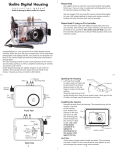
Attaching Camera to Housing Tray
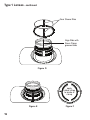
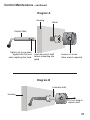
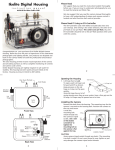
Remove the back from the housing. The mounting tray for the camera is
secured to the housing back. Position the camera and lens on the
camera tray, and then secure it with the mounting bolt which threads into
the camera’s tripod socket.
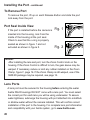
Use a flathead screwdriver (recommended) or coin to tighten the
Mounting Bolt so the camera bottom is flush against the camera tray.
Lumix
GH3
Camera Tray
Installing Camera in Housing
Mounting Bolt
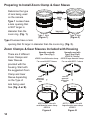
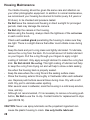
Before installing the camera, pull out on the controls in the front section of
the housing. This will allow the camera to slide in easier. Once the camera
is installed and the lid snaps have been closed, return the controls to their
operating position and test for proper function.
11