1
FlashBoot User Manual
© 2015 Mikhail Kupchik
Contents
3
Table of Contents
Foreword
0
Part I Introduction
5
1 Product
...................................................................................................................................
Overview
5
2 Why USB
...................................................................................................................................
Flash Disks?
5
3 Why FlashBoot?
...................................................................................................................................
6
4 System...................................................................................................................................
Requirements
7
5 Limitations
...................................................................................................................................
of Demo Version
8
6 Demo Version
...................................................................................................................................
-> Full Version
8
7 Support
...................................................................................................................................
& Feedback
8
Part II CD/DVD to USB conversions
9
1 Install ...................................................................................................................................
full Win8/8.1/10 -> USB [BIOS mode]
9
2 Install...................................................................................................................................
full Win8/8.1/10 -> USB [UEFI mode]
14
3 WinXP
...................................................................................................................................
setup CD -> USB
21
4 WinVista/7/8/8.1/10
...................................................................................................................................
setup DVD -> USB [BIOS]
27
5 WinVista/7/8/8.1/10
...................................................................................................................................
setup DVD -> USB [UEFI]
33
6 XP Recovery
...................................................................................................................................
Console -> USB
40
7 BartPE
...................................................................................................................................
-> USB
45
8 Generic
...................................................................................................................................
boot CD -> USB
52
9 HDD/Floppy
...................................................................................................................................
emulation boot CD -> USB
57
Part III Builtins
63
1 FreeDOS
...................................................................................................................................
63
2 UEFI Shell
...................................................................................................................................
68
3 Minimal
...................................................................................................................................
SysLinux/GRUB4DOS
73
Part IV Floppy/USB to USB conversions
78
1 DOS boot
...................................................................................................................................
disk -> USB
79
2 Syslinux/GRUB4DOS
...................................................................................................................................
boot disk -> USB
84
3 Windows
...................................................................................................................................
NT boot disk -> USB
90
4 Generic
...................................................................................................................................
boot disk -> USB
96
Part V Mini DOS on USB
102
1 Installed
...................................................................................................................................
DOS -> Mini DOS on USB
103
2 Windows
...................................................................................................................................
9x setup files -> Mini DOS on USB
109
Part VI Setting up BIOS
114
© 2015 Mikhail Kupchik
3
4
FlashBoot User Manual
Part VII Decoding Status Codes
115
Part VIII Understanding Loader Messages
116
Part IX Reverting Multiformat to Normal
117
Part X Using command-line version
124
Part XI FlashBoot as a Portable Software
132
Part XII License Agreement
132
Index
0
© 2015 Mikhail Kupchik
Introduction
1
5
Introduction
Welcome, you're browsing FlashBoot user manual for version 2.3 of the software.
This topic provides general information about FlashBoot features and ordering information.
1.1
Product Overview
FlashBoot is an ultimate tool for making USB devices bootable.
FlashBoot can install fully-functional Windows 8/8.1/10 to USB thumbdrive (so you can boot Windows
from USB and carry your OS, your apps, your documents, your browser in the pocket, run it in public
library, in internet-cafe, work-from-home etc).
Also, FlashBoot can convert Windows XP/Vista/7/8/8.1/10 installation CD/DVD to bootable USB disk,
useful for Windows installation on netbooks and other devices without CD/DVD drive. FlashBoot
supports USB flash thumbdrives and USB hard disks.
FlashBoot has many other features: support for UEFI Shell, BartPE conversion, WinXP recovery
console extraction, DOS-based boot disks, NTLDR disks, SysLinux-based disks, GRUB4DOS disks,
Linux kernel etc. Also FlashBoot supports duplication and raw image copying of USB storage devices.
1.2
Why USB Flash Disks?
Why do you might want to use bootable USB flash disks?
Unlike the most bootable medias, bootable USB Flash keys are very handy: compared to floppies, they
have much bigger size, speed and reliability, compared to CD/DVD discs, they are random write
access devices, so you can backup your data to the same media where you booted from, without need
to reformat (reburn) the entire media. Again, the cost per gigabyte for them continues to cut down,
unlike CD/DVD discs.
Bootable USB flash disks are especially useful with netbooks like ASUS Eee PC which does not have
builtin CD/DVD drive or an opportunity to install one. On the other hand, buying external CD/DVD drive
for netbook is not a truly wise choice because it will be shifted out of use just after Windows is installed,
thanks to widespread use of DVD image files and modern hard disk capacities.
Bootable USB flash disks are useful as boot devices on the "big" desktop PCs too, unlike CD/DVD discs
they do not have sensible surface you could scratch, thus more reliable (especially when holding your
backup data). If your sysadmin at work restricts PC to not to have CD/DVD drives, you still can boot
from USB flash disk. Or if your home PC has CD/DVD drive failed, you can do it too.
There are some mobility considerations as well. If your laptop has a bootable CD/DVD drive, you can't
work with it for a long time: boot device is accessed quite often, and battery power is obviously not
enough to supply laser for a long time.
With bootable USB Flash disk, you don't have to obey a CD/DVD size limit of 700 or 4700 MB. You can
buy a big or a small USB disk depending on your needs. Just after boot, on every PC, you may save
your files to the same boot device, or restore them back. There's no need to reformat (reburn) the boot
disk, you just copy files and folders, and there's no need for extra hardware for such operations. Of
course you may do some things you can't do under your OS: copy/modify system files (they are busy
when OS is running), reinstall OS, repartition your main hard disk etc.
© 2015 Mikhail Kupchik
6
1.3
FlashBoot User Manual
Why FlashBoot?
1) A lot of useful scenarios in the single tool:
Booting Windows from USB thumbdrive, installing Windows from USB thumbdrive, installing BartPE to
USB thumbdrive, support for a large number of other conversions of bootable disks to bootable USB
thumb drive.
2) Universality:
FlashBoot is compatible with all brands of USB thumbdrives. It is not bound to Transcend, Kingston,
SanDisk, HP or to any other particular manufacturer of USB thumbdrives.
FlashBoot is compatible with all types of USB storage devices. It supports USB thumbdrives, USB HDD,
SD cards and every possible future type of USB mass storage device.
3) Convenient user interface:
FlashBoot is organized as simple and very straightforward wizard, which does now show or ask
unnecessary information or options. User does not have to make choice from long list of all possible
disk types. Disk type and conversion scenario is detected automatically, although experienced user can
override it. If there's a conflict, FlashBoot displays detailed list of processes and windows which hold
open files and folders on the USB device.
4) Easier for user: no need to reconfigure the BIOS:
Usually BIOSes have an option to boot from USB thumbdrive either as USB-ZIP or USB-HDD. If this
option does not match format of the particular USB thumbdrive, then USB thumbdrive is not bootable.
FlashBoot does not shift to user the burden of choice between USB-ZIP (superfloppy) and USB-HDD
(partitioned) at format time. Every USB thumbdrive is formatted by FlashBoot in such way that it will
work in both conditions: both USB-ZIP and USB-HDD regardless of current BIOS setting. This unique
feature is called "Multiformat", and this is for sake of best user experience possible.
5) Uniquely wide compatibility with BIOSes of various vendors:
FlashBoot stage2 loader has unique compatibility layer which takes care of BIOS compatibility issues at
the time of USB thumbdrive formatting. This feature is unmatched by any of the free tools too.
Sometimes disk CHS geometry is different from
BIOS to BIOS. E.g., when formatted on the
workstation, the USB disk sometimes is not
bootable on the embedded hardware because of
different CHS geometry on Windows and under
embedded BIOS.
FlashBoot 2 allows to specify disk CHS geometry
explicitly at format time, and stage2 loader will
force it to predefined values at run time.
Some BIOSes cut off MBR track from USB disk
when booting (especially for A:-mapped boots).
E.g., they map only partition 1 of USB disk via int
13h.
FlashBoot stage2 loader emulates MBR track in
such cases, thus hiding firmware diversity and
avoiding OS confusion when it switches to native
hardware drivers to access USB disk.
Some BIOSes provide int 13h extended API for
USB disks, some do not. Some BIOSes do not
provide these services in USB-ZIP mode, but
provide ones in USB-HDD mode.
To unify runtime environment, FlashBoot stage2
loader always provides LBA and CHS disk
access to USB device it boots from.
When BIOS boots from ordinary, non-FlashBoot
formatted USB disk, this disk is mapped to A: or
C: at BIOS discretion, quite randomly. In the
majority of real world cases USB-ZIP formatted
disks are mapped to A: and USB-HDD disks are
All this diversity is no more a problem for
FlashBoot user. When formatting USB disk,
you'll be able to specify target drive letter, e.g. A:
or C:, and stage2 loader of FlashBoot will take
care of this problem at run time.
© 2015 Mikhail Kupchik
Introduction
7
mapped to C:.
But there are some exceptions.
For example, ASUS P5GDC-V BIOS in Auto
mode maps 0-512Mb USB disks to A: and 512+
Mb disks to C:.
ASUS P6T BIOS in Auto mode maps 0-1024Mb
USB disks to A: and 1024+ Mb disks to C:.
ASUS netbooks show similar behavior, but
unfortunately there is no setting in their BIOS
setups to override such "Auto mode" when
choice between A: / C: is made by BIOS
depending on disk size
6) Better protection of user data:
• Confirmation if you are formatting USB-HDD instead of USB thumbdrive.
• Second confirmation if your are overwriting USB device with two or more partitions.
• There's a real world phenomenon called worn-out flash memory, consisting of flash memory cells
which don't produce any errors during write operation, but silently flip some subset of data bits.
FlashBoot verifies all data it writes to USB thumbdrives, including filesystem metadata, and retries up to
three times all silently failed writes before complaining to the user.
7) FlashBoot supports command-line interface as alternative to GUI for power users who need
automation or unattended operation.
8) FlashBoot is an old good shareware:
FlashBoot has free updates for lifetime (our first users from 2005 still update for free), and it does not
interact with the internet in any way — it's up to you to decide if update is necessary.
No toolbars, no ads, no spamming through e-mail database and no other crap in the installer and
software. FlashBoot stands against the always-online, spy-on-everything, everything-is-a-service,
subscribe-not-buy, force-updates-you-don't-want madness of recent years. Remember: even if you are
using the freeware, vendor has to pay for webhosting somehow. So if you don't pay for software, then
you're the product.
1.4
System Requirements
Minimal system requirements for FlashBoot 2.3:
· BIOS or UEFI system which supports booting from USB devices
· Operating system: Windows XP, Windows Vista, Windows 7, Windows 8, Windows 8.1, Windows 10
or equivalent Windows Server OS, either 32-bit or 64-bit edition
· 256 Mbytes of RAM
· 30 Mbytes of disk space
You can verify conformance to these requirements with demo version of FlashBoot.
© 2015 Mikhail Kupchik
8
1.5
FlashBoot User Manual
Limitations of Demo Version
FlashBoot is a shareware, it means that there exists a demo version (with limited functionality) available
for public evaluation for free, and full version available to users who ordered it for € 24.95.
Demo version has the following limitations:
· USB disk or image file is bootable only for 30 days since the date of formatting
· Each distinct USB disk can be formatted by FlashBoot demo version no more than 16 times
Maximum usage period of demo version is not limited.
It is recommended to try the demo version of FlashBoot before buying the full version to ensure that
there are no hardware incompatibilities and product meets your particular needs.
1.6
Demo Version -> Full Version
Full version of FlashBoot can be ordered via website:
http://www.prime-expert.com/flashboot/
Shortly after your order (within 2-3 minutes), you should receive e-mail message with attached file
flashboot_license_key.xml . Do not open this attacment (it's just an XML file with registration data and
digital signature - you won't find it useful). Instead, right-click it and choose "Save As..." in the context
menu. Choose a folder where demo version of FlashBoot is installed (usually "C:\Program Files
\FlashBoot") and save flashboot_license_key.xml there.
If C:\Program Files\FlashBoot is not writeable because of UAC (User Account Control) feature of
Windows Vista/7/8/8.1/10, then flashboot_license_key.xml can be saved to My Documents folder. It
will work from either location.
Demo version can be converted to full version just by adding flashboot_license_key.xml to FlashBoot
installation folder or to My Documents folder, there's no need to download anything else or reinstall
FlashBoot.
For compatibility reasons, flashboot_license_key.xml also will work from FlashBoot installation folder if
it is named license_key.xml .
If you are registered user of FlashBoot 1.x, then you are eligible for free upgrade. Find license.xml file
in your archives, copy it to FlashBoot installation folder (usually "C:\Program Files\FlashBoot") and
FlashBoot 2.0 demo version will turn into full version.
1.7
Support & Feedback
If you have any technical questions about FlashBoot, or if you need a technical support, or if you have
any suggestions for further development of the project (feature request, etc), mail here:
[email protected]
If you have questions about orders, payment and credit card processing, please refer to share-it
Customer Care Center:
http://www.shareit.com/ccc/index.html?publisherid=200000171
© 2015 Mikhail Kupchik
CD/DVD to USB conversions
2
CD/DVD to USB conversions
2.1
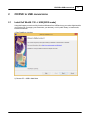
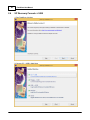
Install full Win8/8.1/10 -> USB [BIOS mode]
9
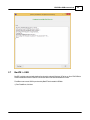
Using this feature you can boot fully-functional Windows from USB and carry your entire digital world in
your pocket (OS, your apps, your documents, your browser), run it in public library, in internet-cafe,
work-from-home etc.
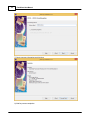
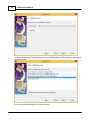
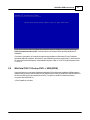
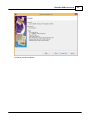
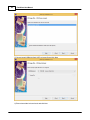
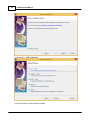
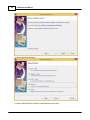
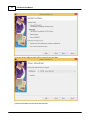
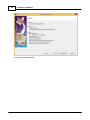
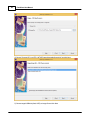
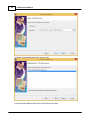
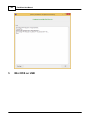
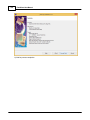
1) Run FlashBoot, click Next
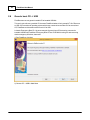
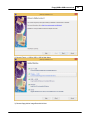
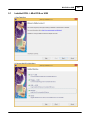
2) Choose CD -> USB in Main Menu
© 2015 Mikhail Kupchik
10
FlashBoot User Manual
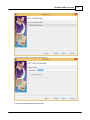
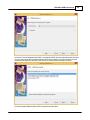
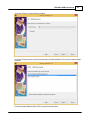
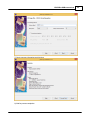
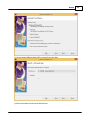
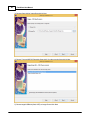
3) Choose DVD drive or image file and click Next
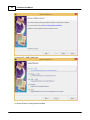
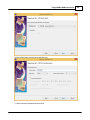
4) Choose "Install fully-functional Windows 8/8.1/10 to USB thumbdrive" from the scenario list and click
Next
© 2015 Mikhail Kupchik
CD/DVD to USB conversions
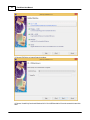
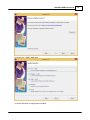
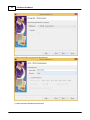
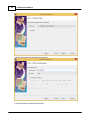
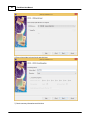
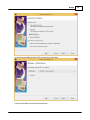
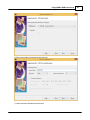
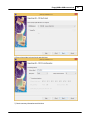
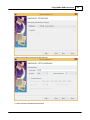
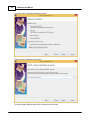
5) Choose target USB disk (flash, HDD) and click Next
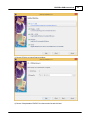
6) Enter volume label or leave it as is and click Next
© 2015 Mikhail Kupchik
11
12
FlashBoot User Manual
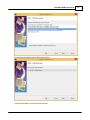
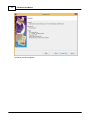
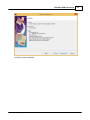
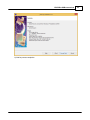
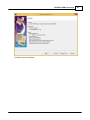
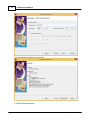
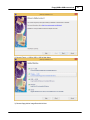
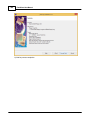
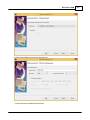
7) Check summary information and click Next
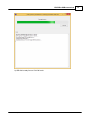
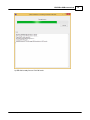
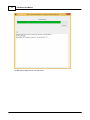
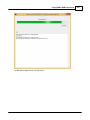
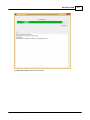
8) Wait for process completion
© 2015 Mikhail Kupchik
CD/DVD to USB conversions
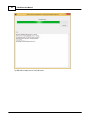
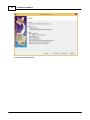
9) USB disk is ready for use. Click OK to exit
© 2015 Mikhail Kupchik
13
14
2.2
FlashBoot User Manual
Install full Win8/8.1/10 -> USB [UEFI mode]
Using this feature you can boot fully-functional Windows from USB and carry your entire digital world in
your pocket (OS, your apps, your documents, your browser), run it in public library, in internet-cafe,
work-from-home etc.
This option is different from the previous one: it requires UEFI-capable computer to boot, and so USB
thumbdrive is arranged in the different way. UEFI-compatible systems started to arrive on the market in
2011 and almost every motherboard or notebook manufactured after 2013 is UEFI-compatible.
Please note: this feature is not available in demo version and requires full version of FlashBoot because
of UEFI Platform requirements for Secure Boot (FlashBoot can't add it's own executable code to the
target USB thumbdrive).
1) Run FlashBoot, click Next
© 2015 Mikhail Kupchik
CD/DVD to USB conversions
2) Choose CD -> USB in Main Menu
3) Choose DVD drive or image file and click Next
© 2015 Mikhail Kupchik
15
16
FlashBoot User Manual
4) Choose "Install fully-functional Windows 8/8.1/10 to USB thumbdrive (UEFI mode)" from the scenario
list and click Next
5) Choose target USB disk (flash, HDD) and click Next
© 2015 Mikhail Kupchik
CD/DVD to USB conversions
6) Enter volume label or leave it as is and click Next
7) Check summary information and click Next
© 2015 Mikhail Kupchik
17
18
FlashBoot User Manual
8) Wait for process completion
© 2015 Mikhail Kupchik
CD/DVD to USB conversions
9) USB disk is ready for use. Click OK to exit
© 2015 Mikhail Kupchik
19
20
FlashBoot User Manual
A note of compatibility with Windows XP: If you run FlashBoot under Windows XP, this feature will still
work, but because resulting USB thumbdrive will have GPT layout (instead of usual MBR layout), you
won't be able to view list of files on the resulting USB thumbdrive in Windows XP File Explorer. Under
Windows Vista/7/8/8.1/10 resulting USB thumbdrive will be perfectly viewable. FlashBoot will still
recognize USB thumbdrive with GPT layout even in Windows XP if you need to reformat it.
© 2015 Mikhail Kupchik
CD/DVD to USB conversions
2.3
WinXP setup CD -> USB
1) Run FlashBoot, click Next
2) Choose CD -> USB in Main Menu
© 2015 Mikhail Kupchik
21
22
FlashBoot User Manual
3) Choose CD drive or image file and click Next
4) Choose "Convert Windows XP/2000 installation CD" from the scenario list and click Next
5) Choose target USB disk (flash, HDD) or image file and click Next
© 2015 Mikhail Kupchik
CD/DVD to USB conversions
6) Enter volume label or leave it as is and click Next
7) Check summary information and click Next
© 2015 Mikhail Kupchik
23
24
FlashBoot User Manual
8) Wait for process completion
© 2015 Mikhail Kupchik
CD/DVD to USB conversions
9) USB disk is ready for use. Click OK to exit
© 2015 Mikhail Kupchik
25
26
FlashBoot User Manual
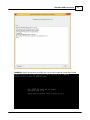
WARNING: Installation of Windows XP may look like halted at this point:
© 2015 Mikhail Kupchik
CD/DVD to USB conversions
27
If you see that screen does not update and installation looks like halted for a long time at this point,
please be patient and don't panic. Wait at least for a 45 minutes before aborting Windows XP
installation.
Click here to view gallery of screenshots made during installation of Windows XP from FlashBootformatted USB disk to netbook. Windows XP was installed to the newly-created disk C: (which took 20
Gb out of 64 Gb total SSD space). Intermediate filesystem of disk C: is FAT32, final filesystem of disk
C: is NTFS.
2.4
WinVista/7/8/8.1/10 setup DVD -> USB [BIOS]
Using this feature you can convert Windows installation DVD to Windows installation USB thumbdrive.
Windows won't run from USB thumbdrive in full-featured mode, it will just install from USB thumbdrive to
the internal HDD (as if it was installed from DVD). This option is useful for netbooks and other
computers without DVD drive.
1) Run FlashBoot, click Next
© 2015 Mikhail Kupchik
28
FlashBoot User Manual
2) Choose CD -> USB in Main Menu
3) Choose DVD drive or image file and click Next
© 2015 Mikhail Kupchik
CD/DVD to USB conversions
29
4) Choose "Convert Windows Vista/7/8/8.1/10 installation DVD" from the scenario list and click Next
You may also choose NTFS mode at this step which is very useful if your DVD contains \sources
\install.wim file larger than 4GB (so it won't fit on FAT32 and cause formatting error later).
5) Choose target USB disk (flash, HDD) or image file and click Next
© 2015 Mikhail Kupchik
30
FlashBoot User Manual
6) Enter volume label or leave it as is and click Next
7) Check summary information and click Next
© 2015 Mikhail Kupchik
CD/DVD to USB conversions
8) Wait for process completion
© 2015 Mikhail Kupchik
31
32
FlashBoot User Manual
9) USB disk is ready for use. Click OK to exit
© 2015 Mikhail Kupchik
CD/DVD to USB conversions
2.5
33
WinVista/7/8/8.1/10 setup DVD -> USB [UEFI]
Using this feature you can convert Windows installation DVD to Windows installation USB thumbdrive.
Windows won't run from USB thumbdrive in full-featured mode, it will just install from USB thumbdrive to
the internal HDD (as if it was installed from DVD). This option is useful for netbooks and other
computers without DVD drive.
This option is different from the previous one: it requires UEFI-capable computer to boot, and so USB
thumbdrive is arranged in the different way. UEFI-compatible systems started to arrive on the market in
2011 and almost every motherboard or notebook manufactured after 2013 is UEFI-compatible.
Please note: this feature is not available in demo version and requires full version of FlashBoot because
of UEFI Platform requirements for Secure Boot (FlashBoot can't add it's own executable code to the
target USB thumbdrive).
1) Run FlashBoot, click Next
© 2015 Mikhail Kupchik
34
FlashBoot User Manual
2) Choose CD -> USB in Main Menu
3) Choose DVD drive or image file and click Next
© 2015 Mikhail Kupchik
CD/DVD to USB conversions
35
4) Choose "Convert Windows Vista/7/8/8.1/10 installation DVD (UEFI mode)" from the scenario list and
click Next
5) Choose target USB disk (flash, HDD) or image file and click Next
© 2015 Mikhail Kupchik
36
FlashBoot User Manual
6) Enter volume label or leave it as is and click Next
7) Check summary information and click Next
© 2015 Mikhail Kupchik
CD/DVD to USB conversions
8) Wait for process completion
© 2015 Mikhail Kupchik
37
38
FlashBoot User Manual
9) USB disk is ready for use. Click OK to exit
© 2015 Mikhail Kupchik
CD/DVD to USB conversions
39
A note of compatibility with Windows XP: If you run FlashBoot under Windows XP, this feature will still
work, but because resulting USB thumbdrive will have GPT layout (instead of usual MBR layout), you
won't be able to view list of files on the resulting USB thumbdrive in Windows XP File Explorer. Under
Windows Vista/7/8/8.1/10 resulting USB thumbdrive will be perfectly viewable. FlashBoot will still
recognize USB thumbdrive with GPT layout even in Windows XP if you need to reformat it.
© 2015 Mikhail Kupchik
40
2.6
FlashBoot User Manual
XP Recovery Console -> USB
1) Run FlashBoot, click Next
2) Choose CD -> USB in Main Menu
© 2015 Mikhail Kupchik
CD/DVD to USB conversions
41
3) Choose CD drive or image file and click Next
4) Choose "Extract recovery console from Windows XP/2000 installation CD" from the scenario list and
click Next
5) Choose target USB disk (flash, HDD) or image file and click Next
© 2015 Mikhail Kupchik
42
FlashBoot User Manual
6) Enter volume label or leave it as is and click Next
7) Check summary information and click Next
© 2015 Mikhail Kupchik
CD/DVD to USB conversions
8) Wait for process completion
© 2015 Mikhail Kupchik
43
44
FlashBoot User Manual
9) USB disk is ready for use. Click OK to exit
© 2015 Mikhail Kupchik
CD/DVD to USB conversions
2.7
45
BartPE -> USB
BartPE is a third-party tool which allows functionally-reduced Windows XP to be run from CD/DVD disc
without installation to HDD. BartPE is a freeware and it can be downloaded from here.
FlashBoot can convert ISO file produced by BartPE into bootable USB disk.
1) Run FlashBoot, click Next
© 2015 Mikhail Kupchik
46
FlashBoot User Manual
2) Choose CD -> USB in Main Menu
3) Choose CD drive or image file and click Next
© 2015 Mikhail Kupchik
CD/DVD to USB conversions
47
4) Choose "Convert Windows PE 1.x or Windows-XP derived BartPE" from the scenario list and click
Next
5) Choose target USB disk (flash, HDD) or image file and click Next
© 2015 Mikhail Kupchik
48
FlashBoot User Manual
6) Enter volume label or leave it as is and click Next
7) Check summary information and click Next
© 2015 Mikhail Kupchik
CD/DVD to USB conversions
8) Wait for process completion
© 2015 Mikhail Kupchik
49
50
FlashBoot User Manual
9) USB disk is ready for use. Click OK to exit
© 2015 Mikhail Kupchik
CD/DVD to USB conversions
WARNING: BartPE will not boot from USB if size of source ISO image file is larger than 500 Mb
© 2015 Mikhail Kupchik
51
52
2.8
FlashBoot User Manual
Generic boot CD -> USB
FlashBoot can convert generic bootable CD to bootable USB disk.
This won't work with every possible CD, because FlashBoot loader will only remap INT 13h CD access
to USB. If CD contains an operating system which uses custom driver and direct I/O to access boot
CD, FlashBoot won't be able to redirect such I/O to USB.
Let's take Emergency Boot CD 1.4g as an example of generic boot CD that can be converted to
bootable USB disk by FlashBoot. Emergency Boot CD is a CD-ROM for booting PC and recovering
data in emergency situations, shareware.
1) Run FlashBoot, click Next
2) Choose CD -> USB in Main Menu
© 2015 Mikhail Kupchik
CD/DVD to USB conversions
3) Choose CD drive or image file and click Next:
4) Choose "Wrap bootable CD/DVD" from the scenario list and click Next
© 2015 Mikhail Kupchik
53
54
FlashBoot User Manual
5) Choose target USB disk (flash, HDD) or image file and click Next
6) Enter volume label or leave it as is and click Next
© 2015 Mikhail Kupchik
CD/DVD to USB conversions
7) Check summary information and click Next
8) Wait for process completion
© 2015 Mikhail Kupchik
55
56
FlashBoot User Manual
9) USB disk is ready for use. Click OK to exit
© 2015 Mikhail Kupchik
CD/DVD to USB conversions
2.9
57
HDD/Floppy emulation boot CD -> USB
Let's take MemTest86+ as an example to see how floppy-emulation boot CD can be converted to
bootable USB disk by FlashBoot. MemTest86+ is a third-party memory diagnostic utility, freeware.
1) Run FlashBoot, click Next
© 2015 Mikhail Kupchik
58
FlashBoot User Manual
2) Choose CD -> USB in Main Menu
3) Choose CD drive or image file and click Next
© 2015 Mikhail Kupchik
CD/DVD to USB conversions
59
4) Choose "Convert Floppy-emulation based bootable CD/DVD" from the scenario list and click Next
5) Choose target USB disk (flash, HDD) or image file and click Next
© 2015 Mikhail Kupchik
60
FlashBoot User Manual
6) Enter volume label or leave it as is and click Next
7) Check summary information and click Next
© 2015 Mikhail Kupchik
CD/DVD to USB conversions
8) Wait for process completion
© 2015 Mikhail Kupchik
61
62
FlashBoot User Manual
9) USB disk is ready for use. Click OK to exit
© 2015 Mikhail Kupchik
CD/DVD to USB conversions
3
Builtins
3.1
FreeDOS
63
FlashBoot can install minimalistic DOS on USB disk and make it bootable.
There are no input disk(s) required, DOS is FlashBoot-builtin. We use FreeDOS because of licensing
restrictions of MS-DOS and PC-DOS. Minimalistic DOS created by FlashBoot also contains Volkov
Commander — a file manager for DOS, formerly shareware, now defunct.
You can use this option to quick-test FlashBoot, and also as a base for more complex custom bootable
USB disk — for example when you need to upgrade firmware of your motherboard and have all
necessary files except DOS.
1) Run FlashBoot, click Next
© 2015 Mikhail Kupchik
64
FlashBoot User Manual
2) Choose MiniOS in Main Menu
3) Choose "Minimal DOS (FreeDOS)" in MiniOS Menu and click Next
© 2015 Mikhail Kupchik
Builtins
4) Choose target USB disk (flash, HDD) or image file and click Next
5) Enter volume label or leave it as is and click Next
© 2015 Mikhail Kupchik
65
66
FlashBoot User Manual
6) Check summary information and click Next
7) Wait for process completion
© 2015 Mikhail Kupchik
Builtins
8) USB disk is ready for use. Click OK to exit
© 2015 Mikhail Kupchik
67
68
3.2
FlashBoot User Manual
UEFI Shell
FlashBoot can install UEFI shell to the USB thumbdrive.
Using UEFI shell, you can configure boot menu items for your UEFI-compliant motherboard or
notebook, load/unload UEFI drivers, execute other UEFI applications, nsh scripts, etc.
You can use this option to quick-test FlashBoot in UEFI environment, i.e. to check if FlashBoot is
compatible with your modern hardware. This option requires UEFI-capable computer to boot. UEFIcompatible systems started to arrive on the market in 2011 and almost every motherboard or notebook
manufactured after 2013 is UEFI-compatible.
Please note: this feature is always functional in FlashBoot demo version.
Obviously, in full version it works too.
1) Run FlashBoot, click Next
© 2015 Mikhail Kupchik
Builtins
2) Choose MiniOS in Main Menu
3) Choose "UEFI Shell" in MiniOS Menu and click Next
© 2015 Mikhail Kupchik
69
70
FlashBoot User Manual
4) Choose target USB disk (flash, HDD) or image file and click Next
5) Enter volume label or leave it as is and click Next
© 2015 Mikhail Kupchik
Builtins
6) Check summary information and click Next
7) Wait for process completion
© 2015 Mikhail Kupchik
71
72
FlashBoot User Manual
8) USB disk is ready for use. Click OK to exit
© 2015 Mikhail Kupchik
Builtins
73
A note of compatibility with Windows XP: If you run FlashBoot under Windows XP, this feature will still
work, but because resulting USB thumbdrive will have GPT layout (instead of usual MBR layout), you
won't be able to view list of files on the resulting USB thumbdrive in Windows XP File Explorer. Under
Windows Vista/7/8/8.1/10 resulting USB thumbdrive will be perfectly viewable. FlashBoot will still
recognize USB thumbdrive with GPT layout even in Windows XP if you need to reformat it.
3.3
Minimal SysLinux/GRUB4DOS
FlashBoot can install minimalistic SysLinux or GRUB4DOS bootloader to USB disk. Such USB disk
won't be ready for use out-of-the-box, it requires further customization (copying of configuration files,
kernels, initramdisks etc). But this is quite useful scenario because FlashBoot takes care of
compatibility (provides Multiformat, Boot Time Mapping and BIOS compatibility features), so
experienced user can focus on actual work of boot disk preparation.
1) Run FlashBoot, click Next
© 2015 Mikhail Kupchik
74
FlashBoot User Manual
2) Choose MiniOS in Main Menu
3) Choose "Minimal SysLinux" or "Minimal GRUB4DOS" in MiniOS Menu and click Next
© 2015 Mikhail Kupchik
Builtins
4) Choose target USB disk (flash, HDD) or image file and click Next
5) Enter volume label or leave it as is and click Next
© 2015 Mikhail Kupchik
75
76
FlashBoot User Manual
6) Check summary information and click Next
7) Wait for process completion
© 2015 Mikhail Kupchik
Builtins
8) USB disk is ready for use. Click OK to exit
© 2015 Mikhail Kupchik
77
78
4
FlashBoot User Manual
Floppy/USB to USB conversions
© 2015 Mikhail Kupchik
Floppy/USB to USB conversions
4.1
DOS boot disk -> USB
1) Run FlashBoot, click Next
2) Choose Floppy -> USB or USB -> USB in Main Menu
© 2015 Mikhail Kupchik
79
80
FlashBoot User Manual
3) Choose floppy disk or image file and click Next
4) Choose "Convert MS-DOS bootable floppy disk" from the scenario list and click Next
5) Choose target USB disk (flash, HDD) or image file and click Next
© 2015 Mikhail Kupchik
Floppy/USB to USB conversions
6) Enter volume label or leave it as is and click Next
7) Check summary information and click Next
© 2015 Mikhail Kupchik
81
82
FlashBoot User Manual
8) Wait for process completion
© 2015 Mikhail Kupchik
Floppy/USB to USB conversions
9) USB disk is ready for use. Click OK to exit
© 2015 Mikhail Kupchik
83
84
4.2
FlashBoot User Manual
Syslinux/GRUB4DOS boot disk -> USB
Let's take recovery floppy disk for RedHat Linux as an example to see how Syslinux-based boot CD can
be converted to bootable USB disk by FlashBoot.
1) Run FlashBoot, click Next
© 2015 Mikhail Kupchik
Floppy/USB to USB conversions
2) Choose Floppy -> USB or USB -> USB in Main Menu
3) Choose floppy disk or image file and click Next
© 2015 Mikhail Kupchik
85
86
FlashBoot User Manual
4) Choose "Convert Syslinux-based bootable floppy disk" or "Convert GRUB4DOS-based bootable
floppy disk" from the scenario list and click Next
5) Choose target USB disk (flash, HDD) or image file and click Next
© 2015 Mikhail Kupchik
Floppy/USB to USB conversions
6) Enter volume label or leave it as is and click Next
7) Check summary information and click Next
© 2015 Mikhail Kupchik
87
88
FlashBoot User Manual
8) Wait for process completion
© 2015 Mikhail Kupchik
Floppy/USB to USB conversions
9) USB disk is ready for use. Click OK to exit
© 2015 Mikhail Kupchik
89
90
4.3
FlashBoot User Manual
Windows NT boot disk -> USB
A floppy disk containing NTLDR, NTDETECT.COM and BOOT.INI is very useful to boot Windows 2000/
XP when these files were accidently deleted from disk C: or some changes were made to C:\BOOT.INI
which rendered system unbootable.
FlashBoot can convert such bootable floppy disk into bootable USB disk.
1) Run FlashBoot, click Next
© 2015 Mikhail Kupchik
Floppy/USB to USB conversions
2) Choose Floppy -> USB or USB -> USB in Main Menu
3) Choose floppy disk or image file and click Next
© 2015 Mikhail Kupchik
91
92
FlashBoot User Manual
4) Choose "Convert NT4.x or NT5.x (NTLDR-based) bootable floppy disk" and click Next
5) Choose target USB disk (flash, HDD) or image file and click Next
© 2015 Mikhail Kupchik
Floppy/USB to USB conversions
6) Enter volume label or leave it as is and click Next
7) Check summary information and click Next
© 2015 Mikhail Kupchik
93
94
FlashBoot User Manual
8) Wait for process completion
© 2015 Mikhail Kupchik
Floppy/USB to USB conversions
9) USB disk is ready for use. Click OK to exit
© 2015 Mikhail Kupchik
95
96
4.4
FlashBoot User Manual
Generic boot disk -> USB
FlashBoot can convert generic bootable floppy disk to USB boot disk.
At boot time, image of floppy disk is loaded into memory from USB boot disk, and all changes to this
image are discarded at the next reboot.
Let's convert floppy disk image of Windows 98 EBD (Emergency Boot Disk) for example.
1) Run FlashBoot, click Next
© 2015 Mikhail Kupchik
Floppy/USB to USB conversions
2) Choose Floppy -> USB in Main Menu
3) Choose floppy disk or image file and click Next
© 2015 Mikhail Kupchik
97
98
FlashBoot User Manual
4) Choose "Wrap bootable floppy disk" and click Next
5) Choose target USB disk (flash, HDD) or image file and click Next
© 2015 Mikhail Kupchik
Floppy/USB to USB conversions
6) Enter volume label or leave it as is and click Next
7) Check summary information and click Next
© 2015 Mikhail Kupchik
99
100
FlashBoot User Manual
8) Wait for process completion
© 2015 Mikhail Kupchik
Floppy/USB to USB conversions
9) USB disk is ready for use. Click OK to exit
© 2015 Mikhail Kupchik
101
102
5
FlashBoot User Manual
Mini DOS on USB
© 2015 Mikhail Kupchik
Mini DOS on USB
5.1
Installed DOS -> Mini DOS on USB
1) Run FlashBoot
2) Choose MiniOS in Main Menu
© 2015 Mikhail Kupchik
103
104
FlashBoot User Manual
3) Choose "DOS files from DOS bootable floppy, hard disk or USB flash disk"
4) Choose disk or image file containing DOS files
5) Choose target USB disk (flash, HDD) or image file and click Next
© 2015 Mikhail Kupchik
Mini DOS on USB
6) Enter volume label or leave it as is and click Next
7) Check summary information and click Next
© 2015 Mikhail Kupchik
105
106
FlashBoot User Manual
8) Wait for process completion
© 2015 Mikhail Kupchik
Mini DOS on USB
9) USB disk is ready for use. Click OK to exit
© 2015 Mikhail Kupchik
107
108
FlashBoot User Manual
© 2015 Mikhail Kupchik
Mini DOS on USB
5.2
Windows 9x setup files -> Mini DOS on USB
1) Run FlashBoot
2) Choose MiniOS in Main Menu
© 2015 Mikhail Kupchik
109
110
FlashBoot User Manual
3) Choose "DOS 7.x files from Windows 9x setup"
4) Specify path to Windows 9x setup files
5) Choose target USB disk (flash, HDD) or image file and click Next
© 2015 Mikhail Kupchik
Mini DOS on USB
6) Enter volume label or leave it as is and click Next
7) Check summary information and click Next
© 2015 Mikhail Kupchik
111
112
FlashBoot User Manual
8) Wait for process completion
© 2015 Mikhail Kupchik
Mini DOS on USB
9) USB disk is ready for use. Click OK to exit
© 2015 Mikhail Kupchik
113
114
6
FlashBoot User Manual
Setting up BIOS
1. General approach
1.1. Change the BIOS boot order so the USB device option is listed first. The BIOS is rarely setup this
way by default.
If the USB port is not first in the boot order, your PC will start "normally" (i.e. boot from your hard drive)
without even looking at any boot information that might be on your USB device.
Note: After setting your USB device as the first boot device, your computer will check it for boot
information each time your PC starts. Leaving your computer configured this way shouldn't cause
problems unless you plan on leaving the USB device attached all the time.
1.2. Attach the USB device to your computer via any available USB port.
1.3. Restart your computer.
1.4. Watch for a Press any key to boot from external device... message.
© 2015 Mikhail Kupchik
Setting up BIOS
115
On some bootable devices, you may be prompted with a message to press a key before the computer
will boot to the flash drive or other USB device.
If you do nothing, your computer will check for boot information on the next boot device in the list in
BIOS (see Step 1.1) which will probably be your hard drive.
Note: Most of the time when trying to boot to a USB device there is no key-press prompt. The boot
process usually starts immediately.
1.5. Your computer should now boot from the USB flash drive or USB based external hard drive.
Note: What happens now depends on what the bootable USB device was intended for. If you're booting
to an old version of MS-DOS on a flash drive, MS-DOS will load. If you're booting to the DSL version of
Linux, it will start. You get the idea.
2. Newer BIOS Boot Menu
Many newer computers detect the USB device as a hard drive (USB-HDD0). In which case, you can
press a specific key (F2, F10, F11 or ESC) during system post to access the "Boot Menu". Select your
USB DISK from the Boot Menu and resume startup.
3. Troubleshooting
If you tried the above steps but your computer did not boot from the USB device, check out some of the
tips below.
3.1. Recheck the boot order in BIOS (Step 1.1). The number one reason a bootable flash drive or other
USB device won't boot is because BIOS is not configured to check the USB port first.
3.2. Didn't find a "USB Device" boot order listing in BIOS? If your computer was manufactured around
2001 or before, it may not have this ability. If your computer is newer, check for some other ways that
the USB option might be worded. In some BIOS versions, it's called "Removable Devices" or "External
Devices".
3.3. Switch to another USB port. The BIOS on some motherboards only check the first few USB ports.
Switch to another USB port and restart your computer.
3.4. Be sure to keep an eye for BIOS updates from your board manufacturer.
7
Decoding Status Codes
FlashBoot stage1 loader in some rare cases can encounter an error, which results in error message
like this:
Boot from USB disk failed, status <000000000>.
Press Ctrl+Alt+Del to reboot.
Stage1 loader can't print more verbose and self-explaining error messages, because there is no enough
free space in 512 byte sector to contain such messages. That's why it prints status codes.
This section explains how to decode such status codes.
© 2015 Mikhail Kupchik
116
FlashBoot User Manual
Each status digit corresponds to certain BIOS disk.
x x x x x x x x x
| | | | | | | | |
| | | | | | | | +----| | | | | | | +------| | | | | | +--------| | | | | +----------| | | | +------------| | | +--------------| | +----------------| +------------------+---------------------
Status
Status
Status
Status
Status
Status
Status
Status
Status
digit
digit
digit
digit
digit
digit
digit
digit
digit
of
of
of
of
of
of
of
of
of
boot
disk
disk
disk
disk
disk
disk
disk
disk
disk DL
0x80
0
0x81
1
0x82
2
0x83
3
Meaning of each status digit:
0
1
2
3
4
5
6
7
8
No single sector of stage2 loader was read from disk, neither in CHS nor in LBA mode
Should not happen (internal error in stage1 loader)
Some sectors of stage2 loader were read from disk in LBA mode, but not all.
No single sector could be read from disk in CHS mode.
All sectors of stage2 loader were read from disk in LBA mode,
but checksum or signature does not mach the expected one.
Some sectors of stage2 loader were read from disk in CHS mode, but not all.
No single sector could be read from disk in LBA mode.
All sectors of stage2 loader were read from disk in CHS mode,
but checksum or signature does not mach the expected one.
Some sectors of stage2 loader were read from disk in LBA mode, but not all.
Some sectors of stage2 loader were read from disk in CHS mode, but not all.
Some sectors of stage2 loader were read from disk in LBA mode,
some other sectors of stage2 loader were read from disk in CHS mode,
but checksum or signature does not mach the expected one.
Understanding Loader Messages
FlashBoot stage2 Loader prints messages like this during boot:
FlashBoot Loader Version 2.3
Copyright (C) Mikhail Kupchik
2005-2015
Backend (BIOS) boot disk: 128 [C=260, H=255, S=63]
Frontend (emulated) boot disk: 0 [C=260, H=255, S=63]
Front end (emulated) boot disk is 0 for A:-mapped disks and 128 for C:-mapped disks.
Backend (BIOS) boot disk could be any number from 0 to 255 but usually it's 0 for USB-ZIP boot mode
and 128 for USB-HDD boot mode.
C, H and S values are geometry specification for USB boot disk. For more information, refer to
Wikipedia.
© 2015 Mikhail Kupchik
Understanding Loader Messages
117
Also BIOS could hide MBR track (we have seen this behavior on ASUS P5GDC-V in USB-ZIP boot
mode for USB removable devices with valid MBR), and then FlashBoot will print such message:
BIOS hides MBR track of USB boot disk (emulating)
Ideally, all BIOSes must support CHS interface for accessing boot disks, and all modern BIOS should
support LBA interface too. Unfortunately, many real world BIOSes, especially on notebooks, have bugs
in implementation of CHS and LBA disk I/O. Common cases are API which always gives an error, API
which reads data from somehow shifted location on the disk, API which operates normally at the
beginning of the disk but shifts randomly in the middle, and API which availability depends on BIOS
settings (e.g. LBA inaccessible in USB-ZIP boot mode).
FlashBoot tries its best to provide compatibility with all BIOSes and employs the following algorithm.
1) First, stage1 loader loads stage2 loader via CHS or LBA interface in slow (single-sector transfer)
mode and verifies its checksum.
2) FlashBoot stage2 loader tries to read first 128 sectors of the File Allocation Table via CHS and LBA
interfaces. If either fails, FlashBoot loader switches to single-sector transfer mode and retries. If that
interface fails again, FlashBoot prints "LBA not available" or "CHS not available". If LBA was
unavailable in stage1, it is not tried here again, then only CHS is tried.
3) If both interfaces have failed, FlashBoot prints "Press Ctrl+Alt+Del to reboot" and softly
halts machine.
4) Once FAT#1 and FAT#2 is loaded into the memory via CHS and/or LBA, FlashBoot compares FAT#1
versus FAT#2 to verify each BIOS interface. If FAT#1 does not match FAT#2 for LBA-originated data,
FlashBoot prints "FAT#1 != FAT#2 for LBA on this BIOS". If FAT#1 does not match FAT#2 for
CHS-originated data, FlashBoot prints "FAT#1 != FAT#2 for CHS on this BIOS".
5) If both interfaces have failed, FlashBoot prints "Press Ctrl+Alt+Del to reboot" and softly
halts machine.
6) FlashBoot chooses LBA if available, otherwise it falls back to CHS. Then it prints either "LBA mode"
or "CHS mode". If single-sector transfer mode is active, it adds " (slow)".
Please note than CHS interface won't work correctly with USB disks larger than 8 Gb (255 * 63 * 1024 *
512 = 8,422,686,720 bytes). It will simply cut off higher part of the disk from BIOS. But LBA will work
fine. That's why LBA is used by FlashBoot by default.
9
Reverting Multiformat to Normal
FlashBoot formats target USB disks as Multiformat, for the sake of compatibility with different BIOSes.
Windows 2000, XP, Vista, 7, 8, 8.1 and 10 perfectly recognizes Multiformat USB disks, even when they
are reformatted with non-FlashBoot software.
But under Linux, in certain configurations you may encounter some unexpected behavior.
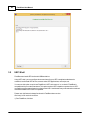
1. The problem
© 2015 Mikhail Kupchik
118
FlashBoot User Manual
Let's consider the following example.
USB flash disk is formatted with FlashBoot as Mini-FreeDOS (Chick here for more info).
Then it is plugged to first machine running Linux and recognized by kernel as /dev/sdd. It is manually
mounted as /dev/sdd1 and then existence of all files is verified. Then it's unmounted and new filesystem
on the /dev/sdd1 is recreated with mkdosfs. This new filesystem is mounted and example.gz is copied
into it.
Then USB flash disk is unmounted and taken to another Linux machine, where is automatically
recognized and mounted as /dev/sdd.
© 2015 Mikhail Kupchik
Reverting Multiformat to Normal
119
But example.gz is not there!
This is because USB flash disk was used as /dev/sdd1 for the first time and as /dev/sdd for the second
time. On FlashBoot-formatted MultiFormat USB disk both filesystems are syncronized and always map
to the same files; but once the inner filesystem is destroyed and overwritten by mkdosfs, the outer
filesystem no longer matches inner one.
2. The solution
Apply mkdosfs to entire /dev/sdd instead of /dev/sdd1.
Or use FlashBoot QuickFormat/Wipe feature if you are not familiar with Linux. FlashBoot QuickFormat/
Wipe feature will always work in demo version, even if the number of tries for target USB disk is
exhaused. Thus, it allows you to restore all FlashBoot-processed MultiFormat USB disks if you decided
not to buy FlashBoot after trying.
1) Run FlashBoot, click Next
© 2015 Mikhail Kupchik
120
FlashBoot User Manual
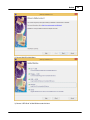
2) Choose Non-boot in Main Menu
3) Choose either "Quick format" or "Wipe"
Wipe will erase all data from USB disk, but will take longer to proceed.
© 2015 Mikhail Kupchik
Reverting Multiformat to Normal
4) Choose target USB disk (flash, HDD) or image file and click Next
5) Enter volume label or leave it as is and click Next
© 2015 Mikhail Kupchik
121
122
FlashBoot User Manual
6) Check summary information and click Next
7) Wait for process completion
© 2015 Mikhail Kupchik
Reverting Multiformat to Normal
8) USB disk is ready for use. Click OK to exit
© 2015 Mikhail Kupchik
123
124
10
FlashBoot User Manual
Using command-line version
FlashBoot can be invoked from command line. This is particularly useful when you need some
automation or unattended execution of FlashBoot.
Installation folder contains fb-cli.exe file (CLI stands for "Command Line Interface") alongside fb-gui.exe
(GUI = "Graphical User Interface"). Installer creates shortcut only for fb-gui.exe.
Command-line version of FlashBoot has the following options:
fb-cli.exe -scenario
-input
-label
-output
InstallWindows8or10ToUSB
-disk
<CD/DVD drive letter>:
| -disk
<CD/DVD mount path>
| -image ImageFile.iso
| -path
<Local path to CD/DVD files>
<Volume label>
-disk <USB drive letter>:
| -disk
<USB mount path>
| -physicaldisk <Number>
<Size of unallocated space at the end of disk, 0 if not
-reserve
required>
Install fully-functional Windows 8/8.1/10 to USB thumbdrive
© 2015 Mikhail Kupchik
Using command-line version
fb-cli.exe -scenario
-input
-label
-output
125
InstallWindows8or10ToUSB_UefiMode
-disk
<CD/DVD drive letter>:
| -disk
<CD/DVD mount path>
| -image ImageFile.iso
| -path
<Local path to CD/DVD files>
<Volume label>
-disk <USB drive letter>:
| -disk
<USB mount path>
| -physicaldisk <Number>
<Size of unallocated space at the end of disk, 0 if not
-reserve
required>
Format USB thumbdrive in the UEFI mode and install fully-functional Windows
8/8.1/10
to that USB thumbdrive
fb-cli.exe -scenario
-input
-fstype
-label
-geometry
-output
ConvertWinVista78or10InstallCDorDVD
-disk
<CD/DVD drive letter>:
| -disk
<CD/DVD mount path>
| -image ImageFile.iso
| -path
<Local path to CD/DVD files>
<Filesystem type>
<Volume label>
<Geometry options>
-disk <USB drive letter>:
| -disk
<USB mount path>
| -physicaldisk <Number>
| -image <Image file name> <Image file size>
<Size of unallocated space at the end of disk, 0 if not
-reserve
required>
Convert Microsoft Windows Vista/7/8/8.1/10 installation CD/DVD
to VFAT-formatted bootable USB disk
fb-cli.exe -scenario
-input
-label
-output
ConvertWinVista78or10InstallCDorDVDtoNTFS
-disk
<CD/DVD drive letter>:
| -disk
<CD/DVD mount path>
| -image ImageFile.iso
| -path
<Local path to CD/DVD files>
<Volume label>
-disk <USB drive letter>:
| -disk
<USB mount path>
| -physicaldisk <Number>
<Size of unallocated space at the end of disk, 0 if not
-reserve
required>
Convert Microsoft Windows Vista/7/8/8.1/10 installation CD/DVD
to NTFS-formatted bootable USB disk
fb-cli.exe -scenario
-input
-fstype
-label
-output
ConvertWinVista78or10InstallCDorDVDtoUEFI
-disk
<CD/DVD drive letter>:
| -disk
<CD/DVD mount path>
| -image ImageFile.iso
| -path
<Local path to CD/DVD files>
<Filesystem type>
<Volume label>
-disk <USB drive letter>:
| -disk
<USB mount path>
| -physicaldisk <Number>
| -image <Image file name> <Image file size>
<Size of unallocated space at the end of disk, 0 if not
-reserve
required>
Format USB thumbdrive in the UEFI mode and deploy Windows Vista/7/8/8.1/10
installer to that USB thumbdrive
© 2015 Mikhail Kupchik
126
FlashBoot User Manual
fb-cli.exe -scenario
-input
-fstype
-label
-geometry
-output
ConvertWinXpInstallCDorDVD
-disk
<CD/DVD drive letter>:
| -disk
<CD/DVD mount path>
| -image ImageFile.iso
| -path
<Local path to CD/DVD files>
<Filesystem type>
<Volume label>
<Geometry options>
-disk <USB drive letter>:
| -disk
<USB mount path>
| -physicaldisk <Number>
| -image <Image file name> <Image file size>
<Size of unallocated space at the end of disk, 0 if not
-reserve
required>
Convert Microsoft Windows XP installation CD to bootable USB disk
fb-cli.exe -scenario
-input
-fstype
-label
-geometry
-output
ConvertBartPEorWindowsPE
-disk
<CD/DVD drive letter>:
| -disk
<CD/DVD mount path>
| -image ImageFile.iso
| -path
<Local path to CD/DVD files>
<Filesystem type>
<Volume label>
<Geometry options>
-disk <USB drive letter>:
| -disk
<USB mount path>
| -image <Image file name> <Image file size>
| -physicaldisk <Number>
<Size of unallocated space at the end of disk, 0 if not
-reserve
required>
Convert BartPE or Microsoft Windows PE (Preinstallation Environment) to
bootable USB disk
fb-cli.exe -scenario
-input
-fstype
-label
-geometry
-output
ExtractRecConFromWinInstallCDorDVD
-disk
<CD/DVD drive letter>:
| -disk
<CD/DVD mount path>
| -image ImageFile.iso
| -path
<Local path to CD/DVD files>
<Filesystem type>
<Volume label>
<Geometry options>
-disk <USB drive letter>:
| -disk
<USB mount path>
| -physicaldisk <Number>
| -image <Image file name> <Image file size>
<Size of unallocated space at the end of disk, 0 if not
-reserve
required>
Extract Microsoft Windows Recovery Console from Microsoft Windows
installation CD and
transform it to bootable USB disk
fb-cli.exe -scenario
-input
-mapto
-fstype
-label
-geometry
-output
ConvertIsolinuxBootCDorDVD
-disk
<CD/DVD drive letter>:
| -disk
<CD/DVD mount path>
| -image ImageFile.iso
| -path
<Local path to CD/DVD files>
c | a
<Filesystem type>
<Volume label>
<Geometry options>
-disk <USB drive letter>:
© 2015 Mikhail Kupchik
Using command-line version
127
| -disk
<USB mount path>
| -physicaldisk <Number>
| -image <Image file name> <Image file size>
<Size of unallocated space at the end of disk, 0 if not
-reserve
required>
Convert ISOLinux-based bootable CD/DVD disk to bootable USB disk
fb-cli.exe -scenario
-input
-mapto
-fstype
-label
-geometry
-output
ConvertHddFlopEmulBootCDorDVD
-disk
<CD/DVD drive letter>:
| -disk
<CD/DVD mount path>
| -image ImageFile.iso
c | a
<Filesystem type>
<Volume label>
<Geometry options>
-disk <USB drive letter>:
| -disk
<USB mount path>
| -physicaldisk <Number>
| -image <Image file name> <Image file size>
<Size of unallocated space at the end of disk, 0 if not
-reserve
required>
Convert HDD/floppy-emulation-based bootable CD/DVD disk to bootable USB disk
fb-cli.exe -scenario
-input
-mapto
-fstype
-label
-geometry
-output
ConvertGrub4DosBootCDorDVD
-disk
<CD/DVD drive letter>:
| -disk
<CD/DVD mount path>
| -image ImageFile.iso
| -path
<Local path to CD/DVD files>
c | a
<Filesystem type>
<Volume label>
<Geometry options>
-disk <USB drive letter>:
| -disk
<USB mount path>
| -physicaldisk <Number>
| -image <Image file name> <Image file size>
<Size of unallocated space at the end of disk, 0 if not
-reserve
required>
Convert Grub4Dos-based bootable CD/DVD disk to bootable USB disk
fb-cli.exe -scenario
-input
-mapto
-fstype
-label
-geometry
-output
WrapAnyCDorDVD
-disk
<CD/DVD drive letter>:
| -disk
<CD/DVD mount path>
| -image ImageFile.iso
c | a
<Filesystem type>
<Volume label>
<Geometry options>
-disk <USB drive letter>:
| -disk
<USB mount path>
| -physicaldisk <Number>
| -image <Image file name> <Image file size>
<Size of unallocated space at the end of disk, 0 if not
-reserve
required>
Wrap image file of any CD/DVD disk to Grub4Dos-based bootable USB disk
fb-cli.exe -scenario
-input
-mapto
-fstype
© 2015 Mikhail Kupchik
CopyDosDisk
-disk
<Floppy/HDD/USB drive letter>:
| -disk
<Floppy/HDD/USB mount path>
| -image ImageFile.img
c | a
<Filesystem options>
128
FlashBoot User Manual
-label
-geometry
-output
<Volume label>
<Geometry options>
-disk <USB drive letter>:
| -disk
<USB mount path>
| -physicaldisk <Number>
| -image <Image file name> <Image file size>
<Size of unallocated space at the end of disk, 0 if not
-reserve
required>
Make DOS-based bootable USB disk from some floppy, HDD or USB disk.
fb-cli.exe -scenario
-input
-mapto
-fstype
-label
-geometry
-output
CopySyslinuxDisk
-disk
<Floppy/HDD/USB drive letter>:
| -disk
<Floppy/HDD/USB mount path>
| -image ImageFile.img
c | a
<Filesystem type>
<Volume label>
<Geometry options>
-disk <USB drive letter>:
| -disk
<USB mount path>
| -physicaldisk <Number>
| -image <Image file name> <Image file size>
<Size of unallocated space at the end of disk, 0 if not
-reserve
required>
Make Syslinux-based bootable USB disk from some floppy, HDD or USB disk.
fb-cli.exe -scenario
-input
-mapto
-fstype
-label
-geometry
-output
CopyGrub4DosDisk
-disk
<Floppy/HDD/USB drive letter>:
| -disk
<Floppy/HDD/USB mount path>
| -image ImageFile.img
c | a
<Filesystem type>
<Volume label>
<Geometry options>
-disk <USB drive letter>:
| -disk
<USB mount path>
| -physicaldisk <Number>
| -image <Image file name> <Image file size>
<Size of unallocated space at the end of disk, 0 if not
-reserve
required>
Make Grub4Dos-based bootable USB disk from some floppy, HDD or USB disk.
fb-cli.exe -scenario
-input
-mapto
-fstype
-label
-geometry
-output
CopyWindowsNt4or5Disk
-disk
<Floppy/HDD/USB drive letter>:
| -disk
<Floppy/HDD/USB mount path>
| -image ImageFile.img
c | a
<Filesystem type>
<Volume label>
<Geometry options>
-disk <USB drive letter>:
| -disk
<USB mount path>
| -physicaldisk <Number>
| -image <Image file name> <Image file size>
<Size of unallocated space at the end of disk, 0 if not
-reserve
required>
Make Windows NT 4 or Windows NT 5 based bootable USB disk from some floppy,
HDD or USB disk.
fb-cli.exe -scenario
-input
CopyWindowsNt6Disk
-disk
<Floppy/HDD/USB drive letter>:
| -disk
<Floppy/HDD/USB mount path>
© 2015 Mikhail Kupchik
Using command-line version
-mapto
-fstype
-label
-geometry
-output
129
| -image ImageFile.img
c | a
<Filesystem type>
<Volume label>
<Geometry options>
-disk <USB drive letter>:
| -disk
<USB mount path>
| -physicaldisk <Number>
| -image <Image file name> <Image file size>
<Size of unallocated space at the end of disk, 0 if not
-reserve
required>
Make Windows NT 6 based bootable USB disk from some floppy, HDD or USB disk.
fb-cli.exe -scenario
-input
-mapto
-fstype
-label
-geometry
-output
WrapAnyFloppy
-disk
<Floppy drive letter>:
| -disk
<Floppy mount path>
| -image FloppyImageFile.img
c | a
<Filesystem type>
<Volume label>
<Geometry options>
-disk <USB drive letter>:
| -disk
<USB mount path>
| -physicaldisk <Number>
| -image <Image file name> <Image file size>
<Size of unallocated space at the end of disk, 0 if not
-reserve
required>
Wrap image file of any floppy disk to Syslinux-based bootable USB disk
fb-cli.exe -scenario
-mapto
-fstype
-label
-geometry
-output
MiniDosFromBuiltinFreeDos
c | a
<Filesystem type>
<Volume label>
<Geometry options>
-disk <USB drive letter>:
| -disk
<USB mount path>
| -physicaldisk <Number>
| -image <Image file name> <Image file size>
<Size of unallocated space at the end of disk, 0 if not
-reserve
required>
Make minimal DOS-based bootable USB disk with Volkov Commander from builtin
FreeDOS
Perform necessary A:/C: substitution in \CONFIG.SYS and *.BAT files.
fb-cli.exe -scenario
-fstype
-label
-output
UefiShell
<Filesystem type>
<Volume label>
-disk <USB drive letter>:
| -disk
<USB mount path>
| -physicaldisk <Number>
| -image <Image file name> <Image file size>
<Unallocated space at the end of disk, in bytes, 0 if not
-reserve
required>
Format USB thumbdrive in the UEFI mode and install builtin UEFI shell to it.
fb-cli.exe -scenario
-input
-mapto
-fstype
-label
-geometry
-output
© 2015 Mikhail Kupchik
MiniDosFromWin9xSetupFiles
-path <Path to folder with Windows 95/98/Me setup files>
c | a
<Filesystem type>
<Volume label>
<Geometry options>
-disk <USB drive letter>:
130
FlashBoot User Manual
| -disk
<USB mount path>
| -physicaldisk <Number>
| -image <Image file name> <Image file size>
<Size of unallocated space at the end of disk, 0 if not
-reserve
required>
Make minimal DOS-based bootable USB disk with Volkov Commander from Windows
95/98/Me setup files.
Perform necessary A:/C: substitution in \CONFIG.SYS and *.BAT files.
fb-cli.exe -scenario
-input
-mapto
-fstype
-label
-geometry
-output
MiniDosFromInstalledDosOrWin9x
-disk
<Floppy/HDD/USB drive letter>:
| -disk
<Floppy/HDD/USB mount path>
| -image ImageFile.img
c | a
<Filesystem type>
<Volume label>
<Geometry options>
-disk <USB drive letter>:
| -disk
<USB mount path>
| -physicaldisk <Number>
| -image <Image file name> <Image file size>
<Size of unallocated space at the end of disk, 0 if not
-reserve
required>
Make minimal DOS-based bootable USB disk with Volkov Commander from
installed copy of DOS
or MS Windows 95/98/Me. Perform necessary A:/C: substitution in \CONFIG.SYS
and *.BAT files.
fb-cli.exe -scenario
-mapto
-fstype
-label
-geometry
-output
MiniSyslinux
c | a
<Filesystem type>
<Volume label>
<Geometry options>
-disk <USB drive letter>:
| -disk
<USB mount path>
| -physicaldisk <Number>
| -image <Image file name> <Image file size>
<Size of unallocated space at the end of disk, 0 if not
-reserve
required>
Make minimal Syslinux-based bootable USB disk
fb-cli.exe -scenario
-mapto
-fstype
-label
-geometry
-output
MiniGrub4Dos
c | a
<Filesystem type>
<Volume label>
<Geometry options>
-disk <USB drive letter>:
| -disk
<USB mount path>
| -physicaldisk <Number>
| -image <Image file name> <Image file size>
<Size of unallocated space at the end of disk, 0 if not
-reserve
required>
Make minimal Grub4Dos-based bootable USB disk
fb-cli.exe -scenario
-input
-output
RawCopy
-disk
<USB drive letter>:
| -disk
<USB mount path>
| -physicaldisk <Number>
| -image ImageFile.img
-disk <USB drive letter>:
| -disk
<USB mount path>
| -physicaldisk <Number>
© 2015 Mikhail Kupchik
Using command-line version
131
| -image <Image file name>
Do raw sector-to-sector copy from one USB flash disk or image file to
another one
fb-cli.exe -scenario
-layout
-fstype
-label
-output
Wipe
partitioned | superfloppy
<Filesystem type>
<Volume label>
-disk <USB drive letter>:
| -disk
<USB mount path>
| -physicaldisk <Number>
Wipe all files and free space on USB disk, then create empty nonbootable
filesystem
fb-cli.exe -scenario
-layout
-fstype
-label
-output
QuickFormat
partitioned | superfloppy
<Filesystem type>
<Volume label>
-disk <USB drive letter>:
| -disk
<USB mount path>
| -physicaldisk <Number>
| -image <Image file name> <Image file size>
<Size of unallocated space at the end of disk, 0 if not
-reserve
required>
Create empty nonbootable filesystem on USB disk or in image file
fb-cli.exe -scenario UpgradeToFull
-disk <USB drive letter>:
| -disk
<USB mount path>
| -physicaldisk <Number>
| -image <Image file name>
Upgrade USB thumbdrive or USB HDD formatted in the demo version of the
FlashBoot
fb-cli.exe -detect
-input
CD
-disk
<CD/DVD drive letter>:
| -disk
<CD/DVD mount path>
| -image ImageFile.iso
Detect type of CD/DVD to help end user choose CD/DVD conversion scenario
fb-cli.exe -detect
-input
VFatDisk
-disk
<Floppy/HDD/USB drive letter>:
| -disk
<Floppy/HDD/USB mount path>
| -image ImageFile.img
Detect type of VFAT disk to help end user choose VFAT conversion scenario
<Filesystem type> explained in examples:
auto
Automatically choose between FAT12, FAT16 and
FAT32 with default cluster sizes
fat16
Allow FAT16 only
fat16(1024)
Allow FAT16 only with cluster size of 1K,
disallow other cluster sizes, FAT12 and FAT32
fat16(1024,2048)
Allow FAT16 only with cluster size of 1K or 2K,
disallow other cluster sizes, FAT12 and FAT32
fat16(1024,2048),fat32(4096) Allow FAT16 with cluster size 1K or 2K, or FAT32
with cluster size 4K.
Disallow all other cluster sizes and FAT12.
fat12(512),fat32(4096,8192)
Allow FAT12 with cluster size 512, or FAT32 with
cluster size 4K or 8K.
Disallow all other cluster sizes and FAT16.
© 2015 Mikhail Kupchik
132
FlashBoot User Manual
<Geometry options> explained in examples:
auto
Use default geometry (255 heads, 63 sectors per
track)
h:255,s:63
Same as above
h:127,s:32
127 heads, 32 sectors per track
s:32
Override sectors per track (255 heads, 32 sectors
per track)
h:127
Override heads (127 heads, 63 sectors per track)
Minimum value for sectors per track is 15 for fat32 formatted disks and 11 for
fat12/fat16 formatted disks.
Maximum value for sectors per track is 63.
Head count value must be between 2 and 255.
Cylinder count is detected automatically by FlashBoot.
11
FlashBoot as a Portable Software
Portable software is a type of software which does not require installation and can be run from USB
Disk or other type of removable media on any computer this disk is plugged to. For more information
about portable software, refer to PortableApps.com or other similar websites.
Portable FlashBoot can be downloaded from http://www.prime.expert.com/flashboot/ along with
installable FlashBoot.
There is no difference in binary files between Portable FlashBoot and installable FlashBoot. FlashBoot
detects its "portability" by presence of FlashBoot.ini. If this file does not exist, then FlashBoot stores its
settings in Windows Registry (HKEY_CURRENT_USER\Software\FlashBoot\2.3 registry key), otherwise
it stores its settings in FlashBoot.ini.
12
License Agreement
FlashBoot version 2.x End User License Agreement
This License Agreement is a legal agreement between you ("LICENSEE") (either an individual or a
single entity) and Mikhail N. Kupchik ("PRIMEEXPERT") for the software product FlashBoot 2.x which
includes computer software and electronic documentation (collectively the "SOFTWARE"). Read it
carefully before using the SOFTWARE. If you did not obtain this copy of the SOFTWARE legally,
please destroy the copy immediately.
By installing, copying, or otherwise using the SOFTWARE, you agree to be bound by the terms of this
License Agreement.
If you do not agree to the terms of this License Agreement, PRIMEEXPERT is unwilling to license the
SOFTWARE. In such event, you may not install, copy or otherwise use the SOFTWARE. YOU AGREE
THAT YOUR USE OF THE SOFTWARE ACKNOWLEDGES THAT YOU HAVE READ THIS LICENSE,
UNDERSTAND IT, AND AGREE TO BE BOUND BY ITS TERMS AND CONDITIONS.
© 2015 Mikhail Kupchik
License Agreement
133
Versions of the SOFTWARE
The SOFTWARE is available in two versions: (a) the Demo Version and (b) the Full Featured Version.
Each of the above versions of the SOFTWARE is subject to the terms and conditions of this Agreement
and may be used only in accordance with the terms and conditions of this Agreement.
1. Grant of License (general terms)
PRIMEEXPERT grants you the following rights provided you comply with all terms and conditions of this
EULA:
(a) Use. You may use the Software Product on one or more computers. You may not separate
component parts of the Software Product for use on more than one computer. You do not have the right
to distribute the Software Product. You may load the Software Product into Your Computer's temporary
memory (RAM) for purposes of using the Software Product.
(b) Storage. You may copy the Software Product into the local memory or storage device.
(c) Copying. You may make archival or back-up copies of the Software Product, provided the copy
contains all of the original Software Product's proprietary notices and that it is used only for back-up
purposes.
(d) Reservation of Rights. PRIMEEXPERT and its suppliers reserve all rights not expressly granted to
you in this EULA.
2. Grant of License
(a) Demo Version
If you have licensed the Demo Version of the SOFTWARE, subject to the terms and conditions of this
Agreement, PRIMEEXPERT grants you, LICENSEE, a limited, non-exclusive, non-sublicenseable
license to install one (1) copy of the Demo Version of the SOFTWARE and use it on one or more
physical workstation(s) or server(s) by one (1) person. You muse use Demo Version of the
SOFTWARE only in accordance with this Agreement solely for internal evaluation use of the
SOFTWARE. The Demo Version of the SOFTWARE may not be used for any commercial development
or for any deployment or ultimate production purposes.
(b) Full Featured Version
If you have purchased a license for the Full Featured Version of the SOFTWARE, subject to the terms
and conditions of this Agreement, PRIMEEXPERT grants you, LICENSEE, a limited, non-exclusive,
non-transferable, non-sublicenseable license to install either:
a) one (1) the Full Featured Version of the SOFTWARE only on a single physical workstation or server
for use by one or several persons, but not simultaneously;
OR
b) one or more copies of the Full Featured Version of the SOFTWARE on one or more physical
workstation(s) or server(s) for use by one (1) person;
but not (a) and (b) at the same time.
LICENSEE may use that copy (copies) of the SOFTWARE only in binary object code form and only in
accordance with this Agreement.
LICENSEE may make one or more copies of the SOFTWARE solely for backup or archival purposes,
provided that LICENSEE reproduces and includes all copyright and other proprietary notice(s) on the
copy.
© 2015 Mikhail Kupchik
134
FlashBoot User Manual
3. Upgrades
To use a Software Product identified as an upgrade, you must first be licensed for the original Software
Product identified by PRIMEEXPERT as eligible for the upgrade.
4. Transfer
(a) Third Party. The initial user of the Software Product may make a one-time transfer of the Software
Product to another end user. Any transfer must include all component parts, media, printed materials,
this EULA. The transfer may not be an indirect transfer, such as a consignment. Prior to the transfer,
the end user receiving the transferred product must agree to all the EULA terms. Upon transfer of the
Software Product, your license is automatically terminated.
(b) Restrictions. You may not rent, lease or lend the Software Product or use the Software Product for
commercial timesharing or bureau use. You may not sublicense, assign or transfer the license or
Software Product except as expressly provided in this EULA.
5. Proprietary Rights
All intellectual property rights in the Software Product and user documentation are owned by
PRIMEEXPERT or its suppliers and are protected by law, including but not limited to international
copyright, trade secret, and trademark law, as well as other applicable laws and international treaty
provisions. You shall not remove any product identification, copyright notices or proprietary restrictions
from the Software Product.
6. Restrictions
LICENSEE may not:
(i) Decompile, reverse engineer, disassemble or otherwise reduce the SOFTWARE to a human
perceivable form.
(ii) Rent, lease, lend, transfer or otherwise transfer rights to the SOFTWARE.
(iii) Translate, adapt, modify the SOFTWARE or create derivative works based upon the SOFTWARE or
any part thereof.
(iv) Distribute copies of the SOFTWARE.
(v) Electronically transfer the SOFTWARE over a network, a telephone circuit or the Internet.
(vi) Remove any proprietary notices or labels on the SOFTWARE.
(vii) Use the SOFTWARE to encode, reproduce or copy any material or intellectual property you do not
have the right to encode, reproduce or copy.
7. Termination
© 2015 Mikhail Kupchik
License Agreement
135
This License Agreement is effective until terminated. PRIMEEXPERT may terminate this License
Agreement if LICENSEE fails to comply with the terms and conditions of this License Agreement. In
such event, LICENSEE must destroy all copies of the SOFTWARE and all of its component parts. All
provisions relating the ownership, disclaimer of warranties, limitation of liability and the general
provisions shall survive the termination of this License Agreement.
8. Ownership
The SOFTWARE is licensed, NOT sold. The foregoing License Agreement gives LICENSEE limited
rights to use the SOFTWARE. All rights, title and interest, including all copyrights, in and to the
SOFTWARE and any copies LICENSEE is permitted to make herein are exclusively owned by
PRIMEEXPERT and/or its suppliers and are protected by copyright, trademark and trade secret law
and international treaties. PRIMEEXPERT retains all rights not expressly granted to LICENSEE in this
License Agreement.
9. Disclaimer of Warranties
TO THE MAXIMUM EXTENT PERMITTED BY APPLICABLE LAW, PRIMEEXPERT PROVIDE THE
SOFTWARE PRODUCT AS IS AND WITH ALL FAULTS, AND HEREBY DISCLAIM ALL OTHER
WARRANTIES AND CONDITIONS, EITHER EXPRESS, IMPLIED, OR STATUTORY, INCLUDING, BUT
NOT LIMITED TO, WARRANTIES OF TITLE AND NON- INFRINGEMENT, ANY IMPLIED
WARRANTIES, DUTIES OR CONDITIONS OF MERCHANTABILITY, OF FITNESS FOR A
PARTICULAR PURPOSE, AND OF LACK OF VIRUSES ALL WITH REGARD TO THE SOFTWARE
PRODUCT. Some states/jurisdictions do not allow exclusion of implied warranties or limitations on the
duration of implied warranties, so the above disclaimer may not apply to you in its entirety.
10. Limitation of Liability
Notwithstanding any damages that you might incur, the entire liability of PRIMEEXPERT and any of its
suppliers under any provision of this EULA and your exclusive remedy for all of the foregoing shall be
limited to U.S. $5.00.
TO THE MAXIMUM EXTENT PERMITTED BY APPLICABLE LAW, IN NO EVENT SHALL
PRIMEEXPERT AND BE LIABLE FOR ANY CONSEQUENTIAL, INCIDENTAL, DIRECT, INDIRECT,
SPECIAL, PUNITIVE OR OTHER DAMAGES WATHSOEVER (INCLUDING WITHOUT LIMITATION
DAMAGES FOR LOSS OF BUSINESS PROFITS, BUSINESS INTERRUPTION, LOSS OF BUSINESS
INFORMATION OR OTHER PECUNIARY LOSS) ARISING OUT OF THIS AGREEMENT OR CAUSED
BY THE USE OR INABILITY TO USE THE SOFTWARE, EVEN IF PRIMEEXPERT HAS BEEN
ADVISED OF THE POSSIBILITY OF SUCH DAMAGES. Some states/jurisdictions do not allow the
exclusion or limitation of incidental or consequential damages, so the above limitation or exclusion may
not apply to you.
11. No other warranties
TO THE MAXIMUM EXTENT PERMITTED BY APPLICABLE LAW, MANUFACTURER AND ITS
SUPPLIERS DISCLAIM WITH RESPECT TO THE SOFTWARE ALL OTHER WARRANTIES AND
CONDITIONS, EITHER EXPRESS, IMPLIED OR STATUTORY, INCLUDING, BUT NOT LIMITED TO
ANY (IF ANY) WARRANTIES OR CONDITIONS OF OR RELATED TO: TITLE, NON-INFRINGEMENT,
MERCHANTABILITY, FITNESS FOR A PARTICULAR PURPOSE, LACK OF VIRUSES, ACCURACY
OR COMPLETENESS OF RESPONSES, RESULTS, LACK OF NEGLIGENCE OR LACK OF
WORKMANLIKE EFFORT, QUIET ENJOYMENT, QUIET POSSESSION, AND CORRESPONDENCE TO
© 2015 Mikhail Kupchik
136
FlashBoot User Manual
DESCRIPTION. THE ENTIRE RISK ARISING OUT OF USE OR PERFORMANCE OF THE SOFTWARE
AND ANY SUPPORT SERVICES REMAINS WITH YOU. THIS LIMITED WARRANTY GIVES YOU
SPECIFIC LEGAL RIGHTS. YOU MAY HAVE OTHERS WHICH VARY FROM STATE/JURISDICTION
TO STATE/JURISDICTION.
12. Capacity and authority to contract
You represent that you are of the legal age of majority in your state of residence and, if applicable, you
are duly authorized by your employer to enter into this contract.
13. Entire Agreement
This License Agreement constitutes the entire agreement between LICENSEE and PRIMEEXPERT and
supersedes any other prior agreements or understandings, whether oral or written, regarding the
SOFTWARE. If a provision of this agreement is deemed null and void, invalid or without effect, the
remainder of this agreement shall remain in effect.
© 2015 Mikhail Kupchik