1
13. Menus
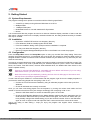
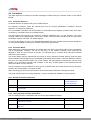
The following Menu commands are available:-
13.1 File Menu
13.1.1 New
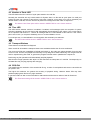
This menu item allows the contents of the editor to be reset to its default state (note all edits and merged
midi song data will be lost)
13.1.2 Save Setup (XGE)
Registered Version Only
This menu item allows quick saving of an XGEdit setup (.XGE) to disk. The menu item is disabled unless
the setup has been previously loaded from disk or has already been saved under an appropriate filename.
13.1.3 Save Setup As..
Registered Version Only
This item brings up the standard save file dialog to allow saving of files to disk.
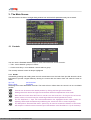
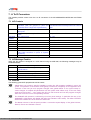
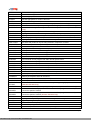
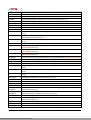
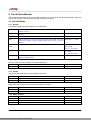
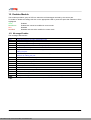
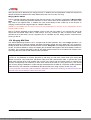
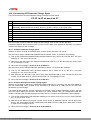
The information saved depends on the file type selected from the standard File Type listbox of the File Save
dialog:*.XGE
*.XGP
*.XGD
*.XGF
*.MID
*.SYX
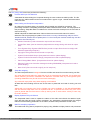
All edit parameters (default)
Current Part parameters only
Current Part and Drum Edit Buffer parameters. Note if the current part is not assigned to an
editable drum buffer (DRUMS1 - DRUMS3) then the save operation will be aborted
Current Effect Unit Parameters
All edits and any merged Midi song data are saved to a standard Midi File. The contents of
the file depend on the settings of the Master Module
The current setup is saved as a MIDIEX file. These files may be loaded as Sysex banks
directly into popular sequencers such as Cakewalk.
13.1.4 Open File
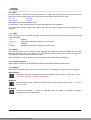
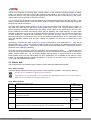
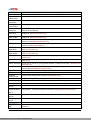
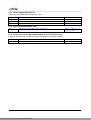
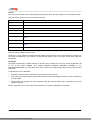
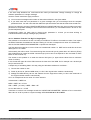
Retrieves a previously saved editor file or midi file from disk and transmits the edit information to the
attached XG module (information is only transmitted if the Setup menu "Refresh on Load" item is checked).
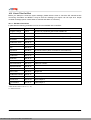
*. XGE
*. XGP
*. XGD
*.XGF
*.MID
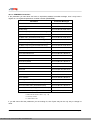
All edit parameters retrieved
A single parts parameters are retrieved to the current Part
A single rhythm part and associated Drum Edit Buffer parameters are retrieved to the current
part
Effect unit parameters are retrieved
A midi file is loaded for auditioning. Any setup bar parameters will be interpreted and
displayed (note if you wish to merge a midi file into a current setup you should use the
MERGE menu option)
13.1.5 Merge Midi
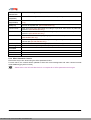
Allows a standard midi file to be merged into the XGedit setup, for playback auditioning and saving with the
current setup. See the Section 15.4 - Merging Midi Data.
13.1.6 Clear Midi
Clears any merged midi song data from the editor.
13.1.7 Exit
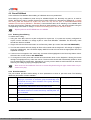
Quits the program - if there are any un-saved edits you will be prompted to save, discard or cancel the exit.
XGedit95 User Manual
This Manual: http://www.manuallib.com/file/2600093
Page 34