1
CHAPTER 7
Graphic Functions: Defining Content
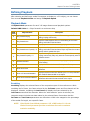
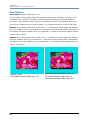
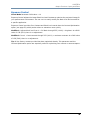
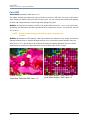
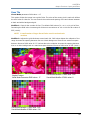
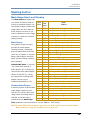
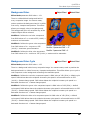
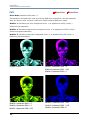
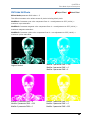
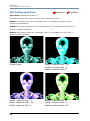
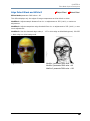
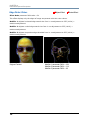
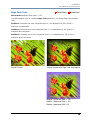
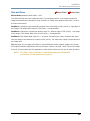
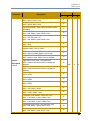
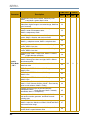
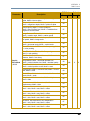
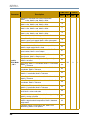
In Frame Default DMX Value: 0 = The beginning of a media file is the playback start point.
Out Frame Default DMX Value: 65535 = The end of a media file is the playback endpoint.
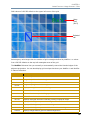
As you move from 0 to 100% of the In Frame value range, you can select the beginning of a
media file segment as a percentage of the file length. Moving from 0 to 100% of the Out Frame
value range selects the end of a media file segment as a percentage of the file length.
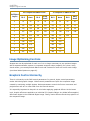
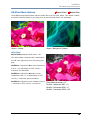
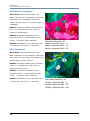
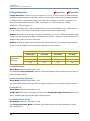
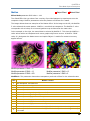
Segment Selection Examples
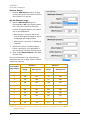
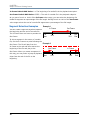
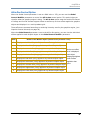
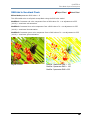
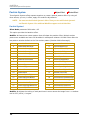
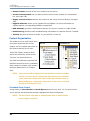
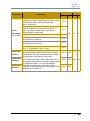
You can create a segment anywhere between
Example 1
In Frame
Out Frame
the beginning and the end of a media file.
The In Frame does not have to precede the
Out Frame.
File
Start
25%
75%
File
End
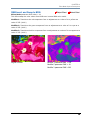
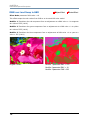
To skip a segment in the center of a media
file, set the In Frame to a point following the
Out Frame. The file will play from the
Example 2
In Frame to the end and then start at the
beginning of the file and play to the
Out Frame
In Frame
25%
75%
Out Frame. When you create a segment in
this way, you may notice a jump as playback
skips from the end of the file to the
File
Start
File
End
beginning.
48
Axon Media Server User Manual