1
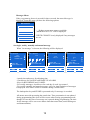
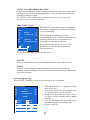
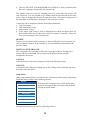
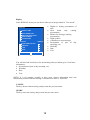
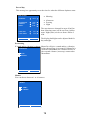
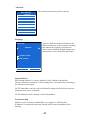
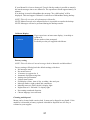
Naging and wake up alarm function cannot be chosen simultaneously. The last choice will override the previous. Time is adjusted with the arrows. It is not possible to set messages earlier than the actual time. It is therefore necessary to set day before time if the wanted time is before actual time. Every key activation gives an adjustment of one unit (for instance one minute). If the key is kept pressed for more than a second, the adjustment is made 4 times a second. The minutes will then be adjusted with a factor of 10. If there are messages already stored at a given time, this is symbolized with a bell. The symbol is displayed also if the message is deactivated, or outside a time limitation. The message can be played by hitting the symbol. If there are several messages stored at the same time, they will all be played. You can stop the present message from being played by pushing the symbol once more. The next message stored at the same time (if any) will then be played. Recording When ”record” (microphone symbol) is chosen a record menu is displayed. PUSH AND HOLD WHILE RECORDING YOUR MESSAGE CANCEL RECORDING STORE Large circle (push and hold). CANCEL to stop recording and return to the ” MESSAGES” menu. The text ”PUSH AND HOLD WHILE RECORDING” is displayed. The text ”REMAINING MEMORY XX MIN/SEK”, is displayed. When the record symbol is activated, recording starts and a circle without filling is displayed along with the text ”RECORDING”. If remaining memory is used during recording, the text “MEMORY FULL” is displayed and recording is aborted. What was recorded until the memory was filled up is stored. When recording is done, Memo returns to the “MESSAGES” menu. If the time for a message occures while storing, checking or changing another message, Memo will announce the message without leaving the menu at hand. In case you are in the midle of recording a message, this is aborted and the message “ABORTED BECAUSE OF ANNOUNCEMENT OF MESSAGE” is displayed. 14