
1
© Spatial Tapestry May 2007
•
The Microsoft OLDB layer for sources and destinations such as Access and
SQL Server
•
The OO4O layer for Oracle
•
Proj4 for any projection changes
The SDL uses VB6 public domain source code (Kenneth McVay) to write/read shape
files, but this is compiled into the SDL tool therefore does not need any separate
installation.
Specifically, a change in the table/theme fields, either in number of fields or field
names, will cause a log file to be written BUT the new shape file will NOT be
written. This has been implemented this way to prevent the TMIS software
performing in an unsatisfactory fashion due to changing to inappropriate data.
In all cases a log file is created for each theme, with the file name comprising the
theme name and the PC’s date, and a line written indicating the results of the
comparison.
The Script File format
The SDL Application is required to manage a number of translations. The record of
the translations is held in a file with the extension “.SDLoader” which may be found
in the same directory as the application is run from.
Each line in this text file looks like:
<Srce>SDEConn</Srce><Server_IP_Srce>tmcweb01</Server_IP_Srce><Database
_Srce>tmcsd</Database_Srce><SDEInstance_Srce>5151</SDEInstance_Srce><L
oginName_Srce>OPL</LoginName_Srce><Password_Srce>OPL</Password_Srce><T
hemeName_Srce>tmcsd.ADM.vms</ThemeName_Srce><SrcePrj4>3000001</SrcePrj
4><Dest>ShpFile</Dest><DestFullFileName>c:\vms.shp</DestFullFileName><
DestPrj4>4283</DestPrj4>
XML formatting is used encode the various items for each translation.
To run this application on a regular basis, it is required to set up a new ‘Scheduled
Task’ (in the Windows ‘Control Panel’). The task should (likely) point to a batch file,
which in turn points to the “_SDL.EXE” with a command line of “auto”. When the
‘Spatial Data Loader’ is run with this command line, no forms are displayed, and the
application will terminate cleanly when the translations have been completed.
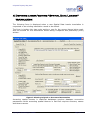
The following pages describe how to operate this application.
Topological Processing in AusGIS
Page 5 of 14









![Intergraph Geomedia [6.1-2013] User manual](http://vs1.manualzilla.com/store/data/005689587_1-58c82d14f3ba8ebe92b5c45af00d079c-150x150.png)