1
Sun SPOT Plug-in Manual
FROG
Figure 6-3: The spotfinder.exe in the bin folder of the Eclipse project for FROG.
If this spotfinder.exe cannot be found, the user will be prompted for the COM port to use. The
COM port number can be found in the Windows Device Manager. This can be accessed by going
to Control Panel, then System, then the Hardware tab, then clicking Device Manager. In the
Device Manager scroll down to the ports expandable and find the Sun SPOT device. It should
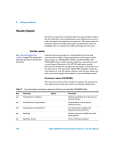
have a COM followed by a number next to it (see Figure 6-4).
Figure 6-4: A Sun SPOT basestation using COM6.
At this point, FROG should have all the information it needs to run with the attached basestation.
You should now be able to run FROG with a functional SPOT Plugin from Eclipse just like you
would run any application.
Modifying the SpotPlugin Code
Page 16