1
NSDL DATABASE MANAGEMENT LTD.
BILL OF ENTRY
v. The Bill of Entry no. or Thoka no. is generated by the system as soon as the Entity Approver
user submits the Bill of Entry to the Customs Assessor. This no. is called as the Import Dept
Sr. No. in SEZ Online System. It can be viewed in the ‘Bill of Entry details’ tab of the BOE (Bill
of Entry).
vi. The unit will not be able to make any changes in the Bill of Entry once it is submitted to
customs.
vii. At any given point in time only one user can work on a BOE (Bill of Entry). The user in whose
inbox the Bill of Entry is lying can only take action on that request.
viii. The user has to enter the notification number and serial number which are present in the
system. Only then the system will be able to fetch the duty values correctly.
ix. While submitting the request, user has to ensure that the Invoice Value of an invoice is
equal to the sum of product values of its corresponding items. However, system provides a
facility called ‘0.5% flexibility’ where the maximum difference allowed between Invoice
Value and its sum of product values is 0.5%.
x. Whenever a request is submitted from Unit to Customs and vice versa, user will have to sign
the Confirmation Screen using DSC. All Customs users, while submitting a request to an
Entity or within Customs, will have to sign using a DSC. For further information regarding
DSC, kindly refer the manual for “Digital Signature Certificate”.
xi. For
downloading
reference
manuals/formats,
please
visit
the
website
https://www.sezonline-ndml.com/downloads.htm
E. File Upload (Single & Batch)
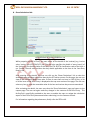
Preparing a Bill of Entry document manually by entering data in all the fields of the Bill of Entry
form in SEZ Online application can be a time consuming process. Thus, a facility has been
provided to import the Bill of Entry request prepared in a text file (using any in-house or vendor
software) into SEZ Online System. If a user prepares a Bill of Entry in the form of a text file in a
format published by NDML, the text file so created may be imported directly into SEZ Online
system. This facility of importing a Bill of Entry has been provided so that if data is already
available in electronic format, it can be re-used and typing the details again can be avoided.
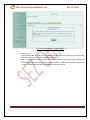
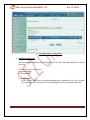
RES BOE File Upload functionality allows user to upload a text file, which contains details of a
Bill of Entry transaction, to create a Bill of Entry request.
Tip: For quick request creation, users can use RES BOE File Upload.
SEZ Online Manual
Page 20