1
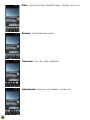
Long-pressing the Home button, however, brings up the “Recent Apps” menu. This is
a vertical list of apps that are currently active. You can slide the list up and down to see
the whole list. Slide an app’s picture off the screen (left or right works) to make it inactive.
This is often referred to as “killing” or “force-quitting” an app, and it’s a useful thing to
know as doing so can solve many problems with a misbehaving app!
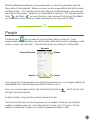
Back: This does exactly what its name suggests; it takes you back one step. If you
called up a sub-menu, for example, and wanted to go back to the previous menu, just
tap the Back button one time to do that. If you tap Back enough times, you will eventually work all the way to your Home screen, so this is another way of getting back to familiar
territory if you’re lost.
Common Onscreen Buttons
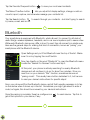
“Drawer”: This button is used to access a general menu in a particular app. In
Google Maps, for example, it lets you switch between map and satellite view,
among other things. In GMail, the Drawer allows you to switch between folders. If
your app has a Drawer button, you should familiarize yourself with the options it
presents. Sometimes the Drawer is also referred to as: “options” or “hamburger”
or, confusingly, “menu”.
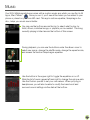
“Share”: Pressing “Share” allows you to send the content of your current app
to someone else. For example, when looking at the details for an app in the
Play Store, using the Share button allows you to send a link to that app by e-mail,
Bluetooth, MMS, or in a variety of other ways. The same thing can be done in the
Contacts app and other places. Sometimes this button is referred to as: “Send” or
“Send Using...”.
“Overflow”: The official name is both “Menu” and “Overflow”, but NUU
documentation uses “Overflow” to avoid confusion. Sometimes also known as
“options” or “the stoplight”. Whatever its name, this button brings up options
relevant to the current screen. If you were looking at a Contact card, for example,
“Overflow” would allow you to edit, delete, share, or set the ringtone for that
contact only. “Overflow” provides access to your bookmarks and other settings in
the Google Chrome app.
8