1
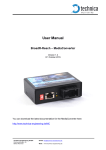
User Manual BroadR-Reach – MediaConverter_EMC Version 1.1 15. December 2014 You can download the latest documentation for the MediaConverter_EMC here: http://www.technica-engineering.de/MC Technica Engineering GmbH Olschewskibogen 18 80935 München Email: [email protected] Web: www.technica-engineering.de Index 1 2 3 4 5 6 7 8 Feature List ......................................................................................................... 3 Warranty and Safety Information ......................................................................... 4 Pinning ................................................................................................................ 5 Configuration ....................................................................................................... 6 EMC Measuement Setup .................................................................................... 7 BR Filter .............................................................................................................. 8 Frequently Asked Questions – FAQ .................................................................... 9 Contact ................................................................................................................ 9 Technica Engineering GmbH Olschewskibogen 18 80935 München Email: [email protected] Web: www.technica-engineering.de 1 Feature List The Technica Engineering BR-MediaConverter_EMC has the following basic features: 1 Port BroadR-Reach Ethernet 100 MBit/s Fullduplex on a single unshielded twisted pair 1 Port optical Ethernet SFP Module Automotive Tyco MQS Connectors for BroadR-Reach and Power Supply Robust steel case DIP Switches for easy configuration Power requirement: 10 to 13 Volt DC (nominal 12 Volt DC) Power consumption: 3 Watt Size: 92 x 63 x 30 mm Wight: 0,2 kg International Protection: IP 2 0 Operating Temperature: -40 to +80 °Celsius Technica Engineering GmbH Olschewskibogen 18 80935 München Email: [email protected] Web: www.technica-engineering.de 2 Warranty and Safety Information Before operating the device, read this manual thoroughly and retain it for your reference. You can download the latest firmware and documentation for the MediaConverter here: http://www.technica-engineering.de/optical-MC Use the device only as described in this manual. Use only in dry conditions. Do not apply power to a damaged device. Do not open the device. Otherwise warranty will be lost. This device is designed for engineering purpose only. Special care has to be taken for operation. Do not use this device in a series production car. As this device is likely to be used under rough conditions, warranty is limited to 1 year. Manufacturer liability for damage caused by using the device is excluded. Technica Engineering GmbH Olschewskibogen 18 80935 München Email: [email protected] Web: www.technica-engineering.de 3 Pinning The pinning of the ECU connectors is listed on the label on top of the device. Connector color: Black Power supply for the device is supplied by Pin 1 (12 Volt) and Pin 10 (Ground). Warning: If you apply a voltage higher than 13 Volt, the device will be damaged! The Tyco Electronics (TE) Micro Quad Lock System (MQS) is used. Tyco, MQS Abdeckkappe, 2x9 Pol, black alternatively Part Number 1-967416-1 Part Number 1-1355350-1 Tyco, MQS Buchsengehäuse, 2x9 Pol alternatively Part Number Part Number 965778-1 962108-2 Tyco crimp contact Part Number 928999-1 Note: You can use the official Tyco tool for these crimp contacts. A cheap variant is the crimp tool for “PSK” contacts. Warning: The Power “loop through” function is just a short circuit between pins 1-2 and pins 10-11. There is no fuse and no diode. If the current exceeds 0.8 Ampere the device will be damaged! Pin 1 2 3 4 5 6 7 8 9 Function Battery +12 Volt Input Battery +12 Volt loop trough n.c. Power output + fed through CMC Power output - fed through CMC n.c. n.c. BroadR-Reach Port, Negative BroadR-Reach Port, Positive Technica Engineering GmbH Olschewskibogen 18 80935 München Pin 10 11 12 13 14 15 16 17 18 Function Power Ground Power Ground loop trough n.c. n.c. n.c. n.c. n.c. n.c. n.c. Email: [email protected] Web: www.technica-engineering.de 4 Configuration The MediaConverter is configured by 2 DIP Switches on the front of the device. DIP Switch 1: ON = BroadR-Reach Port is set to Master. OFF = Slave DIP Switch 2: ON = BroadR-Reach Port is set to FullOut. OFF = HalfOut Note: In a BroadR-Reach Link one device has to be set to Master, the other has to be set to Slave Mode. Note: The MediaConverter should always be set to FullOut. HalfOut was a former configuration for EMC optimization but will cause an instable link. Technica Engineering GmbH Olschewskibogen 18 80935 München Email: [email protected] Web: www.technica-engineering.de 5 EMC Measuement Setup The following diagram shows a typical EMC measurement setup. The device under test is placed in a shielded EMC chamber together with one optical MediaConverter. All devices inside the chamber are supplied by a 12 V car battery. The only connection to the outside is a fiber Ethernet connection so no guided radiation can occur. The optical MediaConverter has been built to be EMC clean. So the source of all radiation measured in the chamber will be the DUT. BATTER Y 12 V DC BroadR-Reach Shielded EMC Chamber Optical Ethernet BroadRReach Technica Engineering GmbH Olschewskibogen 18 80935 München Email: [email protected] Web: www.technica-engineering.de Fast Ethernet 6 BR Filter The following BR Filter is used in the MediaConverter_EMC: In Version 3.0 the TDK CMC ACT45L-102-2P is used for L32. All Filter Versions are compatible and it will be possible to set up a stable link. However, it is recommended to use the latest filter version. Technica Engineering GmbH Olschewskibogen 18 80935 München Email: [email protected] Web: www.technica-engineering.de 7 Frequently Asked Questions – FAQ Q: What is the delay time for Ethernet packets through the MediaConverter? A: The delay time is constant 2.0us. The delay is independent of the Ethernet packet frame size. Q: What is the maximum Cable Length? A: The MediaConverter is optimized for automotive use. The maximum line length for each BroadR-Reach segment is limited to 10 meters! Q: The BR Link LED is lit but I have no valid BR Link. What is going wrong? A: There is a bug in the used BroadR-Reach PHY. When the BR Plus and Minus lines are swapped and the MediaConverter Port is set to BR Slave then the Link LED is lit, but there is no data transmission possible. So please connect the BR lines correctly. 8 Contact If you have any questions regarding this product please feel free to contact us: Technica Engineering GmbH Olschewskibogen 18 80935 München Germany Fax: +49-89-34290265 [email protected] www.technica-engineering.de Technica Engineering GmbH Olschewskibogen 18 80935 München Email: [email protected] Web: www.technica-engineering.de