1
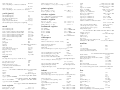
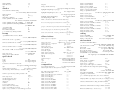
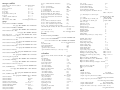
M-r <REGEXP> RET
search for previous input forward with REGEXP
search previous input backward again
search for previous input again
show recently echoed messages
exit
M-s <REGEXP> RET
M-r RET
M-s RET
C-h e
C-g
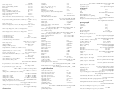
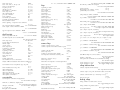
completion
complete name of buffer, file, function, variable, ...
completion, unless a file
insert space without completion
list completions
go to ”completions” buffer
next completion
previous completion
select completion
exit back to minibuffer
same as previous
TAB
SPC
C-q SPC
?
M-v
<right>
<left>
RET
ESC ESC ESC
C-[ C-[ C-[
mode
help with current (see ”help” above)
C-h m
for writing
M-x text-mode
a simple default
M-x fundamental-mode
change back to what Emacs thought it was
M-x normal-mode
customize current (see ”customize” above)
M-x customize-mode
add to top of file
M-x add-file-local-variable-prop-line RET mode RET
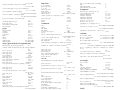
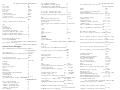
file
open
C-x
new
C-x
open in parent directory
C-x C-f ..
open from root directory
C-x C-f /
open all C sources in current directory
C-f
C-f
<file> RET
<file> RET
C-x C-f *.c RET
including parent directories
M-x make-directory RET RET
close current and open another
C-x C-v
save
C-x C-s
save even if buffer is unchanged
C-x C-w RET
same as previous (see M-˜below)
toggle as read only
C-x C-q
list contents of archive
C-x C-f archive.tar RET
open compressed Gzip
C-x C-f file.gz RET
list contents of ZIP
C-x C-f file.zip RET
rename current
M-x rename-file RET <FILE> RET <NEW>
rename current to NAME
M-x rename-file RET RET <NAME> RET
rename current to NAME
M-x rename-file RET RET <NAME> RET
delete NAME
M-x delete-file RET <NAME> RET
(see ”read only” below)
M-x view-file
open in basic mode with no conversions
M-x find-file-literally
toggle between overwrite mode and insert mode
<insert>
same as previous
M-x overwrite-mode
edit as literal bytes
M-x binary-overwrite-mode
rename previously saved or opened
C-x d M-p RET R
insert other into current buffer
C-x i
save region (see ”region” below)
M-x write-region
save buffer once to alternate
C-x h M-x write-region
save region to other (see ”region” below)
M-x append-to-file
set buffer to alternate
M-x set-visited-file-name
set permissions of current
M-x set-file-modes
open name at point
M-x find-file-at-point
restore buffer from disk
M-x revert-buffer
same as previous
C-x C-v RET
same as previous
C-x C-f M-n RET
open backup
C-x C-f M-n ~RET
save and make it the next backup
C-u C-x C-s
save without making a backup
C-0 C-x C-s
backup previous then save
C-u C-u C-x C-s
backup previous, save, make it the next backup
C-u C-u C-u C-x C-s
recover auto-save data after a crash
M-x recover-file
recover using auto-save data
M-x recover-session
show size in mode line
M-x size-indication-mode
update with changes on disk
M-x auto-revert-mode
update with changes for any buffer
M-x global-auto-revert-mode
update end of buffer with changes on disk
C-u M-~C-x C-s
prompt to save any buffer that has been modified
M-x auto-revert-tail-mode
use color overlays for tracking edits
C-x s
save any buffer that has been modified with no questions
M-x highlight-changes-mode
make link
M-x add-name-to-file
make symbolic link
M-x make-symbolic-link
flush changes in file system to disk
M-x unix-sync
C-u C-x s
open previously saved or opened
C-x C-f M-p RET
save current to PATH
C-x C-w <PATH> RET
save to DIRECTORY using file or buffer name
mark buffer as unmodified
mark buffer as modified
C-x C-w <DIRECTORY> RET
M-~
C-u M-~
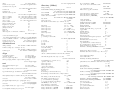
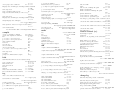
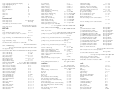
buffer
beginning
end
go to half way
go to 10 percent
M-<
M->
M-5 M-<
M-1 M-<
go to 90 percent
go back (see ”mark” below)
mark
same as previous
kill BUFFER
kill current
ask to kill each and all
automatically kill old buffers
M-9 M-<
C-u C-SPC
C-x h
M-> M-<
C-x k <BUFFER> RET
C-x k RET
M-x kill-some-buffers
M-x clean-buffer-list
schedule daily cleanup
M-x customize-group RET midnight RET
switch to last buffer
C-x b RET
switch to BUFFER or make new BUFFER
C-x b <BUFFER> RET
switch to a buffer in other window (see ”window” below)
C-x 4 b
show a buffer in other window (see ”window” below)
C-x 4 C-o
kill current and close window (see ”window” below)
C-x 4 0
same as previous
C-u M-x quit-window
list all (see ”buffer menu” below) in other window
list in current window
list in other window and select it
C-x C-b
M-x buffer-menu
M-x buffer-menu-other-window
avoid switching to current buffer and switch to last
undo last bury
switch to previously switched buffer
M-x bury-buffer
M-x unbury-buffer
C-x b M-p M-p RET
bury buffer and switch to next buffer
C-x C-<right>
switch to previously buried buffer
C-x C-<left>
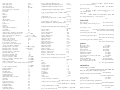
save current contents to file on disk
C-x C-s
rename current to NAME
M-x rename-buffer RET <NAME>
remove ”¡X¿” suffix from buffer name if possible
M-x rename-uniquely
restore contents with file on disk (see ”undo” below)
same as previous
copy all of another to point in current
M-x revert-buffer
C-x C-v RET
M-x insert-buffer
copy region to other (see ”region” below)
M-x append-to-buffer
overwrite BUFFER with region (see ”region” below)
M-x copy-to-buffer
permanently enable
M-x enable-command RET erase-buffer RET
delete everything (see ”delete” below)
M-x erase-buffer
open an indirect buffer based on current
M-x clone-indirect-buffer
open an indirect buffer but in another window