1
Chipcon
SmartRF® Studio
Rev. 6.0
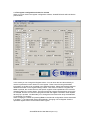
Introduction
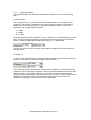
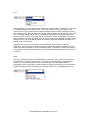
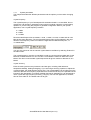
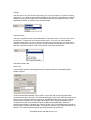
Supported
platforms:
Installation
SmartRF® 01
Interface
SmartRF® 02
Configuration
SmartRF® 03
Calculation
SmartRF® 04
Testing
Table of contents
1.
INTRODUCTION ..........................................................................................................................4
2.
INSTALLATION ...........................................................................................................................4
3.
OVERVIEW OF SMARTRF® 01/02 STUDIO ...........................................................................5
3.1
STARTING SMARTRF® STUDIO FOR CCX00/CC10XX.............................................................5
3.2
PULL-DOWN MENUS ..................................................................................................................5
3.2.1
File....................................................................................................................................6
3.2.2
View ..................................................................................................................................7
3.2.3
Configuration ...................................................................................................................7
3.2.4
Tools .................................................................................................................................8
3.2.5
Help ..................................................................................................................................8
3.3
THE SMARTRF® STUDIO TOOLBAR...........................................................................................9
3.4
THE STATUS INFORMATION .......................................................................................................9
4.
SMARTRF® STUDIO FOR CC400/CC900 ..............................................................................10
4.1
THE NORMAL CONFIGURATION WINDOW FOR CC400/CC900 .................................................11
4.1.1
System parameters..........................................................................................................12
4.2
THE REGISTER CONFIGURATION WINDOW FOR CC400/CC900 ................................................17
4.3
DESCRIPTION OF THE TOOLS FOR CC400/CC900 ....................................................................18
4.3.1
Programming..................................................................................................................18
4.3.2
EEPROM-programming .................................................................................................19
4.3.3
FLASH-programming.....................................................................................................20
5.
SMARTRF® STUDIO FOR CC1000 .........................................................................................21
5.1
THE NORMAL CONFIGURATION WINDOW FOR CC1000............................................................22
5.1.1
System parameters..........................................................................................................23
5.2
THE REGISTER CONFIGURATION WINDOW FOR CC1000...........................................................28
5.3
EVALUATION BOARD CONTROL ..............................................................................................29
6.
SMARTRF® STUDIO FOR CC1050 .........................................................................................30
6.1
THE NORMAL CONFIGURATION WINDOW FOR CC1050............................................................31
6.1.1
System parameters..........................................................................................................32
6.2
THE REGISTER CONFIGURATION WINDOW FOR CC1050...........................................................35
6.3
EVALUATION BOARD CONTROL ..............................................................................................36
7.
SMARTRF® STUDIO FOR CC1010 .........................................................................................37
7.1
THE NORMAL CONFIGURATION WINDOW FOR CC1010............................................................38
7.1.1
System parameters..........................................................................................................39
7.2
THE REGISTER CONFIGURATION WINDOW FOR CC1010...........................................................43
7.3
EVALUATION BOARD CONTROL ..............................................................................................44
8.
SMARTRF® STUDIO FOR CC102X ........................................................................................45
8.1
THE NORMAL CONFIGURATION WINDOW FOR CC102X...........................................................46
8.1.1
System parameters..........................................................................................................47
8.2
THE REGISTER CONFIGURATION WINDOW FOR CC102X..........................................................52
8.3
EVALUATION BOARD CONTROL ..............................................................................................53
9.
SMARTRF® STUDIO FOR CC1070 .........................................................................................54
9.1
THE NORMAL CONFIGURATION WINDOW FOR CC1070............................................................55
9.1.1
System parameters..........................................................................................................56
9.2
THE REGISTER CONFIGURATION WINDOW FOR CC1070...........................................................60
9.3
EVALUATION BOARD CONTROL ..............................................................................................61
10.
10.1
10.2
SMARTRF® STUDIO FOR CC2400 .....................................................................................62
STARTING SMARTRF® STUDIO AND SELECTING A DEVICE......................................................62
OVERVIEW OF SMARTRF® STUDIO FOR CC2400....................................................................63
10.2.1
10.2.2
10.2.3
10.2.4
11.
Register Status ................................................................................................................64
System Configuration .....................................................................................................65
Pull-down menus and toolbar.........................................................................................68
Online help .....................................................................................................................70
SMARTRF® STUDIO FOR CC2420 .....................................................................................71
11.1 STARTING SMARTRF® STUDIO AND SELECTING A DEVICE......................................................71
11.2 OVERVIEW OF SMARTRF® STUDIO FOR CC2420....................................................................72
11.2.1 Register Status ................................................................................................................73
11.2.2 System Configuration .....................................................................................................74
11.2.3 Online help .....................................................................................................................82
12.
SMARTRF® STUDIO FOR SMARTRF® 04 DEVICES.....................................................83
12.1 STARTING SMARTRF® STUDIO AND SELECTING A SMARTRF® 04 DEVICE .............................83
12.2 OVERVIEW OF SMARTRF® STUDIO FOR CC25XX ...................................................................84
12.2.1 Register Status ................................................................................................................85
12.2.2 System Configuration .....................................................................................................86
12.2.3 Pull-down menus and toolbar.........................................................................................91
12.2.4 Online help .....................................................................................................................93
13.
CONTACT INFORMATION..................................................................................................94
1. Introduction
This user manual describes how to use SmartRF® Studio. This software is developed by
Chipcon to the courtesy of our customers.
This software is made to configure the RFICs on the Evaluation Board for the CC400, CC900,
CC1000 , CC1050, CC1010, CC1020, CC1021, CC1070, CC2400 and CC2420. By giving
out this software the designers of radio systems can easily evaluate the RFICs at an early
stage in the design-process. It is further a useful tool during the generation of the
configuration data and for finding optimised external component values.
It is also a helpful tool to get to know the RFICs from Chipcon.
Distribution and disclaimer:
This software may be distributed freely under the condition that no profit is gained from its
distribution, nor from any other program distributed in the same package. All files that are part
of this package have to be distributed together and none of them may be changed in any way
other than archiving or crunching.
This program is distributed as freeware (and giftware). This package is provided “as is”
without warranty of any kind. The author assumes no responsibility or liability whatsoever for
any damage or loss of data caused by using this package.
General information:
Chipcon AS believes the furnished information is correct and accurate at the time of this
printing. However, Chipcon AS reserves the right to make changes to this product without
notice. Chipcon AS does not assume any responsibility for the use of the described product.
Please refer to Chipcon’s web site for the latest update.
SmartRF® is a registered trademark of Chipcon AS. SmartRF is Chipcon's RF technology
platform with RF library cells, modules and design expertise. Based on SmartRF Chipcon
develops standard component RF-circuits as well as full custom ASICs based on customers'
requirements.
2. Installation
A SmartRF® Studio set-up file is available from the Chipcon web-site at www.chipcon.com.
Make sure that you have the newest version available before you start the installation. To
begin the installation: Run the set-up file and follow the instructions.
SmartRF® Studio communicates with the evaluation boards through the USB port
(SmartRF®03/04) or the parallel port (SmartRF®01/02). Up to eight USB devices are
supported on a single computer. The platform you can use SmartRF® Studio will for this
reason depend in the device you want to evaluate.
USB port devices (SmartRF®03/04) are supported on the following platforms:
Windows 98
Windows 2000
Windows XP
Parallel port devices (CCX00/CC10X0) are supported on the following platforms:
Windows 98
Windows 2000
Windows NT
Windows XP
Other system parameters are not critical.
SmartRF® Studio User Manual (rev. 6.0)
3. Overview of SmartRF® 01/02 Studio
3.1 Starting SmartRF® Studio for CCX00/CC10XX
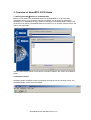
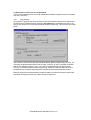
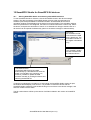
Before you can start to use SmartRF® Studio for the SmartRF® 01 or 02 productline
(CCX00/CC10XX), you must select a device to evaluate. This is done by activating the
SmartRF® 01 or SmartRF® 02 tag in the device manager of SmartRF® Studio. Double-click
on the device to open the SmartRF® Studio for this device. You can also mark the device and
click on the start button.
The file version button will list up the version of all files included in this version of SmartRF®
Studio.
3.2 Pull-down menus
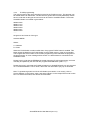
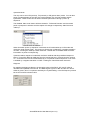
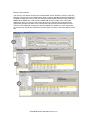
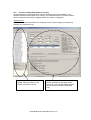
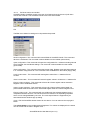
SmartRF® Studio simplifies access to its features through the use of pull-down menus. The
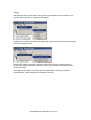
SmartRF® Studio menus are shown below.
SmartRF® Studio User Manual (rev. 6.0)
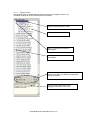
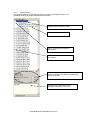
3.2.1
File
The File menu contains items that create files and set up printing options.
New allows you to create a new SRF-file and set default settings.
Open... displays a file selection dialog box that asks you for the name of an SRF-file and
opens it.
Save saves all the entered system parameters in the current SRF-file.
Save As... displays a file selection dialog box that asks you for the name of an SRF-file in
which to save the entered system parameters.
Print setting to file displays a dialog box that enable you to save the entered system
parameters together with the calculated component values in a TXT-file.
Print registers to file displays a dialog box that enable you to save the register values to a
*.txt file in Normal View and *.eep file in Register View. In Normal View the values will be
shown in hexadecimal code for all possible modes available for the selected transceiver, for
easy inclusion in micro-controller code. In Register View this selection displays a dialog box
that enable you to dump the present register values to a file. This is useful if the register
settings are different from the default values given in the Normal View.
Load registers from file displays a dialog box that enables you to open the register values
from a previous generated *.eep file. This option is only activate in Register View
Reset settings will set the system parameters to default and update the configuration
registers.
Exit quits SmartRF® Studio.
Note: When in ‘Register’ window only the Exit, Print register to file and Load registers
from file entries will be available.
SmartRF® Studio User Manual (rev. 6.0)
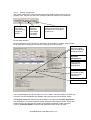
3.2.2
View
The view menu allows you to set Window options.
Normal shows you the system parameter entry screen.
Register shows you the configuration register screen.
Toolbar displays the SmartRF® Studio toolbar when selected.
Status Bar displays helpful tips at the bottom of the window when you hold the mouse pointer
over a feature.
3.2.3
Configuration
The configuration menu allows you to change port address or device, and download the data
to the device.
Update Device downloads the chosen settings to the transceiver device via the parallel port
at the back of your computer.
Select Port... displays a window in which you can choose between different I/O addresses for
the parallel port (‘0x278’, ‘0x378’ or ‘0x3cb’). The default address is ‘0x378’. A ‘Set as default’
button makes the program store the new default value.
You can find the address in Windows NT by choosing ‘Windows NT Diagnostics’ under
‘Administrative Tools’ in the Windows ‘Start Menu’, and choose ‘Resources’ and ‘I/O ports’. If
you have more than one parallel port, contact your local IT manager.
SmartRF® Studio User Manual (rev. 6.0)
3.2.4
Tools
The Tool menus have an option to select programming. This is a small program that let you
program the CC400 and CC900 Demonstration Board. For more information on how this
program works see chapter 4.3.
3.2.5
Help
The help menu provides access to useful information about the product.
Help Topics brings up a message box stating where you can find further help.
About SmartRF® Studio brings up a message box with the software revision and copyright
information.
Contact Chipcon brings up a message box where you can find Chipcon contact information
and links to our web-site and mail.
SmartRF® Studio User Manual (rev. 6.0)
3.3 The SmartRF® Studio toolbar
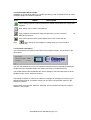
In addition to the pull-down menus, the toolbar provides you with simplified access to useful
SmartRF® Studio and Windows features:
Icon
Name
Description
Reset settings:Sets the system parameters to default and updates the configuration
registers.
New: Allows you to create a new SRF-file.
Open: Displays a file selection dialog box that asks you for the name of
SRF-file and opens it.
an
Save: Saves all the entered system parameters in the current SRF-file.
Help
topics: Brings up a message box stating where you can find further
help.
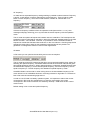
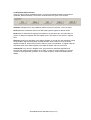
3.4 The status information
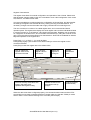
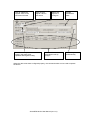
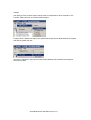
You will find status information at the bottom of the program window. This is shown in the
figure below.
The user can observe the current consumption of the transceiver in the different settings in
the Normal View. SmartRF® Studio also monitors the lock pin of the transceiver.
The Update device button downloads the chosen settings to the transceiver device via the
parallel port (F5 can be used as a shortcut).
The bitmap of Chipcon is a link to the Chipcon homepage. By clicking on this picture, your
default browser goes to our website, where you can find more information about our RF
transceivers and us.
At the bottom of the window, there is a status bar, which provides hints about the various
features in the program.
SmartRF® Studio User Manual (rev. 6.0)
4. SmartRF® Studio for CC400/CC900
When CC400/CC900 is used, the program has two configuration views. The parameter entry
screen is the default window and can be chosen by pressing F2 or selecting Normal from the
View menu. In this window you can change the system parameters, get status information
and component values.
The other configuration window is the “register” configuration, which is selected by pressing
F3 or selecting Register from the View menu. It gives you the possibility to change the bits in
the configuration registers directly. This window is mainly used to give additional information
and we dissuade you to change the bits.
To send the configuration data to the transceiver chip, press F5 or select Update Device from
the Configuration menu or press the Update device button at the bottom of the screen.
Note: When pressing Enter the parameters will be checked and component values will be
calculated, but the transceiver will not be programmed until Update device is activated.
SmartRF® Studio User Manual (rev. 6.0)
4.1 The Normal configuration window for CC400/CC900
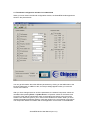
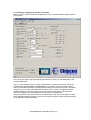
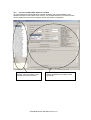
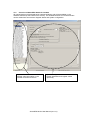
When you have chosen the Normal configuration window, the SmartRF® Studio appears as
shown in the picture below.
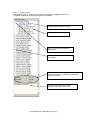
You can get information about the different parameters by clicking on the info button to the
left of the parameter. In addition to this, a tool-tip message appears when you move the
mouse over a feature.
After you have changed some or all of the parameters, the external component values are
calculated after pressing Enter or Update device. Component values for the Phase Lock
Loop (PLL) filter and the input/output match to the antenna are shown to the right of the
window. The values are given to you in terms of the standard E12-series. When you have
changed the default parameter settings, use these values on the new external components.
The component reference numbers refer to the application circuit shown in the datasheet.
SmartRF® Studio User Manual (rev. 6.0)
Using the specified component values for the PLL loop filter will give an optimum loop
bandwidth for the selected system parameters. If you need a faster PLL settling time, i.e. a
larger loop bandwidth, the data rate can be set to a higher value and the corresponding
component values can be used.
Using the specified component values for the input/output match will give an optimum match
at the specified operating frequency. Minor tuning of the component values may be necessary
to compensate for layout parasitics.
4.1.1
System parameters
This chapter describes the different parameters and the options you have when changing
them. The default parameter list is given at the end of the chapter. For detailed information on
parameter setting of CC400 and CC900 see Application note AN005.
X-tal frequency
The crystal frequency of your Development Kit evaluation board is 12.000000 MHz. Do not
change the X-tal frequency parameter when using this module unless the crystal is being
replaced. If you are using this program to generate configuration data for your special
application, use a crystal frequency between 4.000 and 13.100 MHz and replace the crystal
on the printed circuit board. The crystal should be designed for 12pF load capacitance. The
frequency value is rounded to 6 digits after the MHz decimal point, i.e. 12.000000 MHz.
X-tal accuracy
Enter the total crystal accuracy between 0 and 500 ppm, including initial tolerance,
temperature stability, loading and ageing. If you are using a trimming capacitor to adjust the
crystal oscillator, the initial tolerance will be zero. The crystal accuracy is very important for
narrow-band applications (i.e. 25 kHz-channel separation). For applications using wider
bands crystal accuracy is not that important. The crystal stability has an influence on the
minimum possible IF filter bandwidth and the maximum frequency separation that can be
used. For highest possible sensitivity it is an advantage to use a crystal with high frequency
accuracy (<20 ppm). For low cost applications, however, this can be a trade-off. The default
value is 30 ppm.
RF frequency
The CC900 can operate at frequencies between 800 and 1000 MHz. The Development Kit
evaluation board is optimised for operation in the ISM band at 868-870 MHz. However, it is
possible to use the evaluation board for frequencies between approximately 850 and 910
MHz restricted by the VCO tank tuning range.
The CC400 can operate at frequencies between 300 and 500 MHz in 250 Hz steps. The
Development Kit evaluation board is optimised for operation in the ISM band at 433.920 MHz.
However, it is possible to use the evaluation board for frequencies between approximately
400 and 460 MHz restricted by the VCO tank tuning range.
Choosing frequencies outside this range will not work for this evaluation board and should
only be done for generation of configuration data to be used in other applications.
Note: Depending on the crystal frequency, some RF frequencies are not allowed and an error
message will pop up.
SmartRF® Studio User Manual (rev. 6.0)
IF stage
For the CC900 and the CC400 there are four possible choices of IF-stage frequency: 60, 200,
455 kHz internal filter, or 455 kHz using an external ceramic filter. The default value is 200
kHz. The IF frequency is selected from a pull down menu.
The best sensitivity is obtained using the internal 60 kHz IF-filter and offers a cost optimised
solution. If the operating temperature range shall be large, a relative stable reference crystal
may be required when using the 60 kHz internal IF-filter. Optionally the initial crystal accuracy
can be tuned using a trimming capacitor.
Using the 200 kHz internal IF-filter gives a very low cost solution that does not require a very
stable crystal or a tuning capacitor. This is however obtained at the expense of lower
sensitivity.
The best selectivity is obtained with an external 455 kHz ceramic filter, but at the cost of lower
sensitivity. However, this can increase the cost of your system due to the external ceramic
filter cost, and because of the narrow bandwidth of the external filter (typically 30 kHz) which
requires a reference crystal with high accuracy (<±10-20 ppm). Note: When selecting the
external 455 kHz filter, the user must ensure that the crystal accuracy together with the signal
bandwidth (depend on data rate and deviation) stays inside the filter bandwidth. The total
occupied signal bandwidth can be approximated by Carson’s rule: BW = ∆f + 2 fm where fm is
the modulation frequency. Using Manchester coding the modulation frequency (in kHz) will be
equal to the bit rate (in kbit/s). A message-box opens when selecting 455 external filter. This
messagebox can be useful to calculate the bandwidth of the filter according to Carson’s rule
and the crystal accuracy.
SmartRF® Studio User Manual (rev. 6.0)
Frequency separation
The frequency separation, ∆f, is the difference between the frequency transmitted for a ‘0’ (f0)
and a ‘1’ (f1). That is, f0 = fC - ∆f/2 and f1 = fC + ∆f/2 where fC is the carrier frequency entered
in the ‘RF frequency’ field.
The frequency separation can be adjusted between 1 and 200 kHz in 1 kHz steps. The
default value is 20 kHz.
Depending on the chosen IF stage the recommended frequency separation is
5 - 40 kHz for IF = 60 kHz,
10 - 100 kHz for IF = 200 kHz.
5 – 20 kHz for IF = 455 kHz with external filter
The sensitivity depends slightly on frequency separation.
Data rate
The data rate can be set between 0.3 and 9.6 kbitps. The default setting is 1.2 kbitps. The
data signal transmitted to the DIO pin must be Manchester encoded. The noise bandwidth of
the receiver will be optimised to the selected data rate. Note that the baud rate is twice the bit
rate when using Manchester coding.
Power amplifier class
You can chose between four possible choices of PA-class: ‘Class A’, ‘Class AB’, ‘Class B’
and ‘Class C’. The default choice is ‘Class C’. The different classes are selected from a pulldown menu.
The selection of power amplifier operation class is a trade-off between output power,
efficiency and harmonic generation. In class A or AB the amplifier is working more linear, and
the harmonics will be low. However, the efficiency and the output power will also be low. For
increased output power and efficiency, class B or C should be used, with the cost of
somewhat higher harmonics.
SmartRF® Studio User Manual (rev. 6.0)
RF output power
For the CC900 case, the output RF power can be set in 1 dB steps between -20 and up to 4
dBm depending on the PA operating mode.
Class A:
-20 to -12 dBm (not recommended due to low efficiency)
Class AB:
-15 to -5 dBm
(recommended -12 to -8 dBm)
Class B:
-8 to 1 dBm (recommended -8 to -3 dBm)
Class C:
-8 to 4 dBm (recommended -8 to 4 dBm)
For the CC400 case, the output RF power can be set in 1 dB steps between -5 and up to 14
dBm depending on the PA operating mode.
Class A:
-5 to 0 dBm (not recommended due to low efficiency)
Class AB:
-4 to 6 dBm (recommended -4 to 3 dBm)
Class B:
0 to 12 dBm (recommended 3 to 12 dBm)
Class C:
0 to 14 dBm (recommended 12 to 14 dBm)
The default value is 0 dBm for CC900 and 10 dBm for CC400. Power in dBm is 10 log (P)
where P is in mW.
Mode
The operation mode can be selected from a pull down menu. The chip can be set in RX
(receive), TX (transmit) or PD (power down) mode. In PD you can select between complete
power down (osc. off), or power down with the crystal oscillator running (osc. on).
Leaving the crystal oscillator running gives a shorter turn-on time at the expense of higher
current consumption in the power down mode. RX precharging can be used to reduce the
demodulator turn-on time. Please refer to the data sheet for further information on
demodulator precharging. The default value is RX.
Receiver mode
The receiver mode can be selected from a pull down menu. The receiver can be configured
for optimum sensitivity (low noise figure) or optimum linearity (high input intercept point).
When inter-modulation due to several transmitters in the same area is expected to be a
problem, choose the optimum linearity option. Choose optimum sensitivity when maximum
range is needed. The default value is optimum sensitivity.
SmartRF® Studio User Manual (rev. 6.0)
LOCK indicator
The synthesiser PLL lock indicator can be set in one of three modes: ‘Continuous’, ‘One-shot’
or ‘Disabled’ using the pull down window. Choosing ‘Continuous’ the lock indicator will
monitor the PLL lock continuously also after an initial lock has occurred. Choosing the ‘Oneshot’ mode the lock pin will stay high after an initial lock has occurred, even if the PLL
occasionally should fall out of lock. If ‘Disabled’ is selected, the lock signal will be active
regardless of the PLL status. The default value is ‘Continuous’.
Important: The ‘One-shot’ lock signal is used internally in the CC900 to enable the transmitter.
If the lock signal is not active (high) the transmitter will not be enabled. This is done in order to
avoid the transmitter to emit out-of-band signals. If ‘Disabled’ is chosen this function is
overridden and care should be taken, as the transmitter will transmit even when the PLL is not
in lock.
VCO current
The VCO current can be set in 8 steps; ‘000’ being the maximum and ‘111’ being the
minimum. The VCO current can be adjusted in order to check the gain margin of the VCO.
Reducing the VCO current will decrease the amplitude of the VCO signal, and eventually the
oscillator will cease to oscillate. In receive mode the LO leakage can be reduced by reducing
the current, and hence the amplitude. However, the current should always be minimum two
steps above where the oscillator stops, in order to have some start-up margin.
SmartRF® Studio User Manual (rev. 6.0)
4.2 The register configuration window for CC400/CC900
When you have chosen the register configuration window, the SmartRF® Studio will look like
the picture below.
In this mode you can change the 13 different bits in the 8 registers directly by clicking on the
white squares. These bits are used to program the transceiver chip on the printed circuit
board (PCB) that follows Development Kit. We dissuade you to change the bits without
contacting our company first.
When changing the values and pressing Enter in the Normal configuration window described
in chapter 4.1, the frames will change automatically. At the right side of the window, you can
see the hex codes used to configure the transceiver. Here is the 3 bit address added to the 13
bit data-frames, giving the hex-value of the 16-bit frame normally stored in an micro-controller.
SmartRF® Studio User Manual (rev. 6.0)
4.3 Description of the Tools for CC400/CC900
Tools in the SmartRF® Studio are small independent software programs that are accessible
from the Tools menu.
4.3.1
Programming
It is possible to program the microcontroller on the Demonstration Board for the CC400 and
the CC900 from SmartRF® Studio. Selecting Programming in the Tools menu (Alt+T+P)
open a new window tool for this demonstration board programming. This window is as shown
below.
The interface communicates with the Evaluation Board. Before programming can start, you
must plug the Demonstration Board into the edge connector on the CC400/900 Evaluation
Board. The software will inform you if you have not installed the Demonstration Board
correctly on the demonstrator before programming. Please see the User Manuals for the
Development Kit for details regarding the Evaluation Board and Demonstration Board.
Before programming the demonstration board the battery should be removed, because the
Evaluation board gives power to the MCU during programming.
SmartRF® Studio User Manual (rev. 6.0)
4.3.2
EEPROM-programming
The register setting for the transceivers is stored in the EEPROM of the microcontroller. The
idea is that the user can change the settings of the transceivers on the demonstrator by
changing the data in the EEPROM.
Before you can program the EEPROM, you must load valid data into the EEPROM-buffer.
This can be done by either using the default setting, load from file or read from board.
If default setting is selected, then the EEPROM-buffer is filled with default values that
correspond to the data in the demonstration board when you got it. This is a proper selection
when you want to go back to the recommended settings after testing the demonstrator using
other settings. To use the correct default setting for the demonstrator board, the user must
ensure that the selected device in SmartRF® Studio is the same as the transceiver on the
demonstration board. If CC400 is selected the default setting is according to the EEPROM
setting given in CC400DBK User Manual, and if CC900 is selected the default setting is
according to the EEPROM setting given in CC900DBK User Manual. If CC1000 is selected
before the programming tool is opened, the default setting radio button will not give a default
setting, because we have for the moment not implemented a demonstrator for CC1000.
If from file is selected, then the load and the save buttons are enabled. Here you can either
load data from a file to the EEPROM-buffer, or save the EEPROM-buffer to a file. There are
two types of files that are allowed to load. That is the *.eep and *.txt. The eep-format is the
normal file type for the EEPROM data. The txt-file is the text-file that is generated under
SmartRF® Studio when print register to file is selected in Normal View. If another text-file is
loaded an error message will open. When saving the buffer to a file, the format will be of
*.eep.
If from board is selected, then the read and save buttons are enabled. By clicking on this
button, the software starts to read the EEPROM of the connected demonstration board, into
the EEPROM-buffer. The Progress bar at the bottom of the EEPROM-programming frame
starts to go, and indicate the progress of the reading. An error message will open if no
demonstrator is connected to the evaluation board. The buffer data can now be used to either
program to another board or store to a *.eep file.
When the EEPROM-buffer contains useful data, the program EEPROM button is enabled.
This button writes the data from the EEPROM-buffer to the EEPROM of the microcontroller.
The Progress bar at the bottom of the EEPROM-programming frame indicates the progress of
the programming. An error message will be shown if no demonstrator is connected to the
evaluation board.
SmartRF® Studio User Manual (rev. 6.0)
4.3.3
FLASH-programming
The main program of the microcontroller is stored in the FLASH memory. This program can
be loaded into the FLASH-buffer. The file-format is generic Hex Format (ASCII-file). Please
have in mind that not all types of hex format can be used in SmartRF® Studio. The format
SmartRF® Studio can handle is given below:
000000:c005
000001:c115
000002:c125
000003:c0a9
000004:c001
000005:c000
……
the generic hex format is of the type:
AAAAAA:DDDD
Where:
A = Address
D = Data
When the FLASH-buffer contains useful data, the program FLASH button is enabled. This
button writes the data from the FLASH-buffer to the FLASH memory of the microcontroller.
The Progress bar at the bottom of the FLASH-programming frame indicates the progress of
the programming. An error message will be shown if no demonstrator is connected to the
evaluation board.
Please have in mind that the EEPROM is erased during the FLASH-programming, and must
manually be updated by the user with the program EEPROM button (see 8.1.1).
Please also have in mind that the FLASH programmer in SmartRF® Studio can only be used
on a CC400/CC900DB v.2.00 or newer, due to the new Atmel MCU (tiny12) on this board.
Note: To generate a generic hex file in AVR Studio (use version 3.5 or newer), click on
'Project Settings' in the 'Project' menu, and select 'Generic' in the 'Output File Format' combo
box. For further information, see Atmel's documentation.
SmartRF® Studio User Manual (rev. 6.0)
5. SmartRF® Studio for CC1000
The CC1000 has two configuration views. The parameter entry screen is the default window
and can be chosen by pressing F2 or selecting Normal from the View menu. In this window
you can change the system parameters, get status information and component values.
The other configuration window is the “register” configuration, which is selected by pressing
F3 or selecting Register from the View menu. It gives you the possibility to change the bits in
the configuration registers directly. This window is mainly used to give additional information
and we dissuade you to change the bits.
To send the configuration data to the transceiver chip, press F5 or select Update Device from
the Configuration menu or press the Update device button at the bottom of the screen.
Note: When pressing Enter the parameters will be checked and component values will be
calculated, but the transceiver will not be programmed until Update device is activated.
SmartRF® Studio User Manual (rev. 6.0)
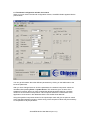
5.1 The Normal configuration window for CC1000
When you have chosen the Normal configuration window, SmartRF® Studio appears like the
picture below.
You can get information about the different parameters by clicking on the info button to the
left of the parameter.
After you have changed some or all of the parameters, the external component values are
calculated after pressing Enter or Update device. Component values for the input/output
match to the antenna and the VCO Inductor are shown to the right of the window. The values
are given to you in terms of the standard E12-series. When you have changed the default
parameter settings, use these values for the new external components. The component
reference numbers refer to the application circuit shown in the datasheet.
Using the specified component values for the input/output match will give an optimum match
at the specified operating frequency. Minor tuning of the component values may be necessary
to compensate for layout parasitics.
SmartRF® Studio User Manual (rev. 6.0)
5.1.1
System parameters
This chapter describes the different parameters and the options you have when changing
them.
Crystal frequency
The crystal frequency of your Development Kit evaluation board is 14.7456 MHz. Do not
change the X-tal frequency parameter when using this module unless the crystal is being
replaced. If you are using this program to generate configuration data for your special
application, use a crystal frequency between:
3 – 4 MHz
6 – 8 MHz
9 – 16 MHz
Recommended frequencies are 3.6864, 7.3728, 11.0592 and 14.7456 MHz giving exact data
rates. The recommended frequencies can be selected in the drop-down list. The frequency
value is rounded to 6 digits after the MHz decimal point, i.e. 11.059200 MHz.
You can also choose to use an external crystal reference oscillator by selecting ‘External’ in
the radio button.
The crystal frequency must be higher than 12 MHz in order to use higher data rates than 19.2
kbaud in SmartRF® Studio.
Crystal accuracy
Enter the total crystal accuracy between 0 and 500 ppm, including initial tolerance,
temperature stability, loading and ageing. If you are using a trimming capacitor to adjust the
crystal oscillator, the initial tolerance will be zero. The crystal stability has an influence on the
maximum data rate and frequency separation that can be used to stay in the passband of the
internal IF filter bandwidth. For highest possible data rate or separation it is an advantage to
use a crystal with high frequency accuracy (<20 ppm). For low cost applications, however,
this can be a trade-off. The default value is 20 ppm.
SmartRF® Studio User Manual (rev. 6.0)
RF frequency
CC1000 has two separate frequency settings making it possible to select between Frequency
A and B. A radio button is used for selecting the active frequency. There is further a radio
button on each frequency, which informs the software, whether to calculate RX or TX
frequency.
If the active frequency is different from the operation mode (see section 5.1.1.12), error
messages will popup informing you to synchronise the active frequency with the operation
mode.
The CC1000 can operate at frequencies between 300 and 1000 MHz. The Development Kit
evaluation board is optimised for operation in either the ISM band at 868-870 MHz or the ISM
band at 433.050 – 434.790 MHz . However, it is possible to use the evaluation board for
frequencies outside this ISM band with restriction on the VCO Inductor. Choosing frequencies
outside this range will not work for this evaluation board and should only be done for
generation of configuration data to be used in other applications.
RX Mode
In RX mode you can optimise the sensitivity and current consumption.
The CC1000 have some RF frequencies that gives a more optimal sensitivity than others. By
selecting the optimal frequency, SmartRF® studio will find the closest RX channel that gives
this optimal sensitivity frequency. When optimal frequency is selected, SmartRF® Studio sets
the selected RF frequency A to the closest optimal frequency, and forces frequency B to be
equal to frequency A. The RF frequency B is disabled in optimal frequency mode.
SmartRF® Studio use low side LO when mixing down to the intermediate frequency in RX
mode. When low LO is disabled, this down converting is based on high side LO. The data on
DIO in RX mode is inverted using high side LO.
In order to use CC1000 in a battery operation system, it is important to reduce the current
consumption in RX mode. By activating the Low Current consumption, the current
consumption in RX mode is reduced. The sensitivity will drop 1-2 dB when the low current
mode is used.
Default setting is low current and optimal frequency.
SmartRF® Studio User Manual (rev. 6.0)
Frequency separation
The frequency separation, ∆f, is the difference between the frequency transmitted for a ‘0’ (f0)
and a ‘1’ (f1). That is, f0 = fC - ∆f/2 and f1 = fC + ∆f/2 where fC is the carrier frequency entered
in the ‘RF frequency’ field.
The frequency separation can be adjusted between 0 and 200 kHz in 1kHz steps. The
default value is 64 kHz. A warning will pop-up if CC1000 is unable to modulate with the
selected separation. The maximum value for the separation depends on the crystal frequency
and RF frequency input, and will for all settings be larger than 64 kHz.
Data rate
The data rate can be set between 0.3 and 76.8 kbaud. The default setting is 2.4 kbaud. If
synchronous mode and recommended crystal frequencies is selected, SmartRF® Studio will
find the closest accurate data rate. If synchronous mode is selected without using
recommended crystal frequencies, a warning will pop-up informing you that the data rate will
differ from the one given in the Data rate input.
To get a higher data rate then 19.2 kbaud, the crystal frequency must be higher than 12 MHz
in SmartRF® Studio. If the selected recommended frequency is 3.6864, 7.3728 or 11.0592
MHz in synchronous mode the maximum data rate is forced down to 19.2 kbaud (a pop-up
message will inform the user). For a 14.745600 MHz crystal however the data rate is rounded
to the closest accurate data rate up to 76.8 kbaud.
SmartRF® Studio User Manual (rev. 6.0)
Data format
The CC1000 can be used with NRZ (Non-Return-to-Zero) data or Manchester (bi-phase-level)
encoded data. The UART mode bypasses the on-chip synchronisation feature in CC1000.
The fast and accurate sets the preamble time needed in RX mode, before valid data can be
received.
Please see data sheet of CC1000 for details.
RF output power
For the CC1000 the output RF power can be set in 1 dB steps between -20 to 10 dBm. For
frequencies higher than 500 MHz the upper limit is 5 dBm.
Power in dBm is 10 log (P) where P is in mW. The default value is 0 dBm.
Lock
The synthesiser PLL lock indicator can be set in one of three modes: ‘Continuous’, ‘One-shot’
or ‘Disabled’ using the pull down window. Choosing ‘Continuous’ the lock indicator will
monitor the PLL lock continuously also after an initial lock has occurred. Choosing the ‘Oneshot’ mode the CHP_OUT (lock) pin will stay high after an initial lock has occurred, even if the
PLL occasionally should fall out of lock. If ‘Disabled’ is selected, the lock signal will not be
sent to the CHP_OUT pin to give PLL status. ‘External PA control’ is selected if an external
Power Amplifier is needed, and ‘External LNA control’ is selected if an external LNA is
needed. The CHP_OUT pin can then control the external LNA/PA, based on the setting of the
TX_PD and RX_PD in the MAIN register of CC1000. Please see datasheet for details. The
default value is ‘Continuous’.
Important: The ‘One-shot’ lock signal is used internally in the CC1000 to enable the
transmitter. If the lock signal is not active (high) the transmitter will not be enabled. This is in
order to avoid the transmitter to emit out-of-band signals. If ‘Disabled’ is chosen this function
is overridden and care should be taken, as the transmitter will transmit even when the PLL is
not in lock.
SmartRF® Studio User Manual (rev. 6.0)
IF/RSSI
The IF/RSSI pin on CC1000 can be configured to give out the IF frequency or RSSI.
Choosing external IF, an 10.7 MHz IF signal will be available at the IF/RSSI pin. Using RSSI,
an analogue voltage inversely proportional to the received signal strength is available at the
pin. See datasheet for details. The default value is RSSI enable.
Operation Mode
The type of operation mode can be selected from a pull down menu. The chip can be set in
RX (receive), TX (transmit) or PD (power down) mode. In PD you can select between
complete power down (osc. off), or power down with the crystal oscillator core, bias and/or
frequency synthesiser running. Leaving the crystal oscillator running gives a shorter turn-on
time at the expense of higher current consumption in the power down mode. The default
value is RX.
SmartRF® Studio User Manual (rev. 6.0)
5.2 The register configuration window for CC1000
When you have chosen the register configuration window, SmartRF® Studio will look like the
picture below.
In this mode you can change the Register values. You can enter the hex values directly or
use the implemented control boxes for each register. These control boxes give detailed
information on the bits to be controlled in the specified register. Please see the data sheet for
detailed information on the register settings. When a hex value is written to a register and
enter is pushed, the control boxes for the specific register will be updated and visa versa for
changes made in the control boxes. The bits are used to program the transceiver chip on the
CC1000EB, and the CC1000 will be programmed with the register information when Update
device (F5) is pushed. We dissuade you to change the bits without first study the datasheet
or contacting our company.
When changing the values and pressing Enter in the Normal configuration window described
in chapter 5.1, the frames will change automatically. Changing view to Register View the
optimised register values for the Normal View is given.
SmartRF® Studio User Manual (rev. 6.0)
5.3 Evaluation Board Control
In the CC1000 mode of SmartRF® Studio, you will find Evaluation board Control buttons
(Calibrate, Reset and Read). The function of these buttons is given in this chapter.
Calibrate activates the on-chip calibration feature of the VCO and PLL on the CC1000.
Reset performs a hardware reset of CC1000 setting all the register to default values.
Read starts to read back the register information on the CC1000 chip. The information is
given in a dialog box together with the register name. This button is only active in register
view.
SmartRF® Studio User Manual (rev. 6.0)
6. SmartRF® Studio for CC1050
The CC1050 has two configuration views. The parameter entry screen is the default window
and can be chosen by pressing F2 or selecting Normal from the View menu. In this window
you can change the system parameters, get status information and component values.
The other configuration window is the “register” configuration, which is selected by pressing
F3 or selecting Register from the View menu. It gives you the possibility to change the bits in
the configuration registers directly. This window is mainly used to give additional information
and we dissuade you to change the bits.
To send the configuration data to the transmitter chip, press F5 or select Update Device from
the Configuration menu or press the Update device button at the bottom of the screen.
Note: When pressing Enter the parameters will be checked and component values will be
calculated, but the transmitter will not be programmed until Update device is activated.
SmartRF® Studio User Manual (rev. 6.0)
6.1 The Normal configuration window for CC1050
When you have chosen the Normal configuration window, SmartRF® Studio appears like the
picture below.
You can get information about the different parameters by clicking on the info button to the
left of the parameter.
After you have changed some or all of the parameters, the external component values are
calculated after pressing Enter or Update device. Component values for the input/output
match to the antenna and the VCO Inductor are shown to the right of the window. The values
are given to you in terms of the standard E12-series. When you have changed the default
parameter settings, use these values for the new external components. The component
reference numbers refer to the application circuit shown in the datasheet.
Using the specified component values for the output match will give an optimum match at the
specified operating frequency. Minor tuning of the component values may be necessary to
compensate for layout parasitics.
SmartRF® Studio User Manual (rev. 6.0)
6.1.1
System parameters
This chapter describes the different parameters and the options you have when changing
them.
Crystal frequency
The crystal frequency of your Development Kit evaluation board is 14.7456 MHz. Do not
change the X-tal frequency parameter when using this module unless the crystal is being
replaced. If you are using this program to generate configuration data for your special
application, use a crystal frequency between:
3 – 4 MHz
6 – 8 MHz
9 – 16 MHz
Recommended frequencies are 3.6864, 7.3728, 11.0592 and 14.7456 MHz giving exact data
rates. The recommended frequencies can be selected in the drop-down list. The frequency
value is rounded to 6 digits after the MHz decimal point, i.e. 11.059200 MHz.
You can also choose to use an external crystal reference oscillator by selecting ‘External’ in
the radio button.
RF frequency
CC1050 has two separate frequency settings making it possible to select between Frequency
A and B. A radio button is used for selecting the active frequency.
The CC1050 can operate at frequencies between 300 and 1000 MHz. The Development Kit
evaluation board is optimised for operation in either the ISM band at 868-870 MHz or the ISM
band at 433.050 – 434.790 MHz . However, it is possible to use the evaluation board for
frequencies outside this ISM band with restriction on the VCO Inductor. Choosing frequencies
outside this range will not work for this evaluation board and should only be done for
generation of configuration data to be used in other applications.
SmartRF® Studio User Manual (rev. 6.0)
Frequency separation
The frequency separation, ∆f, is the difference between the frequency transmitted for a ‘0’ (f0)
and a ‘1’ (f1). That is, f0 = fC - ∆f/2 and f1 = fC + ∆f/2 where fC is the carrier frequency entered
in the ‘RF frequency’ field.
The frequency separation can be adjusted between 0 and 200 kHz in 1 kHz steps. The
default value is 64 kHz. A warning will pop-up if CC1050 are unable to modulate with the
selected separation. The maximum value for the separation depends on the crystal frequency
and RF frequency input, and will for all settings be larger than 64 kHz.
Data rate
The data rate can be set between 0.6 and 76.8 kbaud. The default setting is 2.4 kbaud. If
synchronous mode and recommended crystal frequencies is selected, SmartRF® Studio will
find the closest accurate data rate. If synchronous mode is selected without using
recommended crystal frequencies, a warning will pop-up informing you that the data rate will
differ from the one given in the Data rate input.
Data format
The CC1050 can be used with NRZ (Non-Return-to-Zero) data or Manchester (bi-phase-level)
encoded data. The UART mode bypasses the on-chip synchronisation feature in CC1050.
Please see data sheet of CC1050 for details.
RF output power
For the CC1050 the output RF power can be set in 1 dB steps between -20 to 12 dBm. For
frequencies higher than 500 MHz the upper limit is 8 dBm.
Power in dBm is 10 log (P) where P is in mW. The default value is 0dBm.
SmartRF® Studio User Manual (rev. 6.0)
Lock
The synthesiser PLL lock indicator can be set in one of three modes: ‘Continuous’, ‘One-shot’
or ‘Disabled’ using the pull down window. Choosing ‘Continuous’ the lock indicator will
monitor the PLL lock continuously also after an initial lock has occurred. Choosing the ‘Oneshot’ mode the CHP_OUT (lock) pin will stay high after an initial lock has occurred, even if the
PLL occasionally should fall out of lock. If ‘Disabled’ is selected, the lock signal will not be
sent to the CHP_OUT pin to give PLL status. ‘External PA control’ is selected if an external
Power Amplifier is needed. The CHP_OUT pin can then control the external PA, based on the
setting of the TX_PD in the MAIN register of CC1050. Please see datasheet for details. The
default value is ‘Continuous’.
Important: The ‘One-shot’ lock signal is used internally in the CC1050 to enable the
transmitter. If the lock signal is not active (high) the transmitter will not be enabled. This is in
order to avoid the transmitter to emit out-of-band signals. If ‘Disabled’ is chosen this function
is overridden and care should be taken, as the transmitter will transmit even when the PLL is
not in lock.
Mode
The type of operation mode can be selected from a pull down menu. The chip can be set in
TX (transmit) or PD (power down) mode. In PD you can select between complete power
down (osc. off), or power down with the crystal oscillator core, bias and/or frequency
synthesiser running. Leaving the crystal oscillator running gives a shorter turn-on time at the
expense of higher current consumption in the power down mode. The default value is TX.
SmartRF® Studio User Manual (rev. 6.0)
6.2 The register configuration window for CC1050
When you have chosen the register configuration window, SmartRF® Studio will look like the
picture below.
In this mode you can change the Register values. You can enter the hex values directly or
use the implemented control boxes for each register. These control boxes give detailed
information on the bits to be controlled in the specified register. Please see the data sheet for
detailed information on the register settings. When a hex value is written to a register and
enter is pushed, the control boxes for the specific register will be updated and visa versa for
changes made in the control boxes. The bits are used to program the transmitter chip on the
CC1050EB, and the CC1050 will be programmed with the register information when Update
device (F5) is pushed. We dissuade you to change the bits without first study the datasheet
or contacting our company.
When changing the values and pressing Enter in the Normal configuration window described
in chapter 6.1, the frames will change automatically. Changing view to Register View the
optimised register values for the Normal View is given.
SmartRF® Studio User Manual (rev. 6.0)
6.3 Evaluation Board Control
In the CC1050 mode of SmartRF® Studio, you will find Evaluation board Control buttons
(Calibrate, Reset and Read). The function of these buttons is given in this chapter.
Calibrate activates the on-chip calibration feature of the VCO and PLL on the CC1050.
Reset performs a hardware reset of CC1050 setting all the register to default values.
Read starts to read back the register information on the CC1050 chip. The information is
given in a dialog box together with the register name. This button is only active in register
view.
SmartRF® Studio User Manual (rev. 6.0)
7. SmartRF® Studio for CC1010
The CC1010 has two configuration views. The parameter entry screen is the default window
and can be chosen by pressing F2 or selecting Normal from the View menu. In this window
you can change the system parameters, get status information and component values.
The other configuration window is the “register” configuration, which is selected by pressing
F3 or selecting Register from the View menu. It gives you the possibility to change the bits in
the configuration registers directly. This window is mainly used to give additional information
and we dissuade you to change the bits.
To send the configuration data to the transceiver chip, press F5 or select Update Device from
the Configuration menu or press the Update device button at the bottom of the screen. In
order to configure the CC1010EB, you first need an embedded software
(SmartRF®_adapter.hex) inside CC1010 that communicate with the SmartRF® Studio.
SmartRF® Studio will check the embedded software the first time Update device is activated.
If the CC1010 embedded software differs from the required software (SmartRF_adapter.hex),
a programming application (ccprog.exe) will be activated, allowing the user to configure
CC1010 with the software SmartRF®_adapter.hex. The user only need to click on the Do it
button in order to update the CC1010 core with the required embedded software. After
verifying the programming the user can exit this programming window and work with the
SmartRF® Studio window. For additional information regarding the programming application
(ccprog.exe), please study the IDE User Manual.
Note: When pressing Enter the parameters will be checked and component values will be
calculated, but the transceiver will not be programmed until Update device is activated.
SmartRF® Studio User Manual (rev. 6.0)
7.1 The Normal configuration window for CC1010
When you have chosen the Normal configuration window, SmartRF® Studio appears like the
picture below.
You can get information about the different parameters by clicking on the info button to the
left of the parameter.
After you have changed some or all of the parameters, the external component values are
calculated after pressing Enter or Update device. Component values for the input/output
match to the antenna and the VCO Inductor are shown to the right of the window. The values
are given to you in terms of the standard E12-series. When you have changed the default
parameter settings, use these values for the new external components. The component
reference numbers refer to the application circuit shown in the datasheet.
Using the specified component values for the input/output match will give an optimum match
at the specified operating frequency. Minor tuning of the component values may be necessary
to compensate for layout parasitics.
SmartRF® Studio User Manual (rev. 6.0)
7.1.1
System parameters
This chapter describes the different parameters and the options you have when changing
them.
Crystal frequency
The crystal frequency of your Development Kit evaluation board is 14.7456 MHz. Do not
change the X-tal frequency parameter when using this module unless the crystal is being
replaced. If you are using this program to generate configuration data for your special
application, use a crystal frequency between:
3 – 4 MHz
6 – 8 MHz
9 – 24 MHz
Recommended frequencies are 3.6864, 7.3728, 11.0592, 14.7456, 18.4320 and 22.1184
MHz giving exact data rates. The recommended frequencies can be selected in the dropdown list. The frequency value is rounded to 6 digits after the MHz decimal point, i.e.
11.059200 MHz.
You can also choose to use an external crystal reference oscillator by selecting ‘External’ in
the radio button.
The crystal frequency must be 14.7456 MHz in order to use the maximum data rate of 76.8
kbaud in SmartRF® Studio. For 22.1184 and 7.3728 MHz the maximum data rate is 38.4
kbaud. The other recommended crystal frequencies will give a maximum data rate of 19.2
kbaud.
Crystal accuracy
Enter the total crystal accuracy between 0 and 500 ppm, including initial tolerance,
temperature stability, loading and ageing. If you are using a trimming capacitor to adjust the
crystal oscillator, the initial tolerance will be zero. The crystal stability has an influence on the
maximum data rate and frequency separation that can be used to stay in the passband of the
internal IF filter bandwidth. For highest possible data rate or separation it is an advantage to
use a crystal with high frequency accuracy (<20 ppm). For low cost applications, however,
this can be a trade-off. The default value is 20 ppm.
SmartRF® Studio User Manual (rev. 6.0)
RF frequency
CC1010 has two separate frequency settings making it possible to select between Frequency
A and B. A radio button is used for selecting the active frequency. There is further a radio
button on each frequency, which informs the software, whether to calculate RX or TX
frequency.
If the active frequency is different from the operation mode (see section 5.1.1.12), error
messages will popup informing you to synchronise the active frequency with the operation
mode. This check is performed on Update device.
The CC1010 can operate at frequencies between 300 and 1000 MHz. The Development Kit
evaluation board is optimised for operation in either the ISM band at 868-870 MHz or the ISM
band at 433.050 – 434.790 MHz . However, it is possible to use the evaluation board for
frequencies outside this ISM band with restriction on the VCO Inductor. Choosing frequencies
outside this range will not work for this evaluation board and should only be done for
generation of configuration data to be used in other applications.
RX Mode
In RX mode you can optimise the sensitivity.
The CC1010 have some RF frequencies that gives a more optimal sensitivity than others. By
selecting the optimal frequency, SmartRF® studio will find the closest RX channel that gives
this optimal sensitivity frequency. When optimal frequency is selected, SmartRF® Studio sets
the selected RF frequency A to the closest optimal frequency, and forces frequency B to be
equal to frequency A. The RF frequency B is disabled in optimal frequency mode.
SmartRF® Studio use low side LO when mixing down to the intermediate frequency in RX
mode. When low LO is disabled, this down converting is based on high side LO. The data on
DIO in RX mode is inverted using high side LO.
Default setting is optimal frequency and low LO.
Frequency separation
The frequency separation, ∆f, is the difference between the frequency transmitted for a ‘0’ (f0)
and a ‘1’ (f1). That is, f0 = fC - ∆f/2 and f1 = fC + ∆f/2 where fC is the carrier frequency entered
in the ‘RF frequency’ field.
The frequency separation can be adjusted between 0 and 200 kHz in 1kHz steps. The
default value is 64 kHz. A warning will pop-up if CC1010 is unable to modulate with the
selected separation. The maximum value for the separation depends on the crystal frequency
and RF frequency input, and will for all settings be larger than 64 kHz.
SmartRF® Studio User Manual (rev. 6.0)
Data rate
The data rate can be set between 0.3 and 76.8 kbaud. The default setting is 2.4 kbaud. If
synchronous mode and recommended crystal frequencies is selected, SmartRF® Studio will
find the closest accurate data rate. If synchronous mode is selected without using
recommended crystal frequencies, a warning will pop-up informing you that the data rate will
differ from the one given in the Data rate input.
To get a higher data rate then 19.2 kbaud, the crystal frequency must be higher than 12 MHz
in SmartRF® Studio. If the selected recommended frequency is 3.6864, 11.0592, 18.4320
MHz in synchronous mode the maximum data rate is forced down to 19.2 kbaud (a pop-up
message will inform the user). For a 14.745600 MHz crystal however the data rate is rounded
to the closest accurate data rate up to 76.8 kbaud and for 7.3728 and 22.1184 MHz the
maximum data rate is 38.4 kbaud.
Data format
The CC1010 can be used with NRZ (Non-Return-to-Zero) data or Manchester (bi-phase-level)
encoded data. The UART mode bypasses the on-chip synchronisation feature and the
Transparent mode bypass both the synchronisation and oversampling algorithm in CC1010.
The fast and accurate sets the preamble time needed in RX mode, before valid data can be
received.
Please see data sheet of CC1010 for details.
RF output power
For the CC1010 the output RF power can be set in 1 dB steps between -20 to 10 dBm. For
frequencies higher than 500 MHz the upper limit is 4 dBm.
Power in dBm is 10 log (P) where P is in mW. The default value is 0 dBm.
Lock
The synthesiser PLL lock indicator can be read from an internal register. This read operation
is done each second and can be disabled if the constantly reading of the register influences
testing parameters.
SmartRF® Studio User Manual (rev. 6.0)
IF/RSSI
The AD2 pin on CC1010 can be configured to give out the IF frequency or RSSI. Choosing
external IF, a 10.7 MHz IF signal will be available on the AD2 pin. Using RSSI, an analogue
voltage inversely proportional to the received signal will then be available on this pin. See
datasheet for details. The default value is RSSI enable.
Operation Mode
The type of operation mode can be selected from a pull down menu. The chip can be set in
RX (receive), TX (transmit) or PD (power down) mode. In PD you can select between
complete power down (osc. off), or power down with the crystal oscillator core, bias and/or
frequency synthesiser running. Leaving the crystal oscillator running gives a shorter turn-on
time at the expense of higher current consumption in the power down mode.
The default value is RX.
Built in test
A built-in BER-estimator and signal generator is implemented in the SmartRF® Studio
adapter program.
In RX mode the BER-estimator can be used in conjunction with an RF signal generator
connected to the DIO connector. The selected signal type (SIGTYPE) is then provided on the
DIO pin and is used as a reference sequence. The BER-estimator locks onto the received
signal and then compares it to the signal transmitted on DIO, measuring the BER over a
configurable number of transmitted bits given by BER window (BERWIN). When this
measurement window is complete, the numbers of bits in error are transferred to SmartRF®
Studio together with the estimated BER. The maximum data rate for the BER estimator is 4.8
kbaud. In TX mode the selected signal type is transmitted over the RF link.
SmartRF® Studio User Manual (rev. 6.0)
7.2 The register configuration window for CC1010
When you have chosen the register configuration window, SmartRF® Studio will look like the
picture below.
In this mode you can change the Register values. You can enter the hex values directly or
use the implemented control boxes for each register. These control boxes give detailed
information on the bits to be controlled in the specified register. Please see the data sheet for
detailed information on the register settings. When a hex value is written to a register and
enter is pushed, the control boxes for the specific register will be updated and vice versa for
changes made in the control boxes. The bits are used to program the transceiver chip on the
CC1010EB, and the CC1010 will be programmed with the register information when Update
device (F5) is pushed. We dissuade you to change the bits without first study the datasheet
or contacting our company.
When changing the values and pressing Enter in the Normal configuration window described
in chapter 7.1, the frames will change automatically. Changing view to Register View the
optimised register values for the Normal View is given.
SmartRF® Studio User Manual (rev. 6.0)
7.3 Evaluation Board Control
In the CC1010 mode of SmartRF® Studio, you will find Evaluation board Control buttons
(Calibrate, Reset and Read). The function of these buttons is given in this chapter.
Calibrate activates the on-chip calibration feature of the VCO and PLL on the CC1010.
HW Reset performs a hardware reset of CC1010 setting all the register to default values.
Read starts to read back the register information on the CC1010 chip. The information is
given in a dialog box together with the register name. This button is only active in register
view.
SmartRF® Studio User Manual (rev. 6.0)
8. SmartRF® Studio for CC102X
The CC102X has two configuration views. The parameter entry screen is the default window
and can be chosen by pressing F2 or selecting Normal from the View menu. In this window
you can change the system parameters, get status information and component values.
The other configuration window is the “register” configuration, which is selected by pressing
F3 or selecting Register from the View menu. It gives you the possibility to change the bits in
the configuration registers directly. This window is mainly used to give additional information
and we dissuade you to change the bits.
To send the configuration data to the transceiver chip, press F5 or select Update Device from
the Configuration menu or press the Update device button at the bottom of the screen.
Note: When pressing Enter the parameters will be checked and component values will be
calculated, but the transceiver will not be programmed until Update device is activated.
SmartRF® Studio User Manual (rev. 6.0)
8.1 The Normal configuration window for CC102X
When you have chosen the Normal configuration window, SmartRF® Studio appears like the
picture below.
You can get information about the different parameters by clicking on the info button to the
left of the parameter.
After you have changed some or all of the parameters, the external component values are
calculated after pressing Enter or Update device. The values are given in terms of the
standard E12-series. When you have changed the default parameter settings, use these
values for the new external components. The component reference numbers refer to the
application circuit shown in the datasheet and the CC102XDK User Manuals.
Using the specified component values for the input/output match will give an optimum match
at the specified operating frequency. Minor tuning of the component values may be necessary
to compensate for layout parasitics.
SmartRF® Studio User Manual (rev. 6.0)
8.1.1
System parameters
This chapter describes the different parameters and the options you have when changing
them.
Crystal frequency
The crystal frequency of your Development Kit evaluation module is 14.7456 MHz. Do not
change the X-tal frequency parameter when using this module unless the crystal is being
replaced. If you are using this program to generate configuration data for your special
application, use a crystal frequency between:
4 - 20 MHz
Recommended frequencies are 4.9152, 7.3728, 9.8304, 12.288, 14.7456, 17.2032 and
19.6608 MHz giving exact data rates. The recommended frequencies can be selected in the
drop-down list. The frequency value is rounded to 6 digits after the MHz decimal point, i.e.
14.745600 MHz.
You can also choose to use an external crystal reference oscillator by selecting ‘External’ in
the radio button.
Crystal accuracy
Enter the total crystal accuracy between 0 and 100 ppm, including initial tolerance,
temperature stability, loading and ageing. If you are using a trimming capacitor to adjust the
crystal oscillator, the initial tolerance will be zero. The crystal stability has an influence on the
maximum data rate and frequency separation that can be used to stay in the passband of the
internal programmable IF filter bandwidth. The default value is 5 ppm.
SmartRF® Studio User Manual (rev. 6.0)
RF frequency
CC102X has two separate frequency settings making it possible to select between Frequency
A and B. A radio button is used for selecting the active frequency. There is further a radio
button for each frequency, which informs the software, whether to calculate RX or TX
frequency.
If the active frequency is different from the operation mode (see section 8.1.1.12), error
messages will popup informing you to synchronise the active frequency with the operation
mode.
CC102X can operate at frequencies between 424 – 470 MHz and 848 - 940 MHz. Your
Development Kit test module is optimised for operation in the ISM band at 868 or 433 MHz.
However, it is possible to use the test module for frequencies outside this ISM band with the
restriction of the external components.
Frequency separation
The frequency separation dF can be between 0 and 108 kHz at 424 – 470 MHz, and between
0 and 216 kHz at 848 – 940 MHz.. This is the difference between the frequency transmitted
for a ‘0’ (F0) and a ‘1’ (F1). That is, F0 = Fc- dF/2 and F1= Fc+ dF/2, where Fc is the carrier
frequency entered in the ‘RF frequency’ field. The total occupied signal bandwidth can be
approximated by Carson’s rule: BW = dF + 2 Fm, where Fm is the modulation frequency.
Using NRZ coding the baud rate is equal to the bit rate. Using Manchester coding the
modulation frequency (in kHz) will be equal to the bit rate (in kbit/s) and the baud rate is twice
the bit rate.
Data rate
The data rate can be set between 0.45 and 153.6 bBaud. Using NRZ mode, the data rate in
kbits/s is equal to the Baud rate. Using Manchester code, the Baud rate is twice the bit rate.
The demodulator, data slicer and bit synchroniser is optimised according to the selected data
rate.
In synchronous mode using recommended crystal frequencies, the data rate will be rounded
to the closest accurate data rate given in the data sheet.
SmartRF® Studio User Manual (rev. 6.0)
Data format
CC102X can be configured for three different data formats: Synchronous ‘NRZ’, Synchronous
‘Manchester’ or ‘Asynchronous UART’. The data formats refer to the encoding used when
modulating the signal, either NRZ (Non-Return-to-Zero) data or Manchester encoded data
(also known as bi-phase-level) can be used. In the synchronous modes CC102X provide the
data clock at DCLK.
When Manchester mode is selected, the output signal will be modulated even if no signal is
connected to the DIO line. This is because the Manchester coding of the data is done by the
CC102X. Therefore the DIO signal should be NRZ coded even when Manchester mode is
selected.
The selection between Fast and Accurate controls the settling time of the averaging filter in
the demodulator. Please see the data sheet for details.
RF output power
For the CC102X the output RF power can be set in 1 dB steps between -20 to 2 dBm. For
frequencies lower than 500 MHz the upper limit is TBD dBm.
Power in dBm is 10 log (P) where P is in mW. The default value is 0 dBm.
Channel spacing
The 6 dB IF bandwidth is programmable according to the channel spacing needed. In narrow
band operation the IF bandwidth is critical in order to get good adjacent channel rejection.
Further the AGC in CC102X will be optimised based on the channel spacing selection.
Note that CC1021 cannot be configured to 12.5 and 25 kHz narrow band operations.
SmartRF® Studio User Manual (rev. 6.0)
Modulation
CC102X can modulate FSK, GFSK or OOK/ASK. Using GFSK the data is shaped, using a
Gaussian filter before FSK modulation, in order to improve the occupied bandwidth. OOK is a
type of amplitude modulation used in digital systems where the RF carrier is turned on and off
in order to modulate the data.
In a fractional-N synthesizer, spurious signals can occur at certain frequencies depending on
the division ratios in the PLL. To reduce the strength of these spurs the Dithering can be
enabled.
Lock
The synthesiser PLL lock indicator can be set in one of three modes: ‘Continuous’, ‘One-shot’
or ‘Disabled’. Choosing ‘Continuous’ the lock indicator will monitor the PLL lock continuously
also after an initial lock have occurred. Choosing the ‘Instant’ mode the LOCK pin will stay
high after an initial lock has occurred, even if the PLL occasionally should fall out of lock. If
‘Disabled’ is selected, the lock signal will be fixed to high or low regardless of the PLL status.
The LOCK pin can also be used as a Carrier Sense indicator or be set to a fixed level. In
synchronous mode the data in RX mode can be given on the LOCK pin when Data output is
selected. In asynchronous mode the data output is always provided on DCLK.
Note that the Lock indicator pin on CC102X is active low.
Carrier sense
The carrier sense signal is based on the RSSI value and the programmable carrier sense
level. The Carrier sense signal is high as long as the RSSI is stronger than the given
threshold. The threshold is given by the sensitivity in RX mode and adding the carrier sense
offset.
The DCLK pin on CC102X can be used to give an interrupt signal to the MCU when the RSSI
level exceeds the given threshold level. This function can be used to wake or interrupt the
MCU when a strong signal is received. The DCLK Squelch enables this feature.
SmartRF® Studio User Manual (rev. 6.0)
Operation Mode
The chip can be set in RX (receive), TX (transmit) or PD (power down) mode. You can also
power up selected parts of the chip; the crystal oscillator core, the bias module and the
synthesiser. These modes can be used to evaluate performance during a power up
sequence.
The disabled ‘Start mode’ button will be activated in ‘TX Pseudo Random’ and ‘Automatic
power up sequence’ selection and the caption will change to respectively ‘Start PN9’ and
‘wake-up’.
When Automatic power up sequence is selected, the CC102X wakes up in RX mode and
check the carrier sense signal. The power up sequencing is initiated by a negative transition
on PSEL. Pushing the ‘wake up’ button does this. Please refer to the data sheet for further
information on power-on sequencing.
If pseudo random sequence is selected, the DIO is XOR’ed with this predefined sequence
both in TX and RX. BER can easily be found by having DIO low in TX and count the number
of ‘1’ received on the DIO in RX and devide by 3. The pseudo random sequence in TX mode
is initiated by a negative transition on PSEL. Pushing the ‘Start PN9’ button does this.
Diagnose
By enabling the diagnose feature, the averaging value of the RSSI, AFC and IF offset is
calculated and updated each second. The RSSI signal is given in dBm and the AFC and IF
Offset is given in kHz. For optimum sensitivity the crystal loading, or the RX frequency should
be tuned until AFC indicates 0 kHz.
SmartRF® Studio User Manual (rev. 6.0)
8.2 The register configuration window for CC102X
When you have chosen the register configuration window, SmartRF® Studio will look like the
picture below.
In this mode you can change the Register values by enter the hex values. Please see the
data sheet for detailed information on the register settings. The registers are used to program
the transceiver chip on the CC102XEM, and the CC102X will be programmed with the
register information when Update device (F5) is pushed. You can also configure each register
by pushing the update button for the respective register entry. We dissuade you to change
the bits without first study the datasheet or contacting our company.
When changing the values and pressing Enter in the Normal configuration window described
in chapter 5.1, the frames will change automatically. Changing view to Register View the
optimised register values for the Normal View is given.
SmartRF® Studio User Manual (rev. 6.0)
8.3 Evaluation Board Control
In the CC102X mode of SmartRF® Studio, you will find Evaluation board Control buttons
(Calibrate, Reset and Read). The function of these buttons is given in this chapter.
Calibrate activates the on-chip calibration feature of the VCO and PLL on the CC102X.
Reset performs a hardware reset of CC102X setting all the register to default values.
Read starts to read back the register information on the CC102X chip. The information is
given in a dialog box together with the register name. This button is only active in register
view.
Diagnose performs a read-back of the status registers. In normal view the read-back values
are provided in signed format (when needed) and the value of each bit in the STATUS
register is listed up. Further the CC102X version is given in this window. In register view the
read back value of the status register is provided as register value in hex format.
Calibrate IR is only active in Register view, and performs a calibration algorithm that
improves the image rejection feature on CC102X. In order to use this feature you need to
connect a signal generator operation on the image frequency. Please see data sheet for
details.
SmartRF® Studio User Manual (rev. 6.0)
9. SmartRF® Studio for CC1070
The CC1070 has two configuration views. The parameter entry screen is the default window
and can be chosen by pressing F2 or selecting Normal from the View menu. In this window
you can change the system parameters, get status information and component values.
The other configuration window is the “register” configuration, which is selected by pressing
F3 or selecting Register from the View menu. It gives you the possibility to change the bits in
the configuration registers directly. This window is mainly used to give additional information
and we dissuade you to change the bits.
To send the configuration data to the transceiver chip, press F5 or select Update Device from
the Configuration menu or press the Update device button at the bottom of the screen.
Note: When pressing Enter the parameters will be checked and component values will be
calculated, but the transceiver will not be programmed until Update device is activated.
SmartRF® Studio User Manual (rev. 6.0)
9.1 The Normal configuration window for CC1070
When you have chosen the Normal configuration window, SmartRF® Studio appears like the
picture below.
You can get information about the different parameters by clicking on the info button to the
left of the parameter.
After you have changed some or all of the parameters, the external component values are
calculated after pressing Enter or Update device. The values are given in terms of the
standard E12-series. When you have changed the default parameter settings, use these
values for the new external components. The component reference numbers refer to the
application circuit shown in the datasheet and the CC1070DK User Manuals.
Using the specified component values for the input/output match will give an optimum match
at the specified operating frequency. Minor tuning of the component values may be necessary
to compensate for layout parasitics.
SmartRF® Studio User Manual (rev. 6.0)
9.1.1
System parameters
This chapter describes the different parameters and the options you have when changing
them.
Crystal frequency
The crystal frequency of your Development Kit evaluation module is 14.7456 MHz. Do not
change the X-tal frequency parameter when using this module unless the crystal is being
replaced. If you are using this program to generate configuration data for your special
application, use a crystal frequency between:
4 - 20 MHz
Recommended frequencies are 4.9152, 7.3728, 9.8304, 12.288, 14.7456, 17.2032 and
19.6608 MHz giving exact data rates. The recommended frequencies can be selected in the
drop-down list. The frequency value is rounded to 6 digits after the MHz decimal point, i.e.
14.745600 MHz.
You can also choose to use an external crystal reference oscillator by selecting ‘External’ in
the radio button.
Crystal accuracy
Enter the total crystal accuracy between 0 and 100 ppm, including initial tolerance,
temperature stability, loading and ageing. If you are using a trimming capacitor to adjust the
crystal oscillator, the initial tolerance will be zero. The crystal stability has an influence on the
maximum data rate and frequency separation that can be used to stay in the passband of the
internal programmable IF filter bandwidth. The default value is 5 ppm.
SmartRF® Studio User Manual (rev. 6.0)
RF frequency
CC1070 has two separate frequency settings making it possible to select between Frequency
A and B. A radio button is used for selecting the active frequency.
If the active frequency is different from the operation mode (see section 9.1.1.10), error
messages will popup informing you to synchronise the active frequency with the operation
mode.
CC1070 can operate at frequencies between 402 – 470 MHz and 804 - 940 MHz. Your
Development Kit test module is optimised for operation in the ISM band at 868 or 433 MHz.
However, it is possible to use the test module for frequencies outside this ISM band with the
restriction of the external components.
Frequency separation
The frequency separation dF can be between 0 and 108 kHz at 424 – 470 MHz, and between
0 and 216 kHz at 848 – 940 MHz.. This is the difference between the frequency transmitted
for a ‘0’ (F0) and a ‘1’ (F1). That is, F0 = Fc- dF/2 and F1= Fc+ dF/2, where Fc is the carrier
frequency entered in the ‘RF frequency’ field. The total occupied signal bandwidth can be
approximated by Carson’s rule: BW = dF + 2 Fm, where Fm is the modulation frequency.
Using NRZ coding the baud rate is equal to the bit rate. Using Manchester coding the
modulation frequency (in kHz) will be equal to the bit rate (in kbit/s) and the baud rate is twice
the bit rate.
Data rate
The data rate can be set between 0.45 and 153.6 bBaud. Using NRZ mode, the data rate in
kbits/s is equal to the Baud rate. Using Manchester code, the Baud rate is twice the bit rate.
In synchronous mode using recommended crystal frequencies, the data rate will be rounded
to the closest accurate data rate given in the data sheet.
SmartRF® Studio User Manual (rev. 6.0)
Data format
CC1070 can be configured for three different data formats: Synchronous ‘NRZ’, Synchronous
‘Manchester’ or ‘Asynchronous UART’. The data formats refer to the encoding used when
modulating the signal, either NRZ (Non-Return-to-Zero) data or Manchester encoded data
(also known as bi-phase-level) can be used. In the synchronous modes CC1070 provide the
data clock at DCLK.
When Manchester mode is selected, the output signal will be modulated even if no signal is
connected to the DI line. This is because the Manchester coding of the data is done by the
CC1070. Therefore the DI signal should be NRZ coded even when Manchester mode is
selected.
RF output power
For the CC1070 the output RF power can be set in 1 dB steps between -20 to 10 dBm. For
frequencies higher than 500 MHz the upper limit is 8 dBm.
Power in dBm is 10 log (P) where P is in mW. The default value is 0 dBm.
Modulation
CC1070 can modulate FSK, GFSK or OOK/ASK. Using GFSK the data is shaped, using a
Gaussian filter before FSK modulation, in order to improve the occupied bandwidth. OOK is a
type of amplitude modulation used in digital systems where the RF carrier is turned on and off
in order to modulate the data.
In a fractional-N synthesizer, spurious signals can occur at certain frequencies depending on
the division ratios in the PLL. To reduce the strength of these spurs the Dithering can be
enabled.
SmartRF® Studio User Manual (rev. 6.0)
Lock
The synthesiser PLL lock indicator can be set in one of three modes: ‘Continuous’, ‘One-shot’
or ‘Disabled’. Choosing ‘Continuous’ the lock indicator will monitor the PLL lock continuously
also after an initial lock have occurred. Choosing the ‘Instant’ mode the LOCK pin will stay
high after an initial lock has occurred, even if the PLL occasionally should fall out of lock. If
‘Disabled’ is selected, the lock signal will be fixed to high or low regardless of the PLL status.
Note that the Lock indicator pin on CC1070 is active low.
Operation Mode
The chip can be set in TX (transmit) or PD (power down) mode. You can also power up
selected parts of the chip; the crystal oscillator core, the bias module and the synthesiser.
These modes can be used to evaluate performance during a power up sequence.
The disabled ‘Start mode’ button will be activated in ‘TX Pseudo Random’
If pseudo random sequence is selected, the DI is XOR’ed with this predefined sequencein TX.
The pseudo random sequence in TX mode is initiated by a negative transition on PSEL.
Pushing the ‘Start PN9’ button does this.
SmartRF® Studio User Manual (rev. 6.0)
9.2 The register configuration window for CC1070
When you have chosen the register configuration window, SmartRF® Studio will look like the
picture below.
In this mode you can change the Register values by enter the hex values. Please see the
data sheet for detailed information on the register settings. The registers are used to program
the transceiver chip on the CC1070EM, and the CC1070 will be programmed with the register
information when Update device (F5) is pushed. You can also configure each register by
pushing the update button for the respective register entry. We dissuade you to change the
bits without first study the datasheet or contacting our company.
When changing the values and pressing Enter in the Normal configuration window described
in chapter 5.1, the frames will change automatically. Changing view to Register View the
optimised register values for the Normal View is given.
SmartRF® Studio User Manual (rev. 6.0)
9.3 Evaluation Board Control
In the CC1070 mode of SmartRF® Studio, you will find Evaluation board Control buttons
(Calibrate, Reset and Read). The function of these buttons is given in this chapter.
Calibrate activates the on-chip calibration feature of the VCO and PLL on the CC1070.
Reset performs a hardware reset of CC1070 setting all the register to default values.
Read starts to read back the register information on the CC1070 chip. The information is
given in a dialog box together with the register name. This button is only active in register
view.
Diagnose performs a read-back of the status registers. In normal view the read-back values
are provided in signed format (when needed) and the value of each bit in the STATUS
register is listed up. Further the CC1070 version is given in this window. In register view the
read back value of the status register is provided as register value in hex format.
SmartRF® Studio User Manual (rev. 6.0)
10. SmartRF® Studio for CC2400
10.1
Starting SmartRF® Studio and selecting a device
To use SmartRF® Studio for CC2400, click the SmartRF® 03 tab in the device manager
window. The device manager of SmartRF® Studio will every other second search for
available (connected) CC2400 evaluation boards. All devices and a calculation window will be
displayed in the device list as given bellow. The calculation window allows for parameters to
be configured, but does not communicate with a CC2400 chip. Select the device, and push
the start button to activate it. An alternative is simply to double-click on it. All devices can be
opened simultaneously (return to the device manager to select another).
Device list:
All CC2400DK
connected to the
USB port is listed
here. The
Calculation Window
is for register
calculations only.
Start:
The SmartRF® Studio
window launches with the
selected device.
Load USB firmware:
The default USB firmware is loaded
automatically by a Windows driver when the
board is connected to the computer. It is,
however, possible to update the USB
firmware manually by clicking this button and
selecting the desired file.
Load FPGA Configuration:
The FPGA firmware is loaded automatically
together with the USB firmware. Manual
download is possible by clicking this button
and selecting the desired file.
If a device is unplugged by accident or by intent while the SmartRF® Studio window is open,
the window title will display "Lost Device". It is possible to reunite the device with the
SmartRF® Studio window by right-double-clicking on one of them in the device manager, and
then left- double-click the other.
The file version button will list up the version of all files included in this version of SmartRF®
Studio.
SmartRF® Studio User Manual (rev. 6.0)
10.2
Overview of SmartRF® Studio for CC2400
All opened devices will be displayed in separate windows, and will be available on the
Windows task bar (at the bottom of the screen). The SmartRF® Studio for CC2400 window
can be divided into two sections: Register Status and System configuration.
Register Status:
Register value information on the
CC2400 connected to the PC.
System Configuration:
System parameter and register values
input entry.
SmartRF® Studio User Manual (rev. 6.0)
10.2.1 Register Status
The Register status at the left displays the most recently read register values. For a
calculation window all values will be displayed as 0x0000.
Register Name (Address): Value
[Bit nr] bit name: value
Click (-) to hide bit information in
this register
Click (+) to show bit information in
this register
Polled status information (adjustable interval, 100
msecs by default). This feature is deactivated
during some tests.
Info about the register/bit currently
highlighted with the mouse cursor
SmartRF® Studio User Manual (rev. 6.0)
10.2.2 System Configuration
The system configuration view has a tab selection that enables either Normal View or
Register View. The user can also enter personal notes during testing in the Notes tag.
Enter normal
View. See
corresponding
section for
details.
Enter
Register
View. See
correspondi
ng section
for details.
Enter the Notes to stored
additional information about
the test set-up, procedures
to follow, etc.
Normal View selection
Normal view allows for simple device configuration, and provides in addition various modes
for RF performance testing, and a frequency-hopping file sharing network.
Register values:
Required register
value changes after
resetting CC2400.
System
parameters
Copy system
parameters to
Register view
Update the
connected CC2400
with the system
parameters
Test modes
The controls display a tool-tip text when the cursor is held in the same position for about half
a second. This text disappears automatically upon keyboard and mouse button activity.
The Register values will automatically be updated on changes of the system parameters.
This simplifies the conversion between system parameters and register values. Simple and
Packet RX and TX configures the CC2400 for its different operation modes, using the
common system parameters combined with parameters from the active mode.
SmartRF® Studio User Manual (rev. 6.0)
The available modes are:
Simple RX/TX:
Configures CC2400 for constant RX/TX mode. These modes are suitable for measuring RF
parameters.
Packet RX/TX:
Configures CC2400 for buffered RX/TX operation. Random hexadecimal strings or text can
be transferred from one chip to another. CRC errors and lost packets are reported for the
receiver. All received packets can be dumped to file if so desired.
FH Network:
The frequency hopping network allows for up to eight CC2400DK nodes to simultaneously
transfer one file to another node in the network. More help on this and the other features is
available through tool-tips.
SmartRF® Studio User Manual (rev. 6.0)
Register View selection
The register view allows for manual configuration and operation of the CC2400. Please note
that parameter changes made in this view could lead to a non-valid configuration. Such errors
will, however, not affect Normal View.
It is recommended that you always begin the configuration in Normal View, and then transfer
the settings to Register View and the device by clicking the Copy and Write buttons. The
necessary changes can then be made with a highly reduced risk of introducing errors.
The view consists of a number of so-called register bars, and a command and board
operation panel. The register bars display the 16-bit register value, and the individual bit fields
in various formats (i.e. on-off buttons, value input boxes and lists). Registers can be selected
for a single bar in the left list box, and for all bars simultaneously by using the scroll bar to the
right. The horizontal scroll bars allow for bit field selection. Shortcuts are available for efficient
keyboard operation of the register bars:
Press [Ctrl] + [←], or [Ctrl] + [→] to scroll bit fields.
Press [Enter] or [Alt] + [the number on the Write button] to write to this register on the
connected CC2400.
Press [Esc] to reset the register bar to the default value.
Click to update the
register value on the
connected CC2400
Type the new
register value in
hex format
The most recently read value, also
found in the status view.
Updated after register writing
Select the
register to
configure
Additional features are
described in tool-tip
popups
Change
individual bit
fields
Scroll all registers
simultaneously
When the device has been configured properly, the command strobe buttons and the FIFO
access field can be used to operate the device. Please make sure that the "FPGA pin mode
select" value is correct before entering RX or TX mode (see tool-tips).
SmartRF® Studio User Manual (rev. 6.0)
10.2.3 Pull-down menus and toolbar
SmartRF® Studio simplifies access to the rest of its features through the use of pull-down
menus and a tool bar. The SmartRF® Studio menus are shown below.
File
The File menu allows for settings to be imported and exported.
Reset configuration- This command will reset all fields in SmartRF® Studio. The connected
device is not affected. The command is also available from the toolbar (white sheet).
Open configuration- This command will open the configuration file *.srfs2400 including Normal
View, Register view and Notes settings. The command is also available from the toolbar
(open folder).
Save configuration - This command saves the Normal View, Register view and Notes settings
in a *.srfs2400 configuration file. The command is also available form the toolbar (floppy disk).
Load CC2400 state - This command will load register values from a *.stat2400 file into
CC2400.
Save CC2400 state - This command will save all register values in CC2400 to a *.stat2400
file.
Export CC2400 registers - This command will save all CC2400 register values entered in
Register View to a standard text file.
Import CC2400 registers - This command will copy all CC2400 register values listed in a
preformatted external text file into the associated register fields in CC22400 Register View.
Export CC2400 code - This command will copy all Normal View related registers into a C
compatible software structure. The structure format is based on corresponding templates
which can be changed/added by the user. The code export feature is supported by an
associated intuitive windows pup-up dialog.
Close - Exit the SmartRF® Studio window for this device. You can also use the top-right Xbutton.
The refresh button on the toolbar reads all registers. The values are displayed in the status
view to the left and the bars in Register view.
SmartRF® Studio User Manual (rev. 6.0)
Settings
The Settings menu contains options mainly used to compensate for slow computers. This
includes "Polling interval" and "Packet RX/TX speed".
Polling interval - Defines the status view update interval (for the six fields between the register
tree and the yellow help box.
Packet RX/TX speed - Defines the minimum transmission interval for packet transfer in
Normal View. Reduce this value in RX and TX (both!) if the number of lost packets seems
unreasonably high.
Select EM and SPI divider are settings that are implemented to simplify the CC2400
characterisation. These settings are unavailable for the user.
SmartRF® Studio User Manual (rev. 6.0)
Help
Contact information and disclaimer is available in the help menu.
10.2.4
Online help
SmartRF® Studio for CC2400 provides online help through so-called tool-tips. By moving the
cursor over a field (e.g. a button or a text field) and holding it in the same position for about
half a second, the text will appear in a yellow box slightly below the cursor.
Tool-tip on how to
transfer files in the FH
Network mode
Warnings are indicated by turning the relevant control(s) yellow. One such warning will
appear when choosing a sync word smaller than 32 bits in the Packet RX/TX tests in Normal
View.
Errors are indicated by turning the relevant control(s) red. Try for instance to enter a packet
size larger than 252 in the Packet RX/TX tests in Normal View.
SmartRF® Studio User Manual (rev. 6.0)
11. SmartRF® Studio for CC2420
11.1
Starting SmartRF® Studio and selecting a device
To use SmartRF® Studio for CC2420, click the SmartRF® 03 tab in the device manager
window. The device manager of SmartRF® Studio will every other second search for
available (connected) CC2420 evaluation boards. All devices and a calculation window will be
displayed in the device list as given bellow. The calculation window allows for parameters to
be configured, but does not communicate with a CC2420 chip. Select the device, and push
the start button to activate it. An alternative is simply to double-click on it. All devices can be
opened simultaneously (return to the device manager to select another).
Device list:
All CC2420DK
connected to the
USB port is listed
here. The
Calculation Window
is for register
calculations only.
Start:
The SmartRF®
Studio window
executes with the
selected device.
Load USB firmware:
The default USB firmware is loaded
automatically by a Windows driver when the
board is connected to the computer. It is,
however, possible to update the USB
firmware manually by clicking this button and
selecting the desired file.
Load FPGA Configuration:
The FPGA firmware is loaded automatically
together with the USB firmware. Manual
download is possible by clicking this button
and selecting the desired file.
If a device is unplugged by accident or by intent while the SmartRF® Studio window is open,
the window title will display "Lost Device". It is possible to reunite the device with the
SmartRF® Studio window by right-double-clicking on one of them in the device manager, and
then left- double-click the other.
The file version button will list up the version of all files included in this version of SmartRF®
Studio.
SmartRF® Studio User Manual (rev. 6.0)
11.2
Overview of SmartRF® Studio for CC2420
All opened devices will be displayed in separate windows, and will be available on the
Windows task bar (at the bottom of the screen). The SmartRF® Studio for CC2420 window
can be divided into two sections: Register Status and System configuration.
Register Status:
Register value information on the
CC2420 connected to the PC.
System Configuration:
System parameter and register values
input entry.
SmartRF® Studio User Manual (rev. 6.0)
11.2.1 Register Status
The Register status at the left displays the most recently read register values. For a
calculation window all values will be displayed as 0x0000.
Register Name (Address): Value
[Bit nr] bit name: value
Click (-) to hide bit information in
this register
Click (+) to show bit information in
this register
Polled status information (adjustable interval, 100
msecs by default). This feature is deactivated
during some tests.
Info about the register/bit currently
highlighted with the mouse cursor
SmartRF® Studio User Manual (rev. 6.0)
11.2.2 System Configuration
The system configuration view has a tab selection that enables either Normal View, Register
View or Memory View. The user can also enter personal notes during testing in the Notes tag.
Enter normal
View. See
corresponding
section for
details.
Enter
Register
View. See
correspondi
ng section
for details.
Enter
Register
View. See
correspondi
ng section
for details.
Enter the Notes to stored
additional information about
the test set-up, procedures
to follow, etc.
Normal View selection
Normal view allows for simple device configuration, and provides in addition various modes
for RF performance testing.
Register values:
Required register
value changes after
resetting CC2420.
System
parameters
Copy system
parameters to
Register view
Update the
connected CC2420
with the system
parameters
Test modes
The controls display a tool-tip text when the cursor is held in the same position for about half
a second. This text disappears automatically upon keyboard and mouse button activity.
The Register values will automatically be updated on changes of the system parameters.
This simplifies the conversion between system parameters and register values. TX test
modes and Packet RX/TX configures the CC2420 for its different operation modes, using the
common system parameters combined with parameters from the active mode.
SmartRF® Studio User Manual (rev. 6.0)
The available modes are:
TX Test modes:
Configures CC2420 for constant TX mode. These modes are suitable for measuring RF
parameters.
Packet RX/TX:
Configures CC2420 for buffered RX/TX operation. Random hexadecimal strings or text can
be transferred from one chip to another. CRC errors and lost packets are reported for the
receiver. All received packets can be dumped to file if so desired.
Register View selection
The register view allows for manual configuration and operation of the CC2420. Please note
that parameter changes made in this view could lead to a non-valid configuration. Such errors
will, however, not affect Normal View.
It is recommended that you always begin the configuration in Normal View, and then transfer
the settings to Register View and the device by clicking the Copy and Write buttons. The
necessary changes can then be made with a highly reduced risk of introducing errors.
The view consists of a number of so-called register bars, and a command and board
operation panel. The register bars display the 16-bit register value, and the individual bit fields
in various formats (i.e. on-off buttons, value input boxes and lists). Registers can be selected
for a single bar in the left list box, and for all bars simultaneously by using the scroll bar to the
right. The horizontal scroll bars allow for bit field selection. Shortcuts are available for efficient
keyboard operation of the register bars:
Press [Ctrl] + [←], or [Ctrl] + [→] to scroll bit fields.
Press [Enter] or [Alt] + [the number on the Write button] to write to this register on the
connected CC2420.
Press [Esc] to reset the register bar to the default value.
SmartRF® Studio User Manual (rev. 6.0)
Click to update the
register value on the
connected CC2420
Type the new
register value in
hex format
The most recently read value, also
found in the status view.
Updated after register writing
Select the
register to
configure
Additional features are
described in tool-tip
popups
Change
individual bit
fields
Scroll all registers
simultaneously
When the device has been configured properly, the command strobe can be used to operate
the device.
SmartRF® Studio User Manual (rev. 6.0)
Memory View selection
The memory view allows access to the CC2420 RAM, which contains a TXFIFO (128 byte),
RXFIFO (128 byte) and a so-called security bank (112 byte). Besides examination/editing of
the RAM contents the memory view also supports single packet TX/RX by simply setting up
MDMCTRL0, MDMCTRL1 and pressing SXOSCON on two CC2420 units. Then press
SRXON (receiver) on one unit, write a text string into the TXFIFO field on the other unit
(transmitter) and press STXON. As a result the text string should be transmitted from the
TXFIFO of the transmitter and into the receivers RXFIFO. In addition to LOCK information,
the receiver unit should also indicate FIFO status (FIFO, FIFOP) on the status display at the
left:
1
2
3
SmartRF® Studio User Manual (rev. 6.0)
Transmitting IEEE 802.15.4 compliant packets
This section describes how to send a simple IEEE 802.15.4 compliant packet.
First of all, the IEEE 802.15.4 standard is now available for download through this program:
http://standards.ieee.org/getieee802/802.15.html.
Please note that the terms and conditions according to this web site apply
(http://standards.ieee.org/getieee802/terms.html).
If you have not downloaded the IEEE 802.15.4 standard yet it is recommended that you do so
now.
An IEEE 802.15.4 packet is built in the following way:
[Frame control 2 bytes (FCF)]
[Sequence number 1 byte]
[Address field 0-20 bytes]
[Payload XX bytes]
[Frame check sequence 2 bytes (FCS)]
The frame control field is built in the following way:
[bit 0-2 frame type]
[bit 3 security enabled]
[bit 4 frame pending]
[bit 5 ACK request]
[bit 6 intra pan]
[bit 7-9 reserved]
[bit 10-11 dest addr mode]
[bit 12-13 reserved]
[bit 14-15 src addr mode]
There are 4 different frame types:
000 Beacon
001 Data
010 ACK
011 MAC command
100-111 Reserved
There are 3 different addressing modes:
00 PanID and address fields are not present
01 Reserved
10 16-bit short address
11 64-bit extended address
The address field is built in the following way:
[Destination PanID 0/2 bytes]
[Destination address 0/2/8 bytes]
[Source PanID 0/2 bytes]
[Source address 0/2/8 bytes]
SmartRF® Studio User Manual (rev. 6.0)
Let us assume that we want to send a frame with the following settings:
Frame type
Security
Frame pending
ACK request
Intra pan
:
:
:
:
:
Destination address mode :
Source address mode
:
Sequence number
Data
:
:
data
disabled
no
yes
yes (destination on the same pan. PanID 2420 is used in this
example)
16-bit short address (Destination address 0x1234 is used in
this example)
16-bit short address (Source address 0xCAFE is used in this
example)
0x01 (0x00-0xFF)
0x01 0x23 0x45 0x67 0x89 (Max length of data is 127-length
of packet header-2 bytes FCS)
In order to send this frame the following has to be written to TXFIFO:
10 61 88 01 20 24 34 12 FE CA 01 23 45 67 89
First byte is length of the packet including an FCS of 2 bytes, excluding the length byte itself.
Next 2 bytes are FCF, please note that these are sent with least significant byte first. After
that there is the sequence number. Next there is the PanID, destination address and source
address all with least significant byte first.
Following the addresses is the data.
If you own a CC2420DK you can send IEEE 802.15.4 packets using SmartRF® Studio and
monitor them in the packet sniffer.
To send this packet with SmartRF® Studio you have to:
1) Make sure that the same channel is used in "SmartRF® Studio" and "Packet sniffer".
2) Write "61 88 01 20 24 34 12 FE CA 01 23 45 67 89" into the "Write TX FIFO"-field in
"Memory view". (SmartRF® Studio will add the length automatically).
3) Start the crystal oscillator by pressing "SXOSCON". Now you can write to the TXFIFO.
4) Press "Write TX FIFO".
5) Make sure that the TXFIFO is correct by pressing "Read RAM". The length byte (0x10)
should have been added by SmartRF® Studio.
6) Press "STXON" and you should be able to see the packet in the "Packet sniffer".
SmartRF® Studio User Manual (rev. 6.0)
Pull-down menus and toolbar
SmartRF® Studio simplifies access to the rest of its features through the use of pull-down
menus and a tool bar. The SmartRF® Studio menus are shown below.
File
The File menu allows for settings to be imported and exported.
Reset configuration- This command will reset all fields in SmartRF® Studio. The connected
device is not affected. The command is also available from the toolbar (white sheet).
Open configuration- This command will open the configuration file *.srfs2420 including Normal
View, Register view and Notes settings. The command is also available from the toolbar
(open folder).
Save configuration - This command saves the Normal View, Register view and Notes settings
in a *.srfs2420 configuration file. The command is also available form the toolbar (floppy disk).
Load CC2420 state - This command will load register values from a *.stat2420 file into
CC2420.
Save CC2420 state - This command will save all register values in CC2420 to a *.stat2420
file.
Export CC2420 registers - This command will save all CC2420 register values entered in
Register View to a standard text file.
Import CC2420 registers - This command will copy all CC2420 register values listed in a
preformatted external text file into the associated register fields in CC22420 Register View.
Export CC2420 code - This command will copy all Normal View related registers into a C
compatible software structure. The structure format is based on corresponding templates
which can be changed/added by the user. The code export feature is supported by an
associated intuitive windows pup-up dialog.
Close - Exit the SmartRF® Studio window for this device. You can also use the top-right Xbutton.
The refresh button on the toolbar reads all registers. The values are displayed in the status
view to the left and the bars in Register view.
SmartRF® Studio User Manual (rev. 6.0)
Settings
The Settings menu contains options mainly used to compensate for slow computers. This
includes "Polling interval" and "Packet RX/TX speed".
Polling interval - Defines the status view update interval (for the six fields between the register
tree and the yellow help box.
Packet RX/TX speed - Defines the minimum transmission interval for packet transfer in
Normal View. Reduce this value in RX and TX (both!) if the number of lost packets seems
unreasonably high.
Select EM and SPI divider are settings that are implemented to simplify the CC2420
characterisation. These settings are unavailable for the user.
SmartRF® Studio User Manual (rev. 6.0)
Help
Contact information and disclaimer is available in the help menu.
11.2.3
Online help
SmartRF® Studio for CC2420 provides online help through so-called tool-tips. By moving the
cursor over a field (e.g. a button or a text field) and holding it in the same position for about
half a second, the text will appear in a yellow box slightly below the cursor.
Tool-tip for Packet TX
Warnings are indicated by turning the relevant control(s) yellow. One such warning will
appear when choosing a non - IEEE 802.15.4 frequency channel in Normal View. As a result
only TX Test mode will work in Normal View.
Errors are indicated by turning the relevant control(s) red. Try for instance to enter a non IEEE 802.15.4 frequency channel (e.g.: 2407 MHz) in Normal View and select Packet RX/TX.
As a result the status window for Packet RX/TX will turn red to inform the user that the
selected frequency does not support IEEE 802.15.4.
SmartRF® Studio User Manual (rev. 6.0)
12. SmartRF® Studio for SmartRF® 04 devices
12.1
Starting SmartRF® Studio and selecting a SmartRF® 04 device
To use SmartRF® Studio for CC25xx, click the SmartRF® 04 tab in the device manager
window. The device manager of SmartRF® Studio will every other second search for
available (connected) SmartRF® 04 evaluation boards. All associated devices and a
calculation window will be displayed in the device list as given bellow. The calculation window
allows for parameters to be configured, but does not communicate with a CC25xx chip. Select
the device, and push the start button to launch it. An alternative is simply to double-click on it.
All devices can be opened simultaneously (return to the device manager to select another).
Device list:
All SmartRF® 04 DK
connected to the USB
port is listed here. The
Calculation Window is
for register calculations
only.
Start:
The SmartRF® Studio
window executes with
the selected device.
Load USB firmware:
The default USB firmware is loaded
automatically by a Windows driver when the
board is connected to the computer. It is,
however, possible to update the USB
firmware manually by clicking this button and
selecting the desired file.
If a device is unplugged by accident or by intent while the SmartRF® Studio window is open,
the window title will display "Lost Device". It is possible to reunite the device with the
SmartRF® Studio window by right-double-clicking on one of them in the device manager, and
then left- double-click the other.
The file version button will list up the version of all files included in this version of SmartRF®
Studio.
SmartRF® Studio User Manual (rev. 6.0)
12.2
Overview of SmartRF® Studio for CC25xx
All opened devices will be displayed in separate windows, and will be available on the
Windows task bar (at the bottom of the screen). The SmartRF® Studio for CC25xx window
can be divided into two sections: Register Status and System configuration.
Important note:
All RX related features described in the following CC25xx sections apply on CC2500 only
(CC2550 is a transmitter only).
Register Status:
Register value information on the
CC25xx connected to the PC.
System Configuration:
System parameter and register values
input entry. Note that RX related features
are not present in CC2550 (transmitter
only).
SmartRF® Studio User Manual (rev. 6.0)
12.2.1 Register Status
The Register status at the left displays the most recently read register values. For a
calculation window all values will be displayed as 0x00.
Register Name (Address): Value
[Bit nr] bit name: value
Click (-) to hide bit information in
this register
Click (+) to show bit information in
this register
Polled status information (adjustable interval, 100
msecs by default). This feature is deactivated
during some tests.
Info about the register/bit currently
highlighted with the mouse cursor
SmartRF® Studio User Manual (rev. 6.0)
12.2.2 System Configuration
The system configuration view has a tab selection that enables either Normal View or
Register View. The user can also enter personal notes during testing in the Notes tag.
Enter normal
View. See
corresponding
section for
details.
Enter
Register
View. See
correspondi
ng section
for details.
Enter the Notes to stored
additional information about
the test set-up, procedures
to follow, etc.
Normal View selection
Normal view allows for simple device configuration, and provides in addition various modes
for RF performance testing, and a frequency-hopping file sharing network.
Register values:
Required register
value changes after
resetting CC25xx
System
parameters
Copy system
parameters to
Register view
Update the
connected CC25xx
with the system
parameters
Test modes
The controls display a tool-tip text when the cursor is held in the same position for about half
a second. This text disappears automatically upon keyboard and mouse button activity.
The Register values will automatically be updated on changes of the system parameters.
This simplifies the conversion between system parameters and register values. Simple and
Packet RX and TX configures the CC25xx for its different operation modes, using the
common system parameters combined with parameters from the active mode.
SmartRF® Studio User Manual (rev. 6.0)
The available modes are:
Simple RX/TX:
Configures CC25xx for constant RX/TX mode. These modes are suitable for measuring RF
parameters.
Packet RX/TX:
Configures CC25xx for buffered RX/TX operation. Random hexadecimal strings or text can be
transferred from one chip to another. CRC errors and lost packets are reported for the
receiver. All received packets can be dumped to file if so desired.
Register View selection
The register view allows for manual configuration and operation of the CC25xx. Please note
that parameter changes made in this view could lead to a non-valid configuration. Such errors
will, however, not affect Normal View.
It is recommended that you always begin the configuration in Normal View, and then transfer
the settings to Register View and the device by clicking the Copy and Write buttons. The
necessary changes can then be made with a highly reduced risk of introducing errors.
The view consists of a number of so-called register bars, and a command and board
operation panel. The register bars display the 8-bit register value, and the individual bit fields
in various formats (i.e. on-off buttons, value input boxes and lists). Registers can be selected
for a single bar in the left list box, and for all bars simultaneously by using the scroll bar to the
right. The horizontal scroll bars allow for bit field selection. Shortcuts are available for efficient
keyboard operation of the register bars:
Press [Ctrl] + [←], or [Ctrl] + [→] to scroll bit fields.
Press [Enter] or [Alt] + [the number on the Write button] to write to this register on the
connected CC25xx.
Press [Esc] to reset the register bar to the default value.
SmartRF® Studio User Manual (rev. 6.0)
Click to update the
register value on the
connected CC25xx
Type the new
register value in
hex format
The most recently read value, also
found in the status view.
Updated after register writing
Select the
register to
configure
Additional features are
described in tool-tip
popups
Change
individual bit
fields
Scroll all registers
simultaneously
When the device has been configured properly, the command strobe buttons and the FIFO +
PATABLE access fields can be used to operate the device.
SmartRF® Studio User Manual (rev. 6.0)
IOCFG0 register:
The IOCFG0 register in CC25xx allows the user to configure which internal CC25xx signal to
be output on an associated GDO0-pin. However, this register also changes its parameter field
representation depending on the state of [IOCFG0.TEMP_SENSOR_ENABLE] and
[IOCFG0.ADC_TEST_EN] bits.
When temperature sensor is disabled the CC25xx presents the correct parameter fields in a
pseudo register called IOCFG0D:
SmartRF® Studio User Manual (rev. 6.0)
When temperature sensor is enabled and ADC test is disabled the CC25xx presents the
correct parameter fields in a pseudo register called IOCFGA1:
When temperature sensor is enabled and ADC test is enabled the CC25xx presents the
correct parameter fields in a pseudo register called IOCFGA2:
SmartRF® Studio User Manual (rev. 6.0)
12.2.3 Pull-down menus and toolbar
SmartRF® Studio simplifies access to the rest of its features through the use of pull-down
menus and a tool bar. The SmartRF® Studio menus are shown below.
File
The File menu allows for settings to be imported and exported.
Reset configuration- This command will reset all fields in SmartRF® Studio. The connected
device is not affected. The command is also available from the toolbar (white sheet).
Open configuration- This command will open the configuration file *.srfs25xx including Normal
View, Register view and Notes settings. The command is also available from the toolbar
(open folder).
Save configuration - This command saves the Normal View, Register view and Notes settings
in a *.srfs25xx configuration file. The command is also available form the toolbar (floppy disk).
Load CC25xx state - This command will load register values from a *.stat25xx file into
CC25xx.
Save CC25xx state - This command will save all register values in CC25xx to a *.stat25xx file.
Export CC25xx registers - This command will save all CC25xx register values entered in
Register View to a standard text file.
Import CC25xx registers - This command will copy all CC25xx register values listed in a
preformatted external text file into the associated register fields in CC225xx Register View.
Export CC25xx code - This command will copy all Normal View related registers into a C
compatible software structure. The structure format is based on corresponding templates
which can be changed/added by the user. The code export feature is supported by an
associated intuitive windows pup-up dialog.
Close - Exit the SmartRF® Studio window for this device. You can also use the top-right Xbutton.
The refresh button on the toolbar reads all registers. The values are displayed in the status
view to the left and the bars in Register view.
SmartRF® Studio User Manual (rev. 6.0)
Settings
The Settings menu contains options mainly used to compensate for slow computers. This
includes "Polling interval" and "Packet RX/TX speed".
Polling interval - Defines the status view update interval (for the six fields between the register
tree and the yellow help box.
SPI speed - Defines the SPI communication speed between the SmartRF® 04 evaluation
board and CC25xx.
SmartRF® Studio User Manual (rev. 6.0)
Help
Contact information and disclaimer is available in the help menu.
12.2.4
Online help
SmartRF® Studio for CC25xx provides online help through so-called tool-tips. By moving the
cursor over a field (e.g. a button or a text field) and holding it in the same position for about
half a second, the text will appear in a yellow box slightly below the cursor.
Tool-tip on how to
operate the different test
functions.
Warnings are indicated by turning the relevant control(s) yellow. One such warning will
appear when choosing a sync word smaller than 32 bits in the Packet RX/TX tests in Normal
View.
Errors are indicated by turning the relevant control(s) red. Try for instance to enter a packet
size larger than 255 in the Packet RX/TX tests in Normal View.
SmartRF® Studio User Manual (rev. 6.0)
13. Contact Information
Web site:
http://www.chipcon.com
E-mail:
[email protected]
Technical Support Email: [email protected]
Technical Support Hotline: +47 22 95 85 45
Headquarters:
Chipcon AS
Gaustadalléen 21
NO-0349 Oslo
NORWAY
Tel: +47 22 95 85 44
Fax: +47 22 95 85 46
E-mail: [email protected]
US Offices:
Chipcon Inc., Western US Sales Office
19925 Stevens Creek Blvd.
Cupertino, CA 95014-2358
USA
Tel: +1 408 973 7845
Fax: +1 408 973 7257
Email: [email protected]
Sales Office Germany:
Chipcon AS
Riedberghof 3
D-74379 Ingersheim
GERMANY
Tel: +49 7142 9156815
Fax: +49 7142 9156818
Email: [email protected]
Chipcon Inc., Eastern US Sales Office
35 Pinehurst Avenue
Nashua, New Hampshire, 03062
USA
Tel: +1 603 888 1326
Fax: +1 603 888 4239
Email: [email protected]
Sales Office Asia :
Chipcon Asia Pacific
37F, Asem Tower
159-1 Samsung-dong, Kangnam-ku
Seoul 135-798 Korea
Tel: +82 2 6001 3888
Fax: +82 2 6001 3711
Email: [email protected]
Chipcon AS is a ISO 9001:2000 certified company
’
SmartRF® Studio User Manual (rev. 6.0)