1
RocketRAID 2240 Driver and Software Installation
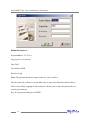
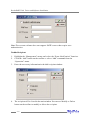
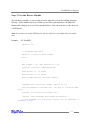
Default Parameters:
System Address: 127.0.0.1
Logging On (continued)
Port:7402
User Name: RAID
Password: hpt
Note: The password and user name fields are case sensitive.
The first time the software is used, make sure to enter the information listed above.
After successfully logging on, the software will ask you to alter the password (as a
security precaution).
Key in a password, and press ENTER.
4-6