1
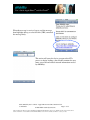
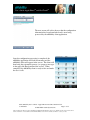
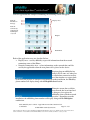
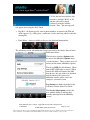
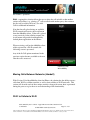
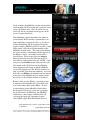
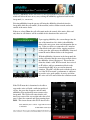
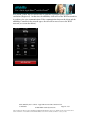
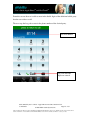
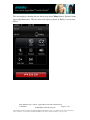
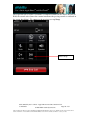
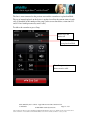
User’s Guide Apple iPhoneTM and iPod TouchTM a new call, having been handed the connection from the cellular network. As a new call, the timer beings afresh for the user’s information. Cellular to Wi-Fi When a uMobility call is placed while in a cellular network, the native cellular dialer is called up and used to place the call. If, however, the uMobility user moves within range of a qualified Wi-Fi network, the APNS message will once again grace the screen. The user taps the uMobility button to bring the uMobility application into the foreground of the device. Once that is accomplished, the uMobility dial pad appears, along with a green information ribbon across the top of the screen (see screen shot on the right). If the user touches this green ribbon, the native dialer will return to the foreground and allow the user to end the call if desired. Title: uMobility User’s Guide – Apple iPhoneTM and iPod TouchTM 2.0.1 Confidential Page 21 of 39 2003-2009 Varaha Systems, Inc. THIS DOCUMENT AND THE DATA DISCLOSED HEREIN OR HEREWITH IS PROPRIETARY AND IS NOT TO BE REPRODUCED, USED OR DISCLOSED IN WHOLE OR IN PART TO ANYONE WITHOUT THE WRITTEN PERMISSION OF VARAHA SYSTEMS. COPYRIGHT, © Varaha Systems 2008