1
FlippingBook
Premium Page Flip Component
Version 1-8-8
USER MANUAL
Introduction
Premium Page Flip is a component for Adobe Flash MX, Flash MX 2004, Flash 8 and Flash CS3,
enabling the creation of online/offline catalogues with real flipping effect. Using this Flash component,
which is approved by the Adobe team, you can easily create, modify and integrate catalogues with
your Flash projects in no time at all.
Pages may also be represented by such external resources as interactive movies, images and library
symbols as well. All this allows efficient application of the component not only for creating online
applications but also for offline projects which are uploaded to CD or DVD media.
You can control the component using ActionScript and create even more powerful applications. You
can use XML to cofigure your component. This option allows updating your books without
recompiling your movies.
You don’t need to have advanced Flash or programming skills to use this component. No matter what
your qualification is this component will be your reliable tool to tackle a variety of tasks.
This user guide contains all the information required to create powerful and professional Flash
applications with flipping effect. Here you will find complete reference information on the component
parameters and API. You will learn how to create XML component configuration files and use them to
solve the most challenging tasks.
1
Contents
Introduction ............................................................................................................................................. 1
Contents .................................................................................................................................................. 1
System Requirements................................................................................................................................ 4
Component Installation ............................................................................................................................. 5
Quick Start ............................................................................................................................................... 6
Project Folder Preparation.................................................................................................................. 6
Creating SWF File.............................................................................................................................. 6
Component Settings .......................................................................................................................... 7
Using XML Settings File.................................................................................................................... 10
Component Parameters ........................................................................................................................... 12
Book Pages ........................................................................................................................................ 12
Scale Page Content ............................................................................................................................. 13
First Page Number .............................................................................................................................. 13
Always Opened ................................................................................................................................... 13
Autoflip Area Size................................................................................................................................ 13
Flip on Click........................................................................................................................................ 13
Static Shadows Depth.......................................................................................................................... 13
Dynamic Shadows Depth ..................................................................................................................... 13
Page Moving Speed............................................................................................................................. 13
Page Closing Speed............................................................................................................................. 13
GotoPage Speed ................................................................................................................................. 13
Flip Sound .......................................................................................................................................... 14
Page Background Color........................................................................................................................ 14
Load Pages on Demand ....................................................................................................................... 14
Cache Pages....................................................................................................................................... 14
External XML File ................................................................................................................................ 14
Cache Size.......................................................................................................................................... 14
Preloader Type ................................................................................................................................... 14
User Preloader ID ............................................................................................................................... 14
XML File Parameters................................................................................................................................ 15
pages................................................................................................................................................. 16
width ................................................................................................................................................. 16
height ................................................................................................................................................ 16
scaleContent....................................................................................................................................... 16
firstPage ............................................................................................................................................ 16
alwaysOpened .................................................................................................................................... 17
autoFlip.............................................................................................................................................. 17
flipOnClick .......................................................................................................................................... 17
staticShadowsDepth ............................................................................................................................ 17
dynamicShadowsDepth........................................................................................................................ 17
moveSpeed ........................................................................................................................................ 17
closeSpeed ......................................................................................................................................... 17
gotoSpeed.......................................................................................................................................... 18
flipSound............................................................................................................................................ 18
pageBack ........................................................................................................................................... 18
loadOnDemand ................................................................................................................................... 18
cachePages ........................................................................................................................................ 18
cacheSize ........................................................................................................................................... 18
preloaderType .................................................................................................................................... 18
userPreloaderId .................................................................................................................................. 19
ActionScript API ...................................................................................................................................... 20
Component Properties ......................................................................................................................... 21
autoFlipProp ................................................................................................................................... 21
flipOnClickProp................................................................................................................................ 21
moveSpeedProp.............................................................................................................................. 21
closeSpeedProp .............................................................................................................................. 21
gotoSpeedProp ............................................................................................................................... 21
alwaysOpenedProp.......................................................................................................................... 22
width ............................................................................................................................................. 22
height ............................................................................................................................................ 22
totalPages ...................................................................................................................................... 22
leftPageNumber .............................................................................................................................. 22
rightPageNumber ............................................................................................................................ 23
enabledProp ................................................................................................................................... 23
progress......................................................................................................................................... 23
Component Methods ........................................................................................................................... 23
flipCorner ....................................................................................................................................... 23
gotoPage........................................................................................................................................ 24
flipGotoPage ................................................................................................................................... 24
directGotoPage ............................................................................................................................... 24
flipForward ..................................................................................................................................... 24
flipBack .......................................................................................................................................... 24
setSize ........................................................................................................................................... 25
getPageLink.................................................................................................................................... 25
isPageVisible................................................................................................................................... 25
isPageLoaded ................................................................................................................................. 25
getPageURL.................................................................................................................................... 25
getPageParams ............................................................................................................................... 26
isLeftPage ...................................................................................................................................... 26
isRightPage .................................................................................................................................... 26
Component Events .............................................................................................................................. 26
onClick ........................................................................................................................................... 26
onPutPage...................................................................................................................................... 27
onStartFlip...................................................................................................................................... 27
onFlipBack...................................................................................................................................... 27
onLastPage..................................................................................................................................... 27
onFirstPage .................................................................................................................................... 28
onEndGoto ..................................................................................................................................... 28
onPageLoad.................................................................................................................................... 28
onInit............................................................................................................................................. 28
onXMLComplete .............................................................................................................................. 28
Internal Page Events ........................................................................................................................... 29
onInit............................................................................................................................................. 29
onOpen .......................................................................................................................................... 29
onClose .......................................................................................................................................... 29
Page Properties................................................................................................................................... 29
params........................................................................................................................................... 29
isExternal ....................................................................................................................................... 30
book .............................................................................................................................................. 30
URL ............................................................................................................................................... 30
pageNumber................................................................................................................................... 30
loaded............................................................................................................................................ 30
visible ............................................................................................................................................ 31
width ............................................................................................................................................. 31
height ............................................................................................................................................ 31
isLeftPage ...................................................................................................................................... 31
isRightPage .................................................................................................................................... 31
progress......................................................................................................................................... 31
How To? ................................................................................................................................................ 33
Use Component API ............................................................................................................................ 33
Set External XML File Parameter Using ActionScript................................................................................ 36
Set Page List using ActionScript............................................................................................................ 37
Make Custom Preloader ....................................................................................................................... 39
Curl First Page Corner Automatically ..................................................................................................... 43
Change Book Orientation to Portrait...................................................................................................... 44
Add Buttons/Links (Creating Table of Contents) ..................................................................................... 45
Flip Pages Automatically ...................................................................................................................... 46
Print Pages ......................................................................................................................................... 47
2
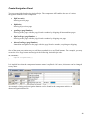
Create Navigation Panel....................................................................................................................... 48
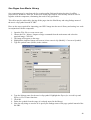
Use Pages from Movie Library .............................................................................................................. 49
Flippingbook component FAQ................................................................................................................... 51
General .............................................................................................................................................. 51
How does Flash Component differ from Flash Object? ........................................................................ 51
What is the maximum size and number of pages?.............................................................................. 51
Can I use PDF files with your component/object?............................................................................... 51
Can I use sound and video on the pages? ......................................................................................... 51
Can I use contents and links on pages?............................................................................................. 51
Is it possible to use XML files that are created on-the-fly with my PHP/ASP/CFM/…script? ..................... 51
Do I need to have a programming knowledge to be able to use your component? ................................ 52
Purchasing ......................................................................................................................................... 52
When and how can I get the component? ......................................................................................... 52
Can I pay for my order using PayPal? ............................................................................................... 52
What do I get? What comes with the product? .................................................................................. 52
Compatibility ...................................................................................................................................... 52
Which Flash versions does your component support? ......................................................................... 52
Which Flash Player versions does your component support? ............................................................... 52
Troubleshooting.................................................................................................................................. 52
I receive an error notice when installing the MXP file.......................................................................... 52
My pictures fail to load. The paths are correct ................................................................................... 52
My images load, but with distorted colors.......................................................................................... 53
My SWF files load, but they are distorted .......................................................................................... 53
When flipping, texts on my pages disappear and then appear again .................................................... 53
Everything works when testing the movie in Flash, but the pages fail load on the site ........................... 53
In Microsoft Internet Explorer I first need to click on the book to make it work..................................... 53
The buttons on my page do not work. Every time I press the button the page starts to flip ................... 53
I try to call up the component methods, as detailed in your documentation, but nothing happens.......... 54
Support & Updates.............................................................................................................................. 54
I am experiencing problems with your product .................................................................................. 54
Will I receive product updates? ........................................................................................................ 54
Component Package Contents.................................................................................................................. 55
Support.................................................................................................................................................. 56
3
System Requirements
The Premium Page Flip component is designed for Adobe Flash MX, Flash MX 2004, Flash 8 and
Flash CS3 for both Microsoft Windows and Mac OS.
Component installation requires the latest version of Adobe Extension Manager. This software can be
downloaded free of charge at http://www.adobe.com/exchange/em_download/
Applications created using the component require prior installation of Adobe Flash Player 6 or higher.
4
Component Installation
The Premium Page Flip component is delivered in MXP format, a standard Adobe extension format.
Use Adobe Extension Manager to install Adobe extensions. The latest version of this software is
available on the Adobe website at www.adobe.com/exchange/em_download/
To install the component please close the authoring Flash application if open. Unpack the ZIP archive
you have received after purchasing the component and run the file with the MXP extension.
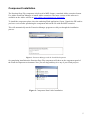
This will automatically run the Extension Manager program to walk you through the installation
process.
Figure 1. Extension Manager with the Installed Component
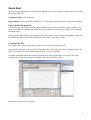
On completing installation the Premium Page Flip component will show on the component panel of
the Flash development environment. Now you can drag and drop it to any of your Flash projects.
Figure 2. Component Panel After Installation
5
Quick Start
This section will introduce the component through the process of creating a simple folder set up using
an external XML file.
Completion Time: 6 to 10 minutes.
Requirements: Adobe Flash MX / MX 2004 / 8 / CS3 with Premium Page Flip component installed.
Project Folder Preparation
Create the quick_start folder with the pages subfolder in any chosen location on your computer. The
quick_start folder will contain the work files of your folder whereas the pages folder will contain the
catalogue pages.
Now copy the JPEG images of your pages to the pages folder. Use the preprepared images which can
be found in the ZIP archive of the component in the quick_start/images folder.
Creating SWF File
Now that we have the catalogue pages ready we can create the catalogue itself.
Open Adobe Flash and create a new FLA document. Save this empty FLA file as catalogue.fla in the
quick_start folder we created earlier using the File / Save As command.
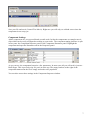
Open the component panel and drag the Premium Page Flip component to your stage. The empty
component is colored grey and is sized 400 by 250 pixels as shown below:
Rename the current layer catalogue:
6
Save your file and run it (Control/Test Movie). Right now you will only see a blank screen since the
component is not set up yet.
Component Settings
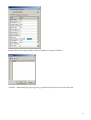
Adobe components are very powerful and versatile tools. In fact the components are complex movie
clips which can be easily configured according to your needs. The component tuning interface is split
in two parts: the Component Inspector panel or the Component Parameter panel. Highlight the
component and open the Parameters tab in the Properties panel:
As you can see, the component has quite a few parameters. In most cases all you will need is just one –
Book Pages. This is precisely why we put it in at the top. The empty brackets to the right of the
component name mean the list is empty and needs to be populated.
You can also access these settings in the Component Inspector window.
7
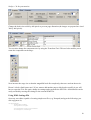
Double click on the empty brackets. The list window will open as follows:
Click the + button and type pages/page01.jpg instead of defaultValue text in the first line:
8
Click OK.
As you can see, the component appearance on the stage has changed: Now it looks more like a closed
book. Save your file and run it (Control/Test Movie).
You have just created a one-page catalogue. So far it is hardly impressive although it still demonstrates
some very important things:
In order to ensure smooth flipping the frame rate of your movie should be at least 30 fps. It is
12 fps by default.
The page number in a book is always even – just like in the real world. Therefore, if you set an
odd number of pages the component will automatically expand the range by one filling it with
the default color.
By default the component scales the page files so that they fit into the book’s size you have
specified.
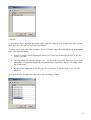
Now open the page list again and add links to the remaining six files:
9
Set fps = 30 for your movies:
Change the book size to 600 by 400 pixels to prevent page distortion (the images we prepared are sized
300 by 400 pixels).
You can also change the component size by using the Transform Tool. This tool also enables you to
rotate the component on the stage:
Now increase the stage size so that the magnified book fits completely, then save and run the movie.
Doesn’t it look a little better now? If you want to add another page to this book or modify it you will
have to open the FLA file again, change its settings and regenerate the SWF file. All this hassle can be
easily avoided by moving the settings to the external XML file.
Using XML Settings File
Open any text editor capable of creating simple text files (e.g. Notepad) and type the following (you
can copy/paste it):
<FlippingBook>
<width>600</width>
<height>400</height>
<scaleContent>true</scaleContent>
<firstPage>0</firstPage>
10
<alwaysOpened> false </alwaysOpened>
<autoFlip> 50 </autoFlip>
<flipOnClick> true </flipOnClick>
<staticShadowsDepth> 1 </staticShadowsDepth>
<dynamicShadowsDepth> 1 </dynamicShadowsDepth>
<moveSpeed> 2 </moveSpeed>
<closeSpeed> 3 </closeSpeed>
<gotoSpeed> 3 </gotoSpeed>
<flipSound></flipSound>
<pageBack> 0x1C90CB </pageBack>
<loadOnDemand> true </loadOnDemand>
<cachePages> true </cachePages>
<cacheSize> 4 </cacheSize>
<preloaderType> Progress Bar </preloaderType>
<userPreloaderId></userPreloaderId>
<pages>
<page>pages/page01.jpg</page>
<page>pages/page02.jpg</page>
<page>pages/page03.jpg</page>
<page>pages/page04.jpg</page>
<page>pages/page05.jpg</page>
</pages>
</FlippingBook>
Save the file as config.xml in the quick_start folder created earlier. This file completely replicates the
component settings specified earlier in the development environment. You can also use it as the
template for your future projects.
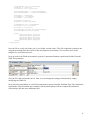
Now go back to the Flash environment, open the Component Parameter panel and find the External
XML File parameter:
Save the FLA file and run the movie. Now you can change the settings of this book by simply
modifying the XML file.
Now you have learned how to use Flash components in general and the Premium Page Flip component
in particular. This document also contains a detailed description of all the component parameters,
ActionScript API and some additional info.
11
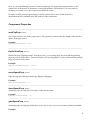
Component Parameters
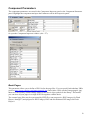
The component parameters are stored in the Component Inspector panel or the Component Parameter
panel. Highlight the component and open the Parameters tab in the Properties panel:
Or open the Component Inspector window (Alt + F7):
Book Pages
This parameter allows you to define a URL list for the page files. You can specify both absolute URLs
(such as http://www.yoursite.com/images/page01.jpg) and relative URLs (such as image/page01.jpg).
Moreover, the list may contain linkage names of the movie clips symbols in the library. This means
you can store all your pages in a single SWF file together with the book.
The external page files may be represented by SWF files, non-progressive JPEG images (for Flash
Player 6 through 7) and progressive JPEG images, PNG and non-animated GIF images for Flash
Player 8.
12
Scale Page Content
Defines the page content scaling method. If the parameter is set to true (default) the loaded files will
be automatically scaled to the page size. If the parameter is set to false the page content will be clipped
to the page borders.
First Page Number
This is the number of the book page open by default.
Always Opened
Defines the behavior of the first and last pages of the book. If true, the first and last pages are bound to
the stage, preventing them being flipped by the user. If false the user may flip the first and last pages
just like the rest. This parameter is useful when you need a permanently set book width.
Autoflip Area Size
This is the size of the click-sensitive area at the page corners that allow page flipping. This parameter
value defines the length of the sensitive square at the page corner.
Flip on Click
Defines the page flipping method. Turned on (true): you can drag pages by click-and-drag and flip
pages by corner click-release. Turned off (false): you can drag pages by corner click-and-drag and flip
pages by corner click-release.
Static Shadows Depth
Shadow intensity in the middle of the book. These shadows imitate fixed page curvature.
Dynamic Shadows Depth
Curvature shadow intensity while flipping pages. Use higher values for better 3D effect or for darker
pages.
Page Moving Speed
Page moving speed during normal page flipping (dragging).
Page Closing Speed
Automatic page moving speed on release of the mouse button.
GotoPage Speed
The speed of automatic page movement with the gotoPage, flipGotoPage, flipForward and flipBack
functions enabled.
13
Flip Sound
Flip sound. You may specify a URL to an external MP3 file or linkage name of the sound symbol in
the library.
Page Background Color
Page background RGB color. This color is displayed on page loading and through transparent page
areas.
Load Pages on Demand
Page loading mode. When true, pages are loaded as the user flips through the book. When false, all
pages are loaded before opening the book.
Cache Pages
Type of page storage in the component memory. When false, the page is reloaded each time the user
visits it. When true, the page is stored in the memory and is displayed immediately. It should be noted
that not all the pages are stored in the memory when this value is set to true. The component removes
pages from the memory as the user moves away from them.
External XML File
URL of the external XML file containing the settings and book page information.
Cache Size
The number of pages to the left and right of the current page, which are stored in the component
memory.
Preloader Type
The type of preloader in use. The valid values are as follows: Progress Bar, Round, User Defined and
None. To use your custom preloader, set this parameter to User Defined and specify linkage name of
the preloader movie clip symbol in the User Preloader ID parameter. Attention: the preloader is not
used at all for pages stored in the movie library.
User Preloader ID
Linkage name of the preloader movie clip symbol in the library.
14
XML File Parameters
Notre composant permet l'utilisation de fichiers de XML externes pour stocker des fixations. Cette option
commode vous permet de modifier vos livres en quelques secondes sans recompiler le fichier de FLA.
Pour utiliser des fixations XML vous devez créer un fichier de XML avec tous les paramètres composants
et spécifier son URL comme la valeur de paramètre de Fichier de XML Externe :
Notez : les paramètres de fichier de XML toujours ignorent ceux indiqués dans l'environnement de
développement. Si vous avez échoué à spécifier qu'un paramètre dans le XML classe(dépose) la valeur
par défaut sera utilisé au lieu du jeu de celui dans l'environnement de développement.
Notez : vous n'êtes pas limités par des fichiers de XML statiques. De tels fichiers peuvent être créés
instantanément de votre base de données utilisant une technologie de serveur
(c'est-à-dire. PHP, ASP, CFM etc).
Le composant XML le fichier y ressemble d'habitude :
<FlippingBook>
<width>600</width>
<height>400</height>
<scaleContent>true</scaleContent>
<firstPage>0</firstPage>
<alwaysOpened> false </alwaysOpened>
<autoFlip> 50 </autoFlip>
<flipOnClick> true </flipOnClick>
<staticShadowsDepth> 1 </staticShadowsDepth>
<dynamicShadowsDepth> 1 </dynamicShadowsDepth>
<moveSpeed> 2 </moveSpeed>
<closeSpeed> 3 </closeSpeed>
<gotoSpeed> 3 </gotoSpeed>
<flipSound></flipSound>
<pageBack> 0x1C90CB </pageBack>
<loadOnDemand> true </loadOnDemand>
<cachePages> true </cachePages>
<cacheSize> 4 </cacheSize>
<preloaderType> Progress Bar </preloaderType>
<userPreloaderId></userPreloaderId>
<pages>
<page>pages/page01.jpg</page>
<page>pages/page02.jpg</page>
<page>pages/page03.jpg</page>
<page>pages/page04.jpg</page>
<page>pages/page05.jpg</page>
</pages>
15
</FlippingBook>
Tous les paramètres composants sont décrits utilisant XML des étiquettes avec des noms ressemblant aux
noms correspondants de paramètres composants dans le Flash.
Toutes les descriptions de paramètre sont identiques aux descriptions données ci-dessus dans la section
de Paramètres Composante.
Le tableau de page est défini par une liste de type commun <la page> l'URL < / la page > des étiquettes.
De plus, vous pouvez spécifier une nouvelle largeur et une hauteur pour le livre.
Ce code de XML peut être utilisé comme un modèle(gabarit) pour des fichiers futurs, comme exigé.
pages
Ce paramètre vous permet de définir une liste URL pour les fichiers de page. Vous pouvez spécifier
les deux URL absolus (comme http://www.yoursite.com/images/page01.jpg ) Et URL relatifs
(comme image/page01.jpg). De plus, la liste peut contenir les noms de lien du film attache des symboles
dans la bibliothèque. Cela signifie que vous pouvez stocker toutes vos pages dans un fichier de SWF
seul(simple) ensemble avec le livre.
Les fichiers de page externes peuvent être représentés par SWF classe(dépose), des images JPEG
non-progressives (pour l'Acteur(le Joueur) de Flash 6 à 7) et des images JPEG progressives,
PNG et des images de GIF non-animées pour l'Acteur(le Joueur) de Flash 8.
Le tableau de page est défini par une liste de type commun <la page> l'URL < / la page > des étiquettes :
<pages>
<page>pages/page01.jpg</page>
<page>pages/page02.jpg</page>
<page>pages/page03.jpg</page>
<page>pages/page04.jpg</page>
<page>pages/page05.jpg</page>
</pages>
width
Largeur de livre dans pixels.
height
Hauteur de livre dans pixels.
scaleContent
Définit le contenu de page la graduation de la méthode. Si le paramètre est mis à vrai (le défaut) les fichiers
chargés seront automatiquement pesés(mesurés) à la taille de page. Si le paramètre est mis à faux le
contenu de page sera attaché aux frontières de page.
<scaleContent>true</scaleContent>
firstPage
C'est le numéro(nombre) de la page de livre ouverte par défaut.
<firstPage>0</firstPage>
16
alwaysOpened
Définit le comportement des premières et dernières pages du livre. Si vrai, les premières et dernières
pages doivent nécessairement l'étape(la scène), les empêchant étant donné un petit coup par l'utilisateur.
Si faux l'utilisateur peut donner un petit coup le premier et durer des pages comme le reste.
Ce paramètre est utile quand vous avez besoin de manière permanente de la largeur de livre de jeu.
<alwaysOpened> false </alwaysOpened>
autoFlip
C'est la taille du secteur sensible clic aux coins de page qui permettent le donnant un petit coup de page.
Cette valeur de paramètre définit la longueur de la place sensible au coin de page.
<autoFlip> 50 </autoFlip>
flipOnClick
Définit la page donnant un petit coup à la méthode. Allumé (vrai) : vous pouvez traîner des pages
par le clic-et-traînée et donner un petit coup aux pages par la sortie de clic de coin. Éteint (faux) :
vous pouvez traîner des pages par le clic-et-traînée de coin et donner un petit coup aux pages par la sortie
de clic de coin.
<flipOnClick> true </flipOnClick>
staticShadowsDepth
Intensité fantôme au milieu du livre. Ces ombres imitent la courbure de page fixe.
<staticShadowsDepth> 1 </staticShadowsDepth>
dynamicShadowsDepth
Intensité d'ombre de courbure en donnant un petit coup à pages. Utilisez des valeurs plus hautes pour
le meilleur effet 3D ou pour des pages plus sombres.
<dynamicShadowsDepth> 1 </dynamicShadowsDepth>
moveSpeed
Page déplaçant vitesse pendant donnant un petit coup de page normal (traînage).
<moveSpeed> 2 </moveSpeed>
closeSpeed
Page automatique déplaçant vitesse à sortie du bouton de souris.
<closeSpeed> 3 </closeSpeed>
17
gotoSpeed
La vitesse de mouvement de page automatique avec le gotoPage, flipGotoPage, flipForward et des
fonctions de flipBack a permis.
<gotoSpeed> 3 </gotoSpeed>
flipSound
Flip sound. You may specify a URL to an external MP3 file or linkage name of the sound symbol in
the library.
<flipSound>sounds/01.mp3</flipSound>
pageBack
Page background RGB color. This color is displayed on page loading and through transparent page
areas.
<pageBack> 0x1C90CB </pageBack>
loadOnDemand
Page loading mode. When true, pages are loaded as the user flips through the book. When false, all
pages are loaded before opening the book.
<loadOnDemand> true </loadOnDemand>
cachePages
Type of page storage in the component memory. When false, the page is reloaded each time the user
visits it. When true, the page is stored in the memory and is displayed immediately. It should be noted
that not all the pages are stored in the memory when this value is set to true. The component removes
pages from the memory as the user moves away from them.
<cachePages> true </cachePages>
cacheSize
The number of pages to the left and right of the current page, which are stored in the component
memory.
<cacheSize> 4 </cacheSize>
preloaderType
The type of preloader in use. The valid values are as follows: Progress Bar, Round, User Defined and
None. To use your custom preloader, set this parameter to User Defined and specify linkage name of
the preloader movie clip symbol in the User Preloader ID parameter. Attention: the preloader is not
used at all for pages stored in the movie library.
<preloaderType> Round </preloaderType>
18
userPreloaderId
Linkage name of the preloader movie clip symbol in the library.
<userPreloaderId>myCustomPreloaderId</userPreloaderId>
19
ActionScript API
The Application Programming Interface (API) allows programming of the component using
ActionScript. In particular, the API enables the following:
−
−
−
−
−
−
Creating navigation panels
Printing pages
Displaying page numbers
Acquiring data from XML files
Creating tables of contents and links on pages
Creating books with auto scrolling (slideshows), and much more
The component API is split into the following parts:
− Component properties. These component parameters may be programmed in runtime. For
example, you may deactivate component sensitivity to mouse clicks by simply setting the
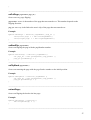
flipOnClickProp property to false: componentInstanceName.flipOnClickProp = false.
− Component methods. These functions perform certain actions on the component. For
example, they may instruct the component to move to the next page (flipForward):
componentInstanceName.flipForward();
− Component Events. These functions are periodically called by the component on certain
conditions. For example, each time the user performs a left mouse click on the page the
customizable onClick function is called:
componentInstanceName.onClick = function(pageNumber, page_mc, isCornerClick){
// any actions here
}
− Page properties. These properties are read-only and are individually defined for each page.
You may access these functions both inside the page: trace( pageNumber ) and through the link
to the movie clip of the page:
componentInstanceName.onClick = function(pageNumber, page_mc, isCornerClick){
trace( page_mc.pageNumber );
}
− Page events. Similar to component events, these functions are called within each page.
Assign a name to the component copy on the stage in order to program it. For clarity’s sake let us
assume the component copy is named myBook. However, you may use any name.
20
Note: if you are publishing your movie with ActionScript 2.0 support please pay attention to the
symbol case in the names of parameters, events and methods. ActionScript 2.0 is case sensitive,
meaning onClick and OnClick are treated as two different events.
Examples of API practical application for solving various tasks can be found in the FLA
demonstration files contained in the ZIP archive of the component.
Component Properties
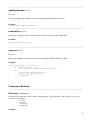
__________________________________________________________________________________
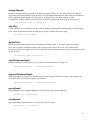
autoFlipProp: Number
Size of the sensitive area in the page corners. This parameter value defines the length of the sensitive
square at the page corner.
Example:
myBook.autoFlipProp = 100;
_________________________________________________________________________________
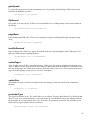
flipOnClickProp: Boolean
Defines the page flipping method. Turned on (true): you can drag pages by click-and-drag and flip
pages by corner click-release. Turned off (false): you can drag pages by corner click-and-drag and flip
pages by corner click-release.
Example:
myBook.flipOnClickProp = false;
__________________________________________________________________________________
moveSpeedProp: Number
Page moving speed during normal page flipping (dragging).
Example:
myBook.moveSpeedProp = 5;
__________________________________________________________________________________
closeSpeedProp: Number
Automatic page moving speed on release of the mouse button.
Example:
myBook.closeSpeedProp = 5;
__________________________________________________________________________________
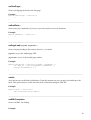
gotoSpeedProp: Number
Automatic page moving speed with the gotoPage, flipGotoPage, flipForward and flipBack functions enabled.
Example:
21
myBook.gotoSpeedProp = 5;
__________________________________________________________________________________
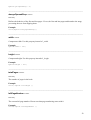
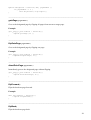
alwaysOpenedProp: Number
Read Only
Defines the behavior of the first and last pages. If true, the first and last pages and bound to the stage,
preventing the user from flipping them.
Example:
trace(myBook.alwaysOpenedProp);
__________________________________________________________________________________
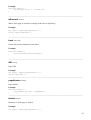
width: Number
Component width. Use this property instead of _width.
Example:
myBook.width = 500;
__________________________________________________________________________________
height: Number
Component height. Use this property instead of _height.
Example:
myBook.height = 500;
__________________________________________________________________________________
totalPages: Number
Read Only
The number of pages in the book.
Example:
trace( myBook.totalPages );
__________________________________________________________________________________
leftPageNumber: Number
Read Only
The current left page number. Please note that page numbering starts with 0.
Example:
trace( myBook.leftPageNumber );
22
__________________________________________________________________________________
rightPageNumber: Number
Read Only
The current right page number. Please note that page numbering starts with 0.
Example:
trace( myBook.rightPageNumber );
__________________________________________________________________________________
enabledProp: Boolean
Book status. Setting it to false disables mouse click sensitivity of the component.
Example:
myBook.enabledProp = false;
__________________________________________________________________________________
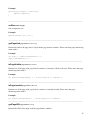
progress: Number
Read Only
Book page loading percentage in the total preload mode (load on demand = false).
Example:
_root.onEnterFrame = function(){
if ( myBook.progress < 100 )
myPreloader.setProgress(myBook.progress );
else {
myPreloader.removeMovieClip();
delete this.onEnterFrame;
gotoAndPlay( 2 );
}
}
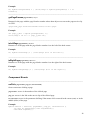
Component Methods
__________________________________________________________________________________
flipCorner( cornerPosition )
Automatically bends the corner of the designated page. The permissible values of the cornerPosition
parameter are as follows:
− "top-left"
− "top-right"
− "bottom-left"
− "bottom-right"
Example:
23
myBook.onPageLoad = function( URL, pageNumber ){
if( pageNumber == 0 )
this.flipCorner( "top-right" );
}
__________________________________________________________________________________
gotoPage( pageNumber )
Goes to the designated page by flipping all pages from current to target page.
Example:
goto_page_10_btn.onPress = function(){
myBook.gotoPage( 10 );
}
__________________________________________________________________________________
flipGotoPage( pageNumber )
Goes to the designated page by flipping one page.
Example:
goto_page_10_btn.onPress = function(){
myBook.flipGotoPage( 10 );
}
__________________________________________________________________________________
directGotoPage( pageNumber )
Immediately goes to the designated page without flipping.
goto_page_10_btn.onPress = function(){
myBook.directGotoPage( 10 );
}
__________________________________________________________________________________
flipForward()
Flips the book one page forward.
Example:
next_btn.onPress = function(){
myBook.flipForward();
}
__________________________________________________________________________________
flipBack()
Flips the book one page back.
24
Example:
previous_btn.onPress = function(){
myBook.flipBack();
}
__________________________________________________________________________________
setSize(width, height)
Sets component size.
Example:
myBook.setSize( 500, 500 );
__________________________________________________________________________________
getPageLink(pageNumber): MovieClip
Returns the link to the page movie clip with the pageNumber number. Please note that page numbering
starts with 0.
Example:
var page_3 = myBook.getPageLink( 3 );
page_3.gotoAndPlay( 2 );
_________________________________________________________________________________
isPageVisible(pageNumber): Boolean
Returns true if the page with pageNumber number is currently visible to the user. Please note that page
numbering starts with 0.
Example:
If( myBook.isPageVisible( 3 ) )trace("Page #3 is visible!");
__________________________________________________________________________________
isPageLoaded(pageNumber): Boolean
Returns true if the page with pageNumber number is currently loaded. Please note that page
numbering starts with 0.
Example:
If( myBook.isPageLoaded( 3 ) )trace("Page #3 is loaded!");
__________________________________________________________________________________
getPageURL(pageNumber): String
Returns the URL of the page with the pageNumber number.
25
Example:
If( myBook.isPageLoaded( 3 ) )trace("Page "+ myBook.getPageURL(3) + " is
loaded!");
__________________________________________________________________________________
getPageParams(pageNumber): Object
Returns for the page with the pageNumber number whose data object was sent to the page movie clip
via URL.
<page>some_page.swf?id=1&textFile=texts/01.txt</page>
Example:
var page_3_data = myBook.getPageParams( 3 );
trace("Page 3 id is: " + page_3_data.id);
__________________________________________________________________________________
isLeftPage(pageNumber): Boolean
Returns true if the page with the pageNumber number is to the left of the book center.
Example:
If( myBook.isLeftPage( 3 ) )trace("Page #3 is on the left!");
__________________________________________________________________________________
isRightPage(pageNumber): Boolean
Returns true if the page with the pageNumber number is to the right of the book center.
Example:
If( myBook.isRightPage( 3 ) )trace("Page #3 is on the right!");
Component Events
__________________________________________________________________________________
onClick( pageNumber, page_mc, isCornerClick )
Occurs on mouse-clicking a page.
pageNumber: Number is the number of the clicked page
page_mc: Number is the link to the movie clip of the clicked page
isCornerClick: Boolean is the parameter defining if the mouse click occurred in the corner (true) or in the
middle (false) of the page.
Example:
myBook.onClick = function( pageNumber, page_mc, isCornerClick ){
if( page_mc.isRightPage )this.flipForward();
else this.flipBack();
26
}
__________________________________________________________________________________
onPutPage( pageNumber, page_mc )
Occurs on every page flipping.
pageNumber: Number is the number of the page that was turned over. This number depends on the
flipping direction.
page_mc: MovieClip is the link to the movie clip of the page that was turned over
Example:
myBook.onPutPage = function( pageNumber, page_mc ){
trace("left page: " + this.leftPageNumber);
trace("right page: " + this.rightPageNumber);
}
__________________________________________________________________________________
onStartFlip( pageNumber )
Occurs on flipping the page with the pageNumber number.
Example:
myBook.onStartFlip = function( pageNumber ){
var page_mc = this.getPageLink( page_number );
page_mc.gotoAndStop( 2 );
}
__________________________________________________________________________________
onFlipBack( pageNumber )
Occurs on returning the page with the pageNumber number to the initial position.
Example:
myBook.onFlipBack = function( pageNumber ){
var page_mc = this.getPageLink( page_number );
page_mc.gotoAndStop( 1 );
}
__________________________________________________________________________________
onLastPage()
Occurs on flipping the book to the last page.
Example:
myBook.onLastPage = function(){
this.flipGotoPage( 0 );
}
__________________________________________________________________________________
27
onFirstPage()
Occurs on flipping the book to the first page.
Example:
myBook.onFirstPage = function(){
//
}
__________________________________________________________________________________
onEndGoto()
Occurs on cycle completion of gotoPage, flipGotoPage and directGotoPage functions.
Example:
myBook.onEndGoto = function(){
//
}
__________________________________________________________________________________
onPageLoad( pageURL, pageNumber )
Occurs on page loading in the load on demand = true mode.
pageURL: String is the loaded page URL
pageNumber: Number is the loaded page number.
Example:
myBook.onPageLoad = function( pageURL, pageNumber ){
var page_mc = this.getPageLink( pageNumber );
page_mc.gotoAndPlay( 2 );
}
__________________________________________________________________________________
onInit()
Activated on successful book initialization. From this moment on you can apply ActionScript to the
book. This option may be useful when the book is initialized using an XML file.
Example:
myBook.onInit = function(){
this.flipCorner("top-right");
}
__________________________________________________________________________________
onXMLComplete()
Occurs on XML file loading.
Example:
28
myBook.onXMLComplete = function(){
//
}
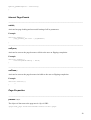
Internal Page Events
__________________________________________________________________________________
onInit()
Activated on page loading and successful setting of all its parameters.
Example:
function onInit(){
page_number_txt.text = pageNumber;
}
__________________________________________________________________________________
onOpen()
Activated as soon as the page becomes visible to the user on flipping completion.
Example:
function onOpen(){
book.flipOnClickProp = false;
}
__________________________________________________________________________________
onClose()
Activated as soon as the page becomes invisible to the user on flipping completion.
Example:
function onClose(){
//
}
Page Properties
__________________________________________________________________________________
params: Object
The object of data sent to the page movie clip via URL.
<page>some_page.swf?id=1&textFile=texts/01.txt</page>
29
Example:
function onInit(){
trace("Page id is: " + params.id);
}
__________________________________________________________________________________
isExternal: Boolean
Shows if the page is external or belongs to the movie clip library.
Example:
var page3 = myBook.getPageLink( 3 );
trace( page3.isExternal );
__________________________________________________________________________________
book: MovieClip
Link to the parent component of the book.
Example:
function onOpen(){
book.flipCorner("bottom-right");
}
__________________________________________________________________________________
URL: String
Page URL.
Example:
var page3 = myBook.getPageLink( 3 );
trace( page3.URL );
__________________________________________________________________________________
pageNumber: Number
Page number.
Example:
function onInit(){
page_number_txt.text = pageNumber;
}
__________________________________________________________________________________
loaded: Boolean
Returns true if the page is loaded.
Example:
var page3 = myBook.getPageLink( 3 );
30
trace( page3.loaded );
__________________________________________________________________________________
visible: Boolean
Returns true if the page is visible to the user.
Example:
var page3 = myBook.getPageLink( 3 );
trace( page3.visible );
__________________________________________________________________________________
width: Number
Page width.
Example:
function onInit(){
_x = -width;
}
__________________________________________________________________________________
height: Number
Page height.
Example:
function onInit(){
_y = -height;
}
__________________________________________________________________________________
isLeftPage: Number
Returns true if the page is to the left of the book center.
Example:
function onInit(){
if( isLeftPage )trace("Page: " + pageNumber + " is on the left!");
}
__________________________________________________________________________________
isRightPage: Number
Returns true if the page is to the right of the book center.
Example:
function onInit(){
if( isRightPage )trace("Page: " + pageNumber + " is on the right!");
}
__________________________________________________________________________________
progress: Number
31
Percentage of page file loading.
Example:
_root.onEnterFrame = function(){
var page3 = myBook.getPageLink(3);
trace( page3.progress );
}
32
How To?
This section contains solutions to the most frequent tasks you might have to tackle using the
component.
Use Component API
The API (Application Programming Interface) is a set of properties, methods and events of the
component available via use of the ActionScript (1.0/2.0) programming language. The powerful API
enables creation of really complex applications using our component.
Examples of practical API use are contained in the FLA demonstrations provided with the component.
In order to use ActionScript with the component we should first assign a name for the component
instance on the stage. For clarity’s sake let us name our first component instance myBook.
Now we can use ActionScript for our component instance by name reference. For example, the next
code acquires the link to the movie clip of the first page (page numeration starts with 0) and sends the
command to the movie clip of the page to switch to frame 5:
var page0 = myBook.getPageLink( 0 );
page3.gotoAndStop( 5 );
The ActionScript code interacting with the component is located in the first frame of the movie
containing the component. You can also access the component from your classes.
The component API contains the properties, methods and events of the component. You can also use
the ActionScript properties and events of separate pages.
Components properties are dynamic component properties some of which are read-only. The
flipOnClickProp property, the ActionScript counterpart of the Flip on Click component, is a good
example. You can change the value of this property while executing a Flash application in the
following way:
myBook.flipOnClickProp = false;
A detailed description of all the component properties is given in the appropriate section of API
description.
Component Events. Generally speaking, these are the functions called by the component during
execution. It is you who creates the body of such a function to process various events. For example,
the next ActionScript code is called on each page flipping and prints the numbers of the current left
and right page:
33
myBook.onPutPage = function( pageNumber, page_mc ){
trace(this.leftPageNumber + "/" + this.rightPageNumber);
}
It should be noted that to call the component methods or parameters within the component event body
you should use key word this and not the component occurrence name.
A detailed description of all the component events is given in the appropriate section of API
description.
The component methods are used to make the component perform actions – i.e. moving to the next
page. The next code may be used to automatically bend the right corner of each page corner on loading
the first page:
myBook.onPageLoad = function( pageURL, pageNumber ){
if( pageNumber == 0 )this.flipCorner("bottom-right");
}
The next code can be used for creating buttons on the stage which would trigger moving to the next
page.
on( release ){
myBook.flipForward();
}
A detailed description of all the component methods is given in the appropriate section of API
description.
Page properties are read-only data specific to each particular page. The pageNumber property which
stores the page number is a good example. You can use the value of this property to display the page
number in a text field. The code in the first frame of the page is as follows:
function onInit(){
page_number_txt.text = pageNumber;
}
The properties of each particular page may also be obtained in the parent movie and book events or by
means of the link to the movie of the page:
myBook.onClick = function( pageNumber, page_mc, isCornerClick ){
trace("Page number is: " + page_mc.pageNumber );
trace("Page URL is: " + page_mc.URL );
trace("Is left page?: " + page_mc.isLeftPage);
}
A detailed description of all the component properties is given in the appropriate section of API
description.
Page properties are page specific and are only called within each page. There are only three of such
properties:
34
onInit is called when the page is loaded and can be used
onOpen is called when the page becomes visible to the user after scrolling
onClose is called when the page becomes invisible to the user after scrolling
function onOpen(){
trace("Page #" + pageNumber + " is visible!");
}
The detailed description of all the page events is given in the appropriate section of API description.
35
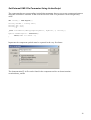
Set External XML File Parameter Using ActionScript
The component has no corresponding ActionScript parameter, but you can create component instances
using the attachMovie function. In this case the External XML File parameter can be assigned any
value:
var initObj = new Object();
initObj.extXML = "config.xml";
initObj._x = 275;
initObj._y = 200;
_root.attachMovie("FFlippingBookSymbol", "myBook", 0, initObj);
myBook.onXMLComplete = function(){
trace("XML is loaded..");
}
Important: the component symbol must be exported in the very first frame.
The demonstration FLA file can be found in the component archive at demos/runtimecreation/demo_xml.fla
36
Set Page List using ActionScript
The component does not enable you to manage a page array during the work, but you can create
component instances using the attachMovie function. Should this be the case you can define a page
array:
var initObj = new Object();
initObj.pagesSet = new Array();
initObj.pagesSet.push("page0");
initObj.pagesSet.push("page1");
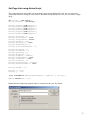
initObj.pagesSet.push("page2");
initObj.pagesSet.push("page3");
initObj.pagesSet.push("page4");
initObj.pagesSet.push("page5");
initObj.firstPage = 0;
initObj.scaleContent = true;
initObj.alwaysOpened = false;
initObj.autoFlip = 125;
initObj.flipOnClick = true;
initObj.shadowsDepth = 2;
initObj.staticShadowsDepth = 2;
initObj.moveSpeed = 5;
initObj.closeSpeed = 4;
initObj.gotoSpeed = 5;
initObj.flipSound = "";
initObj.pageBack = 9995639;
initObj.loadOnDemand = true;
initObj.cachePages = true;
initObj.cacheSize = 4;
initObj.preloaderType = "Round";
initObj.userPreloaderId = true;
initObj.extXML = "";
initObj._x = 275;
initObj._y = 200;
_root.attachMovie("FFlippingBookSymbol", "myBook", 0, initObj);
myBook.setSize(500, 300);
Important: the component symbol must be exported in the very first frame.
37
The demonstration FLA file can be found in the component archive at demos/runtimecreation/demo.fla
38
Make Custom Preloader
Our component enables the use of two types of standard preloaders – circular and rectangular. You can
also create and use your own preloader.
The component preloader – standard or custom – is stored in the movie library. At the beginning of
work the component copies the preloader in use from the library onto each page. While loading page
data the component calls the setProgress preloader function by sending it the data load percentage as a
parameter. Each preloader contains the setProgress( pt ) function which performs all the necessary
functions (e.g. increases the progress bar width).
The FLA file with the text preloader example can be found in the component archive at demos/custompreloader/demo.fla
Now you need to create a preloader instance in the movie library and export it for ActionScript.
You can create the necessary graphics and implant the body of the setProgress ( pt ) function into the
movie. This function acquires the percentage of page loading progress from the component and
provides its graphical representation. For example:
39
function setProgress( pt ){
progress_txt.text = Math.round(pt);
}
setProgress( 0 );
The only function of this code is to display the percentage of page or whole book loading progress in
the text field.
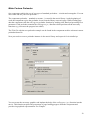
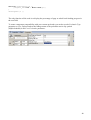
To ensure component compatibility with your custom preloader you need to set the Preloader Type
parameter to User Defined and set the linkage name of the preloader movie clip symbol
(MyPreloaderId) in the User Preloader parameter:
40
Create Wide Pages
The best way to fit a wide page is to split it in two parts and use the parts separately. This option works
best for JPEG images.
But what if your wide page contains SWF content with animation? In this case splitting the wide page
in two is not a convenient option.
Moreover, the component cannot use the same file for two pages. In any case you would have to
specify and load your file twice. However, you can automatically match the two halves so that they
look like a whole.
This problem can be solved by placing additional ActionScript into the wide page clip to shift the right
side of the wide page to the left immediately upon loading:
function onInit(){
if( !isLeftPage )_x = -width;
}
The example of such an approach can be found in the component archive at demos/wide-page/
desynchronized/
Now, what if such a page also contains animation? In this case you can use pages from the movie
library. This guarantees simultaneous placement of such pages.
The external files are still loaded at different times and in this case the animation will not be
synchronous.
But don’t worry – we can address this issue by changing the structure of your page – i.e. empty all the
animation from the first frame. This is the frame to be displayed immediately on page loading. The
animation would begin from the second frame. In both cases we can create ActionScript code in the
main movie which would control loading of both pages and launch their animation only provided that
they are both completely loaded.
wideLeftPageNumber = 1;
wideRightPageNumber = 2;
myBook.onPageLoad = function(pageURL, pageNumber){
if( pageNumber == wideLeftPageNumber || pageNumber == wideRightPageNumber &&
!_root.onEnterFrame )
_root.onEnterFrame = checkWidePages;
}
function checkWidePages(){
var leftWidePage = myBook.getPageLink( wideLeftPageNumber );
var rightWidePage = myBook.getPageLink( wideRightPageNumber );
if( leftWidePage.loaded && rightWidePage.loaded ){
leftWidePage.gotoAndPlay(2);
rightWidePage.gotoAndPlay(2);
delete this.onEnterFrame;
}
}
41
As soon as one of the two halves begins loading the checkWidePages function begins to monitor
loading of both pages. As soon as page loading is complete the function brings each page to the second
frame, which already contains animation, etc.
An example of such an approach can be found in the component archive at demos/wide-page/
synchronized/
42
Curl First Page Corner Automatically
This can be done very easily by using ActionScript and component API. Place this code into the first
frame of your movie (let us suppose that the component instance is named myBook):
myBook.onPageLoad = function( pageURL, pageNumber ){
if( pageNumber == 0 )this.flipCorner("bottom-right");
}
43
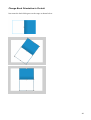
Change Book Orientation to Portrait
Just rotate the book 90 degrees on the stage as shown below:
44
Add Buttons/Links (Creating Table of Contents)
You can use regular Flash buttons and SFW pages or movie clip pages from the movie library. The
greatest advantage of buttons is the transparency feature – you can simply place a transparent button
over the image of your page.
The problem is preventing page scrolling with each click of such a such button. This is quite
frustrating and prevents the creation of a table of contents for the book due to technical limitations.
This problem can be resolved by programming the Flip on Click component parameter.
Thus, we need to use the following ActionScript code to create a page button pointing to a certain
URL:
on(release){
getURL("your URL", "_blank");
}
on(rollOver){
book.flipOnClickProp = false;
}
on(rollOut){
book.flipOnClickProp = true;
}
This code deactivates book sensitivity to mouse clicking when mousing over the button so that the
page does not jump. Moreover, it activates book sensitivity when removing the mouse cursor from the
button. On clicking the button the code opens the required URL.
To create a button on the page that would take API us to a certain page (let us assume page 5), use the
following ActionScript code:
on(release){
book.flipGotoPage( 5 );
}
on(rollOver){
book.flipOnClickProp = false;
}
on(rollOut){
book.flipOnClickProp = true;
}
This code controls book sensitivity to mouse clicks and takes us to the required page by clicking the
button.
An example of such an approach can be found in the component archive at demos/navigation/demo.fla
45
Flip Pages Automatically
One of the best ways to trigger automatic book scrolling after a certain period of time without user
intervention is to use the setInterval function in conjunction with the component API.
For example, for loop scrolling (i.e. automatic scrolling to the end and back to the first page) use the
following ActionScript code:
delay = 1000;
// 1 second: 1000 ms
forwardInterval = setInterval(myBook, "flipForward", 1000);
myBook.onLastPage = function() {
clearInterval(forwardInterval);
lastPageInterval = setInterval(closeLastPage, delay);
};
function closeLastPage() {
myBook.flipGotoPage(0);
clearInterval(lastPageInterval);
forwardInterval = setInterval(myBook, "flipForward", 1000);
}
This code flips the page every second. On reaching the end of the book the function returns to the first
page to restart the cycle.
An example of such an approach can be found in the component archive at
demos/slideshow/loop/automatic_loop.fla
46
Print Pages
Printing a book page is as easy as printing a regular movie clip. The getPageLink method allows you
to acquire a link to the movie clip with pageNumber:
page3 = myBook.getPageLink( 3 );
Now you can print the movie clip by using the print function or PrintJob class. Please see Adobe Flash
documentation for details of the function operation.
It should be noted that the page may not be loaded as stipulated by the printing time. Please use the
loaded property to check page availability.
page3 = myBook.getPageLink( 3 );
if( page3.loaded ){
// print page
}
The demonstration FLA file for this topic can be found in the component archive at demos/printpages/demo.fla
47
Create Navigation Panel
You can control the book using ActionScript. The component API enables the use of various
navigation methods of the component:
flipForward()
Moving to next page
flipBack()
Moving to previous page
gotoPage( pageNumber )
Moving to the page with the pageNumber number by skipping all intermediate pages
flipGotoPage( pageNumber )
Moving to the page with the pageNumber number by skipping one page
directGotoPage( pageNumber )
Immediate navigation to the page with the pageNumber number, requiring no skipping
One of the most convenient ways to call these methods is to use Flash buttons. For example, you may
create the Next Page button and assign it the following ActionScript code:
on(release){
myBook.flipForward();
}
It is implied here that the component instance name is myBook. Of course, this name can be changed
to any other.
An example of using such navigation buttons can be found in the component archive at
demos/navigation/demo.fla
48
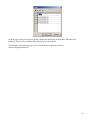
Use Pages from Movie Library
Our component may be used not only for creating online flash applications but also for offline
projectors for Windows / Mac OS. In this case all the pages may be conveniently stored in one file
together with the component, eliminating the need for any preloaders.
This effect may be achieved by placing all the pages into the film library and using linkage name of
the movie clip symbol instead of URL.
Here are the steps required for importing your JPEG image into the movie library and setting it to work
in conjunction with the component.
1. Open the FLA file (or create a new one)
2. Choose the File / Import / Import to Stage command from the main menu and select the
required image. Click OK
3. The image will appear on the stage
4. Highlight the imported image and convert it into a movie clip (Modify / Convert to Symbol)
5. Type the symbol name (Name) in the window:
6. Type the linkage name for the movie clip symbol. Highlight the Export for ActionScript and
Export in First Frame functions
7. Click OK
8. Delete the symbol from the stage (it is already stored in the library)
9. Now the only thing we need to do is specify the linkage name of the page symbol instead of the
file URL
49
Now the page will load together with the component and display immediately when the book
launched. You can also combine different page types in one book.
An example of using library pages can be found in the component archive at
demos/navigation/demo.fla
50
Flippingbook component FAQ
General
How does Flash Component differ from Flash Object?
Flash Component – is a standard extension for Adobe Flash. You simply install the MXP file and then
you just to drag & drop the component from the Components panel onto the scene from your movie.
The component can be used in a movie with any structure. You can control the component with
ActionScript, for example, to create contents, a navigation panel, page print or enlargement. The
component can operate with XML files and with set ups, specified using a convenient development
environment. The component can operate with external files and symbols from the movie library.
The object is a ready-to-use SWF file that you simply integrate into your HTML page. We have
developed the object for users who do not have Adobe Flash. The object cannot be controlled with
ActionScript. It can work only with external files and set up only through an XML file.
If you have Adobe Flash MX or higher installed, we advise you to use the component.
What is the maximum size and number of pages?
The size of the book you can create using our product is unlimited. However, in light of the fact that
Flash Player works slowly with large images, the maximum recommended book size for online
viewing is 800 x 600 pixels. Large books can work slowly on slow computers.
The number of pages is also unlimited. The component can work with books with hundreds of pages.
As opposed to other products, our component does not store all pages in memory, so a 20-page book
will not take up 200 megabytes of RAM (which is possible if you use other products). However,
problems with performance may arise with volumes of over 1000 pages.
Can I use PDF files with your component/object?
Our component only supports formats that are compatible with Flash Player. These are nonprogressive JPEG images and SWF files for Flash Player 6-7 and also progressive JPEG, PNG and
non-animated GIF images for Flash Player 8. You will need to convert your PDF file page-by-page
into SWF or JPEG files.
Can I use sound and video on the pages?
Yes. You can use SWF pages with embedded or uploaded sounds and video-files.
Can I use contents and links on pages?
Yes. You can use SWF pages with active elements (buttons, for example) in them. And you can lock
API component calls to these buttons. You can find an example of the creation of similar pages in the
component composition.
Is it possible to use XML files that are created on-the-fly with my
PHP/ASP/CFM/…script?
Yes.
51
Do I need to have a programming knowledge to be able to use your
component?
No, you can use the component without knowing ActionScript. However, programming knowledge
will enable you to solve more interesting tasks.
Purchasing
When and how can I get the component?
You will receive your link to download the component package immediately after payment. The link
will also be sent to your mail address. Be aware that the link will only remain active for 48 hours. To
receive the component after this time, simply send an message to [email protected] with your order
number or mail address that you used for the order.
Can I pay for my order using PayPal?
No, we only work with 2Checkout in light of its reliability of service.
What do I get? What comes with the product?
The component package includes its MXP file, documentation, and many FLA files with examples of
component use (navigation and contents, XML use, dynamic component creation, working with video
and sound, page enlargement, printing pages and others).
The object package contains its SWF file, XML file, documentation and an example of an HTML page
containing the object
You will also receive several mp3 files with different flipping sounds, which you can use with the
component.
Compatibility
Which Flash versions does your component support?
Adobe Flash MX, Flash MX 2004, Flash CS3 Flash 8 for Windows and MacOS
Which Flash Player versions does your component support?
Flash Player 6 – 8.5
Troubleshooting
I receive an error notice when installing the MXP file
Make sure that you have installed the latest version of Adobe Extension Manager. You can always
download the latest version from: http://www.adobe.com/exchange/em_download/
My pictures fail to load. The paths are correct
Perhaps you are using progressive JPEG images, but you are publishing a movie for Flash Player 6 or
Flash Player 7. Only Flash Player 8 can load progressive JPEG images, PNG and non-animated GIF
files
52
My images load, but with distorted colors
Your pictures are probably saved in CMYK color mode. Resave them in the RBG mode.
My SWF files load, but they are distorted
The component scales the contained page by default. You can cancel scaling, by setting the Scale
content parameter to false.
When scaling, the component uses information on the size of your SWF file it contains. For example,
if your page is empty and has only a small text in the center, the component calculates that the page
size is equal to the size of this text field. In such cases you should set the page size by placing a shape
or image under its content, the size of which is equal to the page size. You can find an example of this
is in the examples that accompany the component.
When flipping, texts on my pages disappear and then appear again
Our component uses page rotation as a part of the effect. However, Flash Player cannot rotate device
fonts correctly. To correctly depict your texts you need to embed fonts for text fields.
Everything works when testing the movie in Flash, but the pages fail load on the
site
When the SWF movie with your book is loaded onto an HTML page, its “location” changes. Its URL
is now the URL of your HTML page. Therefore, if you use relative paths for page files, remember that
these paths must be correct relative to the HTML page and not relative to the SWF file.
A similar problem arises when your HTML file and the SWF file with the book are in different folders.
Then you need to either place them in one folder or use absolute paths or detail relative paths relative
to the HTML file.
In Microsoft Internet Explorer I first need to click on the book to make it work
This problem is connected with the latest patent scandal. Microsoft had to change the way active
media elements that operate in Internet Explorer are worked with. This problem can possibly be
overcome using JavaScript. See the following link for more detailed information:
http://www.actionscript.com/Article/tabid/54/ArticleID/Embedding-Flash-Content-withFlashObject/Default.aspx
The buttons on my page do not work. Every time I press the button the page
starts to flip
The component starts to flip pages by default at every click on the page. You can cancel this action by
setting the Flip on click parameter to false. In this case you can flip through the book only by dragging
by the corners.
A more convenient approach is in the program control of this component property. The ActionScript
code for the button on the page is detailed below:
on(release) {
//do something
}
on(rollOver) {
// turning page flipping by mouse click off
53
book.flipOnClickProp = false;
}
on(rollOut) {
// turning page flipping by mouse click on
book.flipOnClickProp = true;
}
I try to call up the component methods, as detailed in your documentation, but
nothing happens
You are probably using the XML file to set up the component. Until the XML file is loaded, the
component is not able to process commands. Use the onXMLComplete function to determine the
moment the file loads.
Also check if you have appointed a component instance name. It is using this that you can work with
the component’s functions, methods and properties. We used the name myBook in our examples. You
may use another name.
Support & Updates
I am experiencing problems with your product
Describe these problems in a letter, attach the required source files and send the letter to
[email protected] . We usually respond to letters within 24 hours.
In your letter, please detail your order number and email address that you used for the order.
Will I receive product updates?
Yes. You can always send a request for the latest component version to [email protected],
detailing your order number or email address you used to place the order. All updates to this version
are free for our users.
54
Component Package Contents
The ZIP archive you receive after purchasing the component contains the following folders:
The DOCS folder contains the file you are reading.
The SOUNDS folder contains several mp3 files with various scrolling sounds.
The DEMOS folder contains a large number of FLA files, demonstrating various component
capabilities.
The QUICK_START folder contains the files required for going through the tutorial for the Quick
Start section of the following document.
The COMPONENT_FILES contains the installation file for the flippingBook.mxp component and an
example of an XML settings file that can be used as a sample for your future projects.
55
Support
Should you experience any undocumented issues with the component or find a component bug or
something you consider a bug, please do not hesitate to contact us at the following address:
[email protected]
We do our best to respond to your correspondence within 24 hours.
Please attach archived FLA files or specify the URL to the Flash movie causing problems to facilitate
troubleshooting.
56