1
Preparation
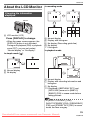
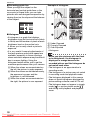
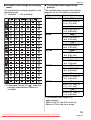
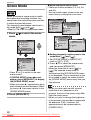
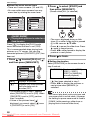
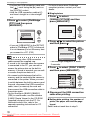
∫ About the menu screen items
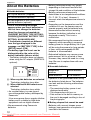
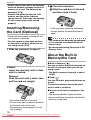
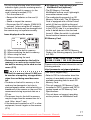
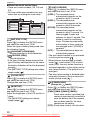
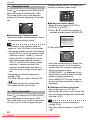
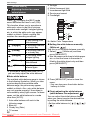
• There are 3 menu screens (1/3, 2/3 and
3/3).
• You can switch menu screens from any
menu item by rotating the zoom lever.
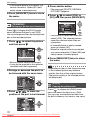
1 /3
SETUP
BATTERY TYPE
CLOCK SET
MONITOR
AUTO REVIEW
POWER SAVE
SETUP
SETUP
n0 NO.RESET
1SEC.RESET
OFF USB MODE
EXIT
SELECT
2/3
BEEP
3/3
SCENE MENU
AUTO
LANGUAGE
ENG
PC
MENU
VIDEO OUT
SELECT
NTSC
EXIT
MENU
SELECT
EXIT
MENU
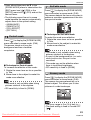
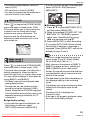
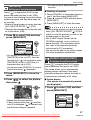
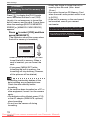
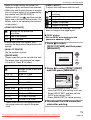
[BATTERY TYPE]
Press [ SET ] to display the [SETUP] menu
and select the item to set. (P19)
Select the type of battery being used from
the following 2 types.
[
ALKALINE (LR6)/Ni-MH]:
Alkaline batteries or Ni-MH batteries
[
OXYRIDE (ZR6)]:
Oxyride batteries
• If the type of battery being used and the
type of battery selected are not the same,
the battery indication will not be displayed
correctly.
• The [BATTERY TYPE] setting also affects
simple mode [ ].
MENU
[CLOCK SET]
Press [ SET ] to display the [SETUP] menu
and select the item to set. (P19)
Change date and time. (P18)
MENU
[MONITOR]
Press [ SET ] to display the [SETUP] menu
and select the item to set. (P19)
Adjust the brightness of the LCD monitor in
7 steps.
• The [MONITOR] setting also affects
simple mode [ ].
MENU
20
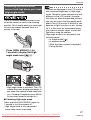
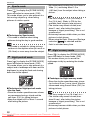
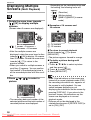
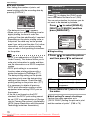
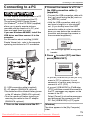
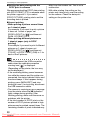
[AUTO REVIEW]
Press [ SET ] to display the [SETUP] menu
and select the item to set. (P19)
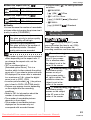
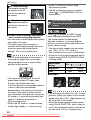
[1SEC.]: The recorded picture
automatically appears on the
screen for about 1 second.
[3SEC.]: The recorded picture
automatically appears on the
screen for about 3 seconds.
[ZOOM]: The recorded picture
automatically appears on the
screen for about 1 second. It is
then enlarged 4 times and
appears for about 1 second. This
mode is useful for confirming
focus. Pictures recorded using
auto bracket or burst mode are
not enlarged even if [ZOOM] is
selected.
[OFF]: The recorded picture does not
automatically appear.
• The auto review function is not activated
in motion picture mode [
].
• When pictures are recorded in simple
mode [ ], auto bracket (P43) or burst
mode (P45), the auto review function is
activated regardless of the setting on the
auto review function. (The picture is not
enlarged.)
• The auto review setting is disabled when
using auto bracket or burst mode and in
motion picture mode [
].
MENU
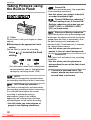
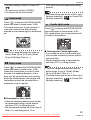
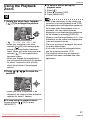
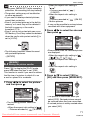
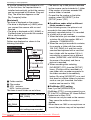
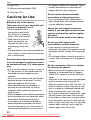
[POWER SAVE]
(Except for
mode)
Press [ SET ] to display the [SETUP] menu
and select the item to set. (P19)
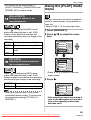
[1MIN.]/[2MIN.]/[5MIN.]/[10MIN.]:
Power save mode is activated (the
camera is automatically turned off to
save the battery life) if the camera
has not been used for the time
selected on the setting.
[OFF]: Power save mode is not activated.
MENU
Downloaded
From camera-usermanual.com Panasonic Manuals
VQT0V10