1
1. Introduction
Institutional Context
Established in 1935 by the University of Michigan Regents, the Bentley Historical Library serves as the
official archives of the university and documents the history of the state of Michigan and the activities of
its people, organizations and voluntary associations. The library has successfully managed and
preserved digital content since the 1997 accession of former University President James J. Duderstadt’s
digital desktop. Given the steep increase in born digital and digitized content accessioned by the library
in recent years, archivists have sought more efficient and standardized processing procedures. The
Andrew W. Mellon Foundation-funded MeMail Project (2010-2011) provided the library with resources
to establish a workflow and corresponding policies for the ingest and processing of archival email, but a
similar solution was needed for mixed digital content (i.e. Office documents, PDFs, audio and video files,
images, etc.). Archivists in the library’s Digital Curation Division have advanced the work of the MeMail
Project in developing the AutomatedProcessor (or AutoPro), a series of inter-dependent Windows shell
scripts that automate key steps in preparing digital content for long-term preservation and access.
Digital Processing as a Concept and Approach at the Bentley Library
Archival processing in the digital era requires traditional steps such as appraisal, arrangement, and
description in addition to procedures that ensure the authenticity, integrity, and security of content.
“Digital processing” therefore corresponds to the “generate AIP” function of the Open Archival
Information System (OAIS) Reference Model’s Ingest entity. After a Submission Information Package
(SIP) has been assigned an accession record, digital processing permits archivists to assume intellectual
control, establish the integrity of materials, and perform preservation events (i.e. scans for viruses and
personally identifiable information, conversion to preservation formats, recording of descriptive and
technical metadata, etc.) that transform the SIP into an Archival Information Package (AIP).
Bentley archivists initially developed a manual workflow with more than 40 discrete steps that required
the operation of numerous stand-alone applications and saving tool output to various log files. In
addition to being highly labor intensive and introducing numerous opportunities for operator error, this
approach was daunting for staff without technical expertise. Given these challenges, the Division of
Digital Curation developed AutoPro to:
(1) Make digital processing more efficient by automating key workflow steps.
(2) Reduce technical barriers and thereby permit archivists to focus their energies on the traditional
archival functions of appraisal, arrangement, and description.
Overview of the Automated Processing Workflow
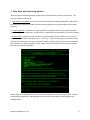
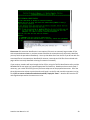
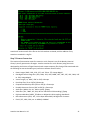
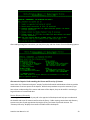
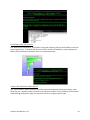
AutoPro is comprised of more than 30 Windows CMD.EXE and Visual Basic scripts that move content
through a nine step workflow and thereby simplify the operation of more than 20 applications and
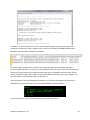
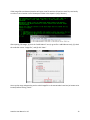
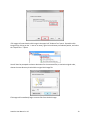
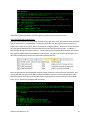
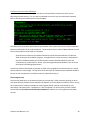
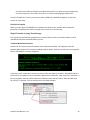
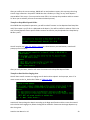
command line utilities. The Windows Command Prompt and Explorer windows function as the main
interfaces, a feature that may be unique to staff more familiar with Graphical User Interfaces (see
AutoPro User Manual v. 3.0
1