1
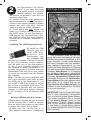
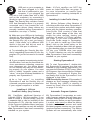
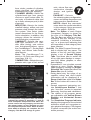
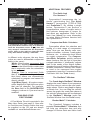
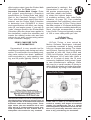
Drop-Down Component Menu ADDITIONAL FEATURES The Quick And Pro Iterators™ 9 Dynomation-5 incorporates the “ultimate” rapid-testing tool. The Quick Iterator™ (pronounced IT-TER-A-TOR) and ProIterator™. By clicking a single button, Dynomation-5 can perform a comprehensive series of engine tests to find optimum horsepower or torque for just about any application. Refer to the main User Manual for more information on using Motion Software Iterators built into Dynomation-5. A component box with a white background will permit direct numeric entry or a selection from the drop-down menu. A gray box will only accept a selection from the drop-down menu. Click on the red-X to close the dataentry box without making a selection. in different color schemes, the way these colors are used to differentiate component fields is the same): White: Most engine component field labels are displayed in white. This indicates that these fields contain data that is required in order for a simulation to be performed. Orange: Data in component fields that is displayed in orange indicates that these values are automatically calculated by program and cannot be directly altered. Light Blue (Cyan): All engine components displayed in light blue are specs that can be changed. For example, the Bore field in the SHORTBLOCK category is shown in Cyan and can be modified. BUILDING YOUR FIRST ENGINE A Five-Minute Tutorial is provided in the Main User Guide (see page 2). Also refer to OverView and Feature videos that may be supplied on the CD and are always available at: www.MotionSoftware.com. Compression-Ratio Calculator Dynomation allows the selection and testing of a wide range of compression ratios. Now you can directly enter combustion-chamber volumes, head-gasket thickness, etc., to determine their effects on engine compression. The Compression-Ratio Calculator quickly performs these functions. But this tool is more than a simple calculator, it “intelligently” adjusts itself to the needs of the engine builder, changing the way it functions depending on whether combustion volumes are known or need to be measured from engine components (open the Compression-Ratio Calculator from the Tools menu). The SimData™ Window The Crank-Angle SimData™ Window displays the exact values of port pressures and flow rates at various rpm and crankangle values. Click on any graph to display a reticule line. You can drag the reticule across the graph; the exact data values at the reticule intersections will be displayed in the SimData™ Window (open the SimData Window from the Tools menu). Rocker-Math™ Calculator The Camshaft Category includes a powerful Rocker-Math™ Calculator that will help you determine how and why changes in Rocker Ratio and Valve Lash