1
PumpView User Manual
6
Configuring the System
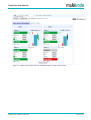
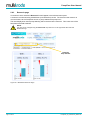
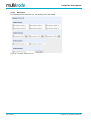
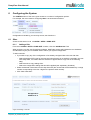
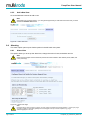
The CONFIG section of the menu gives access to a number of configuration options.
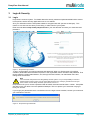
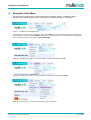
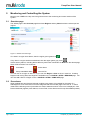
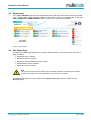
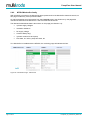
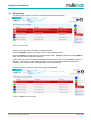
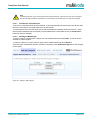
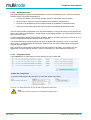
For example, the menu used for configuring Sites is as accessed as follows:
Configuration is limited by your security access, see Section 3.2.
6.1
Sites
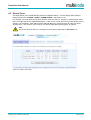
Access to this section is via > CONFIG > SITES > PUMP SITE
6.1.1
Adding a Site
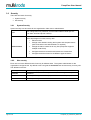
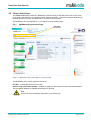
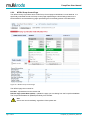
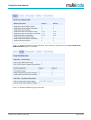
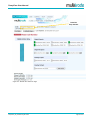
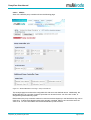
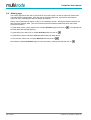
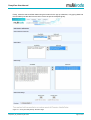
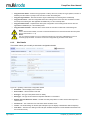
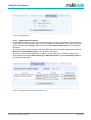
From the > CONFIG > SITES > PUMP SITE location, click the “Add New Site” Tab
When supplying you with new PumpView hardware, MultiTrode support will initialise the new hardware
and allocate it to your pool of available sites to add to your system configuration.
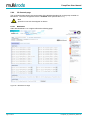
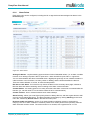
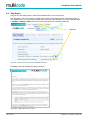
To add a new site:
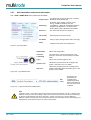
• If you wish to copy any of the configuration of an already configured site to the new site then:
o
Select the desired RTU type for the new site (noting that this is not explicitly recorded in the new
site's setup data, it is used to alter the selection of typical sites to copy from in the following
step).
o
Select the site to copy settings from.
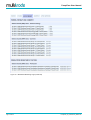
o Select the configuration settings that should be applied (see explanatory list below)
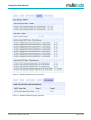
• Select the desired unused site from the drop down list (the unused site will be identified by a 4 digit
number corresponding to the first 4 digits in the product serial number).
• Click "Add a New Site"
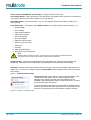
Not Applicable to
MultiSmart v1.5+
Figure 38 Adding a new site
PumpView_V5_UserManual_R05-0.doc
Page 37 of 54