1
Contents
1. Product Introduction .................................................... 4
1.1 General Information.................................................................................................... 4
1.2 Protocol ......................................................................................................................... 4
1.3 Hardware Specification .............................................................................................. 5
1.4 Software Specification ............................................................................................... 5
1.5 List of the Package ...................................................................................................... 5
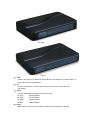
1.6 Appearance ................................................................................................................... 6
2. Connection ...................................................................... 8
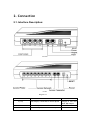
2.1. Interface Description: ..................................................................................................... 8
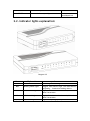
2.2. Indicator lights explanation: .................................................................................... 9
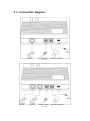
2.3. Connection diagram: ............................................................................................... 10
3. Configuration ................................................................ 12
3.1. Factory setting parameters: .................................................................................. 12
3.2. Log on to the Gateway ............................................................................................ 12
3.2.1. Get IP .................................................................................................................. 12
3.2.2. Open browser and input IP .................................................................................... 13
3.3 Gateway Configuration ............................................................................................. 15
3.3.1. User options....................................................................................................... 16
3.3.2. Network Configuration .................................................................................... 18
3.3.3. Call Setting ........................................................................................................ 20
3.3.3.1. H.323 ........................................................................................................... 20
3.3.3.1.1 Configuration mode ............................................................................ 22
3.3.3.1.2. Encryption........................................................................................... 22
3.3.3.2. H.323 Advanced Setting ........................................................................... 23
3.3.3.3. SIP Protocol ................................................................................................ 24
3.3.3.3.1. Configuration Mode ........................................................................... 26
3.3.3.3.2. SIP Advanced Configuration ............................................................. 27
3.3.3.3.3. Media Advanced Configuration ........................................................ 28
3.3.3.4. Firewall Traversal...................................................................................... 30
3.3.3.4.1. H.323 Signaling NAT Traversal ......................................................... 30
3.3.3.4.2. SIP Signaling NAT Traversal .............................................................. 31
3.3.3.4.3. Media NAT Traversal .......................................................................... 32
3.3.4. Phone Settings ................................................................................................... 33
3.3.5. Save Changes ..................................................................................................... 33
3.3.6. Abandon changes .............................................................................................. 34
4. Tools ................................................................................ 34
4.1. Online Upgrade......................................................................................................... 34