1
Appendix G. Defining a Custom Irrigation
Period
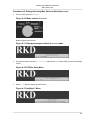
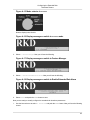
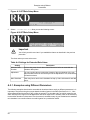
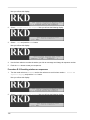
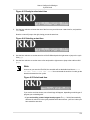
You can change the standard irrigation window in the RKD that runs from 12:00 AM to 12:00 AM. This has
two effects:
1. The entire water cycle will start when your irrigation period starts. If this is different from 12:00 AM, please
be aware that:
• Programs will start running on the first start time after your irrigation period starts. This can potentially
lead to a bit of confusion where programs leap into days you wouldn't think they should be running, or
start running before they normally would.
Important
The irrigation period normally starts at midnight, but if you move the start into the PM
window, your period starts earlier. Moving the start into the AM window will start the period
later.
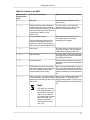
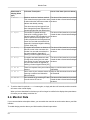
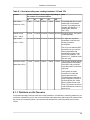
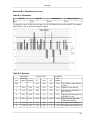
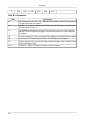
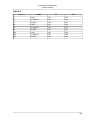
Example G.1. Skewed days with custom irrigation periods
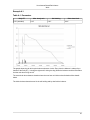
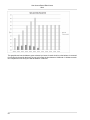
Consider a program with four start times: 02:00 AM, 05:00 AM, 06:00 PM and 11:00 PM that runs on
odd days.
If your irrigation period starts at 08:00 PM and runs to 08:00 PM, here's how the program could run:
Date
Start time
Action
September 2.
11:00 PM
Runs despite the even date - your
irrigation period has started earlier
than midnight.
September 3.
02:00 AM
Runs as expected.
September 3.
05:00 AM
Runs as expected.
September 3.
06:00 PM
Runs as expected.
September 3.
11:00 PM
Will not run despite the odd date
- your irrigation window has
closed.
...
...
...
• All ET calculations are based on the irrigation period, be it the standard one or your custom period.
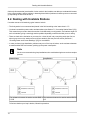
2. You can define a "non-water" window by not letting the period span 24 hours. If you define the start to
06:00 PM and the end to 08:00 AM no programs or stations will be started between 08:00 AM and 06:00
PM.
Note
You can still run both stations and programs manually in the non-water window.
167