1
Allied Diagnostic Application
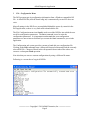
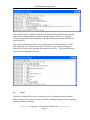
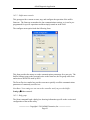
Notice that all entries, with the exception of the open and close notification are tagged
with the time. Informational messages are preceded with an asterisk (*); outgoing
messages as preceded with the right arrow Æ and incoming are preceded with the left
arrow symbol Å
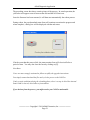
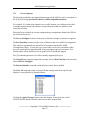
Note in the preceding figure that we were connected to a NeXGen (Ethernet). In the
following figure we are connected to an SSC (Serial). Notice that each message is
followed by an entry of the opposing direction with an <ACK>. This signifies that the
receiver acknowledged the message.
6.4
Reset
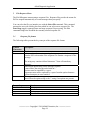
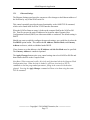
The Reset command allows one to clear the trace file or restart the tracing operation.
When tracing is active, the user is pestered with a confirming dialog box before stopping,
clearing, and then re-starting.
────────── Copyright © 2014 Allied Electronics, Inc. ───────────
Page 17