1
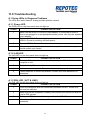
11.0 Troubleshooting
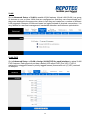
A.1 Using LEDs to Diagnose Problems
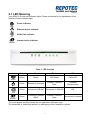
The LEDs are useful aides for finding possible problem causes.
A.1.1 Power LED
The PWR LED on the front panel does not light up.
STEPS
CORRECTIVE ACTION
1
Make sure that ADSL2+ Router’s power adaptor is connected to ADSL2+
Router and plugged in to an appropriate power source. Use only the supplied
power adaptor.
2
Check that ADSL2+ Router and the power source are both turned on and
ADSL2+ Router is receiving sufficient power.
3
Turn the ADSL2+ Router off and on.
4
If the error persists, you may have a hardware problem. In this case, you
should contact your vendor.
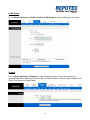
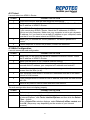
A.1.2 LAN LED
The LAN LED on the front panel does not light up.
STEPS
CORRECTIVE ACTION
1
Check the Ethernet cable connections between your ADSL2+ Router and the
computer or hub.
2
Check for faulty Ethernet cables.
3
Make sure your computer’s Ethernet card is working properly.
4
If these steps fail to correct the problem, contact your local distributor for
assistance.
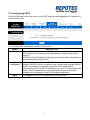
A.1.3 DSL LED ( ACT & LINK)
The DSL LED on the front panel does not light up.
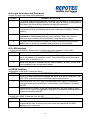
STEPS
CORRECTIVE ACTION
1
Check the telephone wire and connections between ADSL2+ Router DSL
port and the wall jack.
2
Make sure that the telephone company has checked your phone line and set
it up for DSL service.
3
Reset your ADSL line to reinitialize your link to the DSLAM.
4
If these steps fail to correct the problem, contact your local distributor for
assistance.
60