1
CHAPTER 9
SPEAKER
NOTE: When SOUN D is used with a time parameter,
program execution is suspended until it is timed
out.
DESCRIPTION
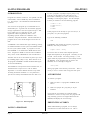
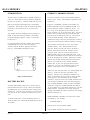
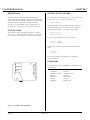
Pin 16 on the card edge connector is the speaker output
from the 64180 C PU c hip. This por t can be used to
drive a sp eaker. The SO UN D com mand is use d to
generate a frequency.
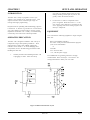
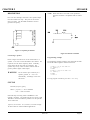
Figure 9-1 Speaker pin location
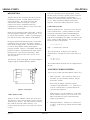
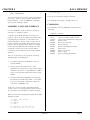
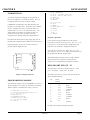
Figure 9-2 Interface schematic
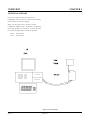
Connecting a speaker
Program ming ex ample
Refer to figure 9-2 below for circuit connections to a
speaker. T he series resistor determines the volume. the
Capacitor sets the lower frequency limit. Generally,
values from 100 uF to 470 uF ar e adequate. The
speaker may be any value but those with 50 ohms or
greater produc e higher s ound output.
WARNING:
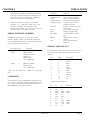
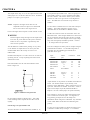
The following example produces tones from 200 to 5000
hz and back dow n again in 500 hz increm ents.
10
20
30
40
50
60
70
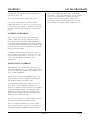
Do not connect pin 16 directly to a
speaker, ground, or + 5V, even
momentarily, as damage to the CPU
will result.
FOR N = 200 TO 5000 STEP 500
SOUND N,.5
NEXT
FOR N = 5000 TO 200 STEP -500
SOUND N,.5
NEXT
GOTO 10
To stop program execution, press the < esc> key.
SYNTAX
SOUND frequency[,time]
Where: frequency = 20 to 15000 Hz
time = time in seconds
SOUN D stops executing when CAM BASIC is not
running a progr am. The outpu t will be at frequency until
SOUND is executed without a parameter or the optional
time is timed out.
frequency is not exact. It is, however, accurate enough
for most alar m or aud io feedback applications.
RPC-150
Page 21