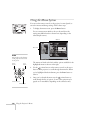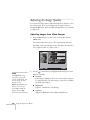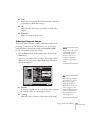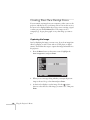
1
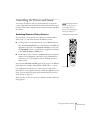
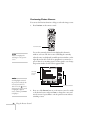
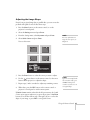
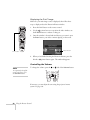
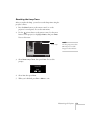
EPSON PowerLite 7850p
Multimedia Projector
®
®
User’s Guide
Important Safety Information
WARNING: Never look into the projector lens when the lamp is turned on; the bright light can damage your eyes.
Never let children look into the lens when it is on. Never open any cover on the projector, except the lamp and
filter covers. Dangerous electrical voltages inside the projector can severely injure you. Except as specifically
explained in this User’s Guide, do not attempt to service this product yourself. Refer all servicing to qualified service
personnel.
WARNING: The projector and its accessories come packaged in plastic bags. Keep plastic bags away from small
children to avoid any risk of suffocation.
Caution: When you replace the lamp, never touch the new lamp with your bare hands; the invisible residue left by
the oil on your hands may shorten the lamp life. Use a cloth or glove to handle the new lamp.
Copyright Notice
All rights reserved. No part of this publication may be reproduced, stored in a retrieval system, or transmitted in
any form or by any means, electronic, mechanical, photocopying, recording, or otherwise, without the prior
written permission of SEIKO EPSON CORPORATION. The information contained herein is designed only for
use with this EPSON product. EPSON is not responsible for any use of this information as applied to other
products.
Neither SEIKO EPSON CORPORATION nor its affiliates shall be liable to the purchaser of this product or third
parties for damages, losses, costs, or expenses incurred by purchaser or third parties as a result of: accident, misuse,
or abuse of this product or unauthorized modifications, repairs, or alterations to this product, or (excluding the
U.S.) failure to strictly comply with SEIKO EPSON CORPORATION’s operating and maintenance instructions.
SEIKO EPSON CORPORATION shall not be liable for any damages or problems arising from the use of any
options or any consumable products other than those designated as Original EPSON Products or EPSON
Approved Products by SEIKO EPSON CORPORATION.
EPSON is a registered trademark, and EasyManagement, EasyMP, Quick Corner, and Wall Shot are trademarks
of SEIKO EPSON CORPORATION.
EPSON Connection, EPSON Store, and Extra Care are service marks; SizeWise is a trademark; and PrivateLine,
Presenters Club, and PowerLite are registered trademarks of Epson America, Inc.
Pixelworks, DNX, and the DNX logo are trademarks of Pixelworks, Inc.
General Notice: Other product names used herein are for identification purposes only and may be trademarks of
their respective owners. EPSON disclaims any and all rights in those marks.
© 2003 by Epson America, Inc.
12/03
CPD-16397R2
2
Contents
Welcome . . . . . . . . . . . . . . . . . . . . . . . . . . . . . . . . . . . . . . 9
Using Your Documentation . . . . . . . . . . . . . . . . . . . . . . . . . 10
Getting More Information . . . . . . . . . . . . . . . . . . . . . . . 10
Registration and Warranty . . . . . . . . . . . . . . . . . . . . . . . . . . 11
Unpacking the Projector. . . . . . . . . . . . . . . . . . . . . . . . . . . . 12
Additional Components. . . . . . . . . . . . . . . . . . . . . . . . . 13
Optional Accessories . . . . . . . . . . . . . . . . . . . . . . . . . . . 14
1
2
Displaying and Adjusting the Image . . . . . . . . 15
Positioning the Projector . . . . . . . . . . . . . . . . . . . . . . . . . . . 16
Projecting the Image. . . . . . . . . . . . . . . . . . . . . . . . . . . . . . . 18
Turning on the Projector . . . . . . . . . . . . . . . . . . . . . . . . 18
Selecting the Image Source. . . . . . . . . . . . . . . . . . . . . . . 20
Troubleshooting Display Problems. . . . . . . . . . . . . . . . . . . . 21
You Can’t Project an Image . . . . . . . . . . . . . . . . . . . . . . 21
The Projector and Laptop Don’t Display
the Same Image . . . . . . . . . . . . . . . . . . . . . . . . . . . . 21
Adjusting the Image . . . . . . . . . . . . . . . . . . . . . . . . . . . . . . . 24
Focusing and Zooming Your Image . . . . . . . . . . . . . . . . 24
Adjusting the Height of Your Image . . . . . . . . . . . . . . . 25
Adjusting the Image Shape. . . . . . . . . . . . . . . . . . . . . . . 26
Correcting Computer Images. . . . . . . . . . . . . . . . . . . . . 28
Shutting Down the Projector . . . . . . . . . . . . . . . . . . . . . . . . 29
Using the Remote Control . . . . . . . . . . . . . . . . . . . 31
Activating and Using the Remote Control . . . . . . . . . . . . . . 32
Using the Navigation Buttons . . . . . . . . . . . . . . . . . . . . 33
Replacing the Batteries . . . . . . . . . . . . . . . . . . . . . . . . . 34
3
Controlling the Picture and Sound. . . . . . . . . . . . . . . . . . . . 35
Switching Between Picture Sources . . . . . . . . . . . . . . . . 35
Previewing Picture Sources . . . . . . . . . . . . . . . . . . . . . . 36
Adjusting the Image Shape. . . . . . . . . . . . . . . . . . . . . . . 37
Turning Off the Picture and Sound . . . . . . . . . . . . . . . 38
Stopping Action. . . . . . . . . . . . . . . . . . . . . . . . . . . . . . . 38
Zooming Your Image. . . . . . . . . . . . . . . . . . . . . . . . . . . 39
Displaying a Picture-in-Picture Video . . . . . . . . . . . . . . 39
Controlling the Volume. . . . . . . . . . . . . . . . . . . . . . . . . 40
Highlighting Your Presentation . . . . . . . . . . . . . . . . . . . . . . 41
Using the Pointer Tool . . . . . . . . . . . . . . . . . . . . . . . . . 41
Customizing the Pointer Tools . . . . . . . . . . . . . . . . . . . 42
Projecting Images Without a Screen . . . . . . . . . . . . . . . . . . . 43
Making Initial Color Corrections. . . . . . . . . . . . . . . . . . 43
Adjusting Color Corrections for a New Surface . . . . . . . 44
Operating Your Computer with the Remote Control . . . . . . 44
Enabling Password Protection . . . . . . . . . . . . . . . . . . . . . . . 45
Starting the Projector with a Password . . . . . . . . . . . . . . 47
3
Connecting to Computers, Cameras, and
Other Equipment . . . . . . . . . . . . . . . . . . . . . . . . . . . . 49
Connecting to a Computer . . . . . . . . . . . . . . . . . . . . . . . . . 50
Connecting to the Computer Port . . . . . . . . . . . . . . . . . 51
Connecting to the BNC Connectors . . . . . . . . . . . . . . . 53
Connecting to the DVI Port . . . . . . . . . . . . . . . . . . . . . 54
Using the Macintosh Desktop Adapter . . . . . . . . . . . . . 55
Connecting the Cable for Remote Mouse Control . . . . 56
Connecting an External Monitor . . . . . . . . . . . . . . . . . . . . . 57
Connecting to Video Equipment . . . . . . . . . . . . . . . . . . . . . 58
Connecting a Composite Video Source . . . . . . . . . . . . . 59
Connecting an S-Video Source . . . . . . . . . . . . . . . . . . . 60
Connecting a Component Video Source . . . . . . . . . . . . 61
Connecting an RGB Video Source. . . . . . . . . . . . . . . . . 62
Connecting to a Digital Camera. . . . . . . . . . . . . . . . . . . . . . 64
Removing the USB Cable . . . . . . . . . . . . . . . . . . . . . . . 64
4
Playing Sound Through the Projector. . . . . . . . . . . . . . . . . . 65
Connecting Audio Equipment to the Projector . . . . . . . 65
Connecting External Speakers . . . . . . . . . . . . . . . . . . . . 66
4
5
Presenting Through a Wireless Network . . . . 67
Starting EasyMP . . . . . . . . . . . . . . . . . . . . . . . . . . . . . . . . . . 68
Configuring the Connection. . . . . . . . . . . . . . . . . . . . . . . . . 70
Using Ad Hoc Mode . . . . . . . . . . . . . . . . . . . . . . . . . . . 70
Using Access Point Mode . . . . . . . . . . . . . . . . . . . . . . . 77
Projecting Wirelessly. . . . . . . . . . . . . . . . . . . . . . . . . . . . . . . 89
Using the Control Bar . . . . . . . . . . . . . . . . . . . . . . . . . . 94
Connecting in IP Connect Mode . . . . . . . . . . . . . . . . . . 95
Switching Between Users . . . . . . . . . . . . . . . . . . . . . . . 98
Removing the Wireless 802.11b Card. . . . . . . . . . . . . . . . . . 99
Presenting from a Memory Card
or Digital Camera . . . . . . . . . . . . . . . . . . . . . . . . . . 101
Creating a Scenario . . . . . . . . . . . . . . . . . . . . . . . . . . . . . . 102
Converting a PowerPoint File to a Scenario . . . . . . . . . 102
Creating a Scenario from Scratch . . . . . . . . . . . . . . . . . 104
Transferring Your Scenario to a Memory Card . . . . . . . . . . 111
Inserting the Memory Card in the Projector . . . . . . . . . . . . 113
Removing the Card . . . . . . . . . . . . . . . . . . . . . . . . . . . 114
Presenting Scenarios . . . . . . . . . . . . . . . . . . . . . . . . . . . . . . 115
Controlling Your Presentation . . . . . . . . . . . . . . . . . . . 116
Editing Your Scenario on the Projector . . . . . . . . . . . . 116
Creating a Slideshow on the Fly . . . . . . . . . . . . . . . . . . . . . 118
Displaying the Slideshow . . . . . . . . . . . . . . . . . . . . . . . 118
Changing Timing and Other Settings . . . . . . . . . . . . . 119
Presenting Image Files on Your Digital Camera . . . . . . . . . 120
5
6
7
6
Using the Projector’s Menus . . . . . . . . . . . . . . . . 123
Using the Menu System . . . . . . . . . . . . . . . . . . . . . . . . . . . 124
Restoring the Default Settings . . . . . . . . . . . . . . . . . . . 125
Adjusting the Image Quality. . . . . . . . . . . . . . . . . . . . . . . . 126
Adjusting Images from Video Sources . . . . . . . . . . . . . 126
Adjusting Computer Images . . . . . . . . . . . . . . . . . . . . 127
Adjusting the Image Size, Shape, and Position . . . . . . . . . . 129
Adjusting the Color . . . . . . . . . . . . . . . . . . . . . . . . . . . . . . 130
Adjusting the Sound. . . . . . . . . . . . . . . . . . . . . . . . . . . . . . 131
Creating Your Own Startup Screen . . . . . . . . . . . . . . . . . . 132
Capturing the Image . . . . . . . . . . . . . . . . . . . . . . . . . . 132
Choosing When to Display the Image . . . . . . . . . . . . 134
Controlling Multiple Projectors . . . . . . . . . . . . . . . . . . . . . 135
Setting the Projector ID. . . . . . . . . . . . . . . . . . . . . . . . 135
Changing the Remote Control ID . . . . . . . . . . . . . . . . 136
Customizing Projector Features . . . . . . . . . . . . . . . . . . . . . 137
Image Setup Options . . . . . . . . . . . . . . . . . . . . . . . . . . 137
Remote Monitoring Setup Options . . . . . . . . . . . . . . . 138
Miscellaneous Setup Options. . . . . . . . . . . . . . . . . . . . 139
Managing Projectors
. . . . . . . . . . . . . . . . . . . . . . . 141
Connecting and Configuring the Projector
on a Wired Network . . . . . . . . . . . . . . . . . . . . . . . . . . 142
Using EMP Monitor . . . . . . . . . . . . . . . . . . . . . . . . . . . . . 144
Opening and Closing EMP Monitor . . . . . . . . . . . . . . 144
Registering a Projector . . . . . . . . . . . . . . . . . . . . . . . . . 145
Monitoring Your Projectors . . . . . . . . . . . . . . . . . . . . . 147
Controlling Your Projectors . . . . . . . . . . . . . . . . . . . . . 149
Configuring the Monitoring Interval . . . . . . . . . . . . . . 151
Using E-mail Alerts . . . . . . . . . . . . . . . . . . . . . . . . . . . . . . 152
Understanding the Notification Messages. . . . . . . . . . . . . . 155
Using a Browser to Monitor Projectors. . . . . . . . . . . . . . . . 156
Using Projector Groups . . . . . . . . . . . . . . . . . . . . . . . . . . . 158
Creating a Group . . . . . . . . . . . . . . . . . . . . . . . . . . . . . 158
Connecting to a Projector in a Group . . . . . . . . . . . . . 161
Exporting a Projector Group . . . . . . . . . . . . . . . . . . . . 163
Importing a Projector Group . . . . . . . . . . . . . . . . . . . . 165
8
Maintaining the Projector . . . . . . . . . . . . . . . . . . 167
9
Solving Problems
Cleaning the Lens . . . . . . . . . . . . . . . . . . . . . . . . . . . . . . . . 168
Cleaning the Projector Case . . . . . . . . . . . . . . . . . . . . . . . . 168
Cleaning the Air Filters and Vents . . . . . . . . . . . . . . . . . . . 169
Replacing the Lamp and Air Filters. . . . . . . . . . . . . . . . . . . 170
Resetting the Lamp Timer . . . . . . . . . . . . . . . . . . . . . . 173
Transporting the Projector . . . . . . . . . . . . . . . . . . . . . . . . . 174
. . . . . . . . . . . . . . . . . . . . . . . . . . . 175
Using On-Screen Help . . . . . . . . . . . . . . . . . . . . . . . . . . . . 176
Checking Projector Status. . . . . . . . . . . . . . . . . . . . . . . . . . 177
What To Do When the Lights Flash . . . . . . . . . . . . . . 177
Viewing Lamp Usage and Other Information . . . . . . . 179
Solving Problems with the Image or Sound . . . . . . . . . . . . 180
Solving EasyManagement Problems . . . . . . . . . . . . . . . . . . 186
Solving Problems with the Remote Control . . . . . . . . . . . . 190
Where To Get Help . . . . . . . . . . . . . . . . . . . . . . . . . . . . . . 191
Telephone Support Services . . . . . . . . . . . . . . . . . . . . . 191
7
A
Software Installation . . . . . . . . . . . . . . . . . . . . . . . 193
Windows System Requirements . . . . . . . . . . . . . . . . . . . . . 193
Macintosh System Requirements . . . . . . . . . . . . . . . . . . . . 194
Installing the Software on a Windows System . . . . . . . . . . 195
Installing the Software on a Macintosh. . . . . . . . . . . . . . . . 196
B
Projector Installation . . . . . . . . . . . . . . . . . . . . . . . 199
Installation Guidelines . . . . . . . . . . . . . . . . . . . . . . . . . . . . 199
C
Technical Specifications . . . . . . . . . . . . . . . . . . . . 201
D
Notices . . . . . . . . . . . . . . . . . . . . . . . . . . . . . . . . . . . . . . 207
Important Safety Instructions . . . . . . . . . . . . . . . . . . . . . . . 207
Remote Control Information . . . . . . . . . . . . . . . . . . . . . . . 209
Declaration of Conformity . . . . . . . . . . . . . . . . . . . . . . . . . 210
FCC Compliance Statement. . . . . . . . . . . . . . . . . . . . . . . . 211
Warranty . . . . . . . . . . . . . . . . . . . . . . . . . . . . . . . . . . . . . . 212
Index . . . . . . . . . . . . . . . . . . . . . . . . . . . . . . . . . . . . . . . . 215
8
-
Welcome
The EPSON
® PowerLite®
7850p is an easy-to-use, lightweight
projector that offers up to 3500 lumens of brightness and a 700:1
contrast ratio for incredibly vivid images and clear text.
Versatility
You can connect it to a wide range of computers and video sources, or
you can project over an 802.11b wireless network or a wired LAN
network. You can even store your presentation on a memory card for a
computer-free presentation.
Ease of use
The projector’s keystone correction feature automatically corrects
image distortion, and EPSON’s unique Wall Shot™ function lets you
project against blackboards and colored walls without loss of image
color, regardless of ambient lighting. If space is limited, you can
project against a surface less than two and one-half feet away.
Complete control
Use the remote control to take charge of your presentation. Freeze the
action, zoom in on part of the picture, or display a picture-in-picture
video. Use the remote as a pointer, or to draw on the screen. You can
even use it in place of your computer’s mouse to control your
computer and change slides in MicroSoft® PowerPoint.®
EasyManagement™
With the projector’s EasyManagement system, you can use a
Windows® PC to remotely monitor and control the projector over a
network.
Security
To prevent unauthorized use, you can assign the projector a password,
thus preventing unauthorized persons from using it.
Welcome 9
Using Your Documentation
This book contains all the information you need to set up and use
your projector. Please follow these guidelines as you read through it:
■
Warnings must be followed carefully to avoid bodily injury.
■
Cautions must be observed to avoid damage to your equipment.
■
Notes contain important information about your projector.
■
Tips contain additional projection hints.
Getting More Information
Need tips on giving presentations? Quick steps for setting up your
projector? Here’s where you can look for help:
■
presentersonline.com
Includes a library of articles covering presentation tips, tricks, and
technology. The site provides templates, clip art and sound clips,
as well as Presenters Services to use on the road. Even more
resources and services are available if you register to join the
Presenters Club®—and it’s free.
need help?
If you still need help after
checking this User’s Guide
and the sources listed to the
right, you can use the
EPSON PrivateLine
Support service to get help
fast. Call (800) 637-7661
and enter the PIN on the
card in your Start Here kit.
Or take advantage of
EPSON’s automated
support services 24 hours a
day. See page 191 for more
information.
■
Quick Setup sheet
Gives you the instructions you need to get your projector up and
running if you are connecting to a laptop, PowerBook,® or iBook®
computer.
■
Start Here kit
Includes this User’s Guide, your Quick Setup sheet, warranty
brochures, and EPSON PrivateLine® Support card. Keep the
folder with your projector at all times.
■
Built-in help system
Provides assistance for common problems. Available from the
Help button on the projector or the remote control. See page 176
for details.
■
support.epson.com
Download FAQs and e-mail your questions to EPSON support.
10
Welcome
Registration and Warranty
Your projector comes with a basic carry-in warranty as well as an
international warranty that let you project with confidence anywhere
in the world. For details, see page 212 and the warranty brochure
included in your Start Here kit.
In addition, for customers who register their projector, EPSON offers
free Extra CareSM Road Service. In the unlikely event of an equipment
failure, you won’t have to wait for your unit to be repaired. Instead,
EPSON will ship you a replacement unit anywhere in the United
States or Canada, usually via overnight delivery. See the brochure in
your Start Here kit for details.
To register, simply fill out the registration card included in your Start
Here kit and mail it to EPSON. Or you can register online at
http://epsonwebreg.info2.net/. Registering also lets you receive special
updates on new accessories, products, and service.
Welcome 11
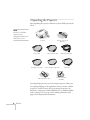
Unpacking the Projector
After unpacking the projector, make sure you have all the parts shown
below:
note
You won’t need all these
components; your
configuration will determine
which ones you need.
Projector
Power cable
RCA-style video cable
Remote control and
batteries
VGA computer cable
Stereo mini-jack audio cable
802.11b wireless card
RCA-style audio cable
USB cable
Projector software
CD-ROM
Save all packaging in case you need to ship the projector. Always use
the original packaging (or the equivalent) when you need to send the
projector to another location. If you are moving the projector by
hand, use a carrying case (either an EPSON case or something similar,
such as a laptop case). See page 14 for ordering information, and
page 174 for transportation instructions.
12
Welcome
Additional Components
Depending on how you plan to use the projector, you may need
additional components:
■
To receive an S-video signal, you’ll need an S-video cable. One
may be provided with your video equipment, or you can purchase
one from EPSON; see page 14.
■
To receive a component video signal from a VCR or other video
device, you’ll need a component video cable.
■
Some older PowerBooks® and Macintosh® desktop models may
need the Macintosh desktop adapter set shown on page 55
(available from EPSON; see page 14.) Older iMac® systems may
need a special adapter to provide a VGA output port; see your
computer dealer.
Welcome 13
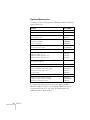
Optional Accessories
To enhance your use of the projector, EPSON provides the following
optional accessories:
Product
Part number
Replacement lamp and air filters
V13H010L22
Air filter replacement set
V13H134A01
ATA molded hardshell case
ATA shipping case
ELPKS48
ELPKS46
Ceiling mount
Suspension adapter
False ceiling plate
ELPMB40
ELPMBAPL
ELPMBFCP
Middle Throw Zoom Lens
Long Throw Zoom Lens
V12H004M03
V12H004L05
Kensington® security lock
ELPSL01
Projection screens:
50-inch portable screen
60-inch portable pop-up screen
80-inch portable pop-up screen
ELPSC06
ELPSC07
ELPSC08
Macintosh adapter set (includes monitor adapter
and desktop adapter)
ELPAP01
Remote control cable set
V12H005C28
DVI to DVI digital video cable, 10 ft.
DVI to DFP digital video cable, 10 ft.
Component video cable, 10 ft.
S-video cable
V12H005C20
V12H005C21
ELPKC19
ELPSV01
Distribution amplifier
ELPDA01
High resolution document imager
High resolution document camera
Motion presentation camera
ELPDC02
V12H064020
ELPDC03
You can purchase these accessories from your dealer, by calling
EPSON at (800) 873-7766, or by visiting the EPSON StoreSM at
www.epsonstore.com (U.S. sales only). In Canada, please call
(800) 463-7766 for dealer referral.
14
Welcome
1
Displaying and Adjusting
the Image
W
hether you’re presenting from a computer or video equipment,
you need to follow some basic steps to display your image on the
screen.
Follow the guidelines in this chapter for:
■
Positioning the projector
■
Turning the projector on and selecting the image source
■
Troubleshooting display problems
■
Adjusting the image
■
Turning off the projector
Displaying and Adjusting the Image 15
note
Positioning the Projector
You can mount the projector
on the ceiling, or place it
behind a translucent screen
for rear projection. See
Appendix B for details.
If you’re setting up the projector yourself and it isn’t already installed
in the theater or conference room you’re using, you’ll probably want
to place it on a table in front of the screen, as shown. x art below
This lets you stand in the front of the room, face the audience, and
remain close enough to the equipment to be able to control it. Try to
leave as much space as possible between the projector and the screen to
get a good-size image.
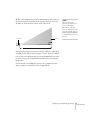
Use the figure below to help you determine placement. Image size
increases with distance, but can vary depending on how you position
the zoom ring and whether you’ve adjusted the image with other
settings.
TBD
27 to 36.5 ft
7 to 9.5 ft
2.6 to 3.5 ft
distance from screen
Also keep these considerations in mind:
16
■
Place the projector on a sturdy, level surface.
■
Make sure there is plenty of space for ventilation around and
under the projector. Do not set the projector on top of loose
papers that could block the vents under the projector.
■
Make sure the projector is within 10 feet of a grounded electrical
outlet or extension cord.
Displaying and Adjusting the Image
Ideally, you should place the projector directly in front of the center of
the screen, facing it toward the screen squarely. The base of the lens
should be at about the level of the bottom of the screen.
Projector
note
After positioning the
projector, you may want to
connect a Kensington
MicroSaver® anti-theft
device to the lock port on the
projector’s left side. You can
purchase this from EPSON;
see “Optional Accessories” on
page 14.
Screen
If you place the projector below screen level, you’ll have to tilt it up by
extending its feet. This causes the image to become “keystone” shaped,
but you can correct the distortion by pressing the Sync buttons on the
projector. See page 26 for detailed information about correcting the
image shape.
For instructions on installing the projector in a permanent location,
such as a theater or conference room, see Appendix B.
Displaying and Adjusting the Image 17
Projecting the Image
Make sure your projector and other equipment are set up as described
in Chapter 3. Then follow the instructions below to start the projector
and display an image.
Turning on the Projector
note
To shut down the projector,
see page 29. Shutting down
the projector correctly
prevents premature lamp
failure and possible damage
from overheating.
If you turn on any connected computer or video equipment before
starting the projector, this lets the projector automatically detect and
display the image source. If you turn on the projector first, or have
multiple pieces of connected equipment, you may have to select the
image source manually (see page 20).
Follow these steps to turn on the projector:
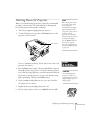
1. Remove the lens cap.
2. Plug one end of the power cable into the projector, and the other
end into a grounded electrical outlet.
3. Wait until the Ppower light stops flashing and turns orange.
Power light
18
Displaying and Adjusting the Image
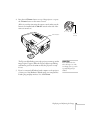
4. Press the red P Power button on top of the projector—or press
the P Power button on the remote control.
(If this is your first time using the remote control, make sure the
batteries are installed and the ON/OFF switch on the side of the
remote is turned on.)
Turn on
remote
Power button
The Ppower light flashes green as the projector warms up, and an
image begins to appear. When the Ppower light stops flashing
and remains green (in about 40 seconds) the projector is ready
for use.
5. If you’ve connected a Windows-based computer to the projector,
you may see a New Hardware Wizard saying your computer has
found a plug-and-play monitor; if so, click Cancel.
warning
Never look into the lens
when the lamp is on. This
can damage your eyes, and is
especially dangerous for
children.
Displaying and Adjusting the Image 19
Selecting the Image Source
note
To focus and adjust the
image, see page 24. If a
projected image fails to
appear, see page 21 for help.
Selecting the image source lets you switch between images input from
different pieces of equipment connected to the projector (such as a
computer or DVD player).
If you don’t see the image you want, select it using the Source
buttons either on the projector or the remote control.
The Source buttons work as follows:
note
You can also preview all
sources on one screen to help
you select the desired source
(see page 36).
■
The projector has two Source buttons. Use the Computer/DVI
button to switch between EasyMP, and between equipment
connected to the Computer and DVI ports.
Use the Video/BNC button to switch between equipment
connected to the Video, S-Video, and BNC ports.
■
The remote control has six Source buttons. Use them to switch
between equipment connected to the port identified on each
button, or select EasyMP to project wirelessly or from a memory
card.
Note that the Computer and BNC ports can be set up to use different
input signals (for example, Analog RGB or RGB Video)—so if you
have equipment connected to one of these ports, it’s important to
make sure the correct signal is selected to match the equipment you’re
using. You can change the input signal settings using the projector’s
menu system; see page 137.
20
Displaying and Adjusting the Image
Troubleshooting Display Problems
Follow these guidelines if you’re having trouble displaying an image.
You Can’t Project an Image
If you see a blank screen or a blue screen with the No Signal message,
try the following:
■
Make sure the cables are connected correctly, as described in
Chapter 3.
■
Make sure the power light is green and not flashing and the lens
cap is off.
■
If you’ve connected more than one computer and/or video source,
you may need to press one of the Source buttons on the
projector’s control panel or the remote control to select the
correct source. (Allow a few seconds for the projector to sync up
after pressing the button.)
■
If you’re using a PC laptop, press the function key on your
keyboard that lets you display on an external monitor. It may be
labelled CRT/LCD or have an icon such as
. You may have
to hold down the Fn key while pressing it. Allow a few seconds for
the projector to sync up after changing the setting.
No Signal
The Projector and Laptop Don’t Display the
Same Image
If you’re projecting from a laptop, and you can’t see your image on the
projection screen and on your computer at the same time, follow these
guidelines.
If you’re using a PC laptop:
■
On most systems, there’s a function key that lets you toggle
between the LCD screen and the projector, or display on both at
the same time. It may be labelled CRT/LCD or with an icon such
as
. You may have to hold down the Fn key while pressing
it. Allow a few seconds for the projector to sync up after changing
the setting.
Displaying and Adjusting the Image 21
■
If the function key doesn’t permit you to display simultaneously
on both screens, you should check your monitor settings to make
sure both the LCD screen and the external monitor port are
enabled.
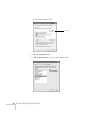
From the Control Panel, open the Display utility. In the Display
Properties dialog box, click the Settings tab, then click
Advanced. The method for adjusting the settings varies by
brand; you may need to click a Monitor tab, then make sure the
external Monitor port is set as your primary display and/or
enabled. See your computer’s documentation or online help for
details.
If you’re using Macintosh OS X:
You may need to set up your system to display on the projector screen
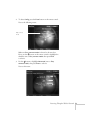
as well as the LCD screen. Follow these steps:
1. From the Apple menu, select System Preferences, then select
Displays.
2. Make sure the VGA Display dialog box is selected.
3. Click the Arrange (or Arrangement) tab.
Select the
VGA Display
dialog box
Make sure
Mirror Displays
is checked
4. Make sure the Mirror Displays checkbox is selected.
22
Displaying and Adjusting the Image
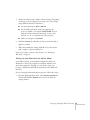
If you’re using OS 8.6 to OS 9.x:
You may need to set up your system to display on the projector screen
as well as the LCD screen. Follow these steps:
1. From the Apple menu, select Control Panels, then click
Monitors or Monitors and Sound.
2. Click the Arrange icon.
Click here
Drag one monitor
icon on top of
the other
3. Drag one monitor icon on top of the other.
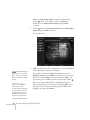
If the Arrange option isn’t available, you may need to select one of the
Simulscan resolution settings:
1. Click the Monitor icon.
Click here
Select a
Simulscan
resolution
2. Select a Simulscan resolution as shown. (Allow a few seconds for
the projector to sync up after making the selection.)
Displaying and Adjusting the Image 23
Adjusting the Image
Once you see your image, you need to make certain adjustments:
■
To focus or zoom your image, see below.
■
If the image is too high or too low, you can reposition it. See
page 25.
■
If the image isn’t square, see page 26.
■
If a computer image displays incorrectly, see page 28.
If you need to fine-tune the image and/or sound, see Chapter 4.
Focusing and Zooming Your Image
Use the focus ring on the projector to sharpen the image.
Use the zoom ring on the projector to reduce or enlarge the image.
Move the tab toward the W to increase the size, and toward the T to
decrease it.
Focus ring
Zoom ring
If the image still isn’t large enough, you may need to move the
projector farther away from the screen. You can also use the E-Zoom
buttons on the remote control to zoom in on a portion of the image.
See page 39 for instructions.
24
Displaying and Adjusting the Image
Adjusting the Height of Your Image
If the image is too low on the screen, you can use the front adjustable
foot to raise it.
1. Stand behind the projector. Press the blue foot release lever up
and lift the front of the projector.
2. Once the image is positioned where you want it, release the lever
to lock the foot in position.
3. If necessary, you can fine-tune the height or level the image by
turning the projector’s rear feet.
Raising the projector causes the image to distort or “keystone,” but
you can manually correct the shape as described in the next section.
Projector rear foot
Displaying and Adjusting the Image 25
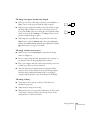
Adjusting the Image Shape
In most cases, you can maintain a square or rectangular image by
placing the projector directly in front of the center of the screen with
the base of the lens level with the bottom of the screen.
Even if the projector is slightly tilted (within a range of 40° up or
down), the projector has an automatic keystone correction function
that detects and corrects vertical keystone distortion.
Projector tilted up
Corrected image
Projector tilted down
It takes about one second after projection starts for the image to be
corrected. During this time, a vertical keystone correction gauge
appears on the screen.
If your image is still distorted, you can correct it using either of these
methods:
■
If the image has two parallel sides but is wider on one side (top,
bottom, left, or right), you can correct it using the Keystone keys
on the projector’s control panel or the projector’s Keystone menu
(see “Using Keystone Correction” on page 27).
■
If the image has no parallel sides, you can adjust its shape using
Quick Corner™ (see page 37).
Keystone correction
Keystone correction
You cannot use both keystone correction and Quick Corner at the
same time.
Quick Corner correction
26
Displaying and Adjusting the Image
Using Keystone Correction
To adjust your image when it is wider on one side, do the following:
■
Look at the shapes of the icons on the projector’s four Keystone
buttons. Press the button whose icon is the mirror image of the
shape of your screen image. Continue pressing the button until
you are satisfied with the shape of the image.
Keystone
buttons
■
note
The image will be slightly
shorter after adjusting. If it’s
important to maintain the
correct aspect ratio, use the
menu system to perform
keystone correction, then
adjust the Height setting as
needed. See page 129.
Or press the Menu button on the remote control, select the
Setting menu, and press Enter. From the Setting menu, select
H/V-Keystone in the Keystone menu and press Enter. Select
V-Keystone (for vertical keystone distortion) or H-Keystone (for
horizontal keystone distortion) and press Enter. Use the
pointer button on the remote control to adjust the keystone
setting as needed.
Menu
button
Displaying and Adjusting the Image 27
Correcting Computer Images
note
You must be projecting an
image for this button to have
any effect. The Auto button
works only with computer
images.
If you’re connected to a computer and the image doesn’t look right,
press the Auto button on the remote control (or the Auto/Enter
button on the projector’s control panel). This automatically resets the
projector’s tracking, sync, resolution, and position settings.
Auto button
If vertical bands appear in the projected image and the Auto button
doesn’t correct the problem, hold down the Shift button on the
projector’s control panel while pressing either the Tracking + or the
Tracking - button.
If the image appears fuzzy or flickers and the Auto button doesn’t
correct the problem, hold down the Shift button while pressing either
the Sync + or Sync - button.
28
Displaying and Adjusting the Image
Shutting Down the Projector
note
When you’ve finished using the projector, follow the recommended
procedure to shut it down. This extends the life of the lamp and
protects the projector from possible overheating.
1. Turn off any equipment plugged into the projector.
2. To turn off the projector, press the red P Power button on the
projector or remote control.
Power button
When the projector has not
received any input signals
for 30 minutes, it
automatically turns off the
projector lamp and enters
“sleep mode.” This conserves
electricity, cools the
projector, and extends the
life of the lamp. If you want
to start projecting again,
press the Power button. If
you are done using the
projector, unplug the power
cord. To turn off sleep mode,
see page 139.
Power OFF?
You see a confirmation message. (If you don’t want to turn it off,
press any other button.)
3. Press the Power button again. The power light flashes orange for
about 40 seconds as the projector cools down. After the projector
has cooled, the orange light stays on and the exhaust fan shuts off.
If you want to turn the projector on again, wait until the orange
light stops flashing. Then press the Power button.
4. If you extended the adjustable front foot, press up on the blue
foot release lever to retract it.
Yes : Press
button
No : Press any other button
caution
To avoid damaging the
projector or lamp, never
unplug the power cord when
the power light is green or
flashing orange.
5. Replace the lens cap and unplug the power cord.
6. If you’re using a remote control, set its ON/OFF switch to OFF.
Displaying and Adjusting the Image 29
30
Displaying and Adjusting the Image
1
Using the Remote Control
T
he projector includes a number of tools to enhance your
presentation. All of them can be accessed using the remote control,
which lets you operate the projector from anywhere in the room—up
to 30 feet away.
note
For information and
resources to help you give
the most professional
presentation, be sure to visit
presentersonline.com.
You can use the remote control to adjust the picture and sound
(page 35), or as a pointer or drawing tool to highlight your
presentation (page 41). You can also use it to make automatic color
corrections that let you project images onto any surface (page 43), or
as a wireless mouse when projecting from a computer (page 44).
Finally, you can use it to prevent unauthorized use of your projector
by assigning the projector a password.
This chapter covers:
■
Activating and using the remote control
■
Controlling the picture and sound
■
Highlighting your presentation
■
Projecting images without a screen
■
Operating your computer with the remote control
■
Enabling password protection
Using the Remote Control 31
Activating and Using the Remote
Control
The remote control has an ON/OFF switch on its side, as shown.
Before using the remote, make sure batteries are installed as described
on page 34, then push up on the ON/OFF switch to turn it on.
ON/OFF switch
note
If a button is pressed longer
than 60 seconds, the remote
control stops operating to
conserve power. When you
release the button, normal
operation resumes.
32
Turn off the remote control before transporting or storing it; this
prevents the batteries from discharging if something presses against
one of the buttons.
Here are some additional tips:
■
Point the remote control either at the front or back of the
projector, or at the screen.
■
Stand within 30 feet of the projector. If you want to operate the
projector from a greater distance, a remote control cable set is
available (see page 14).
■
When presenting in a darkened room, press the light button to
make the buttons on the remote light up temporarily.
■
Avoid using the remote under bright fluorescent lamps or in
direct sunlight, or the projector may not respond properly.
Using the Remote Control
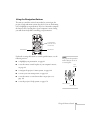
Using the Navigation Buttons
The remote control has various buttons that let you navigate the
projector’s help and menu systems; they also let you use the drawing
tools to highlight your presentation. If you’ve connected a computer,
the buttons can be used in place of your computer’s mouse, letting
you walk about freely while controlling your presentation.
Pointer button
(controls cursor
movement)
Enter button
ESC button
For details on using the buttons to control specific features, see the
following sections:
■
to highlight your presentation, see page 41
■
to use the remote control in place of your computer’s mouse,
see page 44
■
to navigate the projector’s menu system, see page 124
■
to create your own startup screen, see page 132
■
to use the remote to control more than one projector, see
page 135
■
to use the projector’s help system, see page 176
note
The projector has equivalent
buttons that you can use on
its control panel:
ESC
button
Arrow buttons
Enter button
Using the Remote Control 33
Replacing the Batteries
If the projector stops responding to the remote control, check the
following:
■
Make sure the remote control’s ON/OFF switch (shown on
page 32) is in the ON position.
■
Press the light button and check to see if the buttons on the
remote control light up. (If you’re in a bright room, you may not
be able to see them light.)
caution
If the buttons do not light up, replace the batteries as described below:
When replacing batteries,
take the following
precautions:
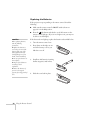
1. Turn the remote control over.
Replace the batteries as
soon as they run out. If the
batteries leak, wipe away
battery fluid with a soft
cloth. If fluid gets on your
hands, wash immediately.
■
Do not expose batteries to
heat or flame.
■
Dispose of used batteries
according to local
regulations.
2. Press down on the ridges at one
end of the battery cover as you
slide the cover off.
3. Install two AA batteries, inserting
the flat (negative) ends in first.
■
Remove the batteries if
you won’t be using the
projector for a long period of
time.
■
34
4. Slide the cover back in place.
Using the Remote Control
Controlling the Picture and Sound
You can use the remote control to preview and select your picture
sources, temporarily turn off the picture and sound, freeze the action,
zoom in on the picture, display a picture-in-picture image, and adjust
the volume.
note
You can use the projector’s
menus to fine-tune the
picture and sound quality as
described in Chapter 4.
Switching Between Picture Sources
If your projector is connected to more than one computer and/or
video source, you can switch between the different sources:
■
On the projector’s control panel, there are two Source buttons:
Press the Computer/DVI button to switch between EasyMP and
equipment connected to the Computer and DVI ports. Or press
the Video/BNC button to switch between equipment connected
to the Video, S-Video, and BNC ports.
■
On the remote control, there are six Source buttons. Use them to
switch between equipment connected to the port identified on
each button, or to use EasyMP to project wirelessly or from a
memory card.
Note that the Computer and BNC ports can be set up to use different
input signals (for example, Analog RGB or RGB Video)—so if you
have equipment connected to one of these ports, it’s important to
make sure the correct signal is selected to match the equipment you’re
using. You can change the input signal settings using the projector’s
menu system; see page 137.
Source buttons
After you select a source, the screen goes dark for a moment before the
image appears.
Using the Remote Control 35
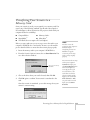
Previewing Picture Sources
You can use the Preview function to help you select the image source.
1. Press Preview on the remote control.
Preview button
You see the currently selected source displayed in the main
window, as shown. All other sources (including the currently
selected source) are displayed in smaller preview windows on the
right side and at the bottom. If no equipment is connected to a
port, if there is no incoming signal, or if the signal is out of range,
the preview window for that source appears blank.
note
Movies are displayed as
still images on the preview
screen.
Computer (Analog-RGB)
Currently
selected
source
note
DVI
BNC
A red highlight surrounds
the preview window for the
currently selected source.
You can use the
pointer
button on the remote control
to highlight a different
source, and then press Enter
to display it.
36
Computer
Video
S-Video
Preview windows
2. Press one of the Source buttons on the remote control to switch
to the desired source, and press Enter to change the source and
exit the screen. Or press ESC to exit the preview screen without
switching sources.
Using the Remote Control
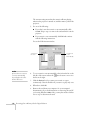
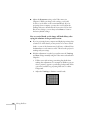
Adjusting the Image Shape
Even if your projected image has no parallel sides, you can correct the
problem with Quick Corner. Follow these steps:
1. Press the Menu button on the remote control (or on the
projector’s control panel).
2. Select the Setting menu and press Enter.
3. From the Setting menu, select Keystone and press Enter.
note
4. Select Quick Corner and press Enter.
For more information on
using the menu system, see
Chapter 6.
You see this screen:
[ / ]:Adjust
Adjust
[ ]
:Move next
[ESC] :Return (Press 1 second to
reset)
5. Press the Enter button to select the corner you want to adjust.
6. Use the
pointer button on the remote control (or the arrow
buttons on the projector) to adjust the shape.
7. Repeat steps 5 and 6 as needed to adjust any remaining corners.
8. When done, press the ESC button on the remote control or
projector’s control panel to exit the menu system.
note
If you are not satisfied with
the corrections made, press
the ESC button for one
second to reset the screen to
its original shape.
If Quick Corner remains selected in the Keystone menu, the Quick
Corner screen appears whenever you press the projector’s Keystone
buttons. You can then follow steps 5 through 8 above to correct the
shape of your image, or press ESC to exit Quick Corner.
Using the Remote Control 37
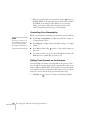
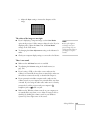
Turning Off the Picture and Sound
You can use the A/V Mute button on the remote control to turn off
the image and sound and darken your screen. (If you’ve connected a
computer to the projector’s Computer port and an external monitor
to the projector’s Monitor Out port, the monitor will continue
displaying.) This feature is useful if you want to temporarily redirect
your audience’s attention without the distraction of a bright screen.
■
To turn off the picture, press the A/V Mute button. The screen
goes dark.
■
To turn the image back on, press the button again.
You can also have an image, such as a company logo, display on the
screen whenever you press the A/V Mute button (see page 132).
Stopping Action
note
This function pauses the
image, but not the sound.
Also, because the source
continues to transmit
signals, you won’t resume
the action from the point
you paused it.
38
You can use the remote control to stop the action in your video or
computer image.
■
Press the Freeze button to stop the action and keep the current
image on the screen. The sound continues.
■
Press the Freeze button again to restart it.
Using the Remote Control
Zooming Your Image
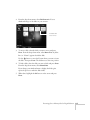
You can zoom in on a portion of the image using the E-Zoom buttons
on the remote control.
1. Press the E-Zoom
button on the remote control.
You see a crosshair indicating the center of the zoom-in area.
2. Use the
pointer button to position the crosshair.
3. Continue pressing the E-Zoom
area up to 4× .
button to enlarge the selected
4. While the image is enlarged, you can:
■
Use the
pointer button to pan about.
■
Press the E-Zoom
button to zoom out.
5. When done, press the ESC button to return to the original size.
Displaying a Picture-in-Picture Video
If you’re displaying an image from equipment connected to
the DVI, Computer, or BNC port(s), you can open up a smaller
picture-in-picture window on the screen. This window can display
video from equipment connected to either the Video or S-Video
port.
note
The Picture-in-Picture
function does not work for
RGB video images.
Setting Up the P-in-P Image
Before starting, make sure the computer or video equipment for your
main image is connected to the DVI, Computer, or BNC port(s), and
the video equipment for the P-in-P window is connected to the Video
or S-Video port. Then select the corresponding video setting:
1. Press the Menu button on the remote control, and enter the
Setting menu.
2. Highlight P in P, use the pointer button to select either
Composite or S-Video, then press Enter.
3. Press ESC to exit the menu system.
note
Select Composite if your
P-in-P video equipment is
connected to the Video port.
Using the Remote Control 39
Displaying the P-in-P Image
Make sure your main image source is displayed, then follow these
steps to display and use the Picture-in-Picture window:
1. Press the P in P button on the remote control.
2. Use the
pointer button to reposition the video window; use
the E-Zoom buttons to reduce or enlarge it.
3. Once the window is located and sized the way you want it, press
the Enter button; your video continues playing on the screen.
Video window
P in P button
4. When you’re finished viewing the Picture-in-Picture, press the
P in P or
pointer button again. The window disappears.
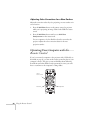
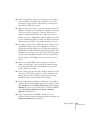
Controlling the Volume
note
To change the volume, press the
or
side of the Volume button.
To temporarily shut off the
sound (and picture), press
the A/V Mute button.
If necessary, you can adjust the tone using the projector’s menu
system. See page 131.
40
Using the Remote Control
Highlighting Your Presentation
You can display a pointer to call out something on the screen, or draw
straight or curved lines to emphasize particular points. There are three
preset pointer tools you can choose from, and each one can be
customized for a different look.
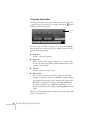
Using the Pointer Tool
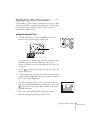
1. To activate the pointer tool, press the Effect button on the
remote control. A pointer appears on the screen.
Pointer
If you prefer to use a different style of pointer, continue pressing
the Effect button to select the desired style. Three preset
options are available, but you can customize the look of each one
(see page 42).
2. Use the
pointer button on the remote control to position the
pointer on the screen.
3. To draw a straight line, place the pointer where you want the line
to begin and press Enter. Move the pointer to where you want the
line to end, and press Enter again.
4. To draw a curved line, place the pointer at the start of the line,
then press and hold the Enter button until it lights. Then use the
pointer button to move the pointer and draw on the screen.
Press ESC when done.
5. If you want to draw additional lines, repeat steps 3 and 4.
6. When done drawing, press ESC to clear the screen.
Using the Remote Control 41
Customizing the Pointer Tools
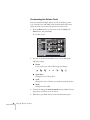
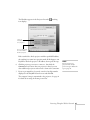
You can customize the shape and size of each of the three pointer
tools, select the color and width of the line made with each pointer,
and set how fast you can move the pointer across the screen.
1. Press the Menu button on the remote control, highlight the
Effect menu, and press Enter.
You see this screen:
Video
Audio
Pointer/Line1
Effect
Setting
User's Logo
Advanced1
Advanced2
About
Reset All
Zoom Rate : 100%
Color
Pointer/Line2
Set
Zoom Rate : 100%
Color Mode
Pointer/Line3
Set
Zoom Rate : 100%
Pointer Speed :
L
M
Reset
[
]: Select [
Set
Color :
:
Color :
Width :
H
Execute
]: Enter
[Menu]: Exit
2. For each of the three Pointer/Line icons, you can change the
following settings:
■
Shape
Lets you select one of the following pointer shapes:
■
Zoom Rate
Changes the size of the pointer
■
Color
Changes the color of the line you can draw using the pointer
■
Width
Changes the line width
3. You can also change the Pointer Speed setting to adjust how fast
the pointer tool moves across the screen.
4. When done, press ESC until you exit from the menu system.
42
Using the Remote Control
Projecting Images Without a Screen
Even if you don’t have a screen, you can project images onto surfaces
like blackboards and colored walls without loss of image color. Your
projector has a sensor that measures the conditions of the projection
surface and automatically adjusts the colors and shading of your
image. For example, if you’re projecting onto a surface near a window,
your image appears clear and well-defined rather than faint.
Making Initial Color Corrections
Press the Wall Shot button on either the remote control or the
projector’s control panel while projecting an image.
Wall Shot’s status appears in the upper right corner of your screen.
Then you see a sequence of colors flash for approximately five seconds
while the sensor measures the conditions of the projection surface and
adjusts the image.
note
If the status message
indicates that Wall Shot is
off, press the Wall Shot
button again to turn it on.
Wall Shot ON
When you turn the projector off, the projector stores the correction
values obtained by the last Wall Shot measurements. This is useful if
you’re projecting against the same surface and under the same
conditions. To retrieve these corrections, just press the Wall Shot
button again while projecting an image.
Using the Remote Control 43
Adjusting Color Corrections for a New Surface
Adjust the correction values if you’re projecting on a new surface or in
a new location.
1. Press the Wall Shot button on the remote control or projector
while you’re projecting an image. Wait for the Wall Shot status
screen.
2. Press the Wall Shot button until you see Wall Shot
Readjustment on the status screen.
You see a sequence of colors flash for about five seconds as the
projector adjusts the color correction values for the new
projection surface.
Operating Your Computer with the
Remote Control
If you’ve connected a computer to the projector with a USB cable, as
described on page 56, you can use the remote control in place of your
computer’s mouse. This gives you more flexibility when delivering
PowerPoint and other slideshow-style presentations, since you won’t
have to stand next to the computer to change slides.
Use to
move cursor
Left-click
44
Using the Remote Control
Right-click
■
Use the
pointer button to move the cursor on the screen.
■
Press the Enter button to left-click, or press it twice to
double-click; press the ESC button to right-click.
■
To drag-and drop, hold down the Enter button for about one
second until it lights. Then use the
pointer button to drag the
object. When it’s where you want it, press Enter to release it.
■
Use the Page buttons to move through a slideshow.
Page up or down
to change slides
in PowerPoint
Enabling Password Protection
To prevent unauthorized use, you can assign the projector a password.
If you do, a screen will appear requesting the password whenever the
projector is plugged in. If an incorrect password is entered three times
in succession, the projector’s operation is locked and the power cord
must be disconnected and reinserted to redisplay the password screen.
If an incorrect password is entered nine times in succession, the user
must contact the dealer to unlock the projector.
The default setting for the Password Protect function is off. Follow
these steps to turn password protection on:
1. Press the Freeze button on the remote control for about five
seconds.
note
It’s a good idea to write your
password down. Also, make
a note of the “Request
Code: xxxxx” number that
appears in the Password
Protect Release screen. If you
do forget the password, you’ll
need this code when you
contact the dealer.
If you leave the projector
plugged in, the Password
Protect Release screen will
not appear. You only need a
password if you unplug and
reconnect the power cable.
Using the Remote Control 45
You see this screen:
Security
Security Lock:
Password
ON
OFF
Set
caution
If you lose the remote
control, you will not be able
to enter the password. Keep
the remote control in a safe
place at all times.
2. Use the
pointer button to set Security Lock to ON. Then
press the Enter button.
3. Select Password and press the Enter button.
4. When you see a message asking if you want to change the
password, select Yes and press Enter.
5. Press the Num button on the remote control. When it lights, the
numeric keypad is activated.
6. Use the numeric keypad to enter a four digit password. (The
default setting is 0000.)
7. When you see a confirmation message, reenter the password.
Then press the Menu button to exit the screen.
8. Press the Num button on the remote control to deactivate the
numeric keypad.
46
Using the Remote Control
Starting the Projector with a Password
When Password Protect is enabled, you see this screen when you plug
in the projector:
Security Lock Release
Enter the password.
[0-9]:Enter
[
]:Power OFF
1. Press the Num button on the remote control to activate the
numeric keypad.
2. Enter the four digit password.
3. Press the Num button to deactivate the numeric keypad.
The Security Lock Release screen closes, and projection begins.
Using the Remote Control 47
48
Using the Remote Control
1
Connecting to Computers,
Cameras, and Other
Equipment
T
his chapter tells you how to connect the projector to a laptop or
dekstop computer, or to video equipment, such as a VCR or DVD
player. You can also connect the projector to a digital camera, video
camera, external speakers, or an external monitor.
Follow the instructions in this chapter on:
■
Connecting to a computer
■
Connecting an external monitor
■
Connecting video equipment
■
Connecting to a digital camera
■
Playing sound through the projector
Connecting to Computers, Cameras, and Other Equipment 49
Connecting to a Computer
note
If you connect a Windowsbased computer to the
projector, you may see a
New Hardware Wizard
saying your computer has
found a plug-and-play
monitor; if so, click Cancel.
note
If you’re using a PowerBook
or an older Macintosh and
you can’t connect the cable
to your computer, you may
need to use the Macintosh
desktop adapter, as shown
on page 55 (available from
EPSON; see page 14).
50
You can connect the PowerLite projector to any computer that has a
standard video output (monitor) port, including desktop models,
PC notebook and laptop computers, Macintosh PowerBooks and
iBooks, and hand-held devices. You can connect up to three
computers at the same time:
■
To connect to the Computer port (standard VGA cable
connection), see page 51.
■
To connect using the BNC ports, see page 53.
■
To connect using the DVI (Digital Video Interface) port, see
page 54.
After connecting to the computer, you may also want to:
■
connect a USB cable so you can use the remote control as a
mouse; see page 56
■
connect a monitor to the projector so you can view your
presentation close-up as well as on-screen (not necessary if you’re
using a laptop); see page 57
■
connect an audio cable to play computer audio; see page 65
Connecting to Computers, Cameras, and Other Equipment
Connecting to the Computer Port
Follow these instructions:
1. You can connect to the Computer port in the following ways:
■
using the VGA computer cable that came with the projector
(the monitor port on your computer must be a mini D-sub
15-pin port)
■
using the optional BNC/VGA component video cable, if
your computer provides video output through BNC
connectors (see page 14).
2. If you’re using the VGA computer cable, connect one end to the
projector’s Computer port, and the other end to your computer’s
monitor port. Then go to step 4.
caution
Don’t try to force a
connector to fit a port with a
different shape or number of
pins. You may damage the
port or connector.
VGA computer cable
BNC/VGA cable
Connecting to Computers, Cameras, and Other Equipment 51
3. If you’re using the optional BNC/VGA cable, connect the VGA
connector to the projector’s Computer port and plug the BNC
connectors into your computer’s monitor ports.
4. Optionally, you can connect an external monitor (see page 57),
play sound through the projector (see page 65), or connect a USB
cable to use the remote control as a mouse (see page 56).
5. When you’ve finished making any connections, see Chapter 1 for
instructions on turning on the projector and adjusting the image.
Once the projector is turned on, be sure to:
52
■
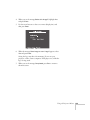
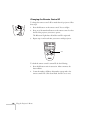
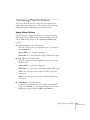
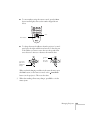
Enter the projector’s Setting menu, then make sure
Computer Input is set to Analog-RGB. See page 137.
■
After exiting the menu system, press the remote control’s
Comp1 button, or repeatedly press the Computer/DVI
button on the projector’s control panel to select the correct
source. Computer (Analog-RGB) should appear on the
screen.
Connecting to Computers, Cameras, and Other Equipment
Connecting to the BNC Connectors
1. Obtain a commercially available standard BNC cable.
BNC cable
2. Plug the BNC connectors into the projector’s B/Cb/Pb, G/Y, and
R/Cr/Pr connectors as shown below. Depending on your
computer’s video card, you may have to connect to the projector’s
V Sync and H/C Sync connectors too. (See your computer
documentation for more information.)
R/Cr/Pr
G/Y
B/Cb/Pb
3. Plug the connectors on the other end of the cable into the BNC
video out connectors on your computer.
4. Optionally, you can connect an external monitor (see page 57),
play sound through the projector (see page 65), or connect a USB
cable to use the remote control as a mouse (see page 56).
5. When you’ve finished making all necessary connections, see
Chapter 1 for instructions on turning on the projector and
adjusting the image. Once the projector is turned on, be sure to:
■
Enter the projector’s Setting menu, then make sure the BNC
Input is set to Analog-RGB. See page 137.
■
After exiting the menu system, press the BNC button on
the remote control or repeatedly press the Video/BNC button
on the projector’s control panel to select the correct source.
BNC (Analog-RGB) should appear on the screen.
Connecting to Computers, Cameras, and Other Equipment 53
Connecting to the DVI Port
note
Various types of DVI cables
are offered on the market.
Be sure to use only a cable
with DVI to DVI or DVI to
DFP connectors.
1. Obtain a DVI digital video cable (either DVI to DVI or DVI to
DFP; see page 14 for details about ordering a cable from
EPSON).
2. Connect the cable to the projector’s DVI port as shown.
3. Connect the other end to your computer’s DVI port.
4. Optionally, you can connect an external monitor (see page 57),
play sound through the projector (see page 65), or connect a USB
cable to use the remote control as a mouse (see page 56).
5. When you’ve finished making any connections, see Chapter 1 for
instructions on turning on the projector and adjusting the image.
Once the projector is turned on, press the DVI button on the
remote control, or press the Computer/DVI button on the
projector’s control panel to select DVI as the image source.
54
Connecting to Computers, Cameras, and Other Equipment
Using the Macintosh Desktop Adapter
If you have an older desktop Macintosh or PowerBook, the VGA
cable may not fit when you try to connect it. If so, you’ll need to use
the Macintosh desktop adapter to connect the VGA cable to your
computer. This is available from EPSON (see page 13).
1. To use the adapter, remove its cover as shown and set its DIP
switches according to the resolution you want to use, such as
16-inch mode. See your Macintosh documentation for
instructions.
2. Replace the cover and connect the adapter
to the VGA cable. Then plug the cable
(with the adapter) into the video port on
your Macintosh.
3. Tighten the screws on the connectors.
Connecting to Computers, Cameras, and Other Equipment 55
Connecting the Cable for Remote Mouse
Control
If you’ve connected a computer as described in this chapter, you
can use the projector’s remote control as a wireless mouse. This lets
you control your computer and click through slideshow-style
presentations, such as PowerPoint, from up to 30 feet away.
note
The remote mouse control
function may not operate
correctly on systems that
have been upgraded from an
earlier version of Windows.
The wireless mouse function is supported on systems with a USB port
running Windows XP, 98, 2000, or Me, or Macintosh OS 8.6 to
OS X 10.2.
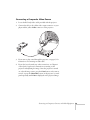
1. Locate the USB cable that came with your projector.
2. Connect the square end of the cable to the projector’s
port.
USB
note
For details on using the
remote control in place of
your computer’s mouse, see
page 44.
Use to move
cursor
USB cable
3. Connect the flat end of the cable to any available USB port on
your laptop or desktop computer.
4. In the projector’s menu system, set the COM Port setting in the
Advanced 2 menu to USB. See the instructions beginning on
page 124 to use the menu system.
5. If necessary, configure your computer to work with an external
USB mouse. See your computer documentation for details.
Left-click
56
Right-click
Connecting to Computers, Cameras, and Other Equipment
Connecting an External Monitor
If you want to monitor your presentation close-up (on a monitor
placed beside the projector) as well as on the screen, you can connect
an external monitor.
To attach an external monitor, connect it to the projector’s Monitor
Out port, as shown:
External monitor
Follow these guidelines to view images on the monitor:
■
The monitor displays the currently selected computer source.
Press the Preview button on the remote control if you want to
display all the active sources at the same time (see page 36).
■
You can also view images on the monitor while the projector is in
Standby mode, if you’ve set Network ON in the Advanced 1
menu (see page 138).
Connecting to Computers, Cameras, and Other Equipment 57
Connecting to Video Equipment
RCA connector
(composite video)
S-video connector
(4-pin mini-DIN)
BNC connector
(component video)
You can connect up to four video sources to the projector at the same
time. Before starting, look at your video equipment to determine its
available video-output connections:
■
If your video player has a yellow RCA-style video output
connector, see “Connecting a Composite Video Source” on
page 59.
■
If your video player has an S-video connector, see “Connecting an
S-Video Source” on page 60.
■
If your video player has a component video port (three connectors
labeled either Y/Cb/Cr or Y/Pb/Pr), see “Connecting a
Component Video Source” on page 61.
■
If your video player has an RGB video port (either a single
connector for a VGA-style monitor cable, or three connectors
labeled R/G/B), see “Connecting an RGB Video Source” on
page 62.
VGA connector
(RGB video)
After connecting any video cables, you may also want to:
58
■
connect a monitor to the projector so you can view your
presentation close-up as well as on-screen; see page 57
■
connect an audio cable to play sound through the projector; see
page 65
Connecting to Computers, Cameras, and Other Equipment
Connecting a Composite Video Source
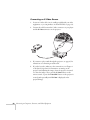
1. Locate the RCA-style video cable provided with the projector.
2. Connect the cable to the yellow video output connector on your
player and the yellow Video connector on the projector:
3. If you want to play sound through the projector, see page 65 for
instructions on connecting an audio cable.
4. If you don’t need to make any other connections, see Chapter 1
or the Quick Setup sheet for instructions on turning on the
projector and adjusting the image. Once the projector is turned
on, select the image source: press the Video button on the remote
control, or press the Video/BNC button on the projector’s control
panel repeatedly until Video is displayed on the projected image.
Connecting to Computers, Cameras, and Other Equipment 59
Connecting an S-Video Source
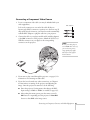
1. Locate an S-video cable (one is usually provided with your video
equipment, or you can purchase one from EPSON; see page 13).
2. Connect the cable between the S-video connector on your player
and the S-Video connector on the projector:
3. If you want to play sound through the projector, see page 65 for
instructions on connecting an audio cable.
4. If you don’t need to make any other connections, see Chapter 1
or the Quick Setup sheet for instructions on turning on the
projector and adjusting the image. Once the projector is turned
on, select the image source: press the S-Video button on the
remote control, or press the Video/BNC button on the projector’s
control panel repeatedly until S-Video is displayed on the
projected image.
60
Connecting to Computers, Cameras, and Other Equipment
Connecting a Component Video Source
1. Locate a component video cable (one may be included with your
video equipment).
BNC adapters
Look at the connectors at one end of the cable. If they are
bayonet-style (BNC) connectors, continue on to the next step. If
they are RCA-style connectors, you’ll need to attach commercially
available BNC adapters to plug the cable into your projector.
2. Connect the cable to your player and the cable (with the adapters)
to the BNC connectors on the projector. Match the Y/Cb/Cr (or
Y/Pb/Pr) connectors on your player to the corresponding
connectors on the projector.
note
Be sure your video player is
not an RGB video source. If
you set the wrong source,
image quality may suffer.
Check your video player’s
documentation.
3. If you want to play sound through the projector, see page 65 for
instructions on connecting an audio cable.
4. If you don’t need to make any other connections, see Chapter 1
for instructions on turning on the projector and adjusting the
image. Once the projector is turned on, do the following:
■
Enter the projector’s Setting menu, then change the BNC
Input setting to YCbCr or YPbPr, as needed (see page 137).
■
After exiting the menu system, press the remote control’s
BNC button or repeatedly press the projector’s Video/BNC
button to select BNC as the image source.
Connecting to Computers, Cameras, and Other Equipment 61
Connecting an RGB Video Source
note
Be sure your video player is
not a component video
source. If you set the wrong
source, image quality may
suffer. Check your video
player’s documentation.
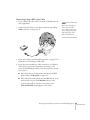
Follow these instructions to connect the projector to a video player
that has an RGB video output port. Depending on the type of
connector on your player, you’ll need to use the appropriate cable:
■
If your player has a single VGA-style connector, see below.
■
If your player has three connectors labeled R/G/B, see
“Connecting Using a BNC-style Cable” on page 63.
Connecting Using a VGA-style Computer Cable
1. Locate the VGA computer cable provided with the projector.
2. Connect the cable between the video port on your player and the
Computer port on the projector.
3. If you want to play sound through the projector, see page 65 for
instructions on connecting an audio cable.
4. If you don’t need to make any other connections, see Chapter 1
for instructions on turning on the projector and adjusting the
image. Once the projector is turned on, be sure to:
62
■
Enter the projector’s Setting menu, then change the
Computer Input setting to RGB-Video (see page 137).
■
After exiting the menu system, press the remote control’s
Comp button or the projector’s Computer/DVI button
repeatedly to select the image source. (Computer (RGB
Video) should appear on the screen.)
Connecting to Computers, Cameras, and Other Equipment
Connecting Using a BNC-style Cable
1. Locate a BNC-style video cable (one may be included with your
video equipment).
2. Connect the cable between your player and the corresponding
R/G/B connectors on the projector.
note
Be sure your video player is
not a component video
source. If you set the wrong
source, image quality may
suffer. Check your video
player’s documentation.
3. If you want to play sound through the projector, see page 65 for
instructions on connecting an audio cable.
4. If you don’t need to make any other connections, see Chapter 1
or the Quick Setup sheet for instructions on turning on the
projector and adjusting the image. Once the projector is turned
on, be sure to:
■
Enter the projector’s Setting menu, then change the BNC
Input setting to RGB-Video (see page 137).
■
After exiting the menu system, press the BNC button on the
remote control or press the Video/BNC button on the
projector repeatedly to select the correct image source
(BNC (RGB-Video) should appear on the screen).
Connecting to Computers, Cameras, and Other Equipment 63
Connecting to a Digital Camera
note
Use a cable less than 10 feet
long, and connect the
camera directly to the
projector. Your projector
may not function correctly if
you use a longer cable or
connect your camera to a
USB hub.
You can connect your digital camera to the projector using the USB
cable specified for your camera. Then you can use your camera’s
slideshow function or the projector’s CardPlayer feature (see page
page 120) to present images on your camera.
1. Make sure there is no card inserted in the projector’s card slot.
2. Connect one end of the USB cable to the USB Type A port on
the projector, as shown.
3. Connect the other end of the cable to your camera.
Removing the USB Cable
If you’re using CardPlayer to project your images, close the program
before you remove the USB cable from the projector.
1. Position the cursor over the EJECT button in the upper right
corner of the CardPlayer screen.
2. Press the Enter button on the remote control to close CardPlayer.
3. Remove the USB cable.
64
Connecting to Computers, Cameras, and Other Equipment
Playing Sound Through the Projector
You can play sound through the projector’s speaker system, or you can
attach an external speaker system. (Attaching speakers to the projector
instead of directly to the audio source lets you use the projector’s
remote control to adjust the sound.)
Connecting Audio Equipment to the Projector
To play sound through the projector, follow these steps:
1. Locate the appropriate audio cable (two types are included with
the projector). Which cable you use depends on how your
equipment is connected:
■
If you have a computer connected to the Computer or DVI
port, use the stereo mini-jack cable.
■
If you have video equipment connected to the Video or
S-Video port, or to the BNC ports, use the RCA-style audio
cable.
2. Connect the audio cable to the jack corresponding to the
connected video source.
Use with BNC connection
Use with composite
video connection
Use with S-video
connection
Use with Computer or DVI
connection
3. Connect the other end of the cable to the audio-output connector
on your computer or video equipment.
Connecting to Computers, Cameras, and Other Equipment 65
Connecting External Speakers
To connect speakers to the projector, follow these steps:
1. Obtain the appropriate cable to connect your speakers.
Depending on your stereo system, you may be able to use a
commercially available audio cable with a stereo mini-jack
connector on one end, and pin jacks on the other end. For some
speaker systems, you may have to purchase a special cable or use
an adapter to connect to your speakers.
2. Connect the stereo mini-jack end of the audio cable to the Audio
Out port on the projector.
3. Connect the other end(s) of the cable to your speaker system. You
may need to use an adapter to make the connection.
The projector’s internal speaker system is disabled while sound is
output to the external speakers.
66
Connecting to Computers, Cameras, and Other Equipment
1l
Presenting Through a
Wireless Network
T
his chapter tells you how to send pictures to the projector through
a wireless network. Using EMP NS Connection, you can project
images shown on your computer screen—including text and
graphics—directly to your audience. Because images are displayed in
real-time, any changes you make on your PC or laptop are
automatically mirrored on the screen.
You’ll find instructions in this chapter on:
■
Starting EasyMP
■
Connecting to the projector in Ad Hoc mode or Access Point
(infrastructure) mode
■
Projecting wirelessly
■
Using projector groups
■
Removing the wireless 802.11b card
Before starting, make sure you’ve installed EMP NS Connection as
described in Appendix A for each computer you want to be able to
connect to the projector. Then follow the steps in this chapter to start
EasyMP, configure your projector and computer, and run EMP
NS Connection.
Presenting Through a Wireless Network 67
Starting EasyMP
Before connecting to the projector, you have to switch it to EasyMP
mode. Follow these steps:
note
Only the EPSON 802.11b
card is guaranteed to work.
Other brands may not be
compatible.
1. Turn on the remote control, as described on page 32. Point it at
the projector and press the Power button.
2. Press the EasyMP button on the remote control to select EasyMP
as the source.
3. Insert the EPSON 802.11b card with the blue label facing
outward.
caution
Be careful to insert the card
correctly, and never force the
card in; doing so may
damage it. The black end of
the card protrudes from the
slot when the card is fully
inserted.
Always remove the card
before transporting the
projector. See page 99 for
instructions.
68
Presenting Through a Wireless Network
Once the card is inserted, you see one of these screens, depending
on the currently selected mode:
note
If you see a message asking
you to insert a LAN or
memory card, check to make
sure your 802.11b card is
properly inserted.
Ad Hoc mode
Access Point mode
4. If you’ve already set up your computer and projector for the mode
you want to use—Ad Hoc mode (also called
computer-to-computer mode) or Access Point mode (also called
infrastructure mode)—skip to “Projecting Wirelessly” on page 89.
Otherwise, continue on to the following section.
Presenting Through a Wireless Network 69
Configuring the Connection
note
Make sure you’ve installed
the NS Connection software
as described in Appendix A.
To connect to the projector
over a wireless network, your
computer must be running
Windows 98, Me, 2000, or
XP. Your Macintosh must
be running OS X 10.2.4 or
later. See Appendix A for
complete system
requirements for projecting
wirelessly.
You can use NS Connection to connect to the projector and send
images wirelessly in two modes: Ad Hoc mode or Access Point mode.
■
Ad Hoc mode (computer-to-computer mode) lets you connect
just one computer to the projector at a time; it’s easy to set up,
and the only equipment you need is a computer with a wireless
(802.11b) network card or adapter, or a Macintosh with an
AirPort® or AirPort Extreme card.
■
Access Point mode (infrastructure mode) lets multiple users
access the projector at the same time and easily trade off control
over the projector. To use Access Point mode, you need a wireless
(802.11b) access point, or an AirPort (or AirPort Extreme) base
station, and one or more computers with wireless network cards
or adapters.
Follow the instructions below for the mode you want to use.
Using Ad Hoc Mode
In order to use Ad Hoc (computer-to-computer) mode, first adjust
your projector and wireless card or adapter settings as described in this
section.
Configuring the Projector
1. Switch the projector to EasyMP and insert the EPSON 802.11b
card (see page 68). You see this screen:
Config button
70
Presenting Through a Wireless Network
2. To select Config, press the Enter button on the remote control.
You see the following screen:
Easy connect
mode
Make sure Easy connect mode is selected, as shown above.
If not, use the
button on the remote control to highlight the
checkbox next to Easy connect mode, then press Enter
to select it.
button to highlight Advanced (next to Easy
connect mode), then press Enter to select it.
3. Use the
You see this screen:
Presenting Through a Wireless Network 71
4. Make sure the projector has a unique name, so you can identify it
when connecting to it from your computer.
note
If you want to enter a blank
space, use the space character
that comes before the capital
letter A.
If you want to enter
numbers, press the Num
button on the remote
control. The button lights up
to indicate that the numeric
keypad mode is active. Press
the Num button again to
exit numeric keypad mode.
note
The projector keyword
changes each time you turn
the projector off and then on
again, or remove and
reinsert the 802.11b card.
Check the keyword on the
EasyMP Network screen
whenever you start EasyMP,
and enter that keyword on
your computer. You can’t
connect using a previous
keyword.
72
If you need to rename it, highlight the Clear button next to
Projector name, then press Enter on the remote control to clear
the text box. Then highlight the text box and press Enter. The
outline of the text box turns green to indicate you are in input
mode. Tilt the
button up to select individual letters in
alphabetical order, or down to select letters in reverse order; then
tilt the
button to the right to move to the next character
position. When done typing the new name, press Enter.
5. To enable your computer to find the projector on the network,
select the appropriate Ad hoc mode settings:
■
Select ESSID ad hoc if your network card supports an SSID
or ESSID identifier (see page 75). Then highlight the ESSID
text box, press Enter, and enter a name (for example, “CONF
ROOM”). When you’re done, press Enter. Note that the
ESSID is case-sensitive (if you enter the name in uppercase on
the projector, you must type it the same way on the computer
connecting to the projector).
■
Select Channel ad hoc if your network card supports using
channels instead of ESSID names to identify devices on the
network. Then select a channel number in the Channel text
box and press Enter. (Channel ad hoc mode is not supported
for Macintosh.)
6. If you want to create a password for remote access to the
projector, highlight the Password for WEB control checkbox,
press Enter, and enter a password of up to 8 alphanumeric
characters. When you’re done, press Enter.
7. If you want to set up a security keyword so that only people who
are in the same room as the projector can access it, turn Projector
keyword on. Then when you want to connect to the projector, it
displays a randomized four-digit number or “keyword” on the
screen. When prompted by NS Connection, you can enter the
keyword on your computer to connect (see page 92).
Presenting Through a Wireless Network
8. When done making these settings, highlight the OK button at the
top of the screen (you can either press the ESC button on the
remote control or use the
button to highlight it), then press
Enter. Highlight the OK button again and press Enter to return
to the main EasyMP Network Screen.
Now you’re ready to set up your computer for wireless projecting. Go
to “Configuring the Network Settings for Windows” below, or
“Setting Up Your Macintosh for Ad Hoc Mode” on page 75.
Configuring the Network Settings for Windows
Before connecting to the projector, you need to make sure the settings
for your laptop’s or PC’s network card match the settings you entered
for the projector.
1. Access your wireless network Properties window. For example, in
Windows XP you would click Start > Control Panel > Network
and Internet Connections. Then click the Network
Connections icon.
note
On some Windows systems,
you can right-click
My Network Places or
Network Neighborhood
on the desktop and select
You see a screen similar to this:
Properties.
Right-click and select Properties
2. Right-click the Wireless Network Connection icon and select
Properties.
Presenting Through a Wireless Network 73
You see a screen similar to this:
Click here
3. Click the Configure button.
4. Click the Advanced tab. You see a screen similar to this:
74
Presenting Through a Wireless Network
5. Check your wireless card or adapter’s device settings. (Depending
on the type of card or adapter you’re using, some of the settings
may be different than those listed here.)
■
Set the network type to 802.11 Ad Hoc.
■
Set the SSID to match the name you assigned to the
projector’s ESSID—for example, CONF ROOM. (If your
network card uses channel mode instead, set the correct
channel, 1 to 11, so it matches that of the projector.)
■
Make sure encryption is Disabled.
6. Click the General tab and make sure that your wireless card or
adapter is enabled.
7. When done making the settings, click OK to close the wireless
card or adapter’s -properties dialog box.
Now you’re ready to connect to the projector. See “Projecting
Wirelessly” on page 89.
Setting Up Your Macintosh for Ad Hoc Mode
Your AirPort software is automatically configured to allow your
Macintosh to detect both computer-to-computer (Ad Hoc) and
Access Point networks. Typically, you only need to select your
projector’s ESSID from the AirPort status menu on the Macintosh
menu bar.
If you’re having problems detecting the projector, follow these steps:
1. From the Apple pull-down menu, select System Preferences.
Then double-click the Network icon. You see the Network
settings window.
Presenting Through a Wireless Network 75
2. Make sure Location is set to Automatic.
Select
Automatic
Select Network Port
Configurations
then select AirPort
note:
If you don’t need the other
network ports, disable them
by deselecting their check
boxes. If more than one
network port is enabled, the
projector software warns you
to turn off AirPort when you
first connect the projector.
Disregard this message.
3. Select Network Port Configurations in the Show pull-down
menu.
4. Under Port Configurations, select AirPort.
5. Click Apply Now. Then close the window.
6. Click the AirPort icon on the menu bar at the top of the
Macintosh desktop. You see the AirPort status menu:
7. Check to make sure AirPort is turned on.
8. Select your projector’s ESSID.
76
Presenting Through a Wireless Network
Using Access Point Mode
In order to use Access Point (infrastructure) mode, first adjust your
projector and wireless access point or AirPort base station settings as
described in this section.
Configuring the Projector
1. Switch the projector to EasyMP and insert the EPSON 802.11b
card (see page 68). You see this screen:
Config
button
2. To select Config, press the Enter button on the remote control.
You see the following screen:
Access point
mode
Presenting Through a Wireless Network 77
Make sure Access point mode is selected, as shown. If not,
use the
button on the remote control to highlight the
checkbox next to Access point mode, then press Enter
to select it.
3. Use the button to highlight Advanced (next to Access point
mode), then press Enter to select it.
You see this screen:
4. Make sure the projector has a unique name, so you can identify it
when connecting to it from your computer.
note
If you want to enter a blank
space, use the space character
that comes before the capital
letter A.
If you want to enter
numbers, press the Num
button on the remote
control. The button lights up
to indicate that the numeric
keypad mode is active. Press
the Num button again to
exit numeric keypad mode.
78
If you need to rename it, highlight the Clear button next to
Projector name, then press Enter on the remote control to clear
the text box. Then highlight the text box and press Enter. The
cursor turns green to indicate you are in input mode. Tilt the
button up to select individual letters in alphabetical order, or
down to select letters in reverse order; then tilt the
button to
the right to move to the next character position. When done
typing the new name, press Enter.
Presenting Through a Wireless Network
5. To enable your computer to find the projector on the network,
you need to enter the ESSID, which is the SSID identifier of your
access point or the name of your AirPort network. (The name of
your AirPort network may be different than that of your AirPort
base station; select your base station in the AirPort Admin utility
and click Configure to check the name of your network.)
Highlight ESSID on the projector screen and press Enter. Then
enter your access point’s SSID identifier or your AirPort network
name in the text box. Note that the ESSID is case-sensitive.
6. If you want to create a password for remote access to the
projector, type it in the box next to Password for WEB control
and press Enter.
7. If you want to set up a security keyword so that only people who
are in the same room as the projector can access it, turn Projector
keyword on. Then when you want to connect to the projector, it
displays a randomized four-digit number or “keyword” on the
screen. When prompted by NS Connection, you can enter the
keyword on your computer to connect (see page 92).
8. If your access point assigns IP addresses automatically, turn on
DHCP. Otherwise, turn off DHCP and enter the following
information manually:
■
IP address: Type in the IP address you want to assign to the
projector. It must be formatted like other addresses on the
network; usually the first three segments (XXX.XXX.XXX)
match the first three segments of the IP address for your
access point or AirPort base station.
■
Subnet mask: For example: 255.255.255.000, but this
depends on how your network is set up.
■
Gateway address: Enter the IP address that was assigned to
the access point or AirPort base station when it was set up.
note
The projector keyword
changes each time you turn
the projector off and then on
again, or remove and
reinsert the 802.11b card.
Check the keyword on the
EasyMP Network screen
whenever you start EasyMP,
and enter that keyword on
your computer. You can’t
connect using a previous
keyword.
note
For specific details about
your network, please consult
your network administrator.
If you don’t know your
gateway or access point
address, see page 86. If
you’re using AirPort, start
the AirPort Admin utility,
select your base station and
click Configure. Then click
the Network tab to see your
base station’s IP address.
9. If you want to monitor the projector using HP OpenView,™
you’ll need to enter at least one trap IP address. See Chapter 7 for
details on monitoring the projector.
Presenting Through a Wireless Network 79
10. If you want to set up WEP encryption on the projector for
additional security of wireless transmissions, click the WEP
button on the left side of the screen and continue with “Adding
WEP Encryption” on page 80. Otherwise, continue with step 11.
11. When done making your settings, highlight the OK button at the
top of the screen (you can either use the
button on the remote
control or press ESC to highlight it), then press Enter. Highlight
the OK button again and press Enter to return to the main
EasyMP Network Screen.
note
For instructions on how to
access the Access point mode
advanced settings screen, see
page 77.
Now you’re ready to set up your computer for wireless projecting.
Continue with “Configuring the Network Settings for Windows” on
page 81, or go to “Setting Up Your Macintosh for Access Point
Mode” on page 87.
Adding WEP Encryption
When you click the WEP button on the Access point mode advanced
settings screen, you see this screen:
1. If you want to enable WEP encryption, highlight either 128Bit
for 128 bit WEP encryption, or 40Bit for 40 bit WEP encryption.
Then press Enter.
2. For Format, highlight HEX to enable hexadecimal input, then
press Enter.
80
Presenting Through a Wireless Network
3. For Key ID, highlight any of the options and press Enter if you’re
using 40 bit WEP encryption. (This option is not available for
128 bit WEP encryption.)
4. Highlight the Encryption key text box and press Enter. The
cursor turns green to indicate you are in input mode. Check with
your network administrator for directions on entering a key for
your network, and follow these general guidelines:
■
For 128 bit WEP encryption with hexadecimal input, enter
26 characters, from 0 to 9 and from A to F.
■
For 40 bit WEP encryption with hexadecimal input, enter 10
characters, from 0 to 9 and from A to F.
■
For 128 bit WEP encryption with text input, enter 13 letters
of the alphabet.
■
For 40 bit WEP encryption with text input, enter 5 letters of
the alphabet.
5. When done making your settings, highlight the OK button at the
top of the screen and press Enter. On the next screen, highlight
the OK button again and press Enter to return to the EasyMP
Network Screen.
note
To enter numbers with the
remote control, press the
Num button. When it lights
up, numeric keypad mode is
active. Press the Num
button again to exit numeric
keypad mode.
Text input for WEP
encryption varies with
different access points; check
with your network
administrator. Try Text1
first. If that doesn’t work,
try Text2 and then Text3.
Continue with the section below to set up your Windows computer
for wireless projecting, or go to “Setting Up Your Macintosh for
Access Point Mode” on page 87.
Configuring the Network Settings for Windows
Before connecting to the projector, you need to make sure the settings
for your computer’s wireless card or adapter match the settings you
entered for the projector.
1. Access your wireless network Properties window. For example, in
Windows XP you would click Start > Control Panel > Network
and Internet Connections. Then click the Network
Connections icon.
Presenting Through a Wireless Network 81
You see a screen similar to the this:
note
On some Windows systems,
you can right-click
My Network Places or
Network Neighborhood
on the desktop and select
Properties.
Right-click and select
Properties
2. Right-click the Wireless Network Connection icon and select
Properties.
You see a screen similar to this:
Click here
3. Click the Configure button.
82
Presenting Through a Wireless Network
4. Click the Advanced tab. You see a screen like this:
5. Check your wireless card or adapter’s device settings. (Depending
on the type of card or adapter you’re using, some of the settings
may be different than those listed here.)
■
Set the network type to Infrastructure.
■
Set the SSID to match the name assigned to the access point
(which should also be the projector’s ESSID)—for example,
CONF ROOM.
■
Make sure encryption is Disabled.
6. Click the General tab and make sure that your wireless card or
adapter is enabled.
7. When done making the settings, click OK to close the wireless
properties dialog box.
Presenting Through a Wireless Network 83
8. Right-click the Wireless Network Connection icon again and
select Properties. You see this screen:
9. Select Internet Protocol as shown above, then click the
Properties button.
You see this screen:
84
Presenting Through a Wireless Network
10. If your access point uses DHCP, select Obtain an IP address
automatically. Otherwise select Use the following IP address
and enter the required information:
note
For specific details about
your network, please consult
your network administrator.
■
IP address: Type in the IP address you want to assign to the
computer. It must be formatted like other addresses on the
network; usually the first three segments (XXX.XXX.XXX)
match the first three segments of the access point’s IP address.
■
Subnet mask: For example: 255.255.255.000, but this
note
depends on how your network is set up.
If you don’t know your
gateway or access point
address, see page 86.
■
Default gateway: Enter the IP address that was assigned to
the access point when it was set up.
11. When done making these settings, click OK.
12. Click the Wireless Networks tab.
(If you don’t see this tab, you may need to enable your wireless
card or adapter by clicking Configure to access the device
settings; then follow any instructions on the screen to enable the
device.)
Once you click the Wireless Networks tab, you see this screen:
Presenting Through a Wireless Network 85
13. Verify that you’ve enabled your computer’s connection to the
access point. It should be listed as shown above, with the small
icon next to it, indicating a connection.
If it’s not listed, click Configure and then type the name of your
access point.
14. When done making your settings, click OK to close the dialog
box.
Now you’re ready to connect to the projector. See “Projecting
Wirelessly” on page 89.
note
If you cannot identify the
gateway address using this
Windows utility, use the
administrator’s utility
software that came with
your access point.
Checking the Gateway IP Address on Windows
If you’re entering IP addresses manually and need to find out the
gateway IP address (the IP address of your access point), make sure the
wireless connection to the access point is currently active, as described
in the previous section. Then follow these steps:
1. Access your wireless network Properties window. For example, in
Windows XP you would click Start > Control Panel > Network
and Internet Connections. Then click the Network
Connections icon.
You see a screen similar to this:
Right-click and select Status
86
Presenting Through a Wireless Network
2. Right-click the Wireless Network Connection icon and select
Status. Then click the Support tab.
The gateway’s IP address is listed as shown:
Gateway address
Setting Up Your Macintosh for Access Point Mode
Your AirPort software is automatically configured to allow your
Macintosh to detect Access Point networks. Typically, you need only
select your AirPort network name from the AirPort status menu on
the Macintosh menu bar.
If you’re having problems connecting to the projector, follow these
steps:
1. From the Apple pull-down menu, select System Preferences.
Then double-click the Network icon. You see the Network
settings window.
Presenting Through a Wireless Network 87
2. Make sure Location is set to Automatic.
Select
note:
If you don’t need the other
network ports, disable them
by deselecting their check
boxes. If more than one
network port is enabled, the
projector software warns you
to turn off AirPort when you
first connect the projector.
Disregard this message.
Automatic
Select Network Port
Configurations
then select AirPort
Your AirPort network and
base station names may be
different. To check or change
your AirPort network name,
start the AirPort Admin
utility, select your base
station, and click
Configure. Click Show All
Settings, then make any
changes you want on the
AirPort tab.
If you’re connecting to your
projector in static IP mode,
deselect the Distribute IP
addresses check box. Make
sure your projector’s gateway
address is identical to the base
station’s IP address, and the
first three segments of the
projector’s IP address are
identical to the first three
segments of the base station’s
IP address.
88
3. Select Network Port Configurations in the Show pull-down
menu.
4. Under Port Configurations, select AirPort.
5. Click Apply Now. Then close the window.
6. Start the AirPort Admin utility. Select your base station, then
click Configure.
7. On the AirPort tab, make sure your AirPort network name
matches your projector’s ESSID. If not, enter the projector’s
ESSID in the AirPort Network text box and click Update.
8. If you turned DHCP on in your projector’s advanced menu, click
the Network tab and make sure the Distribute IP addresses
check box is selected. If you need to select it, click Update.
Presenting Through a Wireless Network
9. Click the AirPort icon on the menu bar at the top of the
Macintosh desktop. You see the AirPort status menu:
10. Check to make sure AirPort is turned on.
11. Select the name of your AirPort network.
Projecting Wirelessly
Once you’ve started EasyMP and set up your projector and computer
in either Ad Hoc mode or Access Point mode, follow these steps to
start NS Connection and project wirelessly.
1. Make sure you’ve installed your wireless 802.11b card (see
page 68).
2. Windows: Select EMP NS Connection from the Start menu.
Macintosh OS X: Double-click the EMP NS Connection icon in
your Applications folder.
Presenting Through a Wireless Network 89
note
If you don’t see your network
adapter’s IP address, allow a
minute for it to appear. If
your access point or AirPort
base station uses DHCP
(Distribute IP addresses
setting is enabled for
AirPort), sometimes it takes
a minute for the server to
pick up the IP address.
Once you’ve selected the IP
address for your network
adapter, you won’t see the
Switch network dialog box
when you start NS
Connection. If you want to
change to a different
network adapter, click
Extension on the EMP NS
Connection dialog box, then
click Switch LAN on the
extension dialog box.
The first time you start NS Connection, you may see a dialog box
asking you to select your network. Select the IP address for your
computer’s network card and click OK.
You see the screen below. (If you have previously started NS
Connection, this is the first screen you see.)
Select projector
This box indicates
projector status
If the connection is working properly, you see your projector
listed. If you have additional EPSON projectors on the network,
they are also listed, along with their status.
The color of the status icon next to each projector’s name
indicates its status:
90
■
Gray: the projector is not connected
■
Orange: the projector is connected to another computer
■
Green: the projector is connected to your computer.
Presenting Through a Wireless Network
3. If you don’t see your projector, check the following:
■
Make sure your wireless signal is strong enough to establish a
connection. If you have a Macintosh, check the AirPort
icon on the Macintosh menu bar. For Windows, see the
documentation for your access point or computer network
card.
■
Make sure you’re trying to connect to the right network. In
Windows, verify that you’ve enabled your computer’s
connection to the access point or that your wireless card or
adapter is enabled, and that its SSID matches the projector’s
ESSID. In Macintosh, check the AirPort status menu (click
the AirPort icon on your menu bar) to make sure AirPort is
turned on and the projector’s ESSID or your AirPort network
is selected.
■
Make sure you aren’t projecting one of the EasyMP
configuration screens. (You should see a message that the
projector is ready to connect.) If you have to exit a
configuration screen, restart NS Connection.
■
Make sure the ESSID for your projector matches the SSID
for your wireless card, adapter, or access point. If you have an
AirPort base station, make sure the projector’s ESSID
matches the AirPort network name. Remember that the
ESSID is case-sensitive.
■
Check the IP address for both your projector and your
wireless card, adapter, access point, or AirPort base station.
The first three segments of the IP address should be identical.
The last segment of the projector’s IP address should be close,
but not identical, to the last segment of the IP address for
your wireless interface, access point, or base station.
■
Restart your computer and start NS Connection again.
■
If you still don’t see your projector, follow the instructions in
“Connecting in IP Connect Mode” on page 95 to connect to
the projector.
note
If none of these suggestions
work, see the troubleshooting
information beginning on
page 186.
note
The AirPort network name
may be different than the
AirPort base station name. T
check the network name, start
the AirPort Admin utility,
select your base station, and
click Configure. Then click
Show All Settings. The
network name appears on the
AirPort tab.
Presenting Through a Wireless Network 91
Use encrypted
communication.
4. Once the name of your projector appears, select it and click
Connect. If more than one projector is listed, you can select
additional ones to connect to them at the same time. If the
selected projector is already being used by another person, you can
still connect to it; doing so automatically disconnects the other
user.
This step enhances security
but decreases the data
transmission speed.
5. If you set up the projector to prompt you for a keyword before
connecting, you see a screen like this one:
note
If you want your
presentation encrypted,
click Extension and select
Enter keyword
Type in the four-digit number displayed on the EasyMP Network
screen and click OK.
6. Once the connection is established, you see your computer’s
image transmitted to the projector, and a floating control bar:
Click here
to minimize
7. If necessary, drag the control bar out of the way, or minimize it to
an icon on the taskbar by clicking it as shown above.
92
Presenting Through a Wireless Network
8. From the control bar, you can access these NS Connection
features:
Provides help for NS Connection.
Lists projectors and specifies which ones
are in use.
Lets you access the projector’s menu
system from an HTML browser
window. See page 156 for more
information.
Lets you keep the projected image on
screen, even if the image on your
computer changes.
Turns off the image and sound.
Lets you zoom in on a part of your
image.
Lets you change the brightness, keystone
angle, contrast, color mode, and other
basic settings.
Lets you switch between the Video,
S-Video, and BNC ports.
Lets you switch between signals from the
Computer and DVI ports.
Flashes three lights in sequence when the
computer and projector connection is
active.
9. When done with your presentation, click Disconnect on the
control bar.
Presenting Through a Wireless Network 93
Using the Control Bar
Clicking one of the buttons on the control bar may cause a submenu
to appear above the control bar. For example, clicking the
button
displays the following submenu:
Click to
close
If you are using more than one projector, you can use the Projector
drop-down menu to select the projector to which you want to make
any of the following changes:
■
Brightness
Increase or decrease brightness
■
Keystone
Click + to narrow the top edge of the screen, or - to narrow the
bottom edge (this option functions like the Sync buttons on the
projector’s control panel)
■
Contrast
Increase or decrease image contrast
■
Color Mode
Lets you select from five preset modes to adjust the color and
brightness for specific environments: sRGB for computer displays
(the default when projecting from a computer with analog video),
Dynamic for presentations in bright rooms, Presentation for
presentations in dark rooms, Theatre for optimizing movie
images (the default for video display), and Living Room for video
games
When you’re done making changes, click the arrow in the upper right
corner to close the menu.
94
Presenting Through a Wireless Network
Connecting in IP Connect Mode
Even if your projector and computer are on a different subnet (Access
Point mode only) or connecting over different routers, you can
establish a connection manually using IP Connect Mode.
1. Start NS Connection on the computer to which you want to
connect. You see this screen:
note
Depending on your network,
your projector and computer
may connect over different
routers even if they are in
the same room. Try this
method if you are unable to
connect automatically.
Click here
2. Click the Extension button. You see this screen:
Select this box
Presenting Through a Wireless Network 95
3. Select Use IP connect mode and click OK. You see this screen:
Click here
4. Click IP connection. You see this screen:
Enter the IP
address and click
Search
note
You can add up to 16
projectors to the list. If you
add more, NS Connection
begins to delete projectors
from the list, starting with
the first projector added.
96
5. Enter the projector’s IP address and click Search.
Presenting Through a Wireless Network
The IP address appears in the Projector list and a
icon displays:
searching
This icon
indicates search
is in progress
This icon appears if
the search fails to
find the projector
If the search fails to find a projector with the specified IP address,
the searching icon turns into a question mark. If this happens, run
EasyMP to check the projector’s IP address, then repeat this step.
6. Click the projector you want to connect to, then click the
Connect button. If more than one projector is listed, you can
select additional projectors and connect to them at the same time.
note
You can connect to a
projector while another
person is using it. Follow the
steps on page 98.
7. If you are prompted for a keyword, enter the four-digit number
displayed on the EasyMP Network screen and click OK.
The computer’s image is transmitted to the projector. See page 92
for details about using the floating control bar.
Presenting Through a Wireless Network 97
Switching Between Users
To connect to the projector while another person is already using it
(Access Point mode only), you follow the same basic steps as described
in the previous section.
1. Start NS Connection. You see this screen:
Select projector
2. Select the projector and click Connect.
You see this message:
3. Click Yes to connect.
The other user is automatically disconnected and notified about
the interruption:
98
Presenting Through a Wireless Network
Removing the Wireless 802.11b Card
Follow these steps to remove the card.
1. If you’re running NS Connection, click Disconnect on the
control bar.
Click
Disconnect
caution
2. Check the card indicator light to make sure it isn’t flashing or on.
Then press the eject button. The button pops out.
Never remove the card while
the card indicator light is
green, or when projecting
wirelessly. You may damage
the card or lose data.
Indicator light
Eject button
3. Press the eject button again. The wireless card partially ejects.
4. Pull the card straight out. Then press the eject button back in to
prevent it from being damaged.
Presenting Through a Wireless Network 99
100
Presenting Through a Wireless Network
1
Presenting from a Memory
Card or Digital Camera
T
he projector’s EasyMP feature lets you give presentations from a
memory card or a digital camera connected to the projector with a
USB cable. You can play movies, display graphics, or play a scenario, a
format that lets you create your own slideshow using PowerPoint files,
JPG image files, and BMP graphics files.
This chapter includes instructions for the following:
note
To create a scenario, you’ll
need a memory card and a
card reader on your
computer. Depending on the
type of card, you may also
need an adapter to use it
with the projector. See
page 111.
■
Creating a scenario
■
Transferring your scenario to a memory card
■
Inserting the memory card in and removing it from the projector
■
Presenting scenarios
■
Creating a slideshow on the fly
■
Presenting image files on a digital camera
Before starting, make sure you’ve installed the EMP SlideMaker
software as described in Appendix A.
Presenting from a Memory Card or Digital Camera 101
Creating a Scenario
note
Before starting, make sure
you’ve installed EMP
SlideMaker as described in
Appendix A.
A scenario is a combination of images, movies, and/or audio files that
you can present from a memory card. The easiest way to create a
scenario is to drag and drop a PowerPoint file on the
EMP
SlideMaker2 icon on your desktop. This automatically converts the
file, which you can save to the memory card. Use this method if you
have an existing PowerPoint presentation that you want to transfer to
the projector.
If you prefer, you can create a scenario from scratch by combining a
selection of PowerPoint slides, other graphics, and even movies (see
page 104).
Converting a PowerPoint File to a Scenario
Follow these steps to convert a PowerPoint file to scenario. Once the
scenario is created, you can add transitions as described on page 108.
1. Locate the PowerPoint file you want to use in My Computer or
Windows Explorer.
2. Make sure the EMP SlideMaker program is closed. Then drag the
file icon on top of the
EMP SlideMaker2 icon on your
desktop.
3. You see a message that some transitions are not supported.
Click OK.
EMP SlideMaker starts, and your PowerPoint slides open
one-by-one as they are converted. Do not interrupt this process,
or your PowerPoint file won’t be completely converted.
102
Presenting from a Memory Card or Digital Camera
4. When you see a message that the slideshow is complete, left
mouse-click or press Enter as prompted. You see your scenario as
shown below. The scenario is made up of individual cells for each
of the PowerPoint slides.
Scenario
Cell
5. At this point, you can insert additional images or create transition
effects between slides. (See the instructions for “Building a
Scenario from Different Files” on page 106 and “Setting Up
Transitions” on page 108 for details.)
If there are slides in the scenario that you don’t want to use,
right-click those cells and select Inactivate.
6. Click the Save button or choose Save from the File menu.
EMP SlideMaker automatically names your scenario (SCN____)
and creates a folder for it within your \Program Files\EMP
SlideMaker2 folder. However, you can choose Save As from the
File menu and enter a new scenario name and folder location if
you want.
Once your scenario is saved, you can transfer it to the memory
card in your computer’s PCMCIA slot (see page 111).
note
You have to save the
scenario on your computer’s
hard drive before
transferring it. Don’t save it
directly to the memory card,
or it may not play correctly.
Presenting from a Memory Card or Digital Camera 103
Creating a Scenario from Scratch
Use this method when you want to create a new scenario from a
selection of PowerPoint slides, images, or movie files.
EMP SlideMaker2
1. To start the software, double-click the
icon on your computer’s desktop (or click Programs or All
Programs > EPSON Projector > EMP SlideMaker2 from the
Start menu).
You see the EMP SlideMaker screen:
File-type selection box
Folders
window
File
window
Thumbnail
window
104
Presenting from a Memory Card or Digital Camera
Scenario window
2. Choose New from the File menu. You see the scenario Properties
dialog box:
3. Type a name for your scenario that’s easy to remember, using up
to eight capital letters and numbers. Then select from the
following options:
■
The default location for the scenario file and folder is in the
\Program Files\EMP SlideMaker2 folder. Click Browse to
choose a new location.
■
Click Configure BGM(W) to play an audio file during the
scenario. A selection screen appears letting you choose the
.WAV file. After you select the file you want, click the arrow
button to the right of this option to play it.
■
The background color appears around images that don’t fill
the entire screen area. Select a new color, if desired.
■
Select the image quality for imported PowerPoint slides.
Higher-quality images look better on the screen but may take
longer to appear.
note
The scenario name you enter
is also the name of the folder
for your scenario on your
hard drive.
4. Click OK when you’re finished making these settings.
Continue with the instructions in the next section to build your
scenario.
Presenting from a Memory Card or Digital Camera 105
note
You can also use the
instructions in this section to
add files to an existing
scenario.
note
Thumbnail previews for
PowerPoint slides will not
appear if PowerPoint is not
installed on your computer.
Building a Scenario from Different Files
You can build your scenario from any of the following file types, either
alone or in combination with other file types:
■
PowerPoint slides, version 2000 through 2002
(file names have .PPT extension)
■
JPEG files (with .JPG extension)
■
Bitmap files (with .BMP or .DIB extension)
■
Movie files (with .MPG extension); must be MPEG 2; MPEG1 is
not supported
Follow these steps:
1. Use the navigation tools on the left side of the EMP SlideMaker
screen to locate the files you want to include in your scenario.
PowerPoint, JPEG, bitmap, and movie files appear as icons in the
file window.
Click to see
preview
Thumbnail
preview
2. Click the icon for each file that you want to preview in the
thumbnail window. If you click a PowerPoint icon, thumbnail
images are generated for all the slides in the PowerPoint file. If
you click a movie file, an illustration of a film strip appears in the
thumbnail window.
106
Presenting from a Memory Card or Digital Camera
3. Drag and drop the files you want to use from either the file
window or thumbnail window into the scenario window. (You
can also double-click a thumbnail to add the file to the scenario.)
Check a slide’s
animation
effects here
To include a whole PowerPoint file (instead of individual slides),
drag the PowerPoint icon itself into the scenario window.
Dragging an entire file preserves the transitions set in PowerPoint.
4. Continue dragging files into the scenario window to build your
presentation. Each slide appears in a numbered cell. The cell
background color varies according to the type of file in the cell.
note
Transition effects created in
PowerPoint look smoother
than those you add with
SlideMaker.
5. If you want, you can make changes to the scenario:
■
To rearrange cells, drag and drop them as necessary within
the scenario window.
■
To delete a cell, right-click the cell and select Cut.
■
To check the animation for a slide, click its cell. A section
appears at the bottom of the scenario window displaying each
animation operation. (Slides using animation have an .EMA
extension.)
You can also create transitions between slides, as described in the
next section.
note
Unless you change the
transition setting, your slides
will automatically advance
after 30 seconds by default.
Presenting from a Memory Card or Digital Camera 107
6. When you’re done, click the Save button or choose Save from
the File menu. Then see page 111 to transfer the scenario to your
memory card.
Setting Up Transitions
EMP SlideMaker lets you set your slides to advance manually or
automatically after a specified period of time. You can also choose
from a variety of transition effects between slides.
1. Click the cell or cells you want to set up in the scenario window.
To select more than one cell, hold down the Ctrl key while you
click. To select all the cells, choose Select All from the Edit
menu. Selected cells turn yellow.
2. Right-click the selected cell or cells. The cell menu appears:
Cell
menu
108
Presenting from a Memory Card or Digital Camera
3. Click Cell Properties. You see this dialog box:
Click to change
slides manually
Click to change slides automatically
Select transition effects
4. Choose how you want to advance to the next cell.
■
If you want to change slides manually using the remote
control, select On mouse click.
■
If you want your slides to advance automatically, set the
timing in the Automatically after box. You can set any
length of time between 1 and 1800 seconds (30 minutes).
Even if you select this setting, you can still change slides
manually using the remote control.
5. To add a transition effect (such as a dissolve, fade, or wipe), select
one of the Animation Effects and choose a Direction, if
applicable.
6. When you’re finished setting up the transition for the selected cell
or cells, click OK.
7. Click the Save button or choose Save from the File menu.
note
Transition effects look
smoother when you create
them in the PowerPoint file
itself and use that file to
create a scenario.
Continue with the steps in the next section when you’re ready to
transfer your scenario to a memory card.
Presenting from a Memory Card or Digital Camera 109
Checking Your Scenario
You can play your scenario before you transfer it to a memory card to
make sure it looks and sounds the way you want it to.
1. Start EMP SlideMaker.
2. Use the navigation tools in the folders window to locate the
scenario file you want to review. Click the file, then click File >
Open to open the scenario.
3. Click Scenario Option(s) > Scenario Preview. The Scenario
Preview window displays.
If your scenario is set to advance automatically (see page 109), it
begins to play. If it is set to advance each time you click the
mouse, click the
play button to go through your slides one by
one.
Status bar
Volume
Stop
Pause
Play
Rewind
Fast forward
4. Use the controls on the Scenario Preview window to pause, stop,
rewind, or fast forward your scenario. When you’re done, close
the window.
110
Presenting from a Memory Card or Digital Camera
Transferring Your Scenario to a
Memory Card
Once your scenario is saved, you can transfer it to a memory card. You
can use any of the following standard Type II cards. Most require a
PC card adapter to allow insertion into the projector (check with your
computer dealer for availability).
■
■
■
CompactFlash™
■ Memory Stick™
™
SmartMedia
■ Microdrive™
ATA flash (does not require a PC card adapter)
Before you start, make sure you are set up to access the card in your
computer’s PCMCIA slot or card reader. Be sure to use the transfer
process described below to ensure that the scenario plays properly:
1. Insert the memory card in your computer’s PCMCIA slot.
2. From the Scenario Option(s) menu, choose Send Scenario. You
see a drive selection window:
Select your memory
card drive
3. Choose the drive where your card is located, then click OK.
4. Click OK again to confirm. Your scenario is transferred to the
card.
Once the scenario is transferred, you see this message about your
scenario’s autorun setting:
note
You have to save the
scenario on your computer’s
hard drive before
transferring it. Don’t use
Windows to copy the
scenario to your memory
card, or it may not play
properly.
You must insert the memory
card in your computer’s
PCMCIA slot before you
select Send Scenario from
the Scenario Option(s)
menu. If you don’t, you
won’t be able to see the
card’s drive in the drive
selection window. If this
happens, close and restart
EMP SlideMaker. Make
sure your card is inserted
before you select Send
Scenario.
Presenting from a Memory Card or Digital Camera 111
The autorun setting means that the scenario will start playing
whenever the projector is turned on (with the memory card in the
projector).
5. Do one of the following:
■
If you don’t want the scenario to run automatically, click
Cancel. Skip to step 9 to remove the card and insert it in the
projector.
■
If you want it to run automatically, click OK and continue
with the following instructions.
You see the Edit Autorun window:
Scenarios on
the card
note
If more than one scenario is
set to run automatically,
they will play in the order
listed on this screen.
Scenario set
to run
automatically
6. To set a scenario to run automatically, select it from the list on the
left side of the screen and use the
arrow button to move it to
the list on the right.
7. Click the Revive box if you want your scenario to repeat
continuously. Clear the checkbox if you want it to play only once.
8. When done, click OK.
9. Remove the card from your computer. See your computer’s
documentation if you need instructions on removing the card. If
you’re using Windows 2000 or Me, you may first need to click an
icon to stop or disconnect the card.
112
Presenting from a Memory Card or Digital Camera
Inserting the Memory Card in the
Projector
When done transferring your scenario to the memory card, follow
these steps to insert it in the projector:
1. If necessary, insert the card into a
PC card adapter. (ATA flash cards
don’t require an adapter.)
note
If a digital camera is
connected to the projector,
disconnect it before inserting
the memory card. The
memory card is not
functional when a digital
camera is connected.
2. Insert the card (with the adapter) into the projector with the label
facing outward, as shown. The projector does not have to be
turned off before inserting the card.
caution
Never force the card into the
slot; you could damage the
projector.
Presenting from a Memory Card or Digital Camera 113
Removing the Card
note
If you are using CardPlayer,
highlight the EJECT button
and press Enter on the
remote control. Then wait
for the indicator light to go
off before you eject the card.
When you’re done using the projector and want to remove the
memory card, follow these steps. Make sure a scenario is not playing
and the card is not in use (the indicator light above the card slot is off)
before removing it.
1. Press the eject button above the card slot.
Make sure the indicator light is off
Press the eject button
The button pops out.
2. Press the button again. The memory card is released, and you can
remove it from the slot in the projector.
3. To remove the card from the
adapter, pull it out as shown:
114
Presenting from a Memory Card or Digital Camera
Presenting Scenarios
Before you begin, insert the memory card as described on page 113.
note
Follow these steps to present a scenario that you’ve saved to a memory
card:
You cannot have a digital
camera connected while the
memory card is inserted. If
you do, neither the camera
nor the card will function
with your projector’s
software.
1. Turn on the projector, if it’s not already on.
■
If your scenario is set to autorun, it will start as soon as the
projector warms up.
■
If your scenario is not set to autorun, you need to start it
manually. Continue with the following steps.
2. Select EasyMP as the source by pressing the EasyMP button on
the remote control. You see a screen like the one below.
JPEG files are displayed as thumbnails. Other files or folders are
displayed as icons. A
scenario icon identifies a scenario file.
3. Use the
button on the remote control to highlight your
scenario file, then press Enter. A drop-down menu appears under
the scenario.
4. Use the
button to select Play Scenario. In a moment, your
scenario begins playing.
note
Your files may take up more
than one screen. If so, use the
Page up and Page down
buttons on the remote
control to view all your files.
Presenting from a Memory Card or Digital Camera 115
5. When you’re done with your presentation, use the
button to
highlight EJECT in the upper right corner of the screen, and then
press Enter on the remote control. When you see a message
asking you to insert a LAN card or memory card, it’s safe to
remove your memory card (see page 114 for details).
Controlling Your Presentation
While your presentation is running, use the remote control as follows:
note
■
Even if your scenario is set to
change slides automatically,
you can still change slides
manually as described here.
Press Enter or Page down to display the next slide or image, or
to begin playing a movie.
■
Press Page up to display the previous slide or image, or to replay
a movie.
■
Press different sides of the
the screen.
■
To exit the scenario at any point, press the ESC button. Press the
Enter button to confirm that you want to exit.
button to rotate a slide or image on
Editing Your Scenario on the Projector
You can modify your scenario using EasyMP on the projector. This
lets you make last-minute changes, such as changing the order of your
slides or hiding individual slides. These changes are not permanently
saved with the scenario, but remain in effect only as long as you don’t
remove the card or turn off the projector. Follow these steps:
1. Highlight the
116
scenario you want to edit, then press Enter.
Presenting from a Memory Card or Digital Camera
2. From the drop-down menu, select Edit Scenario. You see
thumbnail images of the slides in your scenario:
Indicates slide
to be moved
3. To move a slide, select the slide you want to move and press
Enter. From the drop-down menu, select Move Files. A yellow
line (or “I-beam”) appears beside the slide.
Use the
button to move the I-beam where you want to insert
the slide. Then press Enter. The slide moves to the new position.
4. To hide a slide, select the slide you want to hide and press Enter.
From the drop-down menu, select Show/Hide.
If you change your mind and want to display the slide again,
repeat the process to make the slide visible.
5. When done, highlight the OK button on the screen and press
Enter.
Presenting from a Memory Card or Digital Camera 117
Creating a Slideshow on the Fly
If you have a folder on your memory card containing an assortment of
images, you can display them as a slideshow. Your options for
arranging the slideshow are more limited than when you create a
scenario—for example, you won’t be able to include PowerPoint
slides, just JPG images and bitmaps, and you won’t have much control
over the order in which they’re displayed. However, this method
quickly lets you display your images if you don’t have time to make a
scenario.
Displaying the Slideshow
First make sure the images are stored in a folder on the memory card.
Then follow these steps:
1. Use the
button on the remote control to highlight the
folder containing your images. Then press Enter.
Select Play
Slideshow
2. From the drop-down menu, select Play Slideshow and press
Enter. The images contained in the folder are presented as a
slideshow.
3. Use the remote control to run the slideshow in the same way as
for a scenario (see page 116).
118
Presenting from a Memory Card or Digital Camera
Changing Timing and Other Settings
For each folder on the memory card, you can set the display timing for
your slides and change several other display settings.
1. Select the
Enter.
folder whose settings you want to change and press
2. From the drop-down menu, select Options.
You see this screen:
3. Use the
button to select from the following settings. After
making a selection, press Enter to enable the change.
■
Continuous Play
Determines whether to repeat the display of images in the
folder.
■
Screen switching time
Sets the display time for each image. Choose No if you want
to change slides manually.
■
Display order
Choose between displaying alphabetically by file name or by
image file date.
■
Effect
Lets you choose from various transitions between slides, such
as dissolve or wipe.
Presenting from a Memory Card or Digital Camera 119
■
Mode switching
Lets you choose the mode to use when presenting slideshows,
movies, or images, or editing your scenario on the projector.
In Guide mode, which is the default, a drop-down menu
appears whenever you select an item and press Enter.
In Quick mode, selecting a scenario, movie, or image file and
pressing Enter starts the presentation; selecting a folder and
pressing Enter opens the folder. To access the menus in
Quick mode, press the ESC key.
4. When you’re finished changing the settings, highlight OK on the
screen and press Enter. Your changes are permanently saved with
each folder—even if you turn off the projector or remove the
memory card.
Presenting Image Files on Your Digital
Camera
note
Most digital cameras also
have the ability to play
internal slideshows.
Depending on the kind of
cable you have, you can
connect a camera with a
video or A/V out port to the
projector’s Video or
S-Video port and
transmmit your camera’s
slideshow directly to the
projector. You must press the
Video or S-Video button
on the remote control to select
the correct signal source. See
pages 59 and 60 for details.
This section explains how to project individual image files on your
digital camera using EasyMP and a USB cable connection.
Before you begin, make sure that there is no memory card in the
projector’s card slot, and that your digital camera is connected to the
computer (see page 64 for details). You cannot have the camera
connected while a memory card is inserted; neither the camera nor the
card will function with EasyMP.
Follow these steps:
1. Turn on your digital camera.
2. Turn on the projector and the remote control, if they’re not
already on.
3. Select EasyMP as the source by pressing the EasyMP button on
the remote control. If your camera complies with the DCIM
standard, you’ll see a DCIM folder.
4. Use the
button on the remote control to position the cursor
on the folder, and then press Enter.
120
Presenting from a Memory Card or Digital Camera
5. Select Open Folder on the drop-down menu. When the folder
opens, you see another folder with your manufacturer’s name.
6. Position the cursor on the folder and press Enter. Then select
Open Folder.
You see your image files when the folder opens.
7. Position the cursor on the image file you want to project and press
Enter. Then select View Image.
The image is projected on the screen. If you want, you can press
different sides of the
button to rotate the image while you’re
viewing it.
To end projection, press the ESC button on the remote control, then
select Exit and press Enter.
note
Make sure your camera
shows up on your desktop as
a drive letter. If it does, it is
probably a USB mounted
device and will work with
the projector software. The
EasyMP software does not
support TWAIN-compliant
digital caneras.
If your camera’s memory
card is supported by the
projector, you can insert it
into the projector’s card slot
and project your images (see
“Creating a Slideshow on the
Fly” on page 118). You can’t
have your camera connected
at the same time.
Presenting from a Memory Card or Digital Camera 121
122
Presenting from a Memory Card or Digital Camera
1
Using the Projector’s Menus
Y
ou can use the projector’s on-screen menus to adjust the image,
sound, and other features. This chapter covers the following
information:
■
Using the menu system
■
Adjusting the image quality
■
Adjusting the image size, shape, and position
■
Adjusting the color
■
Adjusting the sound
■
Creating your own startup screen
■
Controlling multiple projectors
■
Customizing projector features
Using the Projector’s Menus 123
Using the Menu System
You can use the remote control (or the projector’s control panel) to
access the menus and change settings. Follow these steps:
1. To display the menu screen, press the Menu button.
You see a menu screen similar to the one shown below (the
settings may differ from those shown here, depending on the
selected input source):
Options
Position
Adjust
: 0000
Tracking
Sync.
:
0
+
Brightness :
0 : Auto Manual
Contrast
Adjust
+
Sharpness :
0 Color Mode
Select [Presentation ]
Select
Resolution : Auto Manual
Video
Audio
Effect
Setting
User's Logo
Advanced1
Menu list
Advanced2
About
Reset All
:
Preset
Reset
note
You can also use the buttons
on the projector to access the
menu system:
[
]: Enter
]
Set
Execute
[Menu]: Exit
The menus are listed on the left, and the options available for the
highlighted menu are shown on the right.
ESC
button
Menu
button
]: Select [
[
2. Use the
pointer button on the remote control (or the arrow
buttons on the projector) to scroll through the menu list. When
you’ve highlighted the desired menu, press the Enter button to
select it.
Arrow buttons
3. Once you’ve selected the menu, use the
pointer button to
scroll through the list of options. (Some of the options may be
grayed out or unavailable, depending on the selected source.)
Enter button
124
Using the Projector’s Menus
4. After highlighting the option you want to adjust, use the
pointer button to change the setting. In some cases, you may
have to press the Enter button to see a sub-screen for changing
the setting.
■
Press the left or right side of the
a slider bar.
pointer button to adjust
■
To select from two or more settings, use the
pointer
button to highlight the desired setting, then press Enter.
+
-
ON
OFF
5. After changing the settings, press the ESC button to save your
changes and return to the previous menu (or press it repeatedly to
exit the menu system).
You can also press the Menu button to exit.
Restoring the Default Settings
You can use the menu system’s Reset options to restore the factorydefault settings for:
■
all the settings listed in a specific menu
■
all the settings in all menus
To restore the settings in a specific menu, enter the menu whose
settings you want to change, select Reset, and confirm as needed. (The
example below shows how to reset the Video menu.)
Position
Adjust
: 0000
Tracking
Sync.
:
0
+
Brightness :
0 : Auto Manual
Contrast
Adjust
+
Sharpness :
0 Color Mode
Select [Presentation ]
Select
Resolution : Auto Manual
Video
Audio
Effect
Setting
User's Logo
Advanced1
Advanced2
About
Reset All
Reset All
:
Preset
Reset
Reset
[
]: Select [
]: Enter
[
]
Set
Execute
[Menu]: Exit
To restore all the projector settings to their factory-default values,
select Reset All.
note
Reset All does not reset the
Computer Input, BNC
Input, User’s Logo,
Language, Projector ID,
Network, and Lamp
settings.
Using the Projector’s Menus 125
Adjusting the Image Quality
You can use the Video menu to adjust the brightness, sharpness, color,
tint, and contrast. If you’re projecting from a computer (but not
through the DVI port), there are additional adjustments you can make
(see page 127).
Adjusting Images from Video Sources
1. Press the Menu button on the remote control, then select the
Video menu.
You see the Video menu screen. (The actual settings may vary,
depending on the selected input source. The Video menu below is
for a composite video or S-video source.)
Video
Audio
Position
Brightness :
Contrast
:
:
Color
:
Tint
Sharpness :
Effect
Setting
User's Logo
Advanced1
Advanced2
About
Reset All
[
note
The Brightness setting
changes the opacity of the
projector’s LCD panels. You
can also change the lamp’s
brightness. Select
Brightness Control in the
Advanced 2 menu, then
choose High or Low (the
default setting is High).
]: Select [
Color Mode
Video Signal
Reset
Adjust
0
0
0
0
0
Select [Dynamic
Select [Auto
]
+
+
+
+
+
]
Execute
]: Enter
[Menu]: Exit
2. Use the
pointer button to highlight the desired option, then
adjust it as needed:
■
Position
If the image is slightly cut off on one or more sides, it may not
be centered exactly. Use this setting to center it (not available
for RGB video images).
■
Brightness
Lightens or darkens the overall image.
■
Contrast
Adjusts the difference between light and dark areas.
126
Using the Projector’s Menus
■
Color
Adjusts the color intensity, from black-and-white to full color
(not available for RGB video images).
■
Tint
Adjusts the tint of the image (not available for RGB video
images).
■
Sharpness
Adjusts the sharpness of the image.
Adjusting Computer Images
You can also adjust brightness, contrast, and sharpness when you’re
projecting a computer image. In addition, if you’re projecting an
analog RGB image transmitted through the Computer or BNC
port(s), you can make several other settings.
1. Press the Menu button on the remote control, then select the
Video menu.
You see a screen similar to the one below. (The settings will be
different if you’re projecting a digital RGB image transmitted
through the DVI port.)
Position
Adjust
Tracking
: 0000
Sync.
:
0
+
Brightness :
0 Contrast
: Auto Manual
Adjust
+
Sharpness :
0 Color Mode
Select [Presentation ]
Select
Resolution : Auto Manual
Video
Audio
Effect
Setting
User's Logo
Advanced1
Advanced2
About
Reset All
:
Preset
Reset
[
■
]: Select [
]: Enter
[
Set
Execute
[Menu]: Exit
Position
Tracking
You can also use the remote
control’s Auto button to
automatically reset the
projector’s tracking, sync,
resolution, and position
settings. See page 28 for
details.
tip
]
If the image is slightly cut off on one or more sides, it may not
be centered exactly. Use this setting to center it.
■
note
Before adjusting tracking or
sync, fill the screen with an
image containing fine
detail. For example, in
Windows you can select a
pattern to appear as your
desktop background. If this
option isn’t available, try
projecting black text on a
white background.
Adjust this value to eliminate vertical stripes in the image.
Using the Projector’s Menus 127
■
Sync
Adjust this value if the image appears blurry or flickers.
■
Brightness
Lightens or darkens the overall image.
■
Contrast
Adjusts the difference between light and dark areas. Select
Auto to let the projector adjust the contrast automatically, or
select Manual to adjust the setting yourself. (Press Enter after
you make the selection.)
■
Sharpness
Adjusts the sharpness of the image.
■
Resolution
If your image is distorted (compressed, stretched, partially cut
off, or doesn’t completely fill the display area), the projector’s
resolution setting may not match that of your computer.
Select Auto to let the projector adjust the resolution
automatically, or Manual to adjust the setting yourself. (Press
Enter after you make the selection.)
■
Preset
Once you’ve fine-tuned the settings in the Video menu for
the computer you’re using, you can save them as a group
using one of the ten Preset settings. The next time you use
the same computer, simply press the Preset button on the
remote control to recall your saved settings. (Press the Preset
button repeatedly to select the number corresponding to the
setting you want to use.)
128
Using the Projector’s Menus
Adjusting the Image Size, Shape, and
Position
Whether you’re projecting from a computer or video player, you can
use these settings to adjust the size, shape, and position of the image.
■
Resize button
Adjusts how an image fits into the display area.
For computer images, resizing is normally unnecessary, since the
projector automatically resizes the image to make the best use of
the display area. If you press the Resize button on the remote
control, the projector displays the image at the output resolution
of the computer (which makes the image larger or smaller,
depending on its resolution). If the resolution of the image is the
same as the projector’s (1024 × 768), pressing Resize has no
effect.
For video images, pressing resize switches the aspect ratio between
4:3 and 16:9. This lets you play certain digital video images or
movies recorded on certain DVDs in 16:9 widescreen format.
■
note
If your computer image is
stretched, compressed, or
doesn’t fit correctly on the
screen, you should try
adjusting the Resolution
setting first (see page 128).
Keystone (in the Setting menu)
Squares up the shape of the image after the projector has been
tilted upward or angled to one side (see page 26). If you notice
lines or edges looking jagged after adjusting the shape, decrease
the Sharpness setting (see page 128).
■
Position (in the Video menu)
If the image is slightly cut off on one or more sides, it may not be
centered exactly. You can use this setting to center it (not available
for digital RGB or RGB video images).
Using the Projector’s Menus 129
Adjusting the Color
The projector provides several ways for you to adjust the color:
■
Color Mode button (also in the Video menu)
Lets you quickly adjust the color and brightness for various
environments. Use either the remote control or the Color Mode
setting in the Video menu; you can save a different setting for
each computer and/or video source. Select from these settings:
sRGB: To use the sRGB standard for computer displays (the
default when projecting from a computer with analog video)
Dynamic: For presentations in bright rooms
Presentation: For presentations in dark rooms
Theatre: For optimizing movie images with natural color (the
default for video display)
Living Room: For optimizing video games
■
Color (in the Video menu)
Adjusts the color intensity, from black-and-white to full color
(not available for adjusting computer images).
130
■
Tint (in the Video menu)
Adjusts the balance of magenta to green (not available for
adjusting computer images or RGB video images).
■
Color Adjustment (in the Advanced 1 menu)
Adjusts the color temperature. Select Color Temp. to set a
temperature between 5000 and 10000 °K. Or select RGB to
adjust individual red, green, and blue values, as shown. (Not
available if sRGB is selected as the Color Mode setting.)
Using the Projector’s Menus
Adjusting the Sound
note
You can use the Audio menu to adjust the sound volume or
treble/bass balance.
You can also adjust the
volume using the remote
control.
1. Press the Menu button on the remote control, then enter the
Audio menu.
You see the Audio menu screen:
Video
Audio
Effect
Setting
User's Logo
Advanced1
Advanced2
About
Reset All
[
]: Select [
Computer/DVI Audio Input :
Computer/DVI
Volume
Treble
Bass
Reset
:
:
:
15
0
0
Computer
DVI
-
+
-
+
-
+
Execute
]: Enter
[Menu]: Exit
2. Use the
pointer button to highlight the desired option, then
adjust it as needed:
■
Volume
Adjusts the volume
■
Treble
Adjusts the intensity of the treble range
■
Bass
Adjusts the intensity of the bass range
Using the Projector’s Menus 131
Creating Your Own Startup Screen
You can transfer any image from your computer or video source to the
projector, and then use it as your startup screen. You can also use it as
the screen to be displayed when the projector is not receiving a signal
or when you press the A/V Mute button. The image can be a
company logo, slogan, photograph, or any other image you want to
use.
Capturing the Image
Start by displaying the image you want to use. It can be an image from
either a computer or video source such as a DVD player or digital
camera. Then follow these steps to capture the image and transfer it to
the projector:
1. Press the Menu button on the remote control, highlight the
User’s Logo menu, and press Enter.
Video
Audio
Effect
Setting
User's Logo
Advanced1
Advanced2
About
Reset All
[
]: Select [
Execute
]: Execute
[Menu]: Exit
2. When you see a message asking whether you accept the present
image as the user’s logo, select Yes and press Enter.
3. A selection box displays over the image. Use the
pointer
button to select the area of the image you want to use. Then press
Enter.
132
Using the Projector’s Menus
4. When you see the message Select this Image?, highlight Yes
and press Enter.
5. Use the arrow buttons to select a zoom rate (display size), and
then press Enter.
6. When the message Save image as user’s logo? appears, select
Yes and press Enter.
Saving the logo may take a few moments. Do not use your
projector or video source (computer, DVD player, etc.) while the
logo is being saved.
7. When you see the message Completed, press ESC to return to
the menu screen.
Using the Projector’s Menus 133
Choosing When to Display the Image
After your image is saved, you can set it up as the startup screen, or the
screen you see when there’s no signal or when you press the A/V Mute
button (see page 38).
1. Press the Menu button to display the menu screen (if not already
displayed).
2. To display your image as the startup screen, highlight the
Advanced1 menu, then press Enter. Select Startup Screen,
highlight ON, then press Enter.
To display your image on the No-Signal or A/V Mute screen,
continue with the following steps.
3. Highlight the Setting menu, then press Enter.
4. Select the screen(s) on which you want your image to appear:
■
Highlight No-Signal Msg. if you want to display your image
(instead of a blank screen) when there is no video signal
incoming from the currently selected source.
■
Highlight A/V Mute if you want your image to appear when
you press the A/V Mute button.
5. Select Logo, then press Enter. This sets your image as the screen
to be displayed. (Or select Blue if you prefer to display a blue
screen instead.)
6. When you’re finished, press ESC to exit.
134
Using the Projector’s Menus
Controlling Multiple Projectors
If you’re using more than one projector for your presentation, you can
use the projector’s ID system to switch between them using a single
remote control. To do this, you need to set a different ID for each
projector. During the presentation, it’s easy to change the remote
control’s ID to match that of the projector you want to use. When
you want to switch, simply change the remote control’s ID to match
that of your second projector.
Setting the Projector ID
The projector’s default ID is 1. Follow these steps to change it:
1. Press the Menu button on the remote control.
You see the projector’s menu screen.
note
By default, the remote
control’s ID is set to zero,
which allows it to control
any projector. If you want to
control multiple projectors
simultaneously, and you
don’t want to switch
between them (each
projector would need its own
screen), you can leave the
remote control’s ID set to
zero. In this situation, you
would not need to change
the projector’s ID.
2. Select the Advanced2 menu and press Enter. Then highlight
Projector ID and press Enter.
Video
Brightness Control : High
Audio
Projector ID
Network
Effect
:1
Low
Set
Set
: RS-232C USB
: ON OFF
BNC Sync Termination : ON OFF
Setting
COM Port
User's Logo
Auto setup
Advanced1
Advanced2
Reset
Execute
About
Reset All
[ ESC ]: Return [
/
]: Select [
]: Set
3. Press the right or left side of the
decrease the ID value.
[Menu]: Exit
pointer button to increase or
4. Press Enter to set the value.
5. When done, press ESC to exit the menu system.
Using the Projector’s Menus 135
Changing the Remote Control ID
To change the remote control’s ID to match that of a projector, follow
these steps:
1. Press the ID button on the remote control. You see it light.
2. Press one of the numbered buttons on the remote control to select
the ID of the projector you want to operate.
The ID button’s light shuts off and the new ID is registered.
3. Repeat steps 1 and 2 each time you want to switch projectors.
Zero
To check the remote control’s current ID, do the following:
1. Press the ID button twice in succession. After a moment, the
button flashes.
2. Count the number of flashes; this number corresponds to the
remote control’s ID. (If it doesn’t flash, the ID is set to zero.)
136
Using the Projector’s Menus
Customizing Projector Features
You can use the menu system to change the video signal input at
certain ports, turn sleep mode on or off, adjust the network settings,
change the language, and customize several other features.
Image Setup Options
Use these settings to change how the projector processes incoming
video signals. Several of these settings should normally be left at the
factory default setting (except for the Computer and BNC Input
settings).
■
Computer Input (in the Setting menu)
Select the setting for the type of equipment you’ve connected to
the Computer port:
Analog-RGB: For a computer connection
RGB-Video: For a video player that outputs an RGB video signal
■
BNC Input (in the Setting menu)
Select the setting for the type of equipment you’ve connected to
the BNC ports:
Analog-RGB: For a computer connection
RGB-Video: For a video player that outputs an RGB video signal
YCbCr: For a video player that outputs an NTSC component
video signal
YPbPr: For a video player that outputs an HDTV component
video signal
■
Video Signal (in the Video menu)
Leave this setting at Auto unless you are using a 60-hertz PAL
system (select PAL60). You can change this setting only if you’re
displaying an image through the Video or S-Video port.
Using the Projector’s Menus 137
■
Progressive (in the Advanced 1 menu)
This setting should normally be left at its default setting (Video
or Film/Auto). Converts interlaced signals to progressive signals.
When set to OFF, interlaced signals are processed without
conversion (available for video signals only).
■
BNC Sync Termination (in the Advanced 2 menu)
This setting should normally be left Off (for TTL input). If an
analog (75-ohm) terminator is required, as for a switcher, change
the setting to ON.
note
When Standby Mode is set
to Network ON, the
exhaust fan continues to
operate after the projector
has cooled down. This is
normal.
Remote Monitoring Setup Options
These options let you set up the projector so it can be monitored and
controlled from a remote computer (see Chapter 7).
■
Standby Mode (in the Advanced 1 menu)
Select Network ON to enable the projector to be monitored over
a network when it’s in standby mode.
■
Used for managing the projector over a wired network (see
Chapter 7). If the network assigns addresses automatically, turn
on DHCP. Otherwise, turn off DHCP and enter the projector’s IP
Address, Subnet Mask, and Gateway Address, if applicable.
note
Press the Num button on
the remote control to use the
number keypad.
If you want to monitor the projector using a network
management utility, select SNMP and enter at least one trap IP
address.
Zero
Num
button
138
Network (in the Advanced 2 menu)
■
Using the Projector’s Menus
COM Port (in the Advanced 2 menu)
Used for communicating with a computer running the EMP
Link21L utility software. Select RS-232C or USB, depending on
the port that’s being used for communication with the computer.
Turn off the projector and then turn it back on for the new
setting to take effect.
Miscellaneous Setup Options
■
No-Signal Msg. (in the Setting menu)
Selects a screen color or image to display when the projector is
not receiving a signal. The logo setting displays an image that
you previously transferred to the projector (see page 132).
■
Sleep mode (in the Setting menu)
When sleep mode is on, the projector turns off the lamp if it
has not received any input signals for 30 minutes. Turn sleep
mode off if you want the lamp to remain on all the time (this
is the default setting).
■
Message (in the Setting menu)
Selects whether the image source or the color mode is
displayed on the screen.
■
Rear Proj. (in the Advanced 1 menu)
Turn on to project from behind onto a transparent screen.
■
Ceiling (in the Advanced 1 menu)
Turn on when the projector is mounted upside-down from
the ceiling.
■
Language (in the Advanced 1 menu)
Select from nine languages to be used for the projector
menus.
Using the Projector’s Menus 139
140
Using the Projector’s Menus
1
Managing Projectors
T
he EasyManagement software for your projector lets you monitor
and control your projectors from a remote computer in several ways:
■
Use EMP Monitor to see your projectors’ status, switch image
sources, and control basic settings.
■
Use the mail notification function to receive e-mail alerts about
possible problems.
■
Use a network management utility running SNMP, such as
HP OpenView, to manage your facility’s equipment from a
pre-existing system.
note
A plug-in will be available
to allow you to manage your
projectors in HP OpenView.
Check with your dealer or
EPSON for availability (see
page 191).
If you’re using a network
management utility running
SNMP, you can configure
your network to send trap
alerts even without a plug-in
(see page 142). This feature
is intended for use by
network administrators
only.
You can also use NS Connection to register up to 16 projectors as a
group. This allows you to provide quick and easy access to these
projectors to other computers.
To use the EasyManagement software to manage your projectors, first
install EMP Monitor as described in Appendix A. If you plan to create
projector groups, also install EMP NS Connection. Then connect and
configure each projector you want to monitor. You can connect the
projector wirelessly in Access Point mode, as described on page 77, or
over a wired network, as described on page 142.
This chapter covers the following information:
■
Connecting the projector to and configuring it for a wired
network
■
Monitoring and controlling your projector with EMP Monitor
■
Using e-mail alerts to warn you of problems
■
Understanding notification messages
■
Using a browser to monitor the projector
■
Using projector groups
Managing Projectors 141
Connecting and Configuring the
Projector on a Wired Network
note
For information about
supported PCMCIA LAN
cards, contact EPSON as
described on page 191.
Before using the EasyManagement software to manage your
projector(s), you have to connect each projector you want to monitor
to your network and configure it with an appropriate IP address. You
can connect and configure the projector wirelessly, as described in
Chapter 4, or you can connect using a PCMCIA LAN card.
Follow these steps to use a PCMCIA LAN card to connect and
configure the projector for your network.
1. Insert the PCMCIA LAN card into the card slot on the back of
the projector. Then connect the projector to your network using a
commercially available 100baseTX or 10baseT network cable.
note
If you’re a network
administrator, you can use
the SNMP option to enter a
trap IP address. This lets you
receive trap alerts for the
projectors you’re monitoring.
If you have HP OpenView,
a plug-in will be available
to allow you to manage your
projectors in HP OpenView.
Check with EPSON for
availability (see page 191).
You can also configure your
wireless network to receive
trap alerts. Your projector
must be connected in Access
Point mode. Select the
Advanced button next to
the Access Point mode box,
then select SNMP and enter
the IP addresses of the
computers to be notified of
an SNMP trap.
142
Managing Projectors
2. Turn on the projector (see page 18).
3. Press the Menu button on the remote control and select Network
from the Advanced2 menu.
Video
Brightness Control : High
Audio
Effect
Projector ID
Network
Setting
COM Port
User's Logo
Auto setup
Low
:1
Set
Select Network
Set
Advanced1
: RS-232C USB
: ON OFF
BNC Sync Termination : ON OFF
Advanced2
Reset
Execute
About
Reset All
[
]: Select [
]: Enter
[Menu]: Exit
4. If your network assigns addresses automatically, turn on DHCP.
If your network does not assign addresses automatically, turn off
DHCP and enter the projector’s IP Address, Subnet Mask,
Gateway Address, and MAC Address, as needed.
■
To enter numbers using the remote control, press the Num
button until it lights, then use the number keypad shown
below.
Zero
Num button
■
To change the network addresses from the projector’s control
panel, press the right and left arrow buttons to select the part
of the address you want to enter, then use the up and down
arrow buttons to increase or decrease the numeric value.
Select the
part of the
address to
change
Increase
or
decrease
the value
When you finish changing an address in the network menu, press
the Enter button (on the remote control) or the Auto/Enter
button (on the projector). This stores the value.
5. When done making all necessary changes, press ESC to exit the
menu system.
Managing Projectors 143
Using EMP Monitor
note
If you want to monitor
projectors while they are in
standby mode, select
Standby Mode in the
Advanced 1 menu, then
select Network ON. See
page 138.
EMP Monitor lets you use a remote computer to manage your
projectors, whether connected wirelessly or over a wired network. It
lets you easily turn the projectors on or off (together or individually),
switch image sources, and check their status.
Before using EMP Monitor, make sure you’ve installed the software as
described in Appendix A. The computer you’re using to monitor the
projector should already be connected to your network.
Opening and Closing EMP Monitor
To start EMP Monitor, click Start > Programs or All Programs >
EPSON Projector > EMP Monitor.
If you’ve added the program to the Startup programs folder (see
page 151), then it may already be open. If so, click the icon in the
system tray on the lower-right corner of your screen to display the
EMP Monitor window:
Click here to start EMP Monitor
To close EMP Monitor, right-click the program icon shown above,
then select Exit.
144
Managing Projectors
Registering a Projector
Before you can monitor a projector, you have to register it. Follow
these steps:
1. Click Start > Programs or All Programs > EPSON Projector
> EMP Monitor. You see this screen:
Click here
2. Click Register projector as shown.
You see this screen:
Click here
note
3. Click Auto detect to locate projectors currently operating on the
network. Or click Manual registration and enter the projector’s
name and network address.
If Auto detect fails to find
the projector, your projector
may not be connected or
configured correctly for the
network. See page 142 to
configure your projector for
a wired network, or Chapter
4 to configure the projector
for a wireless network.
Managing Projectors 145
Any projectors found on the network are listed as shown below:
Click here
4. Select each projector you want to add by clicking its name, then
clicking the Add button. When you’re done adding projectors,
click Close.
note
You see this screen with a list of all registered projectors.
To delete a projector from
the list, highlight the
projector name, and click
Delete.
5. Click Close.
146
Managing Projectors
You see the status of each of your registered projectors on the main
EMP Monitor screen:
Monitoring Your Projectors
The EMP Monitor screen lets you monitor your projectors using the
Status, Video Source, and Error icons shown below. These let you see
which projectors are currently being used, from which source (or port)
they are projecting an image, and if a problem occurs.
note
To monitor a projector
when it’s in standby mode
(plugged in but not turned
on), you must select
Network ON as the
Standby Mode setting in
the projector’s menu system
(see page 138).
Remember that when
Standby Mode is set to
Network ON, the exhaust
fan continues to operate
after the projector has cooled
down. This is normal.
Status icon
Video Source
icon
Error icon
For detailed status information, select the projector in question and
click View details.
Managing Projectors 147
The following table explains the meaning of the status icons:
Status icons
(green)
Projecting; no problems
(dark)
Turned off; no problems
(green)
Projecting; problems detected
(dark)
Turned off; problems detected
Network error (for example, not connected to
network, or power cable disconnected).
You may also see this error if Network OFF is
selected in Standby Mode (see page 138).
The following table explains the meaning of the video source icons:
Video source icons
Computer
BNC
S-video
Video
DVI
EasyMP
148
Managing Projectors
The following table explains the meaning of the error icons
(see Chapter 9 for recommended solutions to problems):
Error icons
Lamp replacement notification (the lamp is nearing
the end of its life; see page 170)
High-speed cooling in progress (the projector is
getting too hot but continues to operate)
Overheating (projection turned off automatically)
Lamp out or lamp cover open
Fan error
Sensor error
Internal problem
Controlling Your Projectors
The control buttons in the upper-right let you select video signals and
turn projectors on or off. (Hold the pointer over a button to see a
description of its function.) Select the projector you want to operate
(with the mouse pointer) before clicking one of the buttons.
Control buttons
note
To turn on a projector when
it’s in standby mode
(plugged in but not
projecting), you must have
selected Network ON as the
Standby Mode setting in
the projector’s menu system
(see page 138).
Remember that when
Standby Mode is set to
Network ON, the exhaust
fan continues to operate
after the projector has cooled
down. This is normal.
Managing Projectors 149
The following table explains the functions of the control buttons:
Control buttons
Turns the projector on
Turns the projector off
Changes the video signal to the Computer port
Changes the video signal to the BNC ports
Changes the video signal to the S-Video port
Changes the video signal to the Video port
Changes the video signal to the DVI port
Switches the display to EasyMP
150
Managing Projectors
Configuring the Monitoring Interval
If you need to have the most current status information about your
projectors, click the Refresh button in the EMP Monitor screen.
You can also select how often EMP Monitor checks the projector
status:
1. From the Tool menu, select Configuration.
You see this screen.
note
If you want EMP Monitor
to run whenever you start
your computer, click Add to
Startup.
2. Select the desired update interval and click OK.
Managing Projectors 151
Using E-mail Alerts
note
The projector must be plugged
in (projecting or in standby
mode) for you to be able to
connect to it. To access a
projector in standby mode, you
must select Network ON as
the Standby Mode setting in
the projector’s menu system
(see page 138.)
Remember that the exhaust
fan continues to operate after
the projector enters standby
mode.
You can set up e-mail alerts to warn you of problems with the
projector on either a wireless network or a wired LAN connection.
1. Do one of the following:
■
Insert the EPSON 802.11b wireless card and set up your
projector to work in Access Point mode, as described on
page 77.
■
Insert your LAN card and configure your projector for a
wired network, as described on page 142.
2. Turn on your projector and remote control. Press the EasyMP
button on the remote control to switch to EasyMP. You see the
following screen:
3. Select Config in the lower right corner of the screen and press
Enter on the remote control.
If you’re connecting over a wired LAN network, go to step 5.
If you’re connecting over a wireless network, continue with the
next step.
152
Managing Projectors
4. Wireless network only: On the Network Screen, select the
Advanced button next to the Access point mode box. Press
Enter on the remote control.
Select
Advanced
5. When you see the screen below, select Mail and press Enter.
note
The ESSID option is not
displayed if you are
connecting over a wired
LAN network.
Select
Mail
Managing Projectors 153
You see the following screen:
note
To enter numbers with the
remote control, press the
Num button. When the
button lights up, the
numeric keypad is active.
Press the Num button again
to exit numeric keypad
mode.
note
Use the
button on the
remote control to enter
letters. Press the top of the
button to scroll through
capital letters, and the
bottom of the button to scroll
through lowercase letters.
You will also see
punctuation marks, such as
a period (.) and symbols,
such as @. When you see the
letter or symbol you want,
press Enter. Then press the
right side of the button to
move to the next position.
To correct a mistake, press
the left side of the button to
return to the previous
154
Managing Projectors
6. For Mail Notification Settings, select ON and press Enter on the
remote control.
7. Highlight the IP address of SMTP server box and press Enter.
The outline of the box turns green to indicate you are in input
mode. You can enter numbers between 0 and 255. However, you
cannot use the following IP addresses: 255.255.255.255,
224.0.0.0, or 127.x.x.x (where x is a number between 0 and 255).
8. Highlight the Port Number box and press Enter. Then enter the
SMTP server port number. The default value is 25, but you can
enter numbers between 1 and 65535.
9. Highlight the box for Destination address 1 and press Enter.
Enter the e-mail address for the first computer that you want to
receive e-mail alerts. You can enter a maximum of 53 single-byte
alphanumeric characters.
10. If you want to send e-mail alerts to one or two other computers,
enter addresses for those computers in Destination address 2
and Destination address 3.
11. Select the conditions under which an e-mail alert will be sent.
12. When done making your settings, highlight the OK button at the
top of the screen (you can either use the
button on the remote
control or press ESC to highlight it), then press Enter. Highlight
the OK button again and press Enter to return to the main
EasyMP Network Screen.
For help understanding e-mail alerts, see page 155.
Understanding the Notification
Messages
If a projector experiences a problem, it sends an e-mail message to
each of the addresses you provided using EMP NetworkManager. The
message includes the heading “EPSON Projector” in the subject line.
The body of the message contains:
■
the name of the projector
■
the projector’s IP address
■
a description of the problem
The problem descriptions are similar to the errors reported by EMP
Monitor listed on page 149.
If a plus (+) sign appears before the description, it indicates that a
problem has occurred. A minus (–) sign appears when the problem
goes away or is resolved.
note
If a projector develops a
critical problem, it may not
be possible for it to report the
error.
Managing Projectors 155
Using a Browser to Monitor Projectors
note
You can’t use your
browser to monitor
projectors if it is set up to
connect via a proxy server.
If your projectors are connected to a network (802.11b wireless or
wired LAN), you can a standard web browser to monitor and control
each one.
1. Do one of the following:
■
Make sure the PCMCIA LAN card is inserted in the
projector’s card slot and the projector is set up for your wired
LAN network, as described on page 142. (Standby Mode in
the Advanced 1 menu should be set to Network ON to
monitor projectors in standby mode.)
■
Make sure the EPSON 802.11b wireless card is inserted in
the projector’s card slot and the projector is configured for
Access Point mode, as described on page 77.
If you are using Microsoft
Internet Explorer, use
version 5.0 or later.
The projector must be
plugged in (projecting or
in standby mode) for you
to be able to monitor it.
To access a projector in
standby mode, you must
select Network ON as the
Standby Mode setting in
the projector’s menu
system (see page 138.)
Remember that the
exhaust fan continues to
operate after the projector
enters standby mode.
2. Open the web browser and enter the IP address of the projector
you want to monitor in the browser window.
If you’re not sure what address the projector is using, turn it on
and switch it to EasyMP. You see a screen like this, which shows
you the IP address:
Projector
IP address
156
Managing Projectors
3. If you’re connected over a wired network, the projector’s web
screen opens in the browser window, as shown below.
If you’re connected over an 802.11b wireless network, start NS
Connection and connect to the projector you want to monitor.
Then click
on the control bar that appears on the screen. The
projector’s web screen opens in the browser window.
Menus
Functions corresponding to remote control buttons
4. Select one of the menu options listed on the left, then change any
settings as needed in the main part of the screen. These settings
correspond to those found in the projector’s menu system; for
details, see Chapter 6.
5. Use the controls at the bottom of the screen just as you would the
corresponding remote control buttons: choose a source, stop the
action, control the volume, size the image, turn off the picture
and sound, or turn the projector’s power on or off.
For details about the remote control, see Chapter 2.
Managing Projectors 157
Using Projector Groups
tip
Use a static IP address when
configuring a projector for
the network if you plan to
use it in a group. If you use
DHCP, the projector’s IP
address will change every
time you turn it off and on
again, and you will have to
recreate the projector group.
If any of the octets in a static
IP address are less than 100,
the first digit of the octet
should be zero (0).
You can register projectors as a group if you want to provide quick and
easy access to other computers. You can also export or import group
information as a file to another computer. Projectors must be
connected to the network in Access Point mode, and must be on the
same network segment as the computer used to create the group, or
the computers that import or export group information.
Creating a Group
You can register up to 16 projectors as a group, and all projectors must
be part of your wireless network.
1. Start NS Connection. Then click the Extension button on the
EMP NS Connection screen. You see this screen:
Select these
two boxes
2. Select Use IP connect mode and Use Group List.
158
Managing Projectors
3. Click the Advanced button. You see this screen:
4. Enter a name for the group in the Connection Group box. Then
enter the IP address of the projector you want to register in the IP
address box:
note
You cannot use the addresses
0.0.0.0 or 255.255.255.255.
Managing Projectors 159
5. Click Add. The IP address appears in the list of registered
printers, and the
searching icon appears beside it. If the
projector is found, its name appears in the projector list.
note
To remove a projector from
the group, select it from the
projector list and click
Delete.
6. Repeat steps 4 and 5 for each projector you want to add to the
group.
7. Click OK to save the projectors as a group. When you see a
confirmation message, click Yes.
8. Click Close to close the Advanced screen.
9. Click OK to close the Extension screen, then close
NS Connection.
160
Managing Projectors
Connecting to a Projector in a Group
Follow these steps to connect to a projector in a group:
1. Start NS Connection. Then click the Extension button on the
EMP NS Connection screen. You see this screen:
Select these
two boxes
2. Select Use IP connect mode and Use Group List.
3. From the Connection Group list, choose the group you want to
connect to and click OK.
Managing Projectors 161
You see this screen:
If this says IP
connect
mode, skip
step 4.
4. Click IP connection. (If the upper left button on the screen says
IP connect mode rather than Automatic search mode, skip
this step.)
You see this screen:
Select the
projector
Then click
Connect
5. Select the projector you want to connect to and click Connect.
162
Managing Projectors
6. If you want, repeat step 5 to connect to additional projectors.
The computer’s image appears on the projector screen.
note
Exporting a Projector Group
You can export group information as a file to another computer on
the wireless network. This is useful, for example, if you want to share
group access with multiple users.
1. Start NS Connection. Then click the Extension button on the
EMP NS Connection screen. You see this screen:
You must export all of the
groups in the Connection
Group list. You can’t export
individual groups.
Even if a projector is
registered in a group, you
don’t have to use the group
to connect to it. If your
laptop is configured for your
wireless network, you can
connect to a projector as
described on page 50.
Select these
two boxes
Managing Projectors 163
2. Select Use IP connect mode and Use Group List. Then click
the Advanced button. You see this screen.
note
If you haven’t created any
groups, the Export button
will be grayed out. You must
create at least one group
before the Export button is
active.
3. Click Export to export a file for all groups in the Connection
Group list.
4. Highlight the file name (NSGroup.ini), and then select Save to.
Choose a location on the second computer and click Save.
To connect to the projector from the new computer, follow the steps
beginning on page 161.
164
Managing Projectors
Importing a Projector Group
You can also import group information as a file to another computer
on the wireless network.
1. Start NS Connection. Then click the Extension button on the
EMP NS Connection screen. You see this screen:
Select these
two boxes
2. Select Use IP connect mode and Use Group List. Then click
the Advanced button. You see this screen.
3. Click Import.
Managing Projectors 165
4. On the next screen, select the file you want to import and click
Open.
The names of all of the groups in the file are added to the
Connection Group list on the Advanced screen.
To connect to the projector from the new computer, follow the steps
beginning on page 161.
166
Managing Projectors
1
Maintaining the Projector
Y
our projector needs little maintenance. All you have to do on a
regular basis is keep the lens clean. Any dirt or smears on the lens may
show up on your projected image.
warning
Before you clean any part of
the projector, turn it off and
unplug the power cord.
Never open any cover on the
projector, except the lamp
cover. Dangerous electrical
voltages in the projector can
injure you severely. Do not
try to service this product
yourself, except as specifically
explained in this User’s
Guide. Refer all other
servicing to qualified service
personnel.
You also need to periodically clean the air filters at the side and base of
the projector. A clogged air filter can block ventilation needed to cool
the projector.
The only parts you should replace are the lamp and air filters (when
you order a new lamp, replacement filters come with it). If any other
part needs replacing, contact your dealer or a qualified servicer.
This chapter covers the following:
■
Cleaning the lens
■
Cleaning the projector case
■
Cleaning the air filters and vents
■
Replacing the lamp and air filters
■
Transporting the projector
Maintaining the Projector 167
Cleaning the Lens
Clean the lens whenever you notice dirt or dust on the surface.
■
Use a canister of compressed air to remove dust.
■
To remove dirt or smears on the lens, use lens-cleaning tissue. If
necessary, moisten a soft cloth with lens cleaner and gently wipe
the lens surface.
Remove the cap
before cleaning
Cleaning the Projector Case
Before you clean the case, first turn off the projector and unplug the
power cord.
168
■
To remove dirt or dust, wipe the case with a soft, dry, lint-free
cloth.
■
To remove stubborn dirt or stains, moisten a soft cloth with water
and a neutral detergent. Then wipe the case.
■
Do not use wax, alcohol, benzene, thinner, or other chemical
detergents. These can damage the case.
Maintaining the Projector
Cleaning the Air Filters and Vents
note
Clean the air filters and air intake vents after every 100 hours of use. If
they are not cleaned periodically, they can become clogged with dust,
preventing proper ventilation. This can cause overheating and damage
the projector.
To order replacement air
filters without the lamp,
request part number
V13H134A01. See page 14
for ordering information.
Follow these steps:
1. Turn off the projector and unplug the power cord.
2. To clean the intake vents, EPSON recommends using a small
vacuum cleaner designed for computers and other office
equipment. If you don’t have one, gently clean the vents with a
soft brush (such as an artist’s paintbrush).
3. Gently turn the projector over and remove the filters from the
side and bottom of the projector. Then use a small vacuum
cleaner or soft brush to clean the filters. Slide the filters back into
place when you’re done.
Maintaining the Projector 169
4. If the dirt is difficult to remove or a filter is broken, replace the
filters as described on the next page. Contact your dealer or call
EPSON at (800) 873-7766 in the United States to obtain new
ones. In Canada, please call (800) 463-7766 for dealer referral.
Replacing the Lamp and Air Filters
note
When you get a replacement
lamp for your projector, new
air filters are included. You
should replace the filters
when you replace the lamp.
The life span of the projection lamp is about 2000 hours if
Brightness Control in the Advanced 2 menu is set to High (default),
and 3000 hours if Brightness Control is set to Low. It is time to
replace the lamp when:
■
The projected image gets darker or starts to deteriorate.
■
The message LAMP REPLACE appears on the screen when the
lamp comes on and the lamp warning light
flashes orange. To
maintain projector brightness and image quality, replace the lamp
as soon as possible.
■
The lamp warning light
To order replacement air
filters without the lamp,
request part number
V13H134A01.
To check how long the lamp
has been in use, see
page 173.
flashes red (the lamp is burnt out).
Contact your dealer or call EPSON at (800) 873-7766 in the United
States for a replacement lamp. Request part number V13H010L22. In
Canada, please call (800) 463-7766 for dealer referral.
Follow these steps to replace the lamp and air filters:
warning
Let the lamp cool fully
before replacing it.
In the unlikely event that
the lamp has broken, small
glass fragments may be
present and should be
removed carefully to avoid
injury.
170
1. Turn off the projector.
2. When the power light stops flashing, unplug the power cord.
3. Let the projector cool for at least half an hour (if it has been on).
The lamp is extremely hot immediately after use.
Maintaining the Projector
4. Turn the projector over and remove the air filters at the side and
bottom of the projector.
. . .and here
Slide the filter up
here . . .
5. Insert the two new air filters. They should click into place.
6. Insert the screwdriver supplied with the spare lamp, or another
flat-tipped screwdriver, into the space beside the air vent. Gently
slide the lamp cover off.
Insert the screwdriver here
1
Maintaining the Projector 171
7. Loosen the two screws holding the lamp in place (you don’t need
to remove them).
8. Grasp the wire handle as shown and pull the lamp straight out.
9. Gently insert the new lamp.
10. Once the lamp is fully inserted, tighten its screws and replace the
cover. (The projector won’t come on if the lamp cover is loose.)
11. Reset the lamp timer as described in the next section.
172
Maintaining the Projector
Resetting the Lamp Timer
After you replace the lamp, you need to reset the lamp timer using the
projector’s menu.
1. Press the Menu button on the remote control (or on the
projector’s control panel). You see the main menu.
2. Use the
pointer button on the remote control (or the arrow
buttons on the projector) to highlight About, then press Enter.
You see this screen:
Video
Lamp
Audio
Reset Lamp Timer
Effect
Setting
Video Source
: Computer1
Input Signal
: Analog-RGB
User's Logo
Frequency
: H ---.---kHz
V ---.---Hz
SYNC Polarity
: H -----V ------
SYNC Mode
Resolution
: -----: ----x ----
Refresh Rate
: ---.-- Hz
Advanced1
Advanced2
About
Reset All
[
]: Select [
]: Enter
: 1400H
note
Execute
Lamp usage
The lamp usage timer shows
0H until you’ve used the
lamp for at least 10 hours.
[Menu]: Exit
3. Select Reset Lamp Timer, then press Enter. You see this
prompt:
4. Select Yes, then press Enter.
5. When you’re finished, press ESC or Menu to exit.
Maintaining the Projector 173
Transporting the Projector
The projector contains many glass and precision parts. Follow these
guidelines to prevent damage:
note
■
When shipping the projector for repairs, use the original
packaging material if possible. If you do not have the original
packaging, use equivalent materials, placing plenty of cushioning
around the projector.
■
When transporting the projector a long distance, first place it in a
hard-shell shipping case, and then pack it in a firm box, placing
cushioning around the case. (An optional ATA molded hard shell
case is available from EPSON; see page 14.)
EPSON shall not be liable
for any damages incurred
during transportation.
174
Maintaining the Projector
1
Solving Problems
This chapter helps you solve problems with your projector, and tells
you how to contact technical support for problems you can’t solve
yourself. This chapter explains the following:
■
Using the projector’s on-screen help system
■
What to do when the projector’s status lights flash
■
Solving problems with the image or sound
■
Solving problems with EasyManagement
■
Solving problems with the remote control
■
Contacting technical support
Solving Problems 175
Using On-Screen Help
If the image doesn’t look right or your audio isn’t working, you can
get help by pressing the blue ? Help button on top of the projector or
on the remote control. The following choices are available:
■
Help for the image
■
Help for the sound
■
Language selection (Language)
Follow these steps to get help:
1. Press the blue ? Help button on the projector.
Help button on
projector
You see the Help menu:
doesn't
2. Use the
pointer button on the remote control or the arrow
buttons on the projector to highlight menu items.
3. After highlighting a menu item, press the Enter button on the
remote control or on the projector to select it.
4. To exit the Help system, press the ? Help button.
If none of the suggestions solves your problem, see additional
solutions to problems in the following sections.
176
Solving Problems
Checking Projector Status
If your projector isn’t working correctly, first turn it off, wait for it to
cool (the P power light stops flashing orange), and unplug it. Then
plug the power cord back in and turn on the projector. If this doesn’t
solve the problem, check the lights on top of the projector.
What To Do When the Lights Flash
The lights on top of the projector indicate the projector’s status and
let you know when a problem occurs.
Temperature light
Lamp light
Power light
Refer to the following table for a complete description of the
projector’s status lights and their meaning:
Status lights
Light
Status
Description
orange
The projector is in sleep mode. You can unplug it or press the Power
button to turn it on.
flashing green
The projector is warming up. Wait for the image to appear.
green
The projector is operating normally.
flashing orange
The projector is cooling down. You can’t turn it back on (and you should
not unplug it) until the light stops flashing and remains orange.
flashing red
There is a problem with the fan or temperature sensor. Stop using the
projector, disconnect the power cable, and contact EPSON or your
dealer.
Solving Problems 177
Status lights
Light
Status
Description
flashing orange
Rapid cooling in progress. Although this is not an abnormal condition,
projection will stop automatically if the temperature rises higher. Make
sure there is plenty of space around and under the projector for
ventilation, and that the air filters and vents are clear.
red
The projector is overheating, which turns the lamp off automatically. Wait
until the cooling fan stops, then unplug the power cord. Plug the power
cord back in and press the Power button. Make sure the room
temperature is not above 95 °F (35 °C) and there is plenty of space
around and under the projector for ventilation.
The air filters may be clogged. Clean or replace them as described on
page 169.
If the projector continues to overheat after you clean the air filter, the
problem may be caused by damage to the cooling fan or temperature
sensor. Contact EPSON for help.
Warning: Except as specifically explained in this User’s Guide, do not
attempt to service this product yourself.
178
flashing orange
It’s time to replace the lamp. See page 170 for instructions. If you
continue to use the lamp after the replacement warning, there is an
increased possibility that the lamp may break.
flashing red
The lamp may be burned out. First make sure the lamp cover is securely
installed. If that’s not the problem, remove the lamp and replace it as
described on page 170. If this does not resolve the problem, contact
EPSON as described on page 191.
flashing red
Power is cut off because of an internal problem. Remove the power cord
and contact EPSON for help, as described on page 191.
Solving Problems
Viewing Lamp Usage and Other Information
Use the About menu to view information about the display settings of
your computer and the number of hours the lamp has been used.
1. Press the Menu button, then highlight the About menu and press
Enter.
You see the lamp usage hours and various input signal settings on
the right:
Lamp usage
note
The information displayed
depends on the input signal
currently selected.
The life span of the lamp is about 2000 hours if the Brightness
Control setting in the Advanced 2 menu is set to High (default),
and 3000 hours if the Brightness Control setting is set to Low.
Make sure you have a spare lamp handy if the usage hours on this
menu are close to the life span of your lamp. If you’ve installed a
new lamp, be sure to reset the lamp timer (see page 173).
Solving Problems 179
Solving Problems with the
Image or Sound
No image appears on the screen.
■
Check that the P power light is green, not flashing, and the lens
cap is off.
■
The projector may be in sleep mode. If the P power light is
orange, press the Power button to turn the projector on.
■
If the power was switched off and then on again, the projector
may still be cooling down. Wait until the power light stops
flashing and remains orange; then press the Power button again.
■
Try pressing the other Power button on the remote control or on
the projector.
■
Press the A/V Mute button to make sure the picture has not been
turned off temporarily.
■
The attached computer may be in sleep mode or displaying a
black screen saver. Try pressing a key on the computer.
You’ve connected a computer and see a blue screen with the
message No Signal displayed.
180
Solving Problems
■
Make sure the cables are connected correctly, as described in
Chapter 3.
■
Try restarting your computer.
■
If you’ve connected a computer and one or more video sources,
you may need to press one of the Source buttons on the projector
or remote control to select the correct source. Allow a few seconds
for the projector to sync up after pressing the button.
If you’re using a PC laptop:
■
Hold down the Fn key on the keyboard and press the function
key that lets you display on an external monitor. It may have an
icon such as
, or it may be labelled CRT/LCD. Allow a few
seconds for the projector to sync up after pressing it. Check your
laptop’s manual or online help for details.
On most systems, the
key lets you toggle between the LCD
screen and the projector, or display on both at the same time.
■
Depending on your computer’s video card, you might need to use
the Display utility in the Control Panel to make sure that both the
LCD screen and external monitor port are enabled. See your
computer’s documentation or online help for details.
If you’re using Macintosh OS X:
1. Open System Preferences.
2. Double-click Displays.
3. Make sure the VGA Display or Color LCD dialog box is selected.
4. Click the Arrange or Arrangement tab.
5. Make sure the Mirror Displays checkbox is selected.
If you’re using Macintosh OS 8.6 to 9.x:
1. From the Apple menu, select Control Panels, then click
Monitors and Sound.
2. Click the Arrange icon.
3. Drag one monitor icon on top of the other. This lets you display
on the projector screen as well as the LCD screen.
4. If this option isn’t available, click the Monitor icon.
5. Select one of the listed Simulscan resolutions. (Allow a few
seconds for the projector to sync up after making the selection.)
Solving Problems 181
The message Not Supported is displayed.
■
Make sure the correct Input Signal is selected in the Setting
menu (see page 137).
■
Make sure your computer’s resolution doesn’t exceed UXGA
(1600 × 1200), and the frequency is supported by the projector
(see page 204). If necessary, change your computer’s resolution
setting as described on the following page.
Only part of the computer image is displayed.
■
Press the Auto button on the remote control.
■
Make sure the image Position setting is correct on the Video
menu. See Chapter 6 for more information.
■
Make sure your computer’s resolution setting is correct. Ideally, it
should be 1024 × 768 to match the projector’s native resolution.
If this option isn’t available, select one of the other compatible
video formats listed on page 204.
■
182
Solving Problems
■
Windows:
Right-click the desktop, select Properties, click the Settings
tab, and select a different resolution.
■
Macintosh OS X:
Open System Preferences, double-click Displays, and
then select a different resolution.
■
Macintosh OS 8.6 to 9.x:
On the Apple menu, choose Control Panels, then click
Monitors and Sound. Select a different resolution.
You also may need to modify existing presentation files if you
created them for a different resolution. See your software
documentation for specific information.
The image isn’t square, but keystone-shaped.
■
If the top or bottom of the image is broader, press the Sync + or
Sync - button on the projector until the image is square.
■
If the projector is angled toward the screen from the left or right,
the image will be broader on one side. Center the projector in
front of the middle of the screen, facing the screen squarely. If this
doesn’t work, press the Tracking + or Tracking - button on the
projection until the image is square.
■
If the image has no parallel sides, use Quick Corner. Press the
Menu button, select the Setting menu, then select Keystone.
Finally, select Quick Corner and make your adjustments with the
pointer button. See page 37 for details.
The image contains static or noise.
■
Make sure the correct Input Signal is selected in the Setting
menu (see Chapter 6).
■
If you’re using a computer cable longer than 6 feet (2 meters), or
an extension cable, the image quality may be reduced.
■
Keep your computer and video cables away from the power cord
as much as possible to prevent interference.
■
The video signal may be split between the computer and the
projector. If you notice a decline in the projected image quality
when the image is displayed simultaneously on your laptop
computer and the projector, turn off the laptop’s LCD display.
The image is blurry.
■
There may be dirt or smears on the lens. Clean the lens as
described on page 168.
■
Adjust the focus using the focus ring.
■
Make sure the lens is not fogged by condensation. You may need
to wait before using the projector after moving it from a cold
environment to a warm environment.
Solving Problems 183
■
Adjust the Sharpness setting on the Video menu (see
Chapter 6). When you change video settings, you should
be able to see the effect on the screen immediately. If you’re
projecting from a computer, you may also need to adjust the
tracking and sync as described in the next section. If you don’t
like the new settings, you can always select Reset to return to
the factory default settings.
You see vertical bands, or the image still looks blurry after
trying the solutions in the previous section.
■
If you’re projecting from a computer and displaying an image that
contains a lot of fine detail, you may notice one or more vertical
bands, or some of the characters may look heavy or blurred. Press
the Auto button on the remote control. This resets the projector’s
tracking and sync settings.
■
If further adjustment is needed, you can fine-tune the Tracking
and Sync settings manually using the Video menu as described in
Chapter 6.
1. Fill the screen with an image containing fine detail when
making these adjustments. For example, in Windows you can
select a pattern to appear as your desktop background. If this
option isn’t available, try projecting black text on a white
background.
2. Adjust the Tracking to eliminate vertical bands.
184
Solving Problems
3. Adjust the Sync setting to increase the sharpness of the
image.
The colors of the image are not right.
■
If you’re displaying a computer image, use the Color Mode
option in the projector’s Video menu to adjust the color. If you’re
displaying video, adjust the Color, Tint, and Color Mode
settings on the Video menu.
■
Try changing the Color Adjustment setting on the Advanced 1
menu.
■
Check your computer display settings to correct the color balance.
note
Because of the different
technologies used, your
projected image may not
exactly match the colors on
your laptop or computer
monitor.
There is no sound.
■
Make sure the A/V Mute button is not enabled.
■
Try adjusting the Volume setting in the Audio menu (see
page 131).
■
If you’re using a VCR or other video source, make sure the
volume is not turned all the way down or muted. Also, make sure
the cables are connected correctly, as described in Chapter 3.
■
If your presentation includes computer audio, make sure the
volume control on your computer is not turned all the way down
or muted. If you’re using the audio cable, make sure it is securely
connected to both the projector and your computer’s
headphone jack or
audio out jack.
■
Make sure the Windows volume controls on your computer are
not turned all the way down or set to Mute. You may be able to
check this by clicking the volume control in your Windows
System Tray (lower right corner of the screen).
Solving Problems 185
Solving EasyManagement Problems
You don’t see your projector in the EMP Monitor window.
■
Make sure that you’ve connected the projector to the network and
configured it correctly; see page 142 for information about setting
up the projector for a wired network, or page 70 for information
about setting it up for a wireless network. Also, make sure you’ve
registered the projector with EMP Monitor. See page 144.
■
Make sure that Standby Mode in the projector’s Advanced 1
menu is set to Network ON.
■
If the computer you are using is running Windows XP or 2000,
you must be logged in as the Administrator.
■
Try restarting your computer.
You can’t connect to the projector using NS Connection.
186
Solving Problems
■
Make sure you’ve installed the EPSON 802.11b card correctly in
the projector; see page 68 for instructions. If you have to reinstall
the card, restart NS Connection or the program will not be able to
detect the projector.
■
Make sure your projector and computer are configured correctly.
See page 70 (Ad Hoc mode) or page 77 (Access Point mode) or
details.
■
Make sure that you have sufficient wireless signal strength (above
50 per cent). If you have a Macintosh, check the AirPort icon on
the Macintosh menu bar. For Windows, see the documentation
for your computer’s wireless card or adapter for details.
■
Make sure you aren’t projecting one of the EasyMP configuration
screens. (You should see a message that the projector is ready to
connect.) If you have to exit a configuration screen, restart
NS Connection.
■
If the projector is configured for Access Point mode and you’re
using DHCP, allow a minute or two for your projector to appear.
Sometimes it takes the server a little while to pick up the IP
address.
■
If you’ve changed any settings for your projector or network, or
you’ve restarted your computer, allow a minute or two for the
connection to appear. If you’re using AirPort, you may have to
turn AirPort off and then on again.
■
Make sure that you’re trying to connect to the right network. In
Windows, verify that you’ve enabled your computer’s connection
to the access point (see page 85) or that your wireless card or
adapter is enabled and its SSID is set to match the projector’s
ESSID (see page 75). In Macintosh, click the AirPort icon at the
top of your Macintosh desktop to make sure AirPort is turned on
and the projector’s ESSID or your AirPort network is selected.
■
If you have an access point or AirPort base station and you’re not
using DHCP, check your projector’s IP address on the Access
point mode advanced settings screen. The first three segments of
the IP address should be identical to the first three segments of the
IP address for your access point or base station. The last segment
of the projector’s IP address should be close, but not identical, to
the last segment of the IP address for your access point or base
station.
■
If you’re not using DHCP, check your projector’s Gateway
address on the projector’s Access point mode advanced settings
screen. It should be identical to the IP address for your access
point or AirPort base station.
■
If you’re using a projector keyword, it changes each time you turn
the projector off and then on again, or remove and reinsert the
802.11b wireless card. Check the projector’s keyword on the
EasyMP Network screen and enter it at the prompt.
■
If you’re using AirPort, check the configuration of your AirPort
network. Start the AirPort Admin utility, select your base station,
click Configure, then click Show All Settings. Finally, click the
Network tab. If you set up your projector to connect in DHCP
mode, Distribute IP Addresses and Share a Single IP
Address should both be on.
■
If you’re using AirPort and DHCP is turned off on your
projector’s Access point mode advanced settings screen, make sure
Distribute IP Addresses is deselected.
Solving Problems 187
■
If you’re using Access Point mode and you’re connecting to the
wrong network, you may be experiencing signal interference from
another network. Try resetting your access point or base station,
then restart NS Connection.
■
If you’re using AirPort, the projector’s ESSID should match the
AirPort network name, not the name of the AirPort base station.
To check the network name, start the AirPort Admin utility,
select your base station, and click Configure. Then click Show
All Settings. The network name appears on the AirPort tab.
■
Try setting your AirPort Extreme card to operate in 802.11b only
mode. To access this setting, start the AirPort Admin utility,
select your base station, click Configure, and then click Show
All Settings. Finally, click the Network tab.
■
If you’re prompted for a password when you connect, enter the
WEP encryption key if you’re using WEP encryption.
■
Try connecting using IP Connect Mode. See page 95 for
instructions.
■
Restart your computer.
An image displayed with EasyMP appears distorted.
Because of their resolution, some JPEG images cannot be displayed
correctly. Some JPEG files from digital cameras cannot be previewed.
Files with a high compression ratio may appear blurry.
In EMP SlideMaker, PowerPoint files don’t appear in the
file window.
EMP SlideMaker does not support PowerPoint 95. Files created
in this version of PowerPoint must be opened and resaved in
PowerPoint 97 or later.
188
Solving Problems
In EMP SlideMaker, your PowerPoint files don’t display
thumbnails and can’t be pasted into scenarios.
If you use PowerPoint 97, make sure the MS Office JPEG converter
has been installed. Run the Office 97 installer, display the Converts
and Filters option, and install the JPEG filter. Also, make sure
PowerPoint is installed on the computer you’re using to build the
scenario.
You can’t edit scenario files in EMP SlideMaker after they
have been transferred to the memory card.
When scenario files are transferred, they are converted to the .SIT
format. You can only edit scenarios before they are transferred (in the
.SIC format). Open the scenario files saved on your hard drive, make
any desired changes, then transfer the scenario again to your memory
card.
You can’t transfer your slideshow to the memory card
because you aren’t able to see the card’s drive letter.
You must insert the memory card in your computer’s PCMCIA slot
before you select Send Scenario from the Scenario Option(s) menu.
If you don’t, you won’t be able to see the card’s drive in the drive
selection window. If this happens, close and restart EMP SlideMaker.
Make sure your card is inserted before you select Send Scenario.
You can’t play your movies on the projector.
The projector only supports MPEG2 files. It does not support
MPEG1 files.
EasyMP is unable to see the image files on your camera.
Make sure your camera shows up on your desktop as a drive letter
when you connect it to your computer. If it does, it is probably a USB
mounted device and will work with your projector. The projector does
not support TWAIN-compliant digital cameras.
Solving Problems 189
Solving Problems with the Remote
Control
The projector doesn’t respond to remote control commands.
190
Solving Problems
■
If you’re using the remote control for the first time, be sure to
push up on the ON/OFF switch, as shown on page 19.
■
The remote control’s batteries may not be installed correctly or
may be low on power. To change the batteries, see page 34.
■
Make sure your remote control’s ID is set to 0, or to the
projector’s ID. See page 135.
■
Make sure you are within about 30 feet (10 meters) of the
projector, and within range of the projector’s front or back sensor
(approximately 30° to the left or right and 15° above or below).
■
Dim the room lights and turn off any fluorescent lights. Make
sure the projector is not in direct sunlight. Strong lighting,
especially fluorescent lights, may affect the projector’s infrared
receivers. Also, turn off any nearby equipment that emits infrared
energy, such as a radiant room heater.
Where To Get Help
EPSON provides technical assistance through electronic support
services 24 hours a day, as listed in the following table.
Service
Access
World Wide Web
From the Internet, you can reach EPSON’s product support page at
http://support.epson.com. After selecting your product, you can access
troubleshooting information, download product documentation, and receive
technical advice through e-mail.
Presenters Online
Access tips, templates, and training for developing successful presentations at
http://www.presentersonline.com
Telephone Support Services
To use the EPSON PrivateLine Support service, call (800) 637-7661
and enter the PIN on the EPSON PrivateLine Support card included
in your Start Here kit. This is the fastest way of speaking to a live
representative, and it’s free. This service is available 6 AM to 6 PM,
Pacific Time, Monday through Friday, for the duration of your
warranty period.
You may also speak with a projector support specialist by dialing one
of these numbers:
■
U.S.: (562) 276-4394, 6 AM to 6 PM, Pacific Time, Monday
through Friday
■
Canada: (905) 709-3839, 6 AM to 6 PM, Pacific Time, Monday
through Friday
Toll or long distance charges may apply.
Before you call, please have the following information ready:
■
Product name (EPSON PowerLite 7850p)
■
Product serial number (located on the bottom of the projector)
■
Computer configuration
■
Description of the problem
You can purchase screens, carrying cases, or other accessories from
EPSON at (800) 873-7766 or by visiting the EPSON Store at
www.epsonstore.com (U.S. sales only). In Canada, please call
(800) 463-7766 for dealer referral.
Solving Problems 191
192
Solving Problems
A
Software Installation
T
note:
You can present over a
wireless network from a
Macintosh running OS X,
but you can only monitor the
projector from a remote
location using a Windows
system.
he EasyMP software CD-ROM includes the software you need to
use the projector’s EasyMP features—for presenting over a wireless
network, transferring PowerPoint presentations to a memory card,
and monitoring the projector from a remote location.
Windows System Requirements
Before you install the software, make sure your computer meets these
requirements for projecting wirelessly:
■
Microsoft Windows 98, 2000, Me, or XP
■
802.11b network card or wireless adapter (to use EMP NS
Connection)
■
IBM® compatible with at least a Pentium® III 700 MHz
processor
■
At least 256MB of RAM
■
At least 128MB of free hard disk space
■
SVGA (800 × 600) or better display adapter and monitor
Software Installation 193
Macintosh System Requirements
Before you install the software, make sure your Macintosh meets the
following requirements for projecting wirelessly:
194
Software Installation
■
Macintosh OS X 10.2.4 or later
■
AirPort(802.11b) or AirPort Extreme (802.11g) wireless network
interface
■
PowerMacintosh® series, iMac,® PowerBook,® or iBook® series
system.
■
At least 256MB of RAM
■
At least 128MB of free hard disk space
■
SVGA (800 × 600) or better display adapter and monitor
Installing the Software on a Windows
System
Depending on your needs, you may not need to install all the
components. For example, you may just want to install EMP NS
Connection on your laptop (to project wirelessly) and then install
EMP Monitor on another system (to remotely monitor the projector).
Follow these steps:
1. Insert the EasyMP software CD-ROM in your computer’s
CD-ROM drive. You see this screen:
Click here
2. Click the
button to advance to the next screen.
Software Installation 195
3. If you want to project over a wireless network, make sure the
option to install EMP NS Connection is highlighted, then click
the
button. Follow the on-screen instructions.
When you see a message that the EPSON GDI Monitor Driver
has not passed Windows Logo testing, click Continue Anyway.
4. To project images stored on a memory card, select the option for
EMP SlideMaker2 and install it the same way.
5. To monitor the projector remotely from this computer, select the
option for EMP Monitor and install it the same way.
6. When done installing the software, click the
button to exit.
Once installed, you can access these programs from your computer’s
Start menu.
Installing the Software on a Macintosh
Follow these steps to install EMP NS Connection:
1. Insert the NS Connection for Macintosh software CD-ROM in
your drive. If necessary, double-click the EPSON CD-ROM icon
to open its window.
2. Double-click the EMP NS Connection.pkg icon. The following
screen displays:
196
Software Installation
3. Click Continue. You see the software license agreement.
4. Click Continue, then click Agree.
5. Select the destination drive, then click Continue. You see the
following installation window:
6. Click Install. When installation is complete, close the installation
window.
Software Installation 197
198
Software Installation
A
Projector Installation
T
his appendix provides guidelines on installing the projector in a
permanent location, such as a theater or conference room.
Installation Guidelines
The projector can be installed for four different viewing setups: front
projection, ceiling mounting, rear projection onto a semi-transparent
screen, or rear/ceiling projection, as shown:
Front projection
Ceiling mounting
Rear projection
Rear/ceiling projection
To project from overhead, you’ll need the optional ceiling mounting
hardware; see page 13 for ordering information. You’ll also need to
select Ceiling in the projector’s Advanced 1 menu to flip the image
upside-down. To project from the rear, select Rear Proj (see
page 139).
Projector Installation 199
If you’re mounting the projector on the ceiling and you place it above
screen level, you’ll have to tilt it down to position the image on-screen.
This causes the image to lose its square shape. You can then correct
the distortion by using the Keystone function in the projector’s
menu system (see page 129) or by using the Keystone buttons on the
projector’s control panel.
If you place the projector so that the base of the lens is level with the
bottom of the screen, the image will be square and you won’t have to
adjust it. If you place the lens lower than the bottom of the screen,
you’ll have to tilt the projector upward if you want to fill the whole
screen with the image.
If you want to be able to control the projector’s settings from a remote
computer, see Chapter 7.
You can also use the remote control to operate more than one
projector. See page 135.
200
Projector Installation
A
Technical Specifications
General
Type of display
Poly-silicon TFT active matrix
Size of LCD panels
Diagonal: 1.0 inch (25.4 mm)
Lens
F=1.7 to 2.3, f=28 to 37 mm
Resolution
(native format)
1024 × 768 pixels (XGA)
Color reproduction
24 bit, 16.8 million colors
Brightness
3500 lumens (ANSI)*
Contrast ratio
700:1
Image size
30 to 300 inches
Projection distance
2.5 to 36.1 feet (0.8 to 11 meters)
Projection methods
Front, rear, upside-down (ceiling mount)
Internal sound system
5 W monaural
Optical aspect ratio
4:3 (horizontal:vertical)
Zoom ratio
1:1.35
Noise level
36 dB*
Keystone correction
Automatic (vertical only); manual
adjustment capability ± 40° (vertical),
± 20° (horizontal)
* Depends on the Brightness Control setting in the Advanced 2
menu.
Technical Specifications 201
Projection Lamp
Type
UHE (Ultra High Efficiency)
Power consumption
250 W
Lamp life
Approx. 2000 hours (high brightness mode)
Approx. 3000 hours (low brightness mode)
Part number
V13H010L22
Remote Control
Range
33 feet (10 meters)
Batteries (2)
Alkaline AA
Mouse Compatibility
Supports USB
Dimensions
Height
4.6 inches (117 mm), feet retracted
Width
16.5 inches (419 mm)
Depth
12.8 inches (325 mm)
Weight
12.8 lb (5.8 kg)
Electrical
202
Technical Specifications
Rated frequency
50/60 Hz AC
Power supply
100 to 120 VAC, 3.6 A
200 to 240 VAC, 1.6 A
Power consumption
Operating: 350 W
Standby: 1.5 W with Network OFF
47 W with Network ON
Environmental
Temperature
Operating: 41 to 95 °F (5 to 35 °C)
Storage: 14 to 140 °F (-10 to 60 °C)
Humidity
Operating: 20 to 80% RH,
non-condensing
Storage: 10 to 90% RH,
non-condensing
Safety
United States
FCC 47CFR Part 15B Class B (DoC)
UL1950 Rev. 3
Canada
ICES-003 Class B
CSA C22.2 No. 950-95 (cUL)
CE Marking
Directive 73/23/EEC
Directive 89/336/EEC
EN 55022, EN 55024
Pixelworks™ DNX™ ICs are used in this projector.
Technical Specifications 203
Compatible Video Formats
The projector supports NTSC, PAL, and SECAM international video
standards, as well as the monitor display formats listed below.
To project images output from a computer, the computer’s video card
must be set at a refresh rate (vertical frequency) that’s compatible
with the projector; see the following table for compatible formats. As
noted below, some images are automatically resized to display in the
projector’s “native” format (XGA). In addition, the frequencies of
some computers may not allow images to display correctly; see your
computer’s documentation for details.
204
Technical Specifications
Mode
Refresh Rate (Hz)
Resolution
VGAEGA
70
640 × 350*
VGA—60
VESA—72
VESA—75
VESA—85
60
72
75
85
640 ×
640 ×
640 ×
640 ×
480*
480*
480*
480*
SVGA—56
SVGA—60
SVGA—72
SVGA—75
SVGA—85
56
60
72
75
85
800 ×
800 ×
800 ×
800 ×
800 ×
600*
600*
600*
600*
600*
XGA—60
XGA—70
XGA—75
XGA—85
XGA—100
XGA—120
60
70
75
85
100
120
1024 ×
1024 ×
1024 ×
1024 ×
1024 ×
1024 ×
768
768
768
768
768
768
SXGA1—70
SXGA1—75
SXGA1—85
SXGA1—100
70
75
85
100
1152 ×
1152 ×
1152 ×
1152 ×
864*
864*
864*
864*
SXGA2—60
SXGA2—75
SXGA2—85
60
75
85
1280 × 960*
1280 × 960*
1280 × 960*
SXGA3—60
SXGA3—75
SXGA3—85
60
75
85
1400 × 1050*
1400 × 1050*
1400 × 1050*
Mode
Refresh Rate (Hz)
Resolution
UXGA—60
UXGA—65
UXGA—70
UXGA—75
UXGA—80
UXGA—85
60
65
70
75
80
85
1600 ×
1600 ×
1600 ×
1600 ×
1600 ×
1600 ×
MAC13
MAC16
MAC19
MAC21
67
75
75
75
640 × 480*
832 × 624*
1024 × 768
1152 × 870*
NTSC
NTSC 4:43
PAL
N-PAL
M-PAL
PAL—60
SECAM
60
60
50
50
60
60
50
—
—
—
—
—
—
—
HDTV (720p)
HDTV (1080i)
60
60
1024 × 576*
1024 × 576*
SDTV (480i)
SDTV (480p)
SDTV (625i)
SDTV (625p)
60
60
50
50
1024 ×
1024 ×
1024 ×
1024 ×
*The
1200*
1200*
1200*
1200*
1200*
1200*
768
768
768
768
image is resized using EPSON’s SizeWise™ Technology.
Technical Specifications 205
206
Technical Specifications
A
Notices
This appendix includes safety instructions and other important information
about your EPSON PowerLite projector.
Important Safety Instructions
Follow these safety instructions when setting up and using the projector:
■
Do not place the projector on an unstable cart, stand, or table.
■
Do not use the projector near water or sources of heat.
■
Use the type of power source indicated on the projector. If you are not
sure of the power available, consult your dealer or power company.
■
Place the projector near a wall outlet where the plug can be easily
unplugged.
Placez l’appareil près d’une prise de courant où la fiche peut être débranchée
facilement.
■
Insert the projector’s three-wire grounding-type plug into a properly
grounded outlet. If you have a two-prong outlet, contact an electrician
to replace it. Do not hold the plug with wet hands.
■
Take the following precautions for the plug. Failure to comply with
these precautions could result in sparks or fire: Do not insert the plug
into an outlet with dust present. Insert the plug firmly into the outlet.
■
Do not overload wall outlets, extension cords, or integral convenience
receptacles. This can cause fire or electric shock.
■
Do not place the projector where the cord can be walked on. This may
result in fraying or damage to the plug.
■
Unplug the projector from the wall outlet before cleaning. Use a damp
cloth for cleaning. Do not use liquid or aerosol cleaners.
■
Do not block the slots and openings in the projector case. They provide
ventilation and prevent the projector from overheating. Do not operate
the projector on a sofa, rug, or other soft surface, or in a closed-in
cabinet unless proper ventilation is provided.
Notices 207
208
Notices
■
Never push objects of any kind through the cabinet slots. Never spill
liquid of any kind into the projector.
■
Except as specifically explained in this User’s Guide, do not attempt to
service this product yourself. Refer all servicing to qualified personnel.
Opening or removing covers may expose you to dangerous voltages and
other hazards.
■
Unplug the projector from the wall outlet and refer servicing to qualified
service personnel under the following conditions: When the power cord
or plug is damaged or frayed. If liquid has been spilled into the
projector, or if it has been exposed to rain or water. If it does not operate
normally when you follow the operating instructions, or if it exhibits a
distinct change in performance, indicating a need for service. If it has
been dropped or the housing has been damaged.
■
This product includes a lamp component that contains mercury. Please
consult your state and local regulations regarding proper disposal and do
not place in the trash.
■
Unplug the projector during lightning storms or when it will not be used
for extended periods.
■
Do not place the projector and/or remote control on top of
heat-producing equipment or in a hot location.
■
If you use the projector in a country other than where you purchased it,
use the correct power cord for that country.
■
Do not stand on the projector or place heavy objects on it.
■
Do not use the projector outside of the required temperature range of 41
to 95 °F (5 to 35 °C). Doing so may cause an unstable display and could
lead to projector damage.
■
Do not store the projector outside of the required temperature range of
14 to 140 °F (-10 to 60 °C) or in direct sunlight for long periods of time.
Doing so may cause damage to the case.
Remote Control Information
You can operate the projector by remote control via a line-of-sight infrared
(IR) receiver at the front and rear of the projector. The projector may not
respond to remote control commands under the following conditions:
■
There is an object between the remote control IR emitter and the IR
receiver on the projector.
■
Ambient light is too bright.
■
Certain types of fluorescent lighting are used.
■
A strong light source shines into the IR receiver.
■
Other equipment that emits infrared energy, such as a radiant room
heater, is in the room.
These conditions commonly cause problems for most infrared-controlled
equipment. Try the following:
■
The remote control’s batteries may be low on power; replace them.
■
Dim the ambient lighting and/or turn off any fluorescent lights.
■
Close any window coverings and/or move the projector out of direct
sunlight.
■
Turn off other equipment that emits infrared energy.
Notices 209
Declaration of Conformity
According to 47CFR, Part 2 and 15, Class B Personal Computers and
Peripherals; and/or CPU Boards and Power Supplies used with Class B
Personal Computers
We:
Located at:
EPSON AMERICA, INC.
3840 Kilroy Airport Way
MS: 3-13
Long Beach, CA 90806-2469
Telephone:
(562) 290-5254
Declare under sole responsibility that the product identified herein, complies
with 47CFR Part 2 and 15 of the FCC rules as a Class B digital device. Each
product marketed, is identical to the representative unit tested and found to
be compliant with the standards. Records maintained continue to reflect the
equipment being produced can be expected to be within the variation
accepted, due to quantity production and testing on a statistical basis as
required by 47CFR §2.909. Operation is subject to the following two
conditions: (1) this device may not cause harmful interference, and (2) this
device must accept any interference received, including interference that may
cause undesired operation.
Trade Name:
EPSON
Type of Product: Projector
Model:
EMP-7850
Marketing Name: PowerLite 7850p
210
Notices
FCC Compliance Statement
For United States Users
This equipment has been tested and found to comply with the limits for a
Class B digital device, pursuant to Part 15 of the FCC Rules. These limits are
designed to provide reasonable protection against harmful interference in a
residential installation. This equipment generates, uses, and can radiate radio
frequency energy and, if not installed and used in accordance with the
instructions, may cause harmful interference to radio or television reception.
However, there is no guarantee that interference will not occur in a particular
installation. If this equipment does cause interference to radio and television
reception, which can be determined by turning the equipment off and on,
the user is encouraged to try to correct the interference by one or more of the
following measures:
■
Reorient or relocate the receiving antenna.
■
Increase the separation between the equipment and receiver.
■
Connect the equipment into an outlet on a circuit different from that to
which the receiver is connected.
■
Consult the dealer or an experienced radio/TV technician for help.
WARNING
The connection of a non-shielded equipment interface cable to this
equipment will invalidate the FCC Certification of this device and may cause
interference levels which exceed the limits established by the FCC for this
equipment. It is the responsibility of the user to obtain and use a shielded
equipment interface cable with this device. If this equipment has more than
one interface connector, do not leave cables connected to unused interfaces.
Changes or modifications not expressly approved by the manufacturer could
void the user’s authority to operate the equipment.
For Canadian Users
This Class B digital apparatus meets all requirements of the Canadian
Interference-Causing Equipment Regulations.
Cet appareil numérique de la classe B respecte toutes les exigences du Règlement
sur le materiel brouilleur du Canada.
Notices 211
Warranty
Epson America, Inc. Limited Warranty
Basic Two-Year Warranty and 90-Day Lamp Warranty
What Is Covered: Epson America, Inc. (“EPSON”) warrants to the first end
user customer of the EPSON product enclosed with this limited warranty
statement that the product, if purchased and used in the United States or
Canada, conforms to the manufacturer’s specifications and will be free from
defects in workmanship and materials for a period of two (2) years from the
date of original purchase (except that the warranty period is 90 days for
projector lamps).
What EPSON Will Do To Correct Problems: If you elect carry-in warranty
service, please bring the product securely packaged in its original container or
an equivalent, along with proof of the date of original purchase, to your
EPSON Dealer or EPSON Customer Care Center. EPSON will, at its
option, repair or replace on an exchange basis the defective unit, without
charge for parts or labor. When warranty service involves the exchange of the
product or of a part, the item replaced becomes EPSON property. The
exchanged product or part may be new or previously repaired to the EPSON
standard of quality. Exchange or replacement products or parts assume the
remaining warranty period of the product covered by this limited warranty.
However, each replacement lamp carries the limited 90-day warranty stated
above.
What This Warranty Does Not Cover: This warranty covers only normal
consumer use in the United States and Canada. For lamps, 24-hour-per-day
use causes unusual strain and is not considered normal use. This warranty
does not cover consumables (e.g., fuses), other than lamps. EPSON is not
responsible for warranty service should the EPSON label or logo or the rating
label or serial number be removed or should the product fail to be properly
maintained or fail to function properly as a result of misuse, abuse, improper
installation, neglect, improper shipping, damage caused by disasters such as
fire, flood, and lightning, improper electrical current, software problems,
interaction with non-EPSON products, or service other than by an EPSON
Authorized Servicer. Postage, insurance, or shipping costs incurred in
presenting your EPSON product for carry-in warranty service are your
responsibility. If a claimed defect cannot be identified or reproduced in
service, you will be held responsible for costs incurred.
THE WARRANTY AND REMEDY PROVIDED ABOVE ARE
EXCLUSIVE AND IN LIEU OF ALL OTHER EXPRESS OR IMPLIED
WARRANTIES INCLUDING, BUT NOT LIMITED TO, THE
IMPLIED WARRANTIES OF MERCHANTABILITY OR FITNESS
212
Notices
FOR A PARTICULAR PURPOSE. SOME LAWS DO NOT ALLOW
THE EXCLUSION OF IMPLIED WARRANTIES. IF THESE LAWS
APPLY, THEN ALL EXPRESS AND IMPLIED WARRANTIES ARE
LIMITED TO THE WARRANTY PERIOD IDENTIFIED ABOVE.
UNLESS STATED HEREIN, ANY STATEMENTS OR
REPRESENTATIONS MADE BY ANY OTHER PERSON OR FIRM
ARE VOID. EXCEPT AS PROVIDED IN THIS WRITTEN
WARRANTY, NEITHER EPSON AMERICA, INC. NOR ITS
AFFILIATES SHALL BE LIABLE FOR ANY LOSS, INCONVENIENCE,
OR DAMAGE, INCLUDING DIRECT, SPECIAL, INCIDENTAL OR
CONSEQUENTIAL DAMAGES, RESULTING FROM THE USE OR
INABILITY TO USE THE EPSON PRODUCT, WHETHER
RESULTING FROM BREACH OF WARRANTY OR ANY OTHER
LEGAL THEORY. IF THE REMEDY ABOVE FAILS, EPSON’S
ENTIRE LIABILITY SHALL BE LIMITED TO A REFUND OF THE
PRICE PAID FOR THE EPSON PRODUCTS COVERED BY THIS
LIMITED WARRANTY.
In Canada, warranties include both warranties and conditions.
Some jurisdictions do not allow limitations on how long an implied warranty
lasts and some jurisdictions do not allow the exclusion or limitation of
incidental or consequential damages, so the above limitations and exclusions
may not apply to you.
This warranty gives you specific legal rights, and you may also have other
rights, which vary from jurisdiction to jurisdiction.
To locate the Authorized EPSON Servicer nearest you, call the EPSON
ConnectionSM at (800) 637-7661 + PIN or (562) 276-4394 in the U.S. and
(905) 709-3839 in Canada or write to: Epson America, Inc., P.O. Box
93012, Long Beach, CA 90809-3012.
Notices 213
214
Notices
Index
A
C
A/V Mute, 38, 134, 180
About menu, 173, 179
Access Point mode, 77 to 89, 95 to 98
Access point, checking IP address of, 86 to 87
Accessories, 14, 191
Ad Hoc mode, 70 to 76
Adapter, Macintosh, 14, 55
Air filter
cleaning, 169 to 170
ordering, 14
replacing, 170 to 171
AirPort, configuring for wireless, 75 to 76,
87 to 89
Anti-theft device, 14, 17
Aspect ratio, 201
ATA flash cards, 111
Audio
adjusting volume, 131
connecting equipment, 65 to 66
menu, 131
problems, troubleshooting, 185
turning off (using A/V Mute), 38
using with scenarios, 105
Auto button, 28
Autorun setting, 112
Cables
BNC, 51, 53
DVI, 14, 54
illustrations, 12
mouse, 56
ordering, 14
remote control cable set, 14
S-video, 14, 60
VGA-to-component, 51
Camera, see Digital camera
Capturing image, 132 to 133
Carrying case, 14, 174
Ceiling mount, 14, 199 to 200
Channel ad hoc, 72
Cleaning
air filter, 169 to 170
lens, 168
projector case, 168
Color
correcting with Wall Shot, 43 to 44
problems, 185
settings, 130
Color Mode setting, 130
CompactFlash memory cards, 111
Component video
cable, 14, 58
selecting input signal, 61
Composite (RCA) video cable, 58 to 59
Computer
connecting to, 50 to 55
correcting images, 28
selecting source, 20
Connecting projector
to a computer, 50 to 55
to a digital camera, 64
to an external monitor, 57
to audio equipment, 65 to 66
to video equipment, 58 to 63
B
Background color setting, 105
Bands, vertical, 184
Bass, adjusting, 131
Batteries, installing, 34
Blank screen, 21 to 23
Blurry image, 183 to 184
Brightness, 201
Brightness setting, 126, 128
Browser, monitoring projectors with,
156 to 157
Index 215
Continuous play setting, 112, 119
Contrast setting, 126, 128
D
Declaration of Conformity, 210
Default settings, restoring, 125
Desktop adapter, Macintosh, 14, 55
DHCP, 79, 85, 88, 187
Digital camera
connecting to, 64
projecting images from, 120 to 121
Display order setting, 119
Distance from projector to screen, 16, 201
Documentation, 10
DVD player, connecting, 58 to 63
DVI cable, 14, 54
DVI port, connecting to, 54
E
EasyManagement
configuring the projector, 70 to 73,
77 to 81, 142 to 143
installing software, 193 to 197
monitoring the projector, 144 to 151
problems, 186 to 189
receiving e-mail alerts, 152 to 155
EasyMP
e-mail alerts, setting up, 152 to 155
problems, 188 to 189
software, 193 to 197
starting, 68 to 69
web browser, monitoring projector with,
156 to 157
Electrical specifications, 202
E-mail alerts, 152 to 155
EMP Monitor
changing monitoring interval, 151
installing software, 195 to 196
problems, 186
using, 144 to 151
216
Index
EMP NS Connection
configuring projector for, 77 to 81
creating password for, 72, 79
disconnecting, 93
encrypting presentation, 92
entering keyword, 92
installing software, 195 to 197
problems, 186 to 188
projecting wirelessly, 67 to 98
switching between users, 98
using, 89 to 98
EMP SlideMaker
checking scenarios, 110
converting PowerPoint files, 102 to 103
creating scenarios, 102 to 109
installing software, 195 to 196
problems, 188 to 189
setting up transitions, 108 to 109
transferring scenarios to memory card,
111 to 112
Encryption, 75, 80 to 81, 83, 92
Environmental specifications, 203
EPSON
accessories, 14, 191
presentation tips, 10
PrivateLine Support, 10, 191
technical support, 10, 191
ESSID, 72, 75, 79, 83, 88, 91, 187
Exporting projector groups, 163 to 164
E-Zoom button, 39
F
FCC compliance statement, 211
Filter, see Air filter
Focusing image, 24
Freeze button, 38
G
Gateway address, checking, 86
Group, saving menu settings as, 128
Groups, projector
connecting to, 161 to 163
creating, 158 to 160
exporting, 163 to 164
importing, 165 to 166
K
H
L
HDTV images, video formats, 205
Height of image, adjusting, 25
Help system, using, 176
Help, EPSON, 10, 191
HP OpenView, 79, 141
Lamp
number of hours used, 179
ordering, 14
replacing, 170 to 173
specifications, 202
status light, 177 to 178
Lamp timer, resetting, 173
Language setting, 139, 176
Laptop computer
connecting to, 51 to 52
display problems, 21 to 23, 180 to 181
selecting source, 20, 52, 53, 54
Lens
cleaning, 168
optional, 14
specifications, 201
Lights, status, 177 to 178
Logo, saving on projector, 132 to 134
I
ID setting, 135 to 136
Image
adjusting, 24 to 28, 126 to 130
blurry, 183 to 184
capturing and saving in projector,
132 to 133
correcting shape, 26 to 27, 37, 129, 183
fitting on screen, 182
height, adjusting, 25
problems with, 180 to 185
projecting on walls, 43 to 44
raising, 25
rotating, 116, 121
selecting source, 20, 35 to 36, 52, 53, 54,
59, 60, 61, 62, 63, 137 to 138
size and projection distance, 16, 201
turning off (using A/V Mute), 38
zooming, 24, 39
Importing projector groups, 165 to 166
Infrastructure mode, see Access Point mode
Input signal, selecting, 20, 35 to 36, 52, 53,
54, 59, 60, 61, 62, 63, 137 to 138
Installing projector, 199 to 200
Installing software, 193 to 197
IP Connect Mode, 95 to 97
Kensington anti-theft device, 14, 17
Keystone correction, 26 to 27, 129, 183, 201
Keyword, 72, 79, 92
M
Macintosh desktop adapter, 14, 55
Manuals, 10
Memory card
compatible card types, 111
inserting in projector, 113
removing from projector, 114
transferring scenarios to, 111 to 112
Memory Stick, 111
Menus
About, 173, 179
Audio, 131
changing settings, 124 to 125
default settings, restoring, 125
User’s Logo, 132 to 133
Video, 126 to 128
Microdrive, 111
Monitor, connecting external, 57
Index 217
Monitoring projector
EMP Monitor, 144 to 151
HP OpenView, 141
receiving e-mail alerts, 152 to 155
remote setup options, 138
web browser, 156 to 157
Mouse
connecting cable for remote, 56
using remote control as, 44 to 45
Movie files, using in scenarios, 106 to 108
N
Network
managing projector remotely, 141 to 155
setting, 138, 147, 149
wireless, 67 to 99
Network card, 193
Network settings, configuring, 70 to 73,
77 to 81, 142 to 143, 152 to 155
New Hardware Wizard, 19
No Signal message, 21, 139, 180 to 181
Noise level, 201
NS Connection, see EMP NS Connection
Numeric keypad, using, 46, 72
O
Optical aspect ratio, 201
Options for projector, 14
P
Password for remote access, 72, 79
Password protection, 45 to 47
PC card, 111
PCMCIA slot, 111
Picture source, selecting, 20, 35 to 36, 52, 53,
54, 59, 60, 61, 62, 63, 137 to 138
Picture, see Image
P-in-P image, 39 to 40
Pointer tool, using, 41 to 42
Positioning
image, 25
projector, 16 to 17
218
Index
Power
button, 19
specifications, 202
status light, 19, 177 to 178
PowerPoint files
adding slides to a scenario, 106 to 107
converting to scenarios, 102 to 103
presenting, 115 to 116
problems, 188 to 189
Presentations
computer, 20, 28, 50 to 56
digital camera, 64, 120 to 121
room conditions, 32
tips and training, 10
using the pointer tool, 41 to 42
video, 20, 58 to 63
wireless, 67 to 98
Presenters Online, 10, 191
Preset setting, 128
PrivateLine Support, 10, 191
Problems
color, 185
connecting wirelessly, 91, 186 to 188
image, 180 to 185
monitoring projector, 186
no signal, 21, 180 to 181
remote control, 190
scenarios, 188 to 189
sound, 185
using on-screen help, 176
Projecting without screen, 43 to 44
Projection lamp, see Lamp
Projector
carrying case, 14, 174
cleaning, 168
connections, see Connecting projector
distance from screen, 16, 201
groups, 158 to 166
ID, setting, 135
installing, 199 to 200
lamp specifications, 202
monitoring remotely, 138, 141 to 157
multiple projectors, controlling, 135 to 136
options, 14
password protection, 45 to 47
positioning, 16 to 17
resolution, 201
specifications, 201 to 203
transporting, 174
troubleshooting, 175 to 178
turning off, 29
turning on, 18 to 19
unpacking, 12
viewing information about, 179
Q
Quick Corner, 37
R
Raising image, 25
Rear-screen projection, 139, 199 to 200
Registration, 11
Remote control
A/V Mute button, 38
as wireless mouse, 44 to 45
battery used, 202
checking ID, 136
connecting cable for mouse, 56
correcting color, 43 to 44
E-Zoom button, 39
Freeze button, 38
information, 209
numeric keypad, using, 46, 72
pointer tool, using, 41 to 42
problems, 190, 209
range, 202
replacing batteries, 34
running slideshow with, 115 to 116
setting ID, 136
specifications, 202
storing, 32
switching sources, 35 to 36
troubleshooting, 190
turning on, 19, 32
using navigation buttons, 33
Removing
memory card, 114
wireless card, 99
Replacing lamp, 170 to 173
Resetting lamp timer, 173
Resetting menu options, 125
Resize image, 129
Resolution, 128, 201
Rotating the image, 116, 121
S
Safety
instructions, 207 to 208
specifications, 203
Index 219
Scenarios
adding movie files, 106 to 108
adding sound, 105
background color, 105
cells, 103, 107
converting PowerPoint files, 102 to 103
creating, 102 to 109
default location, 105
editing on the projector, 116 to 120
exiting, 116
presenting on the projector, 115 to 116
previewing, 110
problems, 188 to 189
rearranging, 107
running automatically, 112
transferring to memory card, 111 to 112
transitions, 108 to 109
Screen
blank, 21 to 23
distance from projector, 16
ordering, 14
startup screen, creating, 132 to 133
Screen image, See Image
Screen switching time setting, 119
Security
Kensington lock, 14
password protection, 45 to 47
Sharpness setting, 127, 128
Sleep mode, 29, 139
SlideMaker, see EMP SlideMaker
Slides
displaying on the fly, 118 to 120
hiding, 116 to 117
rearranging, 116 to 117
SmartMedia cards, 111
SNMP, 141, 142
Software installation, 193 to 197
Sound
adding to scenarios, 105
adjusting, 131
troubleshooting, 185
Source
selecting, 20, 35 to 36, 137 to 138
viewing, 179
Speaker, specifications, 201
220
Index
Speakers, connecting, 66
Special effects, adding to slide transitions, 109,
119
Specifications
brightness, 201
dimensions, 202
electrical, 202
environmental, 203
general, 201
lamp, 202
lens, 201
remote control, 202
resolution, 201
safety, 203
SSID, see ESSID
Standby Mode setting, 138, 147, 149
Startup screen, creating, 132 to 134
Status lights, 177 to 178
Support, see Technical support
S-video cable, 14
Switching between users, 98
Switching picture source, 20, 35 to 36,
137 to 138
Sync setting, 128
Synchronization, adjusting, 28, 184 to 185
T
Technical support, 10, 191
Temperature
requirements, 203
status light, 177 to 178
Thumbnails, scenario, 106
Tint setting, 127
Tracking, adjusting, 28, 184 to 185
Transitions, scenario, 108 to 109
Transporting projector, 174
Trap IP address, 79
Treble, adjusting, 131
Troubleshooting
blank screen, 21 to 23, 180 to 181
cut-off image, 182
distorted image, 26 to 27
EasyManagement, 186 to 189
image and sound problems, 180 to 185
no signal, 21, 180 to 181
projector problems, 175 to 178
remote control problems, 190
wireless projection problems, 91,
186 to 188
Turning off picture (using A/V Mute), 38
Turning off projector, 29
U
Unpacking projector, 12
USB cable, 12, 56
User’s Logo menu, 132 to 133
V
VCR, connecting, 58 to 63
Video
cables, 12, 14, 58
connecting video equipment, 58 to 63
display settings, viewing, 179
formats, supported, 204 to 205
menu, 126 to 128
selecting source, 20, 35 to 36, 59, 60, 61,
137 to 138
Volume, adjusting, 131
W
Wall Shot, 43 to 44
Warning lights, 177 to 178
Warranty, 11, 212 to 213
Web browser, monitoring projector with,
156 to 157
WEP encryption, 80 to 81
Windows, configuring for wireless, 73 to 75,
81 to 86
Wireless
connecting manually, 95 to 97
e-mail alerts, 152 to 155
network card, 68, 99, 193
presentation, 67 to 98
problems, 186 to 188
projector groups, 158 to 166
WEP encryption, 80 to 81
Wireless, mouse, 44 to 45, 56
Z
Zoom ratio, 201
Zooming image, 24, 39
Index 221
222
Index
CPD16397R2_KrvX_UG.qxd
12/15/03
3:53 PM
Page 2
Remote Control
Front/Top
Focus ring
Zoom ring
Temperature light
Lamp light
Power light
Page Up and Down
Changes slides in PowerPoint
Control panel
Air exhaust vent
E-Zoom button
Enlarges section of image
Remote control receiver
A/V buttons
Control image and sound
Foot release lever
Air filter
Light button
Illuminates remote
control buttons
Adjustable foot
Handle
Enter and ESC
Use as mouse buttons
or to make menu selections
Lens cover
Menu button
Activates menu system
On/Off switch
Turns the remote control
on and off
Pointer button
Moves cursor on the screen
Effect button
Selects pointer or
drawing tool
Help button
Provides on-screen help
Source buttons
Switch between equipment
connected to projector ports
Back
Type A
USB port
Power button
Turns the projector on and off
Type B
USB port
Control port for Computer
service use only
port
DVI
port
Preview button
Displays active
image sources
Remote control
receiver
Security lock
Wall Shot button
Corrects color when
projecting on wall
or blackboard
Indicator light
Eject button
Monitor-out port
Auto button
Optimizes tracking, sync,
resolution, and position
Preset button
Retrieves saved settings
for Video menu
Volume controls
Control sound
Card slot
Audio-out port
Num button
Enables number keypad
BNC ports
Rear adjustable
foot
Remote port
Video port and
S-Video port and
related audio ports related audio ports
Audio-in port
(for Computer
and DVI
connections)
Speaker
Power inlet
ID button
Sets remote control ID code
CPD16397R2_KrvX_UG.qxd
12/15/03
3:53 PM
Page 2
Remote Control
Front/Top
Focus ring
Zoom ring
Temperature light
Lamp light
Power light
Page Up and Down
Changes slides in PowerPoint
Control panel
Air exhaust vent
E-Zoom button
Enlarges section of image
Remote control receiver
A/V buttons
Control image and sound
Foot release lever
Air filter
Light button
Illuminates remote
control buttons
Adjustable foot
Handle
Enter and ESC
Use as mouse buttons
or to make menu selections
Lens cover
Menu button
Activates menu system
On/Off switch
Turns the remote control
on and off
Pointer button
Moves cursor on the screen
Effect button
Selects pointer or
drawing tool
Help button
Provides on-screen help
Source buttons
Switch between equipment
connected to projector ports
Back
Type A
USB port
Power button
Turns the projector on and off
Type B
USB port
Control port for Computer
service use only
port
DVI
port
Preview button
Displays active
image sources
Remote control
receiver
Security lock
Wall Shot button
Corrects color when
projecting on wall
or blackboard
Indicator light
Eject button
Monitor-out port
Auto button
Optimizes tracking, sync,
resolution, and position
Preset button
Retrieves saved settings
for Video menu
Volume controls
Control sound
Card slot
Audio-out port
Num button
Enables number keypad
BNC ports
Rear adjustable
foot
Remote port
Video port and
S-Video port and
related audio ports related audio ports
Audio-in port
(for Computer
and DVI
connections)
Speaker
Power inlet
ID button
Sets remote control ID code