1
User Manual
WARNING ! - To reduce the risk of fire or injury:
1. Never operate this device:
If it has a damaged cord or plug; if it is not working properly;
If it has been dropped or damaged, or immersed into water.
Return the product to the dealer for examination and repair.
2. Keep the cord away from heated surfaces.
3. Never block the air opening of the device.
4. Never place it near fabrics or combustible materials.
5. Never drop or insert any object into any opening.
6. Always unplug this product immediately after using.
Operation Instruction
1) The system has DMX online mode and stand- alone mode. DMX online mode can link up each other and is
controlled by DMX controller. Stand- alone has some functions, such as dimmer, change program, music
active and so on.
2) When under DMX mode or Master/ slave mode, the signal is present. The slave LED will blink fast. The
address will blink without signal.
3) If the slave links up the master and also connects wi th DMX controller, the master can identify automatically
the data and also turn off the function of sending data from master. Under this mode, the led is lightless. The
slave receives the signal from DMX controller.
4) If slave receives the signal from master, led is light all the time. The slave switches automatically into 1- SL.
Under this circumstance, the slave is synchronal with the master. The buttons of up and down is no function.
5)When the unit recrive DMX signal,master/slave mode will change into DMX online mode.When unit cut off DMX signal,the unit runs reture.
1) Display
2) Display Instruction
a.
Mode :show running mode
b.
VALUE:the display shows address, speed and dimmer value.
c.
SLAVE:the slave sends to indicate
d.
MASTER:the master sends to indicate
3) UP: select DMX address and speed clockwise direction.
4) Down: select DMX address and speed counter-clockwise direction.
5) Mode: select LED mode, the details as figure 1.
The device can save the current state under power off and enter automatically the last program when re-turn
on.
Figure 1
mode
display
on all the
display
operation
0--1
the display is on all the time
0--2
The display can turn off automatically after running 10s. Any
time
auto turnoff
button is no function under this mode. It can display by pressing
any button 3s.
DMX
3 CHs
mode
1***, ***=DMX
CH1=dimmer; CH2=program speed;CH3=select program
address
channel (0-30=dimmer ; 31-61=strobe ; 62-92=increase
intensity ; 93-123=decrease intensity ; 124-154=increase and
decrease intensity; 155-185=flash 3 times; 186-216=flash 1 time
and 2 times continuously; 217-247=flash; 248-255=music mode
slave mode
1-SL
The device can not work well under slave mode and only
receives the mode from master. Under this circumstance, the
slave is subject to correspond to the running mode to the master.
All running modes from the slave is synchronal with the master.
intensity
2 * * *, ***=value Change the intensity value by up or down button. Value 255 is all
Manual
adjusted
value(0~255 )
on.
Mode
preset
3- * *, ** =
Change the preset 7 programs by up or down button.
program
program(1~7,so)
program1=strobe; program2=increase intensity;
program3=decrease intensity; program4=increase and decrease
intensity; program5=flash 3 times; program6= flash 1 time and 2
times continuously; program7=flash; 3-So=music mode
Dimmer
sp* *, ** =speed
Change the speed of the program selected under 3-** function by
adjusted(0~9)
up or down button. Value 9 is fastest speed.
Technical Specification
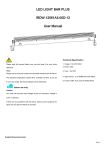
Power Supply :
AC100~ 240V 47 ~63Hz
Power Consumption:
28W MAX
Dimension(L*W*H):
327.5(L)*70(W)*174(H)mm
Weight
2.2kg
Fuse
1A/250V