1
levels, to select the treatment time (for Manual Modes).
If a preset mode is working, press the "timer" key to
skip a phase (sub-programs ® ® ©).
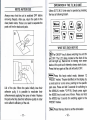
Pfffr-q These two rotated knobs which locate on
the top of the unit adjust the intensity of channels, left
side is for the CM, right side is for the Ch2. Turn the
knob and the intensity over zero, the corresponding
LED light located at the top of the knob will light up.
/""A
VjY
Press these keys to increase or decrease the
frequency, (for Manual Modes)
s7
Press these keys to increase or decrease the
pulse width, (for Manual Modes)
Havel Press this key to change the form of the
stimulation wave (for manual modes only) and the
change is directly felt by the user.
| Lock | Press and hold this key for 3 seconds; the unit
will be locked or unlocked in toggle. While the unit is
locked, all parameters cannot be adjusted except
timer and intensity. By removing batteries or pressing
ON/OFF key cannot change the status of
locked/unlocked.
SPECIFICATION
Model:
Channel:
Ultima 20
Dual
-13-
Output:
Pulse Width:
Pulse rate:
Waveform:
Mode:
Maximum 130 mA (peak value)
across 500 Ohm load
From 50uS to 250uS adjustable
From 1 Hz to 150Hz Adjustable
Symmetrical Bi-phasic rectangular
Asymmetrical Bi-phasic rectangular
Monophasic rectangular
12 PRESET programs
They are identified, on the display,
directly through the area to be treated
on the body; they are:
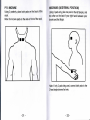
PO - NECK pain
P1- TORTICOLLIS
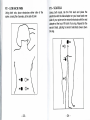
P2 - LOW BACK pain
P3 - SCIATICA
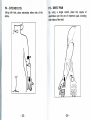
P4-EPICONDYLITIS
P5- WRIST PAIN
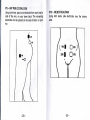
P6 - POST-SURGERY knee pain
P7- ANKLE sprain
P8- KNEE pain (gonalgia)
P9-HIP pain (coxalgia)
P10-MENSTRUAL pain
P11- NEURALGIA
The PRESET program apply a sequence of 3
sub-programs ® (D ©, optimized to treat the
specific pain situation. The characters ®, (§) or ©
will flash, showing the phase in use or will be ON to
show the completed phase.
-14-