1
Operation
3
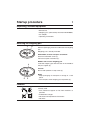
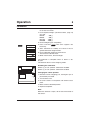
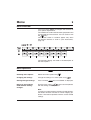
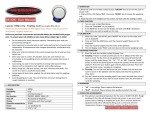
Instrument overview
(1) Circular or rectangular weighing pan
(2) Display panel
(3) Keypad
1
2
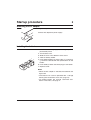
Green function = Press briefly
Blue function = Press and hold
3
4
5
6
7
(4)
(5)
(6)
(7)
AC adapter socket
Model plate
Antitheft device
Cover of RS-232 socket
Operation
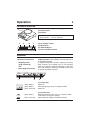
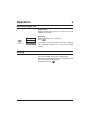
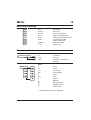
2 operator control levels
• Weighing mode
(page 4 onwards)
and
• Menu (page 9 onwards)
On
0/T
Off
F
1
CAL/Menu
2
On
0/T
Off
(press briefly)
(press briefly)
(press and hold)
(press briefly)
F
BD balances have two operator control levels, the
weighing mode and the menu. General operation is
in the weighing mode.
In addition to the basic functions weighing and taring,
other functions are available such as unit switching,
counting or percent weighing. Selection of the functions and setting the balance parameters takes place
in the menu (page 9 onwards).
(press and hold)
3
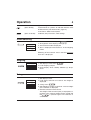
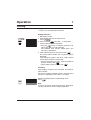
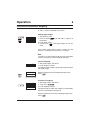
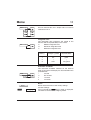
(1) Control key
Switch on
Zero setting/taring, return to weighing mode
Switch off
(2) Function key
Switching between unit 1/unit 2/% or piece number
In the menu: Change the settings
Enter reference weight or reference quantity