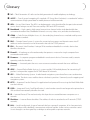
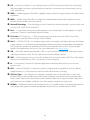
1
User Guide MIFI® 4G LTE GLOBAL USB MODEM U620L ©2015 Verizon Wireless, Inc. All rights reserved. The information contained in this document is subject to change without notice and should not be construed as a commitment by Verizon Wireless, Inc. Patents and Licenses Visit www.novatelwireless.com/patents for a complete list of all Novatel Wireless patents. Software License Proprietary Rights Provisions: The software drivers provided with this product are copyrighted by Novatel Wireless and/or Novatel Wireless’ suppliers. Although copyrighted, the software drivers are unpublished and embody valuable trade secrets proprietary to Novatel Wireless and/or Novatel Wireless’ suppliers. The disassembly, decompilation, and/or Reverse Engineering of the software drivers for any purpose is strictly prohibited by international law. The copying of the software drivers, except for a reasonable number of back-up copies is strictly prohibited by international law. It is forbidden by international law to provide access to the software drivers to any person for any purpose other than processing the internal data for the intended use of the software drivers. U.S. Government Restricted Rights Clause: The software drivers are classified as “Commercial Computing device Software” and the U.S. Government is acquiring only “Restricted Rights” in the software drivers and their Documentation. U.S. Government Export Administration Act Compliance Clause: It is forbidden by US law to export, license or otherwise transfer the software drivers or Derivative Works to any country where such transfer is prohibited by the United States Export Administration Act, or any successor legislation, or in violation of the laws of any other country. Trademarks and Service Marks Verizon Wireless is a trademark of Verizon Wireless, Inc., and the other trademarks, logos, and service marks (collectively the “Trademarks”) used in this user manual are the property of Verizon Wireless or their respective owners. Nothing contained in this user manual should be construed as granting by implication, estoppel, or otherwise, a license or right of use of Verizon Wireless or any other Trademark displayed in this user manual without the written permission of Verizon Wireless or its respective owners. • Novatel Wireless, and the Novatel Wireless logo are trademarks of Novatel Wireless, Inc. • Microsoft® and Windows® are either registered trademarks or trademarks of Microsoft® Corporation in the United States and/or other countries. • Apple® and Mac® are registered trademarks of Apple, Inc., registered in the U.S. and other countries. • LTE™ is a trademark of ETSI. The names of actual companies and products mentioned in this user manual may be the trademarks of their respective owners. Novatel Wireless Revision History Part Number 90029147 Revision R1 Description Date Initial release 30 Jun 2015 FCC ID: PKRNVWMC620 IC ID: 3229B-MC620 PN: 90029147 R1 DRAFTH UG U620L VZW 30Jun2015 Please visit www.verizonwireless.com for the latest information about your device. Contents Getting Started . . . . . . . . . . . . . . . . . . . . . . . . . . . . . . . . . . . . . . . . . . . . . . . . . . . . . . . . . 1 Overview. . . . . . . . . . . . . . . . . . . . . . . . . . . . . . . . . . . . . . . . . . . . . . . . . . . . . . . . . . . . . . . . . . . . . . . . . . . . . . . . . . . . Package Contents . . . . . . . . . . . . . . . . . . . . . . . . . . . . . . . . . . . . . . . . . . . . . . . . . . . . . . . . . . . . . . . . . . . . . . . . System Requirements. . . . . . . . . . . . . . . . . . . . . . . . . . . . . . . . . . . . . . . . . . . . . . . . . . . . . . . . . . . . . . . . . . . . Components. . . . . . . . . . . . . . . . . . . . . . . . . . . . . . . . . . . . . . . . . . . . . . . . . . . . . . . . . . . . . . . . . . . . . . . . . . . . . . . . . Status & Data Used Indicators. . . . . . . . . . . . . . . . . . . . . . . . . . . . . . . . . . . . . . . . . . . . . . . . . . . . . . . . . . . . . Caring for Your Device. . . . . . . . . . . . . . . . . . . . . . . . . . . . . . . . . . . . . . . . . . . . . . . . . . . . . . . . . . . . . . . . . . . . . . . . 2 2 2 3 4 5 Using the MiFi U620L. . . . . . . . . . . . . . . . . . . . . . . . . . . . . . . . . . . . . . . . . . . . . . . . . . . . 6 Using the MiFi U620L Modem for the First Time. . . . . . . . . . . . . . . . . . . . . . . . . . . . . . . . . . . . . . . . . . . . . . . 7 Inserting and Connecting Your Device . . . . . . . . . . . . . . . . . . . . . . . . . . . . . . . . . . . . . . . . . . . . . . . . . . . . . . . . 8 Properly Insert the Device in Your Computer . . . . . . . . . . . . . . . . . . . . . . . . . . . . . . . . . . . . . . . . . . . . . . 8 Connecting to the Network and the Internet . . . . . . . . . . . . . . . . . . . . . . . . . . . . . . . . . . . . . . . . . . . . . . 9 Properly Remove the Device from Your Computer . . . . . . . . . . . . . . . . . . . . . . . . . . . . . . . . . . . . . . . . 11 MiFi Web User Interface (UI) . . . . . . . . . . . . . . . . . . . . . . . . . . . . . . . . . . . . . . . . . . . . . . . . . . . . . . . . . . . . . . . . . 12 Home. . . . . . . . . . . . . . . . . . . . . . . . . . . . . . . . . . . . . . . . . . . . . . . . . . . . . . . . . . . . . . . . . . . . . . . . . . . . . . . . . . . 13 Navigation Panel . . . . . . . . . . . . . . . . . . . . . . . . . . . . . . . . . . . . . . . . . . . . . . . . . . . . . . . . . . . . . . . . . . . . . . . . 14 Data Usage . . . . . . . . . . . . . . . . . . . . . . . . . . . . . . . . . . . . . . . . . . . . . . . . . . . . . . . . . . . . . . . . . . . . . . . . . . . . . . . . . 15 Settings. . . . . . . . . . . . . . . . . . . . . . . . . . . . . . . . . . . . . . . . . . . . . . . . . . . . . . . . . . . . . . . . . . . . . . . . . . . . . . . . . . . . . 16 Networks. . . . . . . . . . . . . . . . . . . . . . . . . . . . . . . . . . . . . . . . . . . . . . . . . . . . . . . . . . . . . . . . . . . . . . . . . . . . . . . 17 SIM. . . . . . . . . . . . . . . . . . . . . . . . . . . . . . . . . . . . . . . . . . . . . . . . . . . . . . . . . . . . . . . . . . . . . . . . . . . . . . . . . . . . . 19 Software Update . . . . . . . . . . . . . . . . . . . . . . . . . . . . . . . . . . . . . . . . . . . . . . . . . . . . . . . . . . . . . . . . . . . . . . . . 20 Advanced. . . . . . . . . . . . . . . . . . . . . . . . . . . . . . . . . . . . . . . . . . . . . . . . . . . . . . . . . . . . . . . . . . . . . . . . . . . . . . . 21 GPS. . . . . . . . . . . . . . . . . . . . . . . . . . . . . . . . . . . . . . . . . . . . . . . . . . . . . . . . . . . . . . . . . . . . . . . . . . . . . . . . . . . . . . . . . 25 Messages . . . . . . . . . . . . . . . . . . . . . . . . . . . . . . . . . . . . . . . . . . . . . . . . . . . . . . . . . . . . . . . . . . . . . . . . . . . . . . . . . . . 27 About . . . . . . . . . . . . . . . . . . . . . . . . . . . . . . . . . . . . . . . . . . . . . . . . . . . . . . . . . . . . . . . . . . . . . . . . . . . . . . . . . . . . . . 30 Internet Status. . . . . . . . . . . . . . . . . . . . . . . . . . . . . . . . . . . . . . . . . . . . . . . . . . . . . . . . . . . . . . . . . . . . . . . . . . 30 Device Info. . . . . . . . . . . . . . . . . . . . . . . . . . . . . . . . . . . . . . . . . . . . . . . . . . . . . . . . . . . . . . . . . . . . . . . . . . . . . . 32 Diagnostics. . . . . . . . . . . . . . . . . . . . . . . . . . . . . . . . . . . . . . . . . . . . . . . . . . . . . . . . . . . . . . . . . . . . . . . . . . . . . 33 Troubleshooting Logs. . . . . . . . . . . . . . . . . . . . . . . . . . . . . . . . . . . . . . . . . . . . . . . . . . . . . . . . . . . . . . . . . . . 37 Help . . . . . . . . . . . . . . . . . . . . . . . . . . . . . . . . . . . . . . . . . . . . . . . . . . . . . . . . . . . . . . . . . . . . . . . . . . . . . . . . . . . . . . . . 40 Account & Tools . . . . . . . . . . . . . . . . . . . . . . . . . . . . . . . . . . . . . . . . . . . . . . . . . . . . . . . . . . . . . . . . . . . . . . . . . . . . . 41 My Verizon Wireless. . . . . . . . . . . . . . . . . . . . . . . . . . . . . . . . . . . . . . . . . . . . . . . . . . . . . . . . . . . . . . . . . . . . . 42 Coverage Map . . . . . . . . . . . . . . . . . . . . . . . . . . . . . . . . . . . . . . . . . . . . . . . . . . . . . . . . . . . . . . . . . . . . . . . . . . 42 Help & Support . . . . . . . . . . . . . . . . . . . . . . . . . . . . . . . . . . . . . . . . . . . . . . . . . . . . . . . . . . . . . . . . . . . . . . . . . . . . . 45 Data Calculator . . . . . . . . . . . . . . . . . . . . . . . . . . . . . . . . . . . . . . . . . . . . . . . . . . . . . . . . . . . . . . . . . . . . . . . . . 46 Trip Planner . . . . . . . . . . . . . . . . . . . . . . . . . . . . . . . . . . . . . . . . . . . . . . . . . . . . . . . . . . . . . . . . . . . . . . . . . . . . . 47 Attend a Wireless Workshop. . . . . . . . . . . . . . . . . . . . . . . . . . . . . . . . . . . . . . . . . . . . . . . . . . . . . . . . . . . . . 49 Community Forums . . . . . . . . . . . . . . . . . . . . . . . . . . . . . . . . . . . . . . . . . . . . . . . . . . . . . . . . . . . . . . . . . . . . . 50 Device Support Page & User Guide. . . . . . . . . . . . . . . . . . . . . . . . . . . . . . . . . . . . . . . . . . . . . . . . . . . . . . . Using the Optional Dashboard Application . . . . . . . . . . . . . . . . . . . . . . . . . . . . . . . . . . . . . . . . . . . . . . . . . . Setup on Your PC. . . . . . . . . . . . . . . . . . . . . . . . . . . . . . . . . . . . . . . . . . . . . . . . . . . . . . . . . . . . . . . . . . . . . . . . Dashboard Operation. . . . . . . . . . . . . . . . . . . . . . . . . . . . . . . . . . . . . . . . . . . . . . . . . . . . . . . . . . . . . . . . . . . Setup on Your Mac. . . . . . . . . . . . . . . . . . . . . . . . . . . . . . . . . . . . . . . . . . . . . . . . . . . . . . . . . . . . . . . . . . . . . . Dashboard Operation. . . . . . . . . . . . . . . . . . . . . . . . . . . . . . . . . . . . . . . . . . . . . . . . . . . . . . . . . . . . . . . . . . . Install a 4G LTE SIM Card. . . . . . . . . . . . . . . . . . . . . . . . . . . . . . . . . . . . . . . . . . . . . . . . . . . . . . . . . . . . . . . . . . . . . 50 51 51 54 57 60 63 Troubleshooting . . . . . . . . . . . . . . . . . . . . . . . . . . . . . . . . . . . . . . . . . . . . . . . . . . . . . . . 65 Overview. . . . . . . . . . . . . . . . . . . . . . . . . . . . . . . . . . . . . . . . . . . . . . . . . . . . . . . . . . . . . . . . . . . . . . . . . . . . . . . . . . . Common Problems and Solutions . . . . . . . . . . . . . . . . . . . . . . . . . . . . . . . . . . . . . . . . . . . . . . . . . . . . . . . . . . . Technical Support. . . . . . . . . . . . . . . . . . . . . . . . . . . . . . . . . . . . . . . . . . . . . . . . . . . . . . . . . . . . . . . . . . . . . . . . . . . Customer Service . . . . . . . . . . . . . . . . . . . . . . . . . . . . . . . . . . . . . . . . . . . . . . . . . . . . . . . . . . . . . . . . . . . . . . . Data Technical Support. . . . . . . . . . . . . . . . . . . . . . . . . . . . . . . . . . . . . . . . . . . . . . . . . . . . . . . . . . . . . . . . . . 66 67 68 68 68 Product Specifications and Regulatory Information. . . . . . . . . . . . . . . . . . . . . . . 69 Product Specifications. . . . . . . . . . . . . . . . . . . . . . . . . . . . . . . . . . . . . . . . . . . . . . . . . . . . . . . . . . . . . . . . . . . . . . . General . . . . . . . . . . . . . . . . . . . . . . . . . . . . . . . . . . . . . . . . . . . . . . . . . . . . . . . . . . . . . . . . . . . . . . . . . . . . . . . . . Technology/Bands. . . . . . . . . . . . . . . . . . . . . . . . . . . . . . . . . . . . . . . . . . . . . . . . . . . . . . . . . . . . . . . . . . . . . . Environmental. . . . . . . . . . . . . . . . . . . . . . . . . . . . . . . . . . . . . . . . . . . . . . . . . . . . . . . . . . . . . . . . . . . . . . . . . . Regulatory Statements . . . . . . . . . . . . . . . . . . . . . . . . . . . . . . . . . . . . . . . . . . . . . . . . . . . . . . . . . . . . . . . . . . . . . . Federal Communications Commission Notice (FCC – United States) . . . . . . . . . . . . . . . . . . . Wireless Communications. . . . . . . . . . . . . . . . . . . . . . . . . . . . . . . . . . . . . . . . . . . . . . . . . . . . . . . . . . . . . . . . . . . Limited Warranty and Liability . . . . . . . . . . . . . . . . . . . . . . . . . . . . . . . . . . . . . . . . . . . . . . . . . . . . . . . . . . . . . . . Safety Hazards. . . . . . . . . . . . . . . . . . . . . . . . . . . . . . . . . . . . . . . . . . . . . . . . . . . . . . . . . . . . . . . . . . . . . . . . . . . . . . 70 70 70 70 71 71 74 74 75 Glossary . . . . . . . . . . . . . . . . . . . . . . . . . . . . . . . . . . . . . . . . . . . . . . . . . . . . . . . . . . . . . . . . . . 77 1 Getting Started Overview Components Caring for Your Device Overview Congratulations on purchasing the MiFi 4G LTE Global USB Modem U620L for 4G LTE Mobile Broadband service. This 4G LTE USB modem enables you to connect at high speeds to the Internet, your corporate Intranet, and access your email while you’re away from the office. Package Contents The MiFi 4G LTE Global USB Modem U620L package includes: •• MiFi 4G LTE Global USB Modem U620L NOTE The MiFi 4G LTE Global USB Modem U620L is not a handheld device. •• Literature Kit containing: •• Quick Reference Guide •• Global Support Brochure •• Product Safety & Warranty Brochure System Requirements •• Supported operating systems •• Windows® 7 or 8 •• Mac OS® 10.5 or higher •• USB port: Type A, v2.0 or higher •• Supported browsers: •• Microsoft Internet Explorer 9 or higher •• Mozille Firefox 3.6 or higher •• Google Chrome 9 or higher •• Apple Safari 5 or higher •• Opera 9 or higher •• Verizon Wireless data plan 2 Components 1 2 7 3 (inside under cover) 6 4 5 ➊➊ Status LED indicator — indicates the network and traffic status; it also indicates when there is no SIM or a SIM error, and when a software update is in progress. (See Package Contents on page 2.) ➋➋ Data Used LED indicator — indicates data usage from less than 80% to 100% or greater; it also indicates when data usage information is not available. ➌➌ ➍➍ USB Connector — connects to your computer through a type A USB port. ➎➎ USB Folding Hinge — folds the USB Connector into your MiFi U620L Modem, and allows the USB Connector to be extended and plugged into your computer. (See Properly Insert the Device in Your Computer on page 8.) ➏➏ Back Panel (removable) — covers the 4G LTE SIM card slot. Press gently on the cover with your thumb and slide the panel off. The manual reset button can be found under this panel. ➐➐ 4G LTE SIM Card Slot — inside under the back panel, insert the 4G LTE SIM card into the spring-loaded SIM card slot (under the back panel - not shown). (See Install the 4G LTE SIM Card on page 8.) USB Connector Pivot— allows the USB Connector to rotate, making it easier to connect to computers. 3 Status & Data Used Indicators The LED indicates the modem status. Status LED Color Status Description WHEN NOT CONNECTED Red Solid No network available. White Solid No SIM or SIM error. Solid Device ready to use. Home network. No network activity. WHEN CONNECTED Green NOTE While starting up, the Status LED will illuminate solid amber, then flash amber and green. Amber White Blinking Home network available. Network activity. Solid Roaming network available. No network activity. Blinking Roaming. Network activity. Blinking SW Update in progress. Data Used OFF Data Usage information is not available. Green Solid Data Usage: < 80%. Amber Solid Data Usage: 80-89%. Red Solid Data Usage: 90-99% Blinking Data Usage: 100% or greater 4 Caring for Your Device Like any electronic device, the modem must be handled with care to ensure reliable operation. Verizon Wireless recommends the following guidelines: •• Protect the device from liquids, dust, and excessive temperatures. •• Do not apply adhesive labels to the device; they might cause the device to overheat or alter antenna performance. •• The USB connector should plug easily into your computer’s standard type A USB port. Forcing the device into a port might damage the connector. •• Remove the device from your computer before transporting it. •• Store the device in a safe place when not in use. 5 2 Using the MiFi U620L Using the MiFi U620L Modem for the First Time Inserting and Connecting Your Device Using the Optional Dashboard Application Using the MiFi U620L Modem for the First Time IMPORTANT Do not connect the device to a USB hub, as it might not provide sufficient power. See the Quick Reference Guide included in the box. To get started, follow these steps. ➊➊ Confirm your computer meets the minimum system requirements. (See System Requirements on page 2.) ➋➋ Your MiFi U620L Modem comes with a SIM card pre-installed. Should you need to swap out your SIM, follow the instructions for installing an activated 4G LTE SIM Card. (See Install the 4G LTE SIM Card on page 64.) ➌➌ Connect the MiFi U620L Modem to your computer. (See Properly Insert the Device in Your Computer on page 8.) For computers running Windows® 7, Windows 8, or Mac OS 10.5 of higher, the USB drivers will install automatically. ➍➍ Connect to the Internet. (See Connecting to the Network and the Internet on page 9.) IMPORTANT The device requires an activated 4G LTE SIM with Verizon Wireless to function. 7 Inserting and Connecting Your Device Properly Insert the Device in Your Computer Open the USB connector ➊➊ Use your thumb to gently flip open the USB connector on your USB modem. Be sure to avoid over-extending the USB connector past its resistance point. Avoid opening the USB connector with metal objects as this might damage the pins. To properly insert the device ➋➋ Hold the device along the side edges and gently insert it into your computer’s USB port. On most computers, insert the MiFi U620L with the label facing up. It should fit easily into the port. Some computers might orient the USB port so the device label faces down or sideways. Do not force the device into the port as this might damage both the device and the port. ➌➌ Position the modem as indicated in the following illustrations to maintain SAR compliance and to ensure proper performance. This modem has been designed and tested to meet SAR compliance as outlined by the FCC. If the modem is connected to USB ports other than those shown, ensure that the device maintains a separation distance of at least 5 mm. IMPORTANT The device must be positioned at 120° for optimal functionality. Failure to maintain a position between the normal operating range of 110° - 130° will cause the device to stop functioning. NOTE If you are having difficulty inserting the device into your computer’s USB port, verify that you are inserting the device in the correct orientation and that you are using a Type A USB port. While starting up, the Status LED will illuminate solid amber, then flash amber and green. 8 Connecting to the Network and the Internet Getting started with your new wireless MiFi 4G LTE Global USB Modem U620L is simple. Insert the modem into the USB Port, open the computer’s web browser, type http://my.usb or 192.168.1.1 in the browser’s address line and then press Enter. You are now connected to the Internet and the MiFi U620L Web UI home page. IMPORTANT Installation must be performed within a 4G Mobile Broadband and/or Mobile Broadband coverage area. ➊➊ When you access the MiFi U620L Web UI for the first time, you must designate the preferred connection method for your MiFi U620L Modem: Welcome to your MiFi U620L - Connection Preferences ➋➋ To set your connection preference, select one of the following options: •• Auto-connect - Automatically connect to the network when you insert the MiFi U620L into your device. •• Auto-connect if not roaming - Automatically connect to the network when you insert the MiFi U620L into your device only if it is not roaming. •• Manual Connection - Manually connect to the network when you insert the MiFi U620L into your device. To manually connect to the network, you must use the Connect/ Disconnect button on the MiFi U620L. 9 ➌➌ Click Save Changes to save the connection preference settings. Connection Preferences - Save Changes ➍➍ Click OK to accept and finalize the connection preference settings. Connection Preferences - Changes Saved 10 Properly Remove the Device from Your Computer IMPORTANT Be sure to disconnect from the network and quit the MiFi Web UI before you remove the device from your computer. Disconnecting from the network and quitting the software avoids potential problems such as automatic shutdown or screen freezing. Windows The U620L Modem’s USB technology allows you to safely remove the device at any time when you are not connected to the network. ➊➊ ➋➋ ➌➌ End your Mobile Broadband session by selecting Disconnect from the MiFi Web UI. Exit and close the MiFi Web UI. Gently grip the MiFi U620L Modem on both sides and pull straight out to avoid damaging the USB connectors. Mac OS X ➊➊ ➋➋ ➌➌ End your Mobile Broadband session by clicking Disconnect in the MiFi Web UI. home page ➍➍ Gently grip the U620L Modem on both sides and pull straight out to avoid damaging the USB connectors. Exit and close the MiFi Web UI. Click the eject icon to the right of the U620L Modem icon in the left column of the Finder window to eject the device. 11 MiFi Web User Interface (UI) The MiFi Web User Interface allows you to manage, monitor and customize your wireless network activity through an easy-to-use web interface. You’ll also be able to: •• Time your network sessions •• View your usage history •• Update your software to the latest version •• Connect to Verizon Wireless for product and account information •• Receive help and support 12 Home MiFi U620L Home allows you to quickly access commonly used links and all available menu options for your MiFi U620L Modem. It contains the following quick link menu options. •• Navigation Panel (See Navigation Panel on page 14.) •• Account & Tools (See Account & Tools on page 41.) •• Help & Support (See Help & Support on page 45.) MiFi U620L Web UI Home NOTE The next time you sign in to MiFi U620L Settings, you will need to use the new password. MiFi U620L Home displays the following session connection information: •• Network status — Indicates your current network connection status (Connected, Disconnect). Click Disconnect if you are currently connected to the network and wish to disconnect. •• Session Time — The total amount of time connected to the network during this current session. •• Session Data — The total amount of data received from, and transmitted to the network during this current session. •• You have a new message - This notification displays when you have a new message. To view messages, click View Message to access the Messages page. (See Messages on page 27.) 13 Navigation Panel The Navigation Panel allows you to quickly access commonly used links for your MiFi U620L Modem. It contains the following quick link menu options: •• Data Usage (See Data Usage on page 16.) •• Settings (See Settings on page 16.) •• GPS (See GPS on page 25.) •• Messages (See Messages on page 27.) •• About (See About on page 30.) •• Help (See Help on page 40.) MiFi U620L Web UI Home - Navigation Panel 14 Data Usage The Data Usage page allows you to obtain your current estimated data usage, and to access Account & Tools. Click Data Usage on the Menu panel to display the Data Usage page and access information specific to your particular plan. MiFi U620L Data Usage NOTE Roaming charges or roaming minutes may not be included in your estimate. Credits and adjustments to your account may not appear until your next billing statement, and may not be reflected in your current balance. Payments are applied to your account on the same day they are made. 15 Settings The MiFi U620L Settings page allows you to make administration password and preference changes; obtain software update information; backup and restore files to your MiFi U620L Modem; and set GPS preferences. The MiFi U620L Settings page contains the following sections: •• Networks (See Networks on page 17.) •• SIM (See SIM on page 19.) •• Software Update (See Software Update on page 20.) •• Advanced (See Advanced on page 21.) 16 Networks The Networks menu contains the following sections: •• Connection Preference — Allows you to turn off cellular data to prevent all internet traffic from using the MiFi U620L Modem mobile broadband connection. •• Preferred Network Technology — Allows you to select the network technologies that will be used. The choices are Global, LTE only, CDMA only, and LTE/UMTS/GSM. •• Manual Selection — On GSM/UMTS/HSPA networks, use this feature to specify the network to use. NOTE This option is not available on other types of networks. •• Show More Options — Click to display or change the following: •• 4G LTE APN — Displays the network carrier APN •• GSM/UMTS/HSPA APN — Use only when a non-Verizon SIM is inserted. •• Save Changes — Use to activate and save new settings. MiFi U620L Settings - Networks 17 To change your connection preference: ➊➊ Select one of the following options: •• Auto-connect - Automatically connect to the network when you insert the MiFi U620L into your device. •• Auto-connect if not roaming - Automatically connect to the network when you insert the MiFi U620L into your device only if it is not roaming. •• Manual Connection - Manually connect to the network when you insert the MiFi U620L into your device. To manually connect to the network, you must use the Connect/ Disconnect button on the MiFi U620L Web User Interface. ➋➋ Click Confirm on the Confirm warning pop-up window. NOTE All internet connections will be immediately terminated when you click Confirm. ➌➌ Click Save Changes to accept and finalize the new Connection Preference settings. To change your preferred network technology: ➊➊ Select the desired network technology from the dropdown menu. Choose from Global, LTE/ CDMA, and GSM/UMTS. ➋➋ Click Save Changes to accept and finalize the revised preferred network setting. The MiFi U620L automatically selects the best network to use when using GSM/UMTS. To manually select another network: ➊➊ ➋➋ ➌➌ Click Select Network Click Scan for Networks when the Manual Network Selection page appears. Click Confirm on the Confirm warning pop-up window. NOTE Any existing network connections will be terminated when you click Confirm after the network scanning process completes. ➍➍ When the Available Networks display, click Select to make your manual network selection. To display or change the Networks Advanced Settings: ➊➊ Click Show More Options. The 4G LTE APN displays the pre-configured APN and should not be changed unless you have a corporate account with your own APN. ➋➋ ➌➌ If you are using a non-Verizon SIM, enter the APN in the GSM/UMTS/HSPA APN field. Click Save Changes to accept and finalize all settings. 18 SIM The SIM menu gives you settings and information about the MiFi U620L Modem’s Subscriber Identity Module (SIM) card. The SIM card inside your MiFi U620L Modem can be locked with a PIN code for additional security. If locked, the PIN code must be entered before the MiFi U620L Modem can connect to the Internet. The SIM menu takes you to the SIM page. The SIM menu has the following options: •• SIM PIN Lock feature — Indicates whether or not the PIN lock feature is in use. If ON, the PIN lock has been turned on, and the SIM PIN must be entered in order to connect to the mobile network. If OFF, the PIN lock feature is not turned on, and the SIM PIN is not required. •• SIM Status — Indicates the current status of the SIM card. Possible values include: •• Ready — This is the normal state. The SIM PIN is not used. •• PIN Locked — The SIM PIN must be entered before you can use the mobile network. •• PUK Locked — The PUK for the SIM must be entered in order to continue. The PUK can be obtained from your service provider. •• Unlocked — The SIM PIN is needed, but has already been entered. •• No SIM — No SIM was detected. If you do have a SIM, check that it is inserted correctly. •• SIM Error — A SIM was detected, but it did not respond as expected, and cannot be used. •• Desired Action — Allows you to turn the PIN lock feature ON/OFF. •• Enter current PIN — Type the desired PIN in the Enter current PIN field. The default PIN is 1111. •• Save Changes — Use to activate and save new settings. MiFi U620L Settings - SIM IMPORTANT Entering an incorrect PIN will lock the SIM. The default PIN is 1111. 19 Software Update The Software Update page contains the following sections: •• Current software version— Displays information for the current software version, date of last check for updates and the number of updates currently available. •• Checked for update — Displays the date of the last software update. Never is listed if you have never checked for an update. •• Update status — Displays the software update history. To check for software updates, click Check for Update. MiFi U620L Settings - Software Update 20 Advanced The Advanced section allows you to change the MiFi U620L Modem advanced settings. The Advanced page provides network, manual DNS, SIM, firewall, MAC filter and LAN settings, as well as options for configuring port filtering and forwarding applications. IMPORTANT! Changing the MiFi U620L Modem’s Advanced settings can adversely affect stability, performance and security of the MiFi U620L Modem. MiFi U620L Settings - Advanced Settings Warning Click Continue on the Advanced page to access Advanced page options. 21 Change MiFi U620L Web UI Admin Password Clicking on Turn on password protection enables password protection in the MiFi U620L. Use the remainder of the Admin Password section of the Advanced page to change the Admin Password. This is the password you use to Sign In to Settings. To change the Admin Password used to sign In to your MiFi U620L Modem: ➊➊ Enter your current Admin password in the Current Admin Password box. The default Admin password is admin. MiFi U620L Settings - Change Admin Password ➋➋ ➌➌ ➍➍ ➎➎ Enter your new password in the New Admin Password box. Re-enter your new password in the Confirm new Admin password box. Select a security question from the Select security question drop down menu. Enter the answer to the selected security question in the Answer Security Question field. 22 MiFi U620L Settings - Answer Security Question ➏➏ ➐➐ Click Save Changes to accept and finalize all settings. Click Confirm on the Confirm warning pop-up window. NOTE The MiFi U620L will restart when you click Confirm. ➑➑ A message displays confirming that your password has been changed. NOTE The next time you sign in to MiFi U620L Settings, you will need to use the new password. 23 Set Preferences Use the Preferences section of the Advanced page to set password protection, hardware and local IP address preferences for your MiFi U620L Modem. To set password protection, hardware and local IP address preferences for your MiFi U620L Modem: ➊➊ Click Include all Settings pages in password protection if you wish to enable password protection for all Settings pages. MiFi U620L Settings - Answer Security Question ➋➋ Click Include GPS page in password protection if you wish to enable password protection for the GPS page (See GPS on page 25.) ➌➌ ➌➌ Click Turn off LEDs if you wish to turn off all LED indicators on your MiFi U620L Modem. ➍➍ ➎➎ Click Save Changes to accept and finalize all settings. Click Turn off hardware reset button if you wish to turn off the hardware reset button on your MiFi U620L Modem. Click Confirm on the Confirm warning pop-up window. NOTE The MiFi U620L will restart when you click Confirm. 24 GPS Clicking on GPS will take you to the Settings page where you can configure the GPS settings for your MiFi U620L Modem. To configure your MiFi U620L Modem GPS settings: ➊➊ Slide the ON/OFF button to ON to activate the MiFi U620L location services and display the GPS Agreement. MiFi U620L Settings - GPS ➋➋ To proceed, click Confirm after reading and agreeing to the GPS Agreement. MiFi U620L Settings - GPS Agreement 25 ➌➌ NMEA is a standard method of providing a GPS data stream in Windows and other computing platforms. If this check box is selected, when connected via a USB cable, a NMEA (serial) port is available to applications that can use a NMEA stream. To use GPS over Wi-Fi (NMEA), click Download GPS Over Wi-Fi Drivers at the bottom of the page to download and install the drivers. GPS - Download GPS Over Wi-Fi Drivers ➍➍ Click Save Changes. 26 Messages The Messages page displays all existing Verizon system messages, and allows you to delete messages individually or all messages at one time. Unread messages are marked with a green message icon . MiFi U620L Messages 27 To delete existing messages: ➊➊ To delete one message at a time, click the trash can icon delete. for each message you want to MiFi U620L Messages - Delete ➋➋ To delete all messages at one time, click Delete All Messages at the bottom of the page. MiFi U620L Messages - Delete All 28 ➌➌ To delete all messages, click Confirm when the confirmation dialog displays: MiFi U620L Messages - Deletion Confirmation ➍➍ After clicking Confirm, the previously displayed messages no longer display in the Messages page. MiFi U620L Messages - After Mass Deletion 29 About The About page allows you to view detailed information about the MiFi U620L Modem internet status, device specific information, diagnostics and troubleshooting logs. The About page contains the following menu options: •• Internet Status (See Internet Status on page 30.) •• Device Info (See Device Info on page 32.) •• Diagnostics (See Diagnostics on page 33.) •• Troubleshooting Logs (See Troubleshooting Logs on page 37.) Internet Status The Internet Status page shows MiFi U620L Modem settings and status and contains the following sections: •• Status (See Status on page 31.) •• IPv4 (See IPv4 on page 31.) •• IPv6 (See IPv6 on page 31.) •• View Internet Sessions (See View Internet Sessions on page 31.) About MiFi U620L - Internet Status 30 Status The Status section has the following options: •• Status — The status of the Internet connection, usually Connected or Disconnected. •• Network name — The name of the network to which the MiFi U620L Modem is currently connected. •• Technology — The type of technology used to connect to the Internet. •• Roaming - Indicates if the MiFi U620L is currently using a roaming network. •• Time connected — How long the MiFi U620L Modem has been connected to the network. •• Received — The amount of data received from the network. •• Transmitted — The total amount of data received from and sent to the network. IPv4 The IPv4 section has the following options: •• IP Address — The IP address for the MiFi U620L Modem. •• Mask — The subnet mask network setting for the MiFi U620L Modem. The default value 255.255.255.0 is standard for small (class “C”) networks. If you change the LAN IP Address, ensure you use the correct Subnet Mask for the IP address range containing the LAN IP address. •• Gateway — The address of the server used to access the Internet. •• DNS — The address of the Domain Name Server (DNS). IPv6 The IPv6 section has the following option: •• IP address — The IP address for the MiFi U620L Modem. View Internet Sessions To view Internet session connection history for the MiFi U620L Modem: •• Click View Internet Sessions; the following message displays: 31 Device Info The Device Info page contains detailed information about the MiFi U620L Modem. The Info page contains the following sections: •• Manufacturer — The manufacturer of the MiFi U620L. •• Model — The model number or name of the MiFi U620L. •• Software version — The current MiFi U620L software version. •• Configuration version — The MiFi U620L operating system (OS), including its components, version. Click Show Software Components to display the following device information: •• Modem FW version — The current modem firmware version. •• Web UI version — The web user interface version. •• PRI version — The configuration version currently applied to the MiFi U620L. Click Hide Software Components to hide device information: About MiFi U620L - Device Info 32 Diagnostics The Diagnostics page shows information about the MiFi U620L firmware and other system-level information. You can also view the system log. This page is used mostly for troubleshooting and is not required for normal operation. The Diagnostics page contains the following sections: •• Modem (See Modem on page 34.) •• 4G LTE Network (See 4G LTE Network on page 35.) •• GSM/UMTS/HSPA Network (See GSM/UMTS/HSPA Network on page 35.) •• 3G Network (eHRPD/EVDO/1xRTT) (See 3G Network (eHRPD/EVDO/1xRTT) on page 36.) About MiFi U620L - Diagnostics 33 Modem The Modem section has the following options: •• Phone number (MDN) — The Phone Number or Mobile Directory Number (MDN) is used by the mobile data network to identify this particular data service. •• MEID — The Mobile Equipment Identifier (MEID) is used by the mobile data network to identify this particular modem. •• IMEI — The International Mobile Equipment Identity (IMEI) number for the MiFi U620L. •• IMEISV — The International Mobile Equipment Identity (IMEI) combined with an approval number for the MiFi U620L. •• FW version — The modem firmware version. •• SIM status — Status of the SIM card. If the SIM card is missing, or this field indicates some form of SIM error, the MiFi U620L will not be able to connect to the mobile network. •• ICCID — The ID number assigned to the SIM Card. •• MIN (MSID) — The Mobile Identification Number (MIN) or Mobile Station ID (MSID) is the number associated with the home service provider and the wireless phone number. •• ESN — The Electronic Serial Number, which is either blank or a pseudo-ESN which is not guaranteed to be unique for devices that use an MEID. •• Home SID — System identifier for the home network. •• ERI version — The Enhanced Roaming Indicator version that is currently installed. •• PRL version — The version of the Preferred Roaming List (PRL), which tells the modem which non-home carrier towers should provide roaming coverage. About MiFi U620L Diagnostics - Modem 34 4G LTE Network The 4G LTE Network section has the following options: •• Status — Status of the network (Disabled, Not available, or Available). •• Network operator — The vendor that currently provides wireless access. •• Signal strength — Indicates the signal strength for LTE. •• SNR — A measure of signal quality; the higher the number the better the signal. •• Band — Band number being used in the 4G LTE network. •• Roaming — Indicates if roaming is currently being used. About MiFi U620L Diagnostics - 4G LTE Network GSM/UMTS/HSPA Network The GSM/UMTS/HSPA Network section has the following options: •• Status — Status of the network (Disabled, Not available, or Available). •• Network operator — The vendor that currently provides wireless access. •• Technology — The current technology in use for the GSM/WCDMA/HSPA network. Possible values, from slowest to fastest are GPRS, EDGE, UMTS, HSDPA, HSUPA, HSPA+, and HSPA+ DC. •• PLMN ID — The name and/or ID of the Public Land Mobile Network. •• Cell ID — The value identifies the cell tower currently in use. •• RSSI — Indicates the RSSI for the GSM/UMTS/HSPA signal. RSSI is a measure of signal strength in decibels, relative to one milliwatt. •• Roaming — Indicates if the current connection is a roaming connection. About MiFi U620L Diagnostics - GSM/UMTS/HSPA Network 35 3G Network (eHRPD/EVDO/1xRTT) The 3G Network (eHRPD/EVDO/1xRTT) section has the following options: •• Status — Status of the network (Disabled, Not available, or Available). •• Field Test — This function is not available for the MiFi U620L Modem. •• Network operator — The vendor that currently provides wireless access. •• RSSI (1x) — Indicates the RSSI for the 1xRTT signal. •• RSSI (EVDO) — Indicates the signal strength for the EVDO/eHRPD signal. •• Technology — The type of technology used to connect to the Internet. •• Ec/Io — A measure of how clean the signal is, and is a type of signal-to-noise ratio. •• SID — System identifier for the network. •• Roaming — Indicates if the current connection is a roaming connection. About MiFi U620L Diagnostics - 3G Network 36 Troubleshooting Logs The Troubleshooting Logs page allows you to turn logs ON/OFF, and to delete system logs. NOTE Logs record various operations and are used for troubleshooting and are not needed for normal MiFi U620L Modem operation. About MiFi U620L Troubleshooting Logs Turn on Logs To turn on system logs: ➊➊ Select the checkbox next to Turn on logs. About MiFi U620L Logs - Turn On ➋➋ Click Save Changes. About MiFi U620L Logs - Save Changes 37 Turn Off Logs To turn off system logs: ➊➊ Clear the checkbox next to Turn on logs. About MiFi U620L Logs - Turn Off ➋➋ Click Save Changes. About MiFi U620L Logs - Save Changes Delete System Log To delete a system log: ➊➊ Select the checkbox next to Turn on logs. About MiFi U620L Logs - Turn On 38 ➋➋ Select the appropriate time period for the deletion of system logs from the dropdown menu next to Delete system log. The choices are after 1 - 4 days. If the system log is full, then the oldest data is discarded, regardless of this setting. About MiFi U620L Logs - Set Delete System Log ➌➌ Click Save Changes. 39 Help The Help page has the following options: •• FAQ — Contains links to answers for Frequently Asked Questions, as well as directions about the operation and use of the MiFi U620L Modem. •• Support — Contains Quick Links and Self Service Support sections with links to the same options available in Account & Tools (See Account & Tools on page 41.) and Help & Support (See Help & Support on page 45.). MiFi U620L - Help Page 40 Account & Tools The Account & Tools menu contains the following options: •• My Verizon Wireless (See My Verizon Wireless on page 42.) •• Coverage Map (See Coverage Map on page 42.) •• Data Calculator (See Data Calculator on page 46.) •• Trip Planner (See Trip Planner on page 47.) MiFi U620L Web UI Home - Account & Tools 41 My Verizon Wireless Clicking on My Verizon Wireless takes you to the Verizon Wireless website where you can manage your wireless service, sign in to your account or watch videos to learn more about your MiFi U620L Modem. My Verizon Wireless To sign in to your My Verizon account and access your account options: ➊➊ ➋➋ Type your User ID or Mobile Number in the User ID or Mobile Number field. Select the desired option from the Take Me To drop down menu. Coverage Map Clicking on Coverage Map takes you to the Coverage Locator on the Verizon Wireless website where you can view a detailed coverage map, including Data, Push to Talk, 4G LTE Data, Prepaid, and Voice & Messaging. To display detailed information about Verizon Wireless coverage in your area (U.S.): ➊➊ Type your Street Address, City and State, or Zip code in the appropriate field, then click Search. ➋➋ To limit the coverage areas by service type, click the button by each service type desired, then click Refresh Map. ➌➌ Use the map navigation tools to adjust the size and location of the area displayed. 42 Verizon Coverage Locator To display detailed information about Verizon Wireless international coverage: ➊➊ Type your Street Address, City and State, or Zip code in the appropriate field, then click the magnifying glass icon. ➋➋ ➌➌ ➍➍ To limit the coverage areas by service type, click the button by the service type desired. Use the map navigation tools to adjust the size and location of the area displayed. Select what device you will take with you from the Devices panel. Select the brand from the Select Brand drop down menu, and the model from the Select Model drop down menu. 43 ➎➎ Click Show me what I need to display an overview of your trip information. Verizon Trip Planner - Show me what I need Verizon Trip Planner - Options 44 Help & Support When you click Help & Support from the Home page or from the Help > Support page, you can access the following options: •• Attend a Wireless Workshop (See Attend a Wireless Workshop on page 49.) •• Community Forum (See Community Forums on page 50.) •• Device Support Page & User Guide (See Device Support Page & User Guide on page 50.) 45 Data Calculator Clicking on Data Calculator takes you to the Data Usage Calculator on the Verizon Wireless website where you can calculate your MiFi U620L usage to determine which plan will best meet your needs. To use the Data Calculator to select the best Verizon plan to meet your needs: •• Select your device type at the top of the page. Your choices are 3G and 4G Smartphones, 3G Mobile Broadband, and 4G Mobile Broadband. •• Select the correct usage amounts from each category, including email, web access, streaming music and video, uploading and downloading photos, 4G VoIP (if applicable), video calling and online gaming. Verizon Data Calculator 46 Trip Planner Clicking on Trip Planner takes you to the interactive Trip Planner on the Verizon Wireless website where you can determine the global services you need when you travel and see if your device is covered. To use the interactive Trip Planner: ➊➊ ➋➋ ➌➌ ➍➍ Select where you are going in the Location panel. Your choices are Country and Cruise Ship. Type in country or cruise ship and select from the drop down tab. Click Add to List. Repeat for additional locations, then click Next. Verizon Trip Planner - Enter Location ➎➎ Select how you want to keep in touch in the Communication panel. Choose any combination from Voice/Messaging, Smartphone, Wireless Internet, and Tether/Hotspot. 47 ➏➏ Click Next. Verizon Trip Planner - Enter Communication Type 48 Attend a Wireless Workshop Clicking on Attend a Wireless Workshop takes you to the Verizon Wireless website where you can sign up for classes taught by Verizon experts to learn everything you need to know about your MiFi U620L Modem. To attend a Wireless Workshop: •• Select Help & Support > Attend a Wireless Workshop on the MiFi U620L Web UI Home page to display the Wireless Workshops page. •• Enter your Zip Code into the Enter Zip Code field, or select a City and State from the dropdown menu. •• Click View Workshops to display a list and description of available in-store workshops in your selected location. •• To register, choose a location and time from the available options, then click Register. •• Enter the required information on the Registration form, then click Register. Verizon Wireless Workshops 49 Community Forums Clicking on Community Forums takes you to Community Forums on the Verizon Wireless website where you can select the type of device you are interested in learning about and read questions and answers from other device users. To access the MiFi U620L 4G LTE Mobile Hotspot Forum and ask a question or read questions and answers from other device users: ➊➊ ➋➋ Select MiFi U620L from the carousel of devices at the top of the page. Enter your question into the Type your question field, then click Ask it. Verizon Support - Community Forums Device Support Page & User Guide Clicking on Device Support Page & User Guide takes you to Wireless Support section on the Verizon Wireless website where you can access Top Device Questions , Articles, Community Advice, and Features & Apps. 50 Using the Optional Dashboard Application The Verizon U620L Dashboard is an optional application that provides device status and usage information on your computer’s desktop. To use it, you must first download and install the dashboard application. Setup on Your PC To download and install the Dashboard on your PC computer: ➊➊ ➋➋ ➌➌ Go to http://www.verizonwireless.com/support/verizon-u620l. Download the Verizon U620L Dashboard installation file to the Desktop. To launch the installer, double-click the Verizon U620L Dashboard Installer icon. Verizon U620L Dashboard Installer Icon ➍➍ When installer launches, click Next. Verizon U620L Dashboard Installer 51 ➎➎ Select I accept the terms in this license agreement, then click Next. Verizon U620L Dashboard Installer - Accept License Terms ➏➏ Select the appropriate check boxes if you wish to create a Desktop shortcut, automatically check for application updates or start the Verizon U620L Dashboard when Windows starts. Click Next to continue. Verizon U620L Dashboard Installer - Options 52 ➐➐ Click the appropriate button to specify if the Verizon U620L Dashboard is being installed for all users or only for the current user, then click Next to start the installation process. Verizon U620L Dashboard Installer - Options ➑➑ When the installation process completes, select Launch Verizon U620L if you wish to launch and use the Dashboard, then click Finish. Verizon U620L Dashboard Installer - Finish 53 Dashboard Operation To use the Verizon U620L Dashboard, do the following: ➊➊ To launch the Dashboard, double-click the Verizon U620L Dashboard icon on your Desktop: Verizon U620L Dashboard Icon ➋➋ For proper operation of the Verizon U620L Dashboard, you must first plug your MiFi U620L Modem into the USB port of your computer. The following warning displays while the Dashboard is searching for your MiFi U620L Modem or if it is not plugged in: NOTE It may take several minutes while the Dashboard searches for and connects to your U620L Modem. . Verizon U620L Dashboard Warning ➌➌ The Verizon U620L Dashboard displays after it connects to your U620L Modem: Verizon U620L Dashboard 54 ➍➍ The Data Usage section allows you to obtain your current estimated data usage for your MiFi U620L. Click as needed to refresh the displayed data usage statistics. ➎➎ Click Settings to access the MiFi U620L Web UI Home page to manage the settings for your MiFi U620L. (See Home on page 13.) ➏➏ Click About U620L to view software version, configuration version and wireless number information for your MiFi U620L Modem. About U620L Modem About U620L Modem contains the following information: •• Model — Model number for the modem. •• Manufacturer — Name of the modem manufacturer. •• Current SW Version — Current software version for the MiFi U620L Modem. •• Configuration Version — Current configuration version for the MiFi U620L Modem. •• Wireless Number — Verizon wireless number assigned to the modem. ➐➐ To close the Verizon U620L Dashboard, click . Close Verizon U620L Dashboard 55 System Tray Dashboard Operation Alternatively, you can also launch and operate the Verizon U620L Dashboard from the System Tray, located in the bottom right corner of Windows. Click to reopen the Dashboard after closing it. Windows System Tray To access and operate the Verizon U620L Dashboard from the System Tray, right-click Dashboard context menu displays: . The Windows System Tray You can perform the following functions from the Dashboard context menu displays: ➊➊ Click About U620L Dashboard to view software version and release date information for your MiFi U620L Modem. About U620L Dashboard ➋➋ ➌➌ ➍➍ Click Open to open the Verizon U620L Dashboard. ➎➎ Click Check for application updates if you wish to automatically check for application updates. Click Exit to exit the Dashboard context menu Click Start with Windows if you wish to start the Verizon U620L Dashboard when Windows starts. 56 Setup on Your Mac To download and install the Dashboard on your Mac computer: ➊➊ ➋➋ ➌➌ ➍➍ Go to http://www.verizonwireless.com/support/verizon-u620l. Download the Verizon U620L Dashboard installation file to the Desktop. To launch the installer, double-click the Verizon U620L Dashboard Installer icon’. When installer launches, click Continue. Verizon U620L Dashboard Installer 57 ➎➎ Select I accept the terms in this license agreement, then click Save. Verizon U620L Dashboard Installer - Software License Terms ➏➏ Click Install to perform a standard installation. Verizon U620L Dashboard Installer - Install 58 ➐➐ Click Continue Installation to confirm the installation process. Verizon U620L Dashboard Installer - Confirm Installation ➑➑ When the installation process completes, select Verizon U620L Dashboard if you wish to launch and use the Dashboard, then click Continue. Verizon U620L Dashboard Installer - Finish 59 Dashboard Operation To use the Verizon U620L Dashboard, do the following: ➊➊ To launch the Dashboard, double-click the Verizon U620L Dashboard icon on your Desktop: Verizon U620L Dashboard Icon ➋➋ For proper operation of the Verizon U620L Dashboard, you must first plug your MiFi U620L Modem into the USB port of your computer. The following warning displays while the Dashboard is searching for your MiFi U620L Modem or if it is not plugged in: NOTE It may take several minutes while the Dashboard searches for and connects to your MiFi U620L Modem. . Verizon U620L Dashboard Warning ➌➌ The Verizon U620L Dashboard displays after it connects to your U620L Modem: Verizon U620L Dashboard 60 ➍➍ The Data Usage section allows you to obtain your current estimated data usage for your MiFi U620L. Click as needed to refresh the displayed data usage statistics. ➎➎ Click Settings to access the MiFi U620L Web UI Home page to manage the settings for your MiFi U620L. (See Home on page 13.) ➏➏ Click About U620L to view software version, configuration version and wireless number information for your MiFi U620L Modem. About U620L Modem About U620L Modem contains the following information: •• Model — Model number for the modem. •• Manufacturer — Name of the modem manufacturer. •• Current SW Version — Current software version for the MiFi U620L Modem. •• Configuration Version — Current configuration version for the MiFi U620L Modem. •• Wireless Number — Verizon wireless number assigned to the modem. ➐➐ To close the Verizon U620L Dashboard, click . Close Verizon U620L Dashboard 61 System Tray Dashboard Operation Alternatively, you can also launch and operate the Verizon U620L Dashboard from the Finder. Click to reopen the Dashboard after closing it. Mac Finder To access and operate the Verizon U620L Dashboard from the Finder, right-click context menu displays: . The Dashboard You can perform the following functions from the Dashboard context menu displays: ➊➊ Click About U620L Dashboard to view software version and release date information for your MiFi U620L Modem. About U620L Dashboard ➋➋ ➌➌ ➍➍ ➎➎ Click Open to open the Verizon U620L Dashboard. Click Exit to exit the Dashboard context menu Click Start with Mac if you wish to start the Verizon U620L Dashboard when the Mac starts. Click Check for application updates if you wish to automatically check for application updates. 62 Install a 4G LTE SIM Card Your MiFi U620L comes with a SIM card pre-installed. Should you need to swap out your SIM, follow these instructions: To open the case and install the 4G SIM Card ➊➊ Open the protective cover on the back of the MiFi U620L by pressing gently on the cover with your thumb and sliding the door off. ➋➋ Insert the 4G LTE SIM Card with the contact points (typically gold-colored) facing toward the USB modem. Position the card with the notched corner as circled below and slide the card into the SIM slot. ➌➌ Gently push the 4G LTE SIM Card forward until the spring catches and the card remains securely in the slot. 63 ➍➍ Replace the back cover and snap into place. The SIM Card must remain in the wireless device when in use. NOTE Should your SIM Card be lost or damaged, visit verizonwireless.com/myverizon to order a replacement SIM Card. You can also call 1-800-922-0204 to speak with a Customer Service Representative. For toll-free support outside of the U.S. call +1-908-559-4899 for 24/7 global support. For additional information about 4G SIM Cards, visit verizonwireless.com/4GSIM. A Subscriber Identity Module (SIM Card) is a “smartcard” that houses personal information, such as your mobile phone number, calling plan, account information, and content, such as contacts, text messages, and call history. The Verizon Wireless 4G LTE SIM Card is compatible with any Verizon Wireless 4G LTE certified device. You can move the 4G LTE SIM Card from one device to another and your wireless service will work seamlessly as long as you have a compatible device and service plan. To see which devices are compatible with the Verizon Wireless 4G LTE SIM Card, visit verizonwireless.com/certifieddevice. 64 3 Troubleshooting Overview Common Problems and Solutions Technical Support Overview When properly installed, the MiFi 4G LTE Global USB Modem U620L is a highly reliable product. Most problems are caused by one of these issues: •• System resources required by the modem are being used by other devices. •• Network coverage is unavailable due to coverage area, an account problem, or a network problem. The following tips can help solve many common problems encountered while using the MiFi 4G LTE Global USB Modem U620L. First Steps •• Make sure you are using the device in the correct geographic region. Be sure you have 4G Mobile Broadband and Mobile Broadband service with the MiFi 4G LTE Global USB Modem U620L in the U.S. •• Ensure that your wireless coverage extends to your current location. •• Ensure you have an active subscription plan. •• Restarting your computer and your modem can resolve many issues. IMPORTANT Before contacting support, be sure to restart your computer, and remove and reconnect your device. 66 Common Problems and Solutions The following are some common problems and solutions. My computer does not start when the device is inserted. I experience an error or a blank screen. ➤➤ When this happens, remove the device and restart the computer. 67 Technical Support Customer Service For Customer Service while in the U.S. or Canada, call 1-800-922-0204. Data Technical Support For additional information and technical support for Verizon Wireless devices, you can visit the Verizon Wireless Data Technical Support page at: http://www.verizonwireless.com/b2c/support/data.jsp. 68 4 Product Specifications and Regulatory Information Product Specifications Regulatory Statements Wireless Communications Limited Warranty and Liability Safety Hazards Product Specifications General Name: Model: Approvals: Weight: Dimensions (with USB folded out): Chip Set: Interface Type: MiFi 4G LTE Global USB Modem U620L USB620L FCC (North America); CDG 59 g (2.08 oz) 83 mm x 35 mm x 11.4 mm (3.27 in x 1.38 in x 0.45 in) QUALCOMM® MDM9625 Type A USB Port Technology/Bands Technology: Band Designation: LTE; CDMA Rev A, Rev 0, 1XRTT US LTE Bands: 13/4/2/5 Global LTE Bands: 3/4 Quad band: GPRS/EDGE Quad band: UMTS/HSPA CDMA 1xRTT/EVDOrA Environmental Operating Temperature: Storage Temperature: Relative Humidity: Drop: Vibration Stability: 0° C to +45° C (32° F to 113° F) -20° C to +65° C (-4° F to 149° F) 5% to 90% over operating temperature 1 meter drop, no damage – fully operational 5 Hz to 500 Hz, 0.1 octave/second 70 Regulatory Statements Federal Communications Commission Notice (FCC – United States) Electronic devices, including computers and wireless modems, generate RF energy incidental to their intended function and are therefore subject to FCC rules and regulations. This equipment has been tested to, and found to be within the acceptable limits for a Class B digital device, pursuant to part 15 of the FCC Rules and Industry Canada ICES-003: CAN ICES-3(B)/NMB-3(B). These limits are designed to provide reasonable protection against harmful interference when the equipment is operated in a residential environment. This equipment generates radio frequency energy and is designed for use in accordance with the manufacturer’s user manual. However, there is no guarantee that interference will not occur in any particular installation. If this equipment causes harmful interference to radio or television reception, which can be determined by turning the equipment off and on, you are encouraged to try to correct the interference by one or more of the following measures. • Reorient or relocate the receiving antenna. • Increase the separation between the equipment and the receiver. • Connect the equipment into an outlet on a circuit different from that to which the receiver is connected. • Consult the dealer or an experienced radio/television technician for help. This device complies with Part 15 of the Federal Communications Commission (FCC) Rules. Operation is subject to the following two conditions. • This device may not cause harmful interference. • This device must accept any interference received, including interference that may cause undesired operation. WARNING: DO NOT ATTEMPT TO SERVICE THE WIRELESS COMMUNICATION DEVICE YOURSELF. SUCH ACTION MAY VOID THE WARRANTY. THE U620L IS FACTORY TUNED. NO CUSTOMER CALIBRATION OR TUNING IS REQUIRED. CONTACT VERIZON WIRELESS TECHNICAL SUPPORT FOR INFORMATION ABOUT SERVICING YOUR WIRELESS COMMUNICATION DEVICE. FCC CAUTION: Any changes or modification not expressly approved by the party responsible for compliance could void the user’s authority to operate this equipment. MODIFICATIONS: The FCC requires that you be notified that any changes or modifications made to this device that are not expressly approved by Verizon Wireless, Inc. may void your authority to operate the equipment. Avis de la commission fédérale des communications (FCC – États-Unis) Les appareils électroniques, y compris les ordinateurs et les modems sans fi l, génèrent de l’énergie RF en lien avec leur fonction prévue et sont donc soumis aux règlements de la FCC. L’équipement a été testé et s’est qualifi é à l’intérieur des limites acceptables d’un appareil digital de Classe B conformément à l’article 15 du règlement de la FCC et la NMB-003 d’Industrie Canada: CAN ICES-3(B)/NMB3(B). Ces limites sont conçues pour fournir une protection raisonnable contre le brouillage préjudiciable lorsque l’équipement est utilisé dans un environnement résidentiel. L’équipement génère de l’énergie des fréquences radio et est conçu pour être utilisé conformément au guide de l’utilisateur du fabricant. Toutefois, rien ne garantie qu’il n’y aura aucune interférence dans un endroit donné. Si l’équipement est la cause de brouillage préjudiciable de la réception d’une radio ou d’une 71 télévision, ce qui peut être déterminé en allumant et en éteignant l’appareil, essayez de corriger le brouillage à l’aide de l’une des mesures suivantes : • Changer l’orientation ou la position de l’antenne de réception. • Augmenter la distance entre l’équipement et le récepteur. • Contacter le détaillant ou un technicien radio ou de télévision. Cet appareil est conforme à l’article 15 du règlement de la commission fédérale des communications (FCC). L’utilisation est soumise aux deux conditions suivantes : Cet appareil ne doit pas causer de brouillage préjudiciable. • Cet appareil doit accepter l’interférence reçue, y compris l’interférence qui pourrait causer une opération indésirée. MISE EN GARDE : NE PAS TENTER D’EFFECTUER L’ENTRETIEN DU DISPOSITIF DE COMMUNICATION SANS FIL VOUS-MÊME. UNE TELLE ACTION POURRAIT ANNULER LA GARANTIE. LE OVATION EST RÉGLÉ À L’USINE. LE CLIENT N’A PAS À LE CALIBRER OU LE RÉGLER. CONTACTER LE SOUTIEN TECHNIQUE DE NOVATEL WIRELESS TECHNICAL SUPPORT POUR DES RENSEIGNEMENTS SUR L’ENTRETIEN DU DISPOSITIF DE COMMUNICATION SANS FIL. MISE EN GARDE DE LA FCC : Les modifi cations qui ne sont pas approuvées expressément par la partie responsable de la conformité pourraient annuler le droit que l’utilisateur a d’exploiter cet équipement. MODIFICATIONS : La FCC exige que l’utilisateur soit averti que toute modifi cation faite à cet appareil, sans l’approbation expresse de Novatel Wireless, Inc., pourrait annuler son droit d’utiliser cet équipement. Renseignements sur l’exposition aux fréquences radio et le débit d’absorption spécifi que (DAS) Le DAS de ce produit a été évalué et il respecte les directives de la FCC concernant l’exposition aux ondes radioélectriques. RF Exposure/Specific Absorption Rate (SAR) Information This product has been evaluated for SAR and meets the FCC Guidelines for exposure to radio waves. FCC Equipment Authorization ID: PKRNVWMC620 I C ID: 3229A-U620 PN: U620 Your wireless modem is a radio transmitter and receiver. It is designed and manufactured not to exceed the exposure limits for radio frequency (RF) energy set by the Federal Communications Commission (FCC) of the U.S. Government. These limits are part of comprehensive guidelines and establish permitted levels of RF energy for the general population. The guidelines are based on standards that were developed by independent scientific organizations through periodic and thorough evaluation of scientific studies. The standards include a substantial safety margin designed to assure the safety of all persons, regardless of age and health. The exposure standard for wireless devices including mobile USB Modems and wireless modems uses a unit of measurement known as the Specific Absorption Rate, or SAR. Tests for SAR are conducted using standard operating positions reviewed by the FCC with the device under test transmitting at its highest certified power level in all frequency bands. Although the SAR is determined at the highest certified power level, the actual SAR level of the USB modem while operating can be well below the maximum value. This is because the USB modem is designed to operate at multiple power levels so as to use only the power required to reach the network. In general, the closer you are to a wireless base station antenna, the lower the power output. Before this device is made available for sale to the public, it must be tested and certified to the FCC that it does not exceed the limit established by the government-adopted requirement for safe exposure. The tests are performed in positions and locations as required by the FCC for each model. CAUTION This USB modem is approved for use in normal-size laptop computers only. To comply with FCC RF exposure requirements, this modem should not be used in configurations that cannot maintain at least 5 mm from 72 users and bystanders. For example, this modem should not be used in certain laptop and tablet computers and configurations where the USB connectors are unable to provide or ensure the necessary separation is available between the modem and its users to satisfy compliance. Please ensure that the modem is positioned as indicated in the illustrations to maintain SAR compliance and for proper performance. This modem has been designed and tested to meet SAR compliance as outlined by the FCC. If the modem is connected to USB ports other than those shown above please ensure the device maintains a separation distance of at least 5 mm. NOTE: The MiFi 4G LTE Global USB Modem U620L is not a handheld device. D d’autorisation du matériel de la FCC : PKRNVWMC679 IC ID : 3229A-U620 PN : U620 Le modem sans fi l est un émetteur et receveur radio. Il est conçu et fabriqué pour ne pas dépasser les limites d’expositions à l’énergie des fréquences radio (RF) émises par la commission fédérale des communications (FCC) du gouvernement des États-Unis. Ces limites font partie de directives complètes et constituent les niveaux d’énergie RF permis pour l’ensemble de la population. Les directives sont fondées sur des normes mises au point par des organisations scientifi ques indépendantes à l’aide de périodiques et de l’évaluation rigoureuse d’études scientifi ques. Les normes comprennent une marge de sécurité substantielle conçue pour assurer la sécurité de la population, peu importe l’âge et l’état de santé. Les normes sur l’exposition des appareils sans fi l, comprenant les modems USB mobiles et les modems sans fi l, utilisent une unité de mesure appelée « débit d’absorption spécifi que » ou « DAS ». Les tests pour le DAS sont faits à l’aide de positions d’utilisation habituelles étudiées par la FCC quand l’appareil testé émet à sa puissance certifi ée maximale sur toutes les bandes de fréquence. Même si le DAS est déterminé à la puissance certifi ée maximale, le niveau du DAS du modem USB en marche peut être largement inférieur à la valeur maximale. Une telle chose se produit parce que le modem USB est conçu pour fonctionner à différentes puissances afi n de n’utiliser que la puissance nécessaire pour rejoindre le réseau. En général, plus l’utilisateur est près de la station de base sans fi l, moins la puissance est grande. Avant que l’appareil soit rendu disponible pour le grand public, il doit être testé et la FCC doit recevoir une certifi cation attestant qu’il ne dépasse pas la limite établie par la prescription sur l’exposition sans danger adoptée par le gouvernement. Les tests sont conduits aux positions et aux endroits requis par la FCC pour chaque modèle. MISE EN GARDE : Ce modem USB est approuvé pour une utilisation avec un ordinateur portable de taille normale seulement. Pour être conforme aux exigences sur l’exposition aux fréquences radio de la FCC, ce modem ne devrait pas être utilisé si sa position ne lui permet pas de le maintenir à au moins 5 mm des utilisateurs ou des passants. Par exemple, ce modem ne devrait pas être utilisé avec certains ordinateurs portables et tablettes électroniques dont les connecteurs USB ne peuvent fournir la distance nécessaire entre le modem et son utilisateur pour assurer la conformité. Bien vouloir s’assurer que le modem est positionné comme indiqué dans les photos pour maintenir la conformité au DAS et pour jouir de l’effi cacité maximale. Ce modem a été conçu et testé conformément au DAS indiqué dans les directives de la FCC. Si le modem est connecté à un port USB différent de ceux décrits ci-dessus, bien vouloir s’assurer que l’appareil demeure à une distance d’au moins 5 mm. NOTE: Le MiFi 4G LTE mondial Modem USB U620L est pas un appareil de poche. 73 Wireless Communications IMPORTANT Due to the transmission and reception properties of wireless communications, data occasionally can be lost or delayed. This can be due to the variation in radio signal strength that results from changes in the characteristics of the radio transmission path. Although data loss is rare, the environment where you operate the modem might adversely affect communications. Variations in radio signal strength are referred to as fading. Fading is caused by several different factors including signal reflection, the ionosphere, and interference from other radio channels. Verizon Wireless or its partners will not be held responsible for damages of any kind resulting from the delays or errors in data transmitted or received with the U620L, or failure of the U620L to transmit or receive such data. Limited Warranty and Liability Novatel Wireless, Inc. warrants for the 12-month period immediately following receipt of the Product by Purchaser that the Product will be free from defects in material and workmanship under normal use. THESE WARRANTIES ARE EXPRESSLY IN LIEU OF ALL OTHER WARRANTIES, EXPRESS OR IMPLIED, INCLUDING, WITHOUT LIMITATION, ALL IMPLIED WARRANTIES OF MERCHANTABILITY AND FITNESS FOR A PARTICULAR PURPOSE. The exclusive remedy for a claim under this warranty shall be limited to the repair or replacement, at Novatel Wireless’ option, of defective or non-conforming materials, parts or components. The foregoing warranties do not extend to (I) non conformities, defects or errors in the Products due to accident, abuse, misuse or negligent use of the Products or use in other than a normal and customary manner, environmental conditions not conforming to Novatel Wireless’ specification, of failure to follow prescribed installation, operating and maintenance procedures, (II) defects, errors or nonconformity’s in the Product due to modifications, alterations, additions or changes not made in accordance with Novatel Wireless’ specifications or authorized by Novatel Wireless, (III) normal wear and tear, (IV) damage caused by force of nature or act of any third person, (V) shipping damage, (VI) service or repair of Product by the purchaser without prior written consent from Novatel Wireless, (VII) products designated by Novatel Wireless as beta site test samples, experimental, developmental, reproduction, sample, incomplete or out of specification Products, or (VIII) returned products if the original identification marks have been removed or altered. 74 Safety Hazards Do not operate the MiFi U620L in an environment that might be susceptible to radio interference resulting in danger, specifically: Areas where prohibited by the law Follow any special rules and regulations and obey all signs and notices. Always turn off the host device and remove the modem from the USB port when instructed to do so, or when you suspect that it might cause interference or danger. Where explosive atmospheres might be present Do not operate your modem in any area where a potentially explosive atmosphere might exist. Sparks in such areas could cause an explosion or fire resulting in bodily injury or even death. Be aware and comply with all signs and instructions. Users are advised not to operate the modem while at a refueling point or service station. Users are reminded to observe restrictions on the use of radio equipment in fuel depots (fuel storage and distribution areas), chemical plants or where blasting operations are in progress. Areas with a potentially explosive atmosphere are often but not always clearly marked. Potential locations can include gas stations, below deck on boats, chemical transfer or storage facilities, vehicles using liquefied petroleum gas (such as propane or butane), areas where the air contains chemicals or particles, such as grain, dust or metal powders, and any other area where you would normally be advised to turn off your vehicle engine. Near medical and life support equipment Do not operate your modem in any area where medical equipment, life support equipment, or near any equipment that might be susceptible to any form of radio interference. In such areas, the host communications device must be turned off. The modem can transmit signals that could interfere with this equipment. On an aircraft, either on the ground or airborne In addition to FAA requirements, many airline regulations state that you must suspend wireless operations before boarding an airplane. Please ensure that the host device is turned off and your modem is removed from the USB port prior to boarding aircraft in order to comply with these regulations. The modem can transmit signals that could interfere with various onboard systems and controls. While operating a vehicle The driver or operator of any vehicle should not operate a wireless data device while in control of a vehicle. Doing so will detract from the driver or operator’s control and operation of that vehicle. In some countries, operating such communications devices while in control of a vehicle is an offense. 75 Electrostatic Discharge (ESD) Electrical and electronic devices are sensitive to electrostatic discharge (ESD). Macintosh native connection software might attempt to reinitialize the device should a substantial electrostatic discharge reset the device. If the software is not operational after an ESD occurrence, then restart your computer. 76 5 Glossary Glossary ●● 3G — Third Generation. 3G refers to the third generation of mobile telephony technology. ●● 4G LTE — One of several competing 4G standards. LTE (Long-Term Evolution) is a standard of wireless communication of high-speed data for mobil phones and data terminals: ●● APN — Access Point Name. The APN is an alphanumeric string that identifies the particular network service that is being accessed. These are used by GPRS and UMTS networks. ●● Broadband — High-capacity high-speed, transmission channel with a wider bandwidth than conventional modem lines. Broadband channels can carry video, voice, and data simultaneously. ●● CDMA — Code Division Multiple Access. It is the underlying channel access method used by some mobile phone standards. ●● DNS — Domain Name System. A system for converting host names and domain names into IP addresses on the Internet or on local networks that use the TCP/IP protocol. ●● ESN — Electronic Serial Number. A unique 32-bit number embedded in a wireless device that identifies the device. ●● Firewall — A hardware or software boundary that protects a network or single computer from unwanted outside traffic. ●● Firmware — A computer program embedded in an electronic device. Firmware usually contains operating code for the device. ●● Gateway — A network point that acts as an entrance to another network that uses a different protocol. ●● GPRS — General Packet Radio Services. A system used by GSM mobile phones for transmitting IP packets. It also provides support for WCDMA based 3G networks. ●● GPS — Global Positioning System. A radio-based navigation system that allows users to determine their location. The device uses satellite data to calculate its position. Commonly used in mapping and navigation systems. ●● HTTP — Hypertext Transfer Protocol. An application-level protocol for accessing the World Wide Web over the Internet. ●● ICCID — Integrated Circuit Card IDentification. A serial number stored in and engraved or printed on a SIM card that internationally identifies the card. ●● IP — Internet Protocol. The mechanism by which packets are routed between computers on a network. ●● IP address — Internet Protocol address. The address of a device attached to an IP network (TCP/IP network). ●● LAN — Local Area Network. A type of network that lets a group of computers, all in close proximity (such as inside an office building), communicate with one another. It does not use common carrier circuits though it can have gateways or bridges to other public or private networks. 78 ●● LTE — Long Term Evolution. A set of enhancements to UMTS (moving toward 4G) that will provide high throughput, low latency, plug and play and seamless connection to existing networks such as GSM, cdmaOne, etc. ●● MEID — Mobile Equipment IDentifier. A globally unique number for a physical piece of mobile station equipment. ●● MSID — Mobile Station IDentifier. A number for a mobile phone that identifies that phone to the network. These numbers are carrier specific. ●● Network Technology — The technology on which a particular network provider’s system is built; such as GSM, HSPA, CDMA, EDGE, and EVDO. ●● Port — A virtual data connection used by programs to exchange data. It is the endpoint in a logical connection. The port is specified by the port number. ●● PUK code (Pin Unlock Key) — A PUK is required when you enter an incorrect PIN 3 times. After entering the wrong PIN 3 times, the SIM card is disabled. ●● Rev A — CDMA EV-DO Rev. A is a leading-edge wireless technology with higher data rates and higher system capacity. It is a fully backward compatible standard and remains interoperable with deployed EV-DO networks and devices around the world. The increased data rates on Rev. A’s physical layer enable richer applications and services. For more information, visit www.cdg.org. ●● SIM — Subscriber Identification Module. A SIM is a card containing identification information for the subscriber and their account. The SIM card can be moved to different devices. ●● SMS — Short Message Service. A service for sending short messages of up to 160 (224 in 5-bit mode) characters to mobile devices. SMS is also known as text messaging. ●● UI — User Interface. The part of a software application or hardware device that a user sees and interacts with. ●● USB — Universal Serial Bus. A connection type for computing device peripherals such as a printer, mobile modem, etc. USB connectors may be used for data transfer or charging. ●● USB Port Types — The USB ports on computers and hubs have a rectangular Type A socket, and peripheral devices have a cable with a Type A plug. Peripherals that do not have an attached cable have a square Type B socket on the device and a separate cable with a Type A and Type B plug. Ports and connectors are available in different sizes (for example, standard, mini, and micro). ●● WCDMA — Wideband Code-Division Multiple Access. A 3G mobile wireless technology that promises much higher data speeds to mobile and portable wireless devices. Another name for UMTS. 79