1
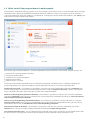
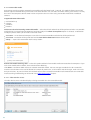
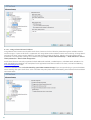
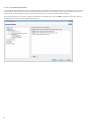
allowed based on your choice of URL-based action.
Note: Blocking or allowing a specific web page can be more accurate than blocking or allowing a whole category of web
pages. Be careful when changing these settings and adding a category/web page to the list.
4.5 Updating the program
Regularly updating ESET Smart Security is the best method to obtain the maximum level of security on your computer.
The Update module ensures that the program is always up to date in two ways, by updating the virus signature
database and by updating system components.
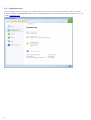
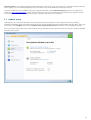
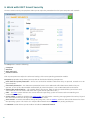
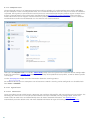
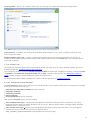
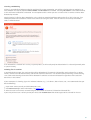
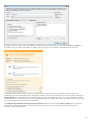
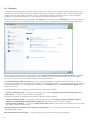
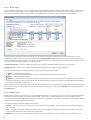
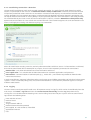
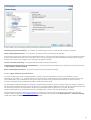
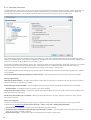
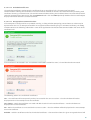
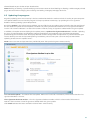
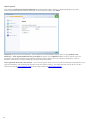
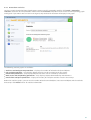
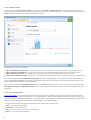
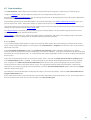
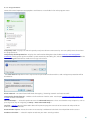
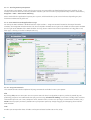
By clicking Update in the main program window, you can find the current update status including the date and time of
the last successful update and if an update is needed. The primary window also contains the virus signature database
version. This numeric indicator is an active link to ESET’s website, listing all signatures added within the given update.
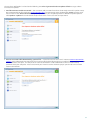
In addition, the option to manually begin the update process, Update virus signature database is available. Updating
the virus signature database and updating program components are important parts of maintaining complete
protection against malicious code. Please pay attention to their configuration and operation. If you did not enter your
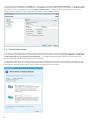
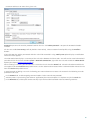
License details (username and password) during installation, you can enter your username and password when
updating to access ESET’s update servers.
NOTE: Your username and password are provided by ESET after purchasing ESET Smart Security.
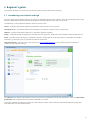
Last successful update – The date of the last update. Make sure it refers to a recent date, which means that the virus
signature database is current.
Virus signature database version – The virus signature database number, which is also an active link to ESET’s
website. Click it to view a list of all signatures added within the given update.
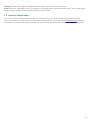
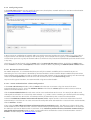
Click Check to detect the latest available version of ESET Smart Security.
69