1
BEFORE OPERATION
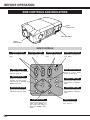
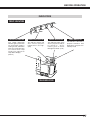
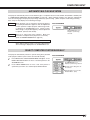
MENU BAR
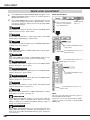
FOR PC SOURCE
Press MENU BUTTON while connecting to PC input source.
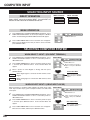
IMAGE SELECT MENU
SCREEN MENU
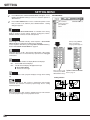
SETTING MENU
Used to adjust size
of image. [Normal
/ True / Wide /
Digital zoom +/–]
(Refer to P34)
Used to change
settings of projector
or reset Lamp
Replace Counter.
(Refer to P40-42)
GUIDE WINDOW
PC SYSTEM MENU
Shows selected
item of ONSCREEN MENU.
Used to select
computer system.
(Refer to P27, 28)
Used to select
image level among
Standard, Real
and Image 1 ~ 4.
(Refer to P32)
INPUT MENU
PC ADJUST MENU
IMAGE ADJUST MENU
SOUND MENU
Used to select
input source (Input
1, Input 2, Input 3
or Input 4). (Refer
to P26)
Used to adjust
parameters to
match with input
signal format.
(Refer to P29-31)
Used to adjust
computer image.
[Contrast/Brightness
/Color Temp.
/White Balance (R/G/B)
/Sharpness/Gamma
/Noise Reduction
/Progressive]
(Refer to P33)
Used to adjust
sound [volume,
Bass or Treble],
to select Built-in
SP On-Off and
Sound Mute.
(Refer to P25)
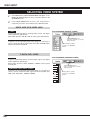
FOR VIDEO SOURCE
Press MENU BUTTON while connecting to VIDEO input source.
INPUT MENU
IMAGE SELECT MENU
Used to select
input source (Input
1, Input 2, Input 3
or Input 4). (Refer
to P35)
Used to select image
level among
Standard, Cinema
and Image 1 ~ 4.
(Refer to P37)
Same function as
Menu for PC source.
SCREEN MENU
Used to set size of
image to Normal
or Wide.
(Refer to P39)
AV SYSTEM MENU
IMAGE ADJUST MENU
Used to select
system of selected
video source.
(Refer to P36)
Used to adjust picture image.
[Contrast/Brightness/Color
/Tint/Color Temp.
/White balance (R/G/B)
/Sharpness/Gamma
/Noise Reduction/Progressive]
Same function as
Menu for PC source.
(Refer to P38, 39)
21