1
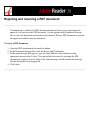
Retracing your viewing path
After you have navigated through documents, you can retrace your path back to where
you started.
To retrace your viewing path:
Do one of the following:
●
●
●
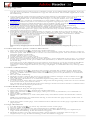
To retrace your path within an Adobe PDF document, choose View > Go To > Previous
View or Next View. The Next View command is available only if you have chosen
Previous View.
If you're viewing the PDF document in a browser, use options on the Navigation toolbar
to move between views. Right-click (Windows) or Control-click (Mac OS) the toolbar
or the Go To
area, and then choose Navigation. Click the Go To Previous View button
.
Next View button
To retrace your viewing path through other PDF documents, choose View > Go To >
Previous Document or Next Document. These commands open the other PDF documents
if the documents are closed.