1
3BN60370USAAed01.fm Page 7 Mardi, 10. avril 2007 11:20 23
2
During a call
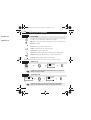
Transferring a call
ATIMU040-040
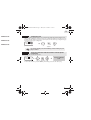
After dialing the destination number, you can transfer the call directly without waiting for your
party's reply by validating the 'Transfer' option.You can initiate the transfer by using the icon or the
'Transfer' text.The transfer between two external parties and the transfer by pressing the hang-up
key depend on the system configuration.
ATIMU040-050
123
Paul
inconversation
ATIMU060-005
you are on call
select the 'transfer' function select
'transfer'
You can also transfer your call immediately, without waiting for your
party to answer.
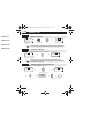
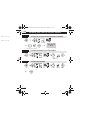
Three-way conference with internal and/or external parties
(conference)
During a call, a second call is on hold.
123
7
You are in conference
mode
Paul
inconversation
select the 'conference' feature
To cancel the conference, press the OK key. This will put you back to the other party.
7