1
iSCSI-to-SATA II RAID Subsystem
3.7.4 UPS
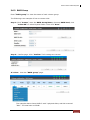
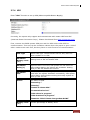
Enter “UPS” function to set up UPS (Uninterruptible Power Supply).
Currently, the system only support and communicate with smart-UPS from APC
(American Power Conversion Corp.). Please check detail from http://www.apc.com/.
First, connect the RAID system UPS port and the APC UPS via RS-232 for
communication. Then set up the shutdown values when the power is gone. UPS of
other vendors can work fine, but they have no such function of communication.
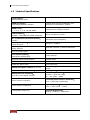
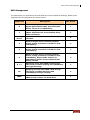
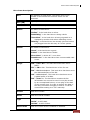
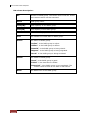
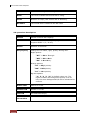
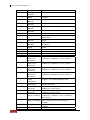
UPS Type
Select UPS Type. Choose Smart-UPS for APC, None for
other vendors or no UPS.
Shutdown
Battery Level
(%)
When below the setting level, system will shutdown.
Setting level to “0” will disable UPS.
Shutdown
Delay (s)
If power failure occurred, and system can not return to
value setting status, the system will shutdown. Setting
delay to “0” will disable the function.
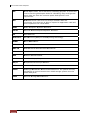
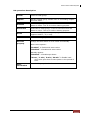
Shutdown
UPS
Select ON, when power is gone, UPS will shutdown by
itself after the system shutdown successfully. After power
comes back, UPS will start working and notify system to
boot up. OFF will not.
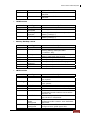
Status
The status of UPS.
“Detecting…”
“Running”
“Unable to detect UPS”
“Communication lost”
“UPS reboot in progress”
“UPS shutdown in progress”
“Batteries failed. Please change them NOW!”
Battery Level
(%)
Current percentage of battery level.
User Manual
69