1
SETrN<_,S 17
SETTINGS
SETI-INGS => PICTURE _ Picture Mode
Advanced Control / Expert Control
SETI-INGS => CHANNEL -_ Auto Tuning
Memorizes
broadcast.
automatically
the channels being
• The channels will not be memorized properly
if the antenna/cable is not installed correctly.
• Auto Tuning memorizes the channels that are
currently being broadcast.
• if Lock System is turned on, a pop-up
window will appear asking for password.
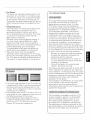
SET[INGS => PICTURE _ Picture Mode
Select the picture mode optimized for the
viewing environment or the program.
• Vivid : Adjusts the video image for the retail
environment by enhancing the contrast,
brightness, color, and sharpness.
• Standard : Adjusts the image for the normal
environment.
• Eco : The Energy Saver feature changes
settings on the TV to reduce power
consumption.
• Cinema : Optimizes the video image for a
cinematic look to enjoy movies as if you are
in a movie theater.
• Game : Optimizes the video image for a fast
gaming screen such as PCs or games.
• Expert 1, 2 : Adjusts the detailed video image
settings for video experts as wetl as general
viewers.
• Depending upon input signal, available range
of picture modes may differ.
For each picture mode, screen can be
calibrated; or for a special screen, picture
settings can be adjusted.
Select the desired Picture Mode,
• Dynamic Contrast : Adjusts the contrast to
the optimal levet according to the image's
brightness.
• Dynamic Color : Adjusts colors to make the
image appear in more natural colors.
• Skin Color : Skin color spectrum can be
separately set to implement the skin color as
defined by the user.
• Sky Color : Sky color is set separately.
• Grass Color : Natural color spectrum
(meadows, hills, etc.) can be separately set.
• Gamma : Sets the gradation curve according
to the output of picture signal in relation to
the input signal.
• Color Gamut : Selects the range of colors
that can be expressed.
• Edge Enhancer : Shows clearer and
distinctive yet natural edges of the video.
• Color Filter : Filters a specific color spectrum
in RGB colors to fine-tune color saturation
and hue accurately.
• Color Temperature : Adjusts the overall tone
of the screen as desired. In Expert mode,
detailed fine-tuning can be set via Gamma
method, etc.
• Color Management System : This system is
used by experts to adjust color with a test
pattern. They can select from six color areas
(Red/Green/Blue/Cyan/Magenta/Yellow)
without affecting other colors. For normal
images, adjustments may not result in
noticeable color changes.
• Depending upon input signal or other picture
settings, the range of detailed items for
adjustment may differ.
/