1
Changing A (Auto) Mode Settings (Shooting Menu)
White Balance (Adjusting Hue)
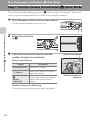
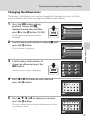
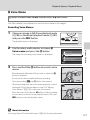
A (auto) M d (Shooting menu) M White balance
More on Shooting
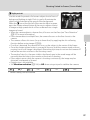
The color of light reflected from an object varies with the color of the light source.
The human brain is able to adapt to changes in the color of the light source, with
the result that white objects appear white whether seen in the shade, direct
sunlight, or under incandescent lighting. Digital cameras can mimic this
adjustment by processing images according to the color of the light source. This is
known as “white balance.” For natural colors, choose a white balance setting that
matches the light source before shooting. Although the default setting, Auto, can
be used under most types of lighting, the white balance setting suited to a
particular light source can be specified manually to achieve more accurate results.
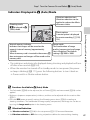
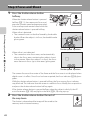
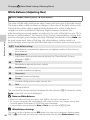
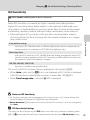
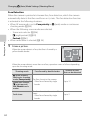
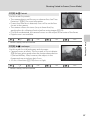
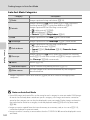
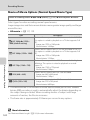
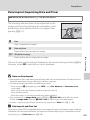
a Auto (default setting)
White balance is automatically adjusted to suit lighting conditions. Best choice in
most situations.
Preset manual
b
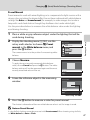
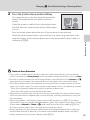
Useful when shooting under unusual lighting. See “Preset Manual” for more
information (A 47).
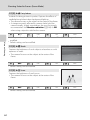
Daylight
c
White balance adjusted for direct sunlight.
Incandescent
d
Use under incandescent lighting.
Fluorescent
e
Use under fluorescent lighting.
Cloudy
f
Use when taking pictures under overcast skies.
Flash
g
Use with the flash.
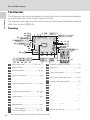
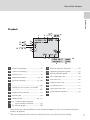
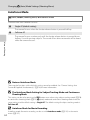
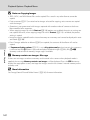
The icon for the current setting is displayed in the monitor (A 6). However, when
Auto is selected, no icon is displayed.
B
Notes on White Balance
• When hue is adjusted using the creative slider (A 38), this feature cannot be set.
• This function cannot be used simultaneously with certain functions. See “Camera Settings that
Cannot Be Applied Simultaneously” (A 78) for more information.
• At white-balance settings other than Auto or Flash, turn the flash off (W) (A 30).
C
46
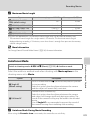
White Balance Settings
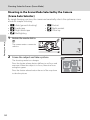
This setting can be set by pressing the d button even when using continuous shooting mode
(A 73). A (auto) mode and continuous shooting mode share the same White balance setting.