1
November 12, 2012
WI – Name Grabber™ User Manual
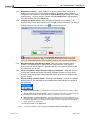
be removed, leaving only the Application name (if present) in the title bar of the practice
management software. For example, given an application title bar of "Dentrix Chart - Bob Smith",
the search string should be edited to specify just "Dentrix Chart "
7.2.6
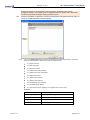
If patient information is specified to be found in the practice management title bar (refer to
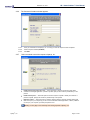
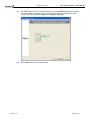
7.2.4), the ‘Sniffer Extraction’ window displays.
7.2.6.1
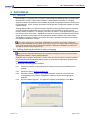
Click on the Add Definition button and specify the extraction format in the field provided. This format is
based off of the information contained in the practice management field.
%f - patient's first name
%l - patient's last name
%i – patient’s ID number
%s - patient's SS number (formatted)
%u - patient's SS number (unformatted)
%d - patient's date-of-birth
%n - patient's name (first last)
%p - patient's name (last, first)
%x - discardable string of characters
%c - discardable single character
%g – the rest of the string is garbage (can only appear at the end of an entry)
Examples:
Apteryx®, Inc.
PM Title Bar Entry
Corresponding Extraction Format
(John Doe)[DDS]
(%f %l)%g -or- (%n)%g
Doe, John M. - DDS
%l, %f - %g -or- %p -%g
(Doe, John M.)
(%l, %f) -or- (%p)
John Doe (1234)
%f %l (%i)%g -or- %n (%i)%g
Page 20 of 25