1
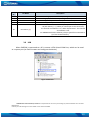
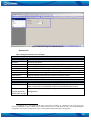
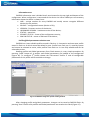
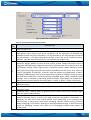
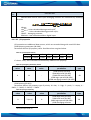
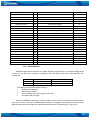
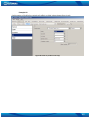
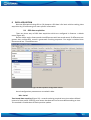
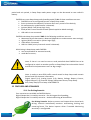
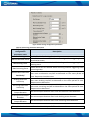
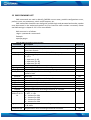
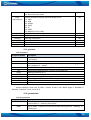
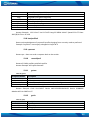
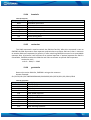
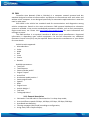
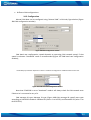
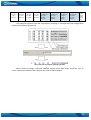
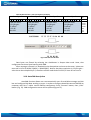
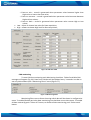
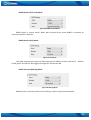
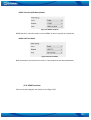
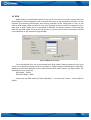
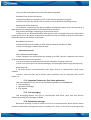
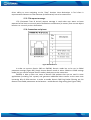
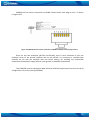
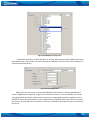
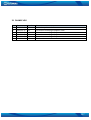
Figure 31 FM55 I/O Configuration (1)
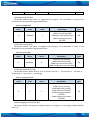
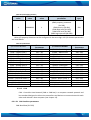
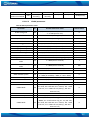
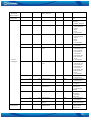
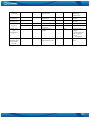
Table 11 I/O Configuration window description
Pos.
Nr.
1.
2.
3.
4.
5.
6.
7.
DESCRIPTION
Property inputs list
Enable/Disable chosen property input - allows enabling I/O element so it is added to the
data packet and is sent to the server. By default, all I/O elements are disabled and
FM5500 records only GPS information. It is also possible to set CAN message instead of
any I/O element – this way CAN element will be sent to the server instead of chosen
element. See CAN description below for more details (see chapter 14).
Priority - AVL packet priority. There are Low, High, Panic, SW21, SW22, SW23 and SW24
priorities. Regular packets are sent as Low priority records. When low priority event is
triggered, FM5500 makes additional record with indication that the reason for that was
I/O element change. When High priority is selected, module makes additional record
with high priority flag and sends event packet immediately to the server. First it tries to
send it using GPRS. If GPRS fails, it doesn’t send AVL packet using SMS mode, if SMS is
enabled in SMS settings. Panic priority event forces module to send AVL packet to server
via GPRS and if GPRS fails, it sends AVL packet using SMS mode, if SMS is enabled in SMS
settings. Then it switches its operating profile to Profile 4 (for details see chapter 8.1).
SW2X priorities switch profiles on event (SW21 – Profile 1, SW22 – Profile 2 and so on).
High Level - define I/O value range. If I/O value enters or exits this range, FM5500
generates event.
Low Level – define I/O value range. If I/O value enters or exits this range, FM5500
generates event.
Generate event – defines when to generate event. When value enters defined range,
exits it or both enters and exits.
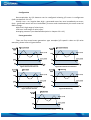
Averaging Constant – it is an I/O event delay parameter. In some applications there is no
need to generate events on every I/O range enter/exit immediately. Sometimes it is
necessary to wait some time interval before event generating to be ensuring that
current event is not a short time event. Averaging constant allows setting I/O event
delay (averaging). If I/O value is entering or leaving predefined range, it must have same
value for Averaging constant time. One unit of averaging constant value equals 20
milliseconds.
44