1
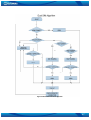
longer than 0.5 second so Eco Driving functionality can detect acceleration. If acceleration lasts
1.2 seconds two harsh acceleration events will be detected and generated.
Data output
Eco Driving functionality generates events on three cases. If vehicles:
• Acceleration exceeds defined parameter value
• Deceleration (braking) exceeds defined value
• Cornering force exceeds defined value
Program continously monitors and process data from accelerometer than decides
whether harsh event is detected or not. If any of three cases are satisfied event is
generated. Record is saved and sent to server (FM5500 must be configured properly).
Event value is multiplied by 10 before sending/saving record to get more precision
when displaying data*.
Digital output No.1 is activated for a period of time to warn driver. Output on-time
should/can be configured separately for each case.
*Example. If acceleration harsh event of 3.55 m/s2 detected. Record with value 3.55*10 = 35.5
≈ 36 will be saved ant sent to server.
12.2 Overspeeding Scenario
Overspeeding. Helps to prevent from exceeding fixed speed and inspects driver if needed.
DOUT1 is controlled by scenario for user needs, to manage buzzer, LED etc.
Mounting Requirements and Working Conditions
1. Only one scenario on corresponding Digital Output can be enabled at once.
2. Scenarios on Digital Output No.1 and Digital Output No.2 can be used
simultaneously.
3. Device module mounting position doesn’t have any influence for correct scenario
operation.
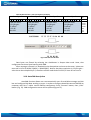
Configuration
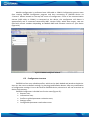
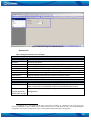
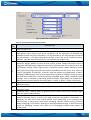
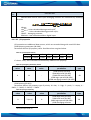
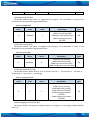
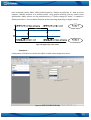
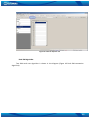
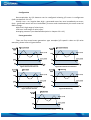
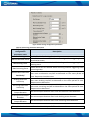
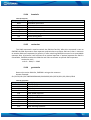
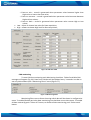
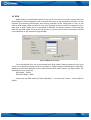
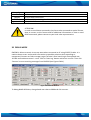
Figure 62 Overspeeding configuration parameters
Overspeeding. Enable/Disable Overspeeding.
Max Allowed Speed. Set speed limit to reach without triggering Overspeeding event.
78