1
Information
Information
-
Luminance
Measurement
-
Ambient
Measurement
-
6)D
6)D
6)D
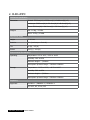
a. DICOM Modes
Refer to 5) DICOM Mode for more detail.
b. Display Setting
Input Mode
●●Auto:
Input is automatically taken to Mono or Color by input format.
Input is taken to the 10-bits packed Mono by force.
●●Color: Input is taken to the RGB 24-bits dual link Color by force.
●●Mono:
SBC
(Stable
Brightness
Control)
●●250-550:
Uniformity
Enhancement
●●OFF:
Power Save
●●Enable:
Automatically adjusts the overall light intensity targeting to the
selected luminance.
●●USER: Automatically adjusts the overall light intensity targeting to the
luminance set by a user.
●●OFF: SBC function off
Uniformity off
Uniformity level (The MAX is the most uniform set)
●●MIN.~MAX.:
●●Disable:
Cooling Fan
Speed
●●0-100:
LUT Enable
●●Enable:
Adjusts the cooling fan speed.
●●Disable:
Self Diagnosis
Goes into Power Save mode on the power save condition.
Doesn’t get into Power Save mode on the power save condition.
DICOM LUT enable.
DICOM LUT disable (i.e. panel gamma itself).
●●Visual
Test: It shows test patterns by monitor itself.
Block: It checks if the power blocks inside monitor are correct
or not.
●●Memory Block: It checks if the memory blocks inside monitor are correct
or not.
●●Devices: It checks if the devices inside monitor work correctly or not.
●●Power
27


![SB1 Regulatory Guide [English] (P/N 72-162415](http://vs1.manualzilla.com/store/data/006169239_1-e303f6229dceb26bd85d0766e9da70fe-150x150.png)