1
Irrigation Caddy – User Manual
Introduction
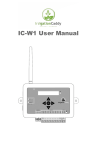
The Irrigation Caddy ( IC ) device is a web based irrigation sprinkler control system.
The system allows the user to control and schedule an irrigation system from any computer with a web
browser.
No special software or clients are required, just a Web Browser on a computer.
Installation
The IC can be used in new installations or as a replacement for an existing sprinkler control system.
The IC supports up to 10 different irrigation zones.
If your system uses a master valve, one of the outputs will be used as the master valve control, thus
allowing only a maximum of 9 zones.
Out of the box the IC is configured with output #10 set as the master valve output.
Steps:
1. If this is a replacement installation, first remove the old Sprinkler Control System, and attach
the IC to the wall. Make sure the valve cables can reach the IC.
2. Identify the common ground cable and connect it to the “com” output.
Illustration 1: Valve and Power Connectors
3