1
Getting Help
Troubleshooting
3
Error Messages
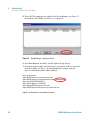
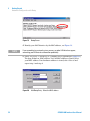
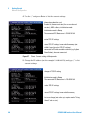
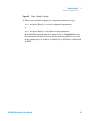
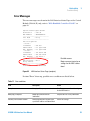
The error messages are shown in the LAN Interface Status Page on the Control
Module (G1323A/B) only, refer to “With Handheld Controller G1323B” on
page 43.
Agilent Technologies G1369B
FW Revision
: A.01.01
MAC Address
: 0030d3060122
-------------------------------Init Mode
: Bootp
-------------------------------TCP/IP Properties
- active IP Address
: 0.0.0.0
Subnet Mask
: not specified
Def. Gateway : not specified
- stored IP Address
: 134.40.24.160
Subnet Mask
: 255.255.248.0
Def. Gateway : 134.40.24.1
-------------------------------TCP/IP Status : Error
Bootp timeout
-------------------------------Controller
: not connected
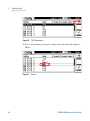
Figure 42
Possible reasons:
Bootp server not started or no
settings for this MAC address
found
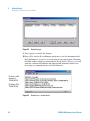
LAN Interface Status Page (complete)
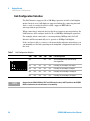
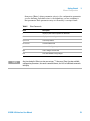
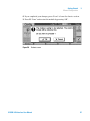
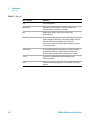
If status "Error" shows up, possible error conditions are listed below.
Table 11
Error conditions
Error
Description
Action
Bootp timeout
No reply on Bootp request received
Start Bootp server and/or add settings
for the LAN Interface.
Bootp reply incomplete
Bootp reply contained not all
information
Complete the neccessary information
Gateway in unreachable network
Default Gateway does not match the
specified IP address and Subnet Mask
Correct the settings
G1369B LAN Interface User Manual
53