1
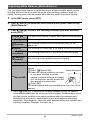
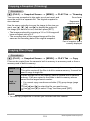
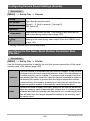
Recording a High-definition Movie
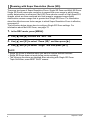
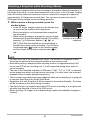
This camera supports recording of high-definition (FHD) movies. The aspect ratio of
an FHD movie is 16:9, the image size is 1920x1080 pixels, and the frame rate is 30
fps. Image quality and image size settings cannot be changed.
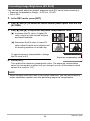
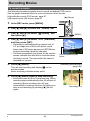
1.
In the REC mode, press [MENU].
2.
Use [4] and [6] to select the “Quality” tab.
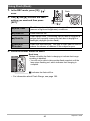
3.
Use [8] and [2] to select “» Quality” and then press [6].
4.
Use [8] and [2] to select “FHD”, and then press [SET].
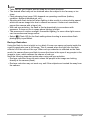
5.
Record the movie the same way as you would a normal movie (page
54).
Press [0] (Movie) to start and stop recording.
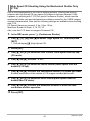
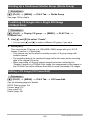
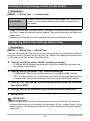
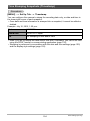
Recording a High Speed Movie
This camera supports recording of high speed movies at a maximum speed of
480 fps. The aspect ratio of movies recorded with this mode depends on the frame
rate (recording speed).
• When recording with the frame rate setting of “30-240 fps” frame rate setting, audio
recording is supported during 30 fps recording only. Audio is not recorded at any
other frame rates.
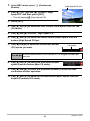
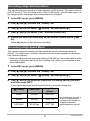
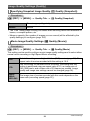
1.
In the REC mode, press [MENU].
2.
Use [4] and [6] to select the “Quality” tab.
3.
Use [8] and [2] to select “» Quality” and then press [6].
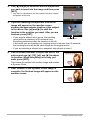
4.
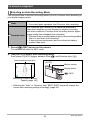
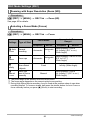
Use [8] and [2] to select the frame rate (recording speed) you want
and then press [SET].
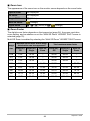
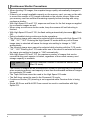
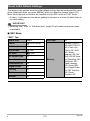
A fast frame rate (such as 480 fps) will result in a smaller image size.
» Quality
Frame Rate
Image Size
(Pixels)
HS240
240 fps
432x320
HS480
480 fps
224x160
HS30-240
30-240 fps
432x320
57
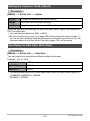
* fps (frames per second) is
a unit of measurement
indicating the number of
images recorded or
played back per second.
Recording Movies