1
2. The Meal Alerts
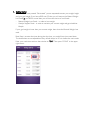
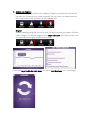
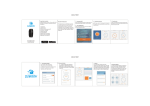
When you get the first alert you have to click “view” in order to see what you should eat.
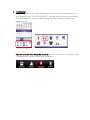
Swipe the screen in order to see the recommended food groups. If you have eaten
according to the instructions then remember to tick “CHECK” in the upper right corner
and after that “BACK” in the left corner.
SWIPE TO SEE THE FOOD GROUPS!
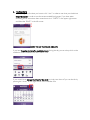
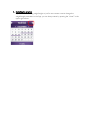
If you have forgotten to tick off a meal/shake/snack during the day you can always click on the
middle bar on the calendar view and “check” it off.
If you would like to change the times for the alerts or simply turn them off you can do this by
pressing the “wheel” on the right corner in the Calendar view