1
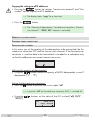
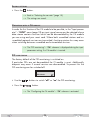
• Press the
button.
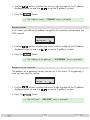
—> The "Ethernet parameters" – "ETHERNET" menu is activated.
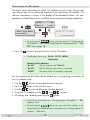
Ethernet
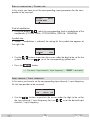
In this menu you specify whether the Ethernet parameters for the cassette are
entered automatically by a connected server ("DHCP"), or whether you want
to enter them manually ("stat"). To assign the cassette uniquely, each IPTV cassette must be allocated its own IP address.
pa r a m e t e rs
Bx 4
stat
ETHERNET
=>
Options
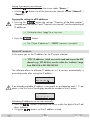
• Press the
buttons to select manual setting ("stat") or automatic setting
("DHCP") of the Ethernet parameters.
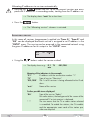
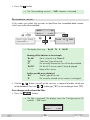
• Press the
button to activate the setting options ("Options").
—> The "IP address of the cassette" – menu "IP-ADDR" is activated.
IP
a d d r es s o f t h e c a s s e t t e
—> Two IP address ranges are used:
– "Hardware" IP addresses, which are used to connect the cassettes in
the network (e.g. 192.168.0.x).
– "IPTV" IP addresses (menu OUT-IP), which are used to send and receive the IPTV channels (e.g. 227.40.50.x). These IP addresses must
be within the "multicast" range from 224.5.0.0 to 231.255.255.255.
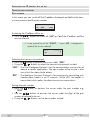
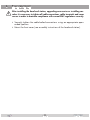
If you choose to enter the Ethernet parameters manually, set the IP address of
the cassette in this menu. If "DHCP" is selected, the "IP-ADDR", "IP-MASK" and
"IP-GATEWAY" sub-menus display the parameters that were assigned automatically by a connected server. If a server is not connected, "   0.   0.   0.   0*"
appears in the corresponding menu. The star " * " in the display means that
the data is provided by a DHCP server.
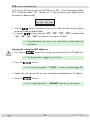
Bx 4
IP-ADDR
192.168.
0.128
- 16 -
PCIS 1000