1
Contents
Visit our w ebsite at w w w .dpstelecom .com for the latest PDF m anual and FAQs
1 VoIP Bridge Server Overview
1
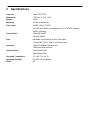
2 Specifications
3
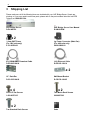
3 Shipping List
4
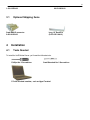
3.1 Optional Shipping Items
4 Installation
5
5
4.1 Tools Needed
5
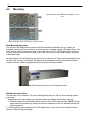
4.2 Mounting
6
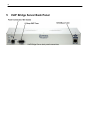
5 VoIP Bridge Server Back Panel
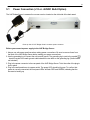
5.1 Power Connection (+12 or +24VDC Build Option)
8
9
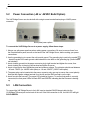
5.2 Power Connection (-48 or -24VDC Build Option)
10
5.3 LAN Connection
10
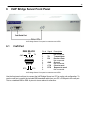
6 VoIP Bridge Server Front Panel
6.1 Craft Port
11
11
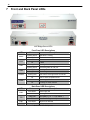
7 Front and Back Panel LEDs
12
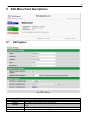
8 Edit Menu Field Descriptions
13
8.1 Edit System
13
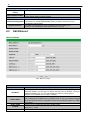
8.2 Edit Ethernet
14
8.3 Reboot
15
9 Monitoring via the Web Browser
9.1 Bridge Server
10 How to Set Up the VoIP Bridge Server
15
16
16
10.1 Set Bridge Server IP via Craft Port (using TTY Interface)
17
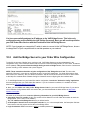
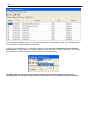
10.2 Add the Bridge Server to your Order Wire Configuration
19
10.3 Dial into the Bridge Server from Order Wire stations
21
11 How to Upgrade Firmware Via LAN
22
12 Frequently Asked Questions
23
12.1 General FAQs
23
13 Technical Support
24
14 End User License Agreement
25